DEVIL11
-
Posts
767 -
Joined
-
Last visited
Content Type
Profiles
Forums
Gallery
Downloads
Store
Everything posted by DEVIL11
-
Dont i need a tool to put aircraft and other campians on
-
I read the knowlage base but its to complacated im use to the first gen where u just add the air craft to the objects
-
Hi im new to the strike fighters 2 serious i was wondering how u put mods add planes and weapons and what wweapon editor and gun editor i use
-
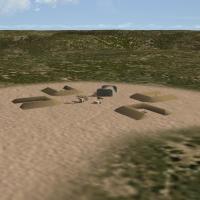 I love that range wish u can make it compatible with wings over europe
 -
Its a windows 7 compaq and 4\23\06
-
I have wings over europe. And the game was running properly, now im having problems with the game? As i chose the germany enviroment and i start playin then when i down i press escape, and it crashes the game is their anything i can do to fix this problem and please verify thanks???....
-
Is their ganna be the naval model as well or is it just the two seat b model rafale
-
Its wings over europe
-
Im sorry wrench :( my bad
-
wrench thanks but i dont have any mods besides the marcelos proving grounds tomcats over europe and wings over vietnam exspanion pack
-
Can any one help plz
-
Its in my flight folder i cant explain it but when i dont have the flight engine my decals are normal but when i put the flight engine it makes them blurry can i fix it to not make them blurry
-
My flight engine makes my decals on the plane blurry is there any way i can stop that from happening to the decals with out deleteing the flight engine
-
I miss havin the rafale and the cobras
-
Yes their is but not here their is one that is called a rafale B not the m model at A-teams site u need permission from them first before dowloading their aircraft
-
Nato fighters four is putting files into the folders for example it doesnt have a running process like nato fighters 1 through 3 if u want the fighters from nato fighters 4 put them in ur objeck aircrafts folder
-
U need to install all four nato fighters in order to make it work
-
Can some one help me fix the see throughs of aircraft
DEVIL11 replied to DEVIL11's topic in General Discussion
What should i do u guys some paint schemes look like the picutres its see tthrough in some areas -
Did u install all four nato fighters
-
Can some one help me fix the see throughs of aircraft
DEVIL11 replied to DEVIL11's topic in General Discussion
Grrrrrr the see throughs of some skins are starting to get me pissed -
Can some one help me fix the see throughs of aircraft
DEVIL11 replied to DEVIL11's topic in General Discussion
Its an FA-18A Add on skin from wings over europe wings over isreal wings over veitnam and strike fighters1 idk why it shows up like that i read the readme -
Can some one help me fix the see throughs of aircraft
DEVIL11 replied to DEVIL11's topic in General Discussion
Woops [Decal001] MeshName=Nose DecalLevel=2 DecalFacing=LEFT FilenameFormat=FA-18a/VFA131/D/FNum Position=5.80,-0.01 Rotation=0.0 Scale=0.80 DecalMaxLOD=3 [Decal002] MeshName=Nose DecalLevel=2 DecalFacing=RIGHT FilenameFormat=FA-18a/VFA131/D/FNum Position=5.80,-0.01 Rotation=0.0 Scale=0.80 DecalMaxLOD=3 [Decal003] MeshName=LeftWing DecalLevel=0 DecalFacing=TOP FilenameFormat= Position=-3.8,-2.3 Rotation=0.0 Scale=0.76 DecalMaxLOD=2 [Decal004] MeshName=RightWing DecalLevel=0 DecalFacing=TOP FilenameFormat= Position=3.8,-2.3 Rotation=0.0 Scale=0.76 DecalMaxLOD=2 [Decal005] MeshName=Nose DecalLevel=2 DecalFacing=LEFT FilenameFormat=FA-18a/VFA131/D/VFA-131 Position=1.15,0.5 Rotation=0.0 Scale=1.3 DecalMaxLOD=3 [Decal006] MeshName=Nose DecalLevel=2 DecalFacing=RIGHT FilenameFormat=FA-18a/VFA131/D/VFA-131 Position=1.15,0.5 Rotation=0.0 Scale=1.3 DecalMaxLOD=3 [Decal007] MeshName=fuselage DecalLevel=0 DecalFacing=LEFT FilenameFormat=FA-18a/VFA131/D/NavyL Position=-4.5,-0.22 Rotation=0.0 Scale=1.1 DecalMaxLOD=2 [Decal008] MeshName=fuselage DecalLevel=0 DecalFacing=RIGHT FilenameFormat=FA-18a/VFA131/D/NavyR Position=-4.5,-0.22 Rotation=0.0 Scale=1.1 DecalMaxLOD=2 [Decal009] MeshName=LeftVertail DecalLevel=2 DecalFacing=LEFT FilenameFormat=FA-18a/VFA131/D/TNum Position=-5.73,2.30 Rotation=0.0 Scale=0.65 DecalMaxLOD=3 [Decal010] MeshName=RightVertail DecalLevel=2 DecalFacing=RIGHT FilenameFormat=FA-18a/VFA131/D/TNum Position=-5.73,2.30 Rotation=0.0 Scale=0.65 DecalMaxLOD=3 [Decal011] MeshName=Fuselage DecalLevel=2 DecalFacing=LEFT FilenameFormat=FA-18A/VFA131/D/JetintakeL Position=-0.91,-0.64 Rotation=0.0 Scale=1.1 DecalMaxLOD=3 [Decal012] MeshName=Fuselage DecalLevel=2 DecalFacing=RIGHT FilenameFormat=FA-18A/VFA131/D/JetintakeR Position=-0.91,-0.64 Rotation=0.0 Scale=1.1 DecalMaxLOD=3 [Decal013] MeshName=RudderLeft DecalLevel=0 DecalFacing=LEFT FilenameFormat= Position=-6.088,1.536 Rotation=0.0 Scale=0.88 DecalMaxLOD=3 [Decal014] MeshName=RudderRight DecalLevel=0 DecalFacing=RIGHT Reverse=TRUE FilenameFormat= Position=-6.088,1.536 Rotation=0.0 Scale=0.88 DecalMaxLOD=3 [Decal015] MeshName=LeftFinFuse DecalLevel=0 DecalFacing=LEFT FilenameFormat=FA-18a/VFA131/HookL Position=-7.04,-0.58 Rotation=0.0 Scale=0.3 DecalMaxLOD=2 [Decal016] MeshName=RightFinFuse DecalLevel=0 DecalFacing=RIGHT FilenameFormat=FA-18a/VFA131/HookR Position=-7.04,-0.58 Rotation=0.0 Scale=0.3 DecalMaxLOD=2 [Decal017] MeshName=LeftFlap DecalLevel=2 DecalFacing=TOP FilenameFormat=FA-18a/VFA131/D/FNum Position=-3.6,-3.85 Rotation=0.0 Scale=0.70 DecalMaxLOD=2 [Decal018] MeshName=RightFlap DecalLevel=2 DecalFacing=TOP FilenameFormat=FA-18a/VFA131/D/FNum Position=3.6,-3.85 Rotation=0.0 Scale=0.70 DecalMaxLOD=2 -
Can some one help me fix the see throughs of aircraft
DEVIL11 replied to DEVIL11's topic in General Discussion
Heres the texture entry [TextureSet017] Directory=VFA131 Name=VFA-131 WildCats Nation=USN Squadron=VFA-131 Specular=0.150000 Glossiness=0.025000 Reflection=0.000000 -
Can some one help me fix the see throughs of aircraft
DEVIL11 replied to DEVIL11's topic in General Discussion
What entries -
Can some one help me fix the see throughs of aircraft
DEVIL11 replied to DEVIL11's topic in General Discussion
Is their anything i can do to actually have the paint scheme instead of it bein half the paint scheme to half invisible