


Creepn Death
-
Posts
13 -
Joined
-
Last visited
Content Type
Profiles
Forums
Gallery
Downloads
Store
Everything posted by Creepn Death
-

-
-
Man, those look gorgeous. I might just have to spring for FC3. Daddy like!
-
Yeah, the post above yours had the solution to the problem. There wasn't any readme or information anywhere on that text being the issue. I removed it and it the CTD and other issues i had prior went away. Thanks for the help guys/gals. Creepn Death
-
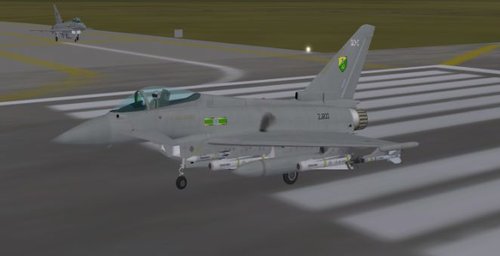
I've put in the Typhoon into WOE and I know the Avionics need to be downgraded. The only problem with that is that there was no downgrade in the file like it said there was. I tried to rig the Typhoon with an F-15 avionics set to get it to work and it doesn't. What do I need to do to fix this? I put the avi files in the Typhoon pit folder and changed the Typhoon avi ini to use the new avi's but no go. Any ideas anyone???? Creepn Death
-
Weapon Loading/ Weapons Pack issue?....
Creepn Death replied to Creepn Death's topic in Mods/Skinning Discussion
OK, to all that might be having the same issue with WOE here is what for SOME odd reason worked for me. From what I've seen this adds possible fix #3. After reading FastCargo's recommended post and knowing that I'd been through all the steps but one (moving the weps editor, ini, and wepdata ini) I noticed that the second entry in the WeaponEditor.ini was for some odd reason showing a totally different drive than what was above it. I changed it, ran WOE and still had the issue. Thought, well maybe I need to go save the wepsdata.ini. Did this and like usual, deleted the .DAT file (some people had tried this and was following this wisdom). Ran WOE and still a no go. So on a hunch I went back, saved it and LEFT the .DAT file and all is good. I have NO idea why this is but maybe this will help someone else. If anyone reads this and is having the same issues follow these steps: 1. Open the WeaponEditor.ini file in notepad and make sure that both Target Directory AND the Input Directory read the same addy. 2. Open the Weapon Editor (and make sure its the most current version) and save the file. 3. LEAVE the .DAT file and run WOE. Problem should be fixed. FastCargo and Dave, thanks for the help. I really appreciate it. I've been racking my brain over this for about a week now. Been doing this long enough that I thought I could handle it. Anyway, thanks again. Chris "Creepn Death" Huber -
Weapon Loading/ Weapons Pack issue?....
Creepn Death replied to Creepn Death's topic in Mods/Skinning Discussion
FC, thanks for the reply. I read the post. Similar issue. I had all the defaults disappear also after an edit. I found after some searching that deleting the .DAT file that's created after a save fixed it, but only somewhat. The stock stuff is still all showing up, but none of the weapons pack weps are showing. I've updated the Weps editor AND the game to the most current versions that I could find and the issue still persists. From what I can see SOMETHING, which I have no idea what, is blocking the Weps from the weapons pack from being usable. I've even went as far as checking usable dates and the weapon stations info on many of the aircraft. Everything says I should be able to use them, but still nothing. Any ideas? -
Weapon Loading/ Weapons Pack issue?....
Creepn Death replied to Creepn Death's topic in Mods/Skinning Discussion
Already looked at that bro, its a fresh install and have updated the Weps Editor AND deleted the .DAT file and still a no go. Now what? -
Is there anyone out there that knows how to fix issues within WOE when it comes to weapon packs and their use? I put in Bunyap's weapon pack, usually not an issue, but I for some reason now have one. I have the newest update on WOE and for some reason, even after putting the pack in I cannot access/load the newer weapons on A/C. Have already visited the knowledge base, no help there. Deleted the .DAT file that the weapons editor was creating, that was PART of the issue. The DAT file was causing NO weapons to be available. This is a clean install and I've been through this SOOOOOO many times but never had this one. I've scoured the files to hopefully find a small file that is creating the issue but have not found anything. The stock weapons are available, but NONE of the Bunyap weapons pack weps are available for use. Have check the entries and everything points to them being available, but no go. Someone PLEASE help. Thanks. Chris "Creepn Death" Huber
-
View File F-16A Euro 1 Digital Camo This is a Hi-Res skin for the Mirage Factory F-16A's. It will work on the Blk 1 and Blk 10 NDC. It is a digital adaptation of the Euro 1 scheme commonly seen on USAF aircraft. Uses original HL decals and some other custom jobs. Thanks to Mirage Factory for the model and original work. I have a seperate folder in here for the decal.ini's for both the Blk 1 and Blk 10 NDC. Enjoy! NOTE: This skin should work with the other MF Vipers but have not been tested. Submitter Creepn Death Submitted 02/16/2007 Category Fictional/What If Skins
-

277 downloads
This is a Hi-Res skin for the Mirage Factory F-16A's. It will work on the Blk 1 and Blk 10 NDC. It is a digital adaptation of the Euro 1 scheme commonly seen on USAF aircraft. Uses original HL decals and some other custom jobs. Thanks to Mirage Factory for the model and original work. I have a seperate folder in here for the decal.ini's for both the Blk 1 and Blk 10 NDC. Enjoy! NOTE: This skin should work with the other MF Vipers but have not been tested. -
Nice skin set USAFMTL, who did those skins? Those look different than the originals.
-
USAFE isn't the only MAJCOM in the works. Or so a little birdie told me....
-
Any ideas/thoughts about creating a F-15E?
Creepn Death replied to richbur's topic in General Discussion
I agree with the above posted. The addition would truly be eyecandy unless you could work out some way to have the back seat available to use/ manned. Although, it would probably be rather easy to make the modifications for the "eyecandy". The only problem that presents a slight bit of challenge would be to incorporate the Conformal Fuel Tanks (CFT's) that are ALWAYS on the F-15E. Especially if you wanted them to be equipable and usable. Perfromance wise you could use the F-15C characteristics being the planes are almost identical short of minor modifications to outward appearance and weights etc. Feasable, but probably not all the functional and interesting other than eyecandy. Creepn Death -
Anyone, please I need a hand here. I've been trying forever to figure out the Track system on this game. I've looked at my key layout and tried using every buttion that even remotely relate to recording tracks and nothing. Can anyone tell me how to record a track so I can see it after I'm done flying. Maybe I'm dumb here, but I need something, it's killing me. Creepn Death