malibu43
-
Posts
2,242 -
Joined
-
Last visited
-
Days Won
6
Content Type
Profiles
Forums
Gallery
Downloads
Store
Everything posted by malibu43
-
Thanks Dave! Hopefully I didn't screw it up with the changes I just made! Folks - give the new mod a try for a while and let me know what you think. You should see a little less KS-12 and KS-19 and a little more ZSU-23.
-
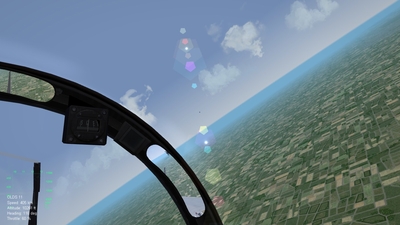
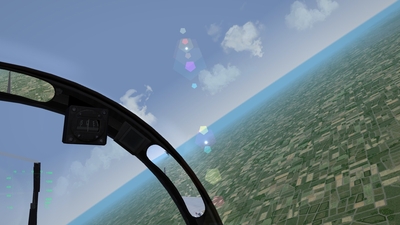
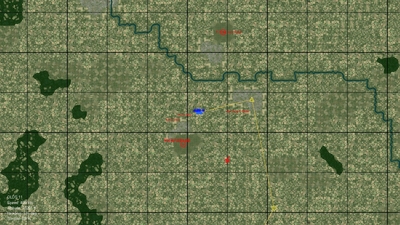
I like this: [Display001] DisplayType=DIRECTOR ObjectType=TARGET_ENEMY ConeSize=25 BoxSize=1 //10 BoxType=SQUARE BoxColor=0.0,0.0,0.0,0.25 //1.0,0.0,0.0,0.75 //ConeModelName=redcone Where is he? (HUD is turned off with alt-D) (alt-D) There he is!
-
-
-
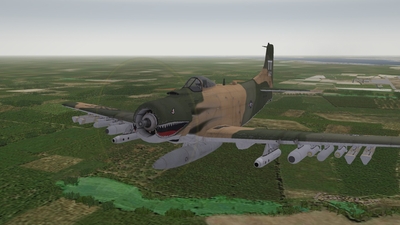
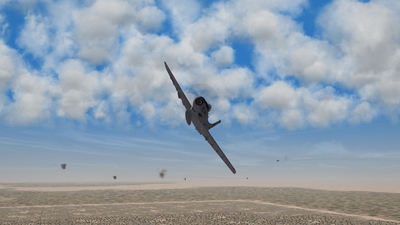
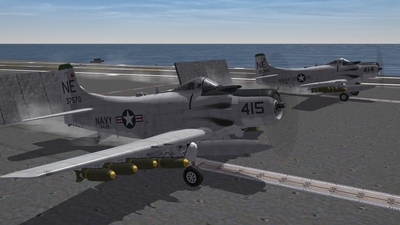
From the album: malibu43's album
-
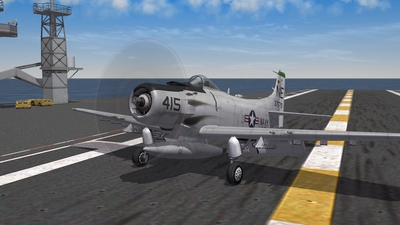
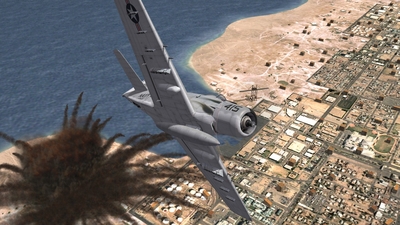
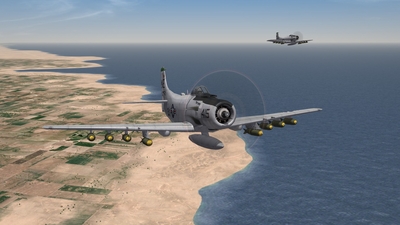
From the album: malibu43's album
-
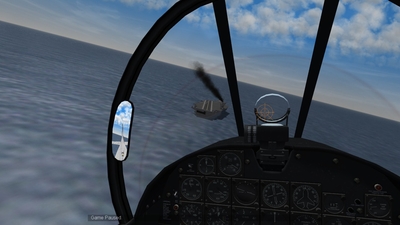
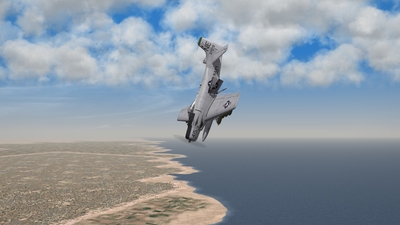
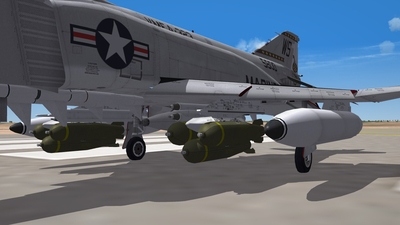
From the album: malibu43's album
-
OK. The pack has been updated without the air burst for the ZU-23. I have also removed the Mobile_AAA versions of the KS-12 and KS-19 so you get more of the deadlier "Mobile_AAA" ground objects. If you want to update your installation, delete the following folders before dragging and dropping all the new files in: Objects/Guns/23MM_ZU23T Objects/GroundObjects/KS-12_G Objects/GroundObjects/KS-19_G Objects/GroundObjects/KS-19_P
-
That makes sense. I was wondering about that when different internet sources said the rounds had a self destruct fuse. ie - was it a fuse intended to be used to detonate the round near the aircraft, or a fuse intended to destroy the round if it misses its target? It sounds like you're saying it was the latter. I'm going to leave the download as-is for now, rather than keep changing it. Maybe more folks will chime with some info to help point me in the right direction. After a few days, if we have it figured out, I'll make sure the download is updated with the right info.
-
OK. My source has helped me confirm that the 23mm guns can produce flak clouds, so I have updated the download once again to add the 23mm flak back in.
-
I'm running everything but SF2NA merged at the April 2012 patch level. I have Stary's Germany CE tiles and trees installed, but no changes to my _targets.ini 3 times in the last 2 days I've started a generated Armed Recon mission in an A-10A (nation = USAF), clicked "fly", and once the mission's loaded I'm presented with blue sky and whitish horizon and nothing else. No plane. No ground. No cockpit. Can't cycle views or anything. I exit out of the mission, select "refly", and check the map. The start and end waypoints are somewhere down past the bottom left corner and aren't displayed. If I go back to the single mission screen and try a new mission, I don't have the issue. Waypoints and map are just as they should be. Is this a known issue? I know I've seen some posts about this, but I thought most of them were USN or carrier related...
-
Well, I looked through the .cat's and some .ini's and .str files and couldn't find anything about the labels, so I don't know where to go next on that one. However, I was going to go from a small, red box to a small black dot. I thought this would be nice since, it would be a little harder to see if marking a ground target, and, since it's black instead of red, would better represent the silouette of an aircraft in the sky. One question though - what do the four values represent in "boxcolor="? I'm assuming the first 3 are red, green, and blue. So black would be 0,0,0. But what is the last value? Most of the entries in HUDDATA.ini use 0.75. Is that some sort of brightness or transparency?
-
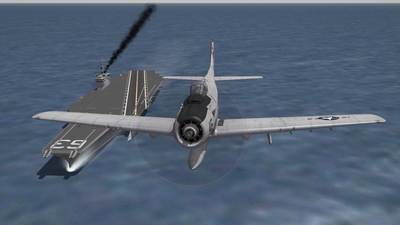
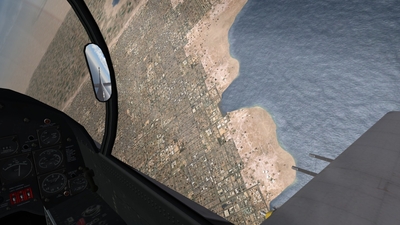
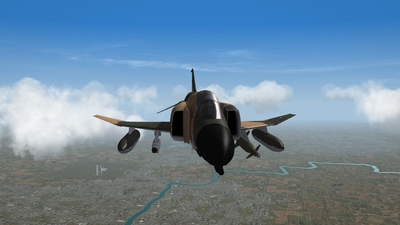
From the album: malibu43's album
-
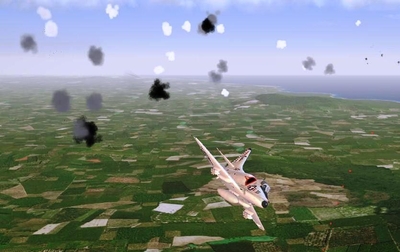
Folks, I have updated this download with a few changes: - add two effects files that were missing (thanks, gerwin!). - increase the ZSU-23's availability to "COMMON" so it hopefully will show up a little more - changed the ZU-23 so that it does not have self-detonating rounds (ie - doesn't create flak clouds). I spent some time researching the last one, and couldn't find anything conclusive about whether the gun was a "flak" type gun or not. Various sources do list it as using "self detonating" or "self destructing" rounds, but all descriptions of the gun and even some youtube videos did not indicate that the shells would burst around an aircraft creating puffy, white clouds the way my previous version did (which was, honestly, a change I didn't realize was included in the pack). Therefore, it has been turned back into a regular cannon style AAA piece that just fires green tracers at you as you speed by, laughing and flipping the bird at it!
-
From huddata.ini: ...[infoDisplay] //BackgroundImage=TextBackground.tga BottomLeftPosition=0.01,0.985 BottomRightPosition=2,1 //0.99,0.985 DisplayWidth=0.20 VerticalBorder=0.0015 HorizontalBorder=0.008 EnemyTargetColor=1.0,0.0,0.0,1.0 FriendlyTargetColor=0.0,0.0,1.0,1.0 UnknownTargetColor=1.0,1.0,0.0,1.0 WaypointColor=1.0,1.0,1.0,1.0 TextFile=HUDText.str <---------- ????? NormalColor=1.0,1.0,1.0,1.0 WarningColor1=1.0,1.0,0.0,1.0 WarningColor2=1.0,0.0,0.0,1.0 AGLAltStart=609.6 AGLAltWarning=152.4 EnglishUnitUseMPH=FALSE ScaleTextToFit=TRUE ... I'm not at home so I can't try to find HUDText.str, but maybe it has some of the labels stuff in it...
-
Hey, now that's a great idea. Anyone know what files that stuffs in? What distance to labels show up at? Is it "infinity"? If it's limited at all, this could be a great solution.
-
Yup. That's what I'm thinking. Mine is really similar to that right, except I still have my aircraft's info and I have a small box instead of a dot. I had a dot for a while, but actually found in a lot of cases that it obscured what was behind it. So i go with a smaller box instead. Another reason I forgot to mention that I keep my aircraft's info in the bottom left is that SF2 doesn't/can't use a detent to set after burner. I found that without the extra visual cue to indicate when i was in burner or not, I was spending way to much time trying to find 100% mil power without going into burner. On some aircraft its obvious due to noise, etc..., but on some it was hard to tell. That is a good point. It's another fall-back for when you can't seem to find whatever it is you're looking for. So are you flying with the HUD "turned off" via alt-D? Or HUD set to "hard"? Another thing I've found fun is using the "target nearest center of view" key. When flying CAS in an A-10, I actually try to visually identify the tanks, look at them, and then target what I'm looking at instead of just pressing E and looking for the red dot/box. The same could be done for A/A combat.
-
I'm not asking how to extract or how to change the settings that are in HUDDATA.ini, I'm asking what changes you've made. This question is probably more specifically directed at those that prefer a more "realistic" flying/fighting experience. I've been toying lately with buying FC2. IMHO, SF2 is superior in FC2 in so many ways (I have tried FC2 before). Number of flyable aircraft, terrains/theaters, graphics (with the latest mods), repla-ability, performance, etc... There's just one thing about SF2 that has been bugging me lately, and that's the ability to play SF2 without all the visual aids in the "HUD". I've found that with the red box and red cone turned on, a dog fight quickly turns into "press E, trun in direction of arrow, engage target in red box, repeat." However, due to the draw distances used in SF2, it seems like playing without the visual aids is probably a litte too hard (note that I didn't say unrealistic). I find it nearly impossible to spot an enemy, even ones that are incredibly close. Even when frequently checking the map. Even when using the heck out of Red Crown. It's not just dogfights, either. I tried an armed recon mission in an A-10 last night, and was circling at 2000' AGL right over the top of the vehicle column, zoom in, staring at the ground for a few orbits not able to see anything, before I finally used alt-d to turn the red box back on. The trucks were right where I was staring; they just weren't really visible. The best solution, I think, would be something like IL-2, where a small icon of some sort (type, distance, whatever) appears over the target when you should be able to see them in real life, which I think is a good way to overcome the limitations of computer monitors but still relying on the player for some situational awareness and target selection/tracking. So right now I still have: - my aircraft speed and altitude. I think in real life it's easier to quickly check a gage or instrument than it is in the game, so I think this is fair. - red box, but I've made it a little smaller - everything else is turned off I have other versions of my huddata.ini that have the red box removed (for a really challenging experience), or the cone added back, or the cone with the target info added back (just radar removed). I like that in the version I have right now, I still have to use TrackIR to find my target and I don't have it's type, heading, and speed all spelled out for me. But I don't like the fact that I only can see that one target. When I scan the skies, I don't know if it's just him, or if there's 7 more just as close (or closer) that just don't happen to have a red box around them. One option would be to keep the hud stuff on, and fly with alt-d cycled to remove all of it. Then I can turn it back on mid flight if I really need it. But again, that seems kinda like cheating if my intention from the start is to fly with it off. So what do some of you use? Just looking for suggestion or ideas here. Maybe there's something I don't think would work that well or that I haven't thought of, but you've tried it and it does work well!
-
I'm sure in real life, I'd want the RWR loud! I'd want know if someone was (or was ready to) shoot something at me! But when I'm at home at the kitchen table and my wife is 20 feet away in the living room, loud probably isn't such a great idea. (DEE-DOO DEE-DOO DEE-DOO DEE-DOO DEE-DOO DEEDLE DEEDLE DEEDLE DEEDLE...) "What the hell is that annoying noise!?!? Turn it the f#&k down!?!?!"
-
Cessna 172 and P-51 mustang. Both have wings with control surfaces. Both have a propeller in front. Both have a place for someone to sit with glass in front and on the sides. Both have a vertical control surface at the rear of the plane. Both have smaller horizontal control surfaces at the rear of the plane. They both use wheels to move along the ground. It's all relative.
-
Wow. Great job on these. Really improves immersion over the stock "beeps". They remind me of the RWR audio from the Iron Hand mission in FOTI (the movie, of course). They end up being a little too loud for me, though. When you're being tracked by a FireCan for 10 minutes, it can get a little annoying! I'm going to try adjusting the volume of the files down just a little. IIRC correctly from "When Thunder Rolled," the author commented that they'd turn the RWR audio down because listening to s generic search radar for hours could get a little annoying...
-
Free Flight? Just start any mission and fly away from the action. Then do whatever you want. It's that simple.
-
 Hi balasch0 - I just tried to send you a PM, but I got a message that you don't have access to the PM system.... I have been wanting to add carrier battle groups to my modded desert campaigns that already have carriers added: http://combatace.com/files/file/11366-carriers-in-stock-sf2-campaigns/ I just haven't had the time to work on it yet. Since you are already adding carrier battle groups to the '75 campaign, would you be interested in helping me update the '75 campaign included in my mod, as well as the other 5 campaigns? It should be a very simple task, mostly just copy and pasting the changes from the '75 campaign over to the others and making sure the numbering is all correct. Let me know! Thanks!
 -
That sounds like winzip isn't maintaining the folder structures when it extracts. You should see a few folders when you open the archives. Inside those folders should should be other folders and files, etc... If you're seeing just a list of thousands of files, you need to change a setting in your extraction utility. There is a setting in winzip (I think, I only use winrar) that you need to set to maintain folder structures during extraction. Try that. And then make sure to install everything in order. Parts 1-4, then the last update.
-
Well, don't forget the airforce operated Skyraiders up through pretty much the end of the war. While their main focus was SAR, they did fly CAS, armed recon, and strikes in Laos, Cambodia, and S Vietnam (maybe even some of the lower packs in N Vietnam also). There are other aircraft in the AGXP that utilize the low threat environment of S. Vietnam as well. I think that is really one of the core features of the AGXP, and for that reason, it needs to maintain that capability. Also, even if A-1's have only CAS, anti-ship, and armed recon allowed in the campaign file, the campaign engine might assign them a strike or recon mission over Hanoi if there aren't any of the other missions available at the time. Another thing to consider is that having the two terrains broken out by N and S Vietnam allows the player to better control what kind of mission they get from the single mission screen. The idea is that if I feel like white-knuckle, scared out of my mind, flak happy strike missions, I select N Vietnam. If I want something more low key, I can select S. Vietnam. This is another thing that I think is important for the AGXP and needs to be maintained. So we just need to make sure we don’t add any/many S. Vietnamese strike or SEAD targets to the N. Vietnam map. Otherwise we could screw things up. Armed Recon, anti-ship, and CAS I’m not as worried about, since the player knows what kind of mission he’s going to get if he selects one of those. Here is one possible approach that might bring both your ideas and the AGXP together: S. Vietnam, Steel Tiger, and Easter Offensive 1. Keep the separate campaigns and terrains for S. Vietnam. These are needed for aircraft like the B-57G, A-1, and F-100. There really isn’t any way around this. 2. Add some of the new armed recon and anit-ship routes to S. Vietnam. That way they can be utilized in the campaigns and from the single mission screen. 3. We can also try your new campaign nodes in the South Vietnam campaigns. If it works and brings more variation to the ground war, it’s a big plus. I think the caveat here is that we need to make sure the front line doesn’t get all out of whack and that things like airbases don’t fall into NVA hands (unless the player grossly fails to provide CAS, which should never happen in such a low threat environment). N. Vietnam, Rolling Thunder, and LBI 4. Add the armed-recon and anti ship routes to the N. Vietnam map as well, so that they can be utilized in the campaigns. 5. Add the ground war to the campaigns, assuming it works correctly as I stated in #3 above and assuming we can get a good 2:1 or 3:1 ratio of tough missions up North to easy missions down South (it sounds like you may have this figured out already). This also assumes we can keep MiG’s out of S. Vietnam. Anything I missed? Thoughts?
-
Interesting... So you're getting a good balance of hairy missions up north and "easy" ones down south? If indeed it does work, that would be a nice addition to the RT and LBI campaigns. I think we'll still need the separate Steel Tiger and Easter Offensive campaigns, though, for aircraft like A-1's, F-100's, etc... to keep them from getting slaughtered up North. Unless you find a way to limit an air unit to only operate within a certain area (which I don't believe you can). That was one of the issues with it all in one campaign - you'd end up getting tasked with hitting a target in Hanoi in 1971 with a flight of A-1's. Yikes! Never eneded well. Or, your flight of A-1's will be working CAS in S. Vietnam and get jumped by Migs! Also never ended well. I did experiement with shortening ranges, but, as you pointed out, it leads to other issues and still doesn't 100% fix the problem. Although, along that line of thought, while the PIRAZ group might help to mitigate MiG's down south (but probably won't eliminate it all together), an unintended consequence of having the PIRAZ group shooting down MiG's is that RT, LBI, and LBII will be even shorter on MiG's. The campaigns can be boring enough with MiG's being so scarce, but now if we have ships blasting them out of the sky as well, there will be nothing for Crusaders and F-4's to do on escort missions. I think that is one area where gameplay should win in the "gameplay vs accuracy" battle. Keep us posted.