


Rapadelic
-
Posts
84 -
Joined
-
Last visited
Content Type
Profiles
Forums
Gallery
Downloads
Store
Everything posted by Rapadelic
-
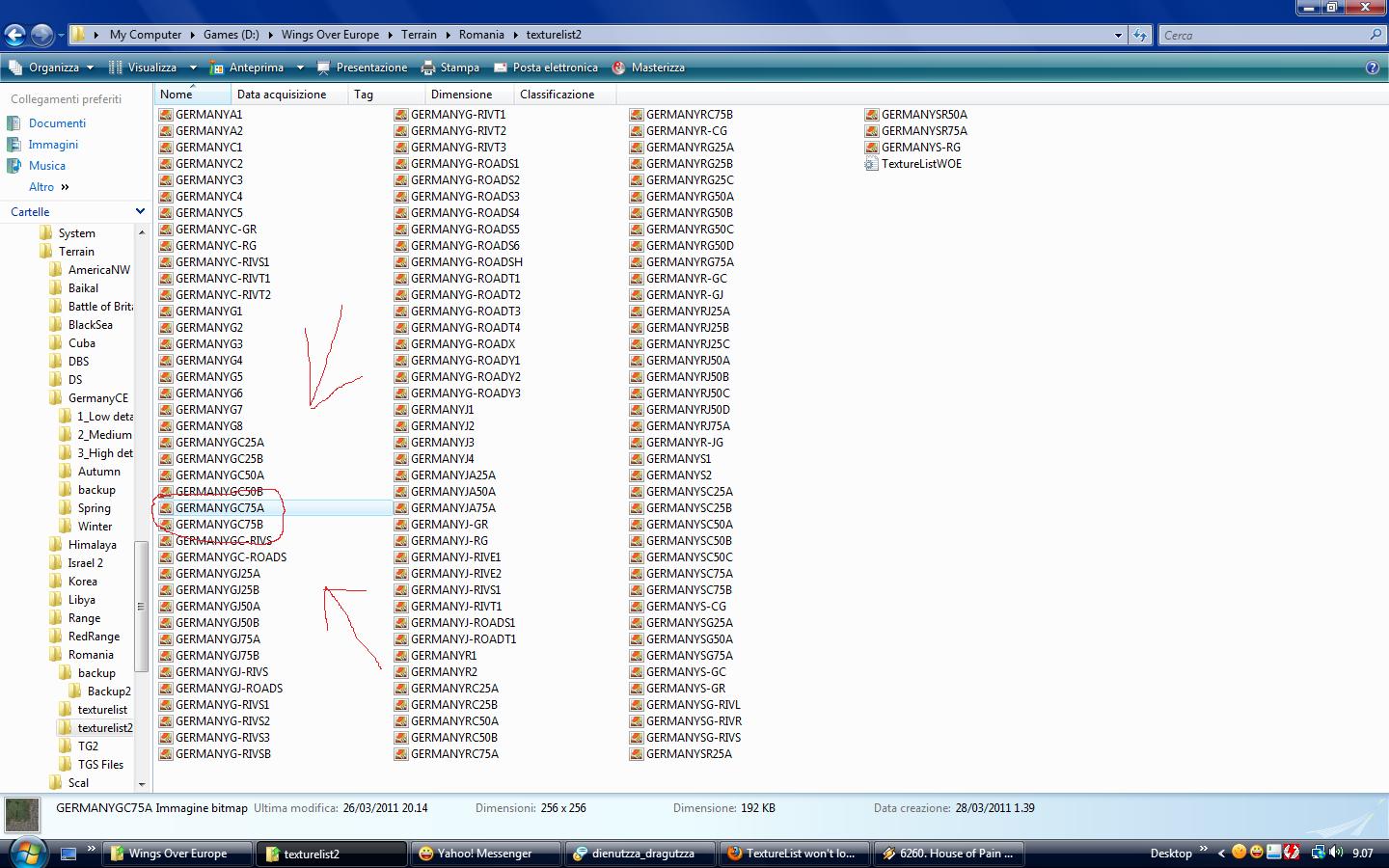
OK i have an interesting update regarding those white tiles mentioned above. Wrench said in his tutorials that after every save in TE i have to copy the backup terrain_data and replace the one that TE makes (hope i got it right) Thing is i forgot about that step, and unsurprisingly my water was white. But what does that have to do with those white tiles ? Well it seems that, after replacing the terrain_data, not only my water is blue now but ALL those white tiles disappear now !! What's the connection ? Have no idea. BUT, i have learned that every time i solve a problem i should expect a new one to appear :yes: So basically, my cities are now empty, meaning that those small buildings that normally appear over city tiles are now gone. Doooh....
-
Evidence
-
But i can assure you i have all the tiles i need.....all 123 tiles..... Besides adjusting sea level is there anything else i can do for the humping water ? I have a feeling it all comes down to manual tiling...:mda:
-
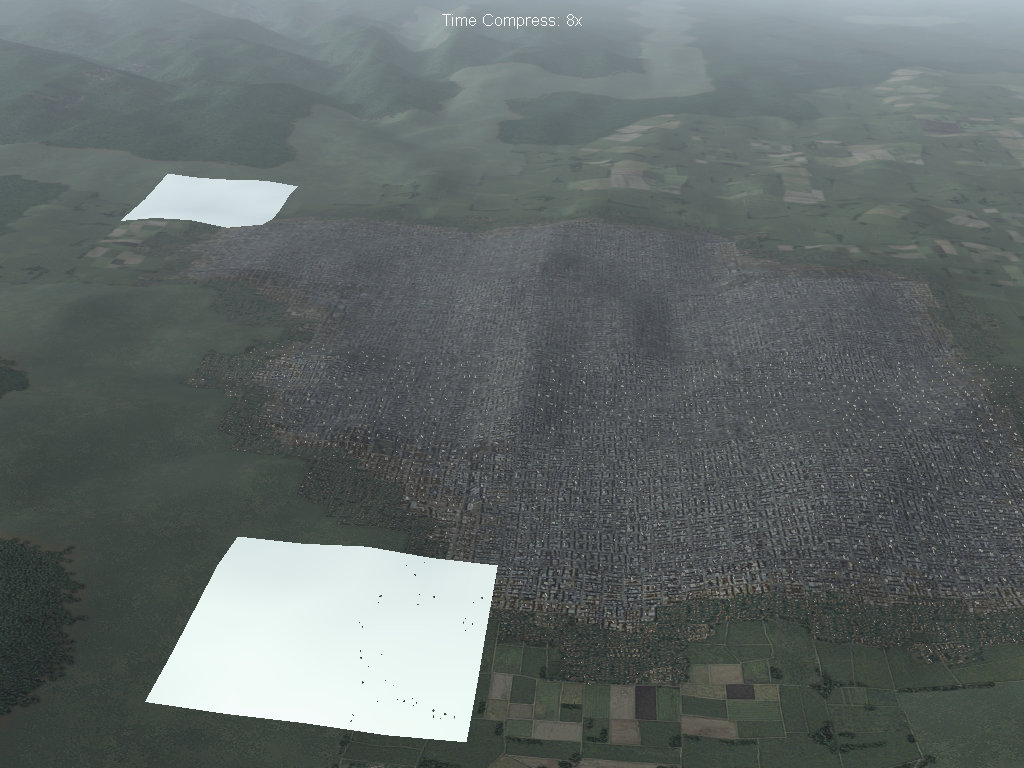
Besides the humping water, i ran into a tiny little problem. What is this ?
-
Thanks, i tried that and i noticed some improvement, but there the problem remains in some places. Should i adjust Sea Level again ? Or it's just a one time function?
-
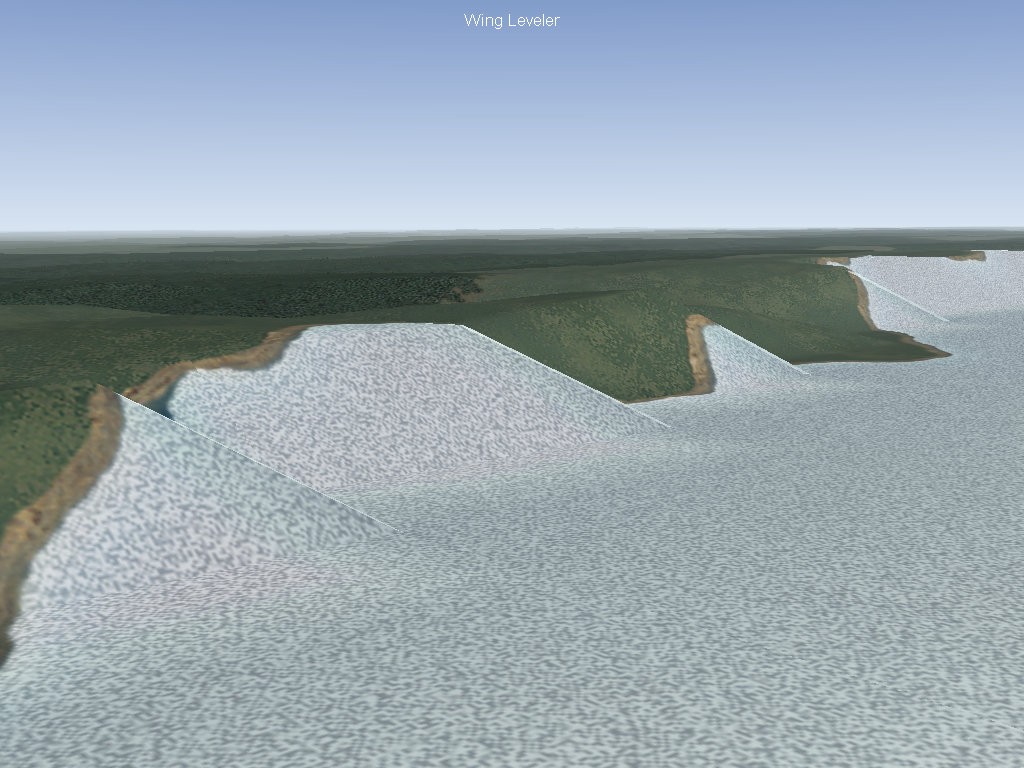
Thanks Wrench. Can someoane tell me how to fix this ? Right now i'm doing the Danube River the second biggest river in Europe si i can't just use a normal river tile, it's way too small. So i exported the heightmap bmp, and basically painted the river on the map and then used it with TE. I have to say that the result is pretty good except that in SOME places i get this :
-
Could someone explain to me what is the function of the River List ? Does it have the same function as City List ? This subject is not really covered so much in KB. Can't i just lay river tiles why do i have to make a river list or even name them ?
-
Nevermind......i was unknowingly using the German targetlist....
-
Just a quick question.......is it normal when you autotexture the terrain to have city tiles placed randomly on the map just like other tiles ? I tried setting to 0 the Random Factor and it still shows up. I'm thinking to put a minimum altitude, this way city tiles never show up when autotexturing.....what do you think ?
-
OKAY I FOUND THE PROBLEM !!!! I can't belive this is not mentioned in the Knowlege Base. When you convert the TGA's to BMP , REMOVE THE ALPHA LAYER !!! When i first did the conversion, i simply converted the TGA's and that's all. But it seems TE doesn't recognise them. I re-converted the TGA's this time removing the alpha layer and now it all works as it should. The Black Sea has water. I dunno if this is normal to do , but it works for me.....
-
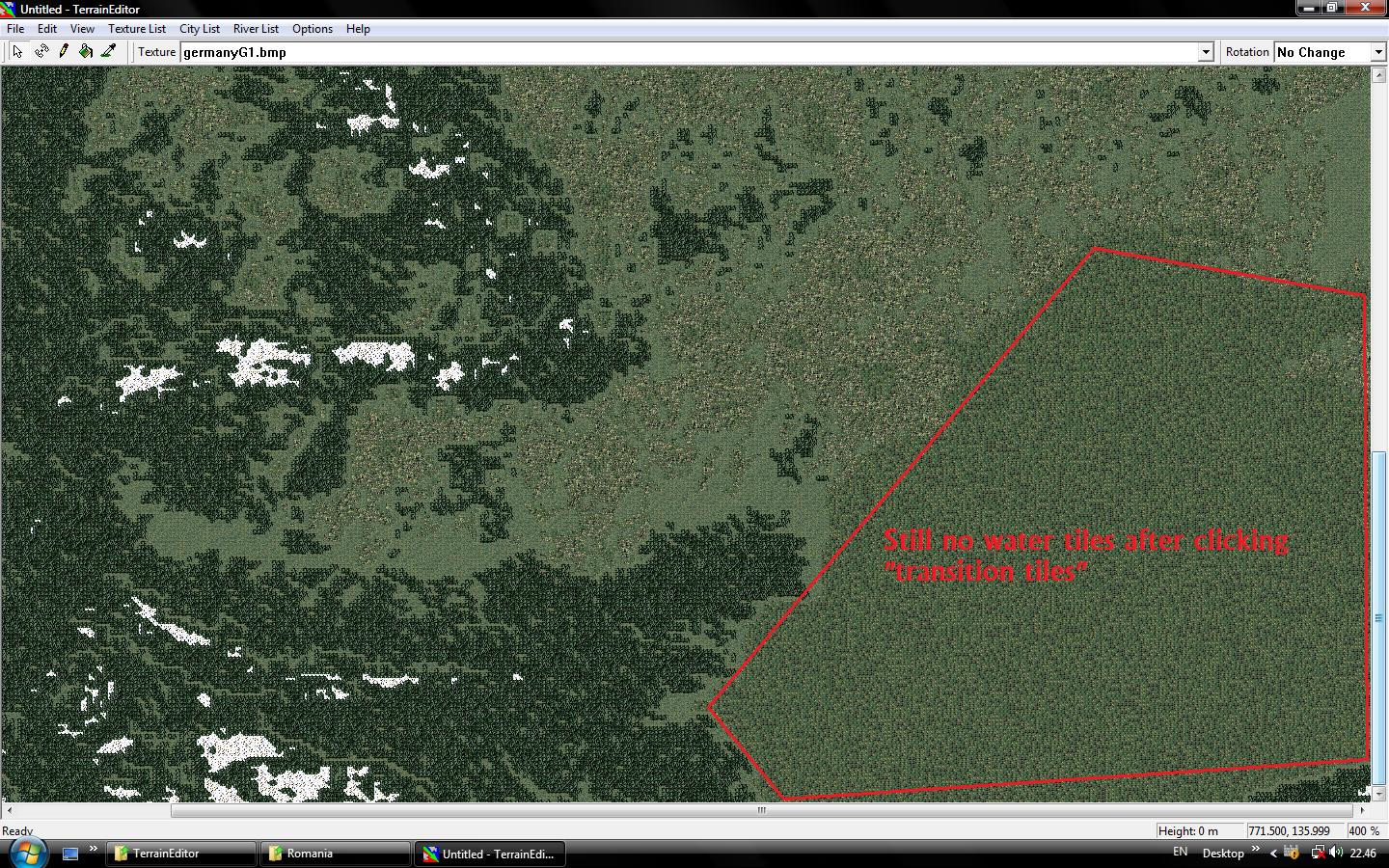
yes i tried the "transition texture" function and it makes everything look better but still no water tiles.....the "black sea" is made of green tiles.....
-
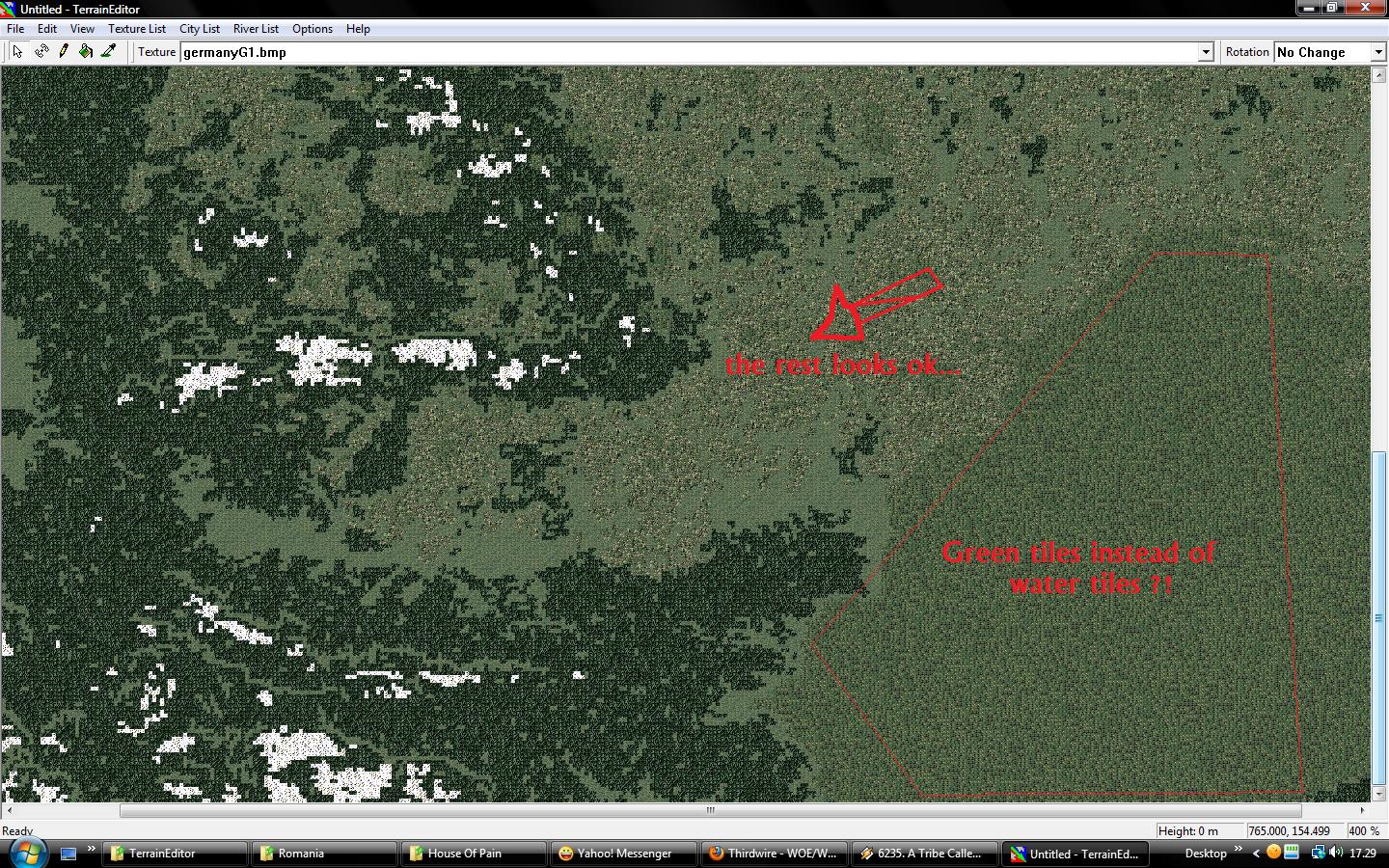
This screenshot will hopefully make things more clear... I really want to develop this terrain more, but right now i can't move on because of this....
-
The Texturelist that i am using is the one that comes with the TE so i suppose everyone has it. It's not that the green tile are everywhere, but they appear instead of water ! Everything on land is OK. And thanks for the answer :)
-
OK now i really have a problem !! Why is it that instead of water i get green fields when autotexturing ? Yes i converted the necessary TGA's into bmp's and yes they are all 256x256. So what then ?
-
I finally made it, but maaan that was a headache! I didn't extract the tiles from GermanyCE because they were already extracted in Germany folder......but i didn't notice the tiles were 512 x 512.... Oh and sorry i didn't know that !
-
Okay i found out that i have to load the TextureList from the TE folder and not the oane from the Terrains folder....and this time it doesn't crashes.....but it seems that nothing happens...when i click on "view texture file" it's all white....
-
Hi my TE crashes when i try to load the WOE texture list, im currently following the tutorial here and im at Part 3. I have to load the texture list but TE crashes everytime, i did the tga to bmp conversion and all that but.....im using WOE with NATO Fighters 4 that has the 4 seasoned Germany. Could that be ?
-

-
ONE MAN..........ONE IGLA.......ALL HELL BROKE LOOSE

-
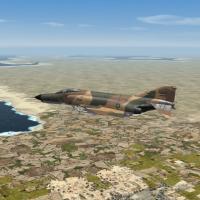 Is this terrain usable in SF1 WOE ? Thanks
 -
So basically in gameplay terms the effect is always the same. OK got it !! Thanks
-
Hey thanks , i did it :) . Now that i have the ECM, if someone knows the answer to the other 2 questions....it would be really cool ! Thanks
-
Well i think i know what you're talking about. Thing is....i compared with other planes with integrated ECM and all they have at the Component section is something like this : Component[001]=Fuselage Component[002]=Nose Component[003]=LeftWing Component[004]=RightWing Component[005]=LeftStab Component[006]=RightStab Component[007]=LeftVertTail Component[008]=RightVertTail Component[009]=LeftDispenser Component[010]=RightDispenser There is no mention of ECM here even though this plane hase an integrated ECM's. as for the other 2 questions.....know anything ? Thanks
-
Uhmmm....i don't think so.....what am i suppose to add ? and where is the component section ? In the Aircraft_DATA ?
-
Hi. How do you put an internal ECM ? I wrote this in the aircraft's data file but in the game the plane still doesn't have an internal ECM : [ECM] ReferenceName=Gardenia SystemType=ECM_JAMMER JammerType=DECEPTIVE_JAMMER JammerStrength=87.0 MinExtentPosition=-0.042,-2.35,0.92 MaxExtentPosition=0.042,-3.70,0.54 I wrote it in the Countermeasures section just below the already written Flares & Chaffs so what am i missing ? Second question , what is the difference in gameplay terms between a deceptive jammer and a Noise jammer ? And last question, i noticed that jammer strenght is rated from 1 to 100. So what would the strenght be for a modern day fighter ? Thanks