
MrMaxterX
-
Posts
9 -
Joined
-
Last visited
Content Type
Profiles
Forums
Gallery
Downloads
Store
Everything posted by MrMaxterX
-
View File SF2 Campaign Studio Campaign Studio is a standalone Windows editor for creating and editing dynamic campaigns for Strike Fighters 2. It reads what is actually installed in your game and mod folders — aircraft, ground objects, nations, squadrons, terrains, and existing campaigns, including third-party mods — so you don’t have to type every unit and airbase by hand. Create a campaign in a few clicks Pick a terrain and click New Campaign. The editor suggests a start date, the nations for each side, allies, and a campaign name, then builds a complete campaign: Forces with headquarters and air offensive objectives Air units with a balanced mix of fighters, attack aircraft, and bombers in service on the start date, assigned to squadrons that flew those aircraft Player units for every flyable squadron on your side, including allied services (for example USAF, USMC, and USN in Korea) Ground units, strategic nodes, and naval groups where the map supports them A front line traced between both sides’ territory Briefing, unit description, and ending texts The suggestions come from the service dates and user lists in your installed aircraft and objects, and from the campaigns you already have installed. You can use any nation and any date. When a choice falls outside what the data describes, the campaign is still created and the editor tells you what it had to substitute. Edit everything Edit forces, air units, player units, ground units, strategic nodes, naval units, and the front line through simple forms, or edit the INI files directly Map view using the terrain’s planning map, with airbases, targets, strategic nodes, and the front line. Pick locations on the map, or draw the front line by hand Selection lists show era-appropriate choices by default, with a “Show all” option Open, edit, or duplicate any installed campaign, including the stock campaigns Save unfinished work as a draft. Autosave recovers your work after an unexpected exit Validation checks aircraft, airbases, references, and dates before export Exports to your mod folder’s Campaigns directory and asks before overwriting; the previous version is kept as a backup Never modifies the original game files and works fully offline; no Python installation required Installation Extract the archive to any folder and run SF2CampaignStudio.exe. The SF2 installation and mod folder are detected automatically. If they are not found, click Browse and select them. See README.txt for the full guide. Credits; Trevisol for making the program and sending me the files to upload with his approval. Submitter MrMaxterX Submitted 11/17/2026 Category Utilities / Editors
-

Version 1.0.0
4 downloads
Campaign Studio is a standalone Windows editor for creating and editing dynamic campaigns for Strike Fighters 2. It reads what is actually installed in your game and mod folders — aircraft, ground objects, nations, squadrons, terrains, and existing campaigns, including third-party mods — so you don’t have to type every unit and airbase by hand. Create a campaign in a few clicks Pick a terrain and click New Campaign. The editor suggests a start date, the nations for each side, allies, and a campaign name, then builds a complete campaign: Forces with headquarters and air offensive objectives Air units with a balanced mix of fighters, attack aircraft, and bombers in service on the start date, assigned to squadrons that flew those aircraft Player units for every flyable squadron on your side, including allied services (for example USAF, USMC, and USN in Korea) Ground units, strategic nodes, and naval groups where the map supports them A front line traced between both sides’ territory Briefing, unit description, and ending texts The suggestions come from the service dates and user lists in your installed aircraft and objects, and from the campaigns you already have installed. You can use any nation and any date. When a choice falls outside what the data describes, the campaign is still created and the editor tells you what it had to substitute. Edit everything Edit forces, air units, player units, ground units, strategic nodes, naval units, and the front line through simple forms, or edit the INI files directly Map view using the terrain’s planning map, with airbases, targets, strategic nodes, and the front line. Pick locations on the map, or draw the front line by hand Selection lists show era-appropriate choices by default, with a “Show all” option Open, edit, or duplicate any installed campaign, including the stock campaigns Save unfinished work as a draft. Autosave recovers your work after an unexpected exit Validation checks aircraft, airbases, references, and dates before export Exports to your mod folder’s Campaigns directory and asks before overwriting; the previous version is kept as a backup Never modifies the original game files and works fully offline; no Python installation required Installation Extract the archive to any folder and run SF2CampaignStudio.exe. The SF2 installation and mod folder are detected automatically. If they are not found, click Browse and select them. See README.txt for the full guide. Credits; Trevisol for making the program and sending me the files to upload with his approval. -
Hello everyone, new member introductions.
MrMaxterX replied to Erik's topic in Download Subscriptions
I had bought 2 times the paid subscription to download stuff, i'm pretty happy that Erik found a solution for the newcomers, sad to see that a lot of them was abusing the system, but tbh i'm happy to see he found a solution good for both. -
Simple Cockpit - Fly the unflyable aircrafts
MrMaxterX replied to MrMaxterX's topic in File Announcements
Thanks for the extra tip Wrench! -
 When taking off from a carrier the AI blackflips and crashes, any solutions?
-
Simple Cockpit - Fly the unflyable aircrafts
MrMaxterX commented on MrMaxterX's file in Jet Cockpits
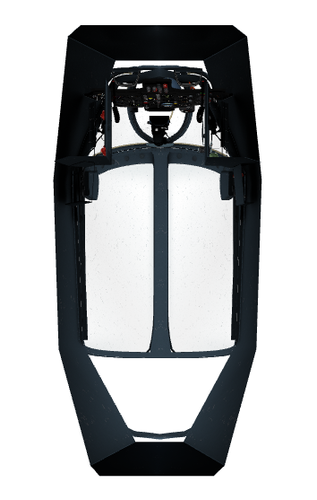 I guess you'll need the Mirage, at least have it working in the stock game, anyways, you can swap the cockpit for another aircraft to see if it works; if you go into the vautour file and swap this line, you can swap the aircraft cockpit for another one, maybe that'll work if it doesn't with the Mirage. (Also this coulbe be the lack of DLC's maybe?)
-
Simple Cockpit - Fly the unflyable aircrafts
MrMaxterX commented on MrMaxterX's file in Jet Cockpits
I just tested the mod and it worked normally. The Vautour uses the Mirage cockpit as a base, so maybe could be a missing DLC, file or other mod could've been the culprit. To install this mod, you need to add inside the MODS\Objects\Aircraft and replace the files (remember to make a backup just in case), it works normally with all the aircraft list above, since i've tried each one and it appeared as intended. Btw, if you have any other problem, please ask sorry admins, since i'm new, and this is my "first" mod, i could've mistaken the buttons for reply -
View File Simple Cockpit - Fly the unflyable aircrafts This mods allows you to fly the following aircraft (doesn't include all the variants); Many thanks to Trevisol for making the mod and sending me the file with his permission to download A-1 A-6 AN-12 B-57 F-104 E-2C EA-6B F-84F IL-28 J-6 MIG-15 MIG-17 MIG-19 MIG-21 MIG-23 MIG-27 Mirage 5 Spitfire SU-7 TU-16 TU-22 TU-95 Vampire Vautour YAK-23 YAK-38 This mod is just a simple addon that adds a few pre existing cockpit into a lot of aircraft that was not allowed for the player to use, only the AI. Since it's lightweight, it use the already included cockpits of the F-8, P-51, Mirage and a few other aircraft, with a couple of changes here and there; Submitter MrMaxterX Submitted 12/14/2022 Category Jet Cockpits
-
Version 1.0.0
205 downloads
This mods allows you to fly the following aircraft (doesn't include all the variants); Many thanks to Trevisol for making the mod and sending me the file with his permission to download A-1 A-6 AN-12 B-57 F-104 E-2C EA-6B F-84F IL-28 J-6 MIG-15 MIG-17 MIG-19 MIG-21 MIG-23 MIG-27 Mirage 5 Spitfire SU-7 TU-16 TU-22 TU-95 Vampire Vautour YAK-23 YAK-38 This mod is just a simple addon that adds a few pre existing cockpit into a lot of aircraft that was not allowed for the player to use, only the AI. Since it's lightweight, it use the already included cockpits of the F-8, P-51, Mirage and a few other aircraft, with a couple of changes here and there;