
Wrench
-
Posts
28,310 -
Joined
-
Last visited
-
Days Won
187
Content Type
Profiles
Forums
Gallery
Downloads
Store
Everything posted by Wrench
-
Are you actually LOOKING in the Mod Folder???? In the (assuming Winge11) C:\Users\*yourname*\Saved Games\ThirdWire
-
Look inside the ***_Airfield*.ini (ie: Desert_Airfield1.ini, etc.) there are WHOLE sections -LOTS of them- on lighting. There are 6 inis, located in each terrain cat. You'll have to extract each one, place them in the relevant terrain folder, and edit from there. Try adjusting LightOn= time. Make it 'larger' to start -- I can't remember which direction it's supposed to go. Cockpit lighting comes on earlier with larger numbers, so ???? As for the house lighting, wouldn't that have been Danny DiVito's in 'Deck The Halls'? (my favorite Christmas move!)
- 1 reply
-
- 2
-

-
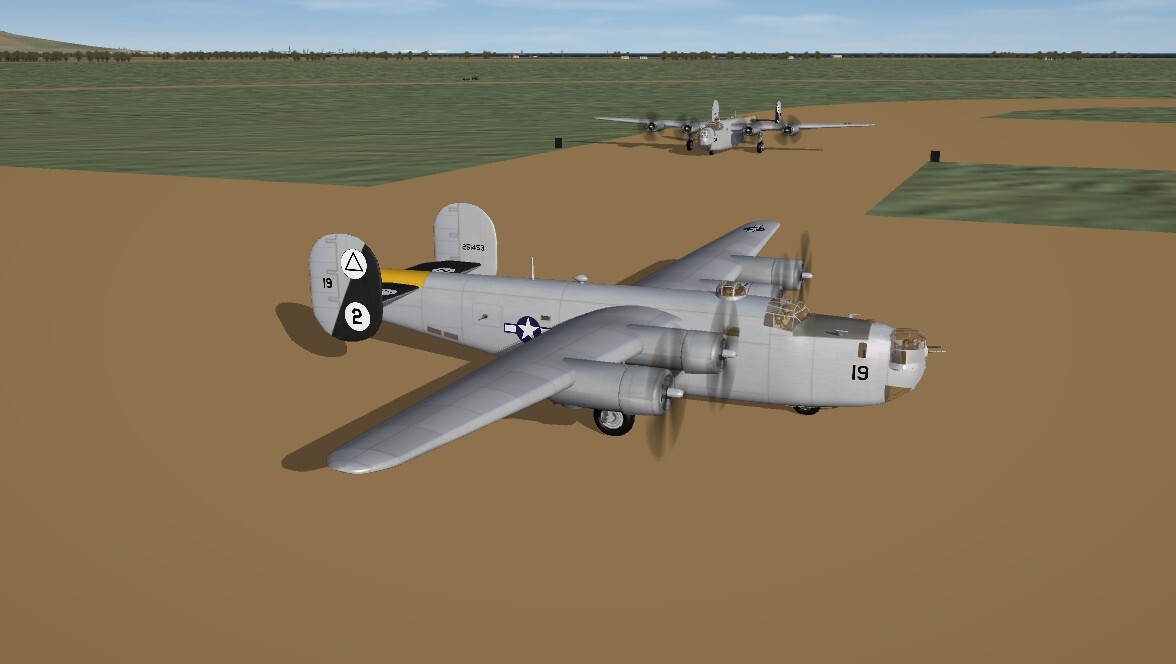
For the 15th AF, MTO. Still a WIP, but well along. this one in NMF, and 'earlier' J in OD/NG. Also a 24D in OD, to go along with the already released Desert Pink. "2 weeks"
-
Nuts! I'm doing mine for Veltro's. But thanks for looking! You can still share (upload) them here for others, if you want! I'm sure the YAP WW2 guys would be grateful. (like one day I'll upload my P-38 and B-26 stuff I did for MTO with their birds)
-
Also noticed we're missing the B-24Js for the MTO. And missing an OD/Gray "standard" skin for the 24D. You know, when you walk away from a project for 12 years, you really DO forget where you left off. So, expect some skins (and updated data inis) in the usual '2 weeks'. *(probably missing B-17F & Gs, too...have to look into that)*
-
I'm not understanding --- did you NOT read the requirements for downloading when you signed up??? Maybe you should review them. Everything is clearly stated. Just in case you're too lazy to go looking for them I'll repost Got it??? Like it or not, THIS is how it is.
-
SF2 WW2 North Africa (Western Desert) Terrain (MTO)
Wrench replied to Wrench's topic in File Announcements
No, I may have said that in the read me, but don't remember! -
ok, that's weird! I wonder if it's because I'm an Admin, and not 'general population'???
-
Maybe it's a girl???
-
what exactly is forbidden here?
Wrench replied to daddyairplanes's topic in Site Support / Bug Reports / Suggestions
Intersting. I just used that very word in a post a couple of days ago. It wasn't censored. It must be my supreme powers, bestoed by Ultron, that I may circumvent the bots (???) -
Any recommended mods for strike fighters 2 beginners?
Wrench replied to AlphaBlitz0712's topic in General Discussion
on the right side of the screen (i think!) there's a section called "Our PIcks" or something like that. Those are always good. -
Moved to a more appropriate Forum Watch WHERE you post -- don't post off-topic items like this in gaming forums. Post only topics related to that specific Forum
- 1 reply
-
- 1
-

-
Alternate TFD Terrain Tilemap editor/viewer
Wrench replied to gerwin's topic in Mods & Skinning Discussion
All these year later, I've got a really dumb questoin ... how can I make it bigger on screen?? Especially with the wide screen mointors, and my crappy eyes, I need a higher resolution. I went into the main ini (on both my older version and the newest one, and tried changed the specs .. But then I get a 'unable to set screen resolution" or words to that effect. Was I missing something? thanks in advance! -
That looks really good! now, here comes the joke --- will the Italian bunion be modeled as well?? .... I'll show myself out ....
- 57 replies
-
- 1
-

-
- hand tiling
- hfd editing
- (and 3 more)
-
Back in the day when 3W had a working Forum, TK did that specificely because a bunch of whiney cunts kept getting blown up and couldn't hit anything flyin in NA. And these weren't people that had been playing the as long as some of us had. Because of a few, everything got fucked over.
-
we can only hope the door don't hit his ass on his way out. no more patience from me. Everything is clearly stated, and in plane English.
-
1st we loose Walter Koenig, and now Sir Patrick Stewart. This world is getting smaller and lesser with each one gone Fly high and rest well, you two!
- 2 replies
-
- 10
-
-

-
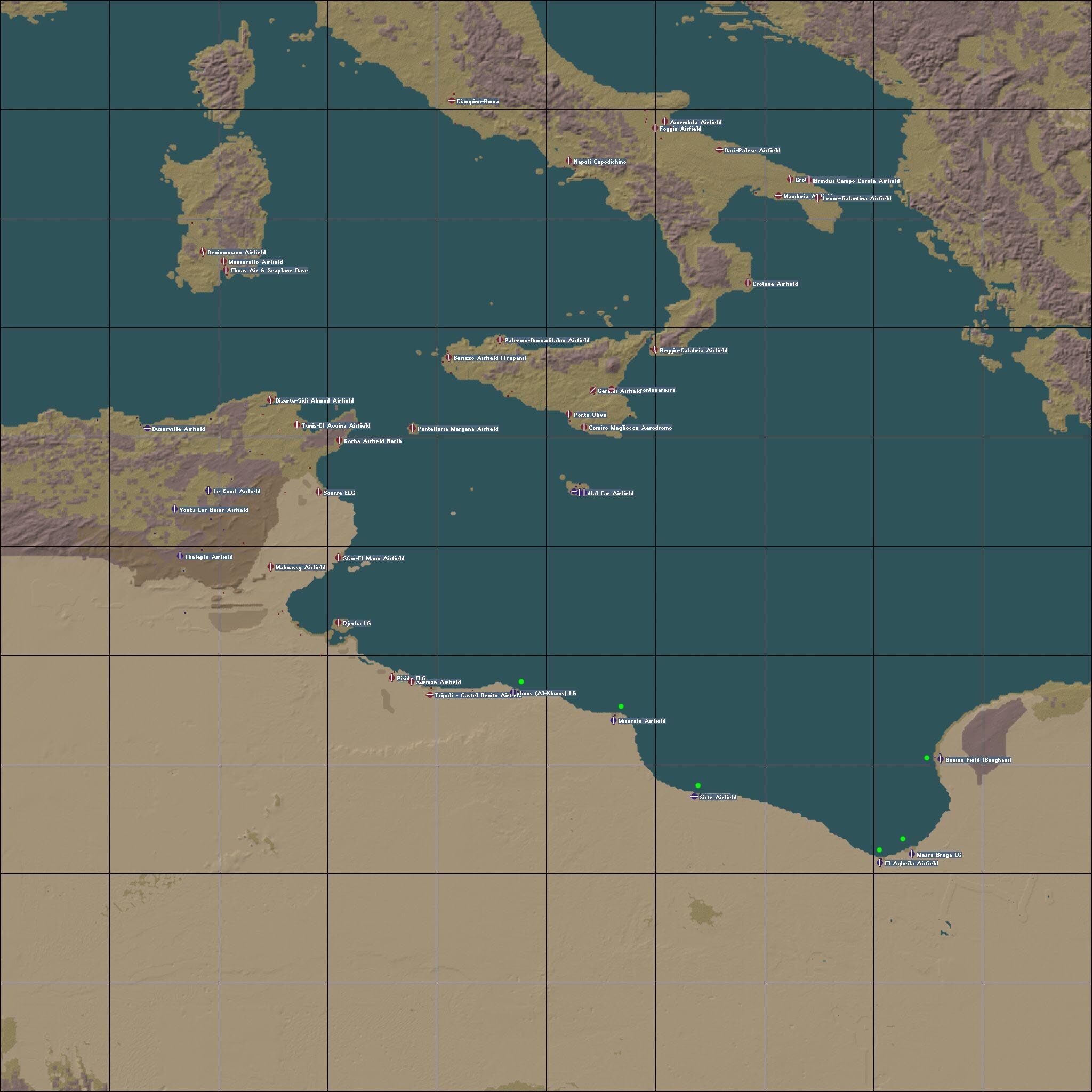
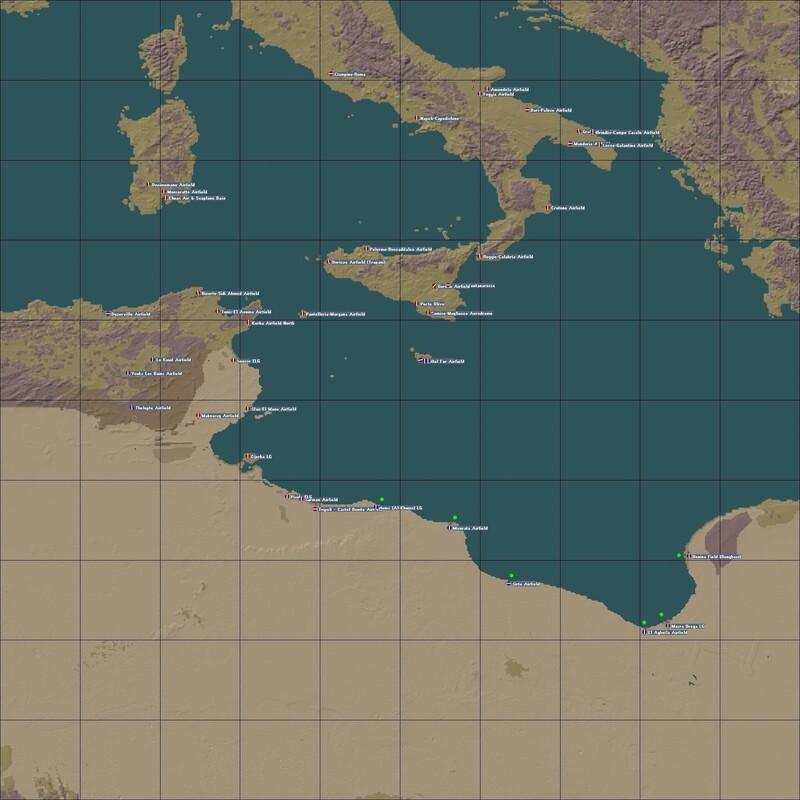
Ok, now I've got some questions for you all ... As I'm working my way down the target areas, and populating the cities (airbases be done!), what is your opinion of 'building' up the cities EAST of Tripoli? These would all be in Allied hand at this time. The planning map 3 below, shows the areas in question, marked with the green dots - Homs, Misturata, Sirte, El Ageihla, Masra Brega and Benghazi. All the airfields/landing grounds are complete. Adding the city items is nothing task, and will give players frying for the Axis something else to do. Well, at least as bomber escorts?? Again, it's not a problem for me to add the items ... just asking what all you 23 1/2 WW2 players think! thanks!
-
Can I copy a controls setup from one mod to another?
Wrench replied to BWYF-23's topic in General Discussion
Yup! I've been doing it for 20 year!!! Suggestion, once you get all the controls set the way you want in the Control.ini, right click, go to Properties, and make it "Read Only". Some weird shit sometimes happens in SF2 with the game rewriting it. For some stupid reason. This will prevent that. -
The age we live in, security updates.
Wrench replied to Erik's topic in Site Support / Bug Reports / Suggestions
Thanks Boss! If it keeps the barbarians from the gates, go for it!! -
Version 1.0.0
21 downloads
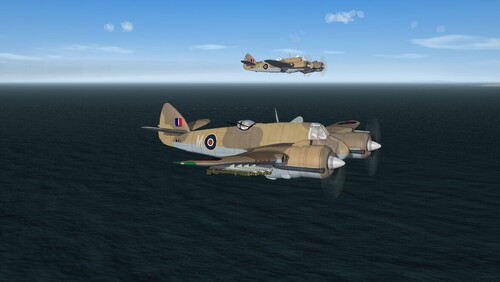
SF2 Bristol Beaufighter Mk.VI Package (MTO) 10/25/2026 -For SF2 =ONLY= (Full/5 Merged Recommended) -- Something for the WW2 MTO players -- = For SF2, Full-5 Merged (Recommended/Preferred) = *This mod will =NOT= work in SF/Wo* 1stGen game installs, at any patch level. It was built for SF2 ONLY!!.* As I was working on the Western Med terrain revamp, I noticed we didn't have any of the late mark Beaufighters used in that theatre. My Bad!! This should fix that. This package contains 2 complete aircraft as used by the RAF in the Med, Beaufighter Mk VI (Early - no rear gun turret) Beaufighter Mk. VIC (Late - WITH rear gun turret) Both are the same as those used in Northern Europe, excepting the "desert" camo scheme (Light Earth, Dark Earth, Azure Blue). Both aircraft have been 'tagged' for No.272 Squadron who used all types of the Beau from 1941 until the war's end. As the RAF used only the individual aircraft letters, no squadron codes are needed. This makes them highly generic for use by any other units in theatre. All markings are decals, and decal randomization is TRUE. All necessary part are included; weapons, decals, pilots and a new sound to be added. Instructions on adding the engine sound are below, in the "To Install" section. So, have your SoundList ini extracted and ready for editing! On the Aircraft Selection Drop Down Screen you'll see: Beaufighter Mk VIC (Early-CAF) MTO Beaufighter Mk. VIC (Late CAF) MTO The "CAF" not only designates Cocas Aircraft Factory (the model builder) but also the fact this is being released under the auspices of the Coyote Aerospace Factory <gr>. This also will differentiate this bird from that one from 'the other place', if an End User (tm) happens to have one. The "MTO", of course narrows down the operations to the Mediterranean Theatre of Operations. (272 actually flew from Malta, then later Sicily and Italy). As is always recommended, unzip to a temp folder or your desktop to give easy access to the rest of this readme for it's install instructions. PLEASE read them, before installing!!! Please read the Notes section for any other useless bits of information, the change log and whatever random thoughts passed through my head.. Please also take note of changes in the Standard Disclaimer in the "Legal BS" section at the bottom. Good Hunting & Happy Landings! Wrench Kevin Stein- 1 review
-
- 7
-
-
View File SF2 Bristol Beaufighter Mk.VI Package (MTO) SF2 Bristol Beaufighter Mk.VI Package (MTO) 10/25/2026 -For SF2 =ONLY= (Full/5 Merged Recommended) -- Something for the WW2 MTO players -- = For SF2, Full-5 Merged (Recommended/Preferred) = *This mod will =NOT= work in SF/Wo* 1stGen game installs, at any patch level. It was built for SF2 ONLY!!.* As I was working on the Western Med terrain revamp, I noticed we didn't have any of the late mark Beaufighters used in that theatre. My Bad!! This should fix that. This package contains 2 complete aircraft as used by the RAF in the Med, Beaufighter Mk VI (Early - no rear gun turret) Beaufighter Mk. VIC (Late - WITH rear gun turret) Both are the same as those used in Northern Europe, excepting the "desert" camo scheme (Light Earth, Dark Earth, Azure Blue). Both aircraft have been 'tagged' for No.272 Squadron who used all types of the Beau from 1941 until the war's end. As the RAF used only the individual aircraft letters, no squadron codes are needed. This makes them highly generic for use by any other units in theatre. All markings are decals, and decal randomization is TRUE. All necessary part are included; weapons, decals, pilots and a new sound to be added. Instructions on adding the engine sound are below, in the "To Install" section. So, have your SoundList ini extracted and ready for editing! On the Aircraft Selection Drop Down Screen you'll see: Beaufighter Mk VIC (Early-CAF) MTO Beaufighter Mk. VIC (Late CAF) MTO The "CAF" not only designates Cocas Aircraft Factory (the model builder) but also the fact this is being released under the auspices of the Coyote Aerospace Factory <gr>. This also will differentiate this bird from that one from 'the other place', if an End User (tm) happens to have one. The "MTO", of course narrows down the operations to the Mediterranean Theatre of Operations. (272 actually flew from Malta, then later Sicily and Italy). As is always recommended, unzip to a temp folder or your desktop to give easy access to the rest of this readme for it's install instructions. PLEASE read them, before installing!!! Please read the Notes section for any other useless bits of information, the change log and whatever random thoughts passed through my head.. Please also take note of changes in the Standard Disclaimer in the "Legal BS" section at the bottom. Good Hunting & Happy Landings! Wrench Kevin Stein Submitter Wrench Submitted 10/28/2026 Category Other
-
- 4
-
-
-
I thought I got rid of the double cockpit! Then I looked carefully, saw the fuselage in the mirror! You turned it back on! Also, I had to laugh at the "Hurii-Saetta" shooting down a regular Hurricane! Fun video! Nice to see someone using it!! Thanks!
-
I wouldn't worry too much about SF2 -- this is the 1stGen Forums.
-
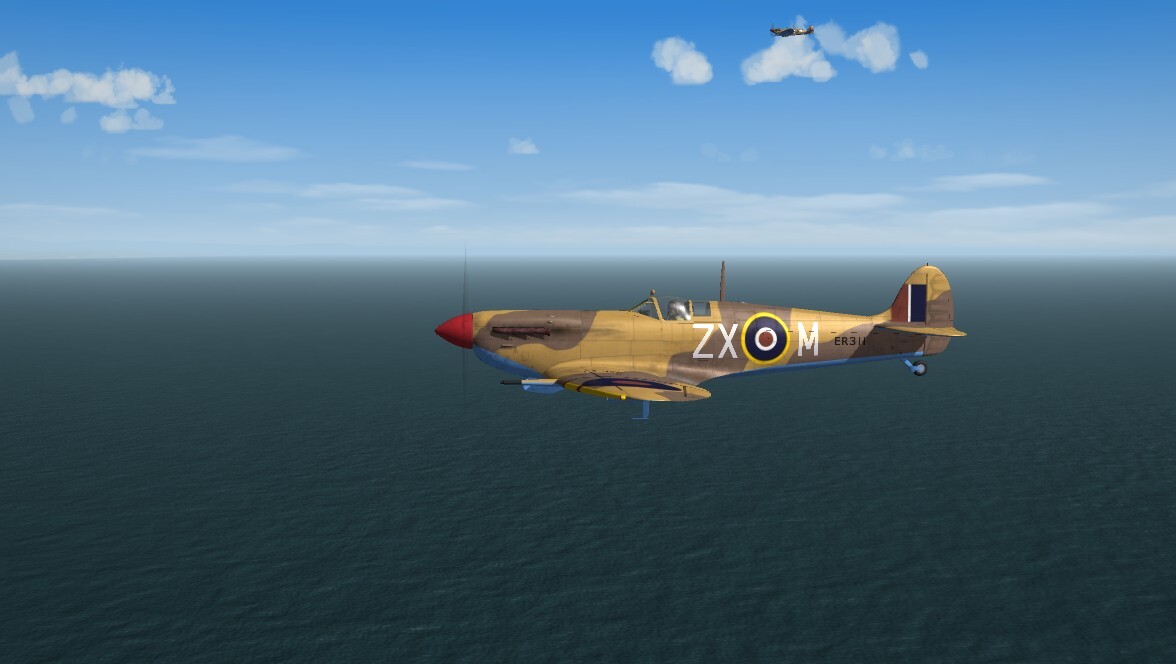
Pete: if that's FastCargo's Twinge Mustang, I have the template if you want them1 ======== required screenshot-- I can't believe that I didn't get these Spitfires by Cliff7500!! They're AMAZING!!! Better than the ones Cocas and I did!!!