ace888
-
Posts
1,383 -
Joined
-
Last visited
-
Days Won
13
Content Type
Profiles
Forums
Gallery
Downloads
Store
Everything posted by ace888
-
-
-
-
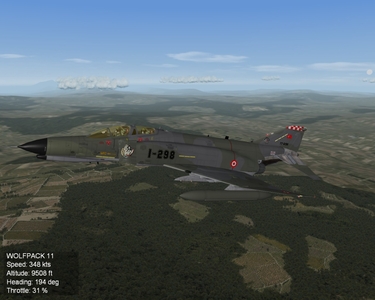
-
Dels, I did the following after your post: As you indicated deleted the HUD entry under Cockpitseat001 (.cockpit.ini) and the HUD entry with HUDglass. I re-did my green F-4E_HUDglass.tga and place in the following: 1. Place in the specific skin (using F-4E_2020 as test-bed) = no green HUD 2. Place in the cockpit folder (overwritten the original F-4E_HUDglas.tga) = no green HUD 3. Place in the aircraft folder = no green HUD I even went to objectdata3, deleted the stock HUD entry in the .cockpit.ini and did the same 3 step on the stock F-4E_78 = no green HUD Maybe it is just 'HUDglass'? I do appreciate the effort Dels... so far no luck.
-
I already try that... no go on the green color. I did HUDglas / HUD_glass / F-4E_HUDGLASS / etc. NONE of them show up as Green color on the HUD glass? I even test each .tga by placing it on each of the following folders and test fly it separately: aircraft folder/ the cockpit folder/ the specific skin folder... NOTHING, always a clear HUD glass. Unless, I am doing something wrong... my efforts so far is zero. I know there is a way, I also know someone know how to do it; because I have seen it on other aircraft photos. I just cannot figure it out at this time? Thanks guys
-
-
Got the hexeditor... Read the 'read me' Still could not understand how it work? looks like I might not be able to crack this thing?
-
Kevin You crack me up!!!
-
Keven, Thanks for the information. I have yet to use the hexeditor... so this should be interesting? In regards to the cockpit.lod... I do not think sundowner had one place in the aircraft? I think I can only try to 'test' using a stock plan and see what happens? What do you suggest? Thanks again
-
Dels, NO GO? I think I might not understood your post Del? I am using the F-4E_2020 as my test: I went to the cockpit folder. The only thing I see is the 'nodename' HUDglass. I do not see any .tga that is (assigned) to the HUD glass? If anyone can further assist me that would be great. HELP! Thanks
-
Dels, Thanks for the key information. The hunt is on!!! Now, where is that file?
-
Kevin and FranKD.. Thanks for the detail information. I might have phrase my question incorrectly? The last 'number' is for brightness and transparency? So, I can make it to show GREEN in color on the HUD, not just the color for the HUD symbology, correct? I want to make the HUD appear in GREEN color... If the last number does that then great? If not, does this mean I need to find the .tga file and try to make the file green in color just like making canopy glass in different colors? Thanks again guys
-
Anyone I would be greatful if someone can give me the 4-digit number to make the HUD color 'GREEN' HUD color=x.x,x.x,x.x,x.x Thanks
-
Will be updating the file once I finish tweaking the plane and more decal/skin...
-
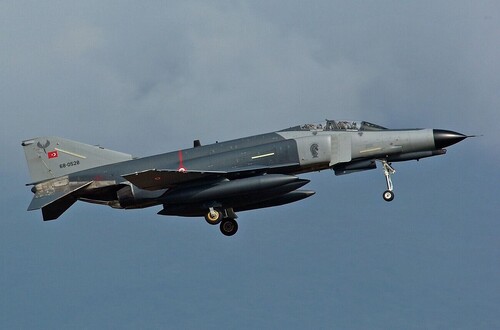 Making modifications to the plane and skin, as well as, adding new decals/skin... Updating soon
 -
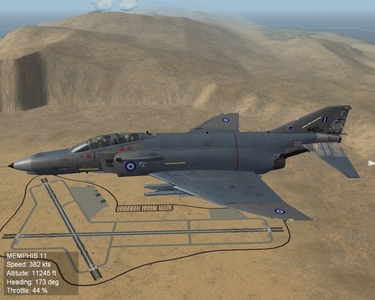
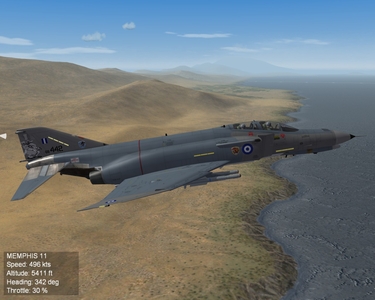
HAF 337 Squadron 'Ghost'
-
-
-
Thanks In case people miss the note on the download file review area: TO ALL!!! I forgot to credit the excellent F-4E TEMPLATES to 'Ant" (SUNDOWNER). My apology 'Ant' As always, If I left out anyone, it is not intentional... NOTE to SELF: When you are tire... it is best to upload or do any work later to avoid unnecessary mistakes. Ace888
-
I second that on the nice Desert Skin, Eric J...
-
TO ALL!!! I forgot to credit the excellent F-4E TEMPLATES to 'Ant" (SUNDOWNER). My apology 'Ant' As always, If I left out anyone, it is not intentional... NOTE to SELF: When you are tire... it is best to upload or do any work later to avoid unnecessary mistakes. Ace888
-
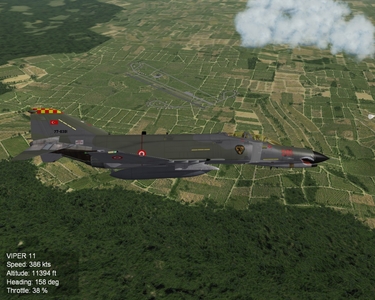
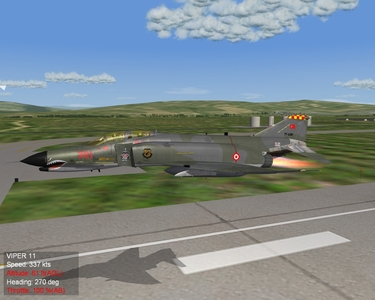
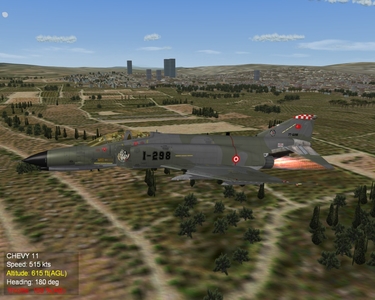
View File SF2 TuAF F-4ETM_Simsek (Lightning) v1.0 SF2 F-4ETM_Simsek "Lightning" v1.0 Thanks again for Sundowner for his templates and .LOD I have edited the .DATA.INI I re-did the .BMP 2 and 3 I added the following skins: 1st AJU 3rd AJU 7th AJU 172_Filo_Aggressor 28th March 2011 Cheers! Ace888 ====== Submitter ace888 Submitted 03/18/2011 Category F-4
-
499 downloads
SF2 F-4ETM_Simsek "Lightning" v1.0 Thanks again for Sundowner for his templates and .LOD I have edited the .DATA.INI I re-did the .BMP 2 and 3 I added the following skins: 1st AJU 3rd AJU 7th AJU 172_Filo_Aggressor 28th March 2011 Cheers! Ace888 ====== -
I have tried that, no luck there. However, I will tweak it more and see if I can make the changes I want.