Epizikl
-
Posts
1,568 -
Joined
-
Last visited
-
Days Won
2
Content Type
Profiles
Forums
Gallery
Downloads
Store
Everything posted by Epizikl
-
А чего не выложишь для скачивания (?!) Ведь ХОРОШО ПОЛУЧАЕТСЯ (!)
-
Давно не был здесь, в Русской ветке... И сразу порадовался: Krizis продолжает работу... КАК палец, разработал (?!)
-
View File MiG-3 The first five aircraft in a series of modifications of the MiG-3 ... MiG-3 16 series MiG-3 19 series (in the game designated as the UD) MiG-3 27 series (2xUBS) (in the game designated as 2xUB) MiG-3 34 series (2xShVAK) MiG-3 AM-38 Work is continuing to build a new cabin, but in the meantime using the old ... Project team/working: ----------------------------- Molva - 3D-model Ivan750 - 3D-model, template, skins and textures, testing Ilyshin - armament, testing KarabasBarabas - advice on 3D and export classes, FM, testing deSAD - counseling, testing Epizikl - testing, assembly production In the assembly works of the Author: -------------------------------------------------- Vert - Fashion for open canopy Additional Information: ------------------------------- 1. 3D-model aircraft are brand new, so that previously created skins do not fit! To create your own skins for the new models are included in the Templates ... 2. The new aircraft replace the default, so I do not need to modify or add/prescribe 3. Testing conducted on Windows XP and Windows 7 in versions 4.09 and 4.10 Composition of the issue: ----------------------------------- - MiG-3 16 series + background (1600x1200), together with the mat-file - MiG-3 19 series + background (1600x1200, 1920x1080) with mat-file - Set of 2 extra skins (MiG-3 end MiG-3UD) - MiG-3 27 series - MiG-3 34 series - MiG-3 AM-38 - Template MiG-3 (all versions) ============================== The development team AviaSkins ============================== ======== Attention! Not for commercial use! Submitter Epizikl Submitted 02/19/2011 Category IL2 Series Game Mods
-

178 downloads
The first five aircraft in a series of modifications of the MiG-3 ... MiG-3 16 series MiG-3 19 series (in the game designated as the UD) MiG-3 27 series (2xUBS) (in the game designated as 2xUB) MiG-3 34 series (2xShVAK) MiG-3 AM-38 Work is continuing to build a new cabin, but in the meantime using the old ... Project team/working: ----------------------------- Molva - 3D-model Ivan750 - 3D-model, template, skins and textures, testing Ilyshin - armament, testing KarabasBarabas - advice on 3D and export classes, FM, testing deSAD - counseling, testing Epizikl - testing, assembly production In the assembly works of the Author: -------------------------------------------------- Vert - Fashion for open canopy Additional Information: ------------------------------- 1. 3D-model aircraft are brand new, so that previously created skins do not fit! To create your own skins for the new models are included in the Templates ... 2. The new aircraft replace the default, so I do not need to modify or add/prescribe 3. Testing conducted on Windows XP and Windows 7 in versions 4.09 and 4.10 Composition of the issue: ----------------------------------- - MiG-3 16 series + background (1600x1200), together with the mat-file - MiG-3 19 series + background (1600x1200, 1920x1080) with mat-file - Set of 2 extra skins (MiG-3 end MiG-3UD) - MiG-3 27 series - MiG-3 34 series - MiG-3 AM-38 - Template MiG-3 (all versions) ============================== The development team AviaSkins ============================== ======== Attention! Not for commercial use! -
Excellent, Lindr2 (!)
-
Thank you, Lindr2 (!) Pleased with the newer MiG-23 (!)
-
Beautifully obtained, Ed (!)
-
РАД за тебя, krizis (!) Что, наконец-то, поправился и возвращаешься в строй (!) Теперь будем ждать завершения ранее начатых работ... А то все уже заждались и забросали вопросами, особенно наши "забугорные" браться...
-
View File Hangar Loading Pack part 13 Screens for aircraft: - MiG-23MLA (Czechoslovakia/Czech Republic)- Tu-22M3 Suitable for all versions of TW For the SF2 series made options .jpg format Additionally, the file is created Loadout for the Tu-22M3 Installation: --------------- Select the desired screen and place it in the appropriate directory, previously removing the name "+" signs or "=" (If available) Submitter Epizikl Submitted 11/23/2010 Category Hangar / Menu / Load Screens
-

61 downloads
Screens for aircraft: - MiG-23MLA (Czechoslovakia/Czech Republic)- Tu-22M3 Suitable for all versions of TW For the SF2 series made options .jpg format Additionally, the file is created Loadout for the Tu-22M3 Installation: --------------- Select the desired screen and place it in the appropriate directory, previously removing the name "+" signs or "=" (If available) -
View File Yak-11 beta for IL-2 Sturmovik Forgotten Battles Trainer Yak-11 ------------------- The project is almost complete ... It is planned to make his cabin, and is currently used by cabin Yak-7UTI ... Project team: ----------------- Molva - 3D-model Blitz - advice on 3D and export classes, FM, testing Nachprod - skins and textures, testing deSAD - counseling, testing Epizikl - build issue Composition of the registration: ------------------------------------------ - The Yak-11 - Set of 4 variants together with the background mat-file - Set of 10 extra skins Installation: --------------- 1. Unpack the archive and put the folder YAK-11 in the folder Mods: ...\IL-2 Sturmovik Forgotten Battles\Mods In air.ini file add the line: Yak-11 air.YAK_11 a NOINFO r01 SUMMER 2. Choose one of the background, remove the end of the file number (if available) and put together with the mat-file in the appropriate directory 3. To install additional skins to create a folder Yak-11 and put it in a folder Skins: ...\IL-2 Sturmovik Forgotten Battles\PaintSchemes\Skins Unpack the archive with skins and place the files in a folder Yak-11: ...\IL-2 Sturmovik Forgotten Battles\PaintSchemes\Skins\Yak-11 ========================== The development team AviaSkins Submitter Epizikl Submitted 10/19/2010 Category IL2 Series Game Mods
-

371 downloads
Trainer Yak-11 ------------------- The project is almost complete ... It is planned to make his cabin, and is currently used by cabin Yak-7UTI ... Project team: ----------------- Molva - 3D-model Blitz - advice on 3D and export classes, FM, testing Nachprod - skins and textures, testing deSAD - counseling, testing Epizikl - build issue Composition of the registration: ------------------------------------------ - The Yak-11 - Set of 4 variants together with the background mat-file - Set of 10 extra skins Installation: --------------- 1. Unpack the archive and put the folder YAK-11 in the folder Mods: ...\IL-2 Sturmovik Forgotten Battles\Mods In air.ini file add the line: Yak-11 air.YAK_11 a NOINFO r01 SUMMER 2. Choose one of the background, remove the end of the file number (if available) and put together with the mat-file in the appropriate directory 3. To install additional skins to create a folder Yak-11 and put it in a folder Skins: ...\IL-2 Sturmovik Forgotten Battles\PaintSchemes\Skins Unpack the archive with skins and place the files in a folder Yak-11: ...\IL-2 Sturmovik Forgotten Battles\PaintSchemes\Skins\Yak-11 ========================== The development team AviaSkins -
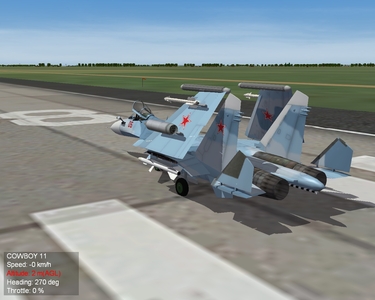
MiG-23MF landing...
-
-
-
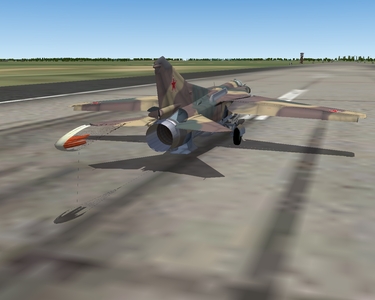
From the album: Miscellaneous
-
View File Hangar Loading Pack part 10 Hangar_Loading_Pack_part_10 ============================= Dedicated to my friend Victor Pedan! ============================= Loading screens for the aircraft:- An-22 - MiG-23BN (Czechoslovakia, East Germany) - MiG-23MF (Poland, Czechoslovakia, Hungary, Romania) - Vulcan B2 - Su-33- Lightning F6 - B-52H - C-130H - F-15C - F-104G Designed for all versions of TW For the SF2 series made options .Jpg format Installation:------------- Choose one of the screens and put it into the appropriate directory, after removing the names of extra characters + = Submitter Epizikl Submitted 09/27/2010 Category Hangar / Menu / Load Screens
-

112 downloads
Hangar_Loading_Pack_part_10 ============================= Dedicated to my friend Victor Pedan! ============================= Loading screens for the aircraft:- An-22 - MiG-23BN (Czechoslovakia, East Germany) - MiG-23MF (Poland, Czechoslovakia, Hungary, Romania) - Vulcan B2 - Su-33- Lightning F6 - B-52H - C-130H - F-15C - F-104G Designed for all versions of TW For the SF2 series made options .Jpg format Installation:------------- Choose one of the screens and put it into the appropriate directory, after removing the names of extra characters + = -
Rodriges164 (!) Вообще файл *cockpit_lod должен находиться в папке cockpit, которая, в свою очередь, находится в папке самого самолета (!) А чтобы заработал кокпит на самолете в папке самолета еще должен находиться файл *cockpit.ini
-
Я так понял, что речь идет о фонаре пилота... И конкретней, автоматическом управлении закрытием/открытием фонаря: взависимости от скорости... В таком случае в *data.ini, в разделе Canopy, необходимо поменять местами DeployValue/RetractValue [Canopy] SystemType=HIGHLIFT_DEVICE DeploymentMethod=AUTOMATIC_SPEED Setting[1].Angle=45.0 Setting[1].DeployValue=1.5 //<- должно быть меньше чем RetractValue Setting[1].RetractValue=4.0 //<- должно быть больше чем DeployValue MaxDeflection=45.0 MinDeflection=0.0 ControlRate=0.2 ModelNodeName=Canopy ReverseModelOrientation=TRUE
-
Lindr2 (!) Бомбы, действительно, КЛАССНО, смотрятся (!) Отметил, так же, что и парашютик у тебя уже отлично стал получаться (!)
-
Да нет, с чего ты взял (!) Появляйся (!) Удачи (!)
-
Lindr2 (!) Совсем в партизаны заделался... Где пропадаешь, чего в Аське не появляешься (?!) А в МЛД ты что еще собираешься менять/дополнять (?) Еще более детализируешь внешнюю модель (?) На счет правки FM я понял...
-
С125 (!) Небольшой практический совет... Сталкивался с подобным: пишешь, пишешь, а при отправке косяк - пропадает ВСЕ... Матерных слов не хватало (!) Научился сам себя подстраховывать: перед отправкой написанного поста на всякий случай копирую в буфер весь текст/пост (!) И все - нервничать перестал (!) И, действительно, большой текст желательно бить на абзацы для удобного чтения (!) А то получается простой набор букв и цифр...
-
Остается только ждать... Ничего более...
-
Так это типа анонса (?!) А я сразу сдуру полез на оф. сайт и ничего там не нашел... Интересно, однако... Все больше самолетов появляется (!) Хоть, даже и AI некоторые, но их возможно оживить за счет создания кабин...