Flanker562
-
Posts
12,044 -
Joined
-
Last visited
-
Days Won
63
Content Type
Profiles
Forums
Gallery
Downloads
Store
Everything posted by Flanker562
-
 Okay I'm not finding much else to do, I wanted to make the helmets yellow but I'm just not in the mood to mess with it yet. Down the road I'll probably tweak it but for now? Yeah I'll upload it.
 -
Given that I'm modding a combat flight suit as opposed to a show version this is pretty much I can do unfortunately... finding little to go over though: However I did brighten up the uniform a bit:
-
DCS World 1.2.12 Released
Flanker562 replied to Dave's topic in Digital Combat Simulator Series General Discussion
Good stuff with the ground units that's for sure, I'm glad they added better zoom for the binos too. -
Okay got 1-6 done, time for the pilot and they'll be ready to go. After this (unless A3 Tools starts to work again) an "Assymetric" scheme that from references says it was part of the JAWS program, so another A-10A to go back to.
-
Resized the numbers (was a bit too big after looking at it again):
-
And the best I can do with the namesake image:
-
Getting the number in (1) and of course will do 1-6 (yes I know it's AI stuff but with that "Fly everything mod" you can at least practice until the real thing shows up... eventually.
-
Some tweaking and some additions:
-
Thanks! Its starting to look very sexy.... Found a more recent pic of the BA Hornet and have to add some things like the little Hornet as well as extend the front "stingers" from the canopy as well as some stuff on the LERX but she's looking good so far:
-
Spent the last couple hours or one getting the wing stripes aligned. Too bad you can't remove the pylons but the US NAVY still shows through pretty good: And I'll get back to the nose as the ends look a bit short.
-
More work:
-
More work:
-
I figured if I can put it on Super Hornets I can at least bother with the real aircraft anyway, unless they still use As?
-
Nah a few posts isn't considered "reg'lar" business but it's a start I'll admit I've been distracted with DCS (learning the A-10C) as well as A3 projects but I think I'll do another test of the modded Su-27 and see if I can get it to actually not be a target like it was before though.
-
I don't think it matters (but a good idea) as usually I look at the behavior while trying to shoot it down. And given it was only one test against the Su-27 I can't say it's solid for sure but if its in the context of the DACT then it applies to this topic.
-
JTAC Manual?
Flanker562 replied to Flanker562's topic in Digital Combat Simulator Series General Discussion
//////////////////////////////////////////////////////// http://562.50megs.com/562nd/DCS-JFO-JTAC-Pilot-Guide.pdf //////////////////////////////////////////////////////// - Added Breakway Manuever - Basic weapons key configuration for the A-10C - DMPI/Sort -
It was one of the original Fictional schemes for the original Black Shark as BS2 doesn't have it anymore, and wanted to get it updated for the newer file structure, work off some rust, etc. I know I want to get back into Hog skins, just haven't figured which one yet.
-
DCS/LOMAC Screen Shot Thread
Flanker562 replied to Dave's topic in Digital Combat Simulator Series General Discussion
True, though TGP was the easiest to figure out, but getting much better at Mav shooting and JDAM welll... that was pretty easy. -
DCS/LOMAC Screen Shot Thread
Flanker562 replied to Dave's topic in Digital Combat Simulator Series General Discussion
Doing practice practice practice...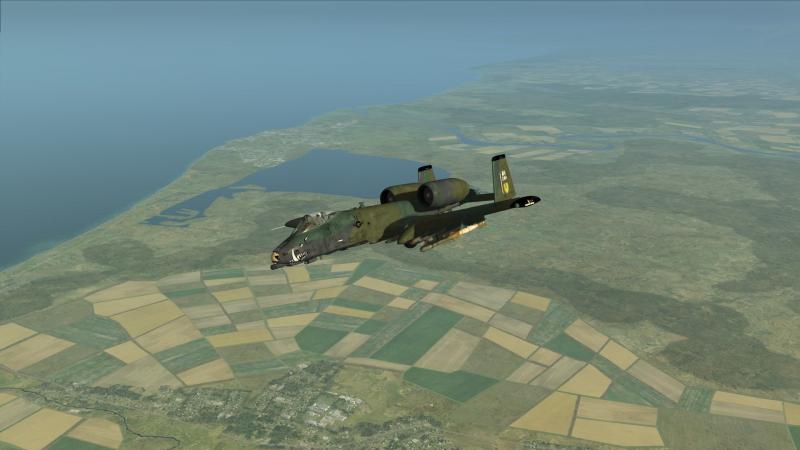
-
Strike Fighters 2 Vietnam
Flanker562 replied to MigBuster's topic in Thirdwire: Strike Fighters 2 Series - General Discussion
Worked like a charm MigBuster, nice one! -
Okay got JDAM and Mav work pretty much down but need to practice Mav shooting but that's just a given. Anyway I tried today and yesterday LGB bombing, CCRP mode, laser is ON and TGP needless to say working but for some reason I'm overshooting the targets all the time. Even when I hold the weapons release button prior to it falling off the pylon, which leads me to think A) I got bad height or airspeed, or B) Somehow the bombs aren't picking up the lazer and I'm not masking, so... I also tried the tutorial mission, which seems borked from 1.2.11 so... anybody have some good tips?
-
And needless to say a fixed and adjusted version is uploaded in the Files section:
-
Strike Fighters 2 Vietnam
Flanker562 replied to MigBuster's topic in Thirdwire: Strike Fighters 2 Series - General Discussion
Not available for us Yanks... :( -
View File Ka-50 HMLA-167 [Fictional] Fictional HMLA-167 Ka-50 Black Shark This is s a simple modification of an original Black Shark skin I did years ago, adapted for the newer DCS engine. Installation: Simply cut and paste the folder into the DCS World\Bazar\Liveries\Ka-50 folder and go fly. And in the Mission Editor simply choose “HMLA-167” in the Paint Schemes drop down menu. Pilot Textures courtesy of Home Fries as well as some help with the description.lua Submitter EricJ Submitted 11/29/2014 Category Misc/AI Aircraft Skins
-
![More information about "Ka-50 HMLA-167 [Fictional]"](https://combatace.com/applications/downloads/interface/legacy/screenshot.php?path=/monthly_05_2015/thumb-e946313044c3bef07a82e08cfdb89da6-hmla-167.jpg)
20 downloads
Fictional HMLA-167 Ka-50 Black Shark This is s a simple modification of an original Black Shark skin I did years ago, adapted for the newer DCS engine. Installation: Simply cut and paste the folder into the DCS World\Bazar\Liveries\Ka-50 folder and go fly. And in the Mission Editor simply choose “HMLA-167” in the Paint Schemes drop down menu. Pilot Textures courtesy of Home Fries as well as some help with the description.lua