


1Patriot-of-many
-
Posts
142 -
Joined
-
Last visited
-
Days Won
1
Content Type
Profiles
Forums
Gallery
Downloads
Store
Everything posted by 1Patriot-of-many
-
My point was clearly some people simply won't be able to figure out the editing which defeats the purpose of the modder making the mod doesn't it if clear and precise instructions aren't included? I understand the hours upon hours of work making these mods and I've clearly expressed my personal thanks numerous times. I believe it is constructive criticism to point out forgetting to mention some editing you'll have to do leaves some of the desired use of all those hours modding defunct when the end user simply gives up and says it doesn't work. I'm sure some of these modders aren't even around anymore, on a couple mods I've posted questions with no reply. I've never owned a PS BTW. PC's since the Amstrad...... Clear now?
-
I'm talking about complete campaign mods. Several I've run across don't give complete instructions on editing the options.INI file. Particularly in the campaign part of the file. When you install them as directed, they'll simply lock up on the splash screen when you try to launch a campaign. Probably a bit off putting for someone who doesn't know their way around the options.INI file. Several of the mods I've run across don't mention what the campaign number or name is resulting in what I've described. Here's one of the latest I downloaded and reinstalled 4 times before I figured out the campaign part of the mods Options.INI file needed to be changed. Only because I've downloaded some excellent mods with precise instructions on editing the new mods options.INI files was I able to figure out why they locked up. Clear now? For example if you look at the readme for this campaign mod, no mention of editing the campaign part of the mods Option.INI file, what number it is or the name of it. For example this mod: This one I reinstalled 4 times before I figured out the campaign part of the mods Options.INI file needed to be changed, no instructions to do so and you have to figure out what the number and name needs to be changed to.. just saying, people probably give up trying to get some of the mods to work for lack of precise instructions on installing and editing. Most do, but there's been several I've run across that don't. I guess the modder just assumes everyone knows what editing needs to be done to the options.ini file.....
-
I've been downloading and installing mods for Strike Fighters 2 like a crazy man. I keep running across incomplete instructions for the install. The majority that I haven't gotten to work is because they don't tell you to edit the campaign part of the options.ini file. You have to search around for the # and name of the campaign which somehow in my infernal idiocy I have managed to do with most of them. Kinda frustrating to click on campaign in the main screen and have it freeze up. I'm getting the hang of it figuring out the structure but I bet most dumbasses just give up and say it doesn't work.
-
SF2: Modern Warfare Korea V1.03 Part2
1Patriot-of-many reviewed Spectre8750's file in User Made Campaigns
 Took me 4 times trying to install this mod, some of the instruction is kinda vague, but finally got it working.
 -
 Is there some editing in the Options.INI I need to do to get this to work that isn't in the readme? I get the standard Europe following the instructions to the letter.
 -
In some mods I don't see anything in the cockpit denoting radar missiles are in range, is there a list somewhere? Particularly Russian planes and missiles like the AA12 and AA10
-
Falklands mod is one. OpDarious requires just the Europe expansion. I found the cost of all the expansions, the customizer, a few planes required by various mods well worth it. I'm glad we have all these modders too, they make the playability over the top.
-
Why do some mods show enemy planes in map mode
1Patriot-of-many replied to 1Patriot-of-many's topic in General Discussion
Thanks guys. Easy "fix". Worked perfect, but you knew it would. -
Why do some mods show enemy planes in map mode
1Patriot-of-many posted a topic in General Discussion
While some don't? How do I change that so all the mods I play show the enemy planes in map mode? I play on wimpy/easy settings 90% of the time. Thanks! Bob -
Thanks streakeagle, I'll try that. Anything will help my lame ass.
-
I'm constantly being shot down by missiles I can't find visually in the heat of the moment. Is there any way to padlock the threats like in Janes USAF?
-
 How do I add campaigns?
 -
Yeah I was clear as mud, I know......
-
Thanks all, sometimes I don't make myself quite clear just what in the hell I'm talking about(at least that's what my wife says), I apologize :) I still can't believe I missed this game till a year or two ago. I've been gaming since the Vic20, have many flight sims from DOS to present but somehow missed this one. I wish they would make more campaigns, this really doesn't get very old. Love all the mods I've gotten to work and appreciate those who must have spent quite a lot of time making them.
-
Thanks! I had ended up using the campaign customizer before I read your post. When I use the customizer I picked FA18A and it brought along the harpoon. Just had a little trouble understanding the relationship of the plane and weapon files. Think I got it now with the editing in the actual mod so I could say put a harpoon on a mirageIII. Appreciate the post!
-
Yep exactly, Wanted to what if the Argentine having harpoons and other weapons they didn't have. Also wanted to what if Argentina had different planes, ect. Just wanted to mess around a little. Thanks for the help.
-
Okay I tried taking the AGM84E and putting in in the falklands mod, none of the planes in the mod would have it as an option to load? Are the weapons specific in some manner to what planes? In other words, I would have to move a plane that carries it in another mod and the AGM84E then it will work?
-
How do i take planes and weapons from say North Atlantic to a mod like Falklands or Desert Storm to Falklands and have them available in the other mod?
-
Not really interested in multiplayer online, but are there any options to get this great game working on a LAN?
-
Tainan Kokutai New Guinea 1942 campaign(Part 1)
1Patriot-of-many commented on regula50's file in User Made Campaigns
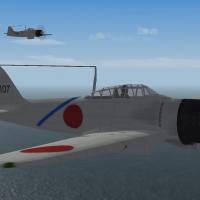 Couldn't get it to work, read me is quite vague and I can't find these planes the read me tells me to download. I appreciate the time you took to make the mod, it would be better if precise directions were given in how to make it work.
 -
Operation Odyssey Dawn Update
1Patriot-of-many commented on Peugeot205's file in User Made Campaigns
 Directions are very vague, but finally figured it out knowing the directory structure from other mods and the basic game. Thank you for the mod.
 -
Operation Odyssey Dawn Update
1Patriot-of-many commented on Peugeot205's file in User Made Campaigns
Didn't work for me. I got one campaign and the plane only has air to air. -
Yeah I only have one monitor run at 1080P, like I said I have two GTX 1070's but they won't run in SLI on an HP motherboard, so one now, HP doesn't make any cards, they are EVGA. Yeah, I'm probably going to go prebuilt, I built most of my systems starting at the 486 age on up, but haven't kept up since a quadcore pentium build so I'll go with an I7 or I9 system prebuilt, I'm a little confused, your specs show an I7 not an I5? One other question, I have an SSD, I just installed a second for the OS much bigger, but I use a 4TB normal drive for the game, other than the user files. Would I get any speed advantage putting the whole game on the SSD?
-
Yep that would be the processors I have. You have any problems with win10 running Strike Fighters? Looking at your specs, I might just buy a new system. I bought this HP workstation pretty much to run this game, hoping it would kick my old pentium quadcore with dual GTX950s into the ground. Turns out one GTX1070 is about the same as two 950's and I can't get SLI to work on this HP workstation Z820 for my two 1070's.(HP has to have everything proprietary and they don't support SLI except for some dipshit workstation video cards)Though the machine is unbelievable for multi tasking, I can be downloading on steam ect and strike fighters2 doesn't suffer at all. ......Might bite the bullet and get a thoroughly modern system like yours. I hate win10 though, have it on one of my other puters. I'd love to stick with XP and 7. But oh well, I'll suffer with 10 for my gamer......
-
Looking at Migbusters specs, maybe time to really make a serious gaming rig! I only wish it ran on WIN7, I hate win10.

