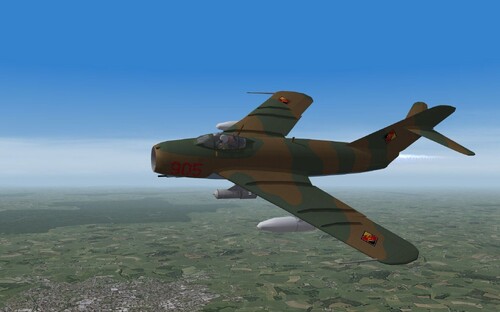
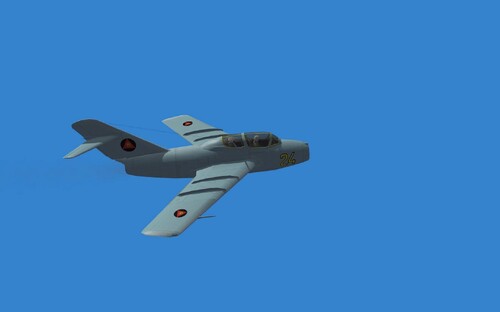
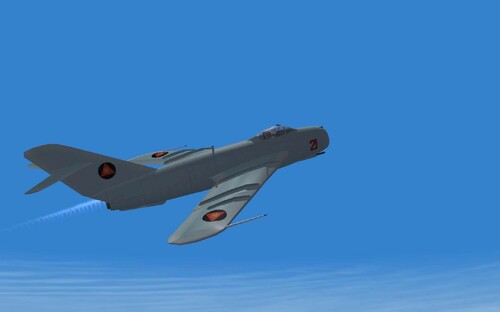
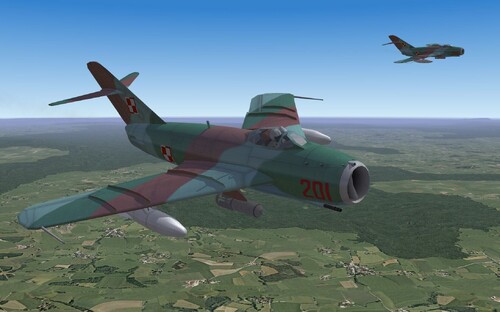
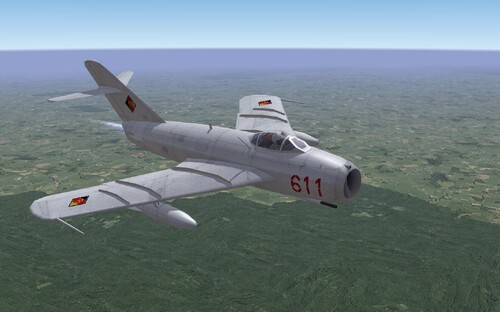
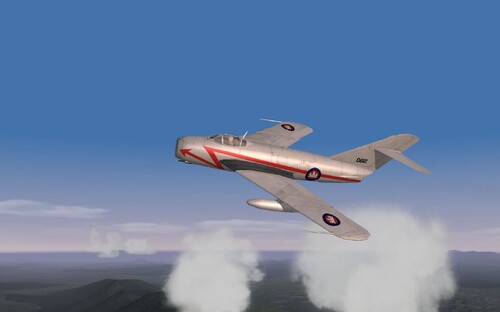
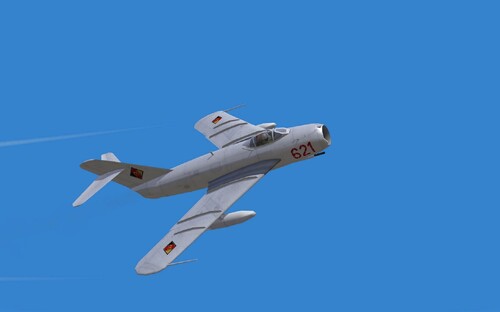
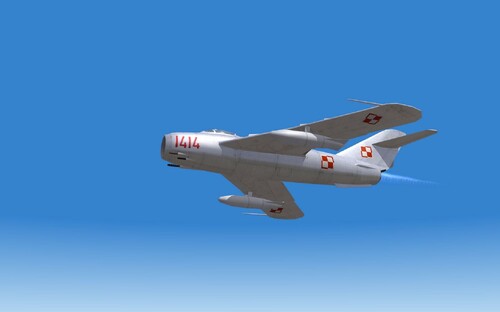
Chinese Camouflage scheme for the Mig-15
This is a mod using Column5's original skins.
README.
New paint for Mirage III EA Fuerza Aerea Argentina, Low-Viz. With optional decals.
Put this folder in the appropriate place and enjoy.
\Objects\Aircraft\MirageIIIEA
if you want to use the decals, just put the contents of the folder called "Optional Decals" inside the folder Lowviz.
Feel free to modify to your liking this painting, always give me
the corresponding credit. Since I do with others.
Good flight.Ariell
xxxxxxxxxxxxxxxxxxxxxxxxxxxxxxxxxxxxxxxxxxxxxxxxxxx
Nueva pintura para Mirage III EA Fuerza Aerea Argentina, Low-Viz. Con decals opcionales.
Ponga esta carpeta en el lugar correspondiente y a disfrutar.
\Objects\Aircraft\MirageIIIEA
si usted quiere utilizar los decals, ponga el contenido de la carpeta "Opcional Decals" dentro del carpeta Lowviz
Sientase en la libertad de modificar a su gusto esta pintura, siempre y cuando me dé
el correspondiente credito. Ya que yo lo hago con los demás.
Buen vuelo. Ariell
Skins Creados para las Fuerzas Libyas Gadafistas y para la Real Fuerza Aérea Marroqui incluyo Hangar y loading screnn.
New paint for Dassault Mirage IIIE.
ALA 11, Esc.111 and Esc.112 with Decals.
Put this folder in the appropriate place and enjoy.
Objects\Aircraft\MirageIIIE
The Mirage IIIE was the weapon system used by Spain from 1971 to 1992.
This two Skins represents the 112 Squadron and the 111 Squadron of the 11 WING based in Manises.
With their serial numbers.
Feel free to modify to your liking this painting, as long as I give
the corresponding credit. Because I do.
Good flight.Ariell
+--------------------------------------------------------+
Nueva pintura para Dassault Mirage IIIE.
Ejercito del aire ALA 11, Esc.111 and Esc.112. Con decals.
Ponga esta carpeta en el lugar correspondiente y a disfrutar.
Objects\Aircraft\MirageIIIE
El Mirage IIIE fue el sistema de armas utilizado por España, desde 1971 hasta 1992.
Estas dos Skins representan al Escuadron 111 y Escuadron 112 del Ala 11 con base en Manises.
Con sus numeros de serie
Sientase en la libertad de modificar a su gusto esta pintura, siempre y cuando me dé
el correspondiente credito. Ya que yo lo hago.
Buen vuelo. Ariell
README.
New paint for F-9J Cougar Argentine Navy
Put this folder in the appropriate place and enjoy.
\ Objects \ Aircraft \F-9J, for SFP1 and SFP2.
Feel free to amend its like this painting, as long as I give
the corresponding credit. Because I do
Good flight.Ariell
xxxxxxxxxxxxxxxxxxxxxxxxxxxxxxxxxxxxxxxxxxxxxxxxxxx
Nueva pintura para F-9J Cougar de la Armada Argentina.
Ponga esta carpeta en el lugar correspondiente y a disfrutar.
\Objects\Aircraft\F-9J, para sfp1 y sfp2.
Sientase en la libertad de modificara su gusto esta pintura, siempre y cuando me dé
el correspondiente credito. Ya que yo lo hago.
Buen vuelo. Ariell
New paint for P-3C Orion Argentine Navy
Put this folder in the appropriate place and enjoy.
\ Objects \ Aircraft \P-3C, for SFP1 and SFP2.
Feel free to amend its like this painting, as long as I give
the corresponding credit. Because I do
Good flight.Ariell
xxxxxxxxxxxxxxxxxxxxxxxxxxxxxxxxxxxxxxxxxxxxxxxxxxx
Nueva pintura para P-3C Orion de la Armada Argentina.
Ponga esta carpeta en el lugar correspondiente y a disfrutar.
\Objects\Aircraft\P-3C, para sfp1 y sfp2.
Sientase en la libertad de modificara su gusto esta pintura, siempre y cuando me dé
el correspondiente credito. Ya que yo lo hago.
Buen vuelo. Ariell
New paint for IA-63a-Pampa
Put this folder in the appropriate place and enjoy.
\ Objects \ Aircraft \IA-63a-Pampa, for SFP1 and SFP2.
Feel free to amend its like this painting, as long as I give
the corresponding credit. Because I do
Good flight.Ariell
xxxxxxxxxxxxxxxxxxxxxxxxxxxxxxxxxxxxxxxxxxxxxxxxxxx
Nueva pintura para IA-63a-Pampa del mod Malvinas.
Ponga esta carpeta en el lugar correspondiente y a disfrutar.
\Objects\Aircraft\IA-63a-Pampa, para sfp1 y sfp2.
Sientase en la libertad de modificara su gusto esta pintura, siempre y cuando me dé
el correspondiente credito. Ya que yo lo hago.
Buen vuelo. Ariell
Just a new paint for Mb-326GB Malvinas mod.
Put this folder in the appropriate place and enjoy.
\ Objects \ Aircraft \ MB-326GB, for SFP1 and SFP2.
Good flight.Ariell
xxxxxxxxxxxxxxxxxxxxxxxxxxxxxxxxxxxxxxxxxxxxxxxxxxx
Simplemente una nueva pintura para Mb-326GB del mod Malvinas.
Ponga esta carpeta en el lugar correspondiente y a disfrutar.
\Objects\Aircraft\Mb-326GB, para sfp1 y sfp2.
Buen vuelo. Ariell
This is a generic French Armée de l'Air skin for the SEPECAT Jaguar. It is based on Dave's RAF Jaguar skin. Thanks Dave, for letting me base my skin on yours. What I did was just modify the roundel. It's the only Armée de l'Air skin. I hope you like it!!! Just decompress and move/copy/cut the "France" folder into your Jaguar folder. This serves as a readme.
Regards,
Ignacioc91
- Iragi Camouflage for L39ZA Albatros
*********************************************************************************
decals are embedded
This camouflage scheme was used in the Iraqi Air Force Academy around the year 1991. This scheme was used on the type of L39ZO. This type is training aircraft. In view of the performance is the same as the type of L39ZA. To install this skin on the plane L39ZA.
INSTALATION:
*********************************************************************************
You must extract the folder L-39 IRAQ CAMO. Folder iraq_camo save to a folderL39ZA. Which is in the Aircraft folder in your game. As always Place a new decal line
in you L39ZA.ini folder. The Line for this aircraft is:
[TextureSetxxx]
Directory=iraq_camo
Name=Iraq Camo
Nation=iraq
Squadron=Iraqi Air Force Academy
Specular=0.7000000
Glossiness=0.450000
Reflection=0.250000
Replace the XXX with the next number in the sequence.
That's it.
CREDITS
*********************************************************************************
This Skin Iraq Camo was Created by dalai_LAMA.
I used the original Gray skin as a base for my new skin. I thank the author of the original skin.
*********************************************************************************
Thank you for your interest in this skin.
Yellow Stripes
This is a historic skin for Aircraft F-100D
*********************************************************************************
INSTALATION:
*********************************************************************************
You must extract the folder Yellow Stripes. Folder YelloStripes save to a folder F-100D which is in the Aircraft folder in your game. As always Place a new decal line
in you F-100D.ini folder. The Line for this aircraft is:
[TextureSet006]
Directory=YellowStripes
Name=Yellow Stripes
Nation=USAF
Specular=1.200000
Glossiness=0.600000
Reflection=1.000000
Replace the XXX with the next number in the sequence.
That's it.
*********************************************************************************
CREDITS:
*********************************************************************************
This Yellow Stripes was Created by dalai_LAMA.
I used the excellent original USAFsilver1 skin as a base for my the Yellow Stripe skin.
*********************************************************************************
Thank you for your interest in this skin. I wish you happy landing ... ;)
Skin for Yak-25M Flashligh, variant with a green nose
*********************************************************************************
This package contains a file of the skin and loading screen. This package contains the decals with 12th blue numbers.
INSTALATION:
*********************************************************************************
You must extract the folder SovietSilverGreenNose. Folder SovietSilverGreenNose save to a folderYak-25M which is in the Aircraft folder in your game. As always Place a new decal line
in you Yak-25M.ini folder. The Line for this aircraft is:
[TextureSetXXX]
Directory=SovietSilverGreenNose
Name=Soviet Silver Green nose
Nation=Soviet
Specular=1.000000
Glossiness=0.500000
Reflection=0.800000
Replace the XXX with the next number in the sequence.
LOADING SCREEN
*********************************************************************************
Part of the package is two loadingscreens. If you want to install, here's how:
Yak-25M_loading_screen.bmp copy to your folder Yak-25M.
This text:
LoadingScreen = Yak-25M_loading_screen.bmp you must copy to a AircraftData which is in your file Yak-25M.ini. If you do, your new loadingscreen will be using the aircraft Yak-25M.
That's it.
CREDITS
*********************************************************************************
This Skin SovietSilverGreenNose was Created by dalai_LAMA.
I used the original Soviet Silver1 skin as a base for my new skin SovietSilverGreenNose. I thank the author of the original silver skin.
*********************************************************************************
Thank you for your interest in this skin.
Su-15TM SOV.CAMO.SPRING
New Skin for the Su-15TM FlagonF
*********************************************************************************
- SovietCamoSPRINGS
- su-15tm_loading_screen
INSTALATION:
*********************************************************************************
You must extract the folder Su-15TM SOV.CAMO.SPRINGS. Folder SovietCamoSprings save to a folderSi-15TM which is in the Aircraft folder in your game. As always Place a new decal line
in you Su-15TM.ini folder. The Line for this aircraft is:
[TextureSet]
Directory=SovietCamoSPRINGS
Name=Soviet Camo Springs
Nation=Soviet
Specular=0.400000
Glossiness=0.500000
Reflection=0.000000
Replace the XXX with the next number in the sequence.
That's it.
Loadingscreen
*********************************************************************************
Part of the package is loadingscreen. If you want to install, here's how:
su-15tm_loading_screen.bmp copy to your folder Su-17TM.
This text:
LoadingScreen = su-15tm_loading_screen.bmp you must copy to a AircraftData which is in your file Mig-17F.ini. If you do, your new loadingscreen will be using the aircraft Su-15TM.
Credits
*********************************************************************************
This Skin SovietCamoSPRINGS was Created by dalai_LAMA.
I used the excellent original silver skin as a base for my the SovietCamoSprings Camouflage. I thank the author of the silver skin for a great job.This Silver Skin for Su-15 was Created by Myself.
As always thanks to Boopidoo for the Su-15 Model. Also thanks goes to Pasko for the weapons and
Hawkwind and Eruyi for the avionics.
Thank you for your interest in this skin. I wish you happy landing ... ;)
Mig-17F(Lim5)_PWL_Camo
- PWLCamo001
- HANGARSCREEN 1024 x 768
- LOADINGSCREEN 1024 x 768
*This skinis designed exclusively for the type of Mig-17F. This skin type is not suitablefor Mig-17, paintscheme not compatible, airbrakes of both types are placeddifferently in the schema. The skin is not suitable for the type series Mig-PF,is not part of the skin with a radar nose, the nose would remain in the metalcolor.
*This skinis designed and tested for version of WoE. This skin is compatible withversions of WOI, but in the Middle East this camouflage has never been used. Compatibilityof the skin with other versions of the game is not verified.This skin isonly for Europe. This camouflage was used by the Air Force of Poland. AircraftMig-17F produced and used in Poland were identified as the LIM-5.
*I made askin of aircraft worn and abraded. Aircraft in combat operations looksdifferent than the plane to air show...
I usedthe excellent original silver skin as a base for the Polish camouflage. I thankthe author of the silver skin for a great job.
INSTALATION:
*You mustextract the folder Mig-17F(Lim5)_PWL_Camo. Folder PWLCamo001 save to afolder MiG-17F which is in the Aircraft folder in your game WoE.
That'sit.
*You wantto have generated the skin in the game? Procedure: In TextureSet.ini file isthe text you copied into your file Mig-17F.ini (configuration settings). Fileconfiguration settings MiG-17F.ini is located in the MiG-17F aircraft folder inyour game. You need to copy it for your last TextureSet in the configurationsettings (Mig-17F.ini). Number set in your last update, the original shape isthis: [TextureSet000]. This TextureSet must be updated with your lastTextureSet in file TextureSet.ini. Whenyou finish this, if you choose this skin, before the flight you automaticallychange the marking on the Polish.
*Part ofthe package is hangarscreen and loadingscreen. If you want to install, here'show:
Mig_17F_LOADING.bmpand Mig-17FHANGAR.bmp copy to your folder MiG-17F. This text:
LoadingScreen= Mig-17F_loading.bmp
HangarScreen= Mig-17F_hangar.bmp
you mustcopy to a AircraftData which is in yourfile Mig-17F.ini. If you do, your new hangarscreen and loadingscreen will be using the aircraft MiG-17F.
*Thankyou for your interest in this skin. I wish you happy hunting ... ;)
WildCat´s A-6A VA-75 Skin
This is for Monty CZ's A-6, and other modifications.
I´ve made paint modifications and new decals for fuselage.
Installation
--SKIN: Copy the "VA-75" folder to your "...\Objects\Aircraft\A-6A" folder
--BMP files: If you want to change The _Hangar and _Loading bmp files copy them
to your A-6A folder, and change the name in the "A-6A.ini" file.
--Pilot: If you wish you can download my VA-75 pilots :
http://combatace.com/files/category/313-pilot-mods/
*******************************************************************************
*** Credits ***
*******************************************************************************
Many thanks to DaveJS for authorization, and Sundowner for the skin