

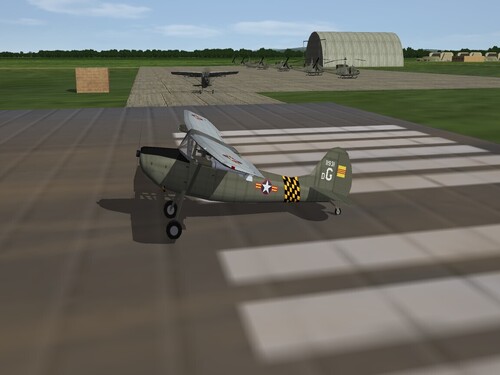
About This File
SF2 Cessna O-1E Bird Dog Remod Pack -for 3W O-1E- ver.3 12/14/2025
= For SF2, Any and All, Designed for SF2:V =
**This mod is designed to replace, in total, the version I did in 2011. If you don't have that mod, not to worry, everything -and MORE- is included in THIS one!!! **
This is a major overhaul of the stock 3rd Wire 1stGen O-1E Bird Dog with a new, functioning cockpit, all NEW skins from Brand New Home Grown Templates (tm), which are included within the main aircraft folder. All new semi-historically accurate serial numbers (meaning: generic in nature, representing no particular unit, but mostly correct for the time frames for each skins operational years and country assigned). All skins are now in jpg format, at 1024x1024. When discoverable, the read me for the original 1stGen skin is included with that skin folder.
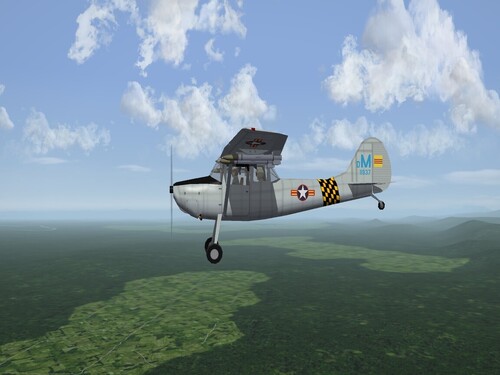
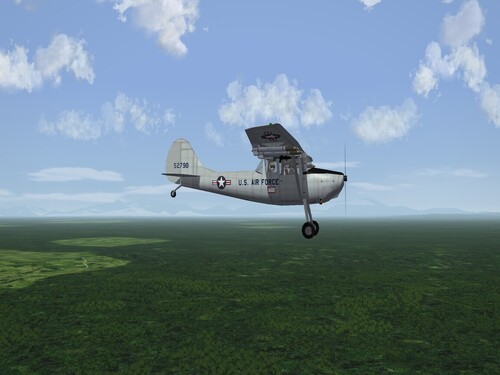
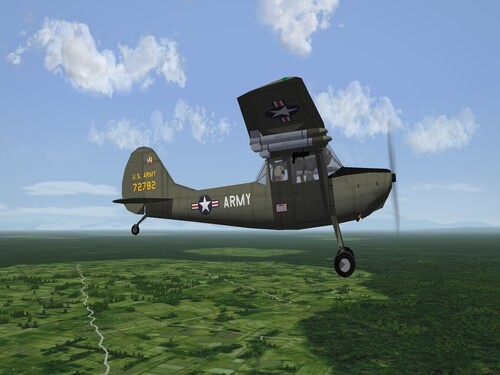
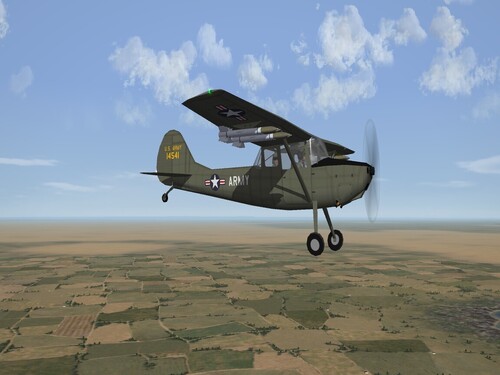
The skins included herein represent ---
Canada:
CDN Army (CO-119) <54
Pakistan:
Pak Army Green <72
US Army:
US Army Aviation L-19/O-1A <1949 (USArmy1 folder)
73rd Aviation Co "Warriors" (USA) <63 (USArmy2 folder)
USAF:
20th TASS <61
VNAF:
112th Liaison Sqdn <1962 (OD w/LtGrey upper wings)
112th Liaison Sqdn <1970 (overall LtGrey)
Decal randomization is TRUE for all. Skins have either 16, 20, 24 or 26 serial number decals, depending on Air Force and time frame used. The SF2 Date Switch is active for the 2 US Army & VNAF skins. As you can see above, the year tagged is their start date. Skins are now in the (mostly) correct colors as seen in Real Life (tm).
The aircraft uses stock HVARs, but for fun I've included the M-60 underwing machine gun. So you can shoot stuff up. A new User list.ini is supplied, with most of the Dog's users. New pilot figures are used, too!
Be advised, the US Army Aviation units depicted here are still tagged with "USAF" as their Nation of Origin. See "Notes" for adding US Army to you Nations.ini, if you aren't using DaddyAirplanes expanded one. You'll have to extract the Nations.ini, if you haven't already, and place it in you /Flight folder. You'll also have to edit the TextureSet ini for those skins, in either case. Again, instructions are below.
You'll also be adding a new engine sound, and this will need to be added to the Sound list ini, so have that extracted (if you haven't already), and in the /Flight folder in you Mods Folder of choice (ie: SF2:V)
Because there are several differing Bird Dogs wandering around, I've used a unique folder & displayed name to differentiate it from them. On the Aircraft Selection Drop Down menu, you'll see
O-1E Bird Dog (3W)
The (3W) names it as the stock SFP1/WoV 3rd Wire aircraft.
As is always recommended, unzip to a temp folder or your desktop to give easy access to the rest of this readme for it's install instructions.
Please read the Notes section for other possibly useless information, and (hopefully) full credits.
Please also take note of changes in the Standard Disclaimer in the "Legal BS" section at the bottom.
Have Fun!! Woof Woof!!!
Wrench
Kevin Stein
Enjoy this early 2025 Christmas Present!! 


