
Stephen1918
-
Posts
1,183 -
Joined
-
Last visited
-
Days Won
19
Content Type
Profiles
Forums
Gallery
Downloads
Store
Everything posted by Stephen1918
-
Yes, I'll include my skinning templates in the download, but I doubt if they will match von Deutschmark's layout so the old skins won't work on my model. We have some good FE skinners around here now, JulioJunqueira, Trotski, Eugene2, among others. Perhaps they will take up the task of creating new skins for the D.VIII.
-
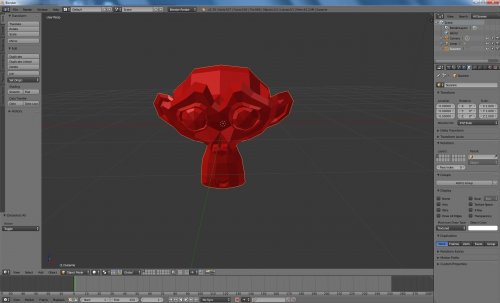 I am just finishing my second aircraft made with Blender. Your LOD Exporter works beautifully. Thank you for this and for all the utilities you've created. I see people have been asking for a version that works with newer versions of Blender - I have found a workaround. I have been using Blender 2.92 for the modelling, and then exporting (as fbx) to Blender version 2.79 to make the LOD. I haven't had any problems using this method. (But I haven't tried this with animations yet.)
 -
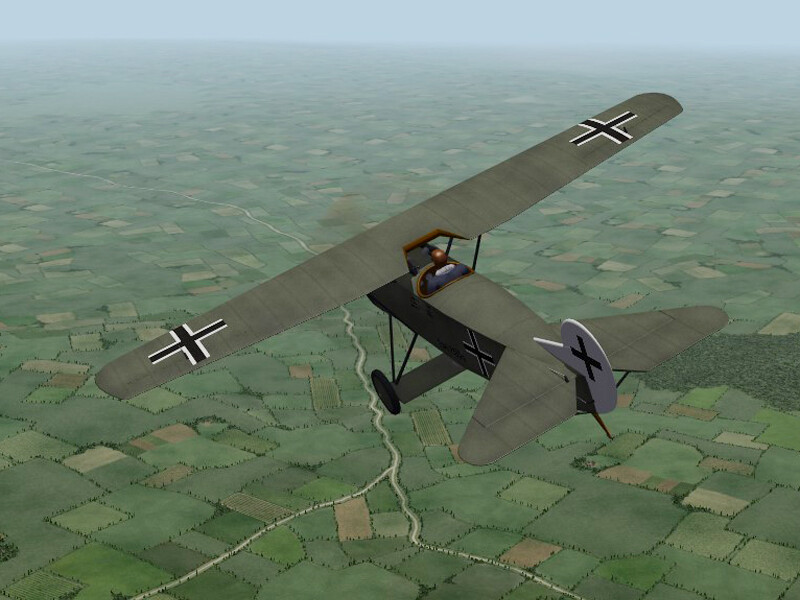
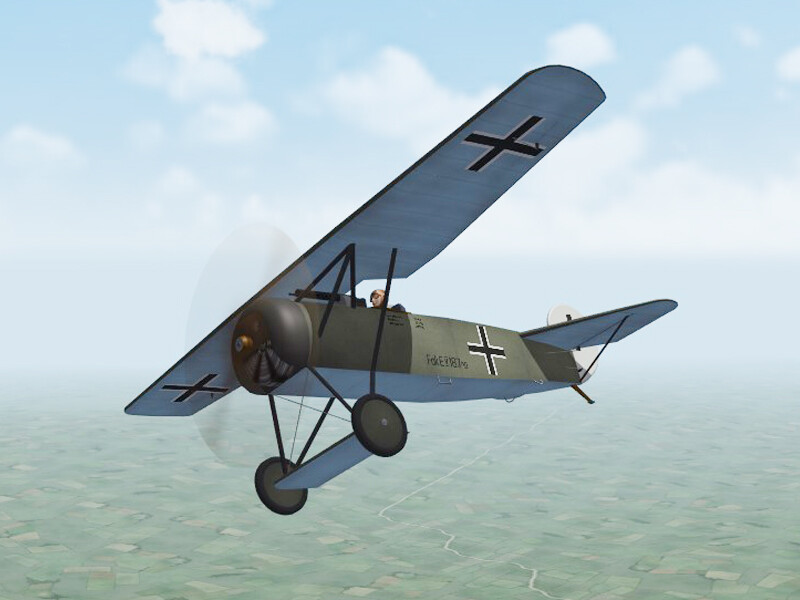
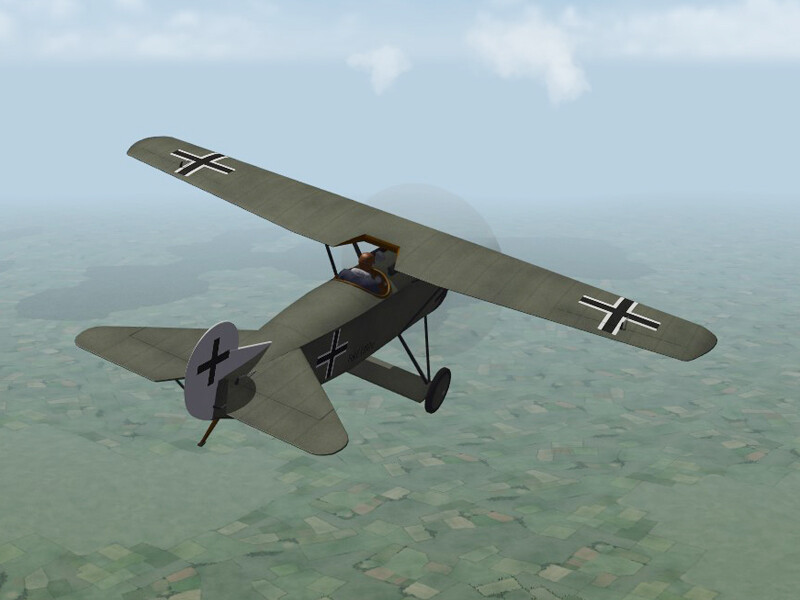
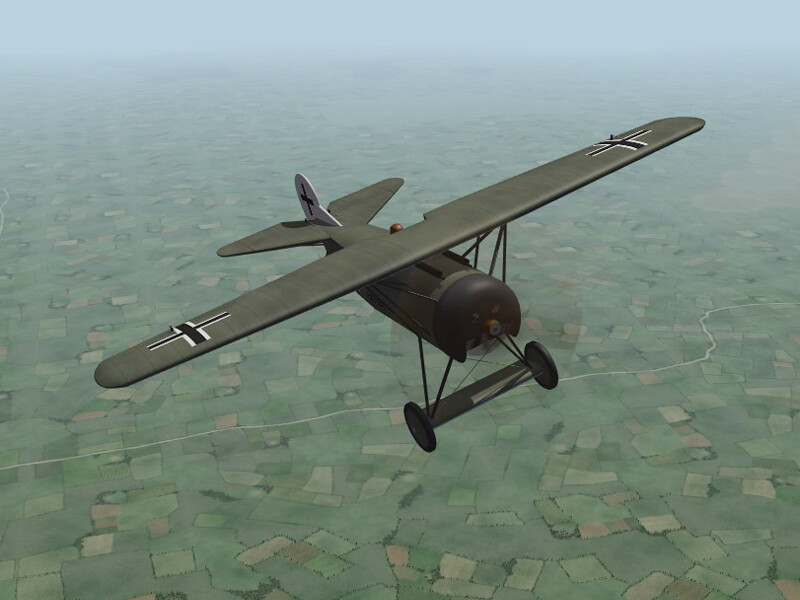
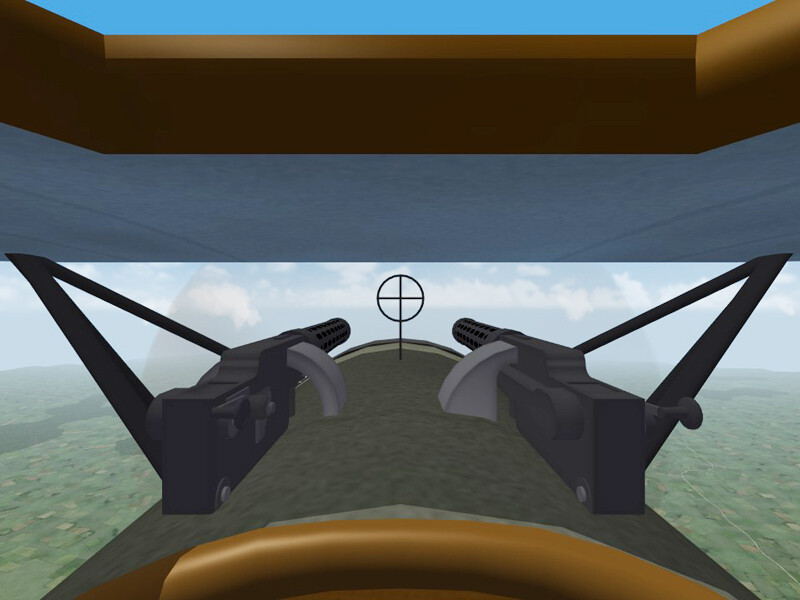
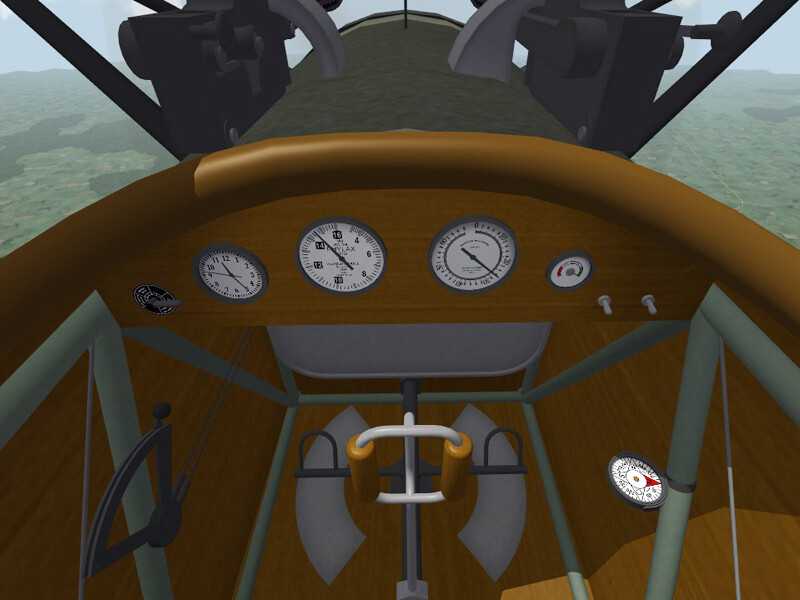
I've slowly been making progress, I'm having to unlearn a lot of things I learned for 3D Max because Blender is different. But, the cockpit is nearly finished, still tweaking the skins. I've made a German skin and am working on a camo for Poland.
-
Yes, Laton made a Fokker D.8 almost 20 years ago. It used the old FE1 pilot and it used the cockpit from the Fokker D.7. Von Deutchmark made the skins. I considered just making a cockpit for it, but it wasn't rigged to accept decals and all the skins were on one sheet. I'm using his FM as starting point, Ojcar will upgrade the FM when I get the model finished..
-
As I recall, in "Blue Max" they were acting like a monoplane was a radical new concept and so it failed, and killed George Peppard, during the test flight. We of course know that monoplanes had been around since before the beginning of the war. The writers may have been thinking of the Fokker D.VIII when they made the film, but it was not named and it's failure in testing was not realistic.
-

Screenshots of all the terrains I have...
Stephen1918 replied to gterl's topic in General Discussion
Looks good. -
Screenshots of all the terrains I have...
Stephen1918 replied to gterl's topic in General Discussion
Your Cambrai has a lot more stuff in it than mine. -
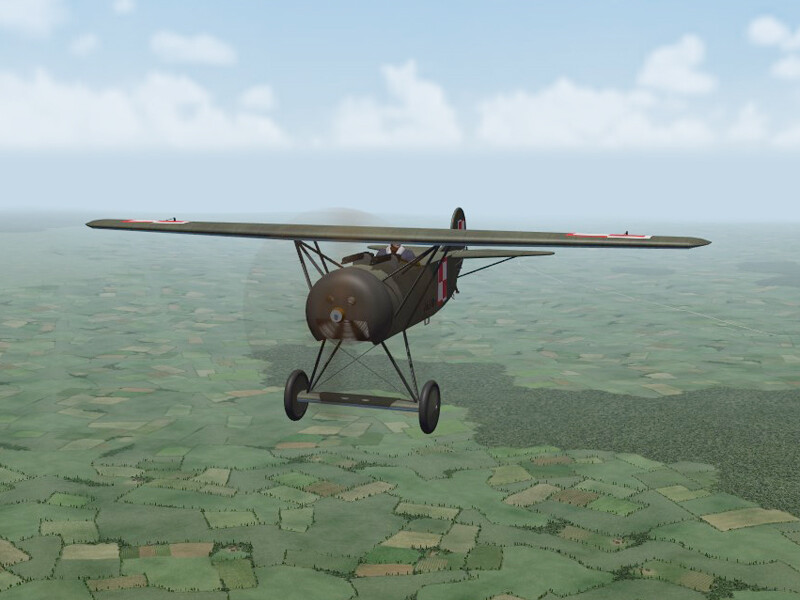
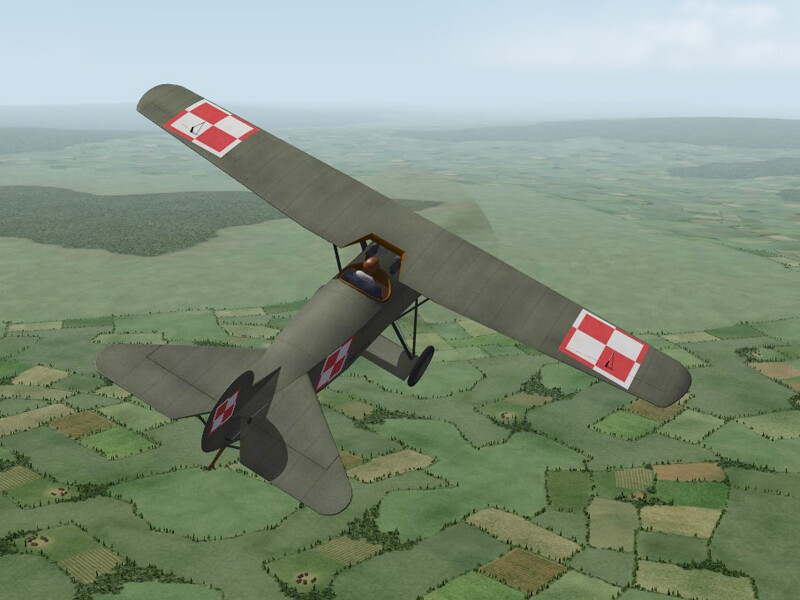
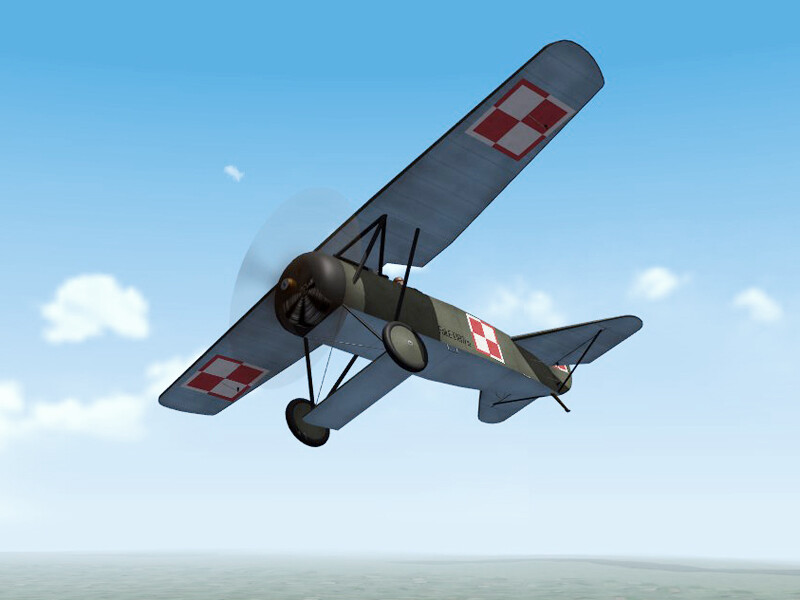
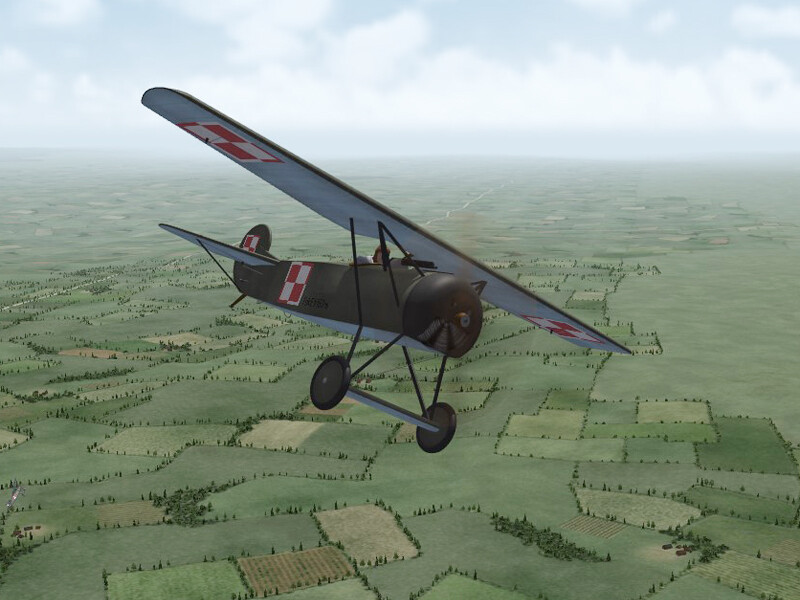
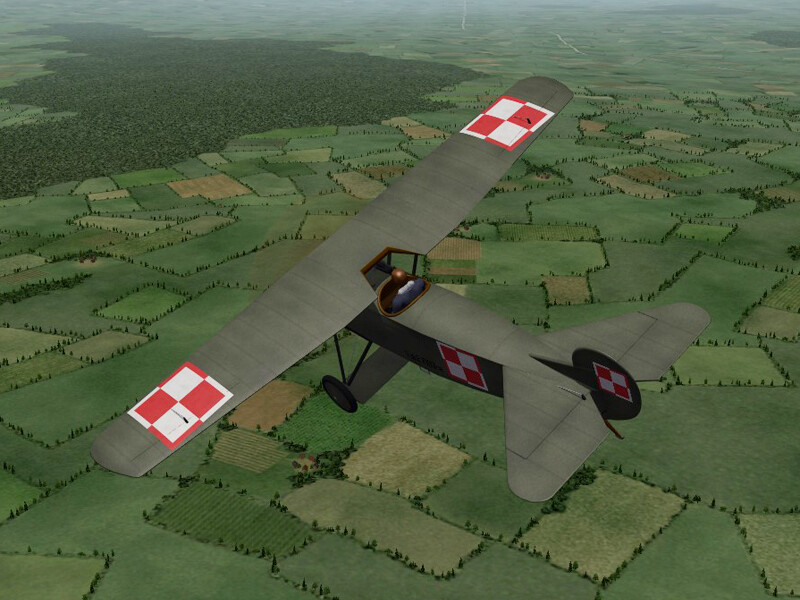
I'm still thinking of the Polish-Russian war. This is the Fokker D.VIII, which was released during the final months of WWI, and was used by the Poles and other nations, in the years after. The model is pretty much finished, now I'm working on the cockpit and the LODs. Then I have to do all the FM stuff - min/max extents, collision points, remove and detach nodes, etc. I'm planning to make a German skin, and maybe a camo.
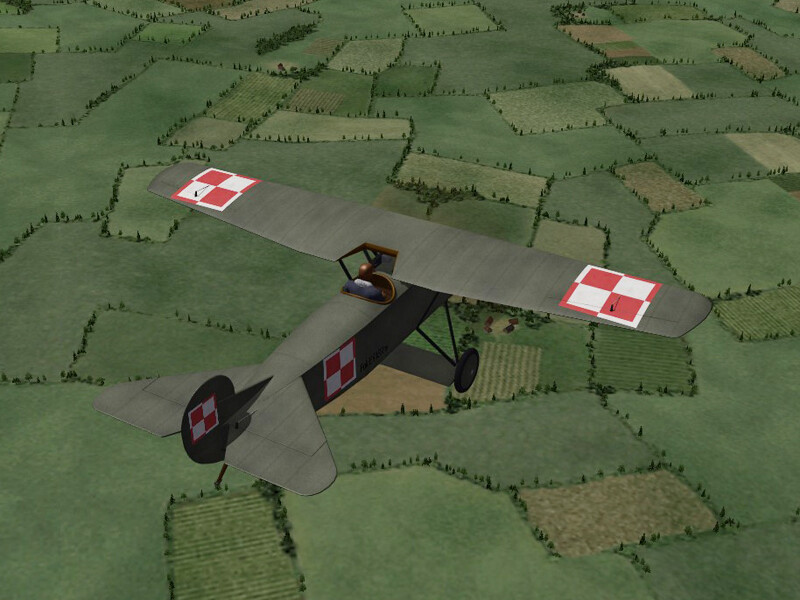
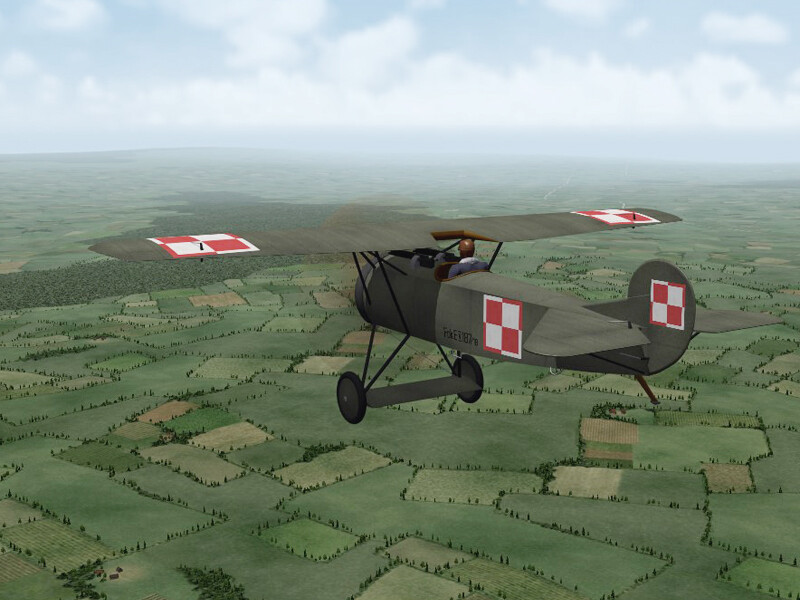
- 16 replies
-
- 14
-

-

-
Any comments? This is a learning experience for me, so your input, positive and negative, will be welcome.
-
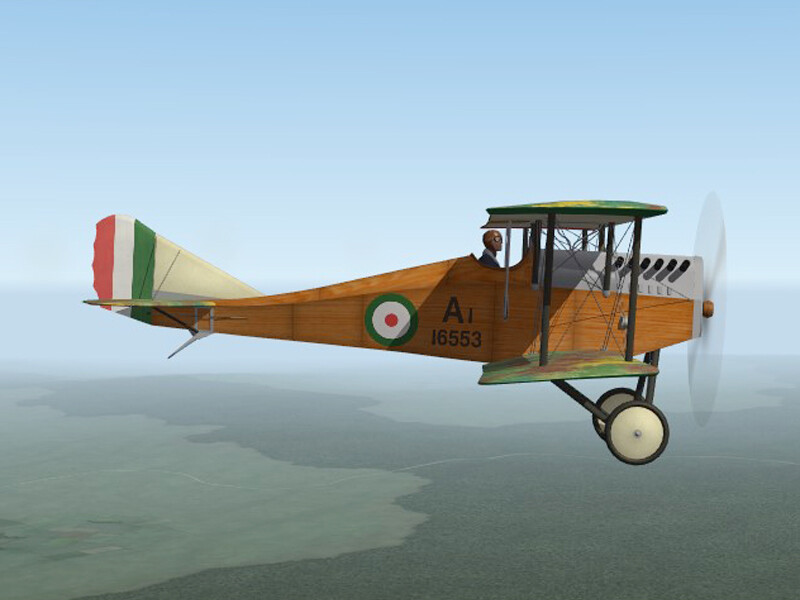
The Ansaldo A.1 "Balilla" has been uploaded. This is my first plane made in Blender, I would like to see your comments regarding the quality and overall appearance of the model, download, etc. I have not yet learned animation in Blender so motions of the flaps are rather simple. My thanks to Ojcar for making the FM, test flying the plane, and suggesting improvements to the cockpit. My thanks to Mue for making the exporter for Blender. This would not have been possible without this utility.
-
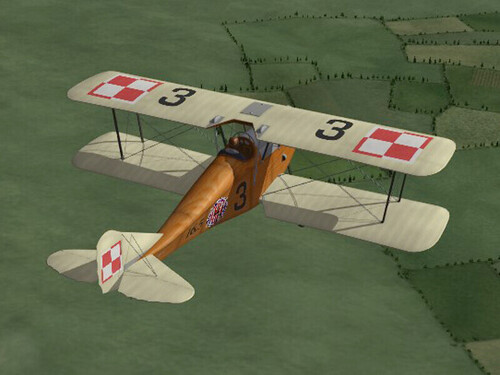
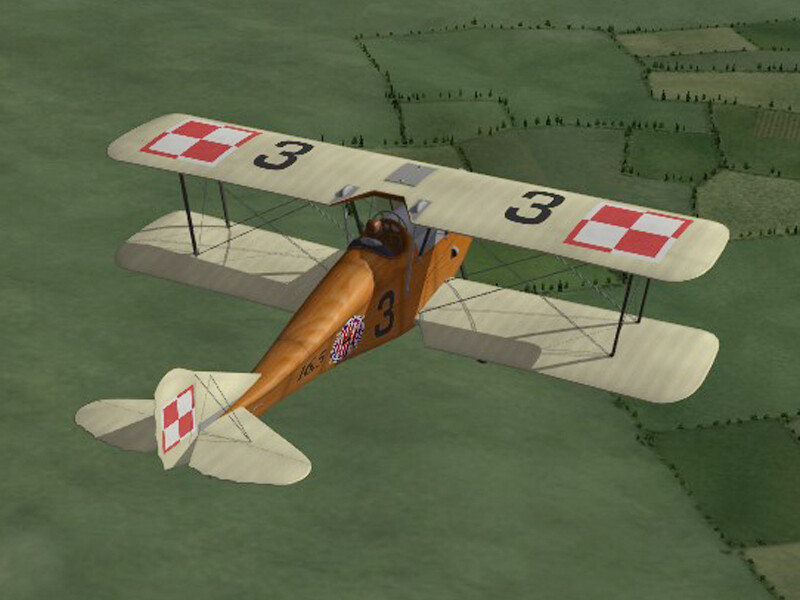
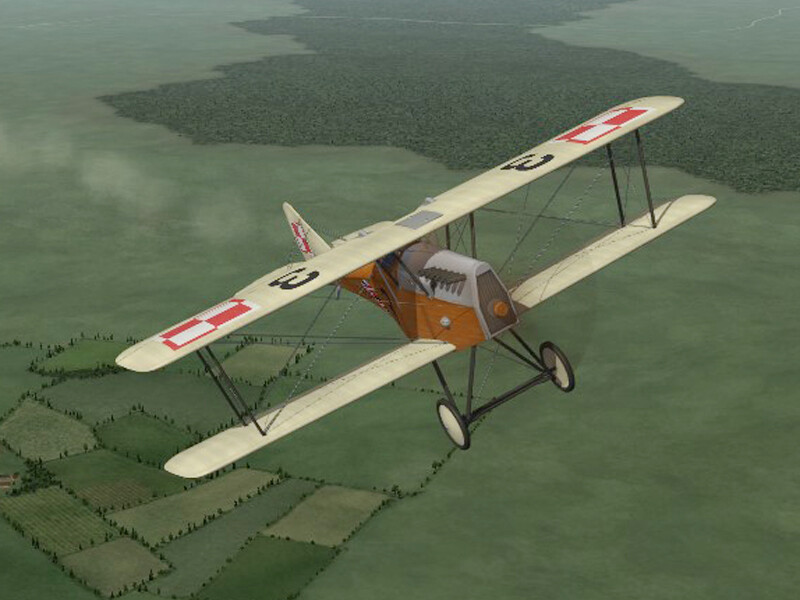
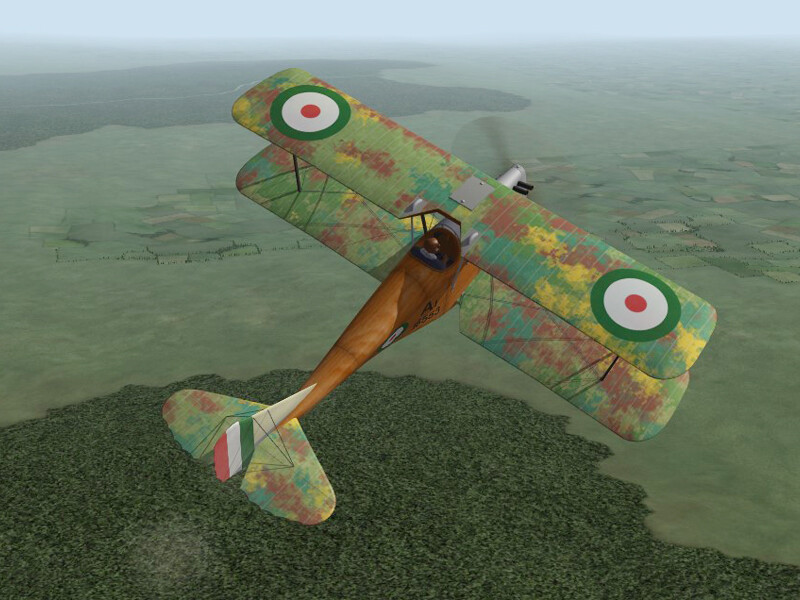
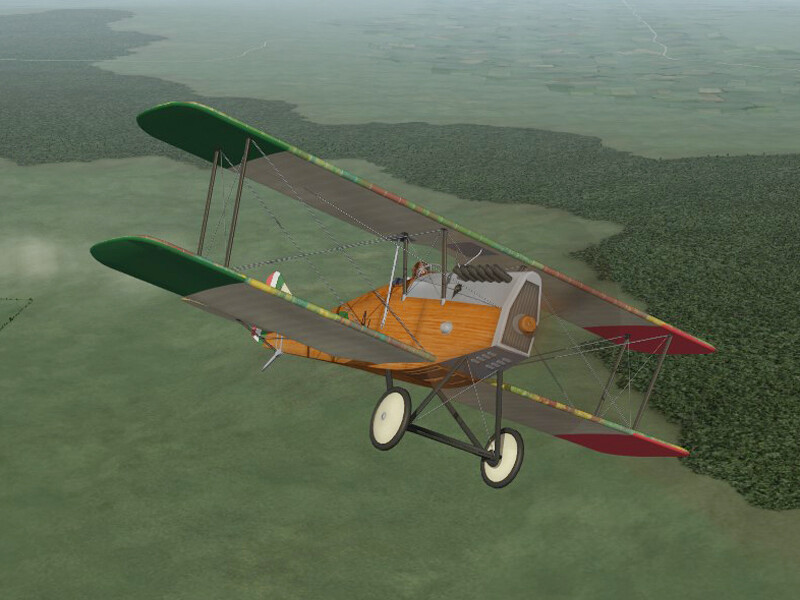
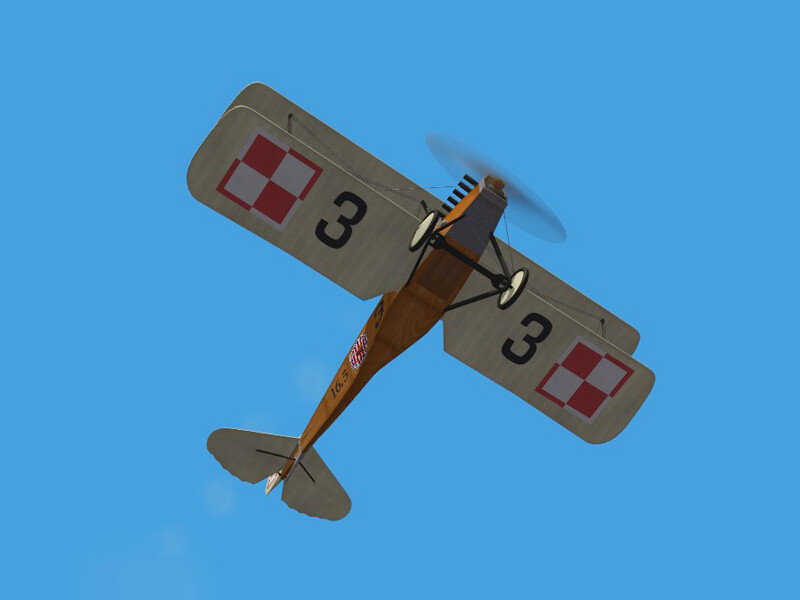
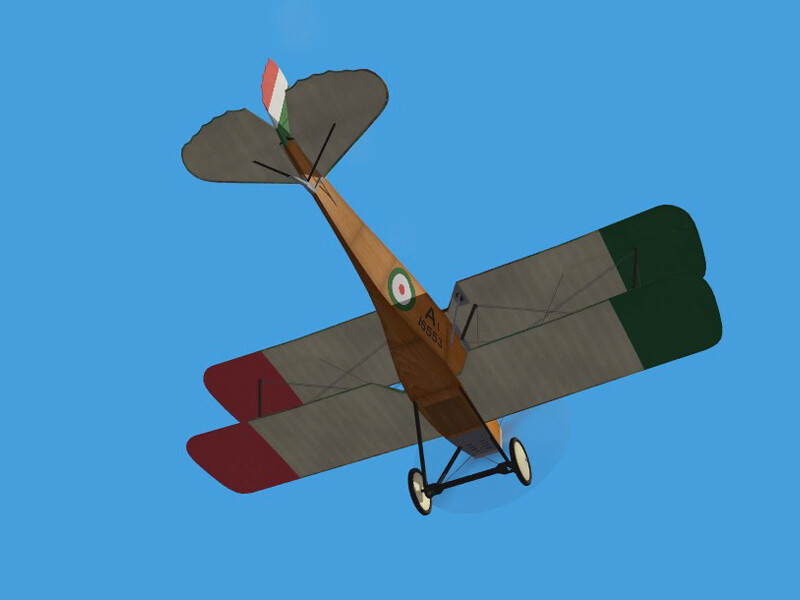
View File Ansaldo A.1 "Balilla" This plane is for FE2 only. The Ansaldo A.1, nicknamed "Balilla", was an Italian single seat fighter introduced in July of 1918. It was developed from the SVA.5 with a more rigid wing structure, a more powerful engine, an a fuel tank which could be jettisoned in case of fire. Italian pilots were impressed with its speed and maneuverability, but thought it was difficult to fly and inferior to the Nieuport 17. The Ansaldo A.1 was mostly used for home defense with only one confirmed victory before the end of war. After WWI, the A.1 was purchased by both Poland and Russia and served on both sides in the Polish Russian War. Polish and Russian pilots had a better regard for the A.1 and liked its speed, high fuel capacity, and maneuverability. The Ansaldo A.1 continued in service until the late 20s. I have included two skins, one for the Italians and one for the Poles. I have included a set of flight number decals for the Polish plane. My skinning templates are included in the download. I have included two versions of the Hangar and Loading screens - one for wide screen (16:9) and one for standard screen (4:3) Credits Thanks to Ojcar for making the data file for the Ansaldo A.1, for test flying the plane, and for suggesting tweaks to the cockpit. Thanks to Mue for making the LOD exporter plug-in for Blender. Installation Instructions For FE2 - Unzip the file, The "Ansaldo" folder contains files to be placed into your "Aircaft" folder and your "Decals" folder. Copy the two folders named "AnsaldoA1" into the appropriate folders in your mods folder. Submitter Stephen1918 Submitted 03/09/2026 Category Other Entente Aircraft
-
- 3
-
-
-
Version 1.0.0
22 downloads
This plane is for FE2 only. The Ansaldo A.1, nicknamed "Balilla", was an Italian single seat fighter introduced in July of 1918. It was developed from the SVA.5 with a more rigid wing structure, a more powerful engine, an a fuel tank which could be jettisoned in case of fire. Italian pilots were impressed with its speed and maneuverability, but thought it was difficult to fly and inferior to the Nieuport 17. The Ansaldo A.1 was mostly used for home defense with only one confirmed victory before the end of war. After WWI, the A.1 was purchased by both Poland and Russia and served on both sides in the Polish Russian War. Polish and Russian pilots had a better regard for the A.1 and liked its speed, high fuel capacity, and maneuverability. The Ansaldo A.1 continued in service until the late 20s. I have included two skins, one for the Italians and one for the Poles. I have included a set of flight number decals for the Polish plane. My skinning templates are included in the download. I have included two versions of the Hangar and Loading screens - one for wide screen (16:9) and one for standard screen (4:3) Credits Thanks to Ojcar for making the data file for the Ansaldo A.1, for test flying the plane, and for suggesting tweaks to the cockpit. Thanks to Mue for making the LOD exporter plug-in for Blender. Installation Instructions For FE2 - Unzip the file, The "Ansaldo" folder contains files to be placed into your "Aircaft" folder and your "Decals" folder. Copy the two folders named "AnsaldoA1" into the appropriate folders in your mods folder. -
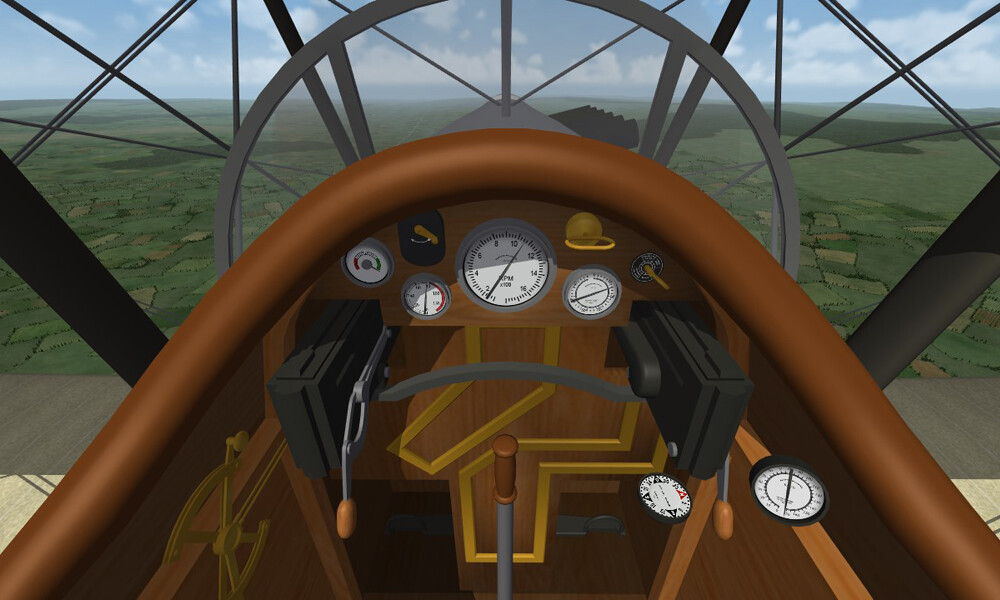
Thanks for your comments and support. The Ansaldo is coming along. The cockpit is nearly finished. Still working on skins and tweaking the model. Every time I do a test run, I find something else that needs fixing.
-
After my copy of 3D Studio died, I started learning Blender. Mue has made a utility that will make Lods from Blender, but it only works with FE2. So, besides learning a new software, I've also spent a lot of time getting my install of FE2 up to speed. I have rebuilt the Ansaldo A-1 from scratch and it will be ready to upload soon. Ojcar is working on the FM, I am still working on the cockpit, and tweaking the plane. I made a Polish and an Italian version.
- 12 replies
-
- 10
-
-
-
I miss this stuff too. Has First Eagles come to an end?
-
Started working on the Polish-Russian War
Stephen1918 replied to Stephen1918's topic in General Discussion
Yeah, a hard drive crash would be easier to recover from. In this case the software itself died. My copy of 3D Studio Max was about 15 years old. It started shutting down unexpectedly, then it started throwing error messages, then it refused to start. Autodesk stopped supporting it years ago, so no help there. I contacted everyone I know and tried everything I could think of, including reinstalling it from scratch. I finally gave up. This happened more than a week ago. I am over the bitching phase, and the feeling depressed phase, now I'm in the "Let's carry on from here" phase. I'm making good progress with Blender. The biggest downside is that I lost a huge library of components that I had created - but if I did it once, I can do it again, it's only a matter of time... -
Started working on the Polish-Russian War
Stephen1918 replied to Stephen1918's topic in General Discussion
Bad news. My copy of 3DS Max has died and I am not able to resurrect it. So all the 3D models I've done for First Eagles are gone. However, Mue has made an LOD exported for Blender. I'm starting to learn Blender and hopefully I'll be able to make planes for FE again soon. Mue's exporter only works for FE2. I'm going to have to dust off my copy and get FE2 set up. -
 Excellent tool. Thank you!
 -
I've enjoyed working with all of Mue's utilities and have found them extremely helpful. I have a question about the LOD exporter for Blender - When I was working with 3DS Max, the exporter made LODs that worked in both SF1 and SF2. Now that I'm working with Blender, the exporter makes LODs that only work with SF2. My question is: what is the difference between the LODs for 1 and 2 and is it possible to convert down to 1?
-
I'm back to the Polish-Russian war. Finally started working on some new planes - Ansaldo Ballila for the Kosciuszko squadron.
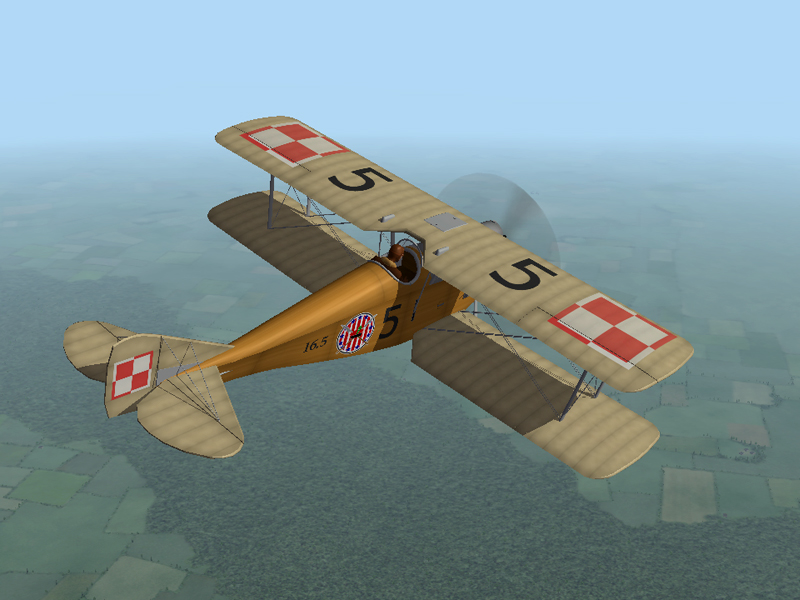


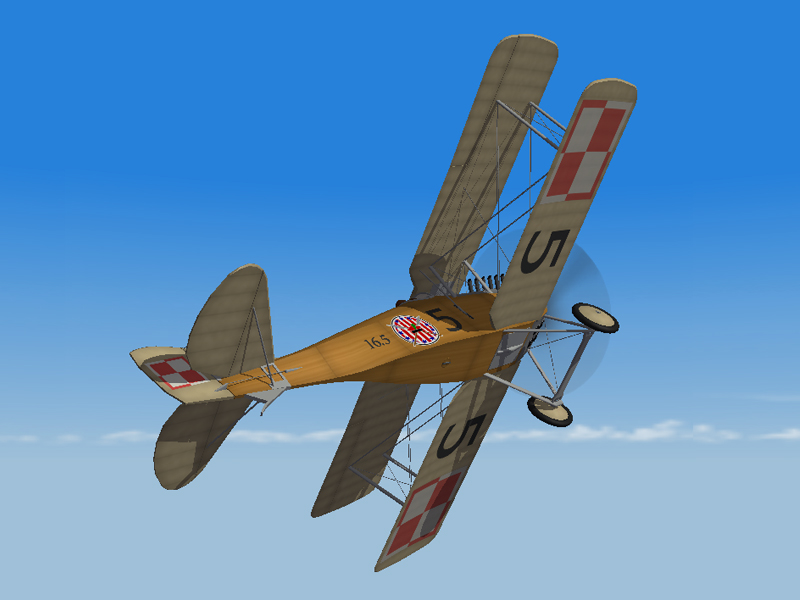
- 8 replies
-
- 15
-
-
-
All of my mods include complete installation instructions for both FE1 and FE2. Planes are probably the easiest to install, I would begin with some of them.
-
Also - Strike Fighters and First Eagles have different kinds of guns, bombs, pilots, etc. so after you bring an FE plane into SF, you would have to do some modding to the data files, and to the system resources to make it work.
-
I'm still playing from time to time. Mostly on the Eastern Front and the Spanish Civil War. Still modding a little bit too.

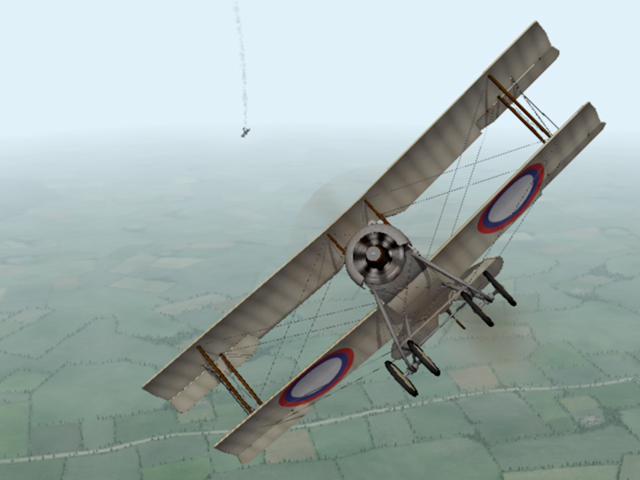

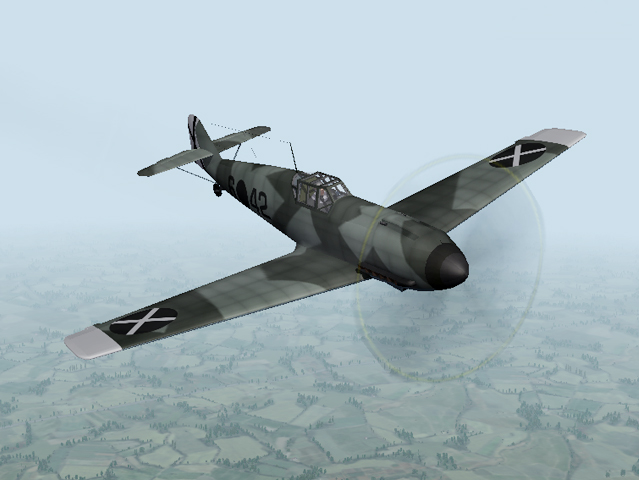
-
Stephen1918 Fokker Eindecker cockpits for FE 1
Stephen1918 reviewed JulioJunqueira's file in Add-on Cockpits
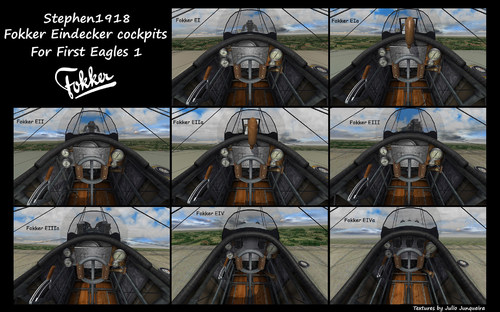 The level of detail in your skins is amazing. Thanks for your hard work.
-
- 1
-
-
Sorry it took so long to answer, I've had health issues - in and out of the hospital, etc. If you want the Ford FT-B to operate as a tank, showing up in ground attack missions, simply drop the folder into your GroundObject folder. If you want to place static vehicles around the terrain, you need to have in your GroundObject folder, then add some lines to the Types.ini in your Terrain folder. I used the data for trucks in the stock game and modified the code. Add this to the end of your Types.ini - [TargetTypeXXX] Name=FordFTB DetailLevel=1 FullName=Ford FT-B TargetType=TANK ActiveYear=0 TargetValue=0 UseGroundObject=TRUE GroundObjectType=FordFTB RepairRate=0.555 StartDetectChance=0 StartIdentifiedChance=0 IncreaseDetectChanceKey=0 MaxVisibleDist=8000.0 DestroyedEffect=MediumFire SecondaryEffect=SmallRocketGroundExplosion SecondaryChance=100 Change the "XXX" to the next consecutive number in the Types.Ini. list Then you have to add the vehicle to the Targets.ini in the places you want it to appear, like any other target. I hope this isn't too late to be helpful.