


Lexx_Luthor
-
Posts
3,352 -
Joined
-
Last visited
Content Type
Profiles
Forums
Gallery
Downloads
Store
Everything posted by Lexx_Luthor
-
HALT Another possibility that just threw me. I went to look at my PFU nose -- IT WAS GONE !!! I was stumped until I realized that In my rush I "forgot" to give my -17 a weapon loadout in Kreelin's mission editor. Make sure your MiG-17 has been assigned a loadout which includes the 17PFU "Nose Weapon" in the 17PFU loadout file.... ================= Hey thanks Wrench, we are posting at the same time. Awsim nose job I love this thing. I had become somewhat proficient with those K-5 missiles. Its a major challenge requiring much patience, and that is how it was I believe. .
-
STOP Go check the size of the 17PFU LOD file in the Weapons folder and report back here. This "LOD" file is the 3D object (not the 17PFU bmp skin picture). 17PFU should be Size 42.4 KB ... under the Window's right click Properties function. There was another 17PFU LOD file floating around one time, at about 37kb size, and this one did not work. I did everything "right" but still never saw the Nose until I downloaded the larger 17PFU lod file. Hope this helps!!
-
Careful Falcon. If I recall correctly ( ) the subfolder already has the correct name SEtendard. I may not be recalling correctly. Alot of times I copy over the base folder with the sub-folder still inside. Of course it doesn't work, and I know better, but I do it anyways. The folder to use is the one that directly contains all the ini files, cockpit and skins folders, loading/hanger pictures, etc... I call this the "Direct" folder, and is the one to be dropped into the SF Aircraft folder. Alot of recent download aircraft files have the direct folder name...for example...X_100 instead of X-100, so you have to change the "_" to a "-" to match the dash in the ini folder names and data. Zipping these things up can be confusing. I recently did my first beta mod and the zipper always makes a folder/subfolder type of deal. Oh well, its just one extra click to get to the direct folder.
-
INTERESTING !!! SF has retarded bombs, and the descent can be modded? This is great, thanks. btw...the weapons ini files take exponential notation. 1e+15 or 1E+15 ... Effects files ini's also. TK is da Man! Ceaser::
-
About the larger deployed nukes -- they all used parachute descents to give time for the bomber to get away, the parachute slowing the bomb's fall. I don't even know if SF offers para bombs. This made me look some stuff up... ~> http://www.strategic-air-command.com/weapo..._bomb_chart.htm Apparently, anything to be dropped from high altitude (back in 1950s) with a yield above 1 megaton had one or more parachutes. More recent bombs -- Mk-43 -- designed for more modern low level drops and with somewhat lower yields (1MT at max) had a parachute. I don't know if I'd call the 5 experimental liquid fuel Mike (Mk-16) bombs truly "deployed" or not, and they don't say here that they had parachutes. This was the first H-bomb. For the conventional bombs...I may be very wrong, but blast radius may vary with the cube root of explosive mass, all else being equal. This is for conventional bombs. For example -- if this is true -- to double the blast radius, you must use 8 times the explosive mass. To get 10 times the blast radius, you must use 10x10x10 or a thousand times the explosive mass. Now, damage to a target, a ship for example, when hit is a different story, since the blast volume effect is inside the target, so I imagine damage to vary directly with explosive mass. Blast radius is different, as the explosive effects are filling all 3D space until a small portion of it meets the target -- most of the blast is wasted. That filling of 3D space is what may cause blast radius to vary with cube root of explosive mass, assuming I am not making this all up. Exploding inside the target -- all the explosive mass goes into damage, nothing wasted. Just some ideas I had.
-
USAFMTL:: They will work even better. TK's low altitude fair weather cumulus at 4,000 feet, and high level cirrus at 30,000 feet. I always loved to watch these two types together, moving at vastly differing apparent speeds and directions -- the low cumulus seemingly moving faster because they are about 8 times closer than the actually faster moving high level clouds. Better, I wonder what we can do with TK's clouds when we get them. I'd like to build up towering cumulus clouds, and place them here and there on a map -- isolated storms perhaps. In fact, this should be possible now, if somebody with MAX can make 3D cloud models -- think of the antennas on top of that AM radio tower, but without the tower visible, and no hit structure to collide with. Just a gigantic size model.
-
USAFMTL:: THANKS!! I started a Panic there for a while. I would like to see a screenshot or two if you or others have time. I am using rather bizzare Environment and FlightEngine files, so my sky colours and sun effects are different from stock. Apparently you can Edit your uploads. Under "file" is... Just upload the replacement zip file? The difference will be the Install instruction file inside the zip. Did anybody fall asleep reading that?
-
I just got back home. USAFMTL or others -- did it work?
-
Thanks. Its up now. I test downloaded it and it worked okay. DO'H I forgot to put the 3rdWire thread into the Readme file. I KNEW something like this would happen.
-
I did it! ... I think. I uploaded it into SF Terrain/Mods but its not "open" yet. How does that work? I tied the effect to a "ship" object, easy install, easy to use in the Kreelin editor, and the clouds move across the maps. Some pics...
-
879 downloads
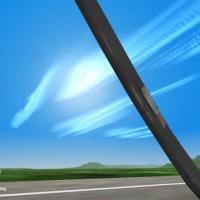
Original cirrus clouds, replaced by these newer effects here... ~> combatace.com/files/file/6567-siberian-sky-cirrus-clouds-for-missions-and-terrains/ ---- original description... : : *Beta* test, updated for SP3 and SP4 generation of Patches, of very large layers of high altitude cirrus clouds that can move across SF/WoV maps and can be set to any desired altitude (you can fly through these clouds). Cloud effects are created by a type of "ship" object that follows a waypoint across a map. Read the Install file, it describes what's going on here. The website is a thread on this at the ThirdWire SF/WoV forums. Thanks to TK/ThirdWire and all the modders who made this Aw-Sim possible. Thanks to Polak for encouraging me in this. -
Two request Myasishchev....and......Hustler
Lexx_Luthor replied to NGHENGO's topic in General Discussion
In case you missed it, CombatAce has a SF B-58A, by Pasko and Column5 and Pappychecksix and Howling1. Some B-58 ops detail here, authored by Defensive Systems Operator instructor, who looks like movie star Steve McQueen in the picture. The Mole Hole is a great B-58 website ~> http://www.xs4all.nl/~mvburen/b-58/ Interesting pic, reminds one of the SF runways packed with B-58s... ~> http://www.xs4all.nl/~mvburen/b-58/molehole/murray/07.htm -
Wellcome T Not sure myself, but they have a good thread ramping up about WoV F-105 fuel guages over at the 3rd Wire... This may help you ~~> http://bbs.thirdwire.com/phpBB/viewtopic.php?t=2341
-
Boom:: HUDDATA file in Flight folder, at the very top... [Debug] DisplayDebug=TRUE
-
I used the chopped A-4b pit that came with the 3rd Party B-57A (I can't find who made this) -- no A4b canopy framing -- and moved it inside the C-130a external model. C-130a -> CockpitDataFile=B-57A_COCKPIT.ini Use B-57A_COCKPIT.ini in C-130 folder But, change... Offset=0.0,-0.08,-0.03 Position=-0.50,10.0,0.30 ------------ For experiment I tried several of these. Moved A-7A cockpit inside B-58 external model (very high quality inside!!). Without knowing how this really works, I tried the canopy frame chopping text with the A-7A cockpit, but it didn't work. The A7A pit has ground radar, RWR, and moving map display. Here, I "offset" the player seat above the pit and back some, to not mix A7 canopy frame with B-58 canopy frames. The cost is smaller and lower pit. Its possible that the real B-58 pilot was offset slightly to one side, but I can't remember for sure. An-12 external model has a fantastic interior... here flying with A-4 pit inside the An-12 crew area... As does Tu-16... B-52D, moving FB-111 pit inside. B-29... We should ask TK to chop some fighter-bomber cockpit canopy framing so we can use them on bombers without "offsetting" player position above the cockpit framing. For bombers, we need ground radar and RWR displays -- A-7 cockpit offers moving map display. Just for fun, I Paused the sim and used freecamera to move to B-58 second crew position to look out the tiny side window. This is PAUSED in the game and is not flyable.
-
~~> http://bbs.thirdwire.com/phpBB/viewtopic.php?t=2102
-
ezlead:: TE reads airfield locations from the CityList file that can be found in each terrain folder -- sometimes its called different, like Euro citylist file is called EAWEuro_cities. Open the citylist file when inside TE, then TE knows where the airfields are. You don't need cities to have airfields though. The airfield sizes in km relate to how much tiling is done around each airfield....I have found that there is always a little offset compared with the x,y locations in terrain-name_TARGETS file which holds information on airfields used in the sim and the Kreelin Mission Editor, so I must adjust the terrain-name_TARGETS locations a kilometer or so to make them fit in the center of the airfield tiles. Be careful, often the airfields don't work, and its a stumbling process to figure out how to make them work all the time. I think you can use any tile for the airfields, but maybe not water tiles, or tiles that have water. Also, you really don't want to use a transition tile. The Euro texturfile is called EAWTexturesAdj I think the dirt and metal runways are *not* related to TE, but are the airfield skins used by the airfield models in the sim. edit ... the TARGETS file airfield locations are meters, CityList uses kilometers. ... and I typed in "data" instead of "targets" ... I give sloppy instructions here
-
I can thump the learning thread, czech there....keep it going for the Terrain Newbies (.like me)!!! Its in the Mods and Skinning forum though, so you won't see the thread in the General Discussion forum.
-
Hi ez. If you are interested in spending time experimenting, LOTS of time, here is my own Terrain Editor learning thread. ~ http://forum.combatace.com/index.php?showtopic=8781 It's great!!
-
Are you getting any destruction in nearby objects? If so the bomb is working but the grafix are not. If you are not getting destruction as well as no grafix, have you loaded the weapon into WeaponEditor and saved? Saving adds the weapon to the encrypted weapon data file that the sim uses. * possible * One thing I may have noticed is NukeExplosionEffect may not work if another file with a name having an earlier alphabetical first letter or number is "in front" of the needed effect file. I mean....if you have two effects files, only the first one is searched by the sim at startup (NOT SURE ABOUT THIS). Try renaming the file to 0_NukeExplosionEffect and it should be at the top of the folder list of files. If you have another file that also calls effects, it will be ignored but the Nuke effect file will work. We may have to combine the text of the files into one. I am not sure of this, and have not asked anybody about it yet, so do not trust me on this. Otherwise, there are a few ways to trip up. MissileObject file is one that can be overlooked, another is mission date (instructions say 1960+). I am not using the "latest" super weapon pack, but the most recent one before that. The prospect of splitting them up and merging some of them scares me hehe. quote from readme file... -------------------------------------------------------------------------------------------- INSTALLATION: 1) I highly recommend that you download and install the latest SFP1/WoV weapons pack (dated 11/19/04 at the time of this release), available at www.biohazcentral.com. This Beta is designed to work in conjunction with that weapons pack, and besides, it'll also give you three nuclear weapons to play with, instead of one : ) 2) Before you install the Nuke Beta, you may want to play it safe make back up copies of the following files, if you have them: Soundlist.ini, Missileobject.ini, and Weapondata.ini. 2) After you've installed the weapons pack, copy and paste (or drop n' drag,etc.) the folders included in this beta into your Strike Fighters or WoV directory, maintaining the same directory structure, and overwriting the existing folders and files. 3) That's it! Nukes should now be available for loadout, from 1960, onwards. -------------------------------------------------------------------------------------------- What I did was just copy the needed text into my files rather than replacing the files. But to do that, make sure the weapon is correctly numbered, and make sure you save the new weapon in Weapon Editor.
-
increase objects visual range / drawing distance?
Lexx_Luthor replied to squid's topic in General Discussion
Aircraft draw distance -- depends on the settings for individual level of detail (LOD) draw distances. Here is the default F4-E settings for example, in the file F4-e Increase the last LOD distance number to the value desired. Airbase view distance...I experimented very briefly one time with that, and go no results. Sometime later perhaps. I have not yet looked into ground object draw distances. Someday. -
haha...its not so complex as I feared. I tested it on an un-modded un-touched SF 3.2 and my modded WoV, and it takes a little work but not too bad at all. I will provide complete written instructions. The 12MB TGA cloud file compresses down to about 1MB ... aussom!! However, perhaps I should test it after un-compressing it -- everything must be tested.
-
I have seen them and they are Aussom!! They are certainly a much easier install then these things here will ever be....and you don't need to drop a ... Cloud Bomb
-
Thanks. I'm still working it. I need to make more cloud patterns for one thing. But I could use some advice on how hideously complex this thing is. I'm just starting with this. If you or others would like to help experiment, I can perhaps upload some stuff or email -- a smaller 4MB 1024x1024 cloud TGA actually works well, but I've been working with larger cloud files (12MB). At least while experimenting, it may be best to start with a seperate SF/WoV install (or copy folder) because of the changes listed below... This is no texture replacement and possibly (?) goes beyond basic new effects. It will require radical changes in FLIGHTENGINE grafix distance settings, and may require an almost complete replacement of ENVIRONMENT file. The visibility distance requirements are extreme, but I handle them nicely with my primitive ATI-9200 video card (my 9800 lost fan). There is only one new "effect" and that is the TGA cloud so at least that is simple, and one new weapon (bomb) to drop that calls this cloud effect -- so weapon editor is needed by downloaders. Not so simple is the following...in fact, its quite nasty...but I reason its because of the core nature of this potential pre-mod... For the first time in SF, these are "real" clouds, in the sense they exist in space or position above the map, and you can be hundreds of miles away from them, thus they can be seen as thin strips just above the horizon, far away -- exactly where the static SF/WoV horizon clouds are located -- that's the problem. You notice, I use no horizon clouds as I've found a way to disable them and I don't know if there is any official method. It may be okay looking to leave both working together, but I'm not sure. If there is no "official" way to disable them, then I should include blank replacement horizon cloud TGA files which is my method of disabling them. What I did is make multiple copies of the almost blank Horizon Cloud 11 and re-name them as all the other clear sky horizon clouds -- and then only use "clear" weather and never use heavier weather which brings up the darker horizon clouds. I continue to use the OVERCAST though, as it does not need the SF horizon clouds. Thus, my SF horizon is always clear of the static clouds, making way for real clouds (cirrus/cirrocumlus only) distant from the player's cockpit or camera viewpoint. It would be best if I did not require the downloader to have to copy and re-name TGA files, so I should include any replacement "blank" horizon clouds to be dropped into Flight folder. I say "cirrus only" but assume somebody will find a way to make these non-transparent. In fact, I just now thought that may be a great idea. One issue I'm having is that the terrain below is not just visible through the clouds (which is okay) but is also illuminated slightly, but not too bad, but can be noticeable at night. Non-transparent may solve this. I am as ignorant about flight sim computer grafix as any mere skinner or campaign builder. :yes: So all I do now is post pretty screenshots, showing what is possible with the sim, which is getting more impressive the older it gets!! I've been posting recently on other boards that SF is the sim to watch over the next few years. Sim Lite but Environment Hard could be very attractive. Also, I would hope TK could incorporate the *basic* cloud ideas here, since they are so simple and very fast performance (recall -- I am getting great performance with these clouds on ancient ATI-9200). Thanks~
-
USAFMTL or anybody SF...can you peek at something for me? I have one or two cloud pics (SF/WoV) over at ThirdWire and discussion of what I'm trying to do...but I may need advice on making it usable for other simmers. Page 3 , a few cloud pics ~> http://bbs.thirdwire.com/phpBB/viewtopic.php?t=2092&start=16 Page 1 starts the discussion when I first started learning how to work with this effect. Thanks~ a taste...