Eagle114th
-
Posts
1,074 -
Joined
-
Last visited
-
Days Won
23
Content Type
Profiles
Forums
Gallery
Downloads
Store
Everything posted by Eagle114th
-

Question about afterburner and vector thrust (VTOL)
Eagle114th replied to Eagle114th's topic in Mods & Skinning Discussion
Thank you for the head up! I will check it out. -
Hello everyone, I have been working on expanding Veltro2k's Bell XF-109 (http://combatace.com/topic/74077-bell-xf-109/) to have afterburner in each of XF-109's rotating engines. I have been trying everything to solve the strange side effects after adding afterburners. Here is screenshots: XF-109 flying with engines on level: XF-109 engine rotating to 45 degree down: XF-109 engine rotating to straight down: When XF-109 engine rotates, both smoke and afterburner effect moved out of engine's nozzles. I am still scratching my head after many attempts to correct it. So I am wondering if anyone had similar experiences when modding their add-on aircraft with vector thrust and engine effects (smoke and/or afterburner).
-
Raven, I am sorry about the news but no matter what, we are with you. There is one thing I can do and that is sincerely wishing the best with your health through any situations. Let's kick it's ass as other said.
-
I Didn't Quit...I Just Took a 2 Year Vacation...
Eagle114th replied to PFunk's topic in General Discussion
Welcome back PFunk! Good to see you back and have fun flying! -
Welcome back Russouk2004!
-
May I ask, can you provide us the link you downloaded mods from? I want to see if I am able to extract it and if I do, I will share my methods of extracting compressed files. And besides, I have lot of mods to download for my SF2 too.
-
Good evening Fuber512, It is great to see you again! I am not sure if you remember me before. I am known as Eagle114th / ChaoticDragon16 / Chaoic16 from different forum, including Column5 forum when it used to be open. By the way, my external HDD is Western Digital 1.5 TB (7,200 rpm) external hard drive and I am connected to it using 3.0 USB directly from my laptop. By the way, thank you for the answers, I will wipe all separated installation and pour all mods into SF2 carefully without accidentally overwrite any important .ini files. And for now, I will only use default SF2 terrains until I have newer laptop. (My goal is to have new customized gaming laptop from Origin (or other companies) with either nVIDIA Geforce GTX 980 or newer 1080 (whenever they come out for laptop.)
-
Hello everyone, I am just wondering how everyone manage each of your own SF2 installations. I am wondering if it is good idea to simply merge all mods into single huge SF2 installation or is it better idea to divide SF2 into different installations. The reasons why I ask this: 1) Does it take longer to load SF2 if installing all mods into single SF2, compared to dividing them into separated SF2 installations? 2) What is pro and con about single SF2 installation vs multi-installations (Does SF2 load up all data when starting simulation or does SF2 only load required files for running SF2?) 3) Since I am running Dell Latitude E6530 with Geforce NVS5200 and Intel i5 dual processor, I have very limited hardware to run SF2. I am running SF2 from an external hard drive while it is plugged into my laptop. So I want to ensure I have good performance with SF2 for now until I get my new gaming laptop that will be able to handle SF2 with new up to date hardware. ------------------------------------------- I have learned so much about installing and customizing SF2 installations and tweaking each mods that I install into SF2 installations. I plan to clean my SF and install SF2 from scratch again and this time, I will completely install each mods more carefully instead of dumping many mods and overwrite everything I can see. So that way I don't accidentally overwrite Soundlist.ini and other files which I did. For example, I did not realize that some mods have their own soundlist.ini and I kept overwriting it several times without realizing it until now.
-
Yes, I went there many times to find solution for modding. I have found your two threads on it and that is how I found two of possible solution as posted at my first post. However, my SF2 acts little strange because at first, it did not work. And then after several attempts of starting SF2 fixed the problems. I am able to select years for each SF2 installations. By the way, Wrench, it is good seeing you again! I am your big fan of your works long time ago for Jane's Fighter Anthology modding, especially wingman series. I don't think you probably remembered me from past and I was so excited that you joined SF series community. I, especially enjoy your mods you created for SF series, including "What if" mods. By the way, with my current modding going on, there is one additional question I will have to ask. It is not related to spreading the years in SF2, instead it is related to changing IR growling sounds for some aircraft so they have their own unique IR growling sounds. I am unable to find information on it. As usual, I will look again in knowledge base to see if I can find answers there before posting new thread about it.
-
UPDATE #1: It look like it actually work for SF2: Israel but not my another SF2 installations. I will keep digging and see what I can do to make it work for other SF2 series. UPDATE #2: I think I might have solved problems for all my SF2 series and custom installation. (Crosses my fingers) By the way, it is good to be back. It looks like I have lot of catching up to do here.
-
Hello everyone, I am back after being gone for several years. It is good to see everyone here! :) By the way, I have been organizing five separated installation of SF2 after setting them up in my external hard drive. I did lot researches and experimenting to ensure everything works. I am using Dell laptop so I am unable to have huge folder with many mods in SF2, so I installed SF2 and mods in an alternative methods with an external HDD. I did it in this methods: 1) Installed all SF2 titles and patch it to latest version 2) Configured option.ini file to have it changing mod path to external HDD 3) Tested add-on mods in external HDD and everything worked. 4) Spend each days installing 5 mods into 5 different installations, they look like this: - Strikefighters2 US - Strikefighters2 Russia - Strikefighters2 Asia - Strikefighters2 Europe - Strikefighters2 Israel And the rest (SF2:V and SF2:NA) are not used because they are in these 5 different installations above. When i was flying in any one of these titles, I noticed that when I go beyond mid 1970s, I no longer am able to select any years beyond that when selecting modern aircraft. For example, I selected F-16I in SF2:Israel, I am only able to select 2004 instead of different years around that. I went to option.ini to change this specific lines of codes and it look like this: (Note: I edited opinion. ini from this file path --> C:\Users\ --- names --- \Saved Games\ThirdWire\StrikeFighters2 Israel) [SingleMission] AircraftType=F-8H_69 Service=USN MissionMap=VIETNAMSEA MissionType=STRIKE MissionTime=NOON MissionWeather=CLEAR AirActivity=RANDOM AirDefenseActivity=RANDOM FlyAll=FALSE LoadMission=FALSE LoadMissionFilename=G:\_My Files\Games\Strike Fighter Series\Mods\_ThirdWire\StrikeFighters2 Israel\Missions\640802_TONKIN_GULF_INCIDENT.MSN MissionDate=1975 StartYear=1900 <--- changed this to 1900 EndYear=2100 <--- changed this to 2100 EditMission=FALSE And then I used CAT extractor to extract IsraelME.ini and created folder in SF2 I mod folder. The path folder path look like this: G:\ --- (several folder paths) --- \Strike Fighter Series\Mods\_ThirdWire\StrikeFighters2 Israel\Terrains\IsraelME And then I changed the lines of codes in ISRAELME.ini: [Terrain] TerrainFullName=Israel, Middle East DataFile=IsraelME_data.ini TargetFile=IsraelME_targets.ini TargetTypeFile=IsraelME_types.ini MovementFile=IsraelME_movement.ini NationsFile=IsraelME_nations.ini LocationMap=IsraelME_Location.bmp WaterMap=IsraelME_Water.bmp BriefingText=IsraelME_briefing.ini DogfightFile=IsraelME_dogfight.ini DogfightOnly=FALSE Longitude=34.80 Latitude=32.08 MagneticVariation=-5 LimitedNations=TRUE GroundObjectTexture=tan [Map] FilenameFormat=IsraelME_Map%d.bmp Width=1000000.0 Height=1000000.0 NumZoomLevels=3 [WeatherChance] ScatteredChance=25 BrokenChance=25 OvercastChance=4 InclementChance=2 [AllowedDates] StartDate=1900 <-- Changed this to 1900 EndDate=2050 <-- Changed this to 2100 I launched SF2: Israel and went to single mission and selected F-16I and realized that I am still stuck in 2004. I am still unable to select any years to before and after 2002. I am still confused and is not sure what to do next to solve this. So i am wondering if any of you have faced similar problems and have solved it.
-
Black Screen when loading mission - Still can't solve it.
Eagle114th replied to Eagle114th's topic in General Discussion
THAT FIXED THE PROBLEM! It turns out that, as you stated, SF2 does not support SLI/Crossfire mode. I ran ATI Program known as catalyst control center and have it running on single video card for specific game. I made sure that SF2 run with crossfire disabled and I was able to load SF2 quick mission! Thank you and I thank everyone for helping me solving my issues with SF2. Looks like I will be able to fly SF2 again! Cheers! -
Black Screen when loading mission - Still can't solve it.
Eagle114th replied to Eagle114th's topic in General Discussion
Yes I updated my video card and directX 9. I will re-run DirectX 9 to ensure i have latest version though. I've ran different games, they ran well except for SF2 which puzzles me. And I don't mind playing game without sounds and I usually play game without it anyway. However, I am still scratching my head wondering what is causing black screen / CTDs every time I run quick mission or start mission in SF2. -
Black Screen when loading mission - Still can't solve it.
Eagle114th replied to Eagle114th's topic in General Discussion
I forgot to add my computer specs and screenshot of my SF2 folders. My first post doesn't let me edit an existing post. Here is my basic specs of my over 5 years old computer: Intel !7 Processor 3.33 ghz 12 GB DDR3 RAM 2 x HD 5970 (Crossfire enabled) SB X-FI (PCIe) - (Not working properly now.) Here is picture of my both SF2 Main folder and "Saved folder" folder (For modding): -
Hello everyone, I have not flown SF2 for so long time, so I decided to blow the dusts out of SF2 installation and installed it. I installed all SF2 series, along with expansion packs and ran auto update and it updated my SF2 to July 2013 version. Every time I tried to run quick mission or start mission, it get stuck in black screen. I can't think of any problems, except for my sound card. my SB X-FI (PCIe) sound card is dead now, so I can't play any sounds. So hence, I am thinking that black screen may be related to it. So my question is, how do I completely disable sound in SF2, so I can test and see if it works. (There is no point for having sound anyway, due to my dead sound card. I searched for answer, there is no right answer to this issues just yet. However, it is great to see everyone again! It have been very long time.
-
Question about startup (InitScreen.bmp)
Eagle114th replied to Eagle114th's topic in Mods & Skinning Discussion
Noted, thank you for tips. -
Question about startup (InitScreen.bmp)
Eagle114th replied to Eagle114th's topic in Mods & Skinning Discussion
Hmmm I see, I will go and check Capun's site to search for his posts about changing Initialization Screen. And yes you are exactly correct, "Initilazation Screen" where game itself loads before menu screen with F-4 picture along with green word saying "Initializating system... Please wait" is exactly what I am trying to change. I am working on my projects of GUI overhaul for SF2 series. -
Question about startup (InitScreen.bmp)
Eagle114th replied to Eagle114th's topic in Mods & Skinning Discussion
Panama, I am talking about initscreen, not mainscreen... I have already achieved replacing Mainscreen and other GUI basically, except for initscreen from starter folder. initscreen is splash screen that say "initializing system... Please wait" with picture of F-4. This is what I am having problem trying to replace with new splash screen. soulfreak, I am talking about initscreen, not mainscreen... I have already achieved replacing Mainscreen and other GUI basically, except for initscreen from starter folder. I also explained in my previous message above about the specific issues I am having and it is all related to 'init screen'. And I thank you for trying to help, all of your efforts is always appreciated! :) -
Question about startup (InitScreen.bmp)
Eagle114th replied to Eagle114th's topic in Mods & Skinning Discussion
I shall try this method and see if this work. -
Hello everyone, I have attempted to replace default TK's splash screen (initializing screen) with new initscreen.bmp file. I put them in Menu folder in Thirdwire mod folders, it doesn't replace default splash screen. I tried putting them in Menu folder in main Thirdwire folder, still doesn't replace splash screen. I tried it with folder name "Startup", still doesn't work. I used search engine to see if there is answer, and I haven't found answer here yet. So have any of you achieved replacing SF2 default splash screen with different image? I tried with mine and it still doesn't work. Any advice on this issue will be great help and thank you.
-
View File Improved Wingtip Vortex v1.0.rar Improved Wingtip Vortex Effect pack Version 1.0 by Eagle114th The purpose of this add-on effect mod is to improve the graphic of wingtip vortex in Strike Fighter 2. I have noticed that wingtip vortex, by default, looks bit unrealistic. So I have decided to improve these, inspired by modders from Combat Ace community, especially by Wrench and Stary. I am very thankful for this wonderful community and I am more than proud to be part of Combat Ace commmunity sharing my hobbies within Strike Fighter 2. I truly hope that you enjoy my improved wingtip vortex effect package, you can post feedback/suggestion for improving my effect pack at this link: http://combatace.com/topic/75798-wip-improved-wing-tip-vortices-updated-11-18-12/#entry601081 ---------------------------------------------------------------------------------------- INSTALL INSTRUCTION: 1) MAKE SURE YOU back up your EFFECT folder! 2) Extract this file using winrar or 7zip tools and you will see a folder called "Improved Wingtip Vortex v1.0" 3) There are two folders with types of wingtip vortex: - Straight trails Version = new wingtip vortex effect with straight trails - Shakey trails Version = new wingtip vortex effect with shakey trails You can only pick ONE of these two folders, you can't have both at the same time. You can try one of these two version first. Then try other and see which one you like the best. However, inside these folder you will see "Effect" folder, drop them in your strike fighter 2 mod folder and overwrite when asked. 4) ENJOY! ---------------------------------------------------------------------------------------- Known BUGS/Problem: Shakey version of wingtip vortex trails disappears at specific angle when you view them, this is due to nature of 2D. I have tried creating 3D volumetric version of wingtrip vortex, they got too complicated and hogs cpu and memories lot. I had to cancel my project of converting 2D wingtip vortex from 2D to 3D, to avoid heavy cpu and memories hogging for anyone's computer. I intend to make this mod very friendly for any computer. That is exactly why I created two version of wingtip vortex (straight and shakey). ---------------------------------------------------------------------------------------- CREDIT: TK - Thank you very much for creating this great simulation known as Strike Fighter 2. Your hard work have created this simulation for us all to enjoy together, especially our passions/hobbies of creating mods for improving Strike Fighter 2 into greater simulation. FalcCAF (Erik) - THANK YOU very much for working on this project with me, giving me feedback that helped me improving my effect pack through my modding progress with your great knowledge! dgk196 - THANK YOU for helping me very much with improving my wingtip vortex effect modding with your knowledge, especially your experiences have from your services in US Navy. Wrench - You have been great inspiration that encouraged me into modding games and simulation long time ago. You have been my hero in old day of Jane's Fighter Anthology with your modding. Deuces - Thank you, your effect pack in SF1 series have taught me how to do some basic effect modding for SF1 and 2 series. Stary - Your great effect pack in SF2 have taught me alot about modding effect pack, thank you! Combatace community - Thank you community for letting me be part of this great community! Submitter Eagle114th Submitted 11/18/2012 Category Effect Mods
-

Version 1.0
534 downloads
Improved Wingtip Vortex Effect pack Version 1.0 by Eagle114th The purpose of this add-on effect mod is to improve the graphic of wingtip vortex in Strike Fighter 2. I have noticed that wingtip vortex, by default, looks bit unrealistic. So I have decided to improve these, inspired by modders from Combat Ace community, especially by Wrench and Stary. I am very thankful for this wonderful community and I am more than proud to be part of Combat Ace commmunity sharing my hobbies within Strike Fighter 2. I truly hope that you enjoy my improved wingtip vortex effect package, you can post feedback/suggestion for improving my effect pack at this link: http://combatace.com/topic/75798-wip-improved-wing-tip-vortices-updated-11-18-12/#entry601081 ---------------------------------------------------------------------------------------- INSTALL INSTRUCTION: 1) MAKE SURE YOU back up your EFFECT folder! 2) Extract this file using winrar or 7zip tools and you will see a folder called "Improved Wingtip Vortex v1.0" 3) There are two folders with types of wingtip vortex: - Straight trails Version = new wingtip vortex effect with straight trails - Shakey trails Version = new wingtip vortex effect with shakey trails You can only pick ONE of these two folders, you can't have both at the same time. You can try one of these two version first. Then try other and see which one you like the best. However, inside these folder you will see "Effect" folder, drop them in your strike fighter 2 mod folder and overwrite when asked. 4) ENJOY! ---------------------------------------------------------------------------------------- Known BUGS/Problem: Shakey version of wingtip vortex trails disappears at specific angle when you view them, this is due to nature of 2D. I have tried creating 3D volumetric version of wingtrip vortex, they got too complicated and hogs cpu and memories lot. I had to cancel my project of converting 2D wingtip vortex from 2D to 3D, to avoid heavy cpu and memories hogging for anyone's computer. I intend to make this mod very friendly for any computer. That is exactly why I created two version of wingtip vortex (straight and shakey). ---------------------------------------------------------------------------------------- CREDIT: TK - Thank you very much for creating this great simulation known as Strike Fighter 2. Your hard work have created this simulation for us all to enjoy together, especially our passions/hobbies of creating mods for improving Strike Fighter 2 into greater simulation. FalcCAF (Erik) - THANK YOU very much for working on this project with me, giving me feedback that helped me improving my effect pack through my modding progress with your great knowledge! dgk196 - THANK YOU for helping me very much with improving my wingtip vortex effect modding with your knowledge, especially your experiences have from your services in US Navy. Wrench - You have been great inspiration that encouraged me into modding games and simulation long time ago. You have been my hero in old day of Jane's Fighter Anthology with your modding. Deuces - Thank you, your effect pack in SF1 series have taught me how to do some basic effect modding for SF1 and 2 series. Stary - Your great effect pack in SF2 have taught me alot about modding effect pack, thank you! Combatace community - Thank you community for letting me be part of this great community! -
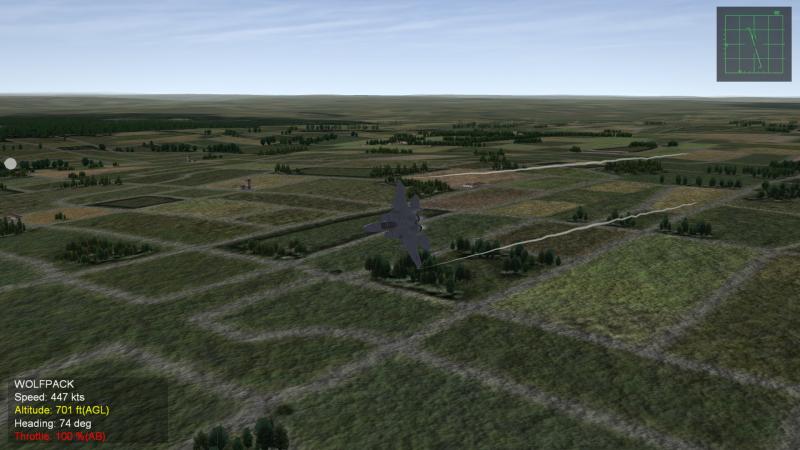
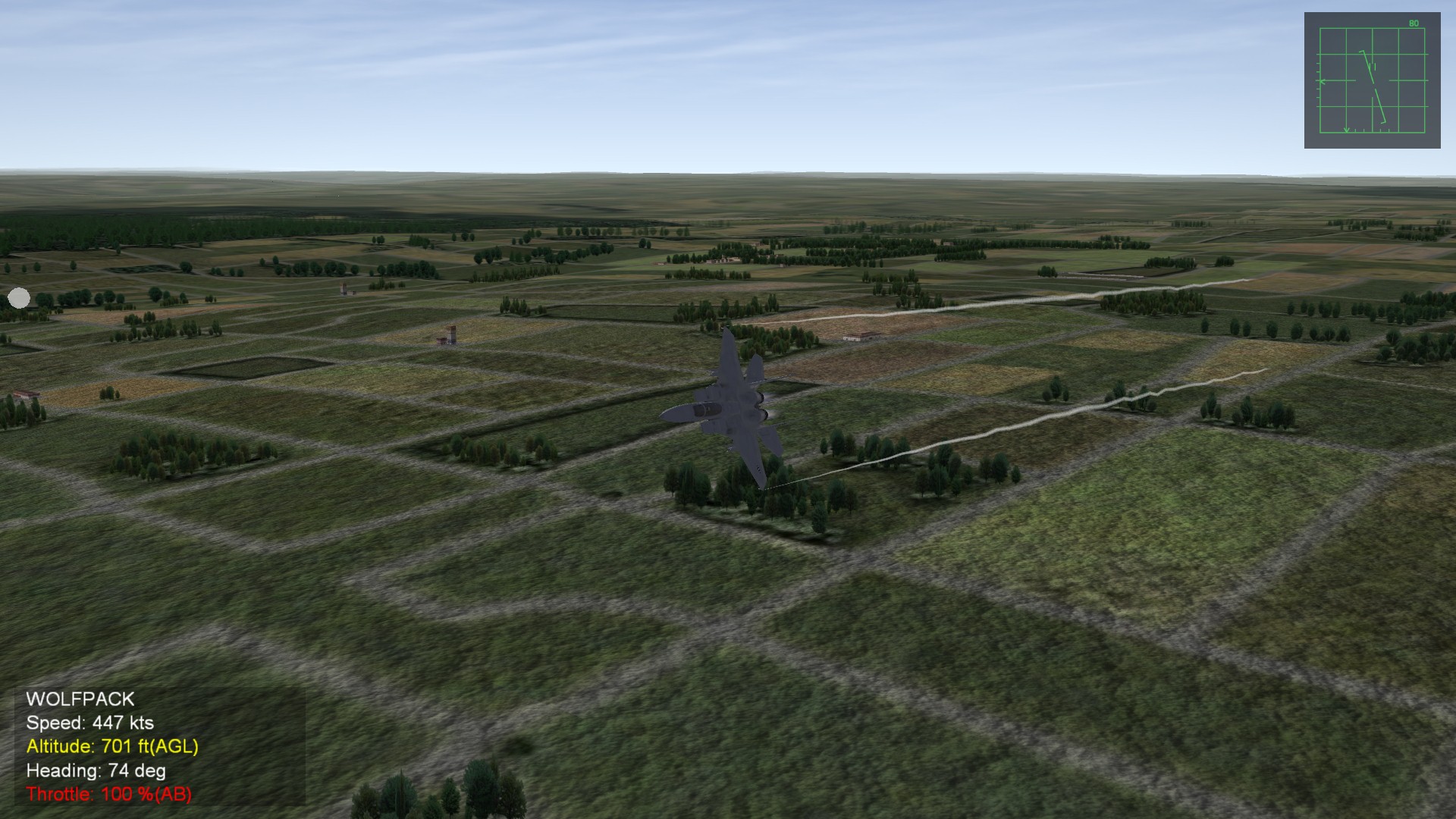
I have updated my first posts with my progress, I am finalizing my first version of improved wingtip vortex mod for SF2. For first version, I will release two version of wingtip vortex that will improve SF2 wingtip vortex globally. They will come in two versions and here is my READ ME from this pack: For next version, I will attempt to create 'curved' wingtip vortex 'toward 'each other as shown in my post: http://combatace.com...12/#entry601118 Keep an eye out for my first release of improved wingtip vortex pack!
-
You have good point, I will scrap 3D wingtip vortex project for now since creating too many clouds will definitely hog memories for other computer. I just realized that having many more aircraft dogfighting in screen at the same time while each of aircraft have thousands of 'tiny' cloud in 3D in each wingtipvortex would be so heavy on CPU. Thank you for making me realize this and I shall stick with 2D wingtip vortex.
-
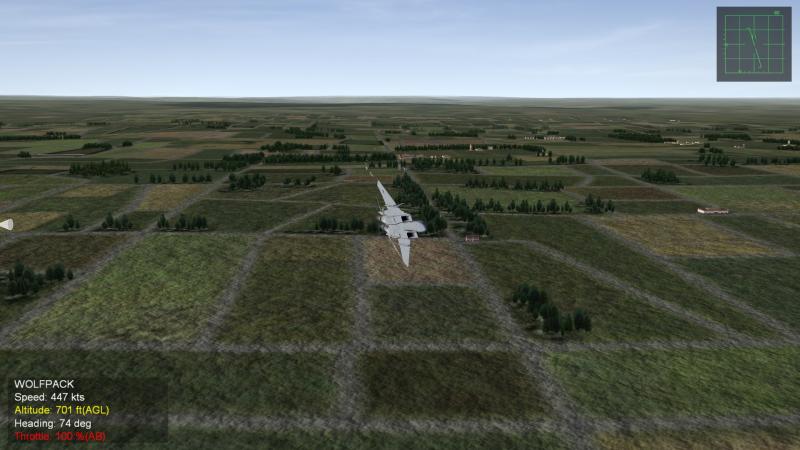
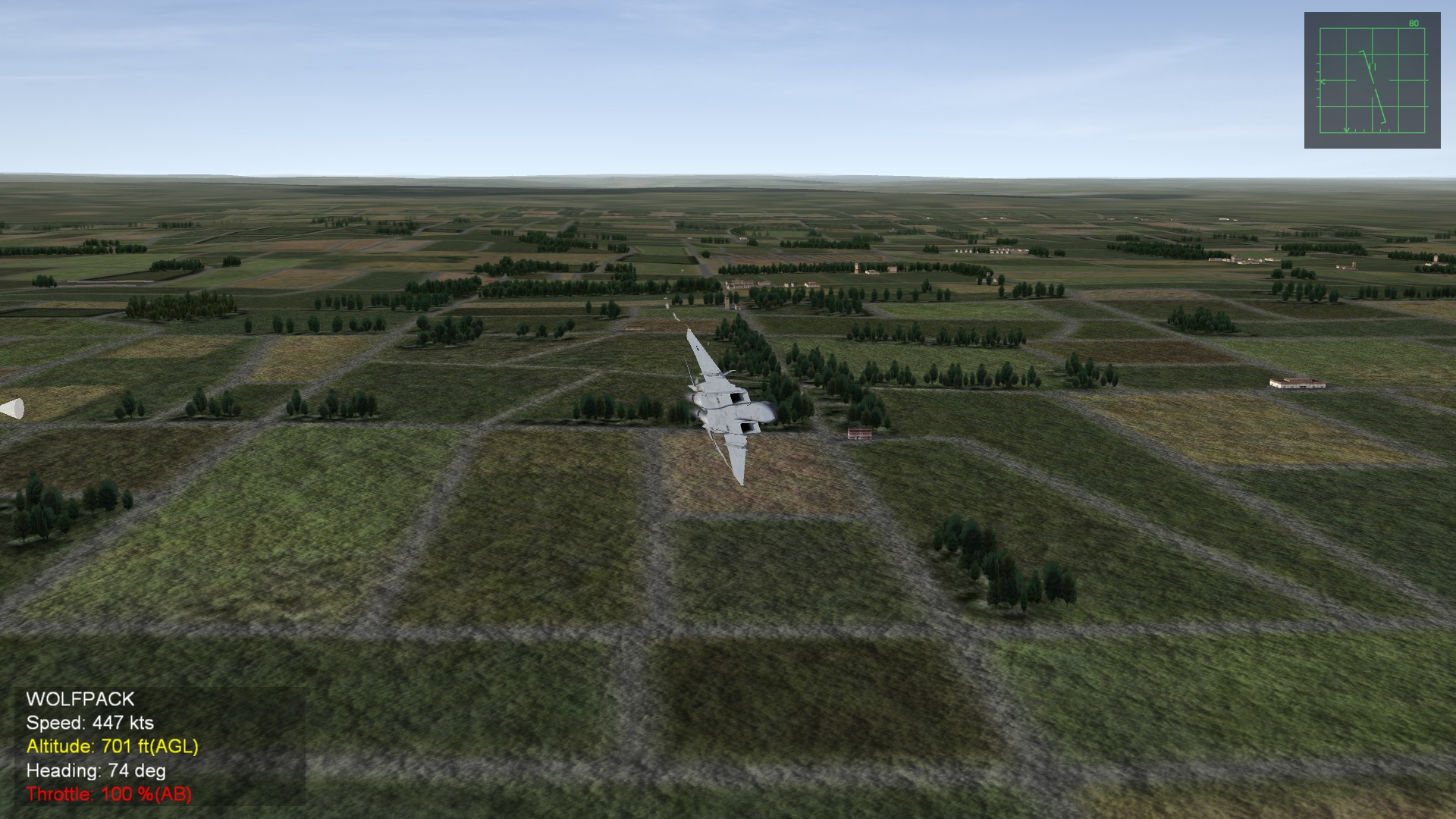
I was figuring out how to give wingtipvortex "random" shaking trails instead of completely straight trails and I managed to find a code that does it! I was experimenting with this code and these wingtipvortex is starting to look more natural, realistic looking wingtip vortex.: ParticleRandomness=0.03000 This is the result : However, I just countered one of problem with it, the texture itself is 2D, not 3D. Because of that, if you look directly at it, it disappears at specific angles due to it being 'flat' 2D texture. I don't know what to do to make it 3D so I am keep looking into other effect files to see what I can do to give it more 3D.