FastCargo
-
Posts
8,142 -
Joined
-
Last visited
-
Days Won
16
Content Type
Profiles
Forums
Gallery
Downloads
Store
Everything posted by FastCargo
-
Interesting. What type of missile...IRM,SAHM,or AHM? Radar lock? Hard avionics mode? Well, my major question here is to what end are you researching this. Here's why: You can't use them in campaigns...the TW engine will assume you're an aircraft and give you aircraft distances to target. You can't use them in computer generated single missions because of the same reason. You can only use them in hand built single missions where you know all the parameters. And the AI won't use them the same way because it assumes they are aircraft. So basically, the only unit that can take advantage of this is the one you operate. Just letting you know the limitations up front. FC
-
Cockpits cannot be attached to any part. You can't move a cockpit except through a hardcoded animation in built into the cockpit model (ask Florian about that). That animation would have to also be in the external model so they can be linked. And your view will not follow the cockpit...it would have to be moved seperately. An easier option is simply to build a detailed interior for your air defense weapon and use the OpenCockpit method to 'sit' in it. The attachment of weapons to flight controls to simulate elevation and azimuth controls appears to be valid...I've already tested the concept. Perhaps using the elevator for elevation, aileron for azimuth, and use rudder in combination with thrust to move the ground vehicle the 'turret' is attached to by using nose wheel steering. You might even be able to back up if you use thrust vectoring. However, the big issue is the one eraser already brought up...missiles do not appear to be able to fire on the ground. FC
-
Yea...slow down! Seriously, there is a setting somewhere in the Engine section of the data.ini that allows you to up the threshold of when the engine is considered to be overheating, just can't remember what it is at the moment... FC
-
Don't make me come up there! FC
-
From what I understand, based on an interview with John Glenn a while ago, the first time this phenomenon was noticed was during his orbital flight, when he noticed several dozen 'glittering' objects he called 'fireflies' outside the spacecraft...later on it was determine to be a urine dump. Hence the original name. However, this has been co-opted since then, Wally Schirra said something similiar in one of his Gemini flights, etc, etc... But enough of the 'pissing' contest...back to the screenshots! FC PS Sorry, I couldn't help myself...
-
Actually, that was John Glenn's Mercury flight...
-
Well, what do you expect...you're going about 7.3 Mach (assuming standard day, etc, etc). Just because you give an aircraft an infinite amount of thrust, doesn't mean you're just going to be able to go as fast as you want... Oh, and Google is your friend... FC
-
Hoowah! Congrats!!! FC
-
I Even Have A Question - totally WOX related of course.......NOT!
FastCargo replied to Dave's topic in General Discussion
My wife likes Bambi... ...served with demi-glace! FC -
That's one thing that I think people need to do more often. If you have a question on how something works...just try it. 90 percent of the time, it's simple ini edits. And all you have to do is use Notepad...don't even need a 3rd party program. 99.9 percent of the time, one of 3 things will happen: 1) The effect won't be as desired or will be unexpected. 2) It will work correctly. 3) It will crash the program without crashing the OS. It's been my experience that the best way to learn is to get 'hands on'. Otherwise, you'll never figure out how things work. This sim is made for tinkering and customizing to your heart's content...if you're willing to put in the skull sweat. Just exercise due diligence (ie try only ONE mod at a time, backup the specific file in question FIRST) and you'll have no long term problems. FC
-
Site down for some People
FastCargo replied to Silverbolt's topic in Site Support / Bug Reports / Suggestions
I had that issue last night...seems fine today. FC -
And for a more coherent answer to your question my friend... The TW engine/AI doesn't simulate vertical flight. In other words, the AI will not land or takeoff like a helocopter does. Typically what I've seen done is give the helos some awesome flaps, so that the T/O and landing done by the AI is a short run, but not vertical. Usually, actual vertical flight can only be done by the player, usually using some combination of flap and/or thrust vectoring. SaE and I were working on some FM ideas for the AH-64 WIP. Kreelin is really the guy you need to talk to about helo behavior, he's pretty much considered the helo FM guru. FC
-
And where are you measuring knots...as IAS or TAS...BIG difference at altitude. FC
-
Try it and see what happens. Your computer won't blow up, I promise. FC
-
Or, use the OpenCockpit parameter instead if you're patched to Oct 08 or later. FC
-
Hey, how come it doesn't show up in my aircraft selection screen? (Ducks and covers) Awesome work my friend! FC
-
Has to do with the model itself unfortunately. There isn't a quick fix...other than disabling shadows on that aircraft. FC
-
Well, NF1 and 2 are not designed to use ANY weapons packs...so if you add a weapons pack, it's at your own peril. FC
-
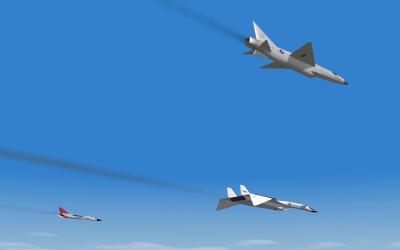
Mach 3 club...SWOTUSAF chapter. SF2 testing. FC
-
Unfortunately, we also lost a former U-2 pilot / current TPS student last week too: http://www.af.mil/news/story.asp?id=123150668 Not a good week for military aviation. FC
-
Odd...shouldn't be doing that...should be transparent to the end user. FC
-
You are using the old B-52D_data.ini. Delete that file and download this and install: http://forum.combatace.com/index.php?autoc...p;showfile=8313 It won't fix the external pylons (they do not exist yet) but will fix all the other issues. FC
-
The doors are meant to be fully automatic. You've just disabled the automatic function. Fixed in version 2.1. B model limits are lower on those particular pylons. Make a change in the loadout.ini for smaller/lighter weapons. FC
-
INI edits like what you are mentioning won't affect the visual model at all. All it does is change the 'size' of the bomb as the sim sees it. Basically, it works like you think...the sim looks at the bomb's dimensions in the weapondata ini file and compares those numbers to the weapon station limit numbers in the aircraft data.ini. If it fits, it'll allow you to place the bomb there, if not, you can't load it (expect for possibly forcing a load using the loadout.ini file), normally won't even let you select it as an option. FC
-

7,148 downloads
F-35 A/B/C for the 2nd Generation ThirdWire sims...beta Version 2.1. Very similar to Version 2.0, reformatted to SF2 standards with Weapons, Guns, Decals. Also, several bugs fixed in all 3 models, including nozzle animations, carrier operations, etc. Please contact us at CombatAce if you have issues not addressed in the readme or previous releases. 23 May 09 FastCargo Version 2.2 The weapon editor for SF2 did not like the naming convention for the F-35 drop tanks. So I changed the names, edited the data.inis and now they are fixed. Also there is an avionics fix in there that goes in each versions folder as well. Delete the old drop tanks in your SF2 weapons folder and drop these in. Then drop the data.inis and the avionics.inis in each version of the F-35 and overwrite. F-35C sound fixed. Various ini fixes by Crusader Dave (USAFMTL) 29 May 2009 Version 2.3 Fixed gun naming issue. Dave (USAFMTL) 3 Jun 2009 Version 2.4 Feb 2010 Updates By Jat Version 2.5 Apr 2010 RWR fix F-35A Engine Sound Fix