
gerwin
-
Posts
829 -
Joined
-
Last visited
-
Days Won
9
Content Type
Profiles
Forums
Gallery
Downloads
Store
Everything posted by gerwin
-
View File Sand/Desert F-15a Skin (fictional) for third-wire model Sand/Desert F-15a Skin (fictional) for third-wire model By Gerwin 17-3-2008 DESCRIPTION: The stock f-15a seems to be showcase aircraft of Wings over Europe, and as it is it looks very good. Unfortunately there are very few alternative skins for this model. Using the templates from third-wire I started a not to ambitious plan to change the skin from a grey/blue one to a sand colored one. Although quite some tuning was required to give it a sand color with the appropriate red/yellow saturation. As already stated this paintscheme is fictional. Also it might need some additional study which parts at the exhaust are normally painted and which remain bare metal. The decals and number configurations have not been changed. INSTALLATION: Copy the included folder with contents to the folder that contains the F-15a files, for example: WOE\Objects\Aircraft\F-15A When in the game select the skin in the loadout screen. THANKS TO: Third Wire for the Strike Fighters Based Games, including the F-15a model and templates Submitter gerwin Submitted 03/18/2008 Category Fictional/What If Skins
-
Indeed. I decided to give it a try myself and made a fictional desert color skin for the stock F-15A (WOE). Might upload it this evening.
-
You mean my humble creations?: http://forum.combatace.com/index.php?showtopic=26567
-
Attached are two single missions involving a carrier takeoff. One set on the israel 2 terrain by Gepard. Next is a simplified version I just made which works on the WOE Germany Terrain with only the F-4E aircraft used. Both missions do require the spruance ship to be added to your game. Carrier_Ops.zip
-
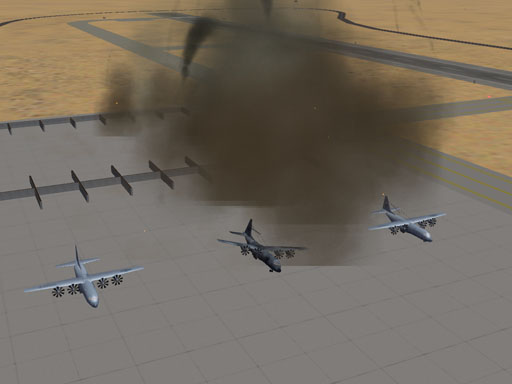
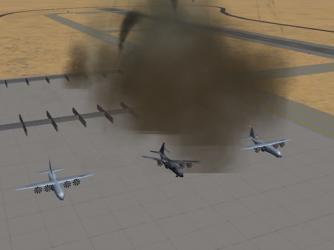
Thanks capun, putting the C-130 burned texture in the GroundObject folder made it work. (see image) This already looks a lot more convincing. I could not find the B-17 destroyed lod for now, after looking in some of the ww2 map folders.
-
I managed to add a static C-130 Hercules to an airfield in a single mission. There seem to be two ways: 1- Place it as an aircraft object (ini hack in downloads section). 2- Place it as a ground object (model by capun, with destroyed lod, in downloads section) The first way adds the aircraft, it looks good, but once destroyed there is no wreckage left. Also IIRC the thing was not hurt by gunfire, and it would probably be a A-A missile target? The second way I liked more. Though again this ground object remains untouched by any amount of gunfire. Also I am kinda disappointed in the destroyed model: From far it looks like it isn't a wreckage but the same intact airplane. This is because the LOD file uses the same texture. So I made a burned alternate texture and edited the lod binary. file to point to the new bitmap, yet it doesn't seem to accept this and the destroyed plane looks all white. Though I am sure I could pull this trick in other situations... Any ideas?
-
Glad you like it. I hope you have good use for it. and thanks for hosting the files.
-
1,251 downloads
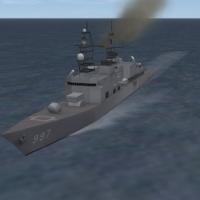
Texture replacement for the Spruance Class Destroyer Model By Gerwin 8-3-2008 DESCRIPTION: In the strike fighter games the Aircraft Carrier often goes without escort. Fortunately there is a free Spruance class destroyer model available that can be used in the game. The 3d model looks and interacts very nice, yet the texture is IMHO not the same quality as the stock carrier for example. I have spend quite a few hours painting over various parts of the texture, based on photographs of the actual ships. The resulting texture is included in this package. The number on the hull (963) refers to the first ship of the class: the USS Spruance. INSTALLATION: Copy the included file (Spruance_t.bmp) to a folder that contains the spruance object files, for example: WOE\Objects\GroundObject\Spruance\ (You may want to backup/rename the original texture first.) THANKS TO: Third Wire for the Strike Fighters Based Games capun for 3D Model conversion & Data ini of the Spruance -
View File Texture for Spruance Class Destroyer Texture replacement for the Spruance Class Destroyer Model By Gerwin 8-3-2008 DESCRIPTION: In the strike fighter games the Aircraft Carrier often goes without escort. Fortunately there is a free Spruance class destroyer model available that can be used in the game. The 3d model looks and interacts very nice, yet the texture is IMHO not the same quality as the stock carrier for example. I have spend quite a few hours painting over various parts of the texture, based on photographs of the actual ships. The resulting texture is included in this package. The number on the hull (963) refers to the first ship of the class: the USS Spruance. INSTALLATION: Copy the included file (Spruance_t.bmp) to a folder that contains the spruance object files, for example: WOE\Objects\GroundObject\Spruance\ (You may want to backup/rename the original texture first.) THANKS TO: Third Wire for the Strike Fighters Based Games capun for 3D Model conversion & Data ini of the Spruance Submitter gerwin Submitted 03/08/2008 Category Destroyers
-

713 downloads
Desert Airfield Ground Texture Replacement for Israel 2 Terrain By Gerwin 8-3-2008 DESCRIPTION: Using the 'Israel 2' terrain in 'Wings over Europe' Game I noticed the airfields are placed upon a unique ground texture that doesn't blend well with the surrounding terrain. the files responsable are: Feldflugplatz.bmp for airfields near farmland. FeldflugplatzWueste.bmp for airfields in the desert. (or FeldflugplatzWüste.bmp in the earlier version) This package includes a feldflugplatz.bmp drawn from scratch and a FeldflugplatzWueste.bmp that is a mere copy of the surrounding desert. I suspect one can easily get the tiles to work for other desert terrains/tilesets. INSTALLATION: Copy the included files to a folder that contains the terrain data, for example: WOE\terrain\Israel 2\ (You may want to backup/rename the original files first.) THANKS TO: Third Wire for the Strike Fighters Based Games Michael (Gepard) for the Israel 2 terrain and additional tileset. -
View File Desert Airfield Groundtexture Desert Airfield Ground Texture Replacement for Israel 2 Terrain By Gerwin 8-3-2008 DESCRIPTION: Using the 'Israel 2' terrain in 'Wings over Europe' Game I noticed the airfields are placed upon a unique ground texture that doesn't blend well with the surrounding terrain. the files responsable are: Feldflugplatz.bmp for airfields near farmland. FeldflugplatzWueste.bmp for airfields in the desert. (or FeldflugplatzWüste.bmp in the earlier version) This package includes a feldflugplatz.bmp drawn from scratch and a FeldflugplatzWueste.bmp that is a mere copy of the surrounding desert. I suspect one can easily get the tiles to work for other desert terrains/tilesets. INSTALLATION: Copy the included files to a folder that contains the terrain data, for example: WOE\terrain\Israel 2\ (You may want to backup/rename the original files first.) THANKS TO: Third Wire for the Strike Fighters Based Games Michael (Gepard) for the Israel 2 terrain and additional tileset. Submitter gerwin Submitted 03/08/2008 Category Tilesets