
ValAstur
-
Posts
2,617 -
Joined
-
Last visited
-
Days Won
28
Content Type
Profiles
Forums
Gallery
Downloads
Store
Everything posted by ValAstur
-
Version 1.0.0
81 downloads
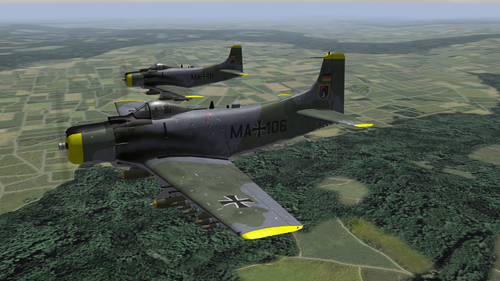
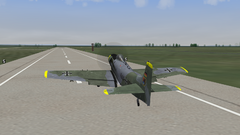
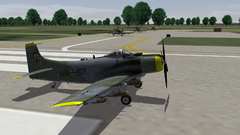
Douglas A-1G Skyraider Deutsche Luftwaffe for STRIKE FIGHTERS 2 Fictional mod of the stock A-1H Skyraider to create a fictional attacker aircraft for the west german air forces. Since it's not stock flyable, it uses an aliased A-4C cockpit. Afitting pit is available here at CA. In the skin folder "LeKG41", there is a file called "A-1H_TAIL_alt.jpg" which can be used renaming it properly (backup the other if wanted) to move the squadron badge from the tailto the front. INSTRUCTIONS 1. Drop the folders into your Objects folder. If asked to overwrite, click yes. CREDITS Big Thanks to Thirdwire for the games and the superb models they have. Also to Nyghtfall for the reworked Skyraider templates from Wrench. If I forgot somebody, pls inform me and I'll change it ASAP. Kindest regards ValAstur -
From the album: Fictional Birds
-
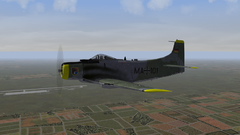
Douglas A-1G Skyraider, Leichtes Kampfgeschwader 41, ca. 1959 alternate File for Squad-Badge Position
-
From the album: Fictional Birds
-

From the album: Fictional Birds
-
From the album: Fictional Birds
-
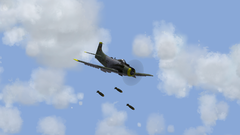
From the album: Fictional Birds
-
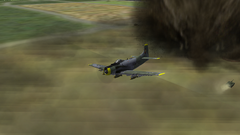
From the album: Fictional Birds
-
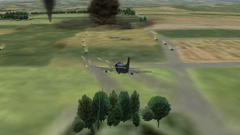
From the album: Fictional Birds
-
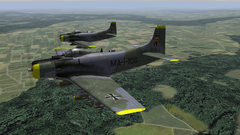
From the album: Fictional Birds
-

From the album: Fictional Birds
-
From the album: Fictional Birds
-
From the album: Fictional Birds
-
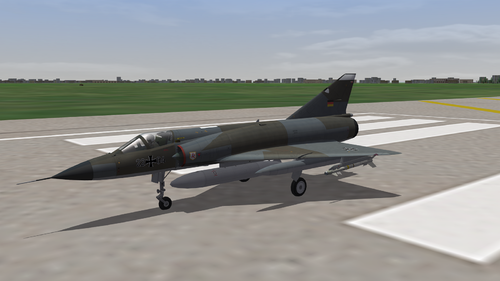
View File German Mirages IIIEG + 5G Dassault Mirage IIIEG + Mirage 5G Deutsche Luftwaffe for STRIKE FIGHTERS 2 Fictional mod of the stock Mirage 5F and the Mirage IIIOA to make them look like fictional fighter planes for the west german air forces. They shall depict possible aircraft that could have entered service in the german air forces instead of the Starfighter (or "Widowmaker"; nickname from the german pilots). YOU WILL NEED THE DLC 17 MIRAGE IIIO FOR THE MIRAGE IIIEG. INSTRUCTIONS 1. Drop the folders into your Objects folder. If asked to overwrite, click yes. CREDITS Big Thanks to Thirdwire for the games and the superb models they have. Also thanks to Spinners. Without his help the decaling of the serial numbers would have taken ages. If I forgot somebody, pls inform meand I'll change it ASAP. Kindest regards ValAstur Submitter ValAstur Submitted 05/05/2019 Category What If Hangar
-
- 2
-

-

-
Uploaded and awaiting approval
-
Version 1.0.0
98 downloads
Dassault Mirage IIIEG + Mirage 5G Deutsche Luftwaffe for STRIKE FIGHTERS 2 Fictional mod of the stock Mirage 5F and the Mirage IIIOA to make them look like fictional fighter planes for the west german air forces. They shall depict possible aircraft that could have entered service in the german air forces instead of the Starfighter (or "Widowmaker"; nickname from the german pilots). YOU WILL NEED THE DLC 17 MIRAGE IIIO FOR THE MIRAGE IIIEG. INSTRUCTIONS 1. Drop the folders into your Objects folder. If asked to overwrite, click yes. CREDITS Big Thanks to Thirdwire for the games and the superb models they have. Also thanks to Spinners. Without his help the decaling of the serial numbers would have taken ages. If I forgot somebody, pls inform meand I'll change it ASAP. Kindest regards ValAstur- 1 review
-
- 3
-
-
-
If it weren't that everybody knows that this plane is originally a german one, it could be easily assumed, from my point of view, that this could the Zero's brother. Very well done!
-
Would also have been my suggestion.
-
Changes have been applied to all aircraft. In the data.ini of the Mirage IIIOA, on which the Mirage IIIEG is based on, both the supersonic tanks and the RPKs had the entry of"NoJettisionTank=TRUE" included. I removed it and now it works. Just saw an error on the Norm 72 Camo of the Mirage IIIEG. When its fixed, I'll upload it.
-
From the album: Fictional Birds
-
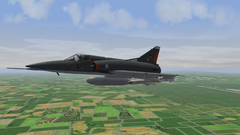
From the album: Fictional Birds
-
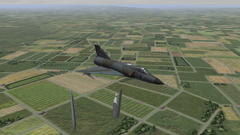
Dassault Mirage IIIEG - JG 71 "Richthofen" Norm 72 Camo - ca. 1974 Dassault Mirage IIIEG - JG 71 "Richthofen" Norm 81B Camo - 1983 Dassault Mirage 5G - Marinefliegergeschwader 2 Norm 76 Camo - 1977 Dassault Mirage 5G - JBG 31 "Boelcke" Norm 76 Camo - 1978 Dassault Mirage 5G - JBG 31 "Boelcke" Norm 83 Camo - 1984
-
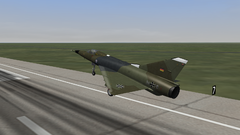
From the album: Fictional Birds
-
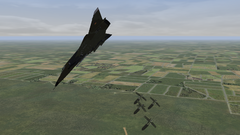
From the album: Fictional Birds
-
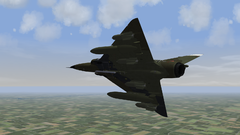
From the album: Fictional Birds