

10107
-
Posts
425 -
Joined
-
Last visited
-
Days Won
6
Content Type
Profiles
Forums
Gallery
Downloads
Store
Everything posted by 10107
-
 Finally.
 -
Hey Swam...hows things? Your project here still on the go?
-
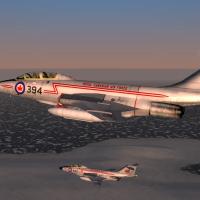 The RCAF roundel on the nose is supposed to be a sugar maple leaf like you have on your wings. The one you have there on the RCAF schemes is the modern one for post . The flag on the tail of the RCAF scheme is the flag of Ontario, a Canadian province, not the Canadian flag or the "Red Ensign" as we called it then. Also the Union Jack on the Red Ensign is flown facing forward. That covers it.
 -
A couple of points on the plane Paulo. The RCAF roundel on the nose is supposed to be a sugar maple leaf like you have on your wings. The one you have there on the RCAF schemes is the modern one for post . The flag on the tail of the RCAF scheme is the flag of Ontario, a Canadian province, not the Canadian flag or the "Red Ensign" as we called it then. Also the Union Jack on the Red Ensign is flown facing forward.
-
Oh the click and drag for the offset ranges....just awesome. Thanks for the continued work.
-
Oh love the Robotech veri-techs.
-
Yes yes TODs, but can it be possible to make a drag and drop application in your current tool set?
-
Yeah Gerwin, your terrain tool is indispensable now. Too bad to hear about the dev software problems. The old sfMap tool, I haven't been able to make that work for a long time. But yours as it is now is working great. The only thing I still wish I could see is drag and drop target placement and manipulation of target areas directly editing the targetdata.ini with your GUI.
-
Nuke Effects
10107 replied to ezlead's topic in Thirdwire: Strike Fighters 2 Series - General Discussion
Put your effect in your effects folder. Call your effect out in your weapons data.ini whatever weapon you want it for. EffectClassName=LKT003 Add what you see below in your data.ini. Goes below everything else changing the names to your effect name. [LKT003] GroundHitEffectName=LKT003 GroundHitSoundName=Nuclear.wav WaterHitEffectName=LKT003 WaterHitSoundName=Nuclear.wav ObjectHitEffectName=LKT003 ObjectHitSoundName=Nuclear.wav ArmorHitEffectName=LKT003 ArmorHitSoundName=Nuclear.wav AirBurstEffectName=LKT003 AirBurstSoundName=Nuclear.wav CraterModelName= CraterType=5 Works for me. -
Gerwin, A request based on your last update. You have the position of the mouse cursor being displayed there. Is it possible with the targets showing on the map that you could have a key command to copy the position of the cursor and then we could paste it into the target.ini? If you could ever make this tool to be able to interact with the targets.ini to be able to manipulate it...would almost be the ultimate tool for terrains.
-
Hi Gerwin, Any updates to the tool? Awesome bit of work it is.
-
OK, thanks. Love the B function.
-
Hi Gerwin, have you revisited this with anymore updates? Its a great tool for modding the old Korea terrain.
-
Yes I know that. I have lots of terrains for the editor yet.
-
Right on. Lack of info on the new terrain style but I'm sure there will lots of use for your editor. I know I have lots of use for it. :)
-
Hey Gerwin, have you made any more changes to the editor?
-
EB-57B 158th DSES
10107 replied to pappychksix's topic in Thirdwire: Strike Fighters 1 Series - File Announcements
Pete, Been running these against the CF101 Voodoos from CFB Bagotville reliving the old ADC days of the Cold War. I think I have the right model in but the decals are pushed way forward. I edited them back but am wondering if you or anyone is interested in making this a SFP2 compatible version since you have the templates and adding the EW kit to it for release. -
No, I mean that the new TE won't recognize the terrain if the names aren't the same. So by changing those names it worked. Thanks for the advice but I didn't like the planning maps and that new TE made some nice new ones.
-
Discovered something the other night working with the OTC + terrain. The associated inis have to have the same name as the main ini and folder or else it won't find it. It will open but with a lot of errors.
-
Hi Gerwin, Still working the editor of yours to the max. Finally figured out the copy tile height usage. Love the ability to page up and down through tiles when zoomed in to be able to view them as they lay in the terrain. The ability to amend parts of the tile for height has been a great benefit when creating the fjord into Port Alberni. A couple of requests- 1. The tile name that you have selected to be displayed somewhere in the editor. makes it easier for picking it out in Photoshop for editing. 2. The ability when you are TAB-ing through the individual heights in the tile to reverse the direction when you went too fast and skipped it and to be able to go back as opposed to going all the way through again. 3. Can you have a way to reload the .hfd with the editor open vice closing and going through to open it again?
-
It worked out for some reason reducing to 10 meters all over the field fixed it. No slopes. Hey Gerwin, when you make the heights, can you make it on top of any airfield graphics? Makes it easier when they are covering them up from runways. Thanks.
-
Happy New Year 2012. I have been working this overtime today. Have found great benefit of the TAB with the target name, offset and target ID number. Quite invaluable. I have been using this with Kreelin's Mission Editor to place targets. I have your TE open to cycle the targets and get their name and ID. Make the change in the targets offset in the target_data.ini, save it, re-select and open the map in the KME and watch the target move. The ability to grab a target in your editor and drag it around would be awesome. I have a problem trying to flatten one of the airfields I have in for Victoria BC. It close to the shore and goes from 0 height to the airfield height I set at 50 meters. It shows in your TE height map mode at 50 meters, TKs TE at 50 meters but every time I take off, its bumpy. Took it down to 10 meters to see what happens now. Looking forward to more features. Keep up the good work.
-
With the possible inclusion of support for a mouse in the future. Could you make it so you could put a pointer over the map and hit a key or mouse click to capture that position. This is something that I could use in the creation of routes. To go even further, perhaps to leave a dot and line trail of the route that is being created. Its almost 2012.... can always ask right?
-
Very good tool for sure. You game tool makers are more rare than FM makers I think. Looking forward to your upcoming versions. Now if you can make it so you can use a mouse with it and click and drag on a target item and be able to save that change in the target.ini..................awesome.
-
Ok Let's Start A Virtual "NATO"
10107 replied to Dave's topic in Thirdwire: Strike Fighters 2 Series - General Discussion
Just curious if this will be regenerated. It seemed the vNATO idea started well but this thread rolled off into just a OP DARIUS thread.
