Svetlin
-
Posts
919 -
Joined
-
Last visited
-
Days Won
4
Content Type
Profiles
Forums
Gallery
Downloads
Store
Everything posted by Svetlin
-

-
I'm interested and I'd appreciate it, if you'd share it. Thanks!
-
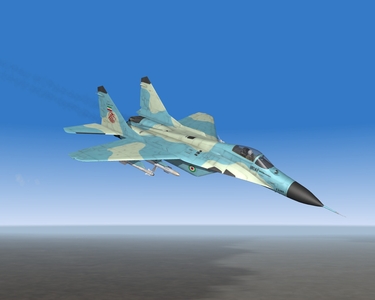
Celebrating the 20th Anniversary of MiG-29 in IRIAF:
-
-
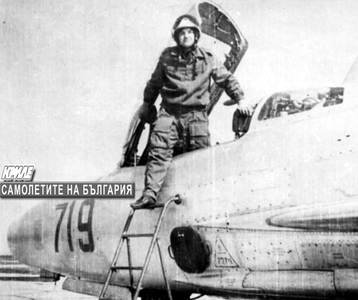
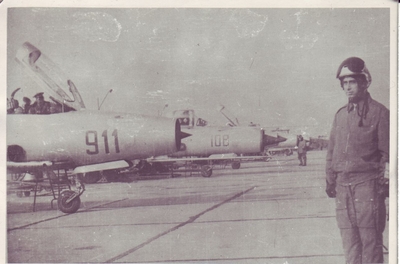
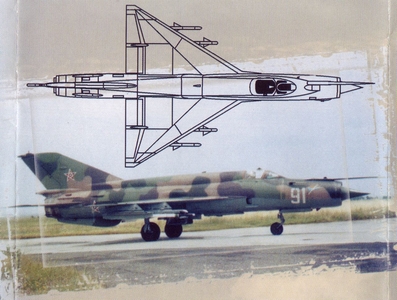 Nope, that's People's Republic of Bulgaria Air Force.
 -
No big deal guys, increasing the damping factor of the main gear a bit, slightly improves things. Will spend more time flying than taxiing, taking-off and landing. No need to regret - there is 2013, 2014, 2015 and more to come, so who knows... And in the mean time we are not empty handed - we have those buties to fly.
-
-
-
-
-
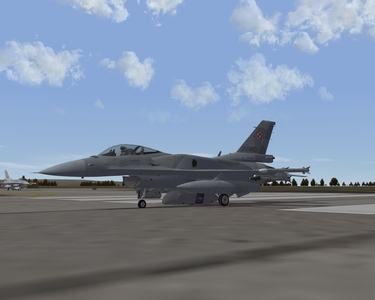
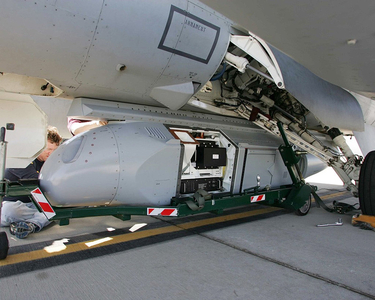
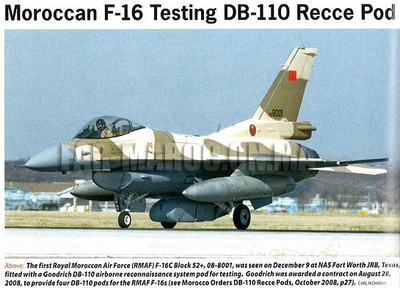
Gyus, thanks for the Polish Vipers, great looking as usual for the modders involved. I am observing a slight mismatch in scaling between the Viper and the DB-110 recce pod. The pod seems to be by some 5-10% I would say too large for that Viper model - when taxing, the pod almost touches the ground. No disrespect, thought I should let you know.
-
Hertzlichen Dank, ravenclaw_007, das siecht ausgetzeichnet aus.
-
Bitte Sehr ;-)
-
Na ja, vielleicht hast du Recht, obwohl es wäre schön diese exotische Version zu haben... Cockpit ohne Streben ist schon da: http://combatace.com/files/file/1493-mig-29a-cockpitzip/ Fubar512 hat das im 2005 gemacht.
-
Ich habe so was gefunden: http://s362974870.onlinehome.us/forums/air/index.php?showtopic=89474&st=0 RF-4C: 65-0874, Per former NE ANG Crew Chief, PhanCon 91 Image 65-0935, Per former NE ANG Crew Chief 65-0942, Smoke Trails, Vol 9, No 3, Pg 24, CA ANG 68-0874, 124th TRG and 155th TRG (per Gary Chamber) F-4E: 68-0516, Smoke Trails Vol 8, No 4, pg 23 69-0345, Smoke Trails Vol 6, No 1, pg 22, MO ANG 68-0351, Smoke Trails Vol 6, No 1, pg 23; also, the Colors & Markings book 68-0448, The Phantom Story (Thornborough), pg 159 (no photo) 68-0473, The Phantom Story (Thornborough), pg 151 (Turkish AF, former MO ANG) F-4G: 69-0265, SMoke Trails Vol 10, No 2, pg 21, 57th FW 69-7263, Wild Weasals (Thornborough/Mormillo), pg 115, Wild Weasals (Davis, Squadron Signal), pg 70 69-0298, (Rick Chin/Leading Edge Decals/ID ANG), 561st TFS in Desert Storm, 1991, transferred to the 190th FS/124th FG, last active USAF F-4 to fly-off to AMARC, 1996 69-0273, (Rick Chin/Leading Edge Decals/ID ANG), International AIr Power Review #12, pg 85
-
Hallo, ravenclaw_007, ist es kompliziert und zeitaufwendig ein LOD für F-4E mit einteiliger Windschutzscheibe aus Ihrem aktuellen F-4E LOD zu machen?
-
Avionic help Chengdu J-7III
Svetlin replied to 76.IAP-Blackbird's topic in Mods & Skinning Discussion
If the parachute housing is a separate node from the vertical tail, it could be hidden with an ini edit. Then a new parachute housing could be added as a fake seat. -
Avionic help Chengdu J-7III
Svetlin replied to 76.IAP-Blackbird's topic in Mods & Skinning Discussion
In the SF1 weapons download section, there is a 720l J-7 tank uploaded long time ago. http://combatace.com/files/file/5828-j-7-tank-720l/ From pictures I have seen, this tank is loaded only on the center line wet station. The outer wing wet stations carry the original 490l tank. Hope that helps for this and the other J-7 uploaded recently... -
The F-15A entered service in 1976, the tank was apparently developed with the F-15 in mind, so it probably entered service together with the F-15, therefore it makes sense to me to consider a starting date between 1976 and 1978.
-
Snailman, my computer was over-stressed by my SF2 installs "to its death", so I have no computer till some time next week. If you could wait till then, I will give you the settings for the MiG-21bis from the picture in my earlier post. Mind you, these work good only for aircraft with few station groups, i.e. less than 6 StationGroupID for weapons.
-
-
-
-
-