
-
Subscription required to download files
-
- 105 replies
- 3,929 views
-
-
Available Subscriptions
Subcategories
- SF/WO* Aircraft Skins
- SF/WO* Add-On Aircraft
- SF/WO* Add-On Cockpits
- SF/WO* Weapons Mods/Skins
- SF/WO* Sound Mods
- SF/WO* Object Mods
- SF/WO* Add-On Ships
- SF/WO* Missions/Campaigns
- SF/WO* Maps/Terrain Mods
- SF/WO* Hanger/Menu/Loadout
- SF/WO* Utilities/Editors
- SF/WO* Joystick Config Files
- SF/WO* Patches
- SF1 DAT Mods
-
 many layered template for Wolf257's P-39D Airacroba
based of his original, with MANY enhancements by me
enjoy!
wrench
kevin stein
By Wrench38 0 -
 Skin for Yak-25M Flashligh, variant with a green nose
*********************************************************************************
This package contains a file of the skin and loading screen. This package contains the decals with 12th blue numbers.
INSTALATION:
*********************************************************************************
You must extract the folder SovietSilverGreenNose. Folder SovietSilverGreenNose save to a folderYak-25M which is in the Aircraft folder in your game. As always Place a new decal line
in you Yak-25M.ini folder. The Line for this aircraft is:
[TextureSetXXX]
Directory=SovietSilverGreenNose
Name=Soviet Silver Green nose
Nation=Soviet
Specular=1.000000
Glossiness=0.500000
Reflection=0.800000
Replace the XXX with the next number in the sequence.
LOADING SCREEN
*********************************************************************************
Part of the package is two loadingscreens. If you want to install, here's how:
Yak-25M_loading_screen.bmp copy to your folder Yak-25M.
This text:
LoadingScreen = Yak-25M_loading_screen.bmp you must copy to a AircraftData which is in your file Yak-25M.ini. If you do, your new loadingscreen will be using the aircraft Yak-25M.
That's it.
CREDITS
*********************************************************************************
This Skin SovietSilverGreenNose was Created by dalai_LAMA.
I used the original Soviet Silver1 skin as a base for my new skin SovietSilverGreenNose. I thank the author of the original silver skin.
*********************************************************************************
Thank you for your interest in this skin.
By dalaiLAMA80 0 -
 CLOUDSMODfor SF1/WO*
**********************************
I picked up my mod color for file Environment thatused the Gumpy for its Clouds mod(http://combatace.com/files/file/12364-il2-clouds-for-wov-and-woi-series-1/).My mod can be used with the other Environment system for WO *.
My mod used a total of 5 types of clouds. These cloudsare different in colour, texture and shapes. I have included a cloudguide.jpg with screenshots, labeledto match the folders, so you can get an idea of what each cloud looks like.
.
**********************************************
INSTAL
Just copy a cloud1.tga from any one of the six foldersincluded in the mod and paste it (just the file, not the folder) into your Flight folder. Always back up youroriginals!
That's all. If you want a different kind of cloud,must select a type and a copy to folder of the flight in the game (copy alwaysCloud1 tga file.)
It is good to have backup files!!!
**********************************************
I hopethat my clouds for you will have an interesting atmosphere in your flightWinter landscape requires other clouds than the summer landscape...
By dalaiLAMA714 1 -
 This camouflage unit used the wing 57th TTW in 70. years
*****************************************************************
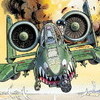
JAWS_camo1 for A-10A
This is a historic skin
*********************************************************************************
- JAWS_camo1
- two loadingscreens A-10A_Loading
INSTALATION:
*********************************************************************************
You must extract the folder JAWS_camo1. Folder JAWS_camo1save to a folder A-10A which is in the Aircraft folder in your game. As always Place a new decal line
in you A-10A.ini folder. The Line for this aircraft is:
[TextureSetXXX]
Name=JAWS camo 1
Nation=USAF
Squadron=57th TTW
Specular=0.400000
Glossiness=0.400000
Reflection=0.000000
Replace the XXX with the next number in the sequence.
That's it.
Loadingscreens
*********************************************************************************
Part of the package is two loadingscreens. If you want to install, here's how:
A-10A_loading_screen.bmp copy to your folder A-10A.
This text:
LoadingScreen = A-10A_loading_screen.bmp you must copy to a AircraftData which is in your file A-10A.ini. If you do, your new loadingscreen will be using the aircraft A-10A.
Credits
*********************************************************************************
This Skin JAWS_camo1 was Created by dalai_LAMA.
I used the excellent original USAFgray1 skin as a base for my the JAWS_camo1 Camouflage. I thank the author of the USAFgray1 skin for a great job.
*********************************************************************************
Thank you for your interest in this skin. I wish you happy flying ...
By dalaiLAMA126 0 -
 Hi-Res skins for Su-25TM Frogboot all-weather Close support aircraft.
Developed: Sukhoi OKB, Russia, Painted by me: Cmte. Jah
Hi..thanks for downloading my homemade conversion to create the Su-25TM in the colors of the Venezuelan Army/Navy. Serial numbers for
all 20 jets are included.
In side:
¯¯¯¯¯¯¯
\Su-25TM
\Weapons
\Links
\Tweeks
Include:
¯¯¯¯¯¯
*Added builting laser designator
*Added fuel tanks
Upgrade:
¯¯¯¯¯¯¯
*Change armoor,ALUMINUM -Steel, resulting in superior survivability and combat capability.
*Avionics
Designers:
¯¯¯¯¯¯¯¯¯
-New pilot bitmap
-Additional decals
-decals Photoshop files (.PSD)
-added the name of units to squadron name
MD5:
¯¯¯¯
e094674a9d1d5afa5810fb9a53334df3 +Su-25TM.rar
This is a upgrade version of the Su-39 Super Grach(by YEYEYE and 101tfs). It uses decals rather than painting directly on the skins itself therefore you get variable codes for different jets.
Sorry for delay time but, other Designer projects will keep me busy.
**********************************************************************
* I hope you ;like this art work,any comments,to jahm_jah@yahoo.com *
* with my best regards... *
* Jose Alberto Hernandez (aka Cmte. Jah) *
* Valle de la Pascua - Venezuela *
**********************************************************************
By jahm889 1 -
 TYPE 23 FRIGATES PACK
To use this model you only have to release the contents of the
GroundObject folder inside the folder the same name in your game...
You also have to put the WeaponData in the corresponding INI.
This pack contains two Type 23 frigates
The HMS Iron Duke and Admiral Cochrane FFG-05
Skin: TORNO
3D: SUICIDAL
-This Model is FREEWARE . Feel free to use this mod for any
future projects as long as proper credit is given..
By SUICIDAL512 6 -
 Su-15TM SOV.CAMO.SPRING
New Skin for the Su-15TM FlagonF
*********************************************************************************
- SovietCamoSPRINGS
- su-15tm_loading_screen
INSTALATION:
*********************************************************************************
You must extract the folder Su-15TM SOV.CAMO.SPRINGS. Folder SovietCamoSprings save to a folderSi-15TM which is in the Aircraft folder in your game. As always Place a new decal line
in you Su-15TM.ini folder. The Line for this aircraft is:
[TextureSet]
Directory=SovietCamoSPRINGS
Name=Soviet Camo Springs
Nation=Soviet
Specular=0.400000
Glossiness=0.500000
Reflection=0.000000
Replace the XXX with the next number in the sequence.
That's it.
Loadingscreen
*********************************************************************************
Part of the package is loadingscreen. If you want to install, here's how:
su-15tm_loading_screen.bmp copy to your folder Su-17TM.
This text:
LoadingScreen = su-15tm_loading_screen.bmp you must copy to a AircraftData which is in your file Mig-17F.ini. If you do, your new loadingscreen will be using the aircraft Su-15TM.
Credits
*********************************************************************************
This Skin SovietCamoSPRINGS was Created by dalai_LAMA.
I used the excellent original silver skin as a base for my the SovietCamoSprings Camouflage. I thank the author of the silver skin for a great job.This Silver Skin for Su-15 was Created by Myself.
As always thanks to Boopidoo for the Su-15 Model. Also thanks goes to Pasko for the weapons and
Hawkwind and Eruyi for the avionics.
Thank you for your interest in this skin. I wish you happy landing ... ;)
By dalaiLAMA121 1 -
 New (High Res)textures for Cockpit of MiG-21PF (SF1/SF2).
All the inscription reads, new textere of all(!) instruments
and other changes...
work in SF1 and SF2
By comrad592 7
-
Download Statistics
14,437
Files12,675
Comments27,064
Reviews