The Sopwith Schneider was the floatplane variant of the Tabloid, and won the Schneider racing trophy in 1914. It was quickly adopted by the British military and was used by the Royal Navy throughout the war. Early versions used wing warping instead of ailerons. Some were armed with Lewis guns on the upper wing and could carry small bomb loads. The Schneider was used mostly for recon, some were used to intercept Zeppelins over the North Sea and some were used to attack land based targets.
Since it's a float plane, the Sopwith Schneider works best in the North Sea terrain, or in Flanders, Gibraltar or other terrain that has a lot of water. The plane will actually take off and land from a conventional airfield, but it looks strange to see the floats going under the ground. Ojcar has included take off instructions in a separate text file.
I have created two skins, an early version with the British flag on the wings, and a later version with roundel markings. I have included a set of number decals. My skinning templates are included with the download.
Credits
Thanks to Ojcar for making the data file for the Sopwith Schneider and for providing instructions for taking off.
Thanks also to Nix for creating the sound file for the Gnome 100hp engine.
Installation Instructions
For FE1 - Unzip the file and move the folder named "SopwithSchneider" into the FirstEagles/Objects/Aircraft folder. You also need to move the sound file "gnome100m2.wav" into the FirstEagles/Sounds folder.
For FE2 - Unzip the file and move the folder named "SopwithSchneider" into the FirstEagles/Objects/Aircraft folder. Then in the FirstEagles/Objects/Decals folder, create new folder named "SopwithSchneider". Move the folder named "D" from the Aircraft/SopwithSchneider folder into the Decals/SopwithSchneider folder you just made. You also need to move the sound file "gnome100m2.wav" into the FirstEagles/Sounds folder.
The Tabloid was the land based variant of the Schneider developed in 1913. It was quickly adopted by the British military and was used both by the Royal Navy and the Royal Flying Corps. Early versions used wing warping instead of ailerons. My version has no gun, but some were armed with Lewis guns on the upper wing and could carry small bomb loads. The Tabloid was used mostly for recon and light bombing. In September 1914, Tabloids of the RNAS bombed the Zeppelin sheds at Düsseldorf.
An unlicensed copy known as the Lebed VII was built by the Russians and used for recon and later for training.
I have created two skins, a British version and a Russian. I have included a full set of number decals for each. My skinning templates are included with the download.
Credits
Thanks to Ojcar for making the data file for the Sopwith Tabloid and for providing input on the model details.
Thanks also to Nix for creating the sound file for the Gnome 100hp engine.
Installation Instructions
For FE1 - Unzip the file and move the folder named "SopwithTabloidEarly" into the FirstEagles/Objects/Aircraft folder. You also need to move the sound file "gnome100m2.wav" into the FirstEagles/Sounds folder.
For FE2 - Unzip the file and move the folder named "SopwithTabloidEarly" into the FirstEagles/Objects/Aircraft folder. Then in the FirstEagles/Objects/Decals folder, create a new folder named "SopwithTabloidEarly". Move the folder named "D" from the Aircraft/SopwithTabloidEarly folder into the Decals/SopwithTabloidEarly folder you just made. You also need to move the sound file "gnome100m2.wav" into the FirstEagles/Sounds folder.
The Tabloid was the land based variant of the Schneider developed in 1913. It was quickly adopted by the British military and was used both by the Royal Navy and the Royal Flying Corps. Later versions had ailerons on both wings and a larger vertical stabilizer on the tail. Most were armed with Lewis guns on the upper wing and could carry small bomb loads. The Tabloid was used mostly for recon and light bombing missions. I have included my skinning templates and a full set of number decals.
Credits
Thanks to Ojcar for making the data file for the Sopwith Tabloid and for providing input on the model details.
Thanks also to Nix for creating the sound file for the Gnome 100hp engine.
Installation Instructions
For FE1 - Unzip the file and move the folder named "SopwithTabloidLate" into the FirstEagles/Objects/Aircraft folder. You also need to move the sound file "gnome100m2.wav" into the FirstEagles/Sounds folder.
For FE2 - Unzip the file and move the folder named "SopwithTabloidLate" into the FirstEagles/Objects/Aircraft folder. Then in the FirstEagles/Objects/Decals folder, create new folder named "SopwithTabloidLate". Move the folder named "D" from the Aircraft/SopwithTabloidLate folder into the Decals/SopwithTabloidLate folder you just made. You also need to move the sound file "gnome100m2.wav" into the FirstEagles/Sounds folder.
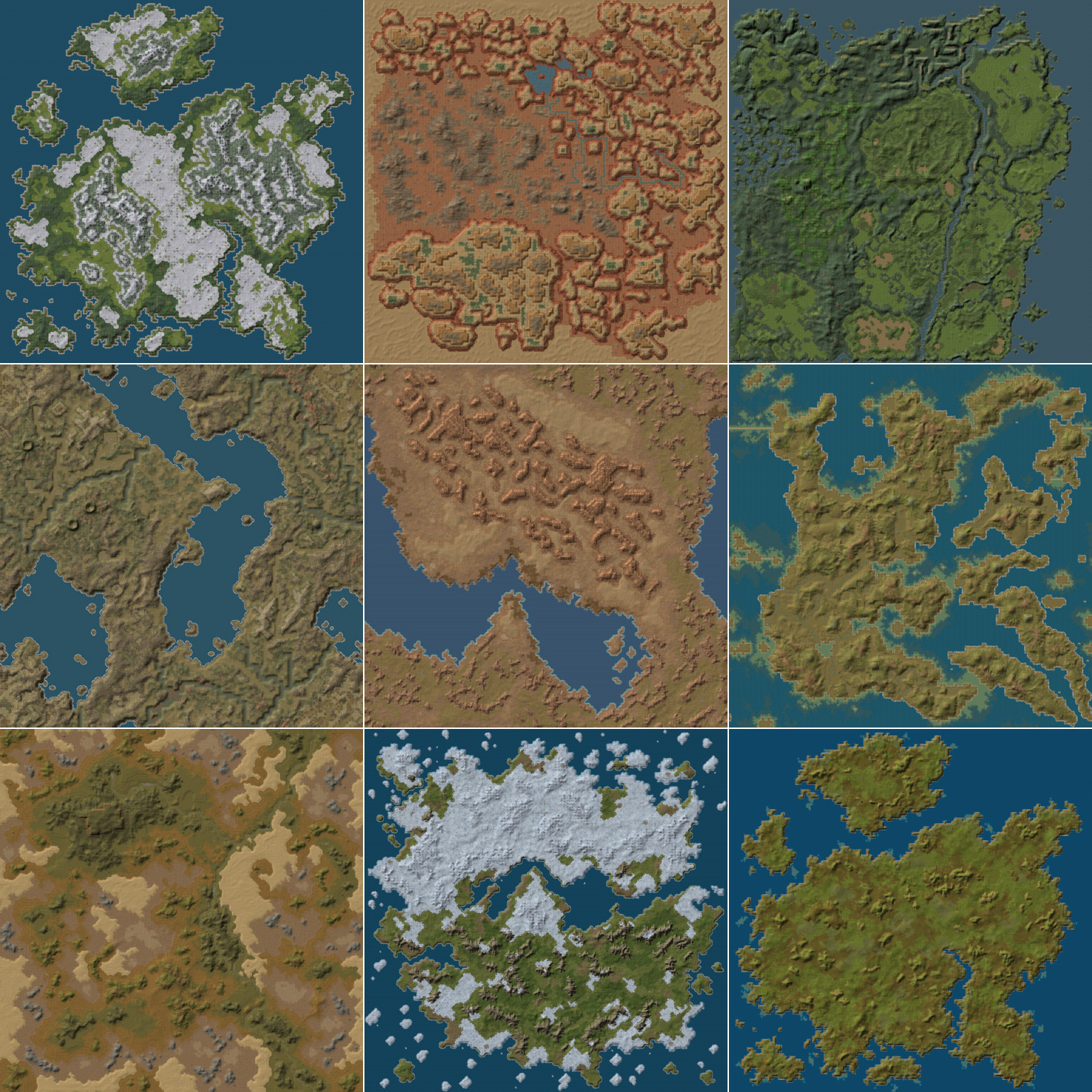
First Eagles seasonal Tiles by Jan Tuma
-------------------------------------------
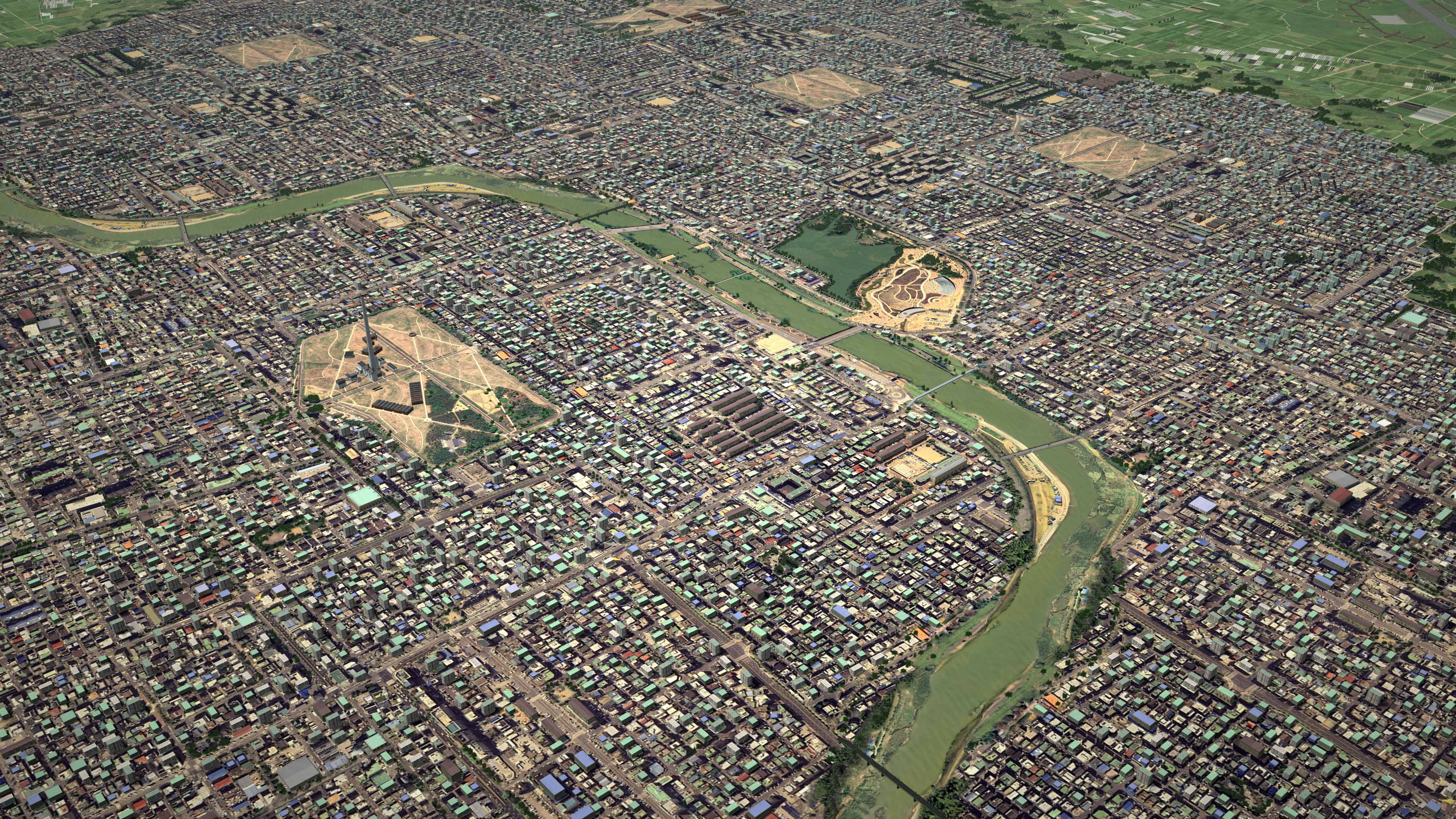
This is a set of new seasonal textures together with environmental mod (Trees, Forests, Farms, and new city objects) to enhance the look and feel of default First Eagles "Verdun" terrain; Expansion Pack 1 "Cambrai" terrain and aditional Flanders and Vogesen terrain.
Different textures and environmental for each of 12 months.
Please note that due to things work in the series terrain engine, you cannot destroy nor collide with buildings or trees.
There may be some performance drop on older systems (drop off framerate during flight), you have been warned!
----------------------
Installation:
----------------------
First make backups of your existing terrains folders!!! In case something goes wrong during the install...
A) Installation for all terrain (Werdun, Cambrai, Flanders and Vogesen):
Extract this package to First eagles main directory (not in Terrain folder), if asked, overwrite. So will supplementeds all files in Terrain folder at a time.
B) Custom Installation:
1) Unzip this package and open "Terrain" directory
2) Copy "Seasonal_tiles" folder in Terrain directory
3) For installation new Tiles to Werdun terrain copy "wwiVerdun" directory from installation package to "Terrain" folder, if asked, overwrite
4) For installation new Tiles to Cambrai terrain copy "wwiCambrai" directory from installation package to "Terrain" folder, if asked, overwrite
5) For installation new Tiles to Flanders terrain copy "Flanders" directory from installation package to "Terrain" folder, if asked, overwrite
6) For installation new Tiles to Verdun terrain copy "Verdun" directory from installation package to "Terrain" folder, if asked, overwrite
You may want to change the Ground Objects setting from Medium or High to Unlimited for better look (above all cities tiles)
----------------------
Uninstallation:
----------------------
A) Best would be to restore the directory you BACKED UP, don't tell me you didn't!
or
B)
1) Delete "seasonal_tiles" folder in Terrain directory
2) Delete all *.TOD files in "Terrain\wwiVerdun" folder. Move or copy all files found inside of "Terrain\wwiVerdun\backup" directory to "Terrain\wwiVerdun" folder, if asked, overwrite
3) Delete all *.TOD files in "Terrain\wwiCambrai" folder. Move or copy all files found inside of "Terrain\wwiCambrai\backup" directory to "Terrain\wwiCambrai" folder, if asked, overwrite
4) Delete all *.TOD files in "Terrain\Flanders" folder. Move or copy all files found inside of "Terrain\Flanders\backup" directory to "Terrain\Flanders" folder, if asked, overwrite
5) Delete all *.TOD files in "Terrain\Vogesen" folder. Move or copy all files found inside of "Terrain\Vogesen\backup" directory to "Terrain\Vogesen" folder, if asked, overwrite
----------------------
Credits:
----------------------
This mods was created by Jan Tuma
Vesion: 1.00 13.2.2010
THIS MOD IS ONLY TO BE DISTRIBUTED AS FREEWARE AND IN NO OTHER CIRCUMSTANCE SHALL IT BE USED, EVEN IN PART OF ANYTHING THAT IS PAYWARE. IN ACCORDANCE WITH THE COMBAT ACE MODDERS AGREEMENT. Remember to give me credits and include original readme.
Have fun, again watch that Hun in the sun!
Jan Tuma
http://www.tuma.tenzor.cz
This is PART 2 of Quack74's Aviatik D.I skin pack PART 1.
Multiple Skins for Stephen1918's AviatikD1 model
It contains the rest of the Aircraft files and Decals.
It was all too big to post into one download. PART 1 is needed for it all to work properly.
Follow the README files and send me a PM for any questions. Or even post in the FE forum so all can see. I'm sure there will be questions.
Thanks to Stephen1918 for the awsome Aviatik D.I model
And thanks to Ojcar for the FM's
Enjoy!
Quack74
The Austro-Hungarian Phönix D.II was an improved version of the D.I, both of which appeared in 1917. The D.II included changes to the ailerons, elevators, and engine which improved the performance over the D.I. The Phönix was a stable plane and slow to maneuver but could handle steep dives and was considered an excellent fighter.
I have included a set of letter decals so you can set flight letters in the Loadout screen, or the game will randomly assign a different letter to each plane.
I have included my skinning templates so others can make new skins if they want. I have also included my .OUT files for the benefit of future modders.
Credits
My thanks to ojcar, who created the FM to capture the power and performance of this sturdy plane.
Historical Notes
I couldn't find any photos of the D.II cockpit. The cockpit of my model is based on the D.I with a little speculation. I believe it is reasonably accurate.
Installation instructions:
For FE1: Unzip the file and move the folder named "PhoenixD2" into the FirstEagles/Objects/Airplanes folder.
For FE2: Unzip the file and move the folder named "PhoenixD2" into the FirstEagles/Objects/Airplanes folder. Then in the FirstEagles/Objects/Decals folder, create a new folder named "PhoenixD2". Move the folder named "D" from the Airplanes/PhoenixD2 folder into the Decals/PhoenixD2 folder you just made.
The Phönix D.IIa was the same as the D.II but with a more powerful 230 hp Hiero engine, which gave it better speed and better climbing ability.
My model of the D.IIa is based on my model of the D.II but with a different engine - which means all new .LOD files as well as a new cockpit (the engine is part of the cockpit in this model.) I have made a slightly different skin, new decals, and ojcar has made a different FM, so this is a completely new plane. (You do NOT need the D.II in order to install this plane.)
The skins and decals are interchangeable with the D.II.
I have included a set of letter decals so you can set flight letters in the Loadout screen, or the game will randomly assign a different letter to each plane.
The skinning templates are identical to the D.II, but I have included them here anyway. I have also included my .OUT files for the benefit of future modders.
Credits
My thanks to ojcar, who created the FM to capture the improved power and performance of this excellent Austro-Hungarian fighter.
Installation instructions:
For FE1: Unzip the file and move the folder named "PhoenixD2a" into the FirstEagles/Objects/Airplanes folder.
For FE2: Unzip the file and move the folder named "PhoenixD2a" into the FirstEagles/Objects/Airplanes folder. Then in the FirstEagles/Objects/Decals folder, create a new folder named "PhoenixD2a". Move the folder named "D" from the Airplanes/PhoenixD2a folder into the Decals/PhoenixD2a folder you just made.
The Hansa-Brandenburg C.I was an Austro-Hungarian two seater, similar in size and configuration to the German Albatros. It was introduced in 1916 and used throughout the war, with more powerful engines in later versions. The HB C.I was used primarily for reconnaissance and light bombing, although it saw service as a fighter early in the war. Early versions of the plane carried a gun pod on the upper wing. After a better synchronization system was developed, the gun was moved down to the left side of the fuselage.
I have included three different versions of the plane with this download. Ojcar has created FM's for the 160hp, 200hp, and 230hp engines, and Nix has provided the engine sounds for all three. There are three slightly different models, with different loadouts, different serial number decals, and different skins for each plane, so there are three complete planes which can be installed individually or all together.
The skins are interchangeable, except for the serial numbers, but you may see some stretching on the nose of the 230hp version. Each skin has a "Standard" version which will allow you to change nationalities, and an "Austrian" version with the cross at mid wing. The Austrian version won't let you change the national insignia. I have included my skinning templates.
Ojcar has also provided two new guns for this plane. For FE1, we have included Peter01's GunData.ini with Ojcar's guns added. To load the new guns you will need the Gun Editor available from the Combat Ace download area, (I have provided a link at the end of this page.) For FE2, Ojcar has provided the necessary files.
Credits:
My thanks once again to Ojcar for making three excellent data.ini files and two new gun data files for this plane - and for teaching me how to add guns to First Eagles.
My thanks to Nix who created the engine sound files for the Austro-Daimler 160, 200, and 230 horse-power engines.
Thanks also to Sinbad and Quack74 who provided reference materials for the Hansa-Brandenburg C.I
Installation instructions:
For FE1: Unzip the file and move the three folders named "HBC1_160" "HBC1_200" and "HBC1_230" into the FirstEagles/Objects/Airplanes folder. Move the three sound files named "Austro-daimler160.wav" "Austro-daimler200.wav" and "Austro-daimler230.wav" into the FirstEagles/Sounds folder.
To add guns you'll need the Gun Editor program (available in the Combat Ace Downloads area.) Move the newGundata.ini file into the FirstEagles/Objects folder. Open the Gun Editor and click the Open button. Find the Gundata.ini you just installed and open it. Make sure the new guns are there (the last one in the list should be "8MM_SCHWARZLOSE_M0712" Click the Save button and close the Gun Editor. You have the new guns!
For FE2: Unzip the file and move the three folders named "HBC1_160" "HBC1_200" and "HBC1_230" into the FirstEagles/Objects/Airplanes folder. Then in the FirstEagles/Objects/Decals folder, create three new folders named "HBC1_160" "HBC1_200" and "HBC1_230". Move the folder named "D" from the Airplanes/HBC1_xxx folders into the corresponding Decals/HBC1_xxx folders you just made. Move the three sound files named "Austro-daimler160.wav" "Austro-daimler200.wav" and "Austro-daimler230.wav" into the FirstEagles/Sounds folder.
To add the guns move both gun folders ("8MM_SCHWARZLOSE_M0712" and "8MM_SCHWARZLOSE_M0712_Gunner") into your Guns folder (in your mod files folder) and you're done!
This is the URL for Gun Editor I use for FE1:
http://combatace.com/files/file/103-sf-gun-editor-for-strike-fighters/
The Voisin Type V was a slightly improved version of the Voisin III, with minor changes to the 150hp Salmson engine, a more streamlined nacelle, and staggered wings. It was first used in 1915, but was not a significant improvement over the Voisin III and served alongside it rather than replacing it. Some Type Vs were equipped with a a 37mm Hotchkiss cannon mounted in the nose and were successfully used for ground attack missions.
In my model, the 37mm cannon is rigged as an internal gun, so the pilot can fire it. The gunner would normally sit or stand directly behind the cannon, but I have placed him to the side so you can get a clear view of your target. As a result, some of the cockpit details have been altered, but are still reasonable.
Ojcar has created the data file for the plane, and spent some time tweaking the gun data to get it to perform more realistically. (You will have to reload between shots.)
I have included three skinning options for the plane, identical except for the decals. The Italian Linen uses the Italian insignia with red and green underwing panels. The Russian Linen uses the Russian insignia and includes stripes on the tail planes. The Standard Linen can be used for all the other Entente powers. This plane uses the national markings that come with First Eagles, so you can easily change nationalities (in the Standard Linen skin only.) I have included all my skinning templates. This is slightly different from the Voisin III and the skins are not interchangeable.
I have also included decals for serial numbers which will be applied randomly.
Historical Notes:
The serial numbers are fictious, but more or less in the correct range for the Voisin Type V.
The Russians used different national markings on the tail planes, If you use my Russian skin, you will have white, blue, and red stripes on the tail planes. If you use the Standard skin for the Russians, you will get roundels on the tail planes.
Details of the gunner and gunner's cockpit have been altered to make it possible for the pilot to fire the gun.
Credits:
My thanks to Ojcar for making the data file for this plane, and for massaging the data for the gun to get a more realistic effect.
Installation instructions:
For FE1: Unzip the file and move the folder named "Voisin5" into the FirstEagles/Objects/Airplanes folder.
For FE2: Unzip the file and move the folder named "Voisin5" into the FirstEagles/Objects/Airplanes folder. Then in the FirstEagles/Objects/Decals folder, create a new folder named "Voisin5". Move the folder named "D" from the Airplanes/Voisin5 folder into the Decals/Voisin5 folder you just made.
A note about Effects -
I have used the 37mm Hotchkiss 1885 cannon in my plane. In First Eagles, this is usually used as a ground object and the gun fire animation is quite large. If you have a slow computer, you may not be able to see the fire effect unless you have shadows turned off.
If you have downloaded p10ppy's SPAD XII, then you already have a nice fire effect for an aircraft mounted cannon (with smoke blowing back over the cockpit). The effect is in a file named "37mmSPAD.ini" in your Effects folder and is named "37mmFireEffectEnH". You can edit the GunData.ini for the 37MM_HOTCHKISS_1885 to use the better effect by changing the effect name to read:
GunFireEffect=37mmFireEffectEnH
The Aviatik-Berg D.I had many variations, with different engines, different radiator configurations, different fuselage shapes, and different gun placements. This is a very early version, with a 185hp Daimler engine and a non-synchronized Schwarzlose machine gun mounted above the wing.
The machine gun is detachable and can be mounted or unmounted in the Loadout screen.
I have included one of Quack74's basic skins and decal sets with a set of serial numbers which will be applied randomly to each plane.
This plane has an extra piece that was not included in Quack's skins, I have included skins for the new part to match each of Quack's skins, which you will need to add to each skin folder.
Historical Notes
This version of the Aviatik did not have a cutout in the upper wing and the fuselage was higher in front of the fuselage. My model is converted from a later version and has not been corrected because I wanted to make sure that all of Quack's skins would still work with this plane.
Credits
My great thanks to Ojcar for making the FM and the Schwarzlose weapon data, and for teaching me how to make weapon stations.
Thanks to Quack 74 for making the skin and decal set for all the Aviatiks, and for allowing me use one as the default skin for this plane.
And thanks to Nix for making the engine sound file.
Installation Instructions
If you are using FE1, you will need to use the Weapons Editor available from the Thirdwire Downloads area. You will also need to use a CAT file extractor utility (SFP1E Extract Utility available in the CombatACE Downloads area.)
For FE1 - Unzip the file and move the folder named "AviatikD1_185" into the FirstEagles/Objects/Aircraft folder. This file uses the same sound file as the original AviatikD1. If you did not install that plane then you will also need to move the sound file "Austro-daimler200.wav" into the FirstEagles/Sounds folder.
To install the gun - If you haven't already done so, extract the WeaponData.INI and the WeaponData.DAT files from the FirstEagles ObjectData.CAT file. Make a new folder named "Weapons" in the FirstEagles/Objects folder. Put the two extracted files into the new folder.
In my download, open the file named "Single_Schwarzlose_Angled_Data.INI," copy everything and paste it at the end of the "WeaponData.INI" you just extracted. Then change the number (WeaponData001) to the next consecutive number. Save the file.
In my downlaod, copy the files named "Schwarzlose.BMP" and "SchwarzloseAngle.LOD" and put them into the FirstEagles/Objects/Weapons folder.
Open the Weapons Editor, Open the WeaponsData.INI, make sure the new weapon (Single_Schwarzlose_Angled) is there, click "Save" and Close the editor.
For FE2 - Unzip the file and move the folder named "AviatikD1_185" into the FirstEagles/Objects/Aircraft folder. Then in the FirstEagles/Objects/Decals folder, create a new folder named "AviatikD1_185". Move the folder named "D" from the Aircraft/AviatikD1_185 folder into the Decals/AviatikD1_185 folder you just made. This file uses the same sound file as the original AviatikD1. If you did not install that plane then you will also need to move the sound file "Austro-daimler200.wav" into the FirstEagles/Sounds folder.
To install the gun - From my download, copy the folder named "Single Schwarzlose Angled" into your Objects/Weapons folder.