

About This File
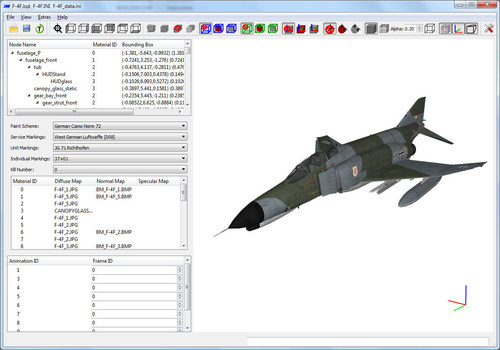
This is the newest version of the LODViewer.
New features:
-decal support
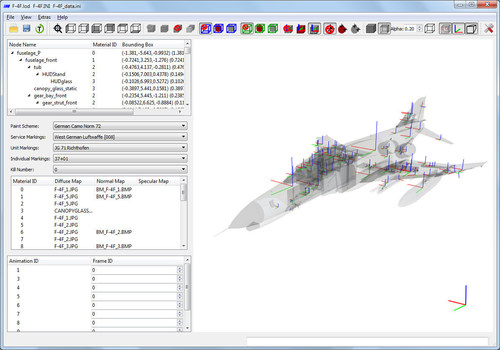
-display of collision and pivot points
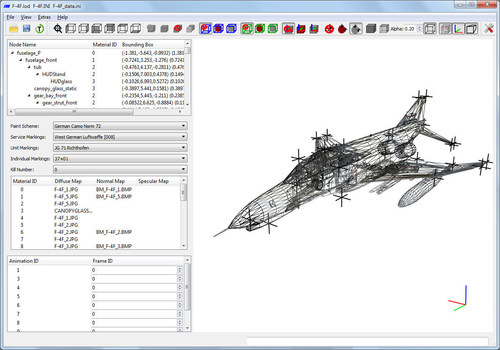
-added transparency and wireframe display mode
-user definable background color
-view manipulation via keyboard
-64 bit application
-uses the OpenSceneGraph library and Qt 5.9.5
Install instructions:
Extract the content of the zip package to a convenient location.
The LODViewer depends on the Microsoft Visual Studio 2017 C++ libraries. If not already installed on the computer (e.g. by other applications) it has to be installed by running vcredist_x64.exe (you can find it in the redist subfolder of this package).
Have fun! And report bugs 
Update 29.03.2025: I think it's best for the community if my tools are freely downloadable for everyone. External download link: https://www.dropbox.com/scl/fi/a4ah52r9gb2cm3rwhi3iz/LODViewer-0.6.3.zip?rlkey=e1l9jlvagiroyoc88xy5jahr3&st=si329dc9&dl=0
Mue
What's New in Version 0.6.3
Released
Version 0.6.3
-bugfix: selection of nodes without material crashed the program
Version 0.6.2
-corrected reading of ANSI files with non-ASCII characters
-caseinsensitive handling of node names (e.g. for showing collision, pivot points or bounding boxes of selected nodes)
-disabled mip maps. I hope this resolves the performance issues with hires (4K and above) textures. If not you can use the new option Settings->Display->"Limit Texture Resolution" to limit the (internal) texture resolution.
Version 0.6.1
-added decal texture file loading fallback: If numbered texture file is not found, it’ll then look for unnumbered file.
-added option for using vertex buffer objects (Extra->Settings->Display->Use Vertex Buffer Objects)
Maybe "Use Vertex Buffer Objects" helps with the performance problem some users have experienced with Version 0.6.0.
Beware! Enabling this option while simultaneously "Write OSG log file" is enabled, writes A LOT to osg_logfile.txt.
-bugfix: "Write Info File" didn't work in Version 0.6.0
-bugfix: Couldn't save UV Mapping as jpg file






Recommended Comments
Use the "Get support for this file" button under the download button above to discuss file support related issues. This comment area is used for ratings comments.
Create an account or sign in to comment
You need to be a member in order to leave a comment
Create an account
Sign up for a new account in our community. It's easy!
Register a new accountSign in
Already have an account? Sign in here.
Sign In Now