ravenclaw_007
-
Posts
4,305 -
Joined
-
Last visited
-
Days Won
322
Content Type
Profiles
Forums
Gallery
Downloads
Store
Everything posted by ravenclaw_007
-

F-4E_79_Pave_Spike cockpit
ravenclaw_007 replied to ravenclaw_007's topic in Mods & Skinning Discussion
need some help i´m working on the F-4E ARN-101 cockpits , the late ARN-101 cockpits have this Auxiliary Digital Display Indicator , i try to get it working for the ETE GS mode the GS is working and showing the ground speed in knots. , the ETE ( Estimated Time Enroute ) is showing the time from waypoint to waypoint but it is not showing it correctly , 1 minute should have 60 seconds and not 100 seconds , any idea how i can fix this ??? or do i have to get used to 100 seconds per minute ??? [ETE_Display] Type=RANGE_INDICATOR CounterNodeFormat=ETE_Dig%d MovementType=DIGITAL_DISPLAY ValueUnit=MINUTES Scale=0.1 [GS_Display] Type=GROUND_SPEED_INDICATOR CounterNodeFormat=GS_dig%d MovementType=DIGITAL_DISPLAY ValueUnit=KNOTS 4 minutes 92 seconds to waypoint with a ground speed of 349 knots any ideas or help is more than welcome , it would be so cool if i get this working correctly
-
F-4E_79_Pave_Spike cockpit
ravenclaw_007 replied to ravenclaw_007's topic in Mods & Skinning Discussion
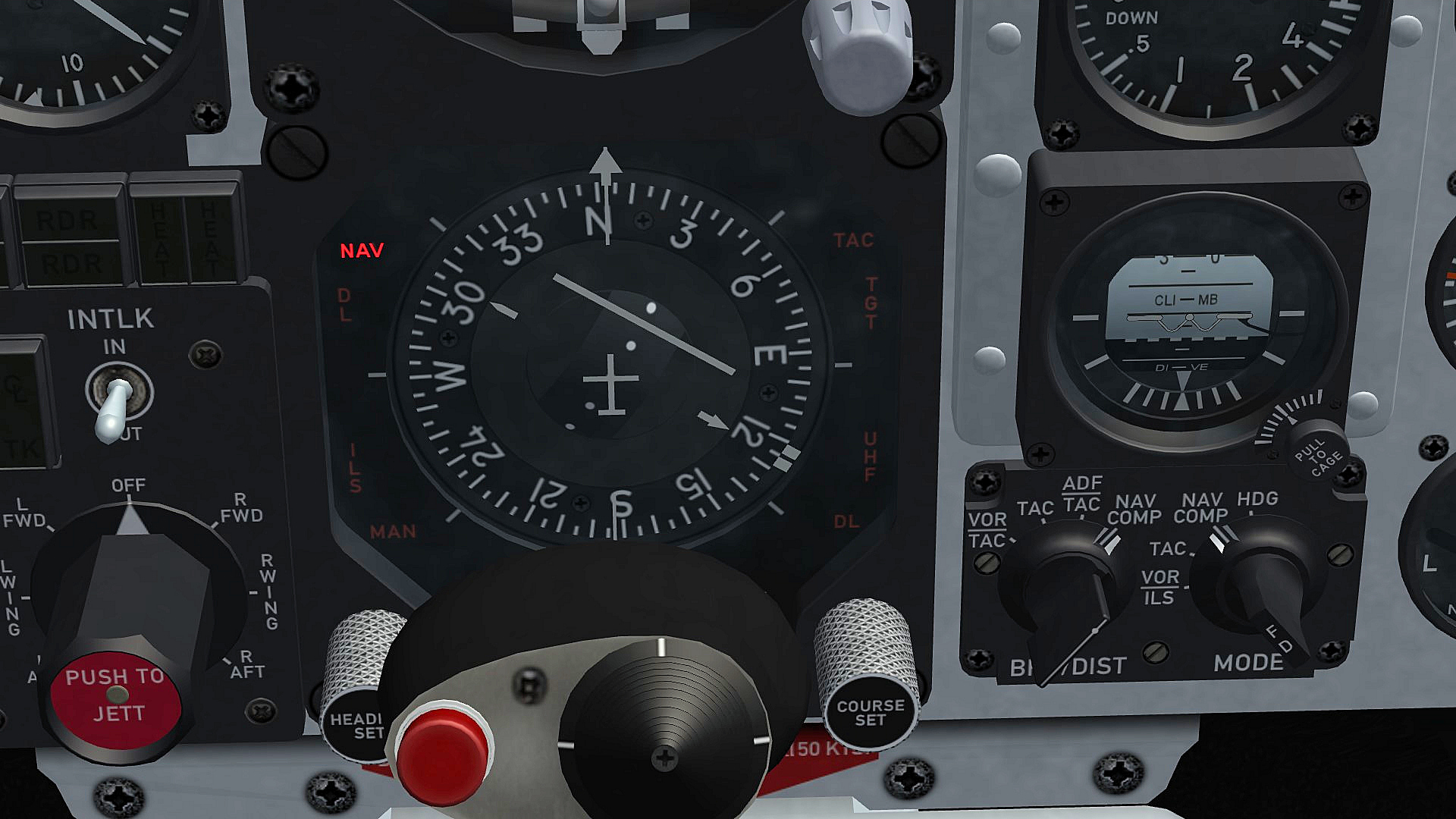
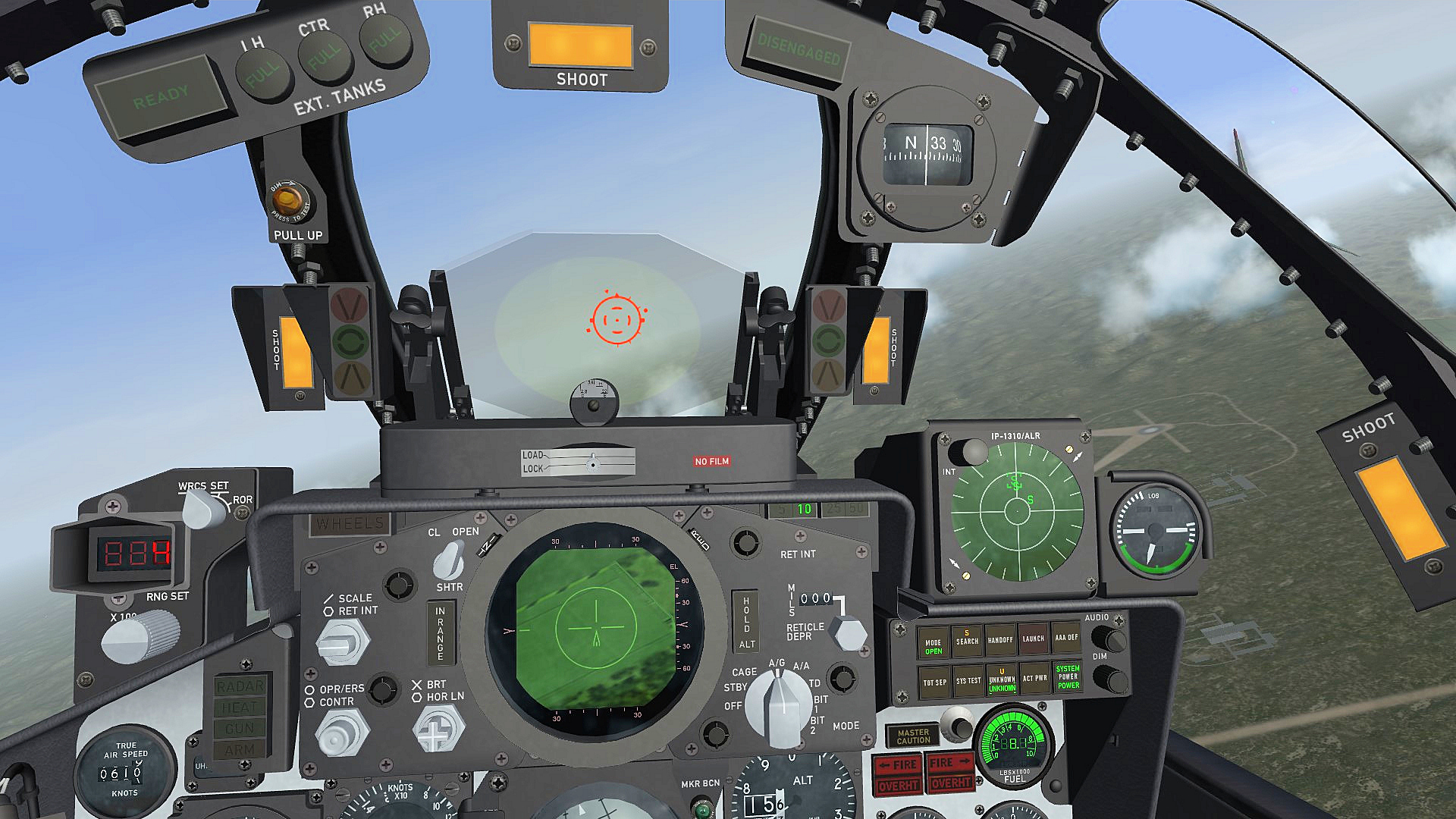
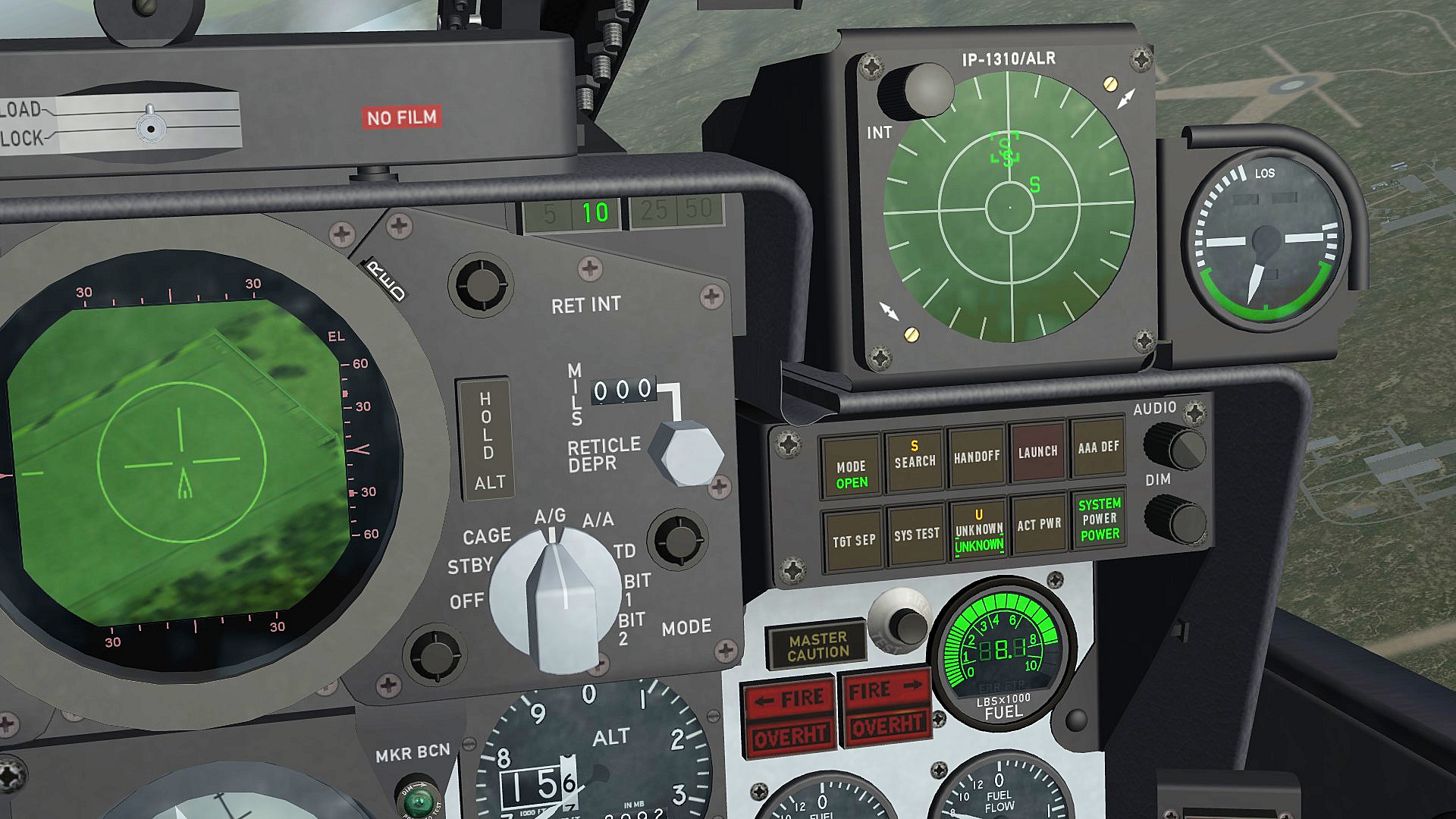
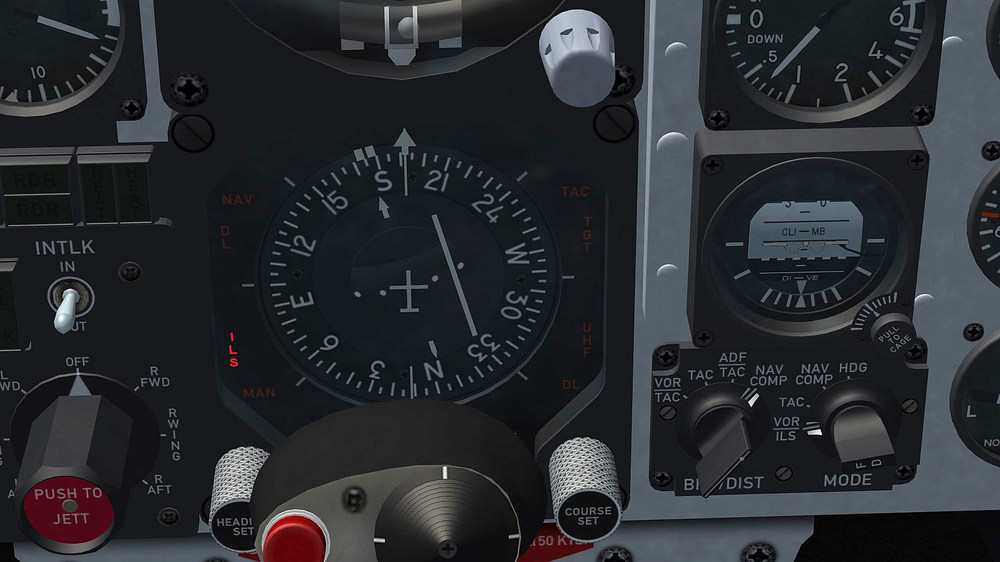
just added a little extra to the HSI , there are now 2 lights the NAV and ILS lights , NAV light is on during normal flight if you going to land the ILS light go´s on and the NAV light go´s off on the NAV function selection panel the BEARING/DISTANCE selector knob and the MODE selector knob is on the NAV COMP position , at landing the MODE selector knob is switching form NAV COMP to VOR/ILS the F-4E_79_PaveSpike cockpit has now 229 functions/lights/animations , the original F-4E_78 TW cockpit has 100 , will see if i can add something more let me know if you like the NAV - ILS idea or if i should remove it i try to get as much as possible in that cockpit to work some how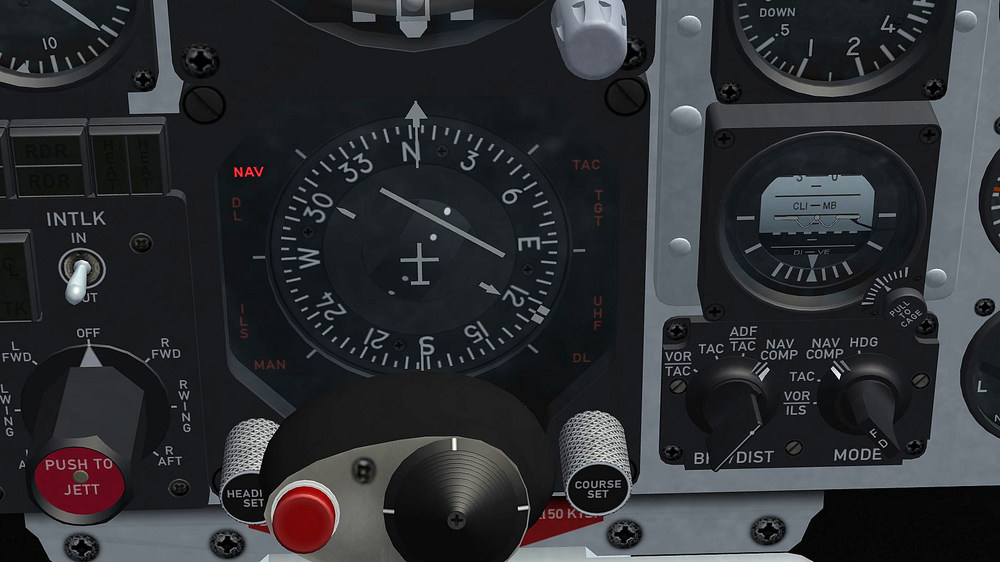
- 45 replies
-
- 10
-

-

-
F-4E_79_Pave_Spike cockpit
ravenclaw_007 replied to ravenclaw_007's topic in Mods & Skinning Discussion
Thank You yap it works , sometimes it is better to get some help i solved the Shoot light as well they are now only on with air to air weapons Thank You again -
F-4E_79_Pave_Spike cockpit
ravenclaw_007 replied to ravenclaw_007's topic in Mods & Skinning Discussion
it is not working , i send you a mail with the old F-4E_79_PaveSpike and the new cockpit so you can try it for your self -
F-4E_79_Pave_Spike cockpit
ravenclaw_007 replied to ravenclaw_007's topic in Mods & Skinning Discussion
nope , i think in the case of using the IR missile you are to close and you use the boresight mode to lock on but i still have an animation slot and cult make the shoot lights only to show up with air to air missiles by using the Weapont_Type_Selector function , this way everybody can select by them selves for what weapon they like to use the shoot lights , if they know how to edit the entry that is for ARM missiles the shoot light cult be very useful , this way you know that you have a radar in range and the weapon is locked on -
F-4E_79_Pave_Spike cockpit
ravenclaw_007 replied to ravenclaw_007's topic in Mods & Skinning Discussion
i´m using the WEAPON_SHOOT_CUE function for the shoot lights , as i mention above the game has its limits and not everything is possible there are 2 options for this Shoot Lights , the RADAR_IN_RANGE_INDICATOR function and WEAPON_SHOOT_CUE function , the first one works only for radar guided missiles the second for all weapons , so far i have not found any way to limit the WEAPON_SHOOT_CUE function to only work with air to air weapons , i wish i cult , the reason i´m using this particular function is that it works with IR guided and radar guided missiles like it should when the game was developed this kind of cockpits was not even considered , i´m trying to get this cockpits to work with the few functions the game gives me and i'm not perfect either , i´m still learning every day something new about this game -
F-4E_79_Pave_Spike cockpit
ravenclaw_007 replied to ravenclaw_007's topic in Mods & Skinning Discussion
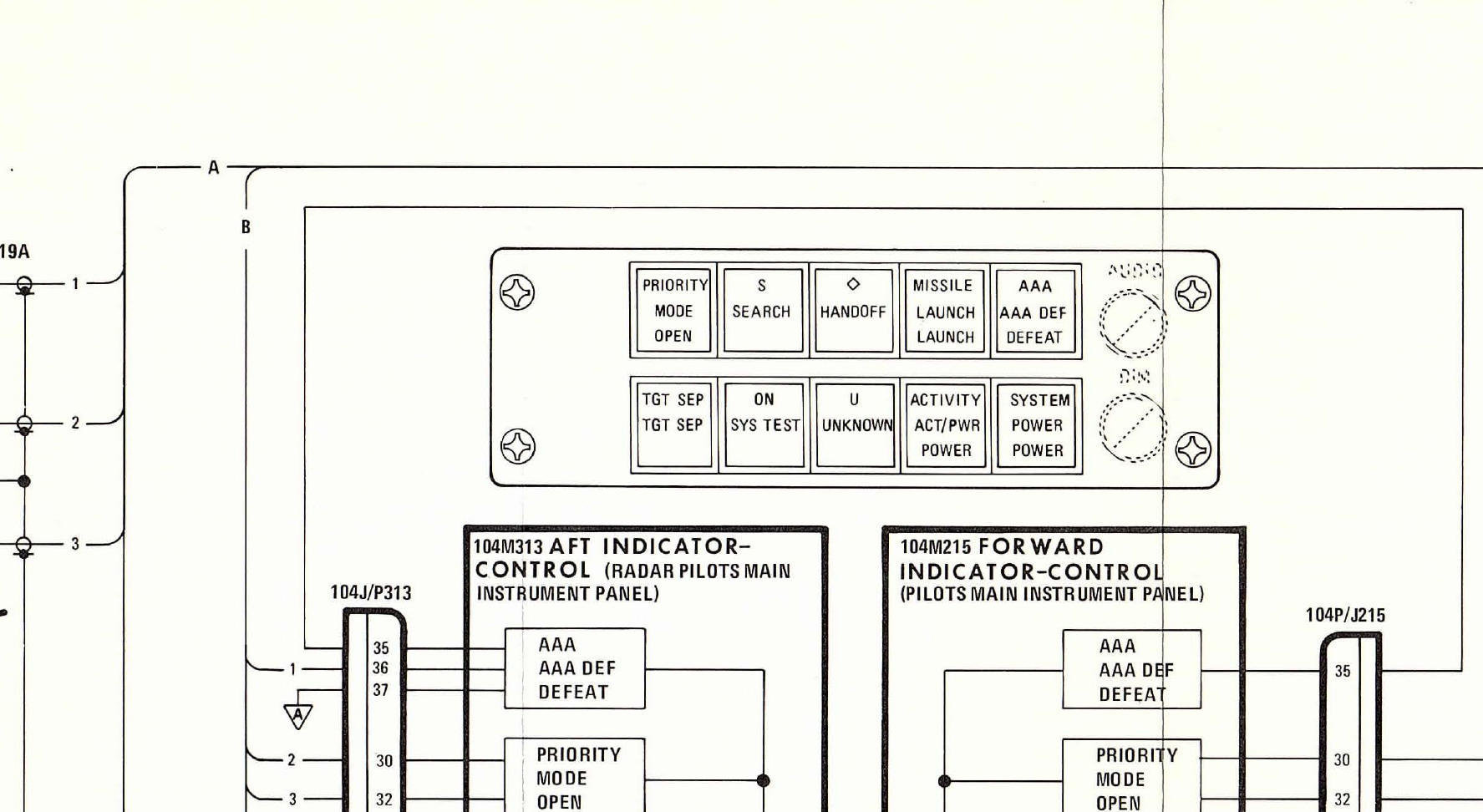
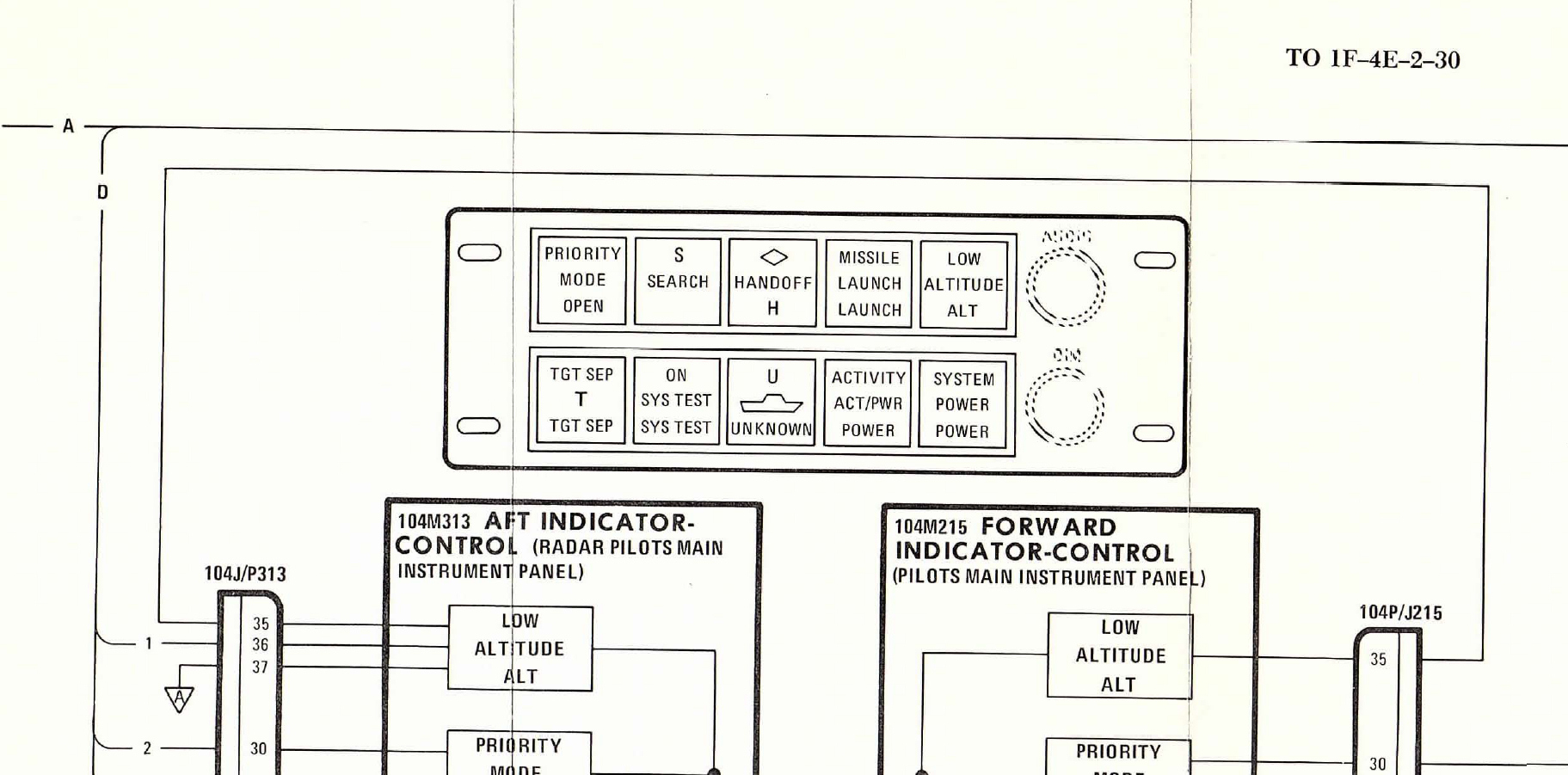
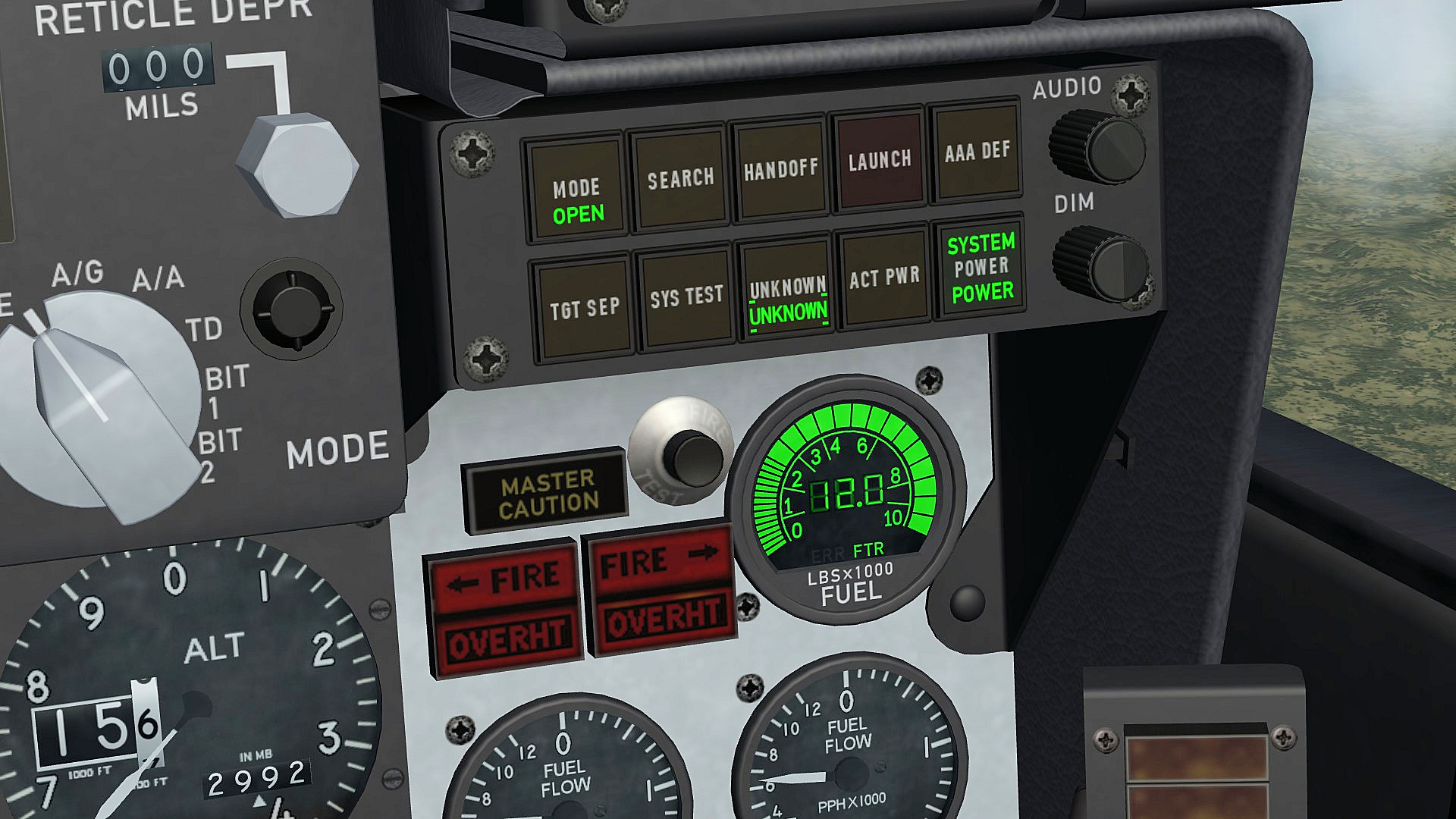
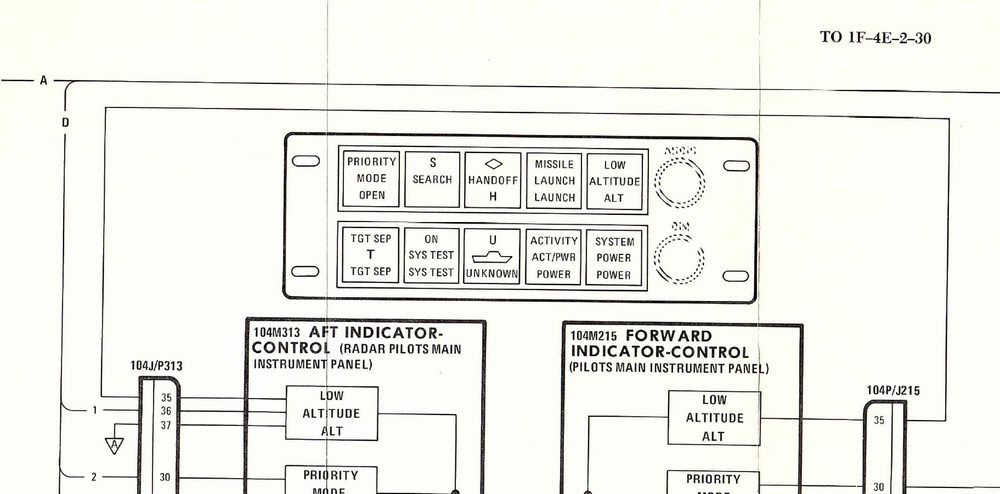
thanks i will use this one hear and remove the green UNKNOWN light for the F-4E_79 cockpit , it is from the TO 1F-4E-2-30 and this one i will use for the F-4E_84 and F-4E_86 cockpits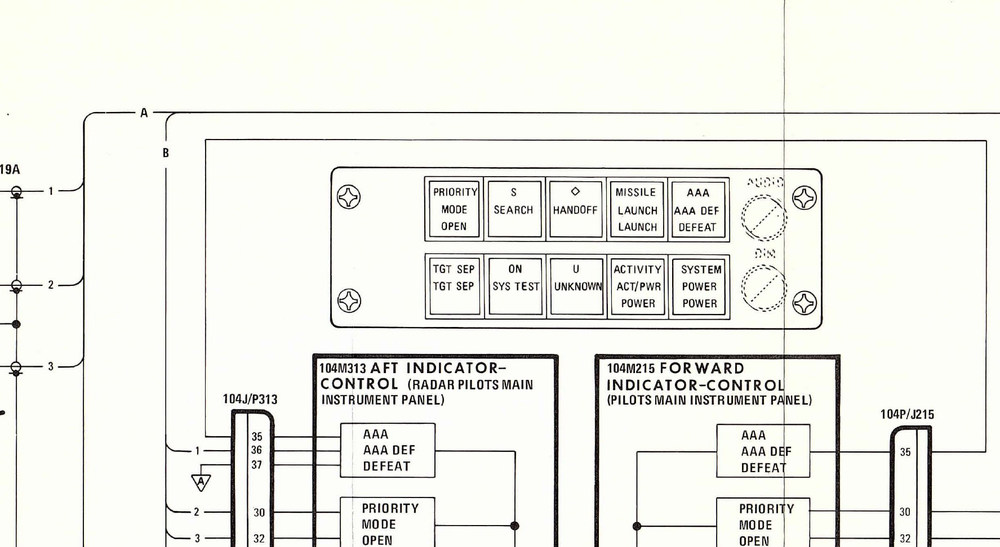
-
F-4E_79_Pave_Spike cockpit
ravenclaw_007 replied to ravenclaw_007's topic in Mods & Skinning Discussion
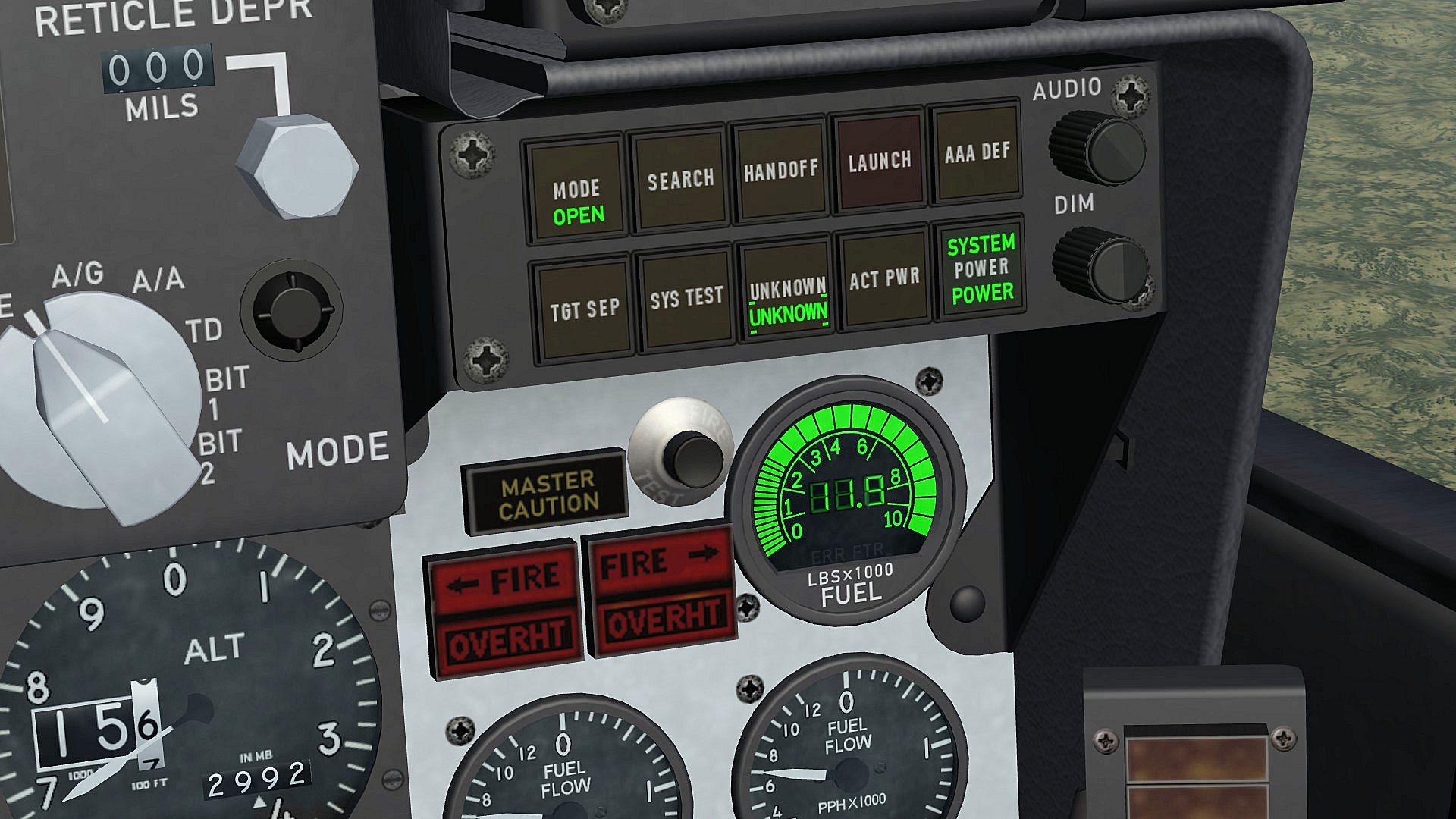
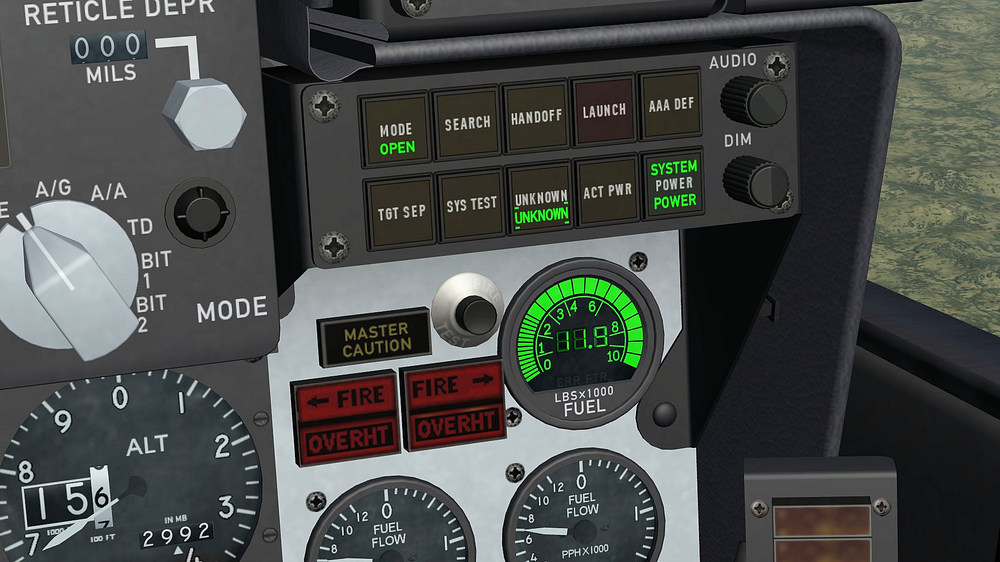
i added an other light to the digital fuel indicator , there are 2 lights on the bottom the first is ERR the second FTR , i assume that FTR stands for fuel transfer , since the game emptys first the drop tanks i added the FTR light to the indicator , the light gos off when the drop tanks are empty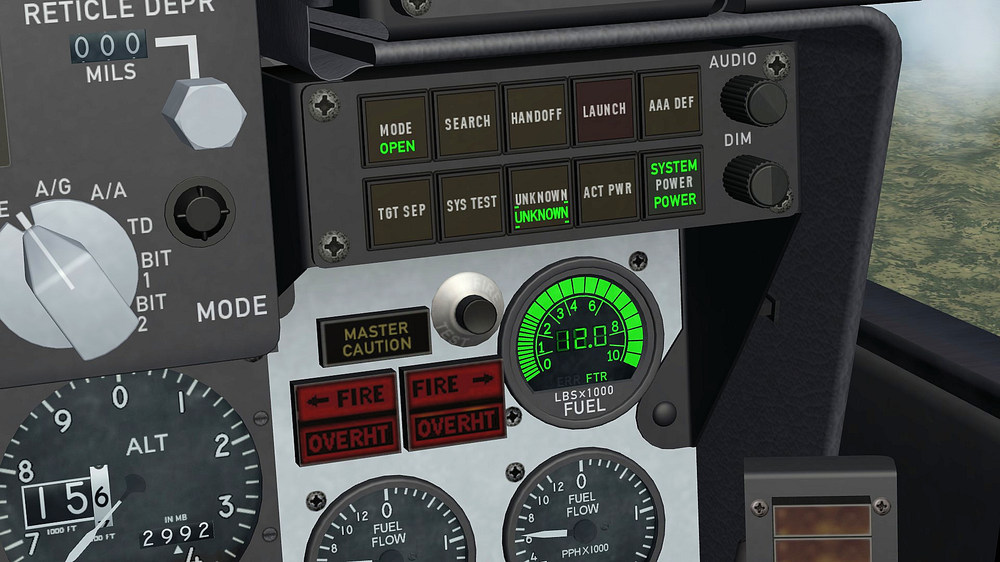
-
F-4E_79_Pave_Spike cockpit
ravenclaw_007 replied to ravenclaw_007's topic in Mods & Skinning Discussion
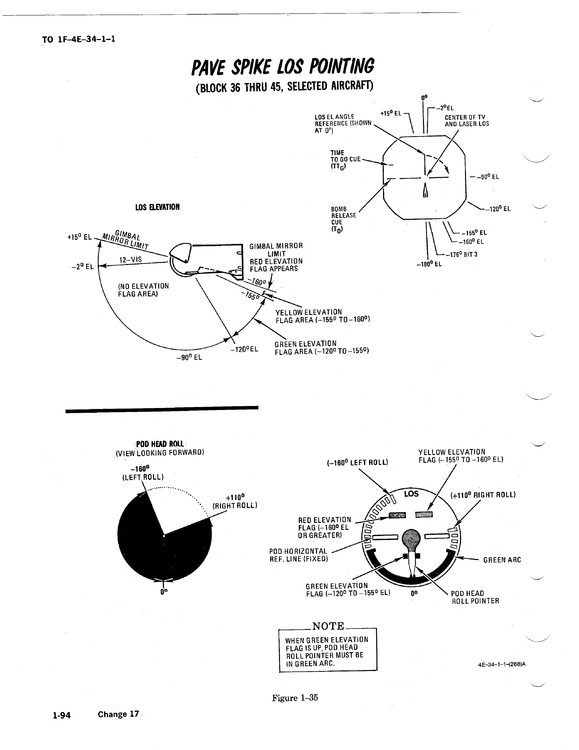
if you like to try be my guest , i have played with the entries and i did not get the result i wanted , i even changed the zero possition from the needle one thing i found out is that the minus value gets the needle moving to the right and a positive value gets it moving to the left , you cant change that [LOS_Indicator] Type=ROLL_INDICATOR NodeName=Needle_LOS MovementType=ROTATION_Y ValueUnit=DEG Set[01].Position=-100.0 Set[01].Value=-100.0 Set[02].Position=0.0 Set[02].Value=0.0 Set[03].Position=160.0 Set[03].Value=160.0 the minus value has to be called first than the zero position and than the positive value , if you reverse it the needle will not move anymore within the limits i also rotated the pivot point of the needle by 180° , no change -
F-4E_79_Pave_Spike cockpit
ravenclaw_007 replied to ravenclaw_007's topic in Mods & Skinning Discussion
hahaha.... i wish i could do that , i try the WAY_CMD_YAW and the ROLL_INDICATOR and with both it moves in that direction , i was playing with the entries but no possitive result so far the game has its limits and i´m trying to push this limits as far as possible but sometimes i have to surrender to the game engine , i´m happy that i got the needle working some how -
F-4E_79_Pave_Spike cockpit
ravenclaw_007 replied to ravenclaw_007's topic in Mods & Skinning Discussion
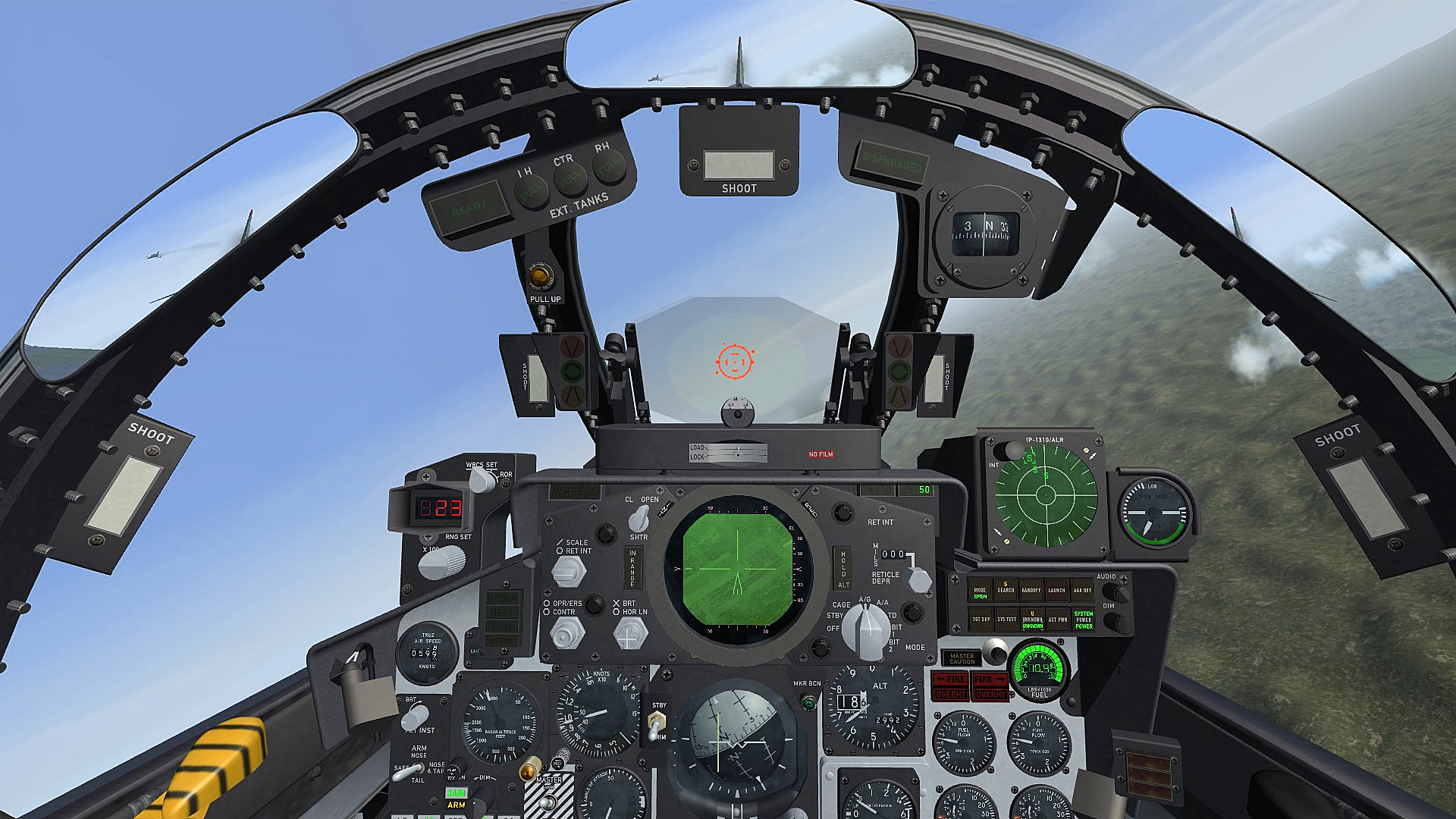
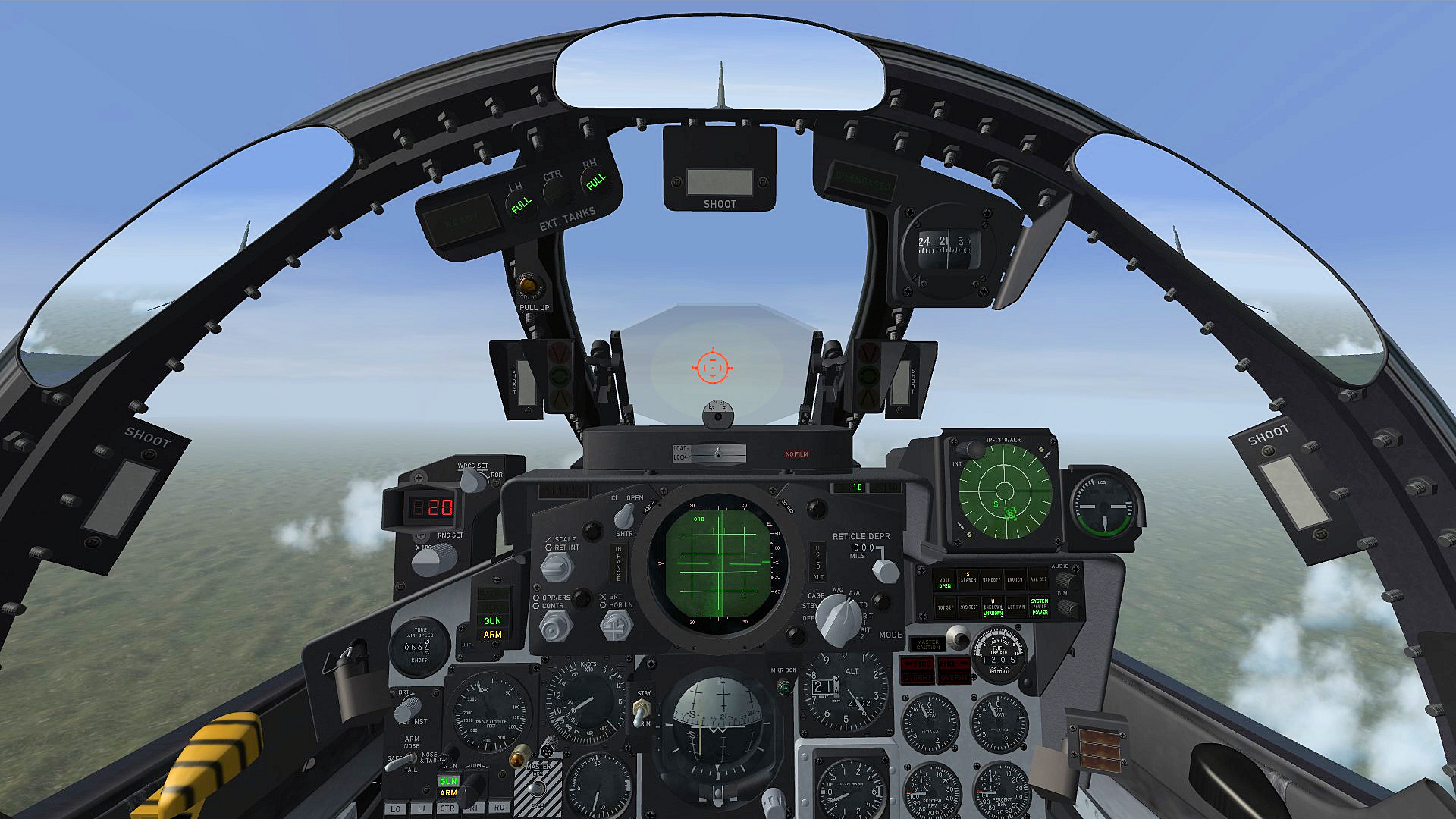
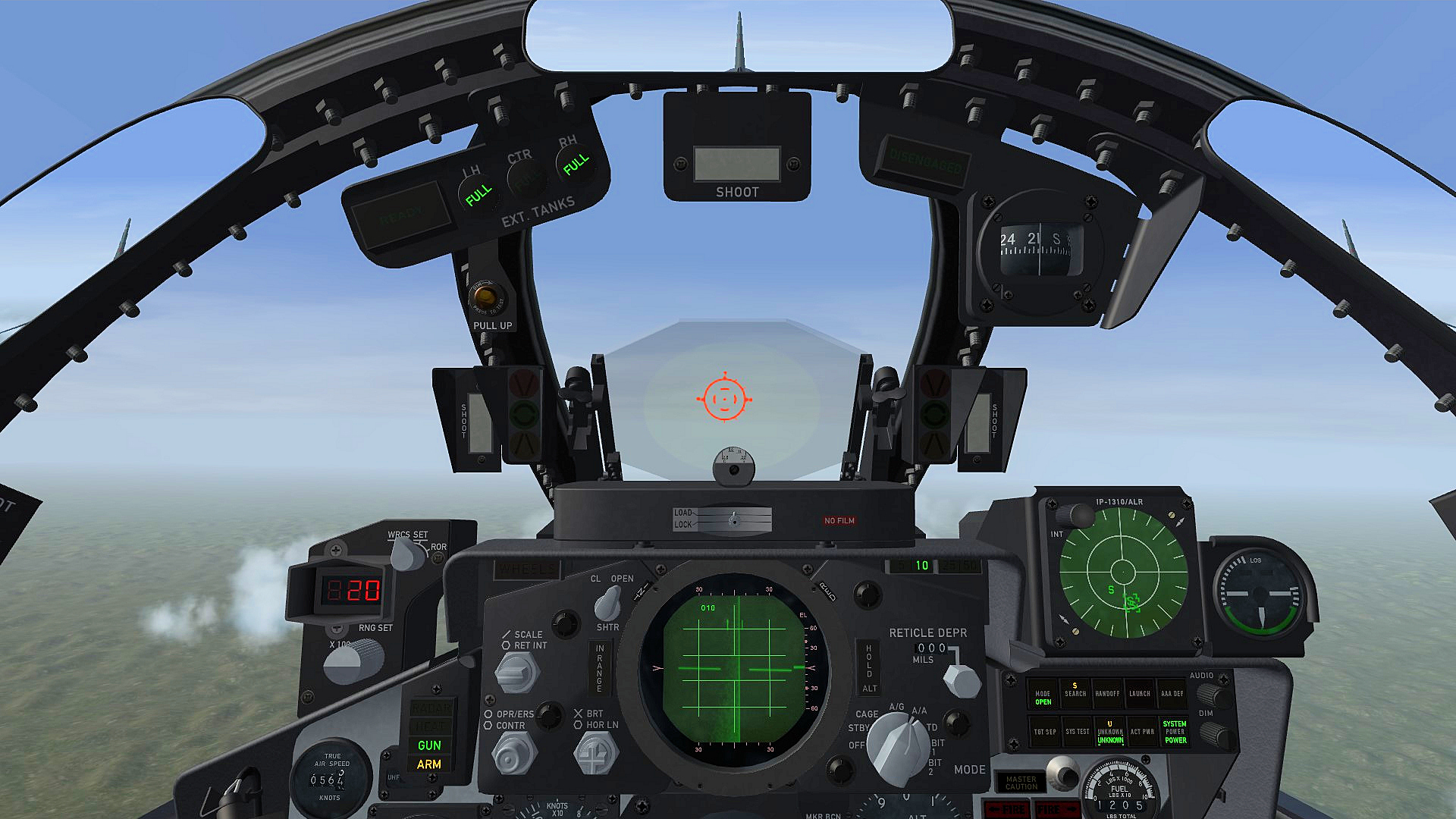
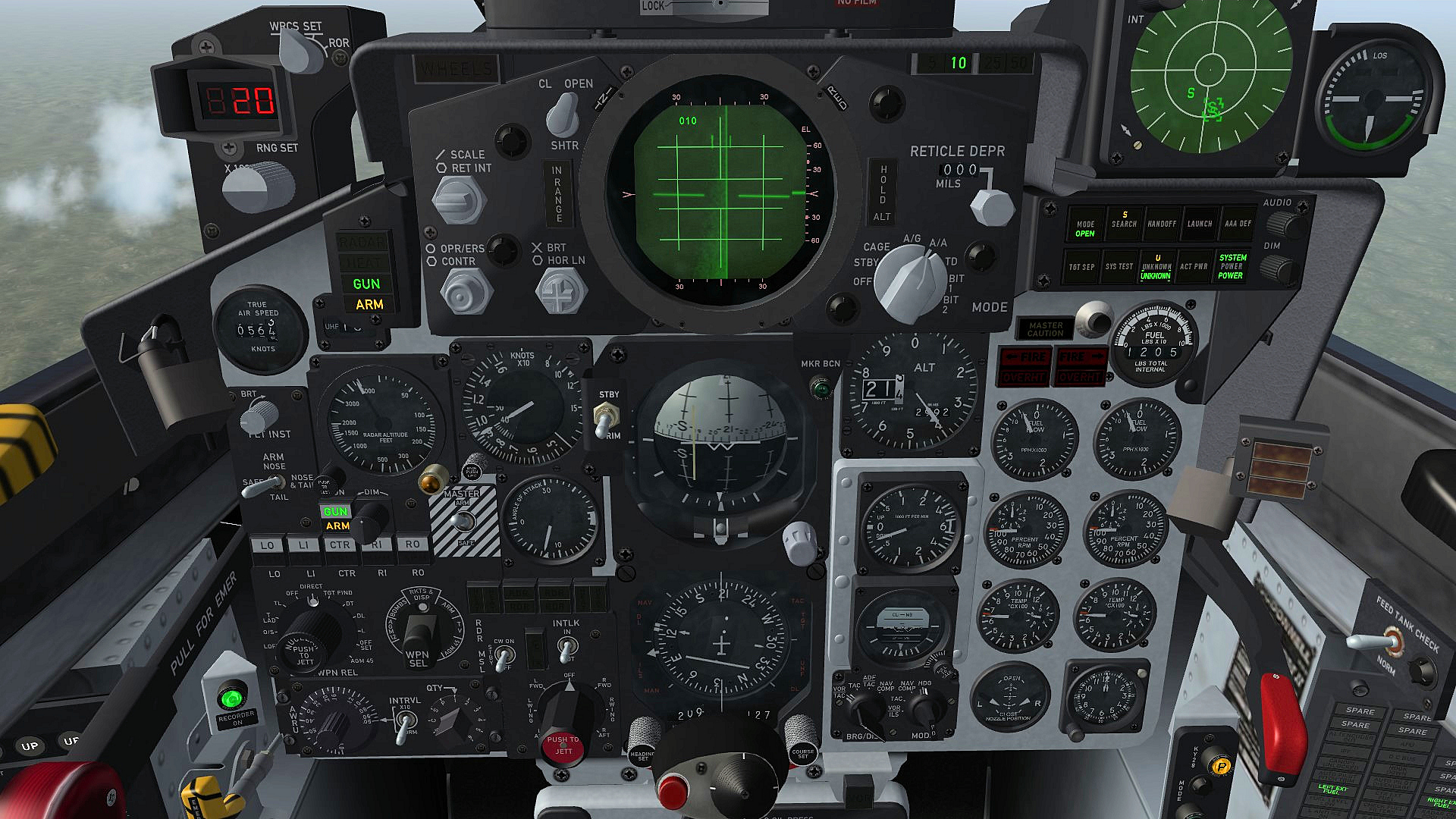
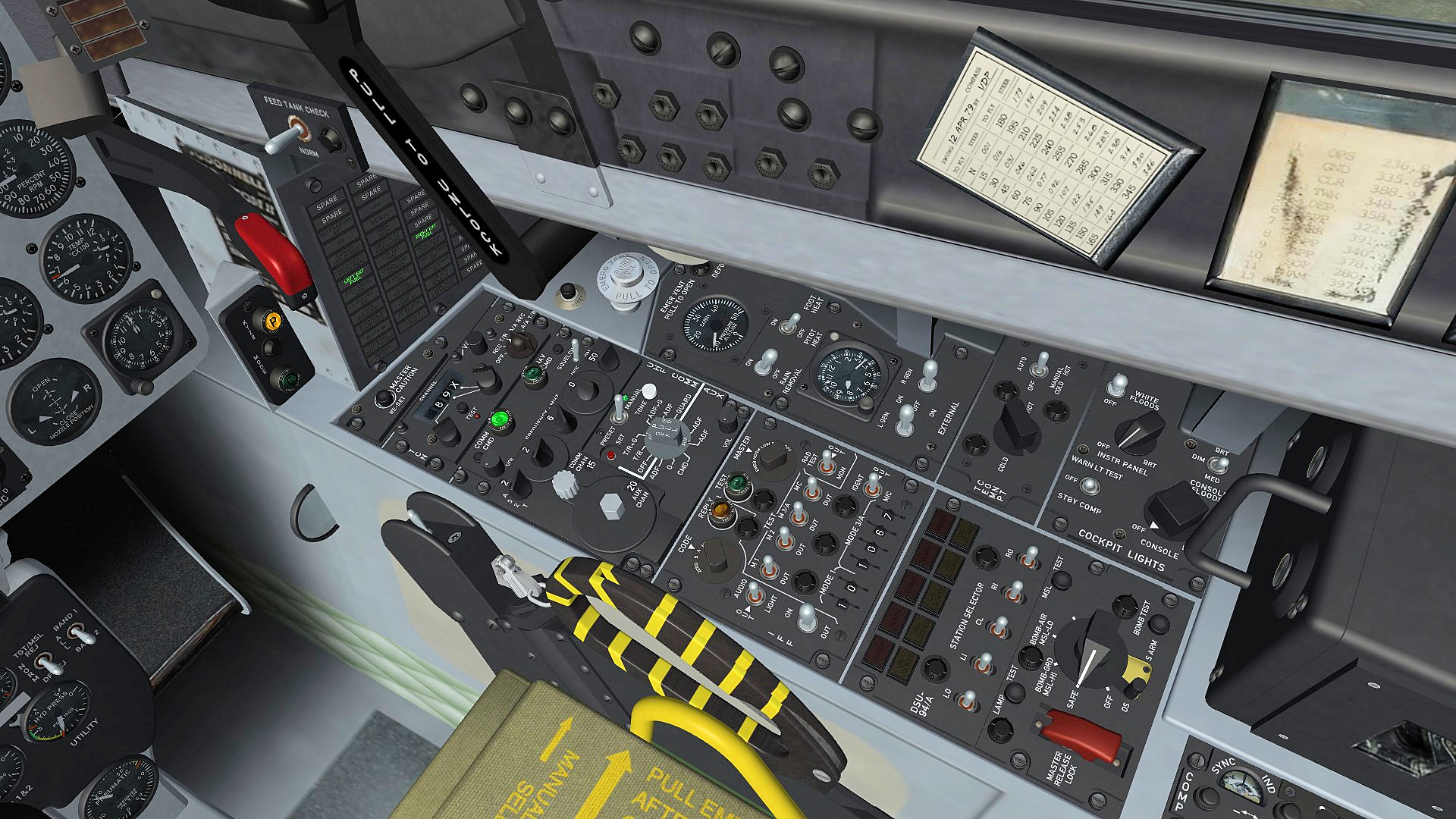
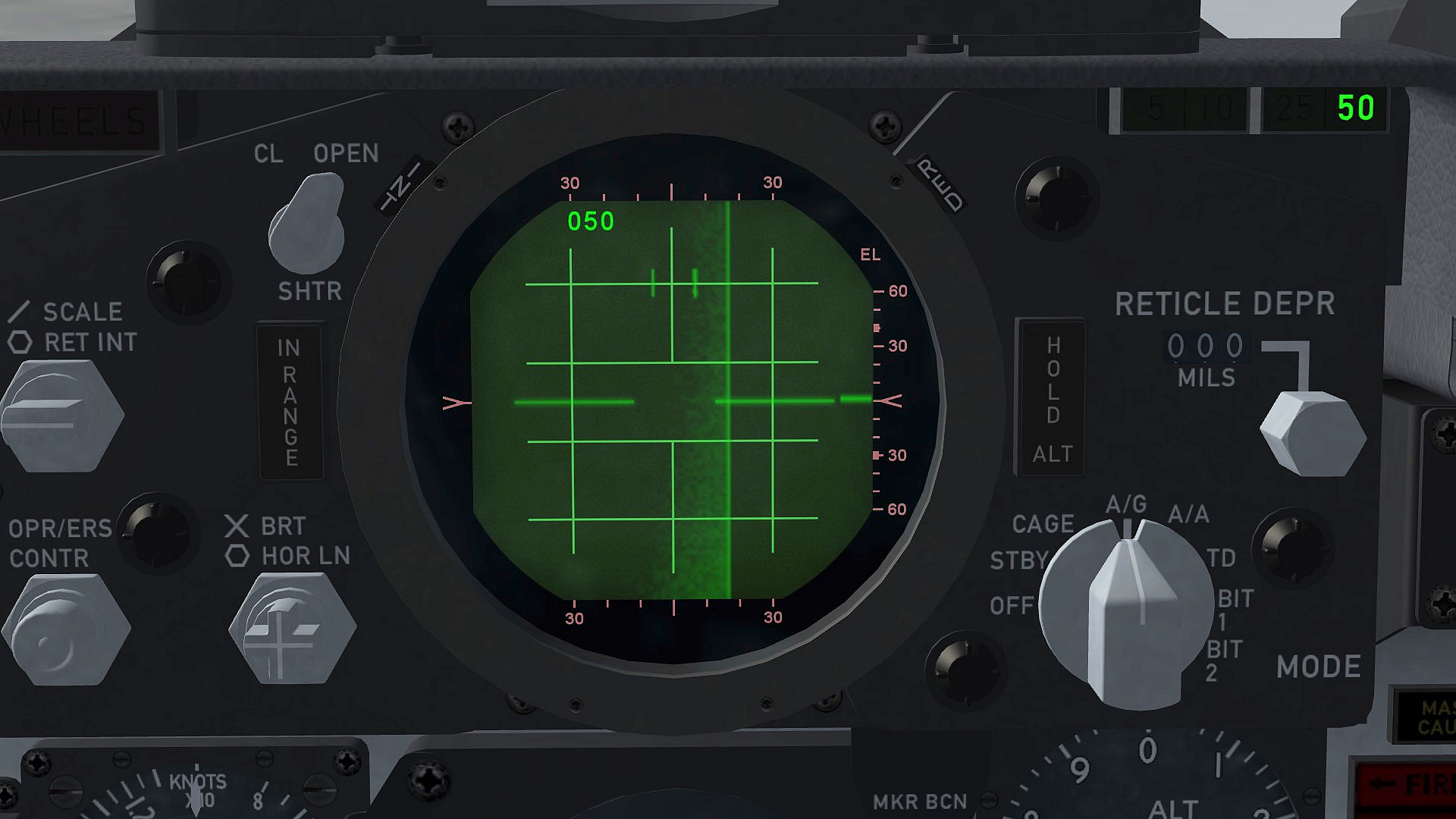
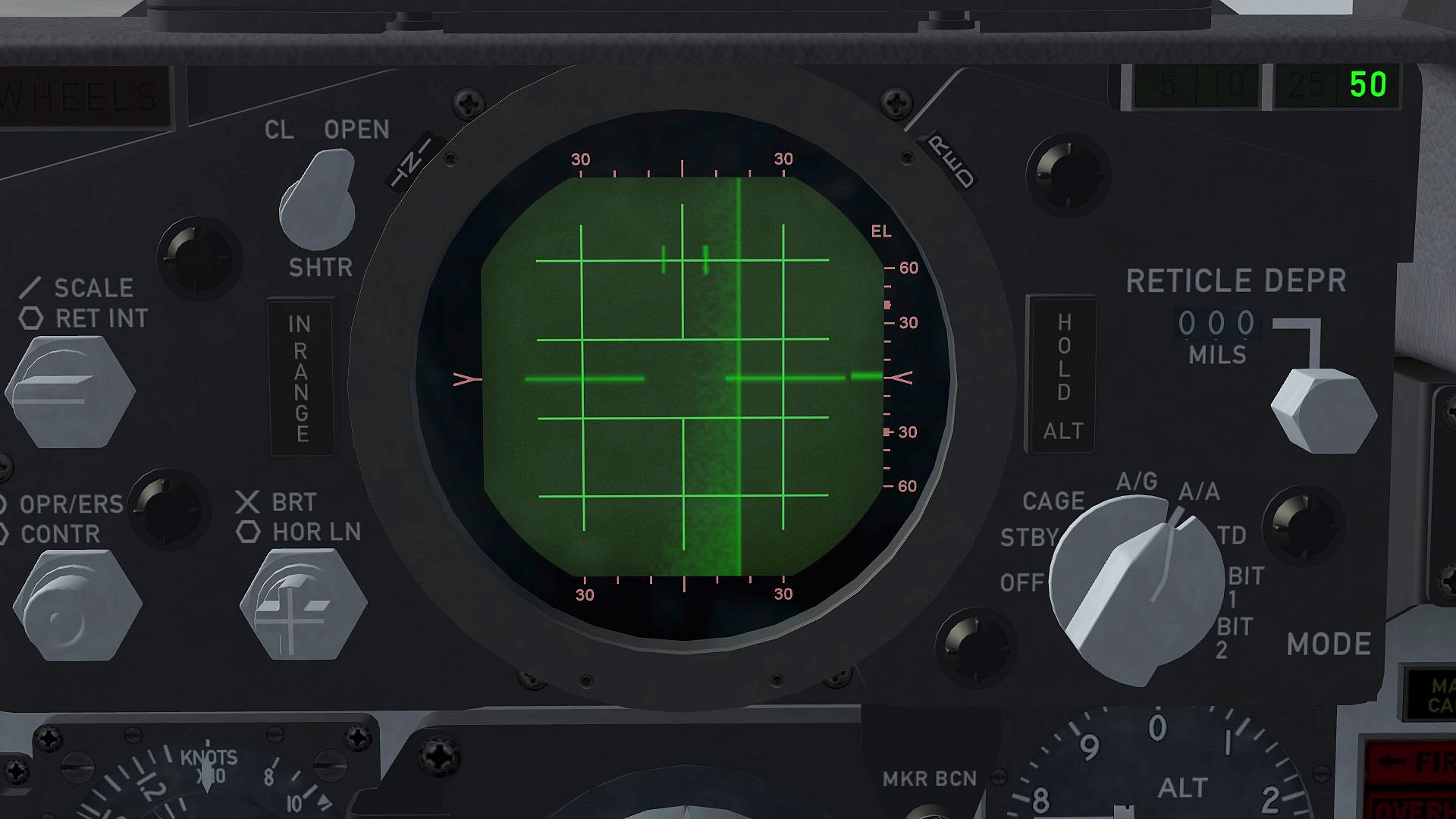
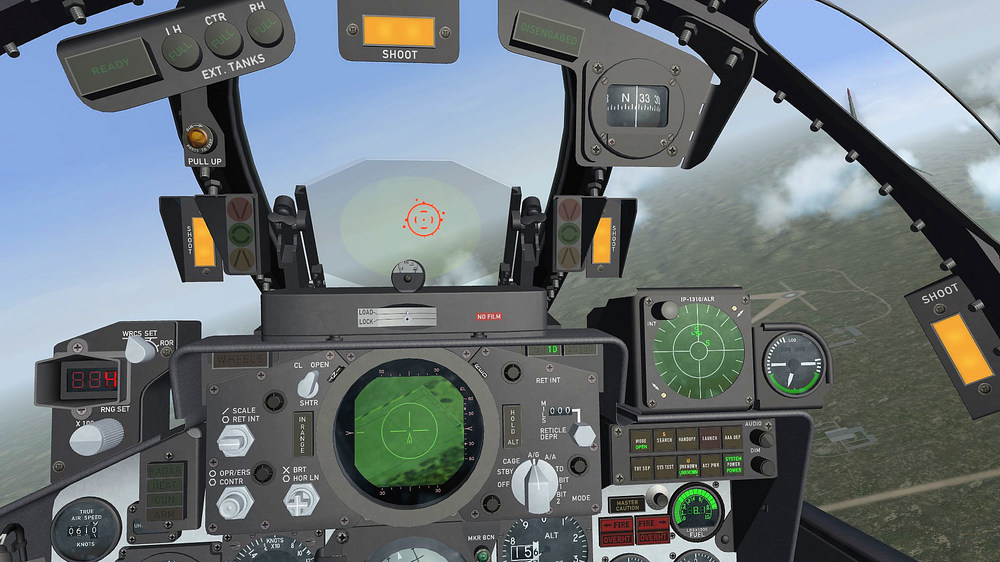
F-4E_86_Pave_Spike cockpit with digital fuel counter , everything else is like on the F-4E_84_Pave_Spike cockpit target in sight LGB in weapons range , shoot light illuminates gigital fuel indicator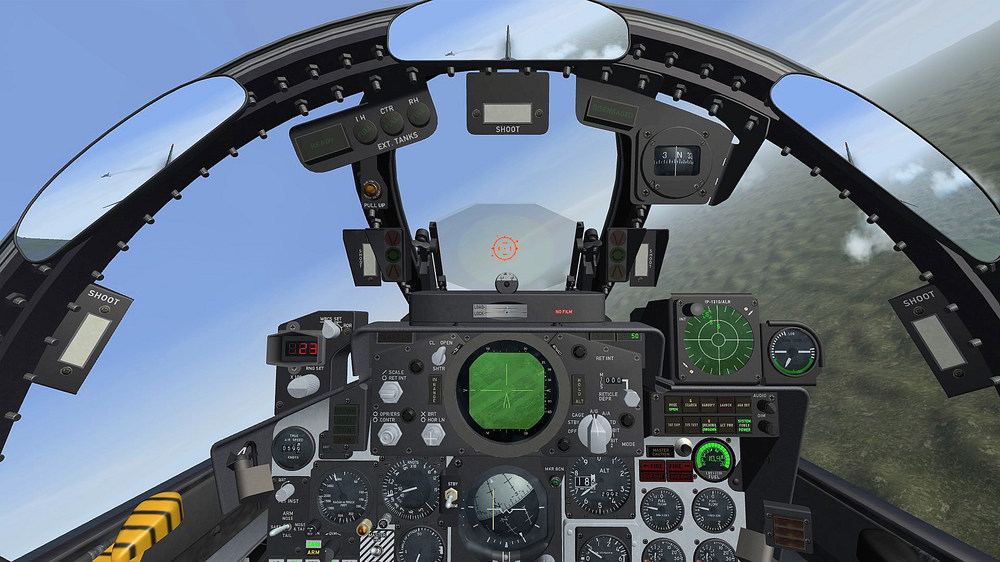
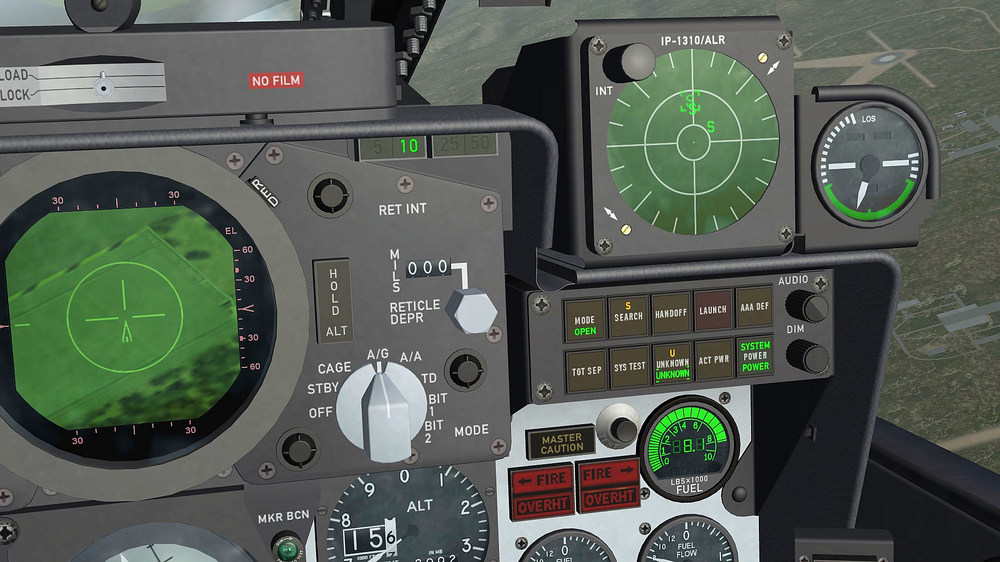
-
F-4E_79_Pave_Spike cockpit
ravenclaw_007 replied to ravenclaw_007's topic in Mods & Skinning Discussion
F-4E_84_Pave_Spike cockpit , the F-4E_86_Pave_Spike cockpit will be next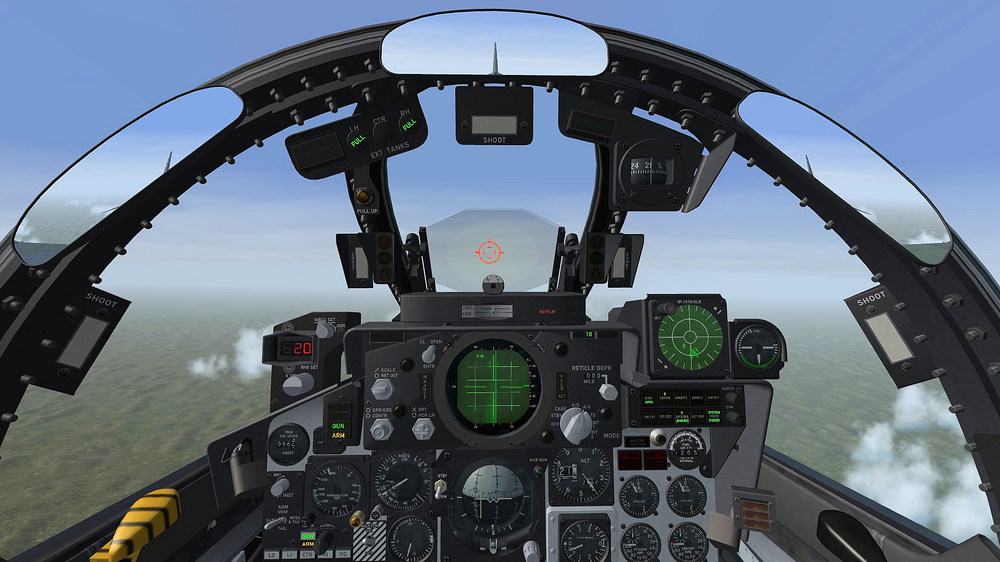
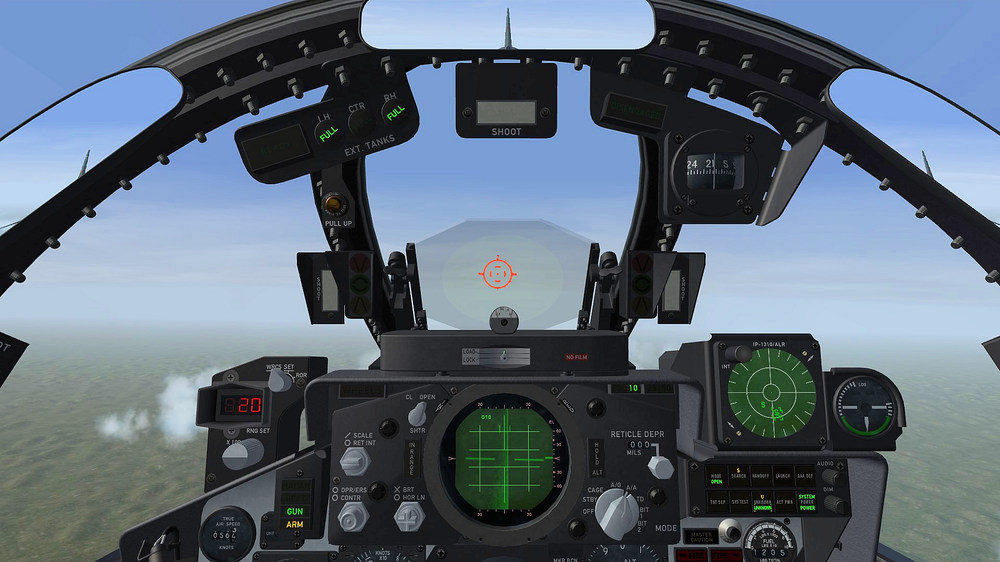
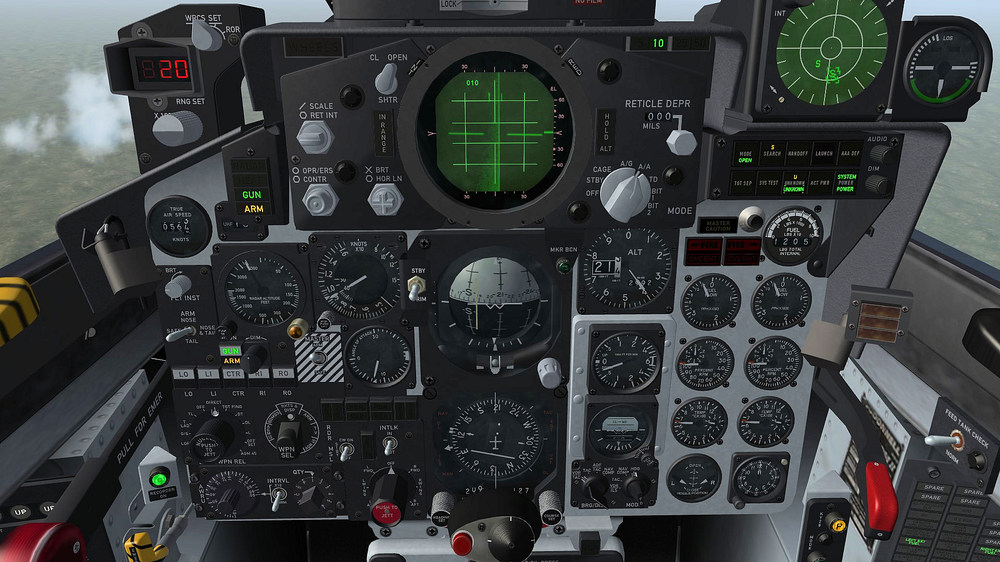
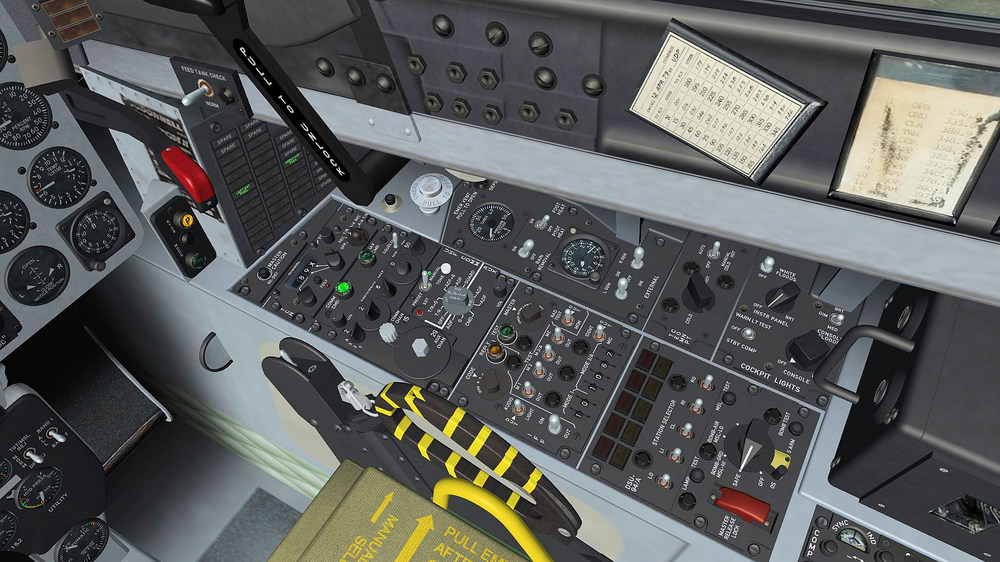
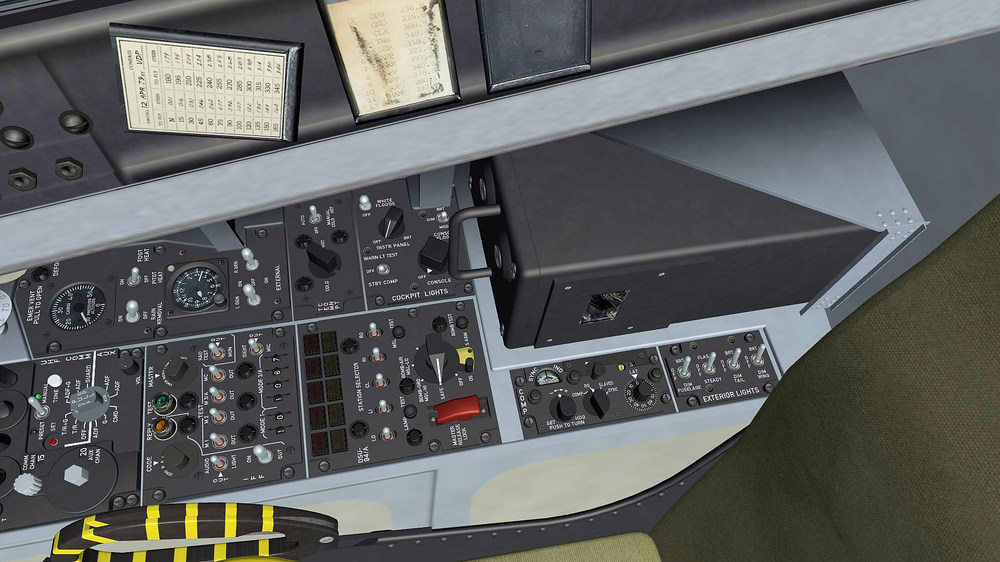
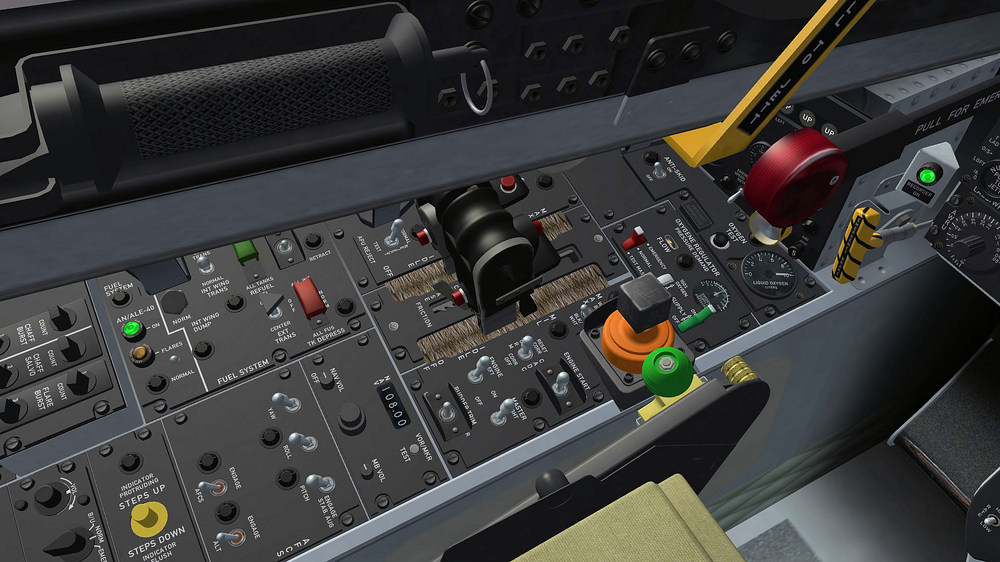
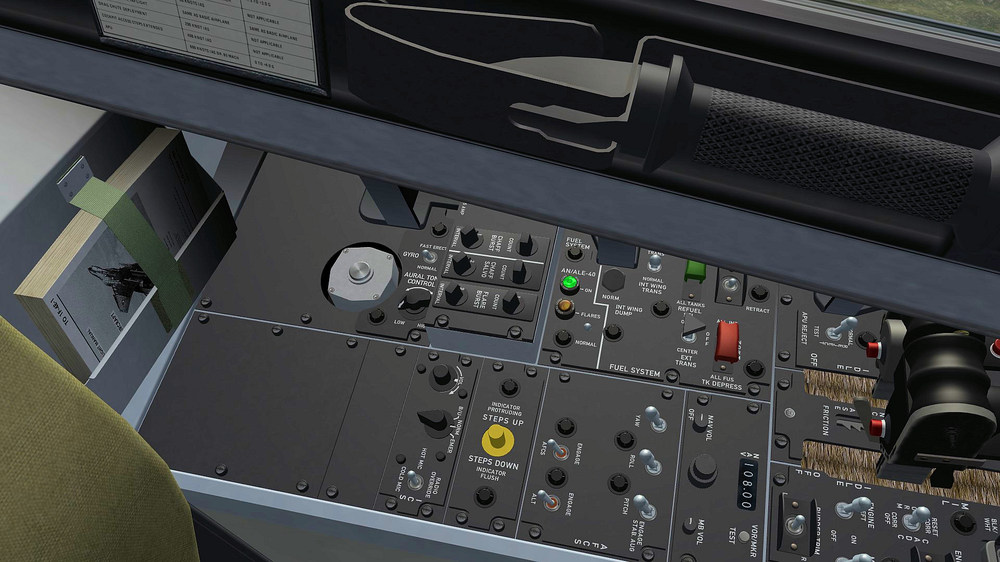
-
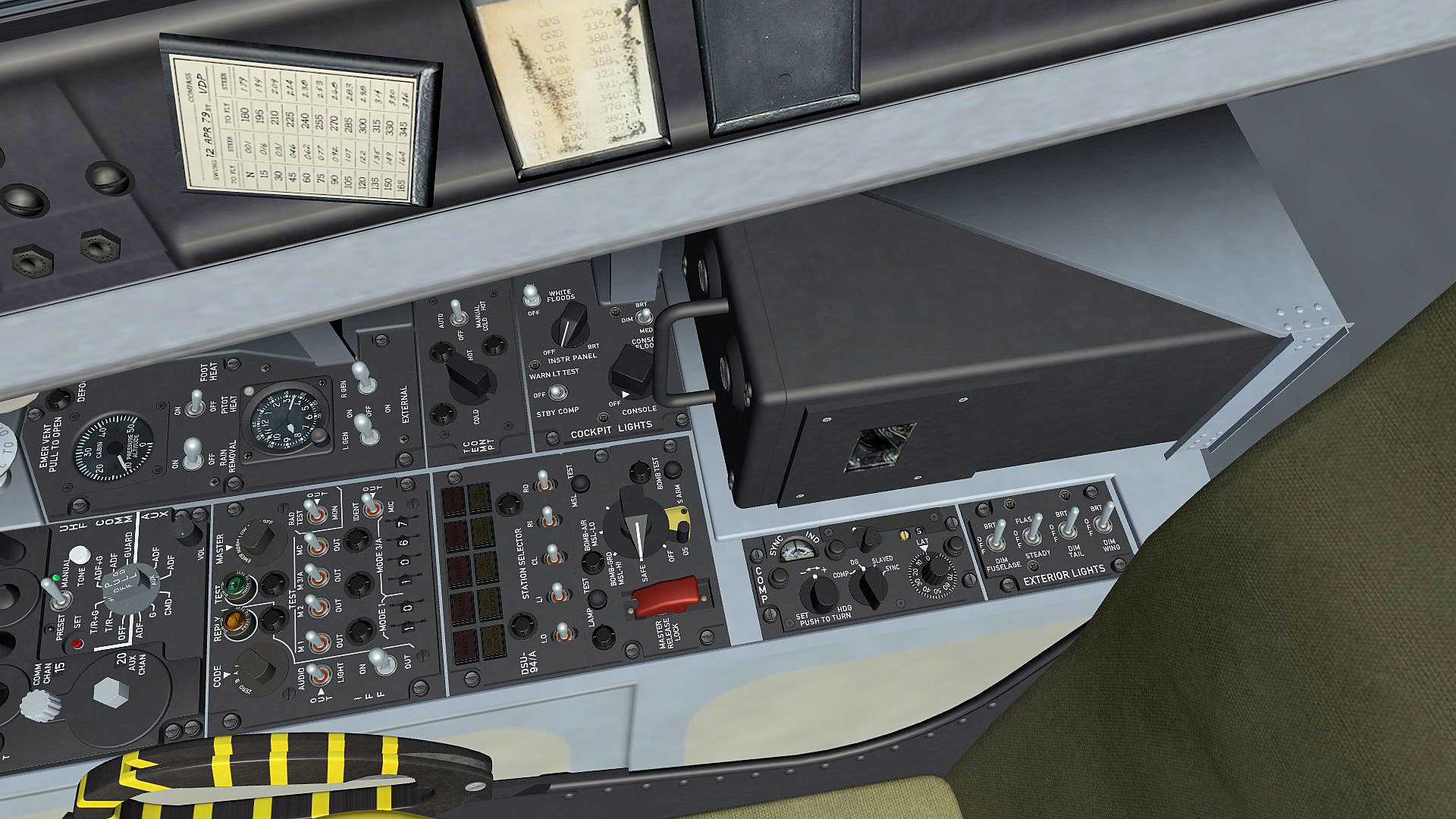
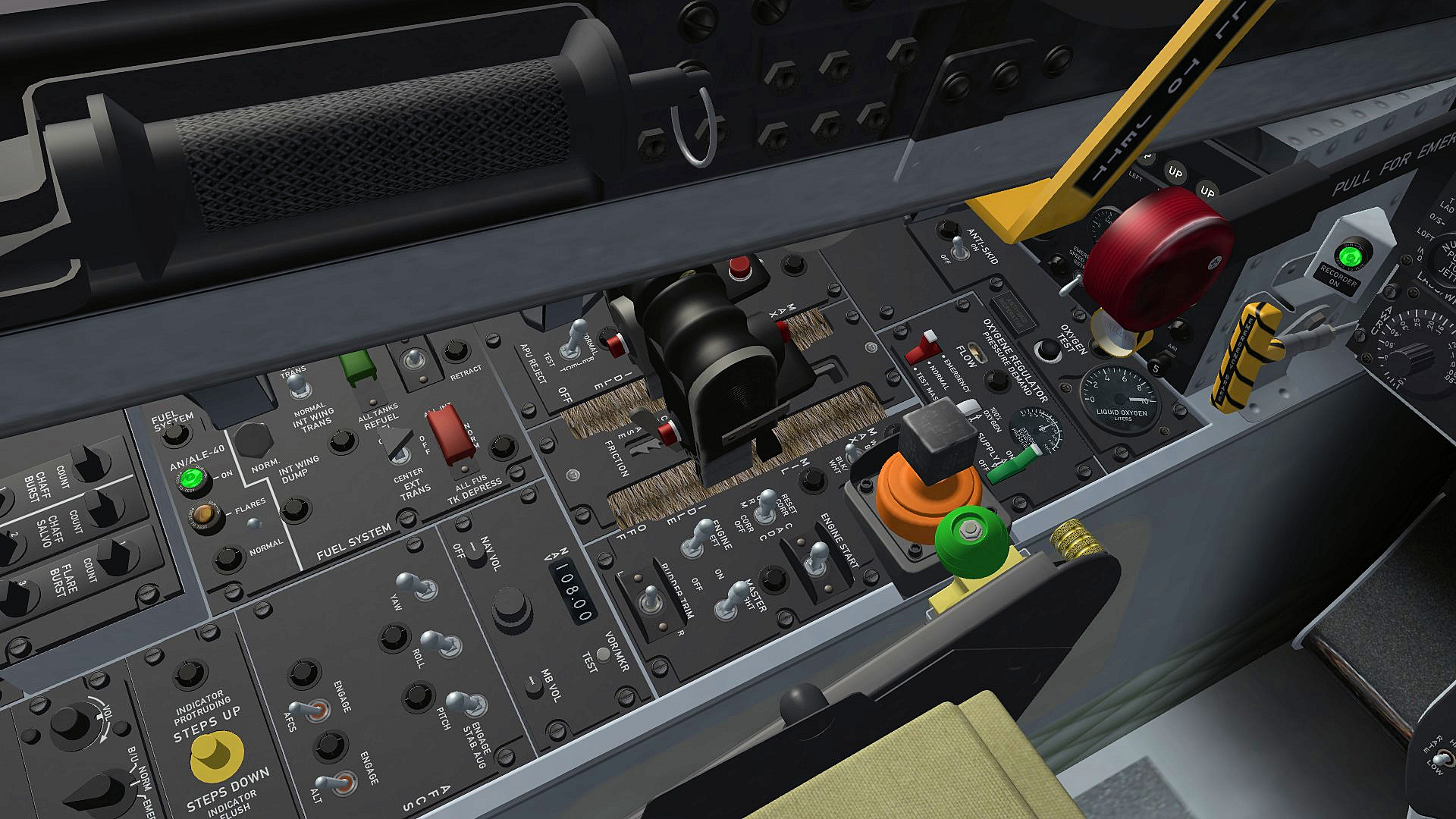
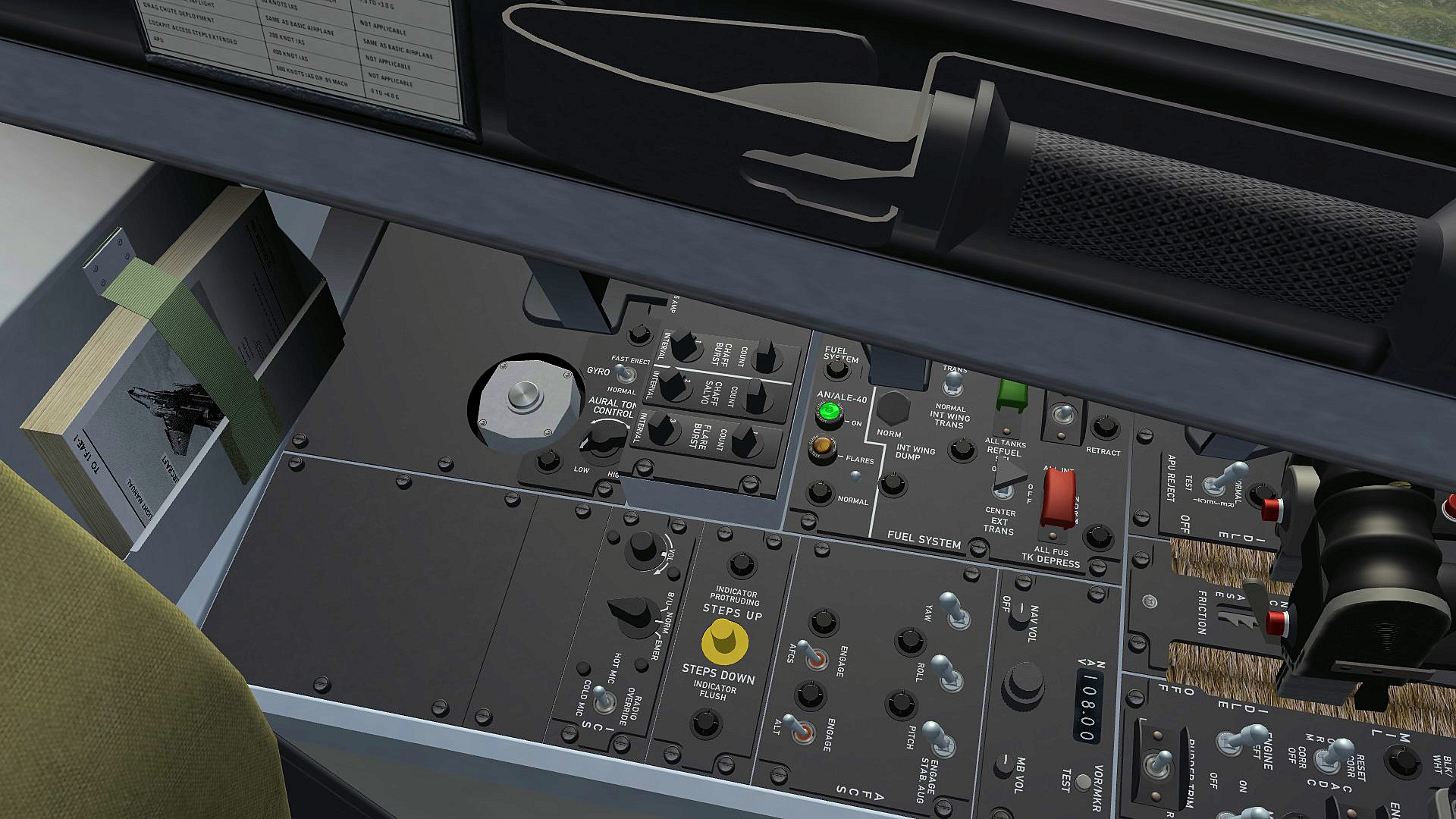
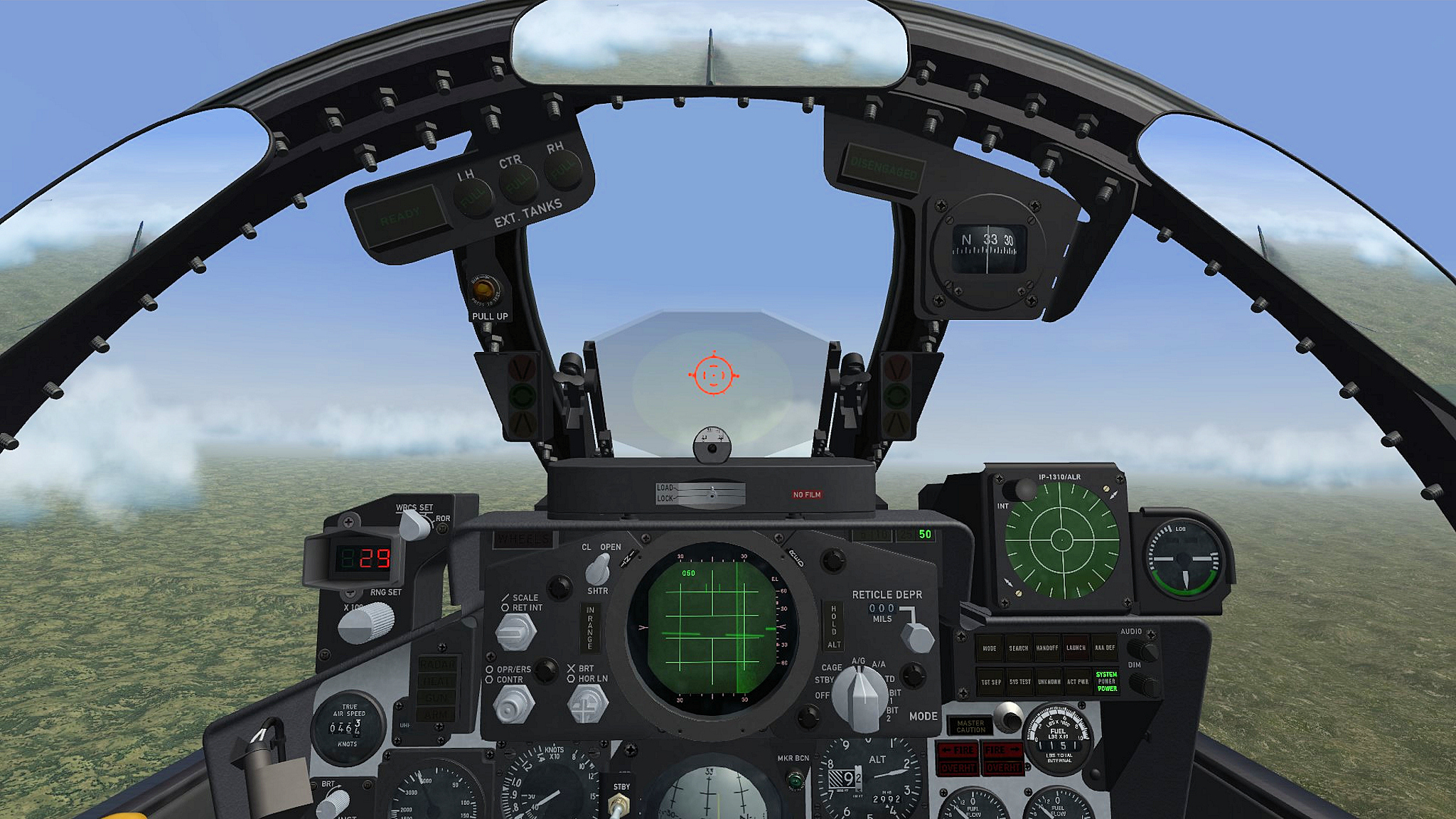
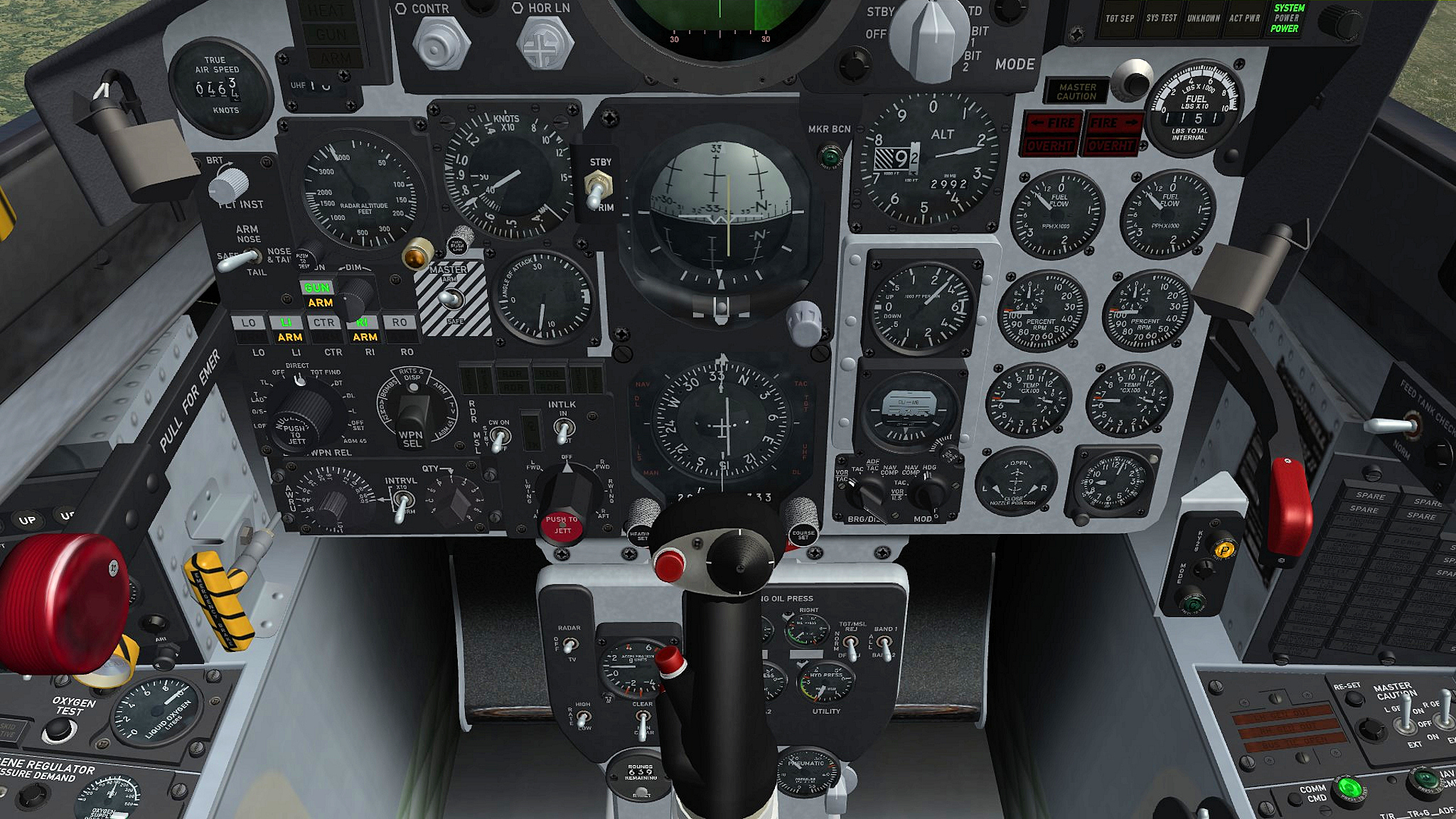
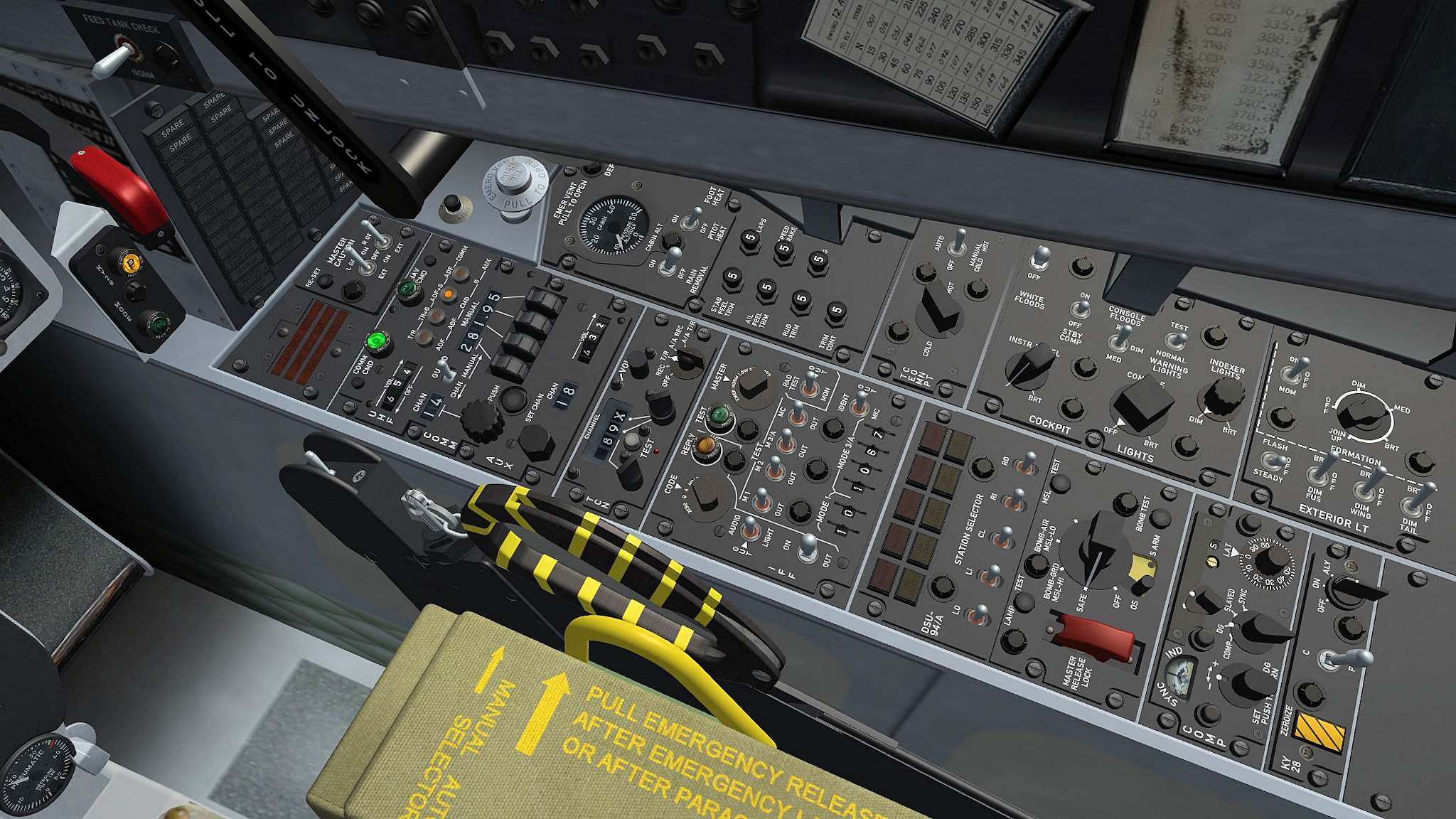
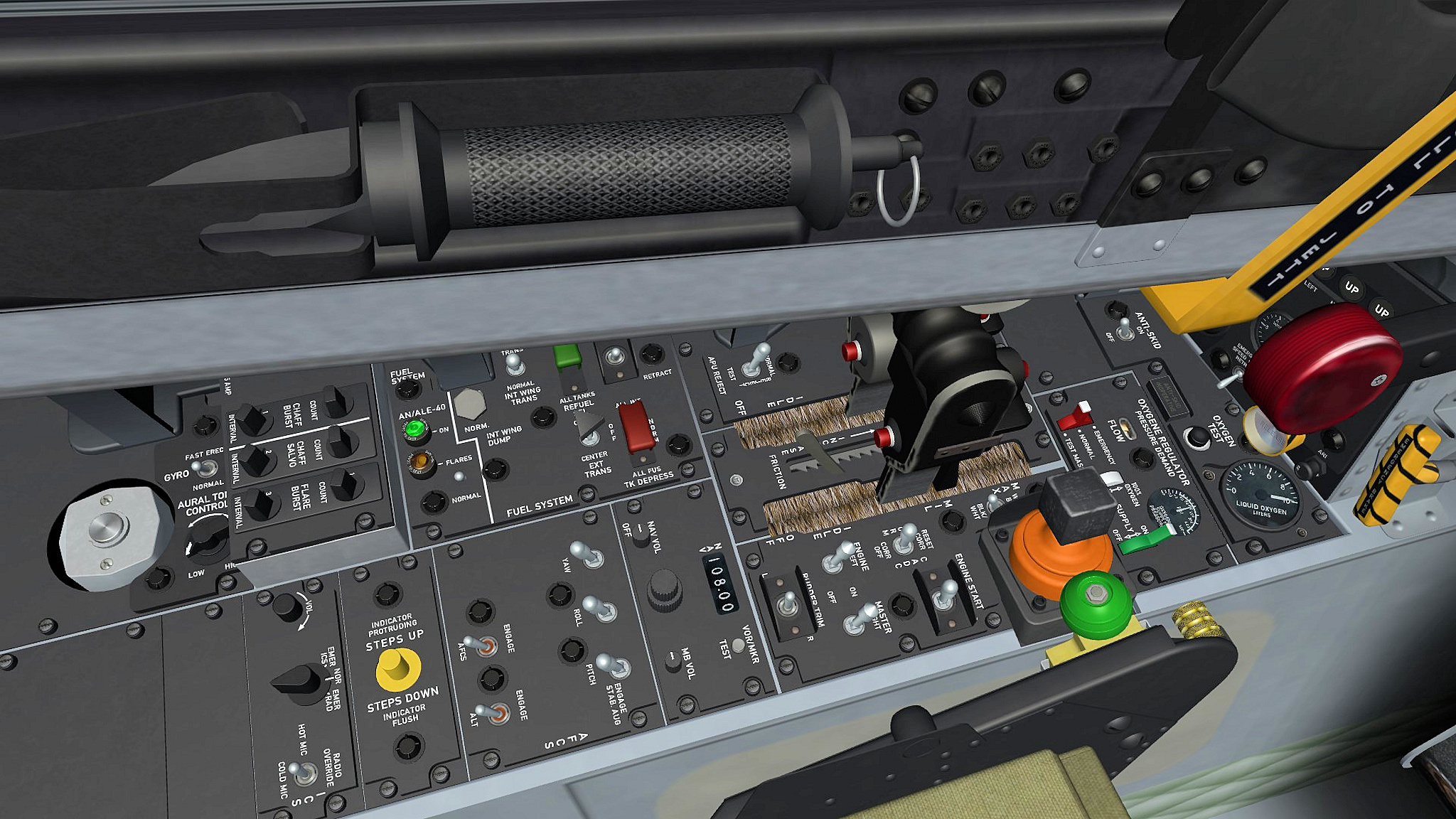
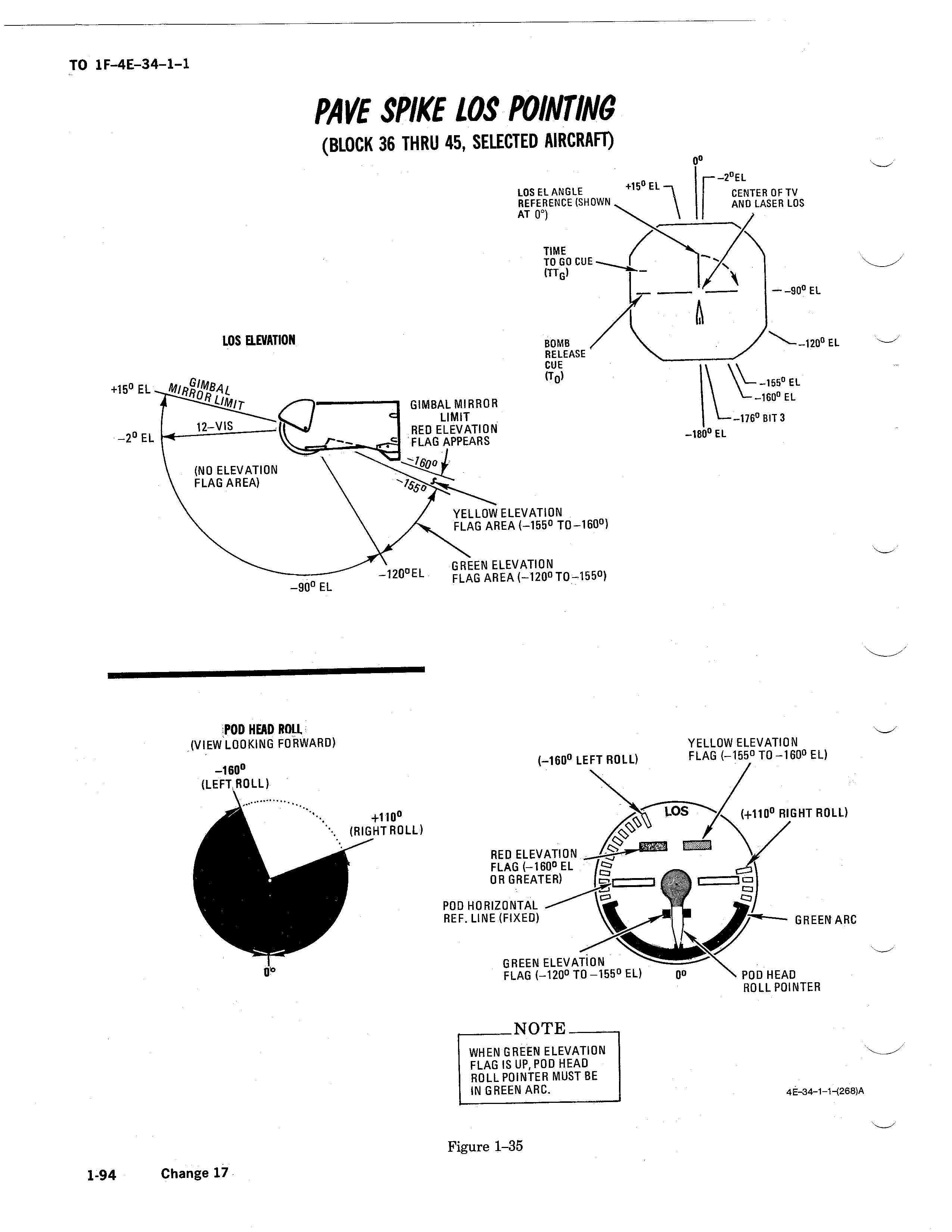
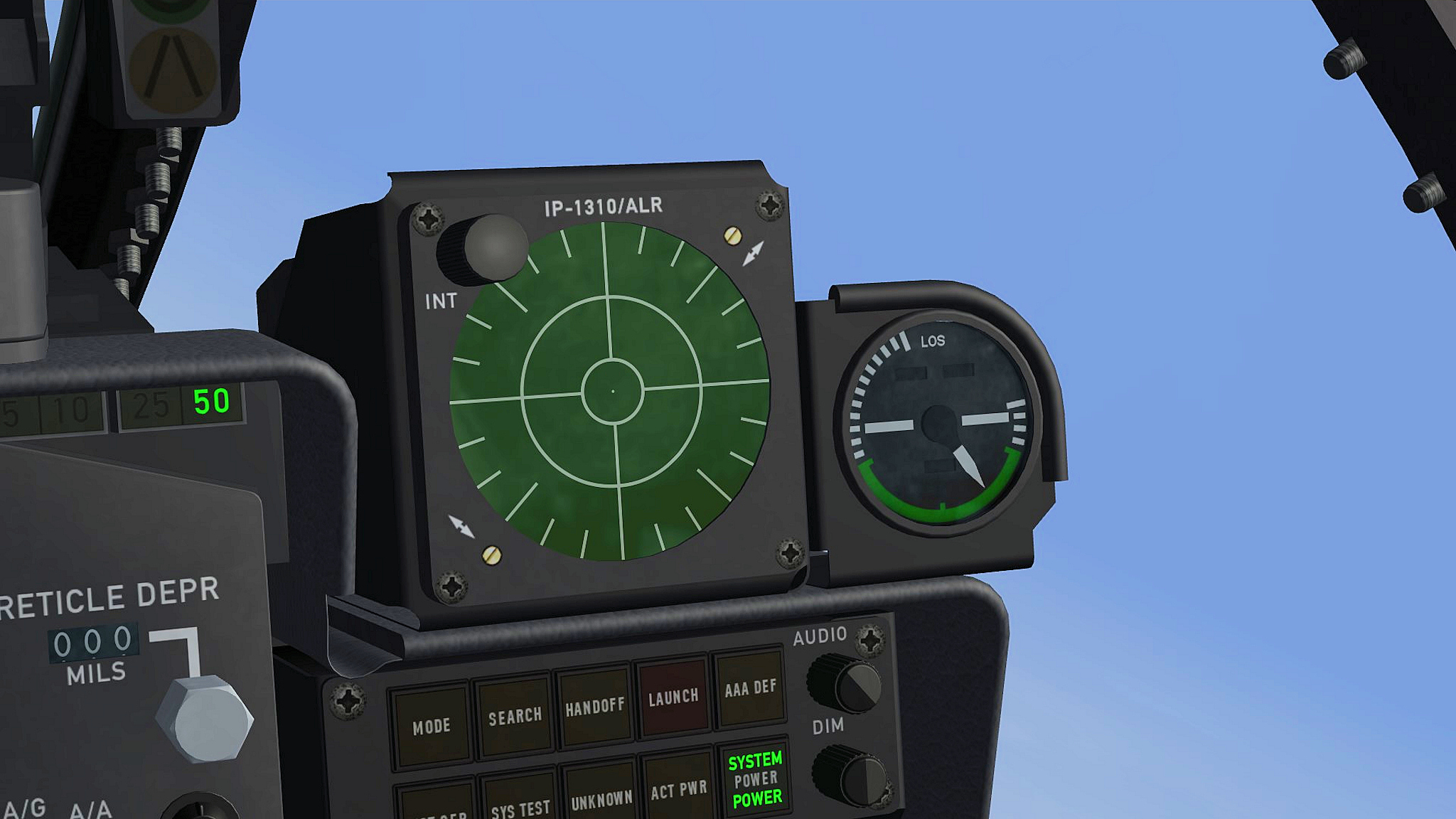
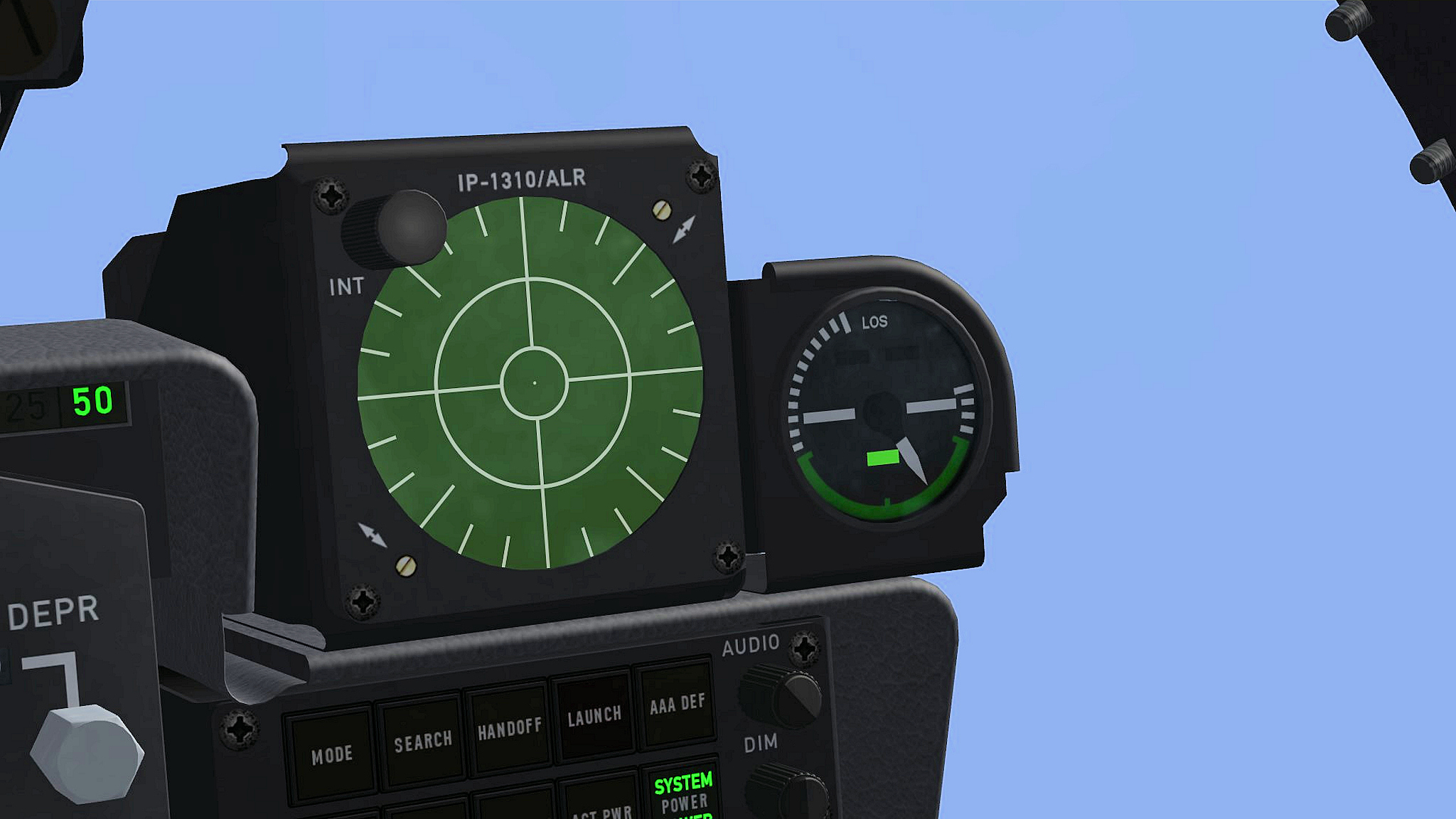
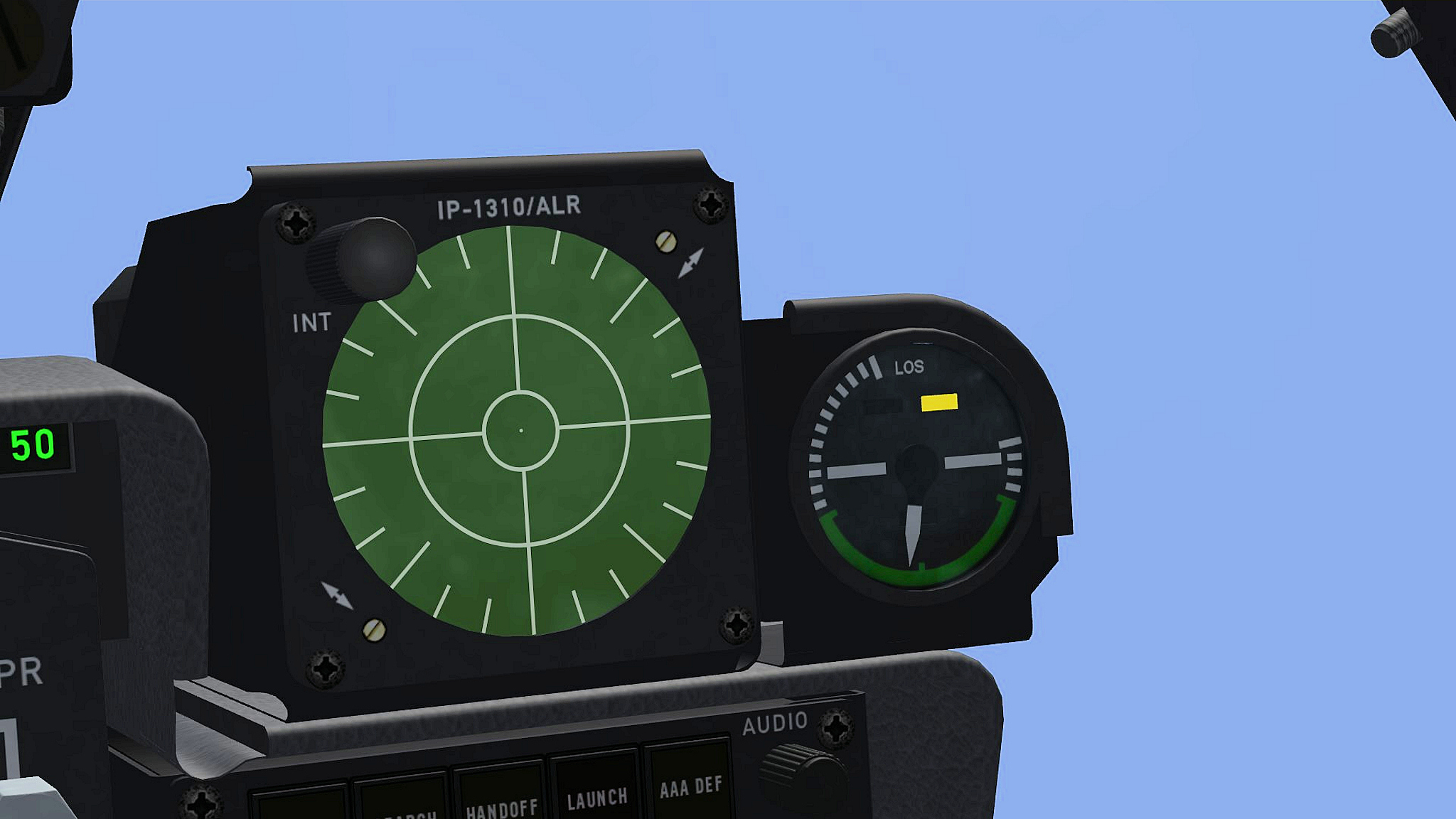
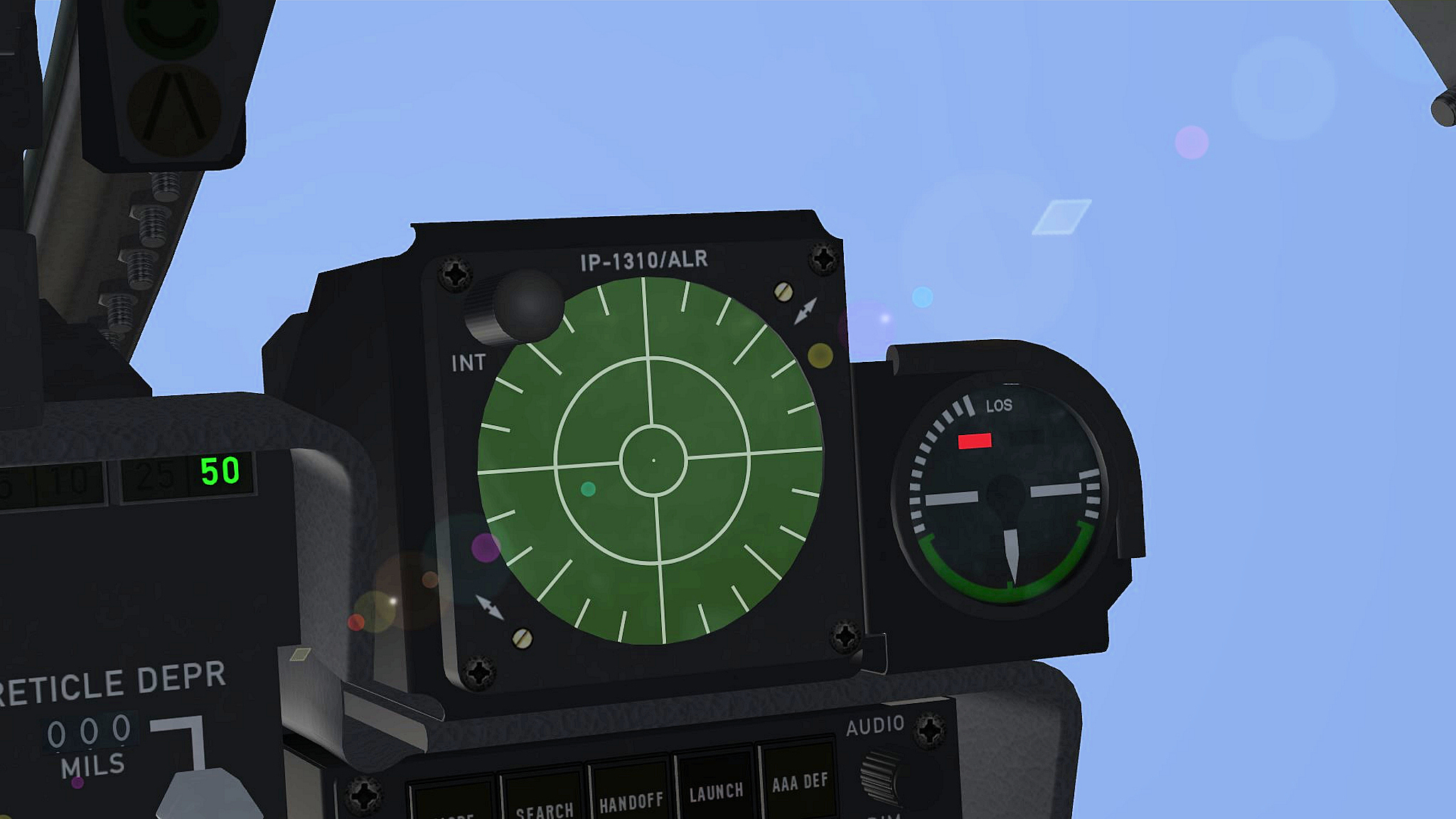
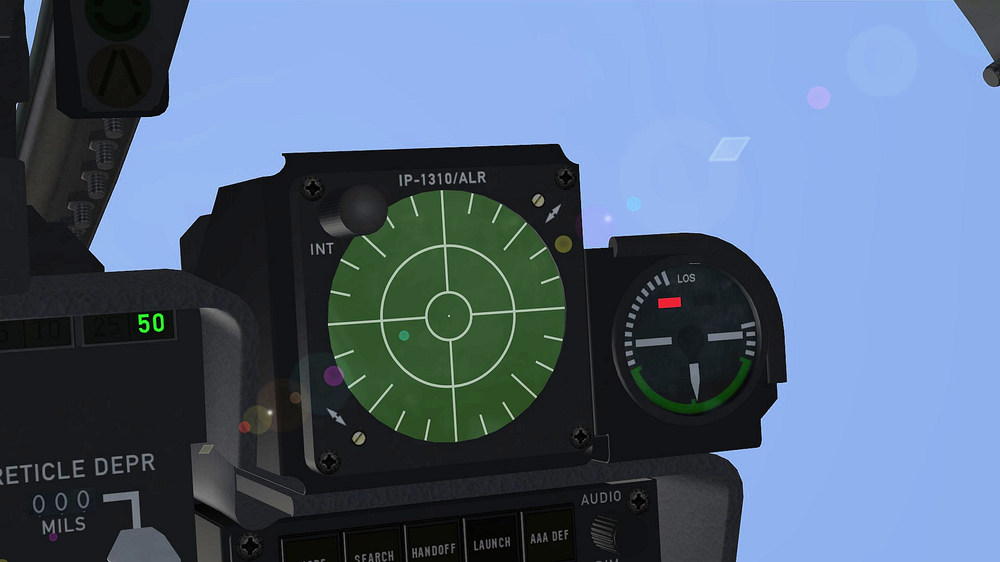
i´m almost done with the F-4E_79_Pave_Spike cockpit and like to share some pictures it took me quite some time to get the LOS ( Line Of Sight ) indicator working , what i did now is to set the LOS needle to work only with LGB bombs and use the roll and pitch limits form the F-4E weapons delivery manual to get the LOS indicator working right we would need a roll and pitch function with regards to the target , since we dont have that i use the ROLL_INDICATOR and PITCH_INDICATOR function the green , yellow and red flags work now as they should except if you fly a looping , at the top of the looping the lights start working where the should not work will see if i can fix that i will update the F-4D_78 cockpit and Buccaneer cockpit with the LOS indicator function LOS green flag = 30° - 65° pitch LOS yellow flag = 65° - 70° pitch LOS Red flag = 70° - 180° pitch LOS needle = -110° to 160° roll
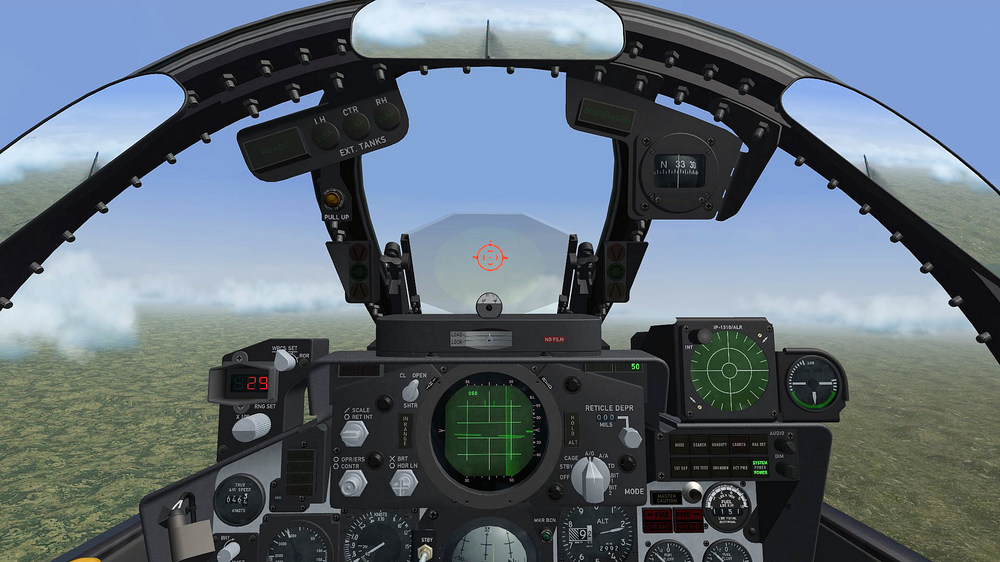
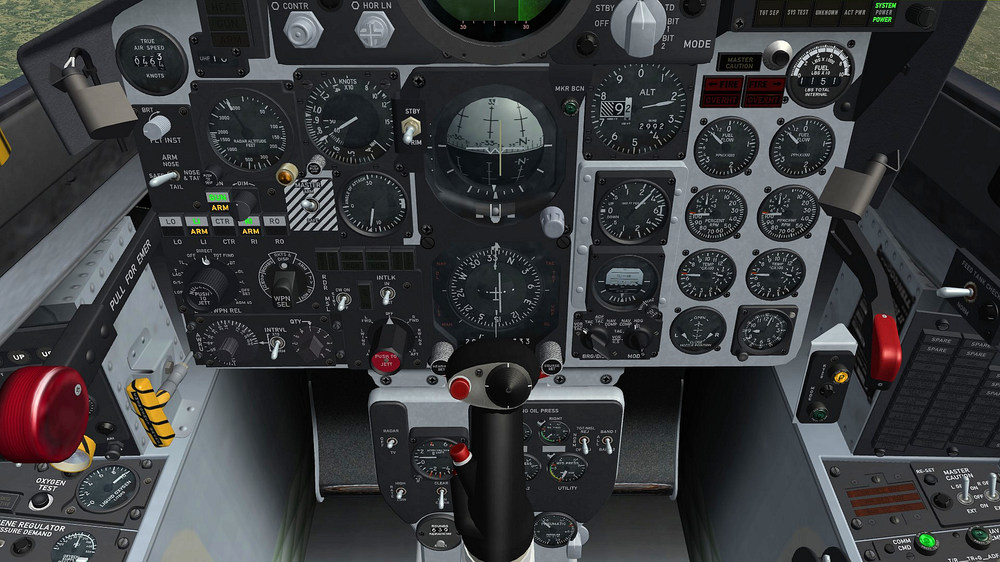
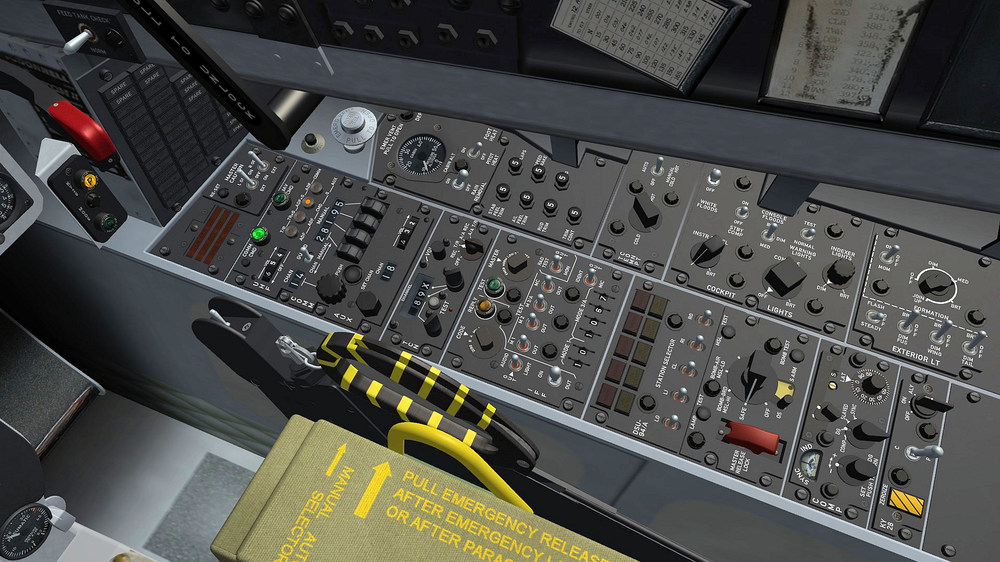
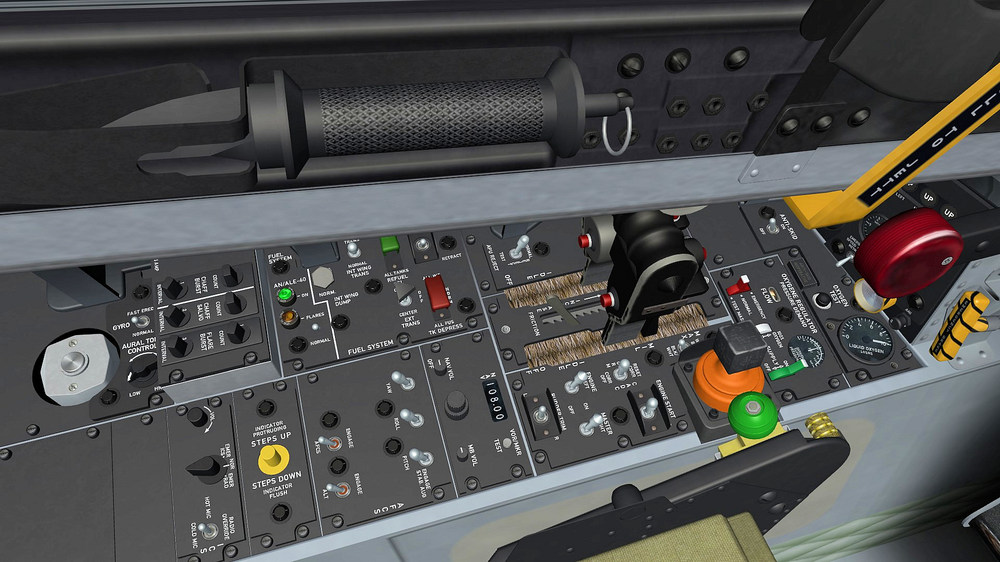
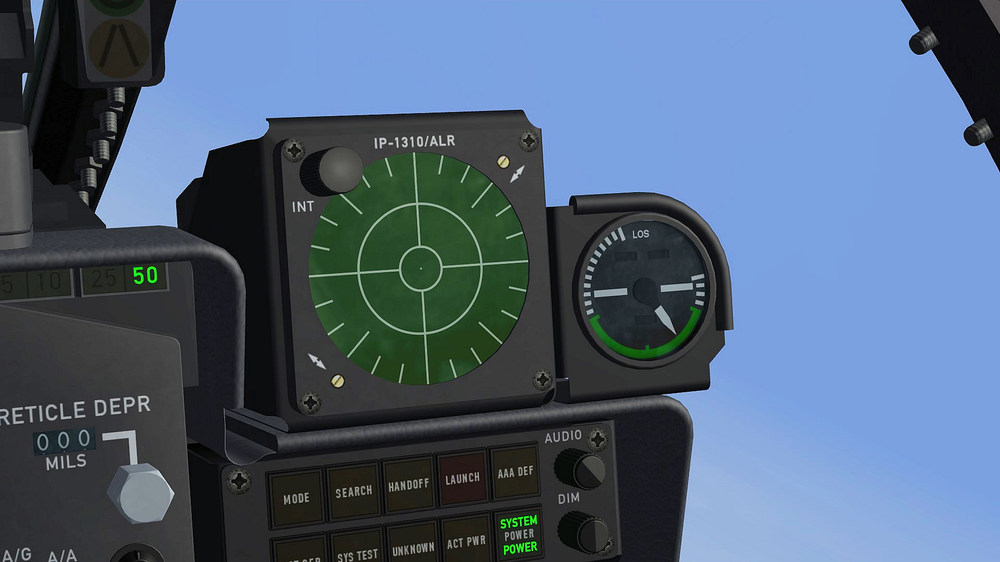
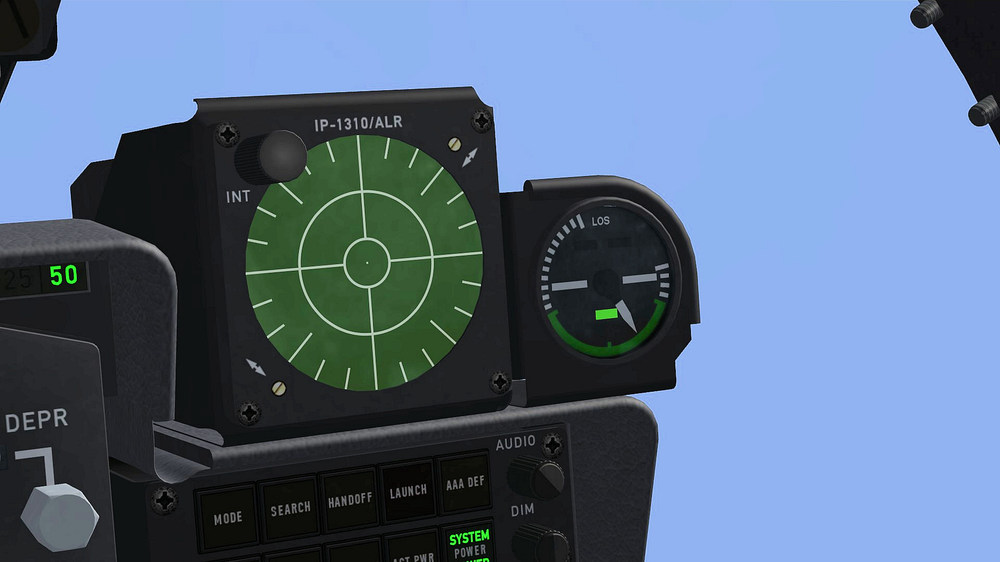
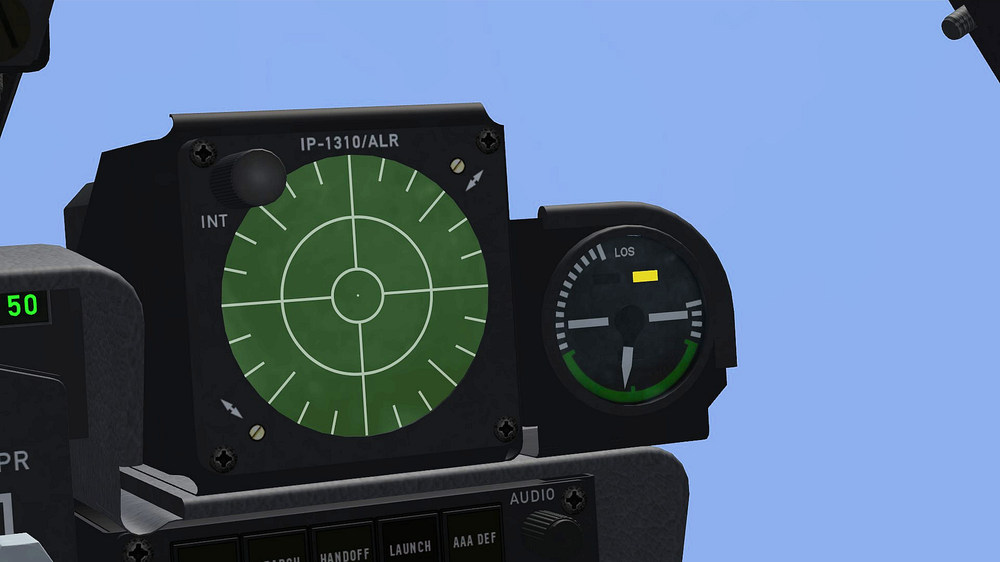
- 45 replies
-
- 20
-
-
-
how to get multiple radar screens working
ravenclaw_007 replied to ravenclaw_007's topic in Mods & Skinning Discussion
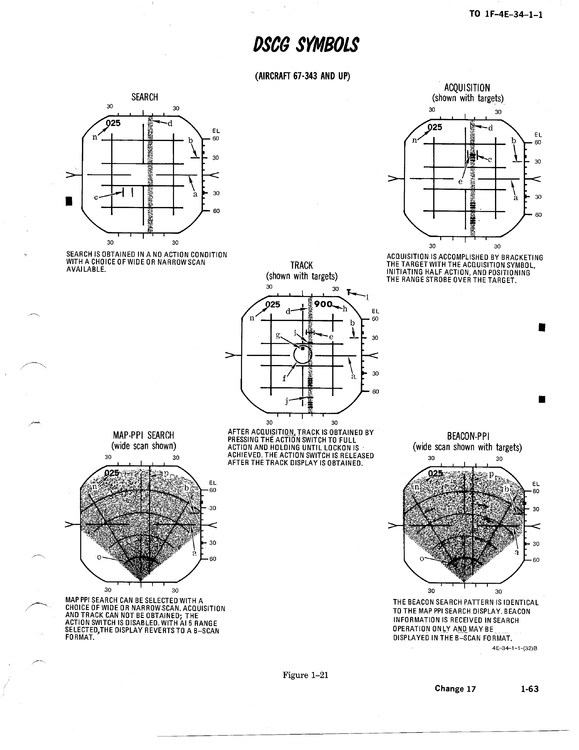
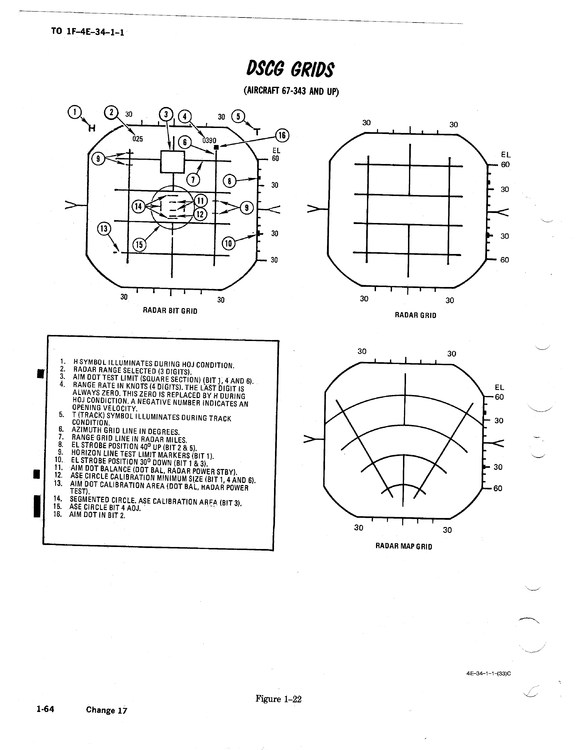
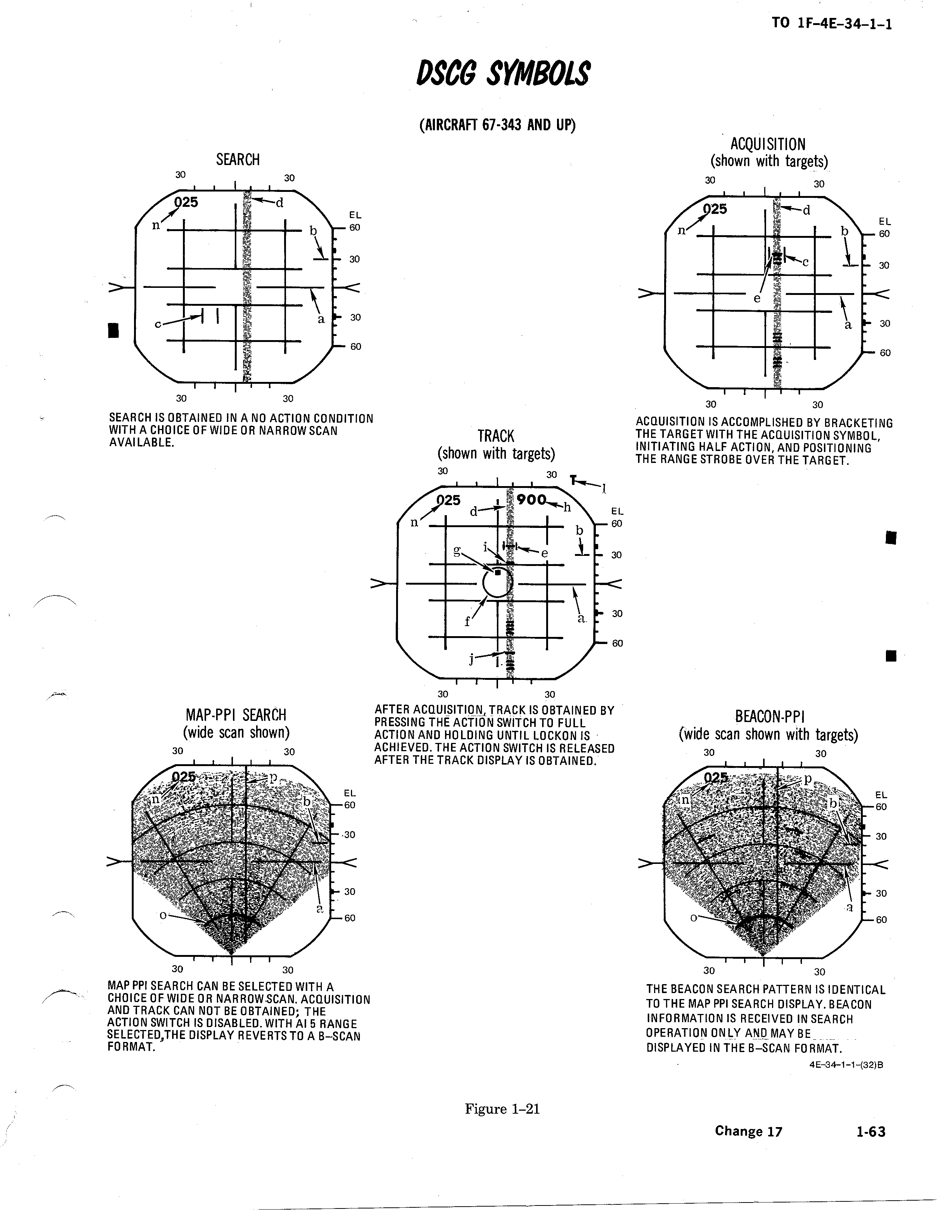
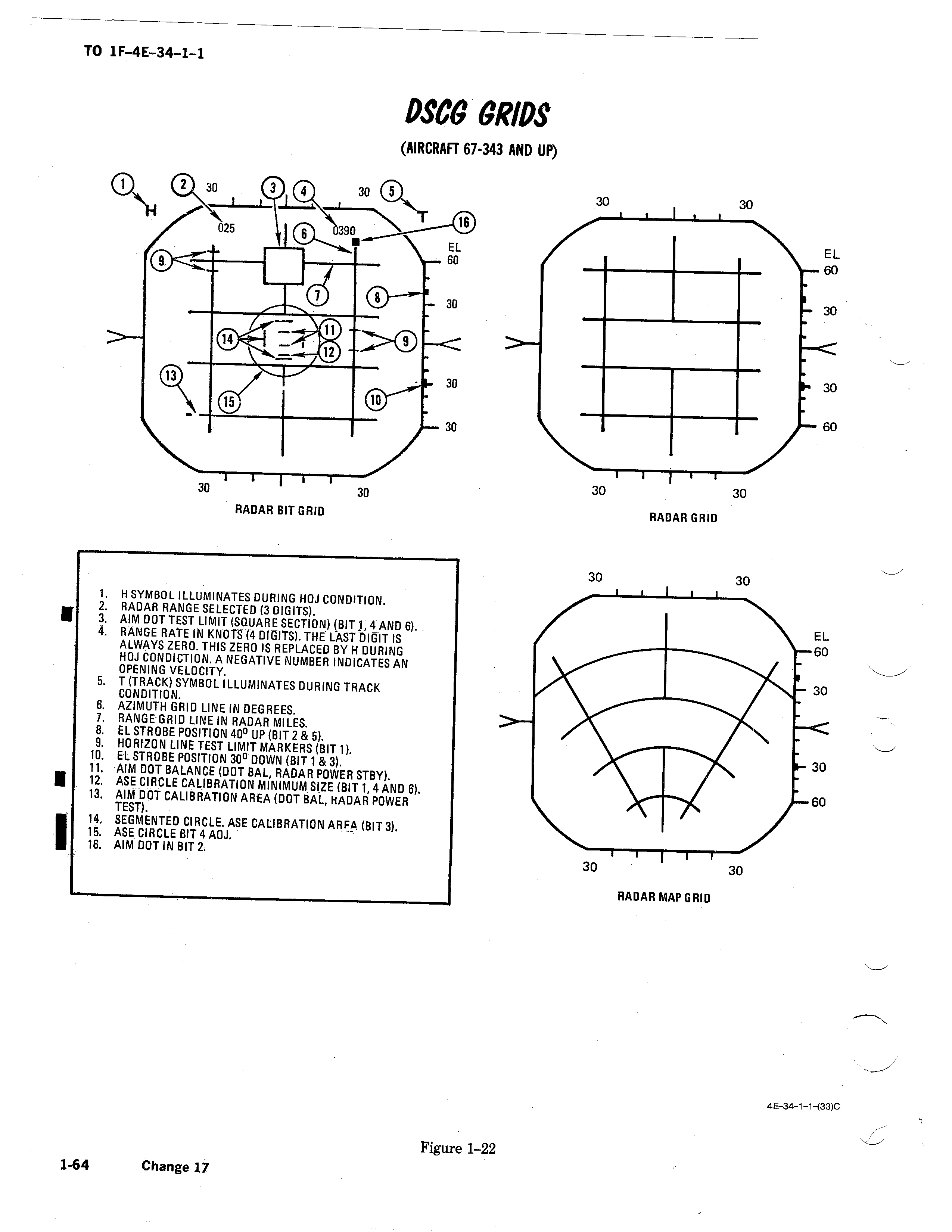
the upgrade to DSCG was about 1974 is that right ??? i´m wondering if i make the 1975 F-4E cockpit as DVST / MSDG or DSCG -
how to get multiple radar screens working
ravenclaw_007 replied to ravenclaw_007's topic in Mods & Skinning Discussion
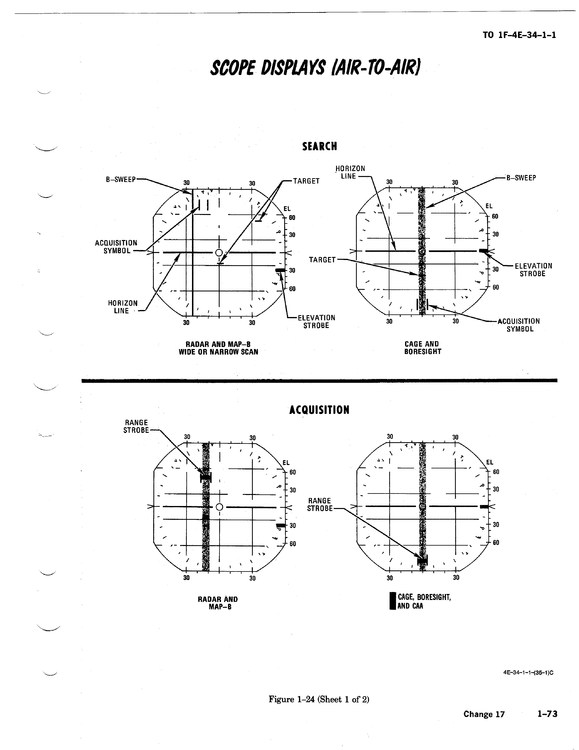
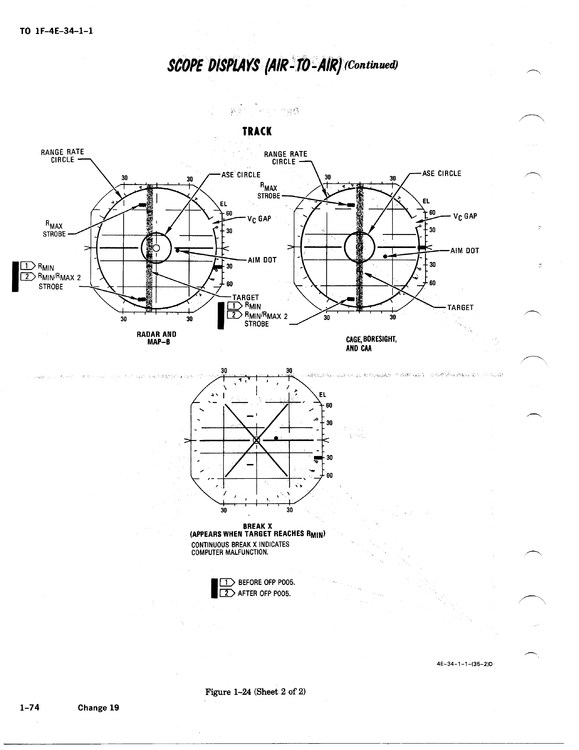
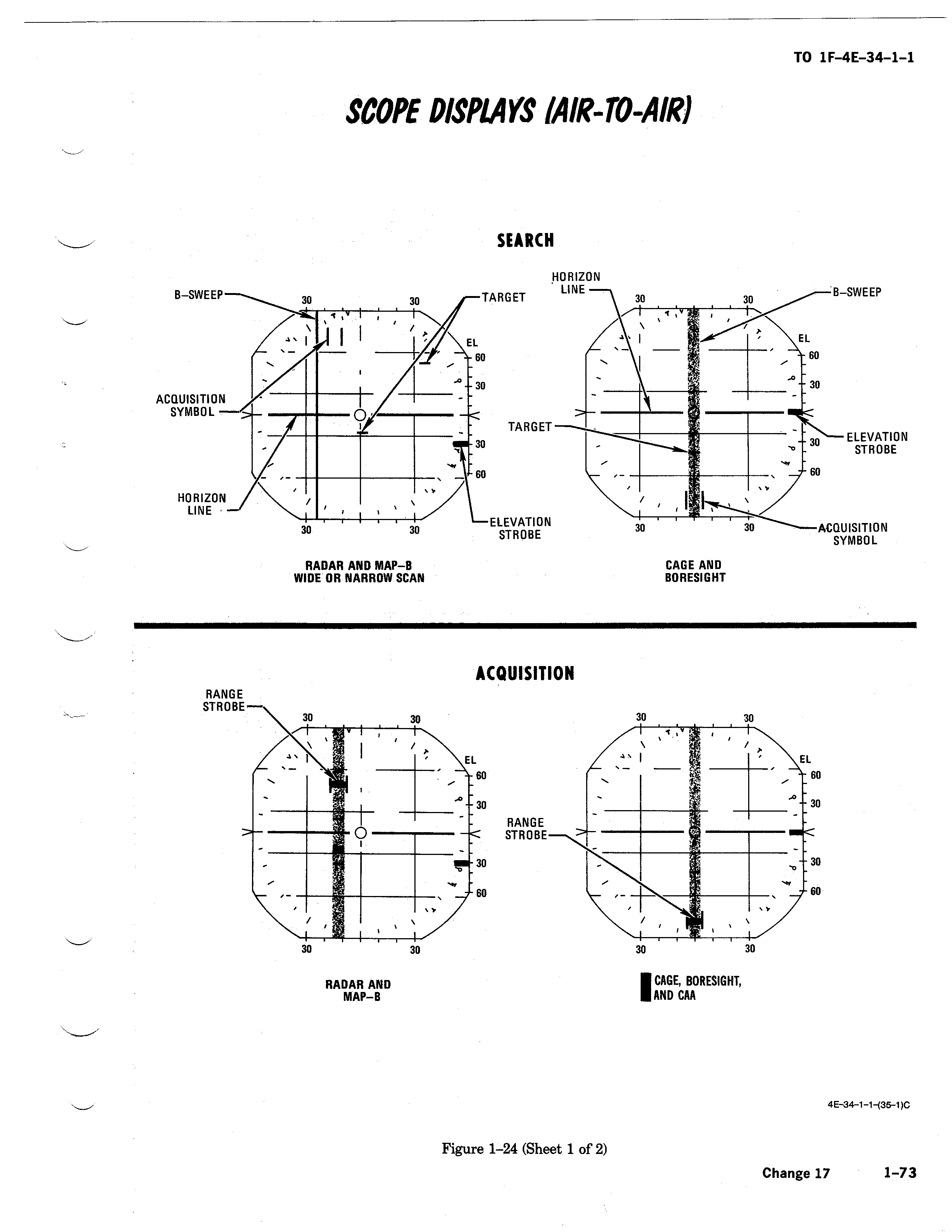
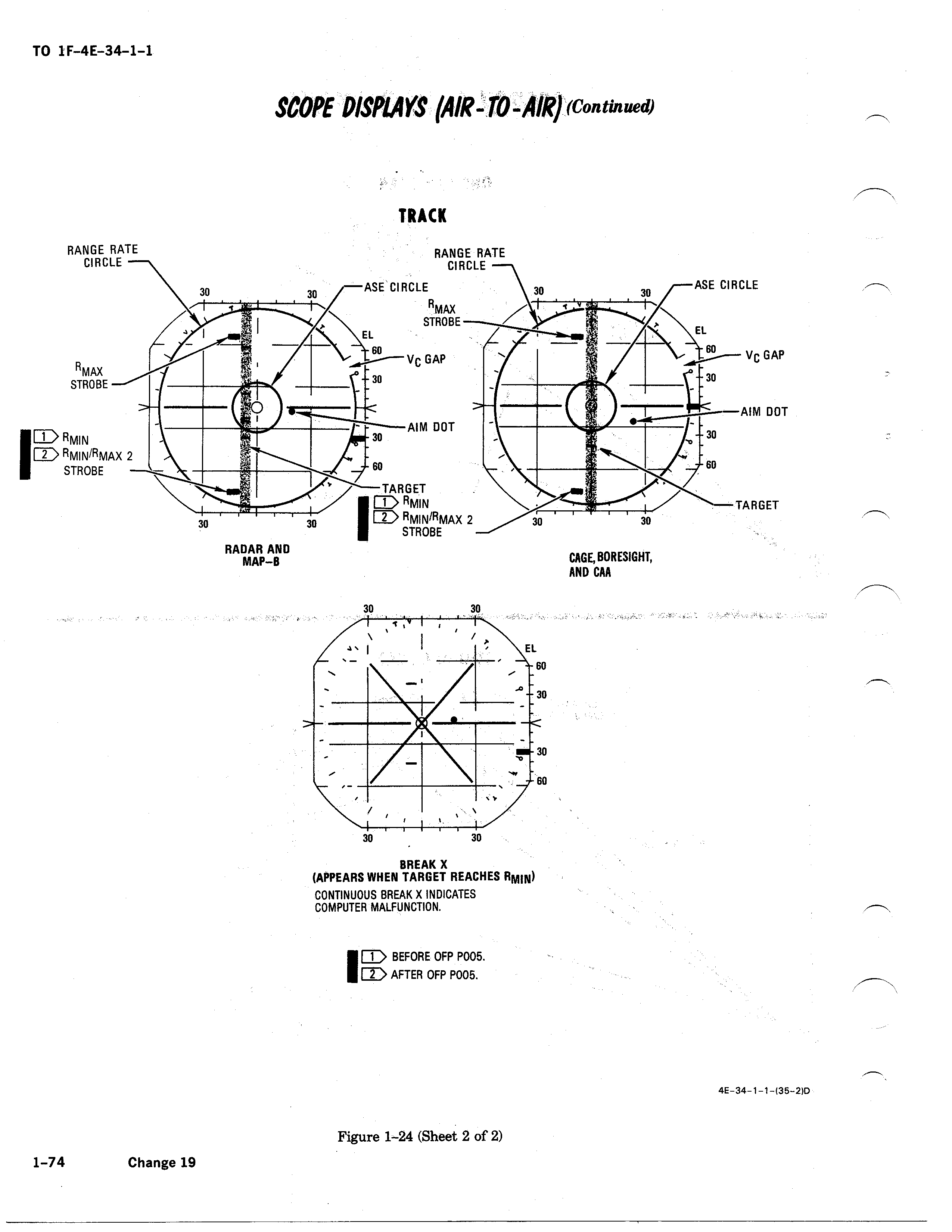
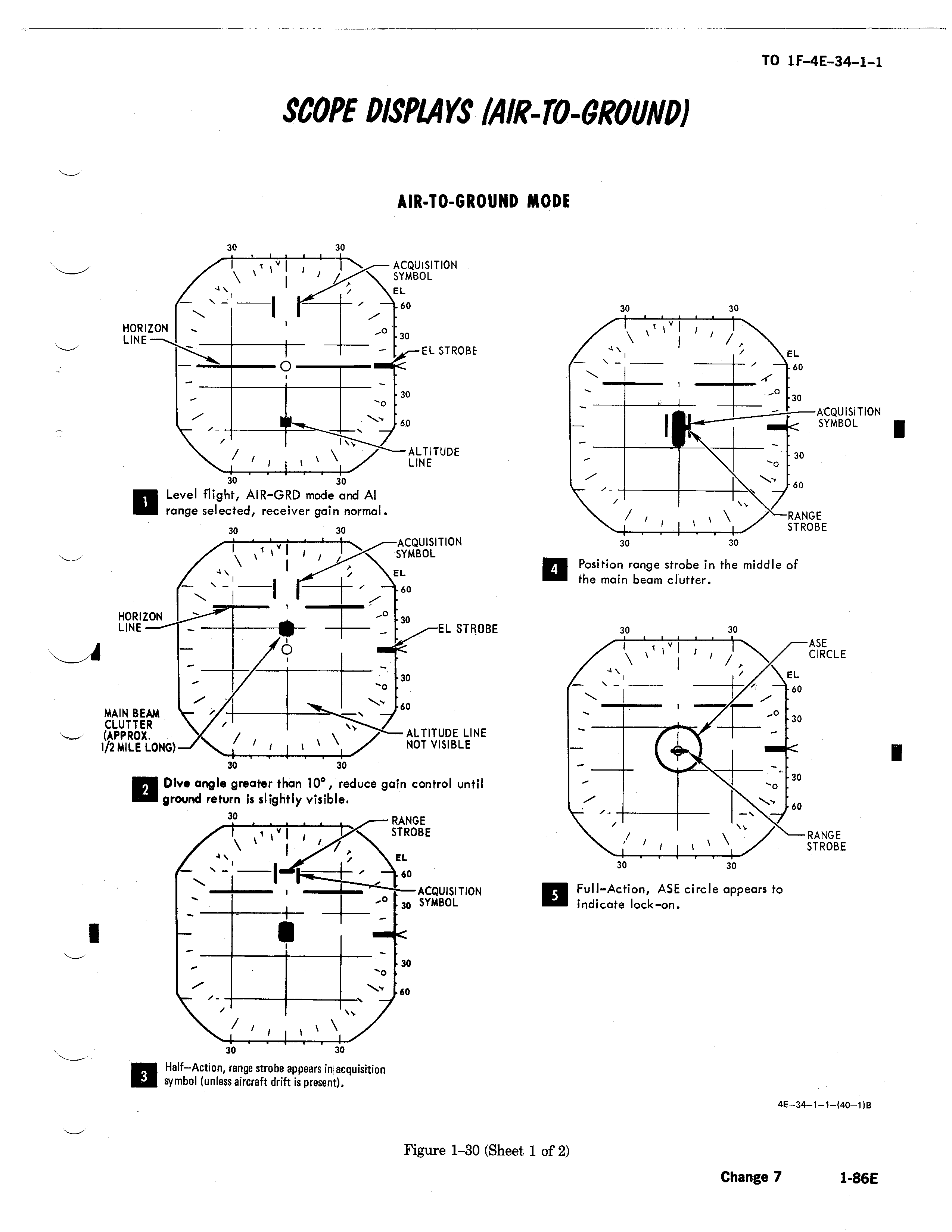
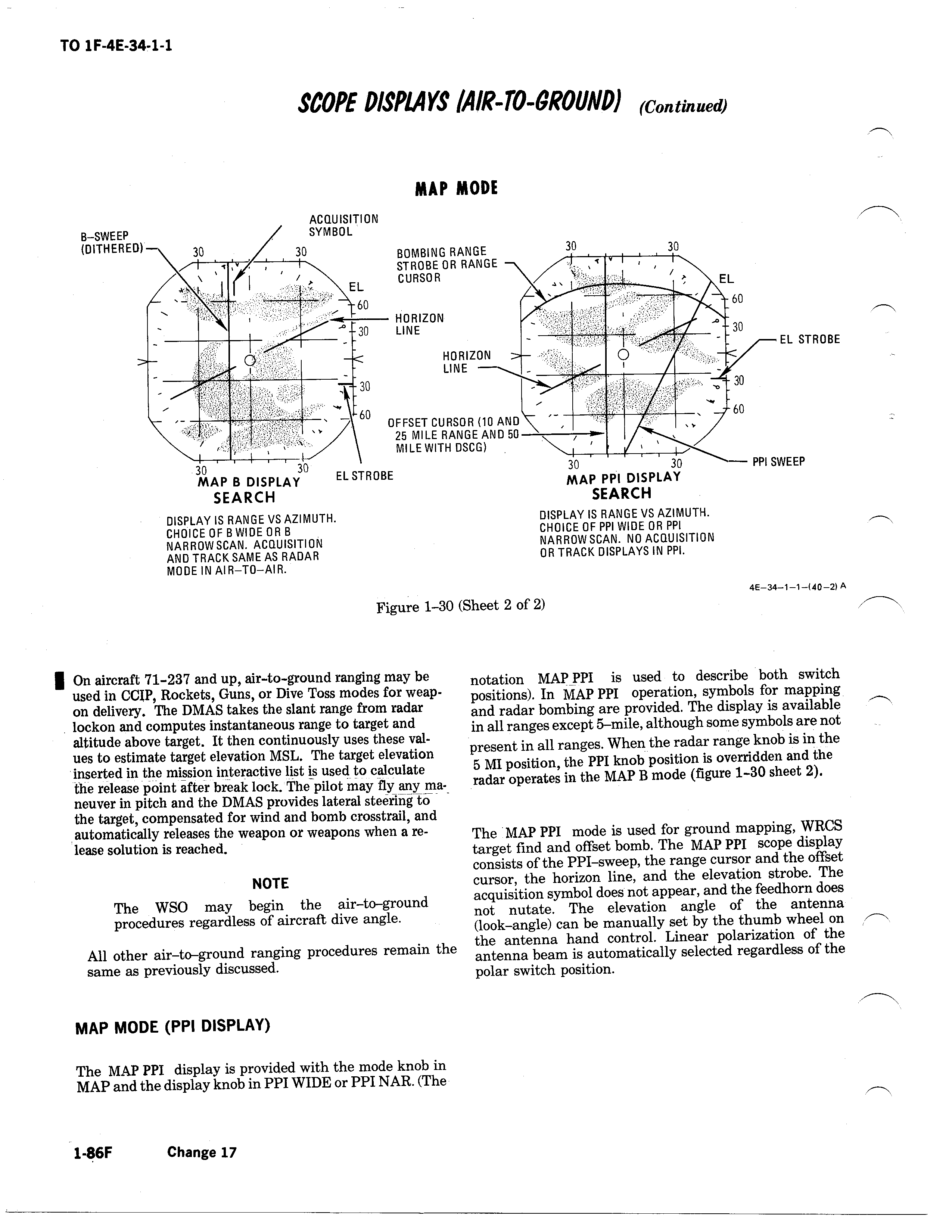
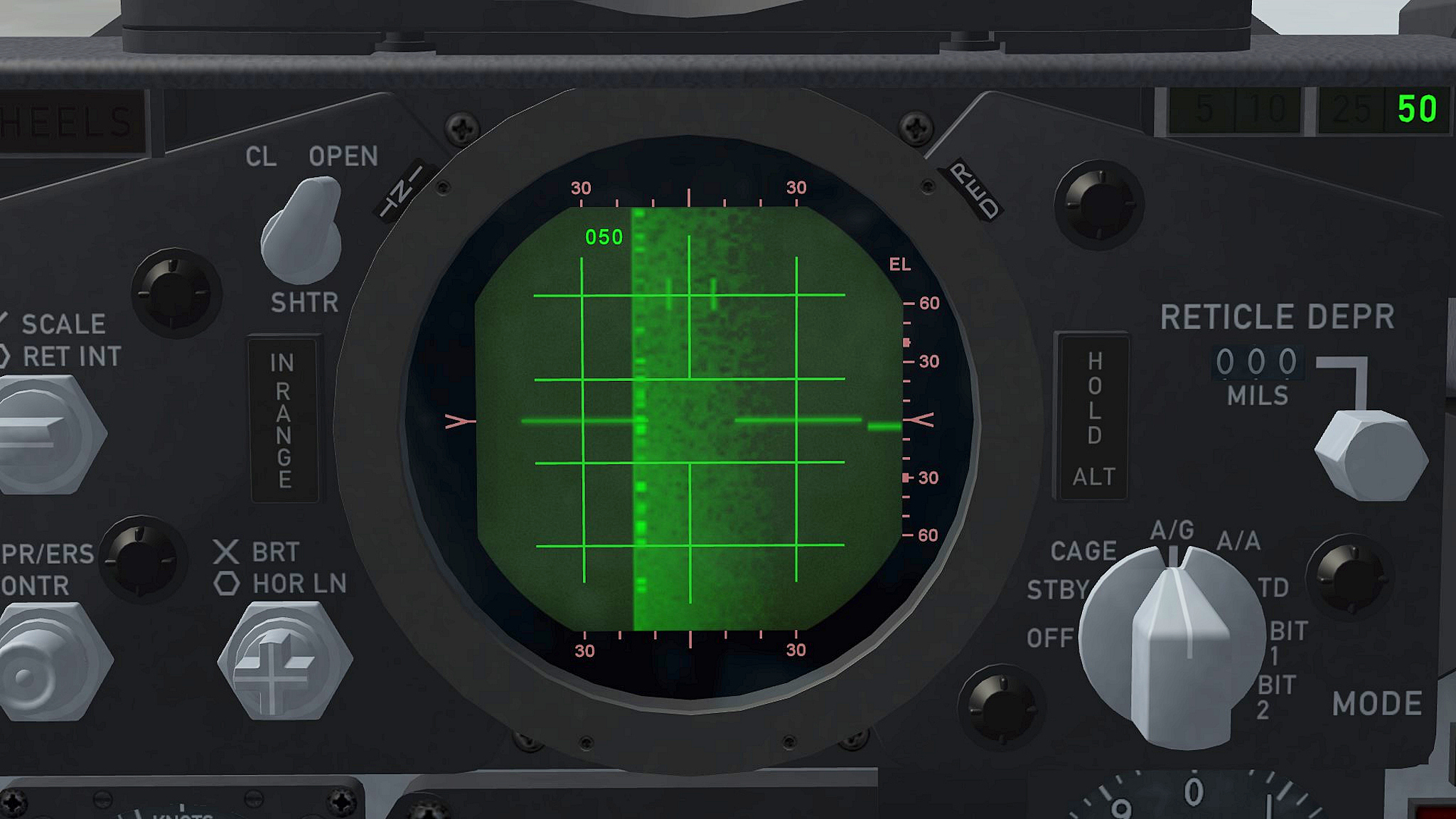
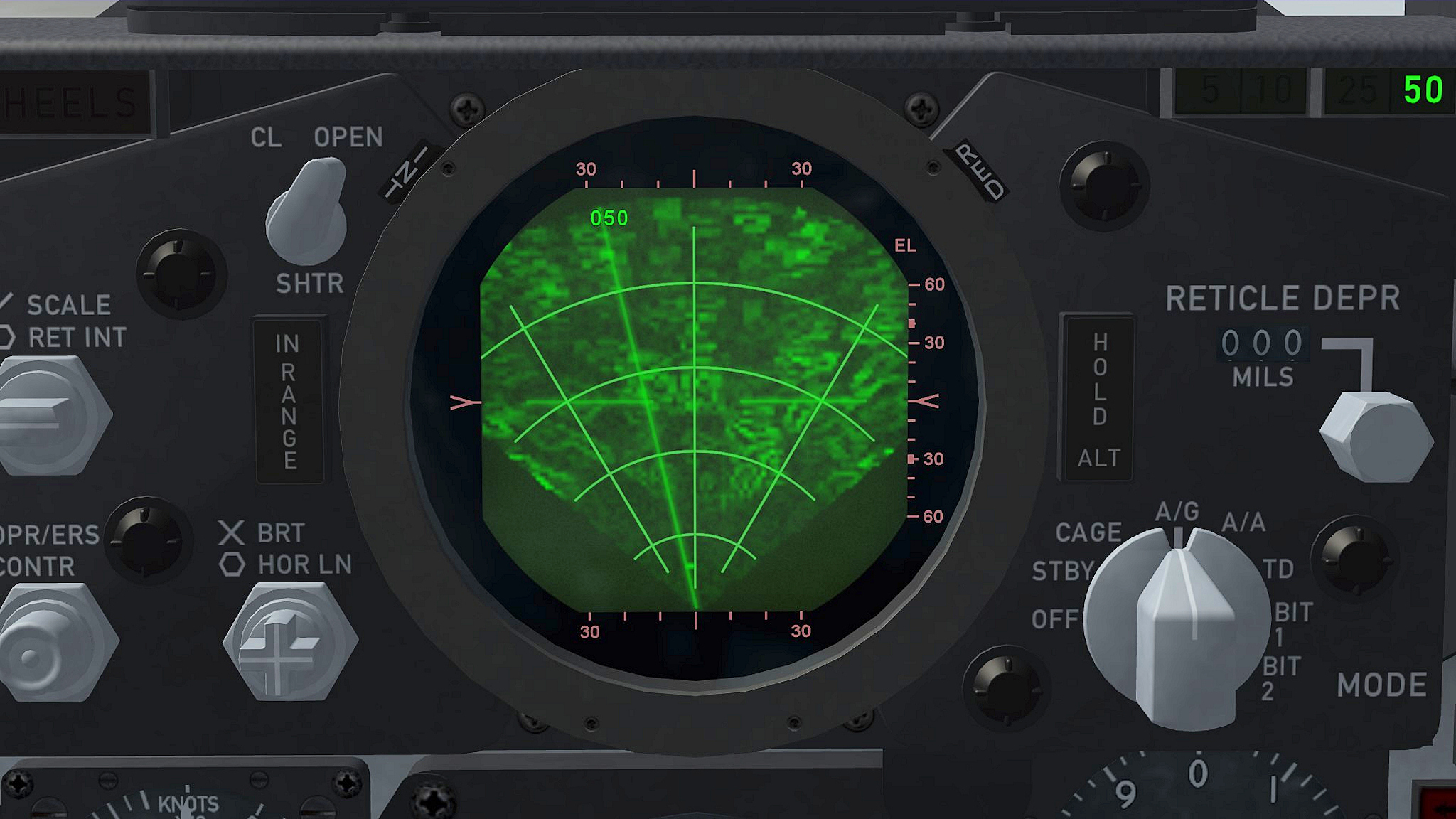
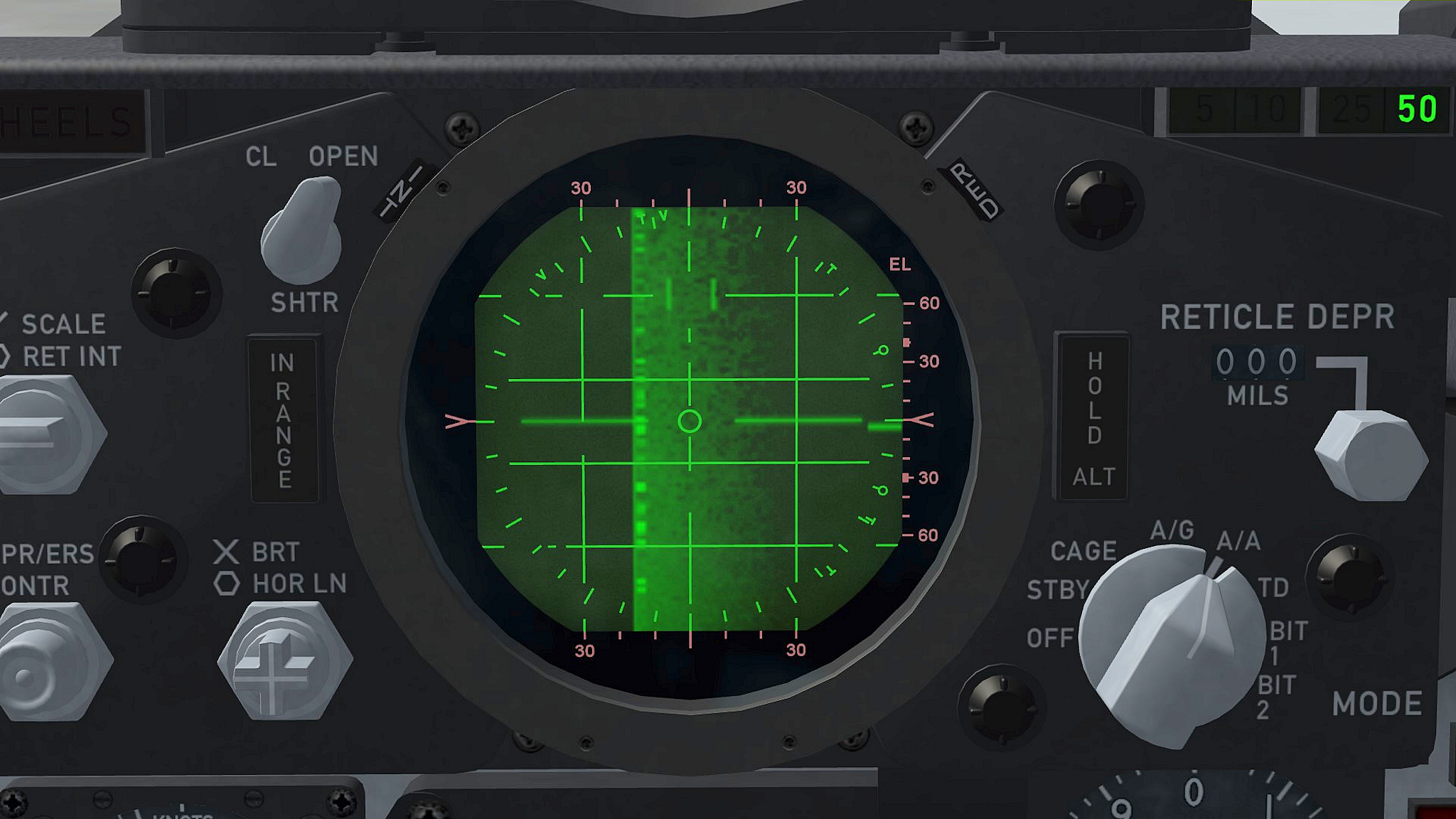
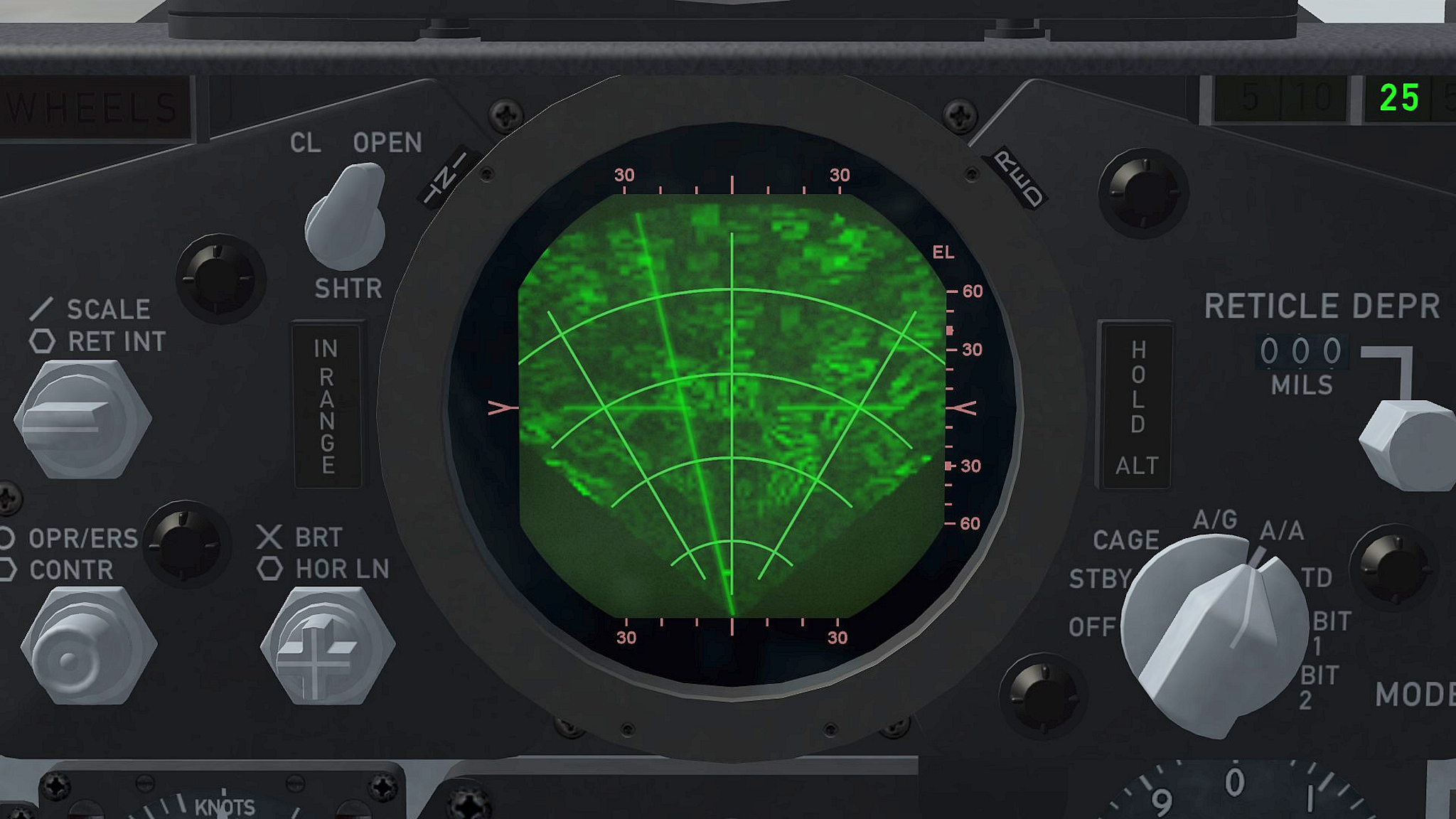
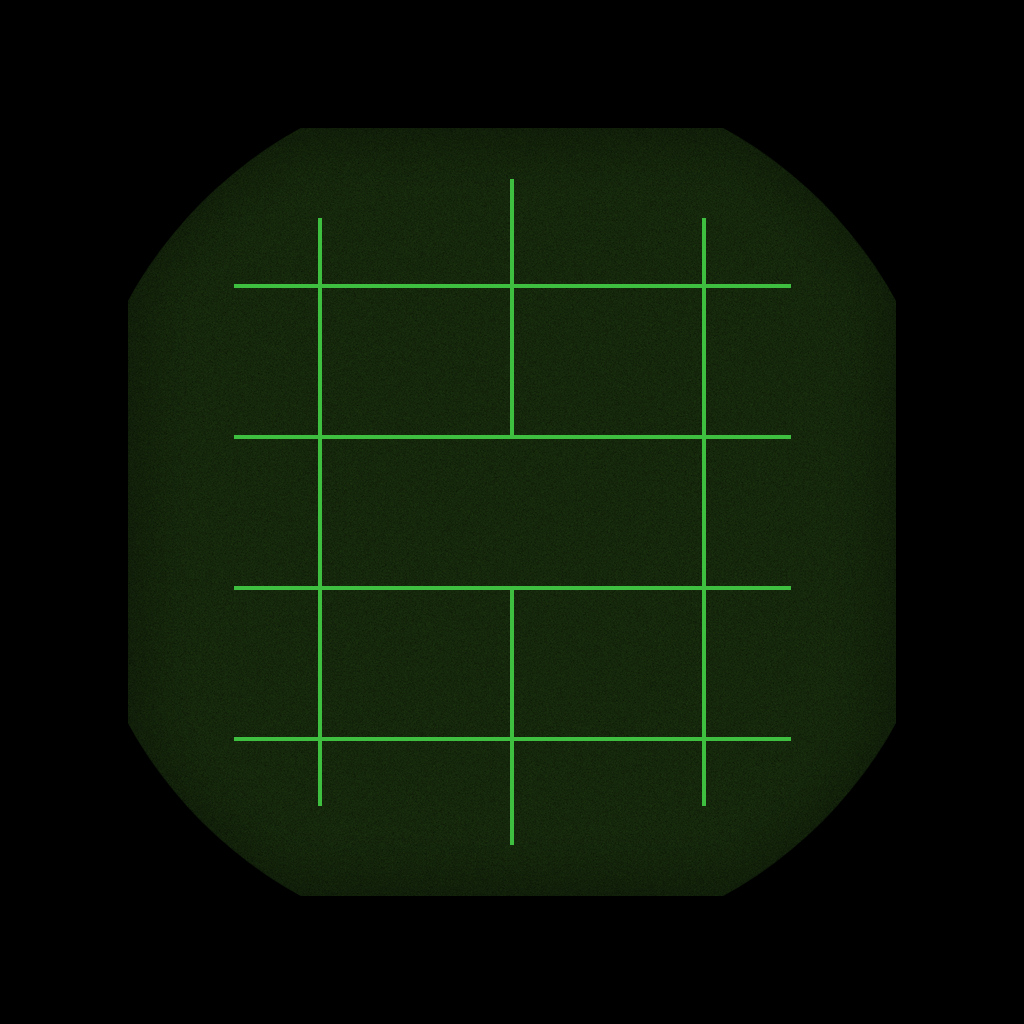
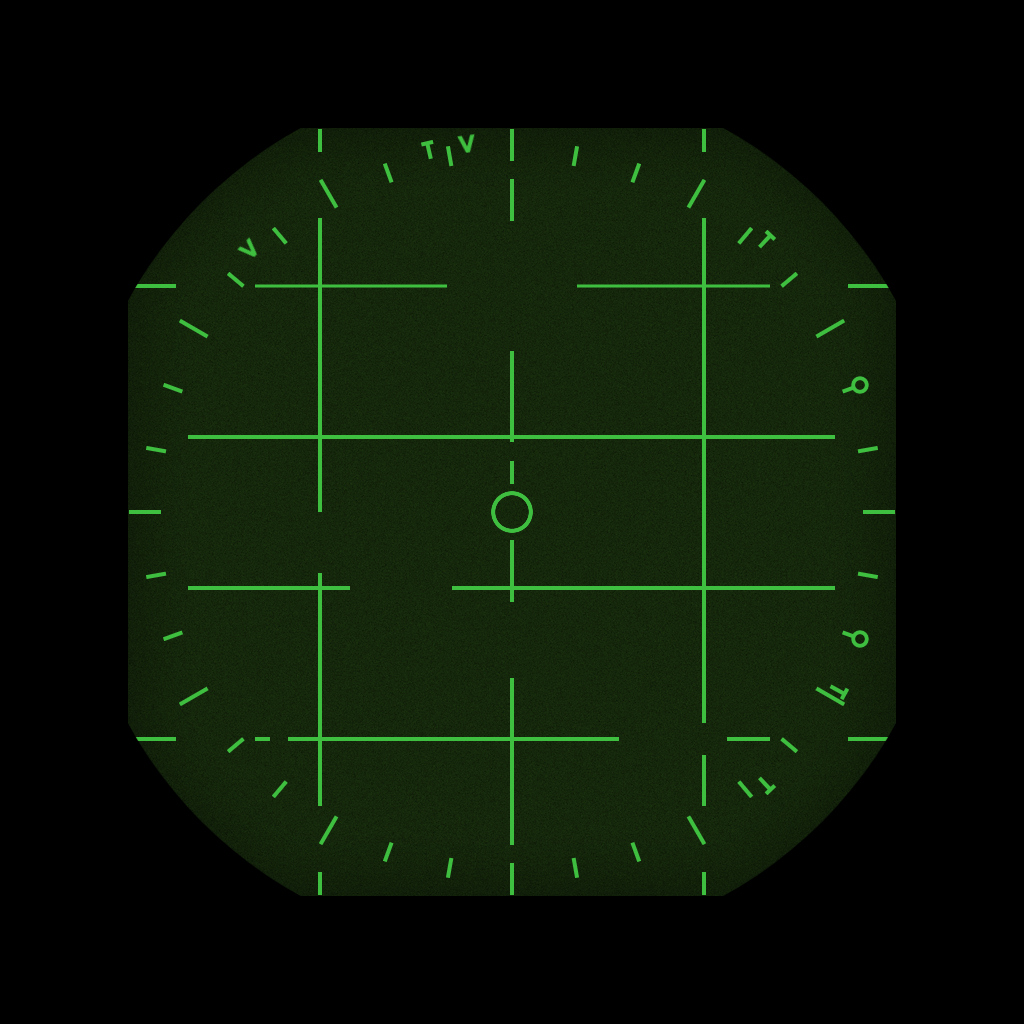
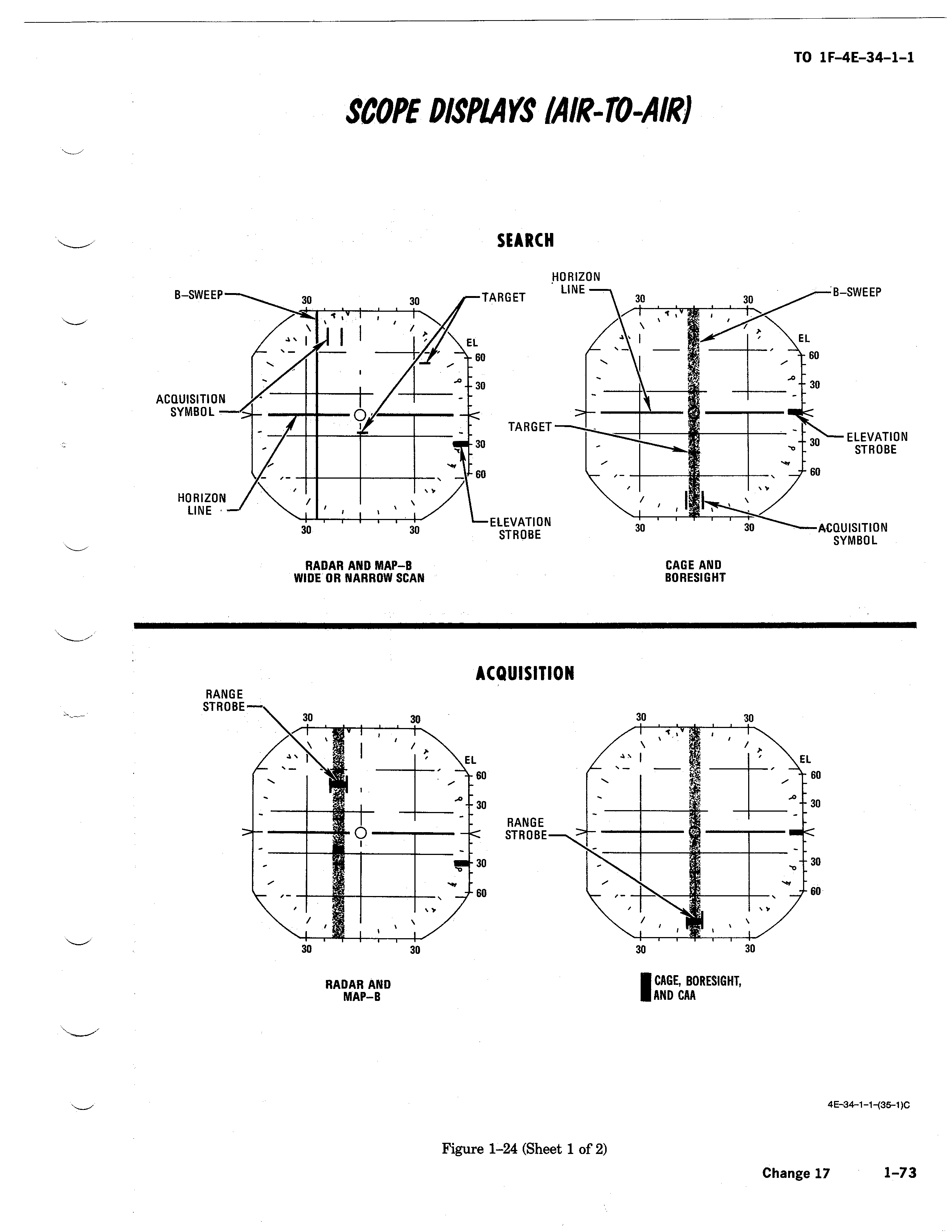
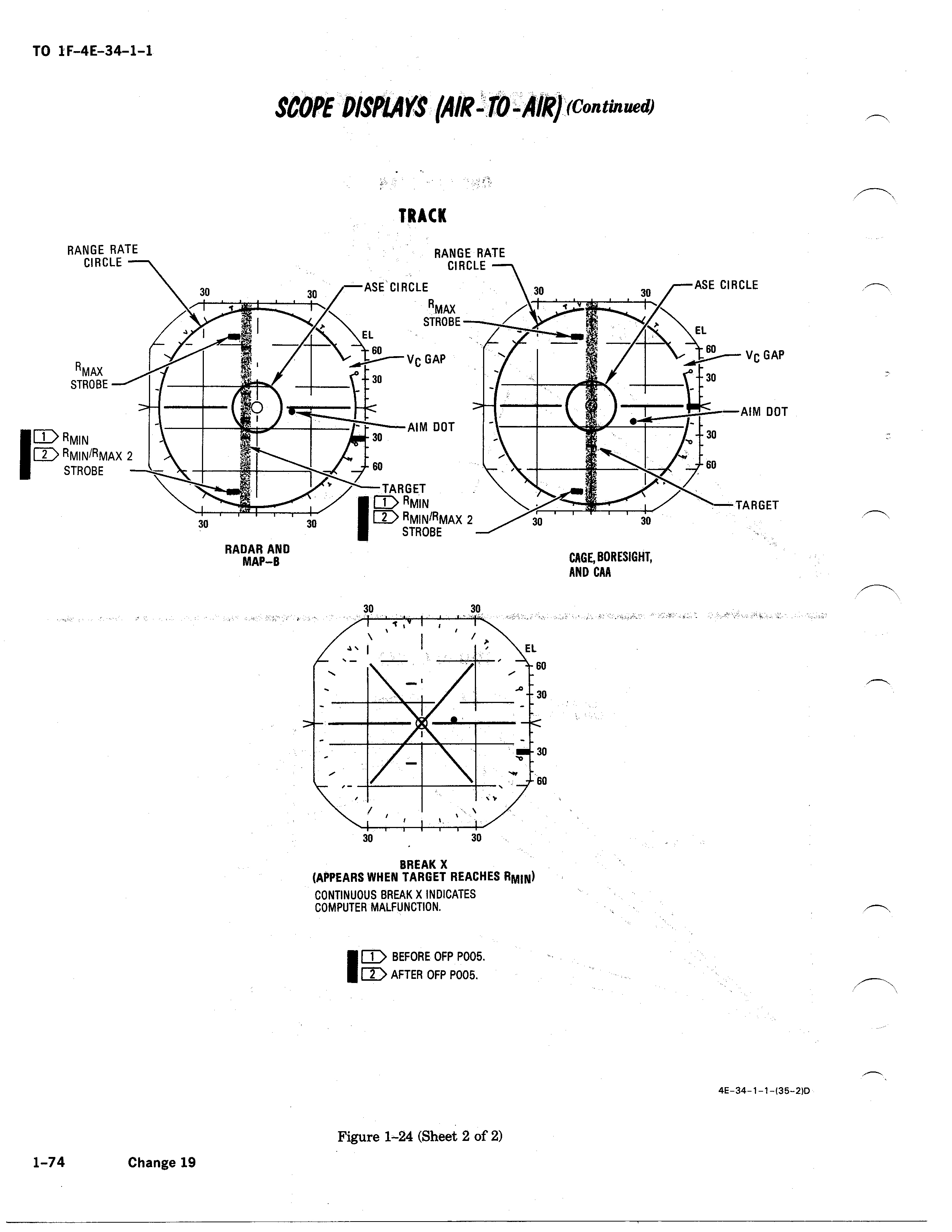
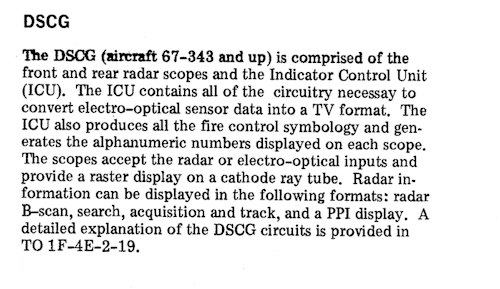
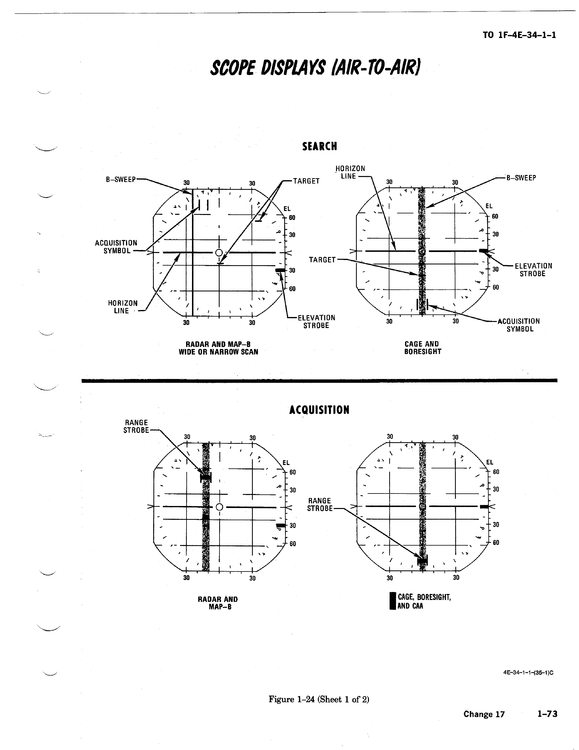
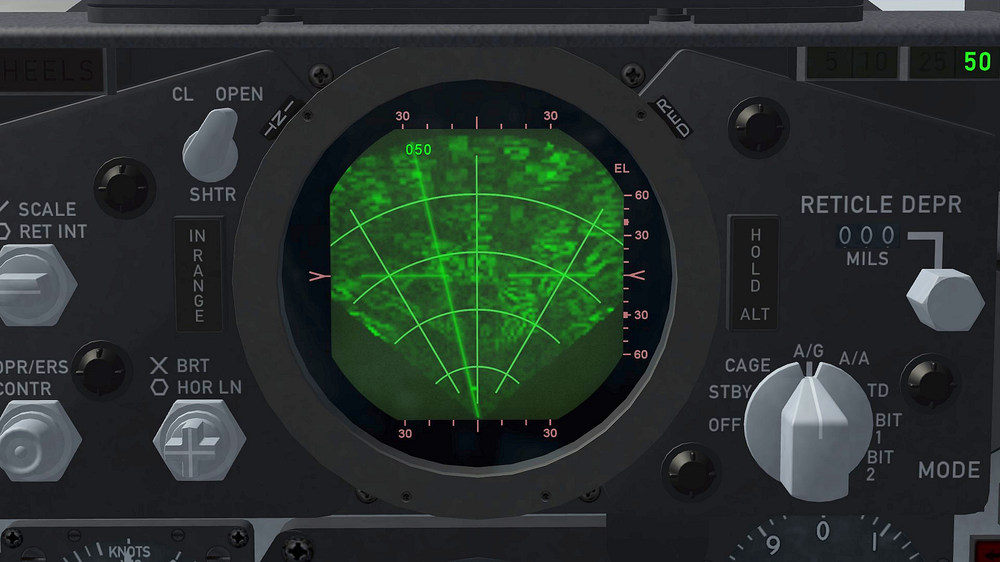
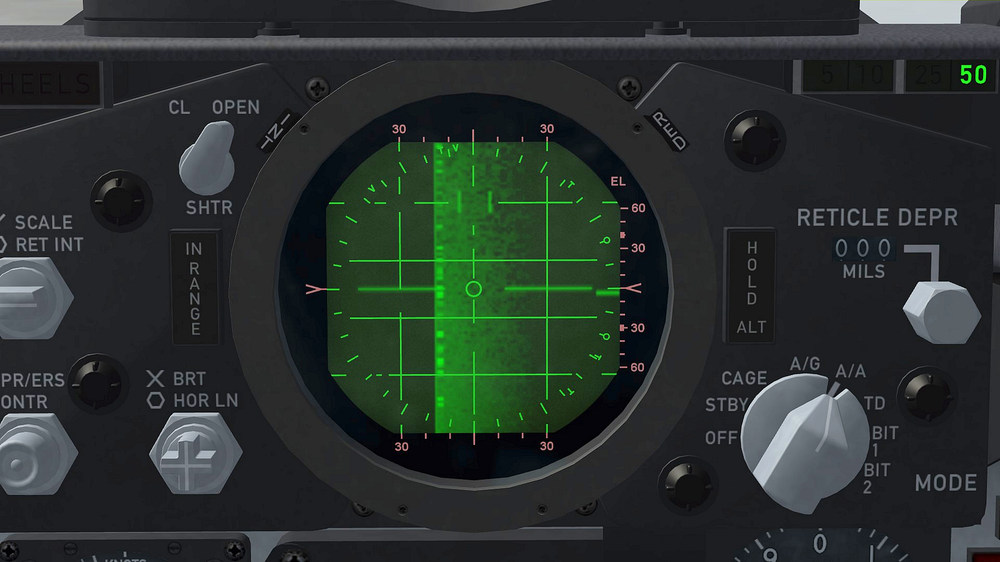
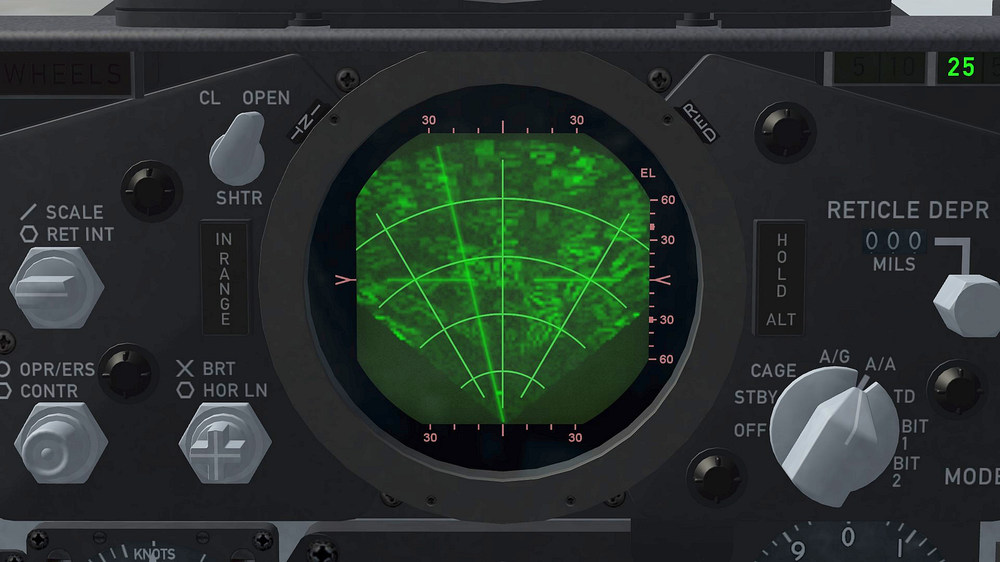
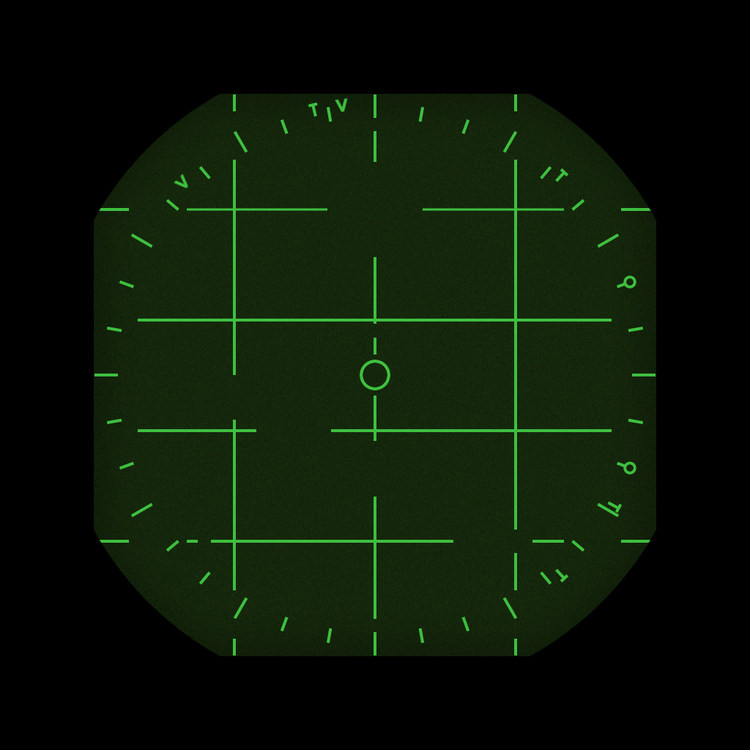
i think i made a mistake , i´m no longer sure that both displays are used , DVST display (the one i use for AA) and the DSCG display was used in the same time periode thats why both of them in the Weapons Delivery Manual , but i think that the AA display belongs only to the DVST display , altough it is not clear in the manual if or if not this AA display is used with the DSCG i´m more and more convinced that it belongs only to the DVST display but at least i found a way for both displays to show up , maybe something that may come handy in the future this are the complete radar scope displays i think belong to DVST only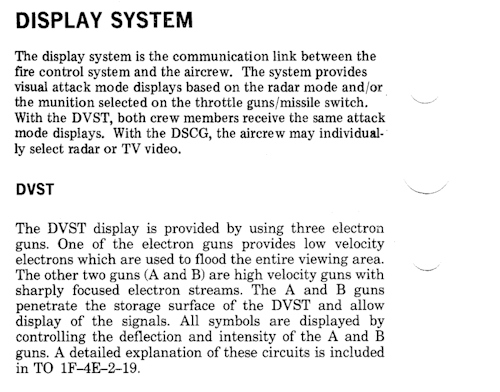
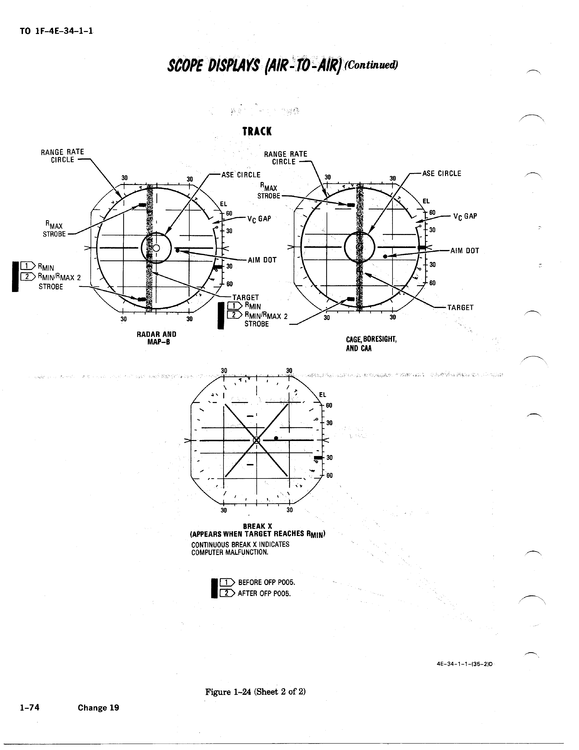
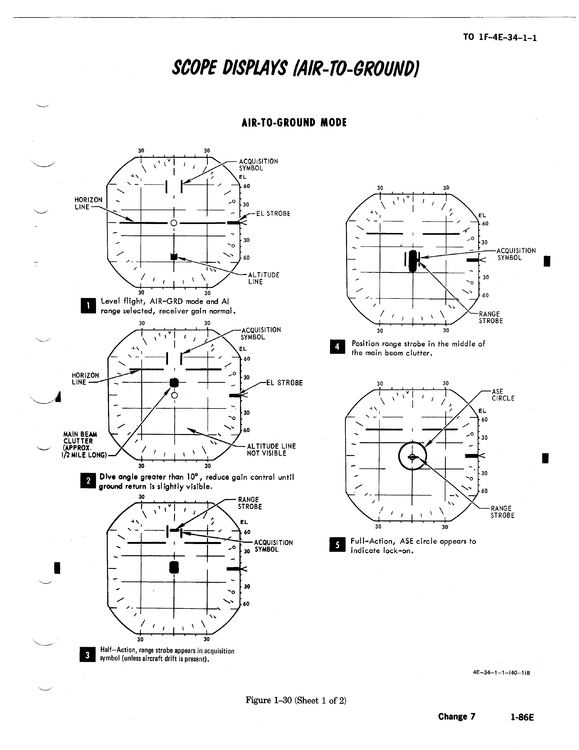
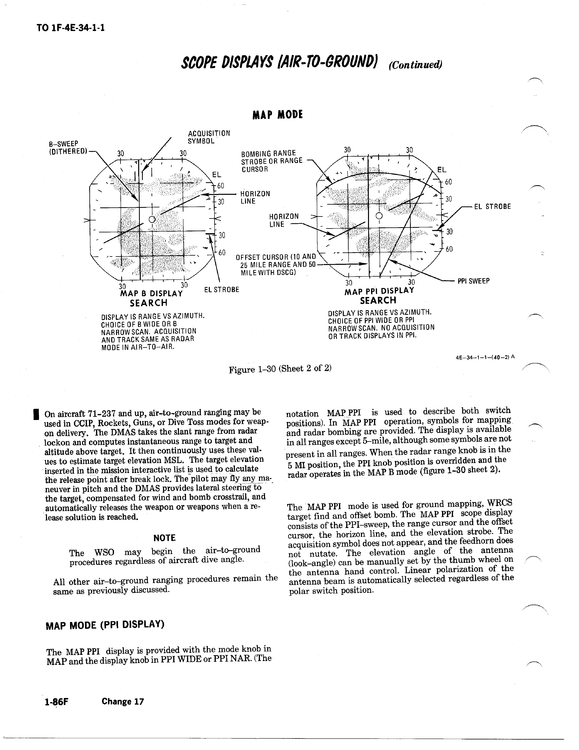
-
how to get multiple radar screens working
ravenclaw_007 replied to ravenclaw_007's topic in Mods & Skinning Discussion
i got it workinhg now i made the 2 grids AG and AA as a 3d part and set it in the Cockpit.ini as a light , this way i can controll when the grid is shown and when it is hidden , now everything works like it should the 2 radar screens are controlled with a HUD_MODE_INDICATOR entry in the Cockpit.ini this way the AA grid shows up as soon as you select a AA weapon ( Missile or Gun ) i still have to add the Radar Range display to the AA_PPI than i´m done now i can finish the late F-4E/F and G cockpits a Special Thank You to pvince , your mention of the tga way brought me to this idea , Thank You Very much DSCG Grid for AG AA Grid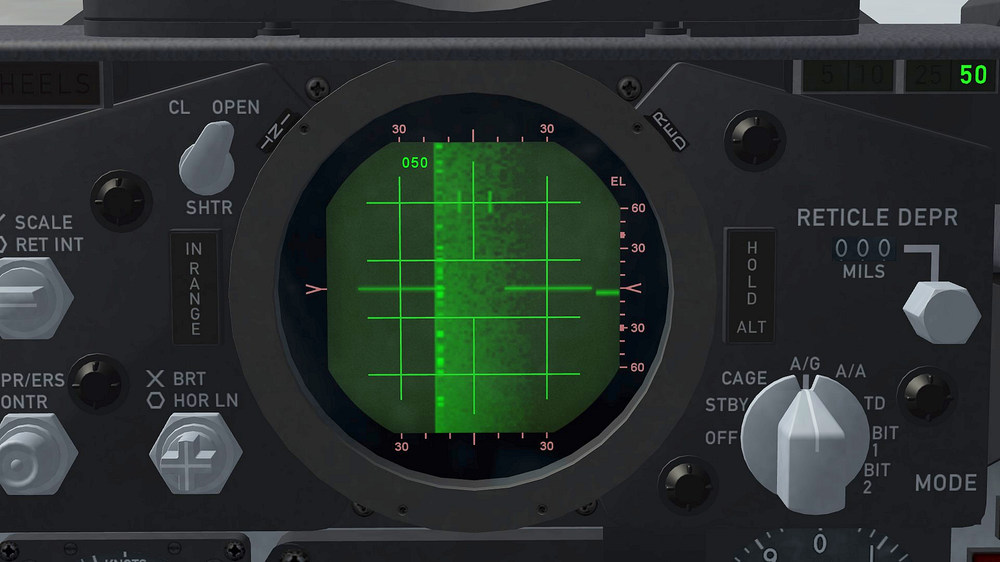
- 31 replies
-
- 10
-
-
how to get multiple radar screens working
ravenclaw_007 replied to ravenclaw_007's topic in Mods & Skinning Discussion
it is not working all that shows up is a blank radar screen [TextureData] RadarTexture=cockpit\F-4E_Radar.bmp RadarAGTexture=cockpit\F-4E_Radar_PPI.bmp RWRTexture=cockpit\F-4E_RWR.bmp RangeTexture[1]=F-4E_RADAR_DSCG RangeTexture[2]=F-4E_RADAR_DSCG RangeTexture[3]=F-4E_RADAR_DSCG RangeTexture[4]=F-4E_RADAR_DSCG RangeTexture[5]=F-4E_RADAR_DSCG RangeTexture[6]=F-4E_RADAR_DSCG RangeTexture[7]=F-4E_RADAR_AA RangeTexture[8]=F-4E_RADAR_AA RangeTexture[9]=F-4E_RADAR_AA RangeTexture[10]=F-4E_RADAR_AA RangeTexture[11]=F-4E_RADAR_AA RangeTexture[12]=F-4E_RADAR_AA [AvionicsData] AvailableModes=SEARCH,ACQUISITION,TRACK,BORESIGHT,GROUND_MAP RangeUnit=NM RangeSetting[1]=5 RangeSetting[2]=10 RangeSetting[3]=25 RangeSetting[4]=50 RangeSetting[5]=100 RangeSetting[6]=200 RangeSetting[7]=5 RangeSetting[8]=10 RangeSetting[9]=25 RangeSetting[10]=50 RangeSetting[11]=100 RangeSetting[12]=200 -
how to get multiple radar screens working
ravenclaw_007 replied to ravenclaw_007's topic in Mods & Skinning Discussion
option 1 resulting in only showing the AA texture on both objects like it is now with the AG texture option 2 sounds interesting , i will give it a try -
how to get multiple radar screens working
ravenclaw_007 replied to ravenclaw_007's topic in Mods & Skinning Discussion
yes , but i have to try it somehow i also try this [TextureData] RadarTexture=cockpit\F-4E_Radar.bmp RadarTexture=cockpit\F-4E_Radar_AA.bmp RadarAGTexture=cockpit\F-4E_Radar_PPI.bmp RWRTexture=cockpit\F-4E_RWR.bmp [TextureData] RadarAGTexture=cockpit\F-4E_Radar_PPI.bmp RWRTexture=cockpit\F-4E_RWR.bmp RadarTexture[1]=F-4E_RADAR RadarTexture[2]=F-4E_RADAR_AA none of this is working -
how to get multiple radar screens working
ravenclaw_007 replied to ravenclaw_007's topic in Mods & Skinning Discussion
yap i know , i just had to give that texture a name and i could not find any entry showing me an option that was something i missed from the beggining with SF2 not having a AG and AA option , not only with the radar texture but with the function as well , would be so cool if we could mark groun targets with the radar -
how to get multiple radar screens working
ravenclaw_007 replied to ravenclaw_007's topic in Mods & Skinning Discussion
found the problem and i fear it can't be fixed the problem is the Avionics.ini , it accepts only one entry for the RadarTexture that´s why my RadarAATexture entry is getting ignored , i played arround with it and i can get on both objects the AG or the AA texture or nothing at all but not what i want dont know if there would be a solution by switching to Avionics70.dll [TextureData] RadarTexture=cockpit\F-4E_Radar.bmp RadarAATexture=cockpit\F-4E_Radar_AA.bmp RadarAGTexture=cockpit\F-4E_Radar_PPI.bmp RWRTexture=cockpit\F-4E_RWR.bmp the second entry in the Cockpit.ini gives me the radar function for the AA object , so this is working but only 50% of the solution the other 50% with the textures is a no go right now [RadarScreen] Type=RADAR_SCOPE NodeName=Radar_Screen [RadarScreen_AA] Type=RADAR_SCOPE NodeName=Radar_Screen_AA if anybody has an idea how to solve this problem you are more than welcome , maybe an Avionic guru has an idea or if TK is reading this by any chance please give me a hint how to solve this -
how to get multiple radar screens working
ravenclaw_007 replied to ravenclaw_007's topic in Mods & Skinning Discussion
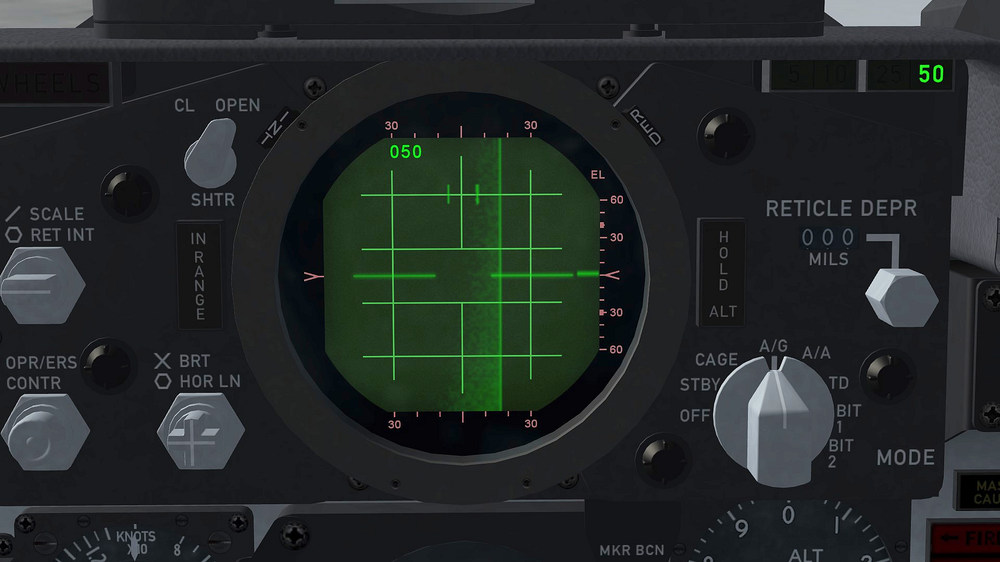
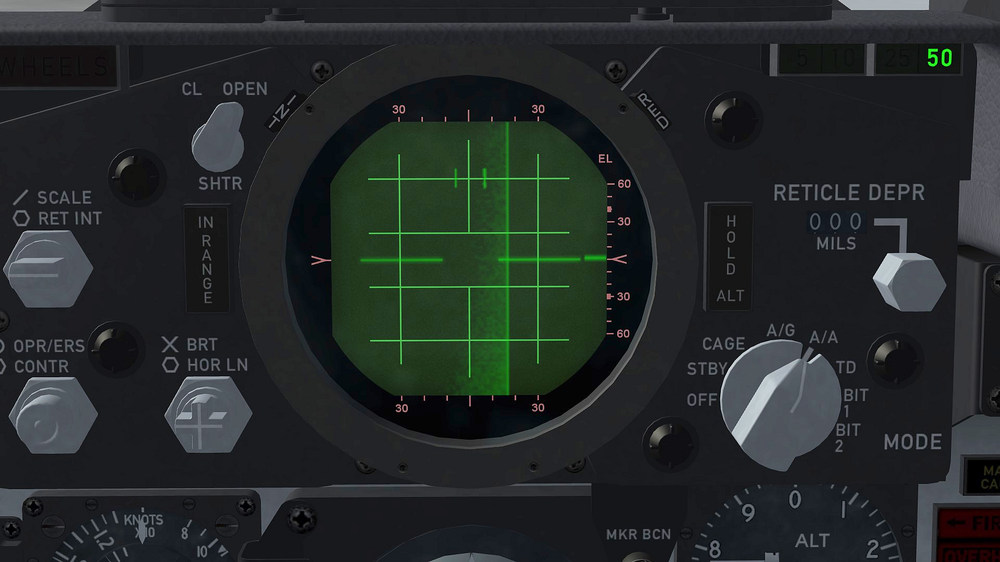
this is driving me nuts i got the radar showing for AG and AA but for some reason the assigned texture for the AA object is not showing up , in 3ds max everything works but in game not i added a second radar entry in the cockpit.ini [RadarScreen] Type=RADAR_SCOPE NodeName=Radar_Screen [RadarScreen_AA] Type=RADAR_SCOPE NodeName=Radar_Screen_AA this are the 2 textures i use , the first for the AG object and the second for the AA object in game the AG object is showing the radar range selected in the upper left corner , the AA object does not have this display and this is how it appears in game AG with radar range display and the correct texture and the AA with out the display and the wrong texture so animation and radar function of the 2 objects is working but for a reason i dont understand the assigned texture for the AA object is not showing up , things like this brings me to a point where i consider stop modding TW stuff , damn...... sometimes i wish i could have a private conversation with TK sorry but right now i´m really pissed off , my apologie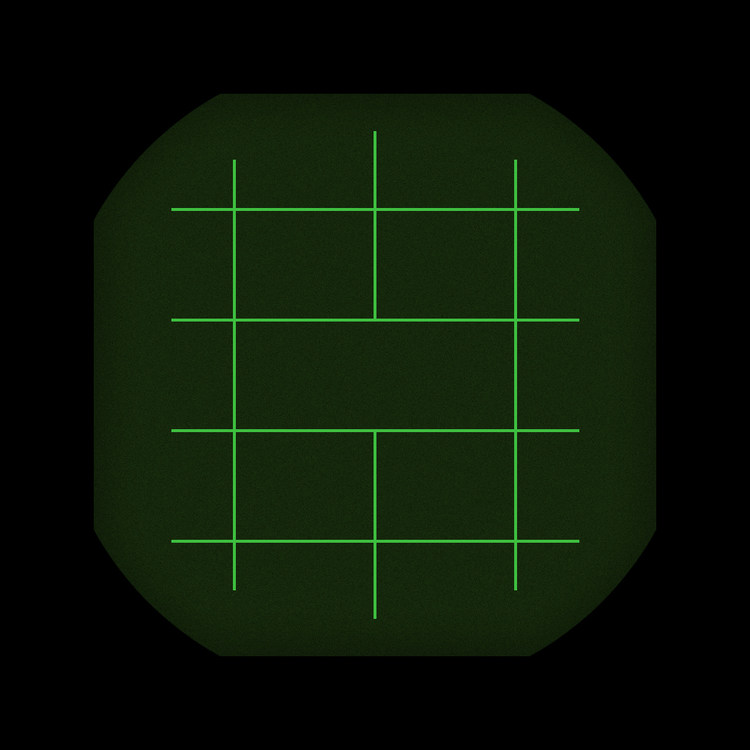
-
how to get multiple radar screens working
ravenclaw_007 replied to ravenclaw_007's topic in Mods & Skinning Discussion
i used the HUD_MODE_ INDICATOR to switch between AG and AA ( 2 different animated objects ) , this is working but the radar is only showing on the AG part not on the AA part i renamed the AA part to the same name as the AG part ( Radar_Screen) but asigned a different texture to it the result was no texture and no radar showing up on both of them i´m currently working with the Avionics.ini but it is not working either [TextureData] RadarTexture=cockpit\F-4E_Radar.bmp RadarAATexture=cockpit\F-4E_Radar_AA.bmp RadarAGTexture=cockpit\F-4E_Radar_PPI.bmp RWRTexture=cockpit\F-4E_RWR.bmp RangeTexture[1]=F-4E_RADAR RangeTexture[2]=F-4E_RADAR RangeTexture[3]=F-4E_RADAR RangeTexture[4]=F-4E_RADAR RangeTexture[5]=F-4E_RADAR RangeTexture[6]=F-4E_RADAR RangeTexture[7]=F-4E_RADAR_AA RangeTexture[8]=F-4E_RADAR_AA RangeTexture[9]=F-4E_RADAR_AA RangeTexture[10]=F-4E_RADAR_AA RangeTexture[11]=F-4E_RADAR_AA RangeTexture[12]=F-4E_RADAR_AA [AvionicsData] AvailableModes=SEARCH,ACQUISITION,TRACK,BORESIGHT,GROUND_MAP RangeUnit=NM RangeSetting[1]=5 RangeSetting[2]=10 RangeSetting[3]=25 RangeSetting[4]=50 RangeSetting[5]=100 RangeSetting[6]=200 RangeSetting[7]=5 RangeSetting[8]=10 RangeSetting[9]=25 RangeSetting[10]=50 RangeSetting[11]=100 RangeSetting[12]=200 -
how to get multiple radar screens working
ravenclaw_007 replied to ravenclaw_007's topic in Mods & Skinning Discussion
nope i want to have the DSCG and PPI display for AG and the Air to Air display , the game allows only to have 1 radar texture and the PPI but i would need 2 radar textures and the PPI i´m currently try to get the second radar texture to work and i have managed that it shows up but unfortunatley without the radar function , dont know if i have to add a entry in to the cockpit.ini or what i need to change at the avionics.ini so that everything works actually i have that problem already back when i was working at the F-16 cockpits for team Viper this is the entry for the radar textures in the Avionics.ini for the early F-4E and here everything works [TextureData] RadarTexture=cockpit\F-4E_Radar.bmp RWRTexture=cockpit\F-4E_RWR.bmp RadarAGTexture=cockpit\F-4E_Radar_PPI.bmp this is the entry for the late F-4E´s and only the F-4E radar is working as radar the F-4_Radar_AA is showing but not working as radar , i use the HUD_MODE_ INDICATOR to switch between the 2 radar displays ( F-4_Radar for AG and F-4E_Radar_AA for AA ) [TextureData] RadarTexture=cockpit\F-4E_Radar.bmp RWRTexture=cockpit\F-4E_RWR.bmp RadarAATexture=cockpit\F-4E_Radar_AA.bmp RadarAGTexture=cockpit\F-4E_Radar_PPI.bmp -
how to get multiple radar screens working
ravenclaw_007 posted a topic in Mods & Skinning Discussion
i´m currently working on the late F-4E cockpits and have a problem with the radar screen , the late F-4E`s did use the DSCG and the standard Air to Air scope displays , i have now try to get them working and was succesfull in getting them to show but without the radar function is there away to get a AG , AA and PPI display to work in SF2 and if yes how ??? F-4E DSCG and PPI display Air to Air display