ravenclaw_007
-
Posts
4,243 -
Joined
-
Last visited
-
Days Won
315
Content Type
Profiles
Forums
Gallery
Downloads
Store
Everything posted by ravenclaw_007
-
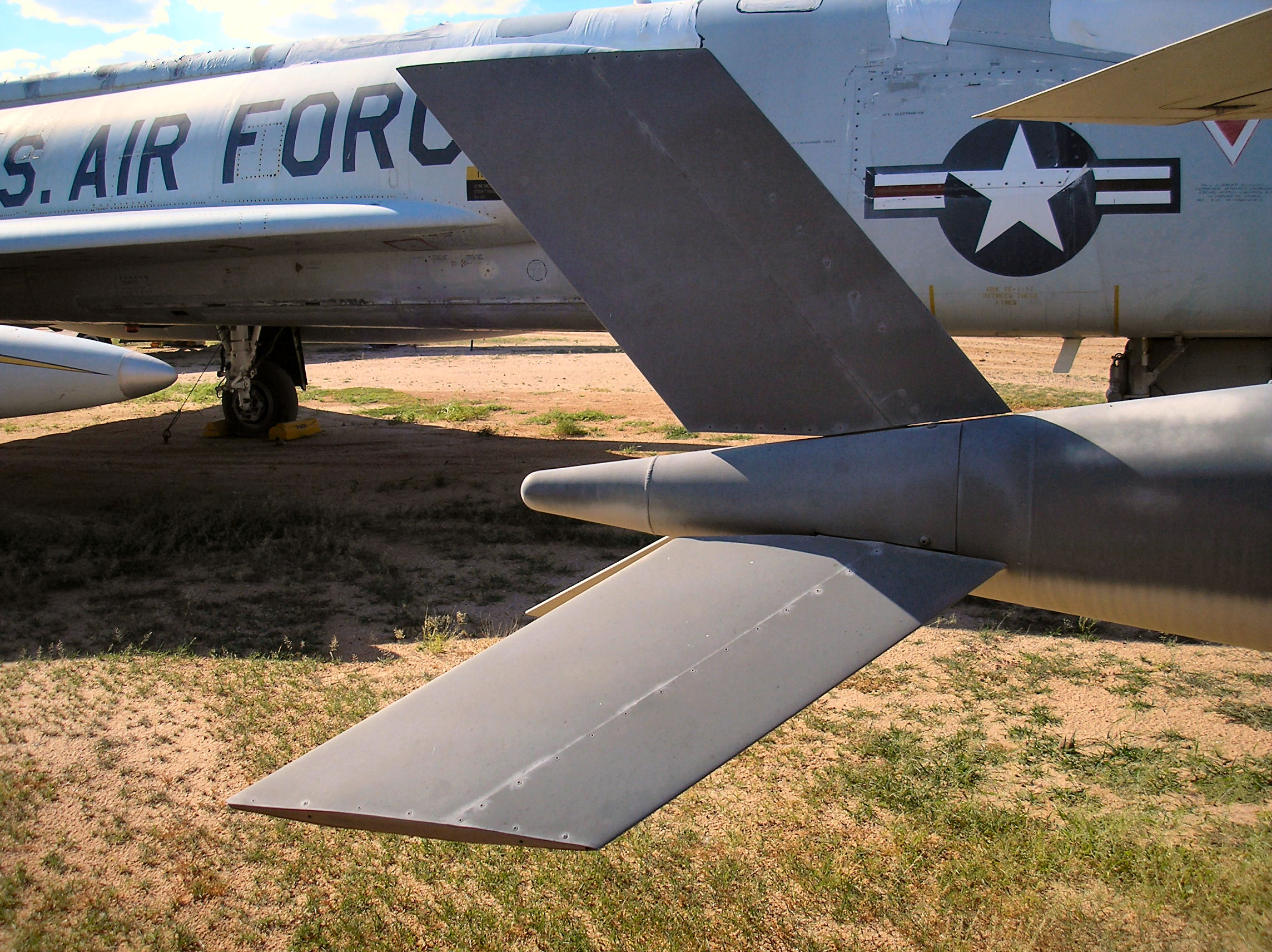
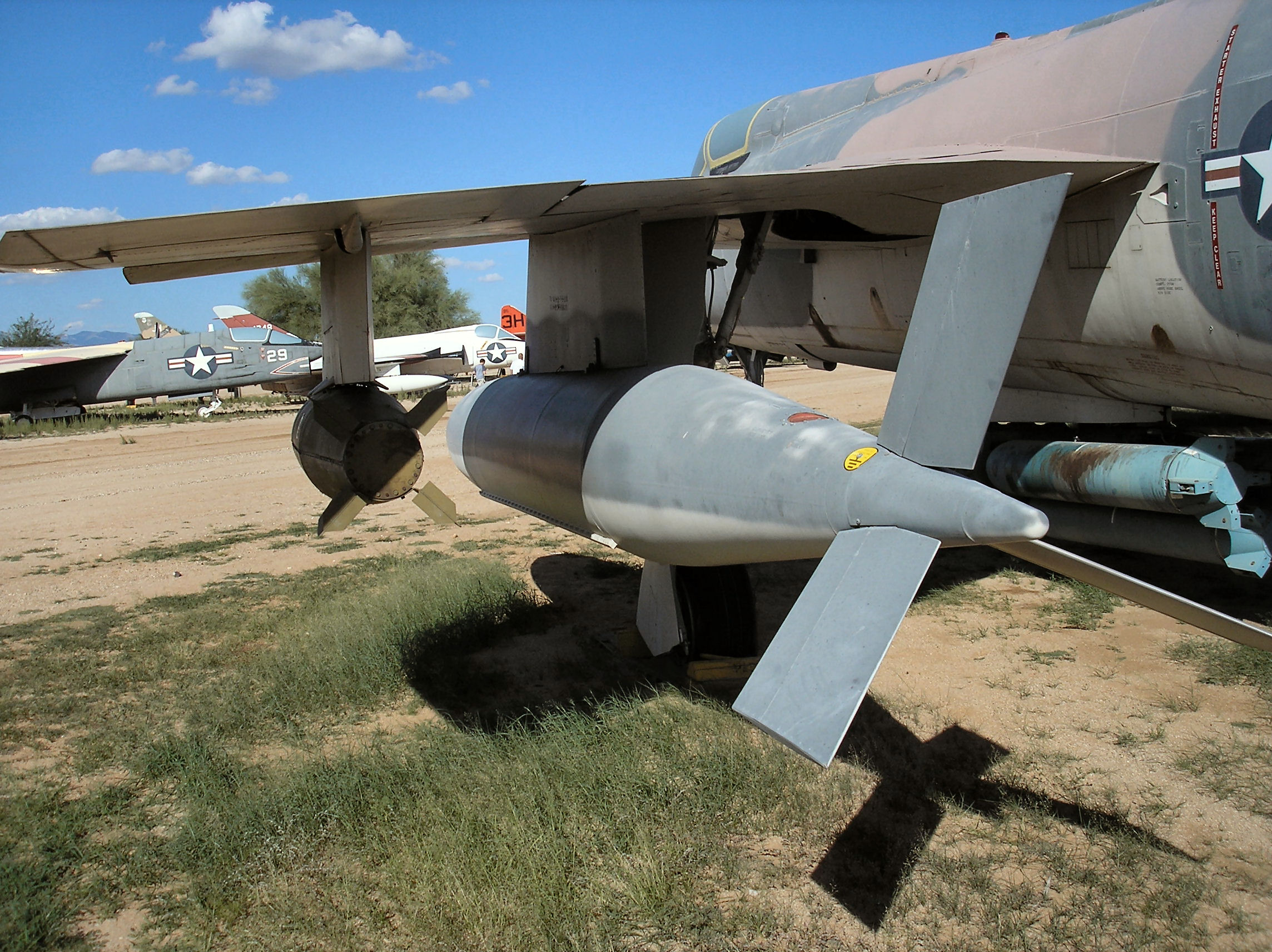
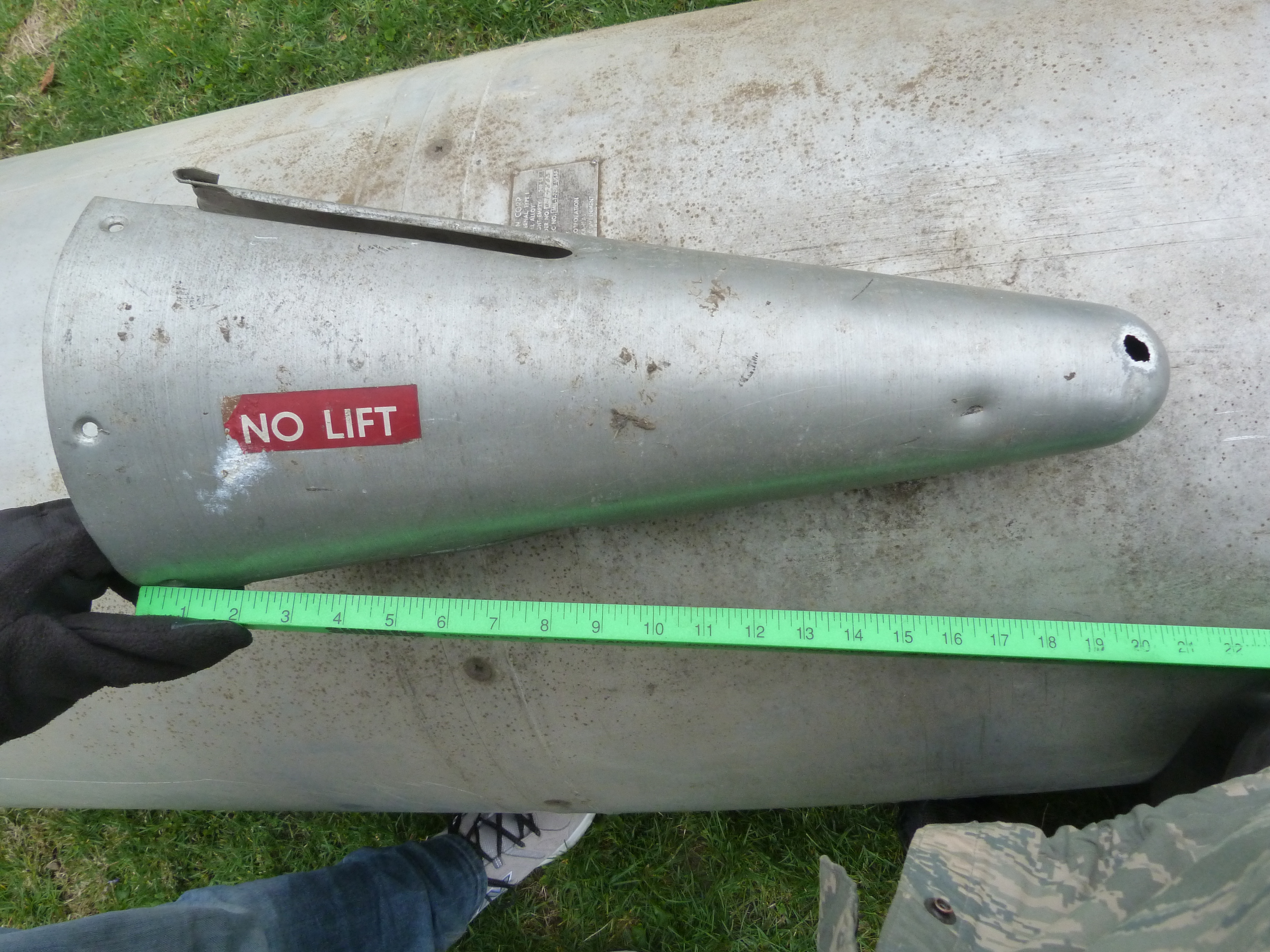
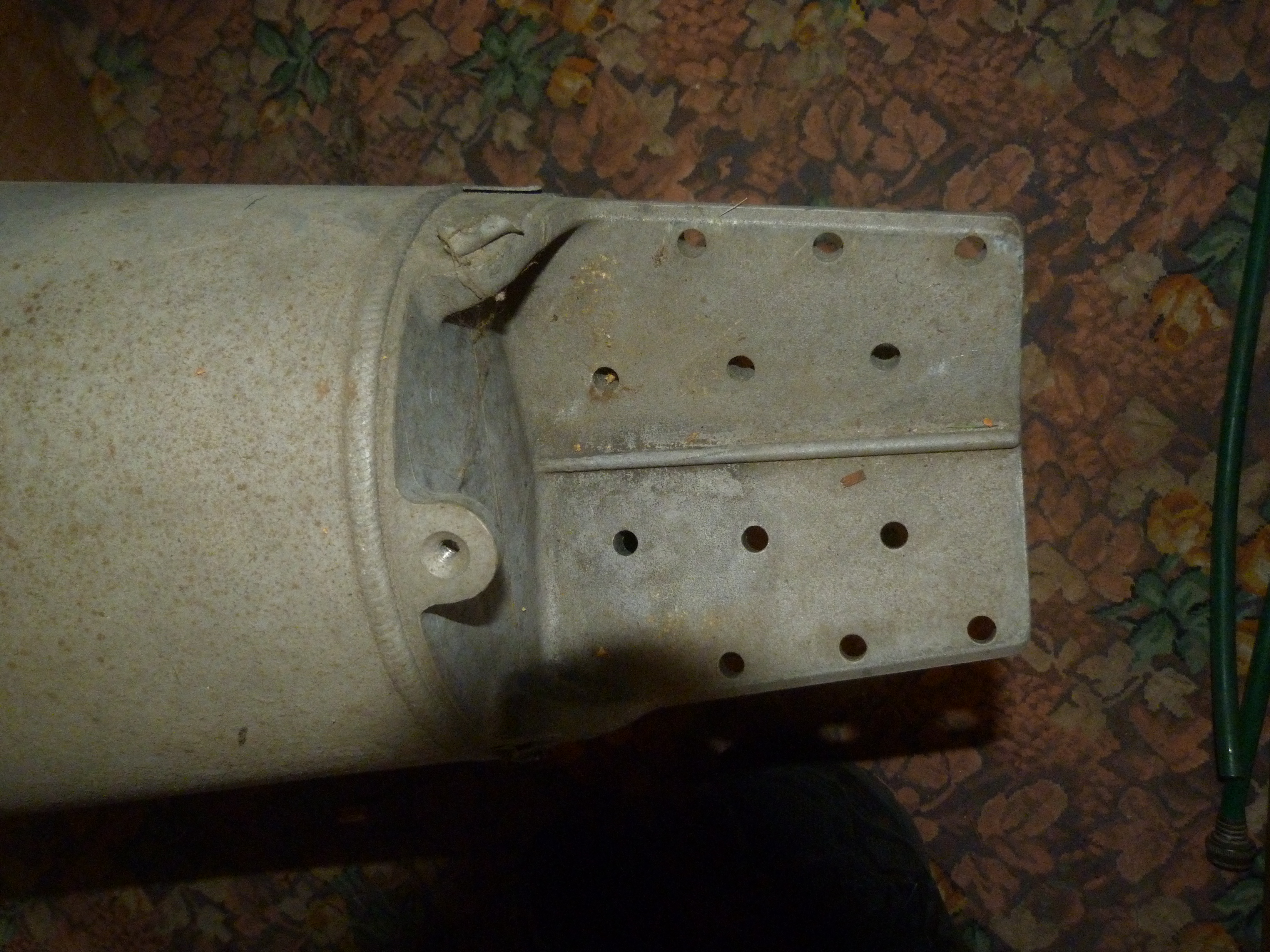
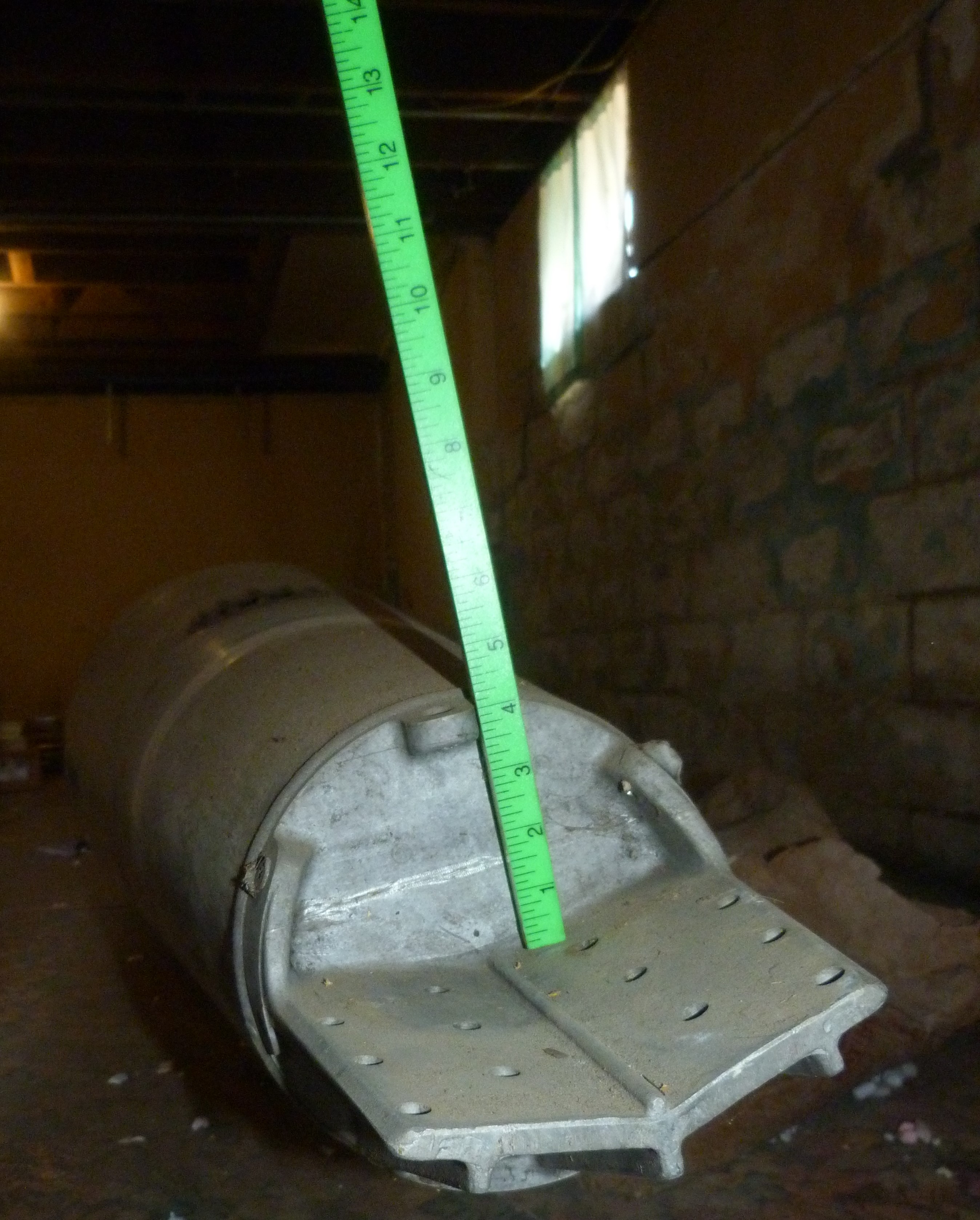
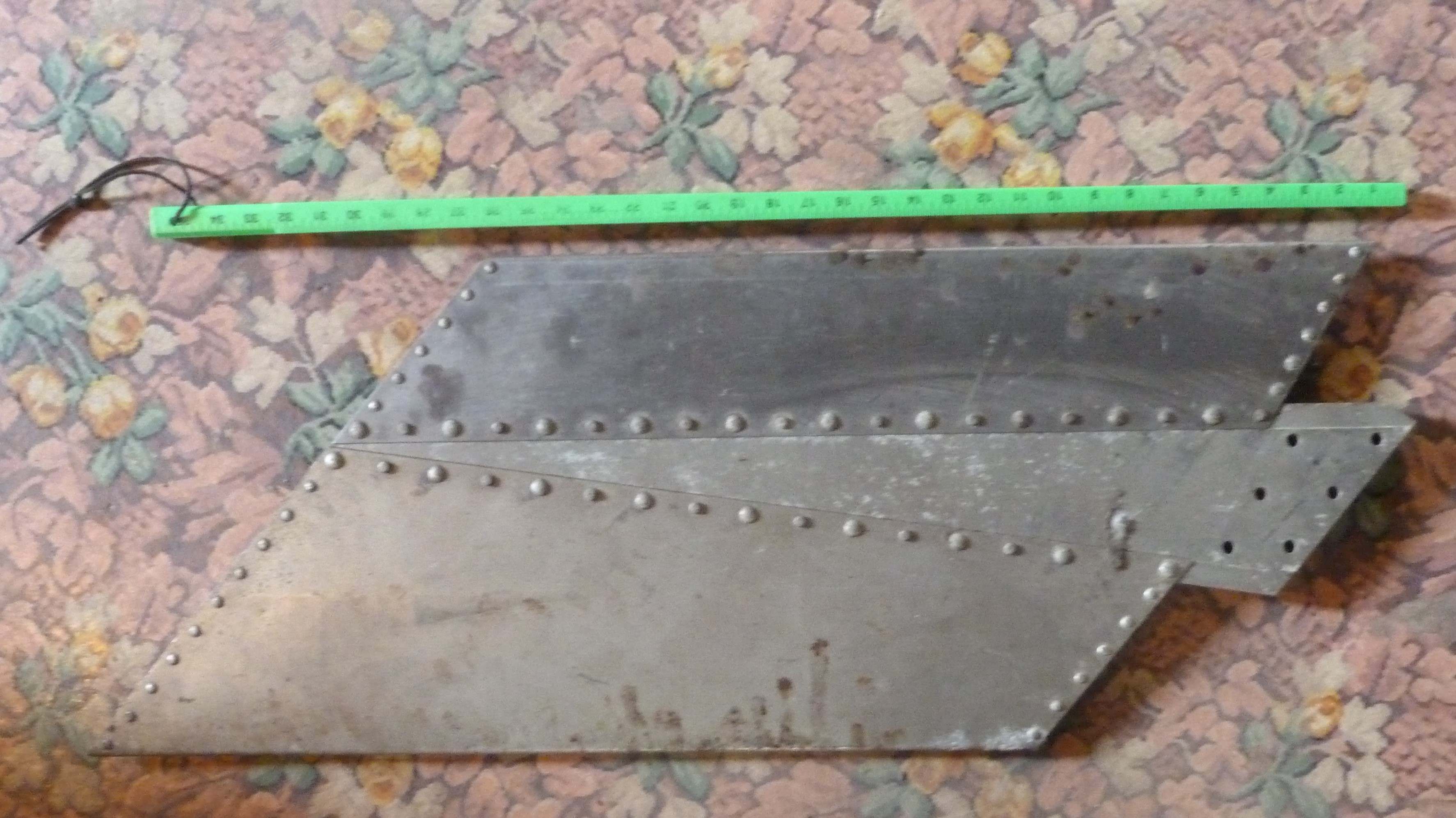
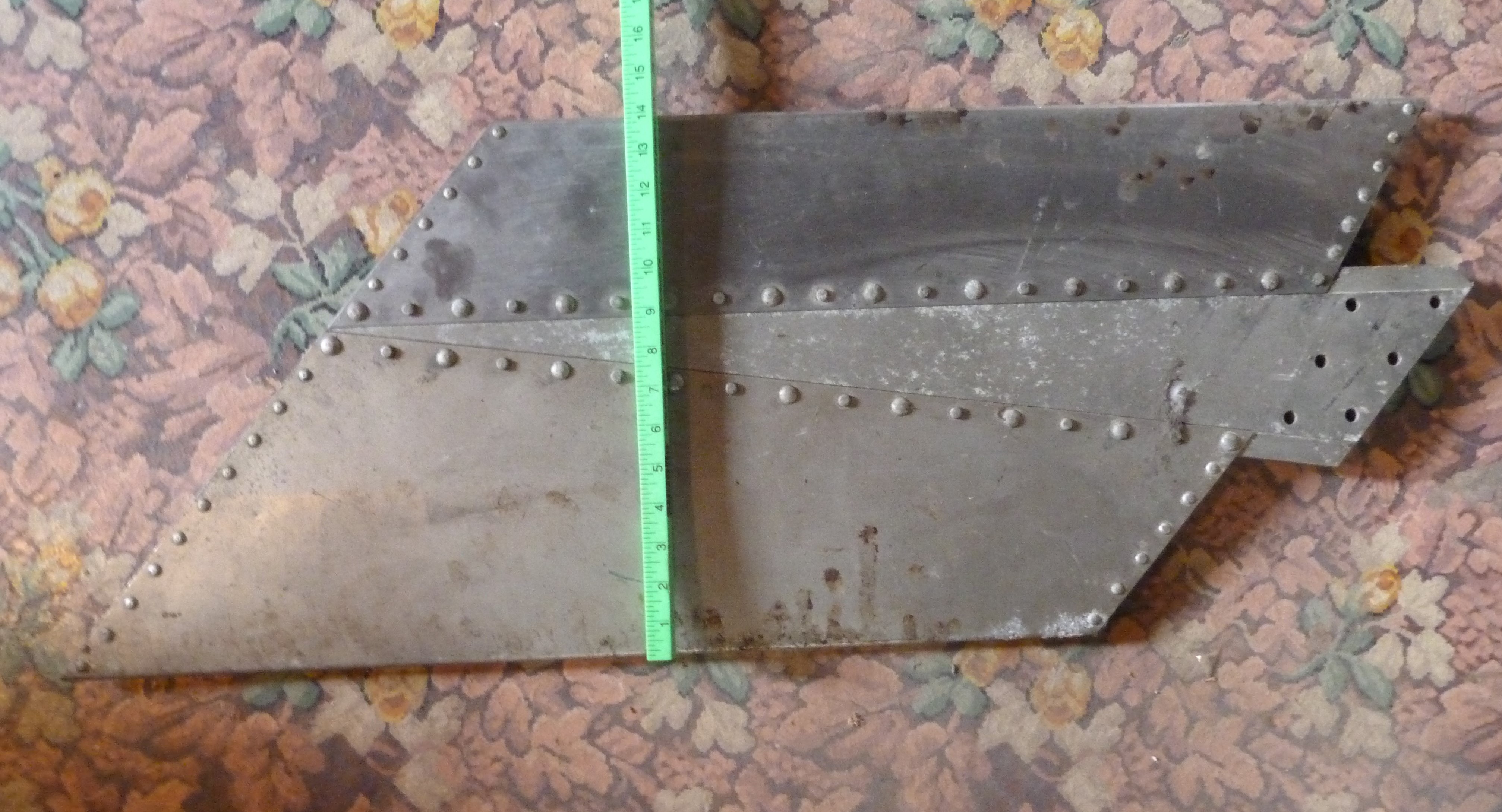
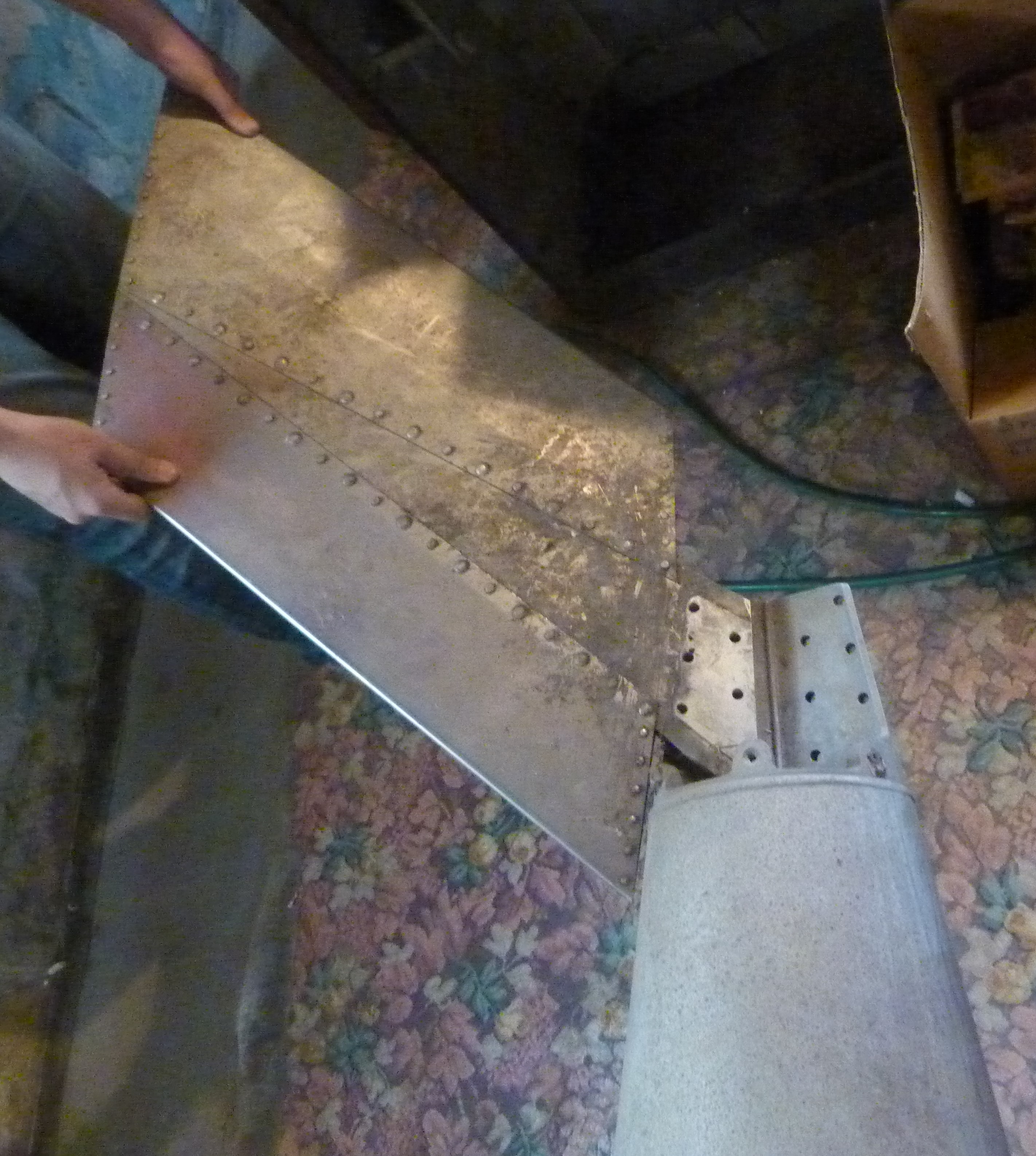
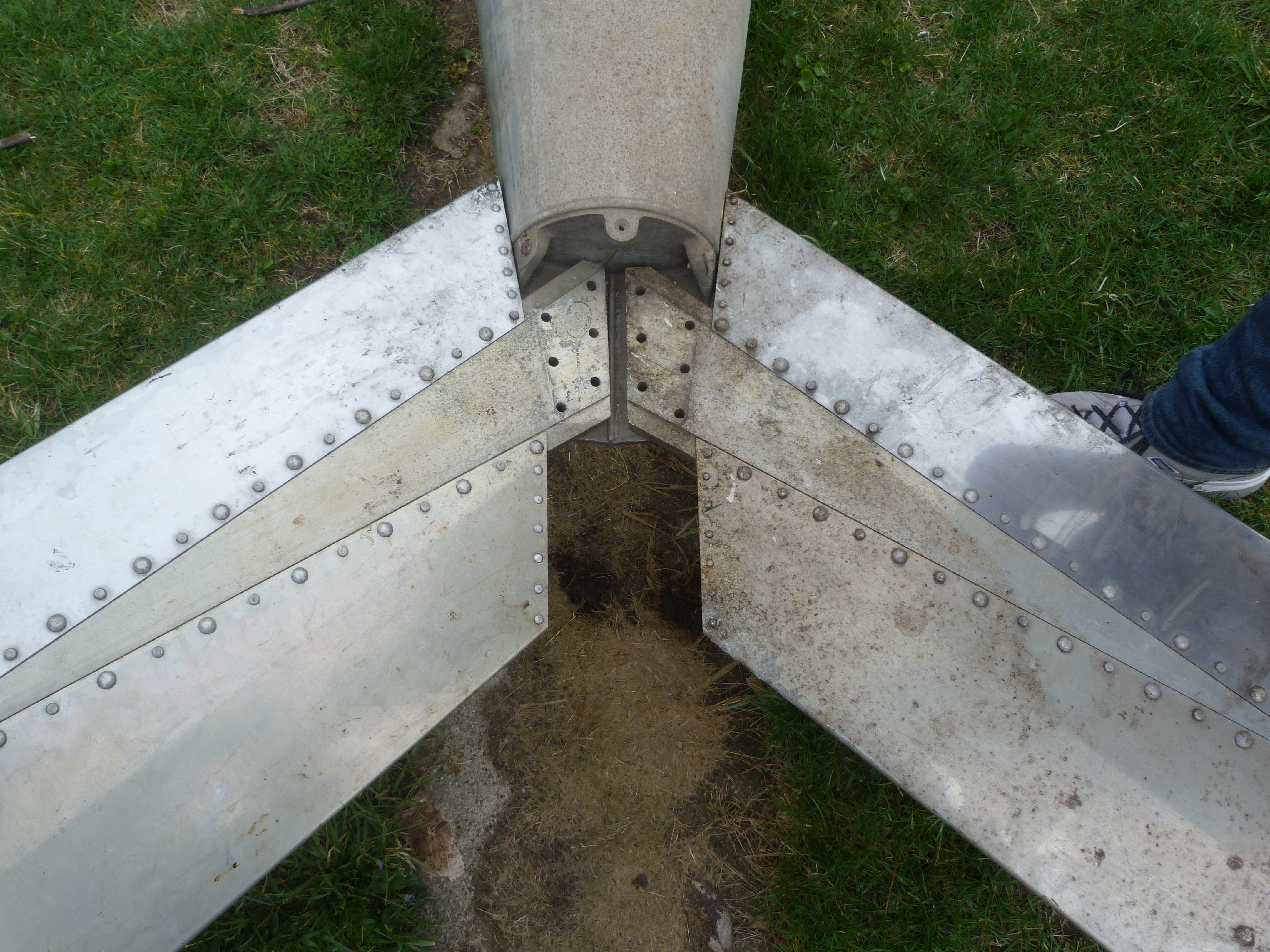
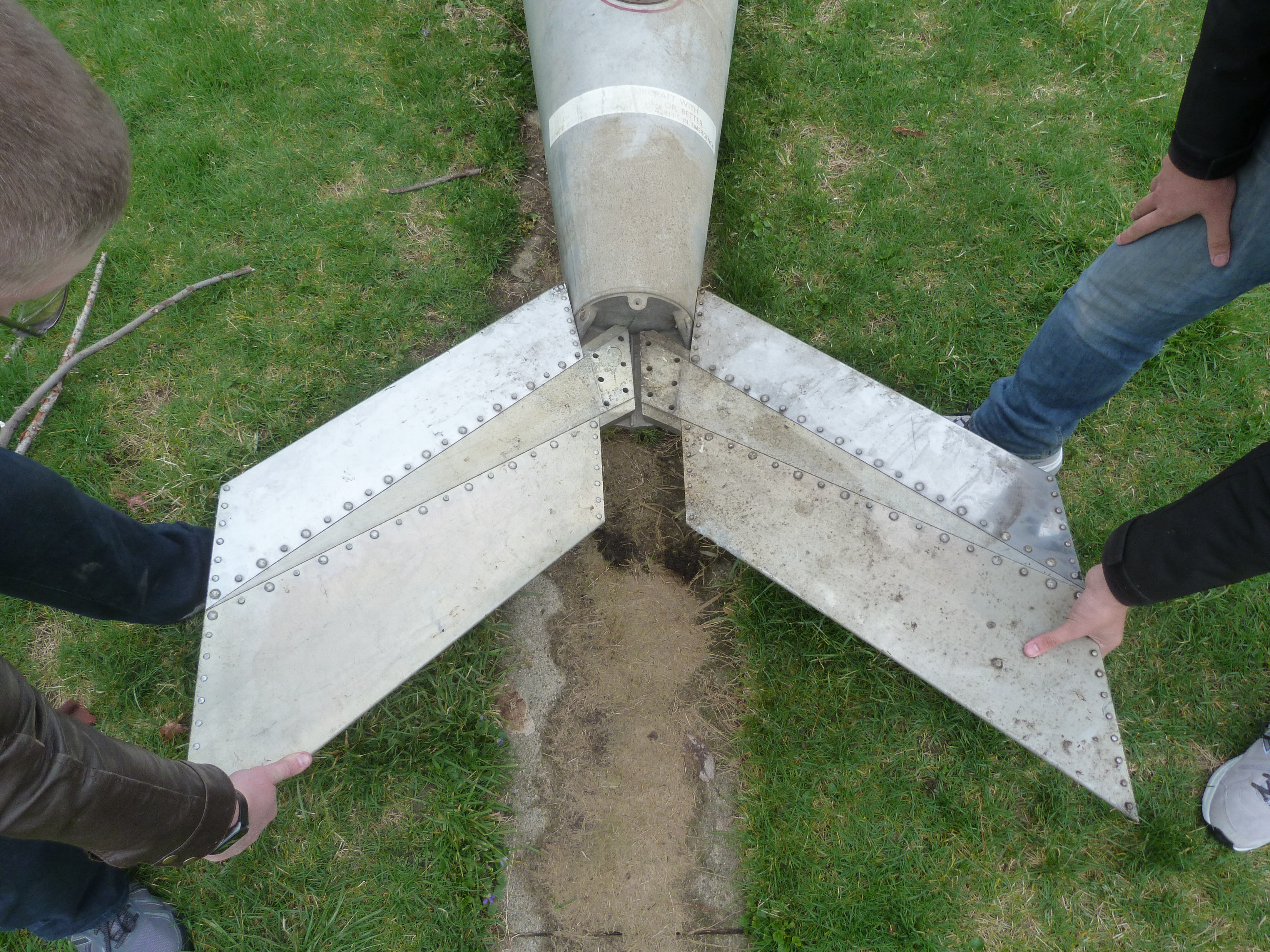
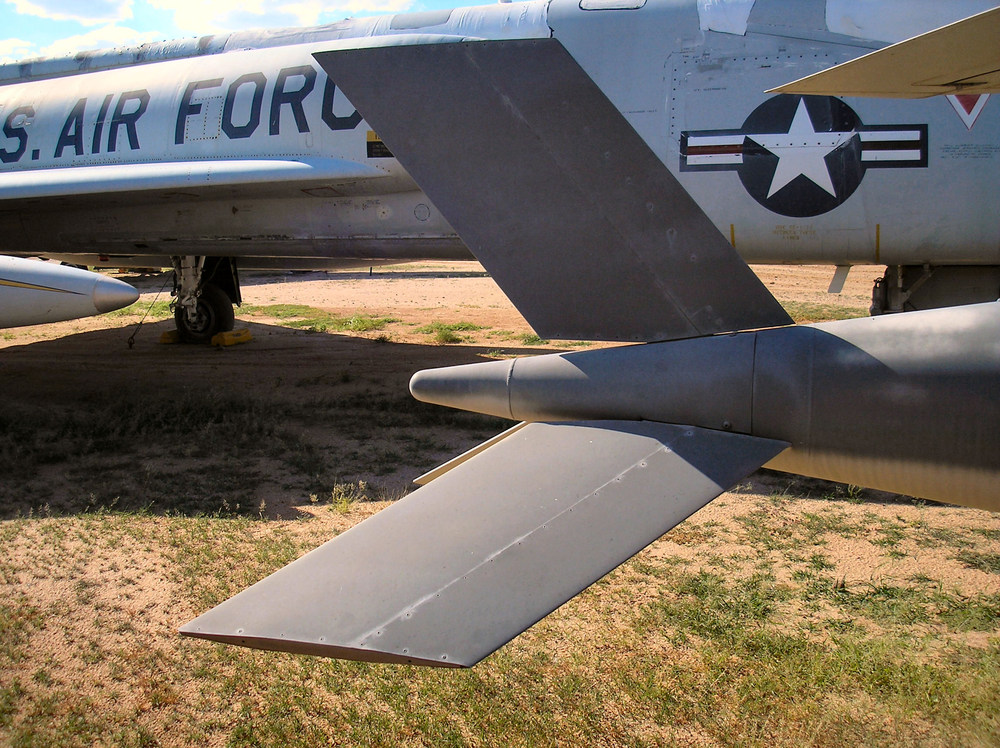
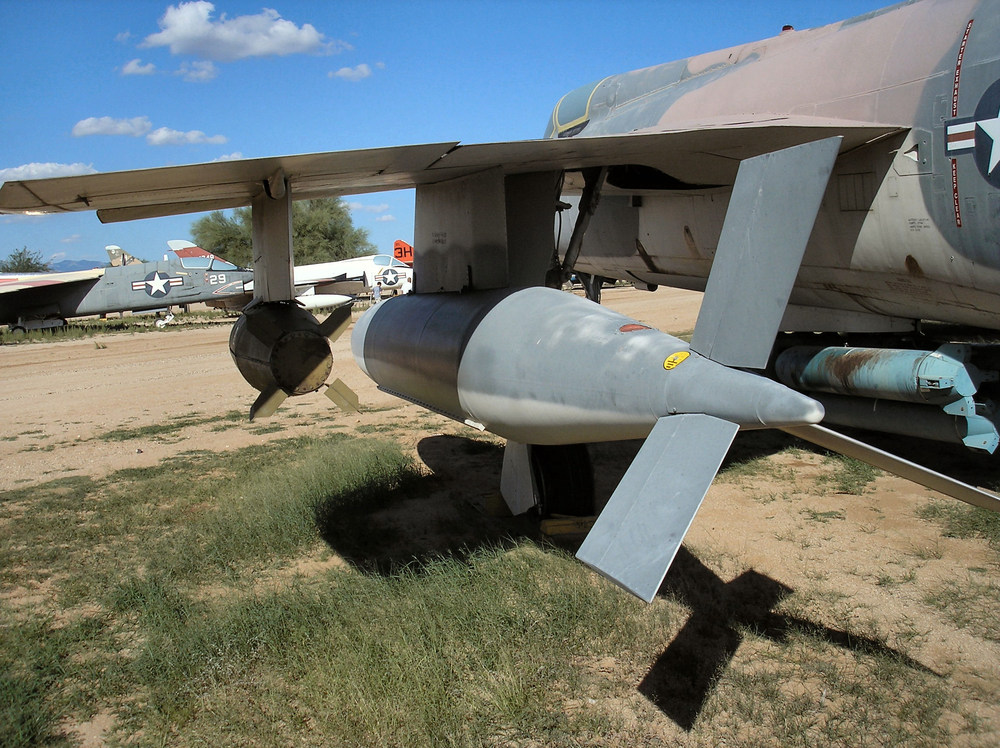
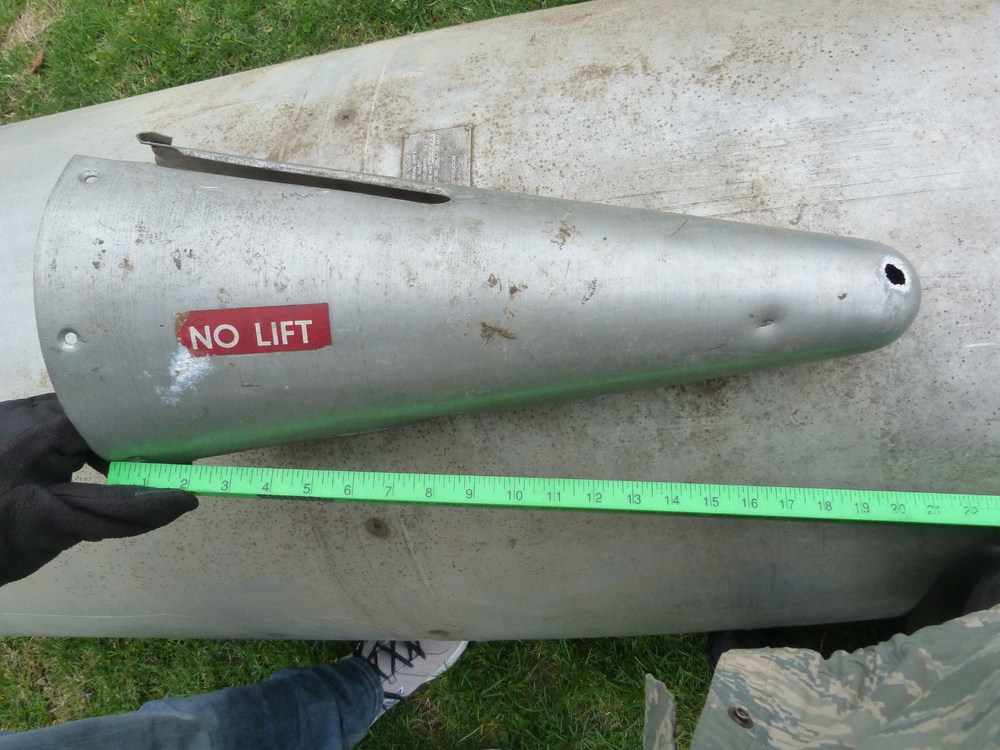
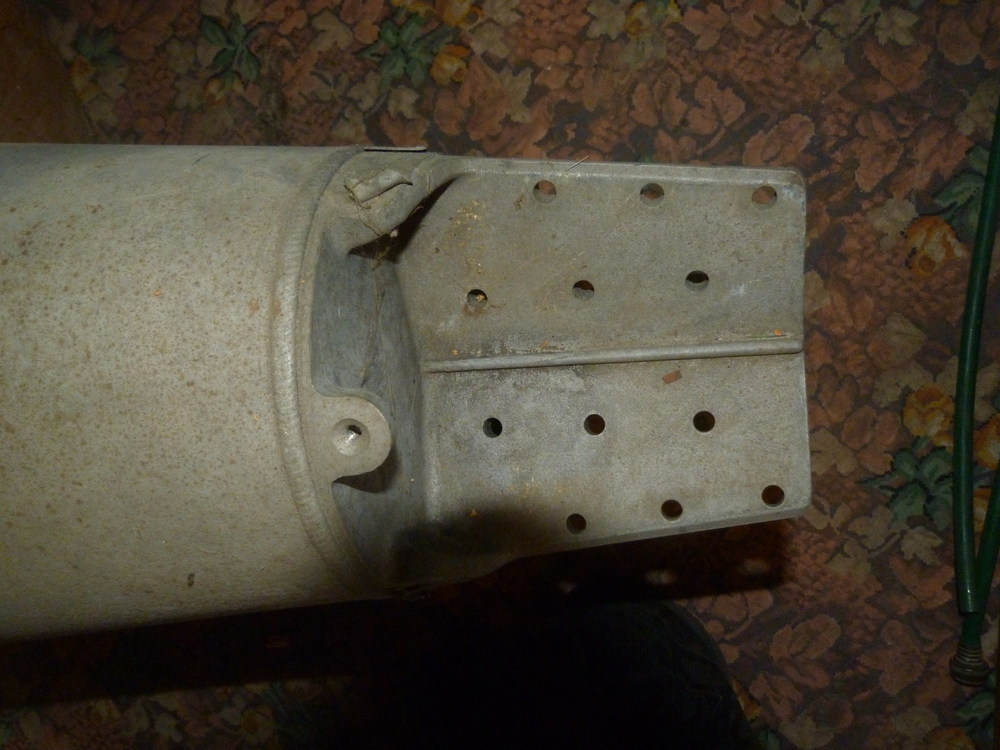
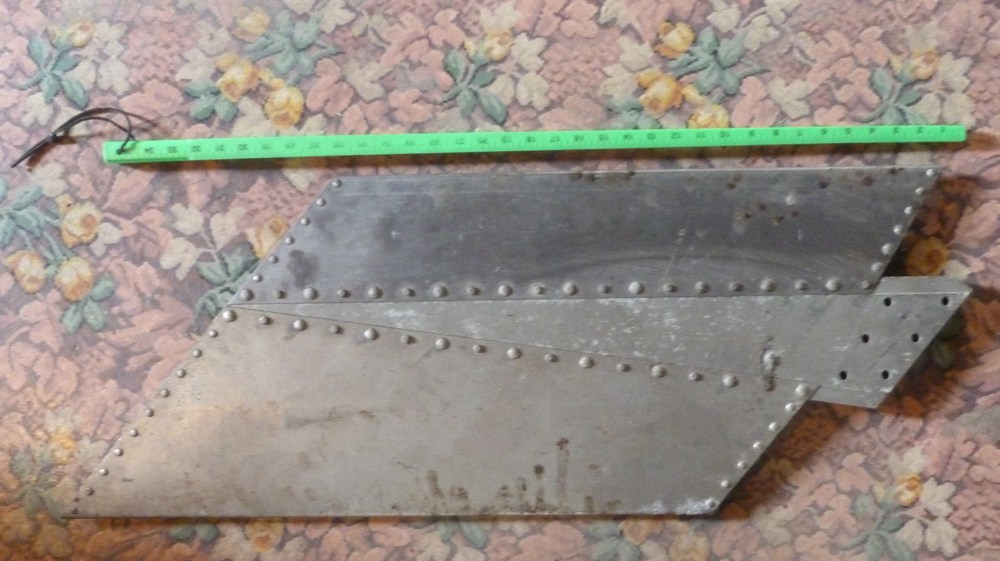
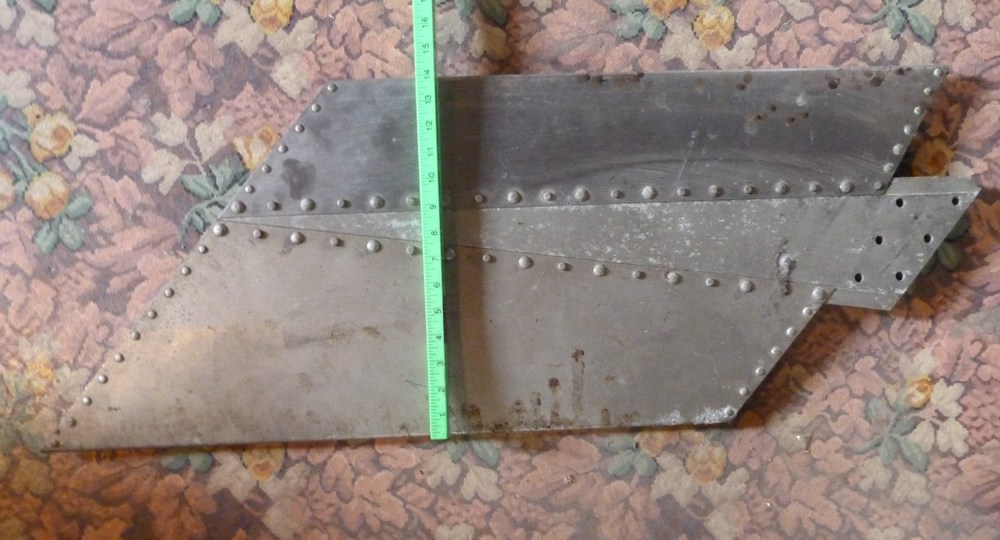
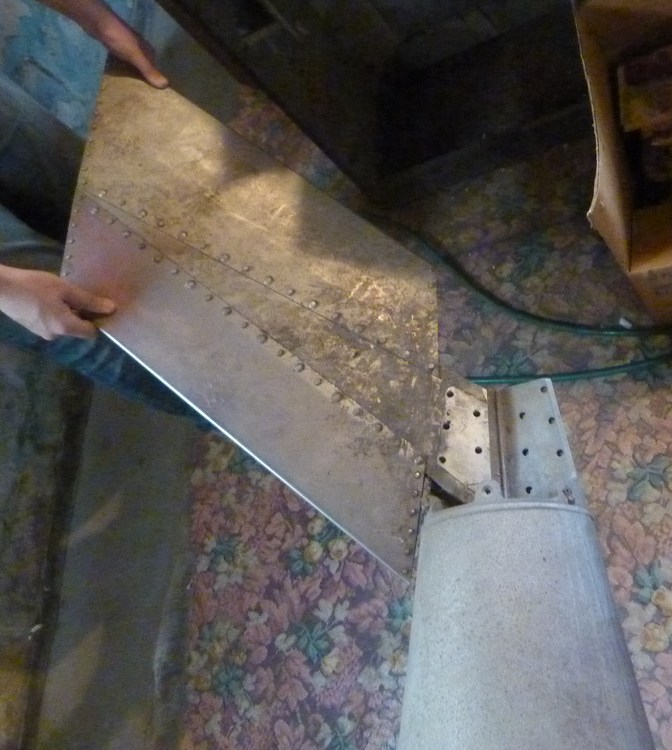
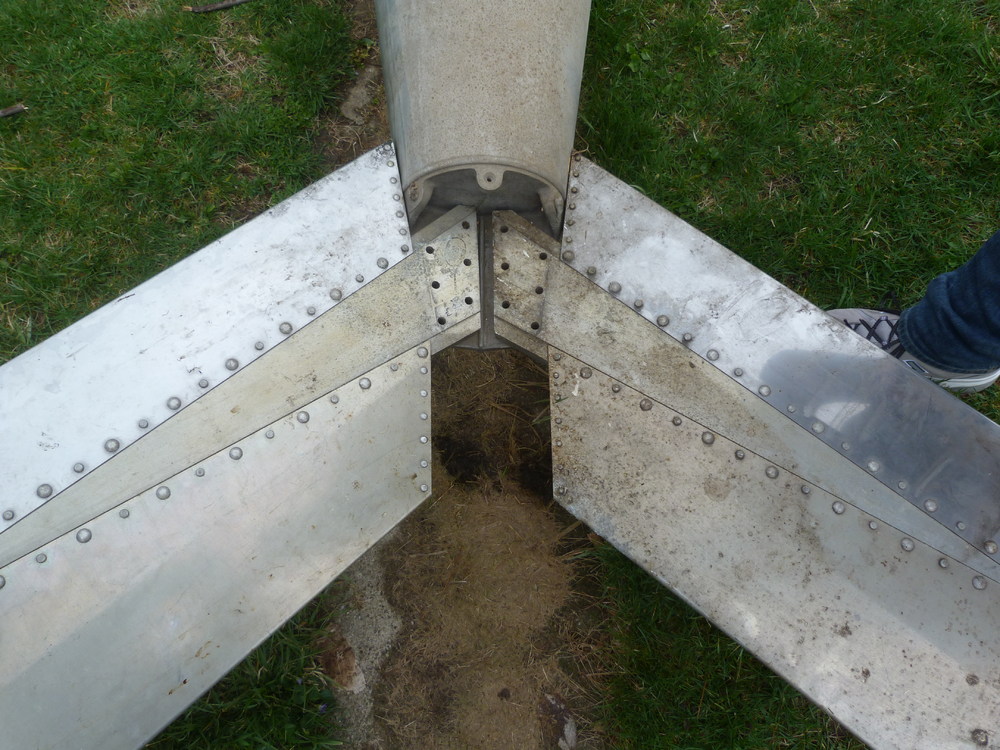
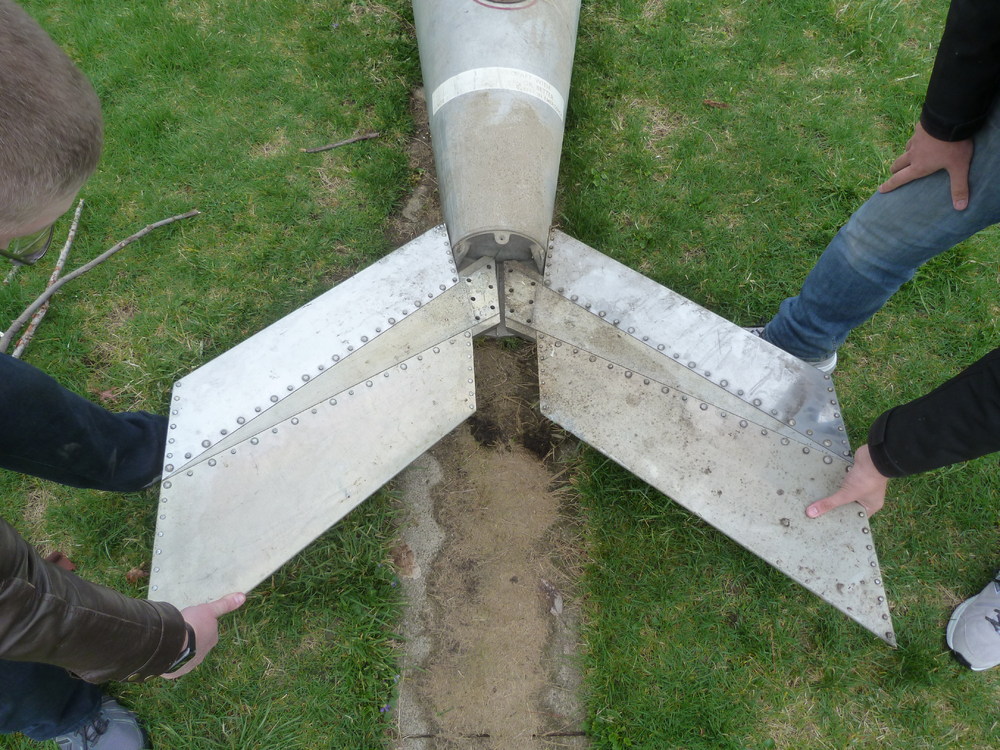
i dont have a blue print for it but i have a lot of pictures for 2 different tanks , an early and the late version one , i was searching for a blue print since years and had no luck yet cover for the early version , looks like the early version used only to fins or they had a option if they used 2 or 3 fins on it late version fins
-
looks like the fin assembly for the 450 gallon drop tank of the F-105

-

F-4E & F-4G Phantom detail question
ravenclaw_007 replied to ravenclaw_007's topic in General Discussion
thanks a lot , that fits perfect with my 1979 cockpits that have the VOR light will add this antenna to the USAF F-4E and F-4G aircrafts -
F-4E & F-4G Phantom detail question
ravenclaw_007 replied to ravenclaw_007's topic in General Discussion
same here , i went true all manuals and books i have and found nothing -
F-4E & F-4G Phantom detail question
ravenclaw_007 replied to ravenclaw_007's topic in General Discussion
hahaha ... i did not have a clue what SiriusXM is , thanks for that -
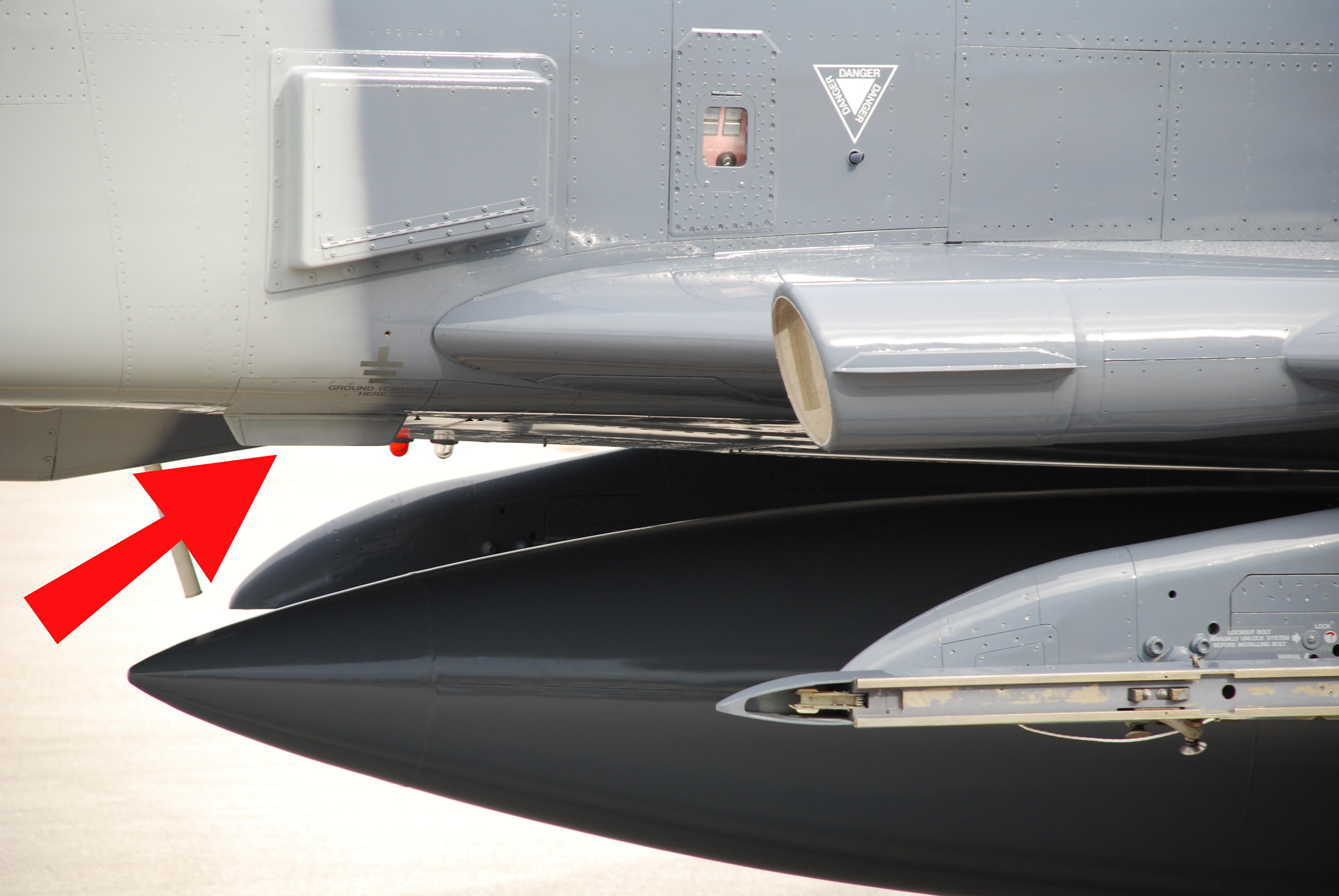
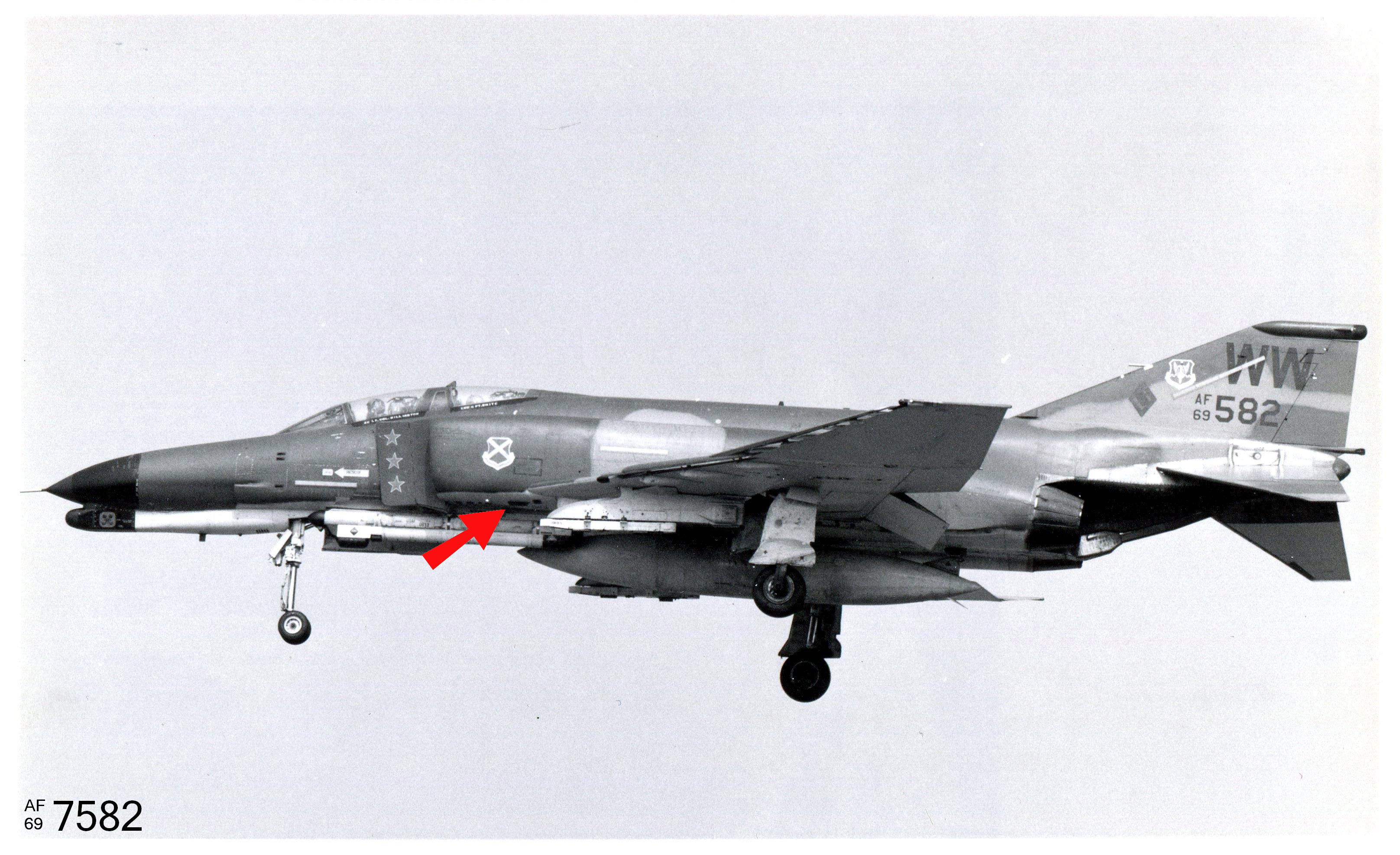
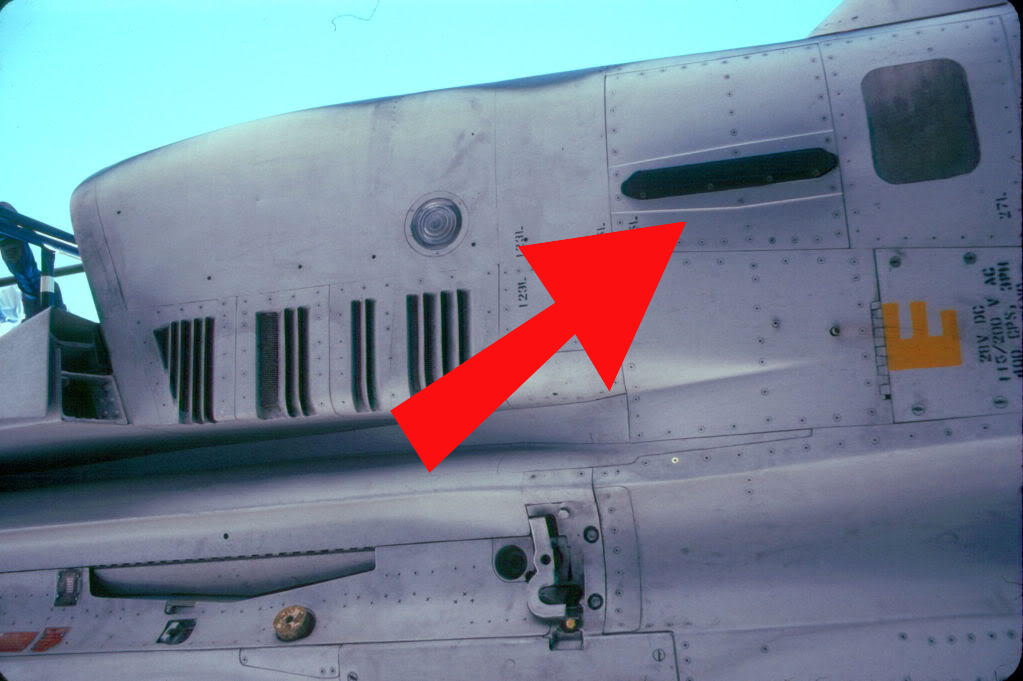
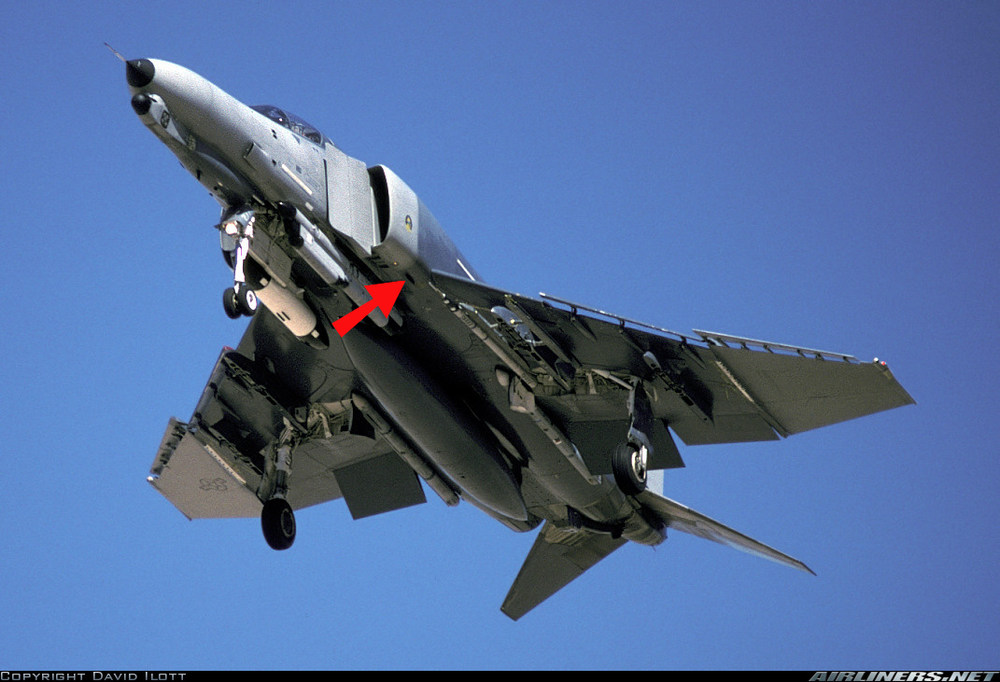
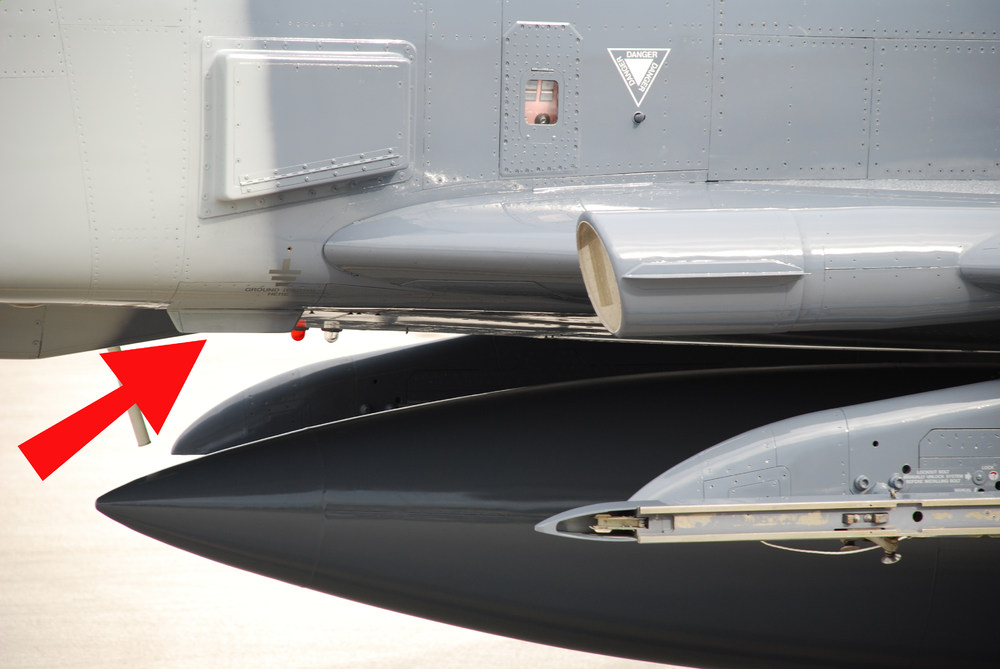
this is an other case when working on high detail 4096 x 4096 templates that you find something that you never notice before while working on my 4096 x 4096 templates i came a cross some pictures showing a antenna below the left air intake in front of the AN/APN-155 radar alt antenna , i was checking on what F-4 version this antenna apears so far i found only USAF F-4E and F-4G with this antenna now i have some question what is this antenn a for ? what year did it first apear ? did all F-4E and F-4G got equipt with it ? maybe some Phantom expert can answer this question for me , it would help me a lot
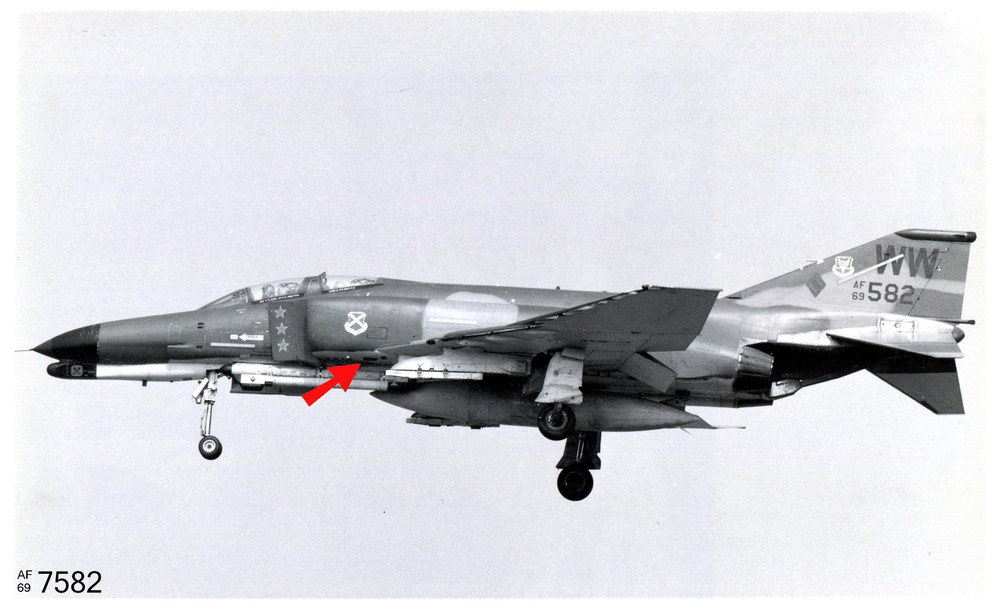
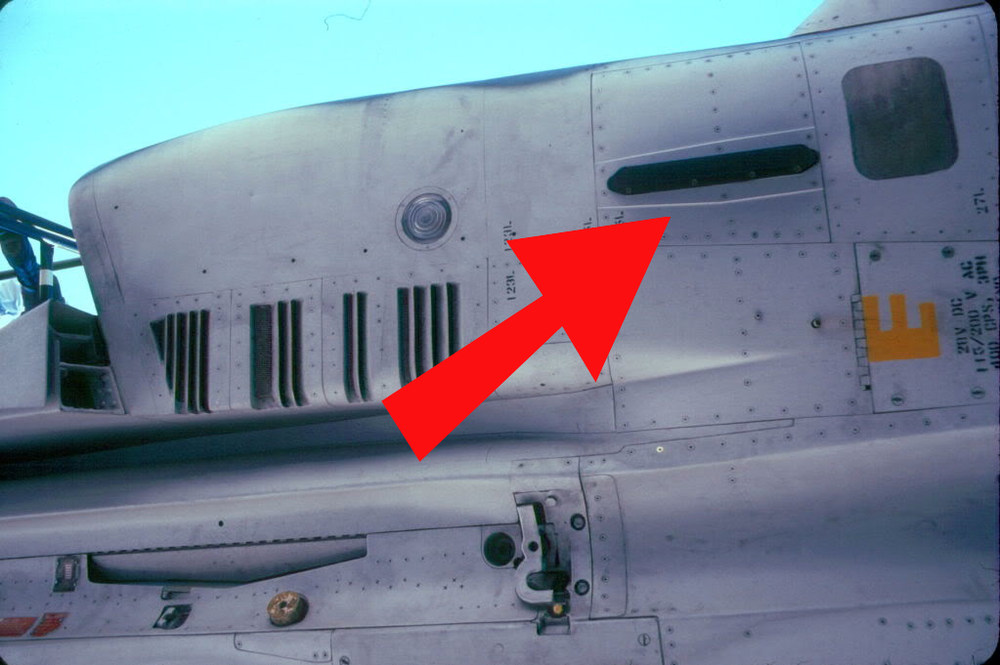
-
The (Naval) Deal of the Century
ravenclaw_007 replied to allenjb42's topic in Sci-Fi/Anime/What If Forum
dont give a certain president this ideas , he may want to make that deal nice idea , maybe one carrier for the German Navy with Navy Thypoon`s -
i get a lot of request mostly for new mods or things i posted but did not upload yet , i dont mind to get request and im hyppy if i can help someone out but ofcourse there are limits if someone is asking for files , not made by me , i decline his or her request it is one thing asking for something new or try to get files for free , there are request from peoble i know very well and i trust and when they loos a particular file i´m helping out no question asked , i´m always helping out if i can and to be honest i dont have the feeling of getting abused or taken advange of there are only few request i ever declined , but i did especially for files not made by me and i will do so in the future , getting files for free this way is not acceptable actually people who try to abuse the system this way should be called out and get sanctions
-
F-4E_79_Pave_Spike cockpit
ravenclaw_007 replied to ravenclaw_007's topic in Mods & Skinning Discussion
yes it is working thank you so much , one problem gone -
F-4E_79_Pave_Spike cockpit
ravenclaw_007 replied to ravenclaw_007's topic in Mods & Skinning Discussion
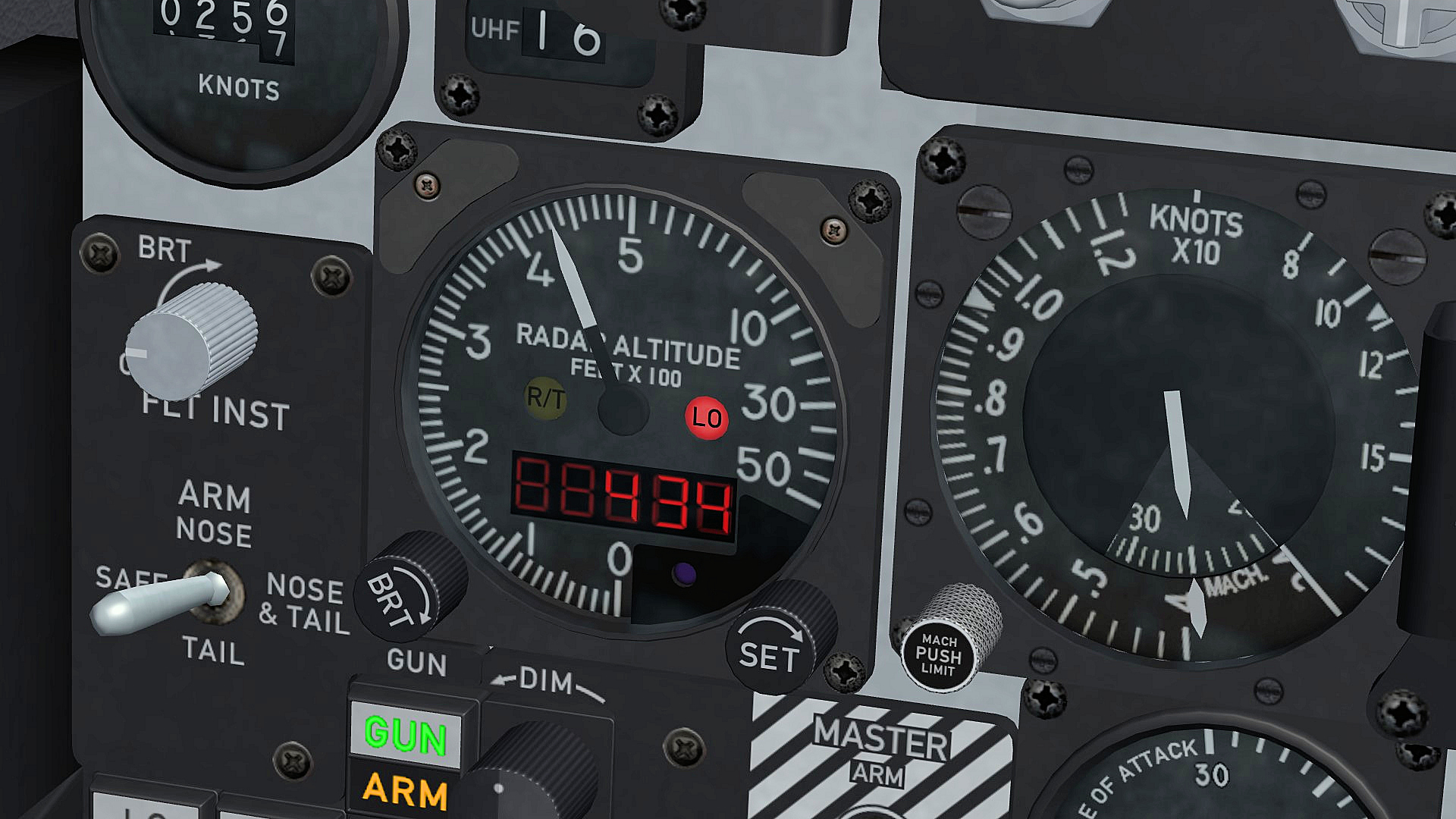
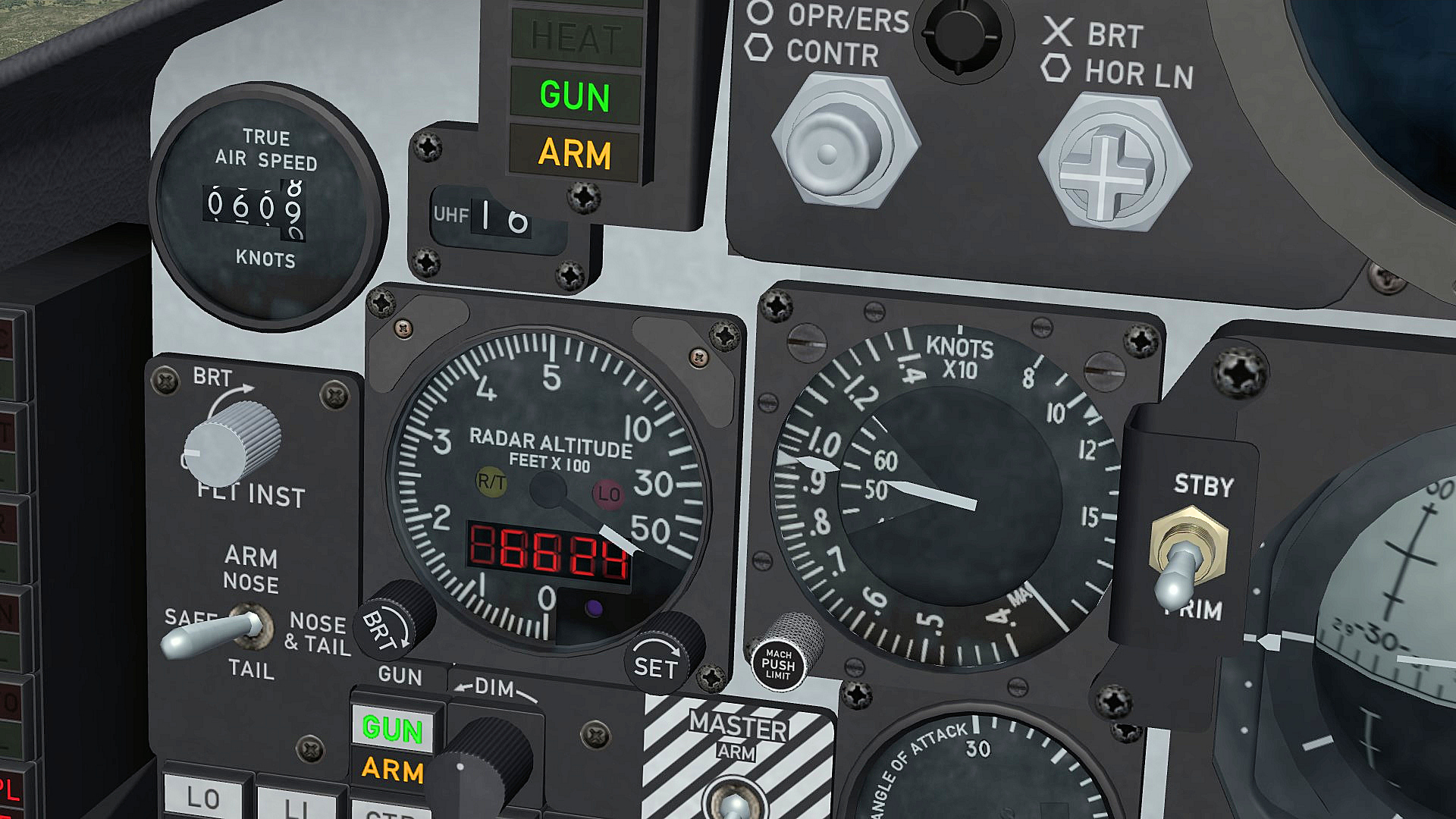
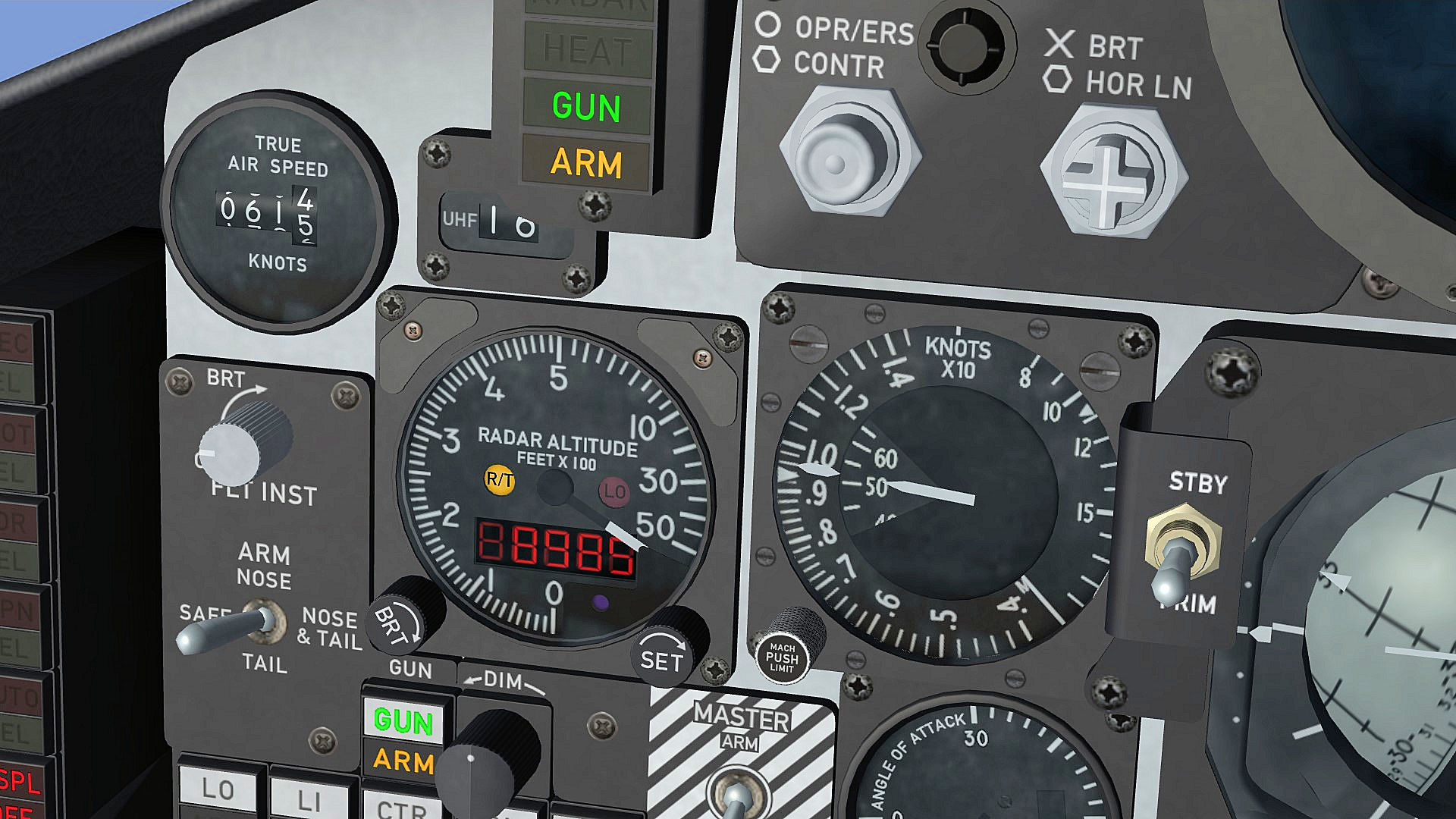
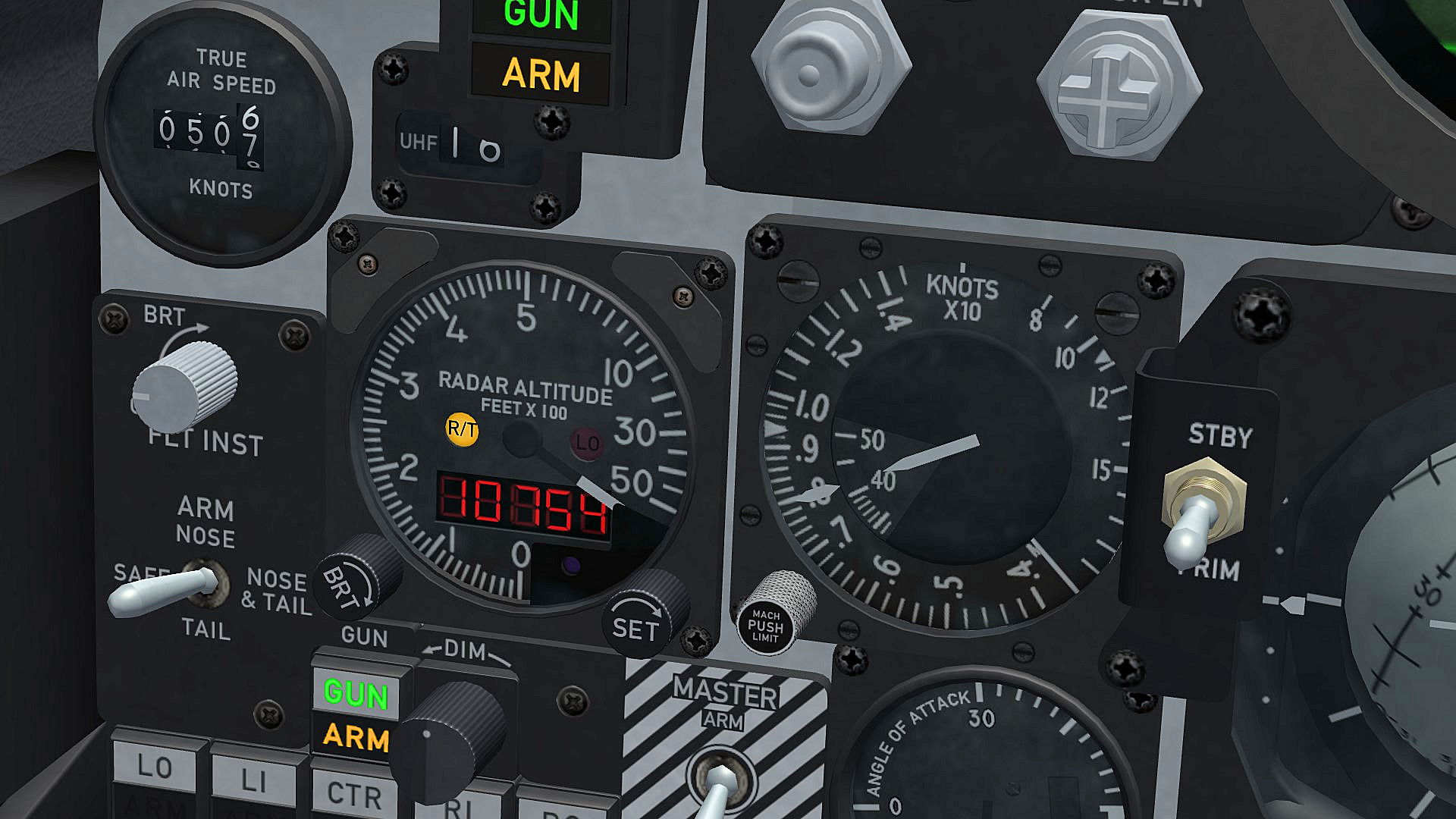
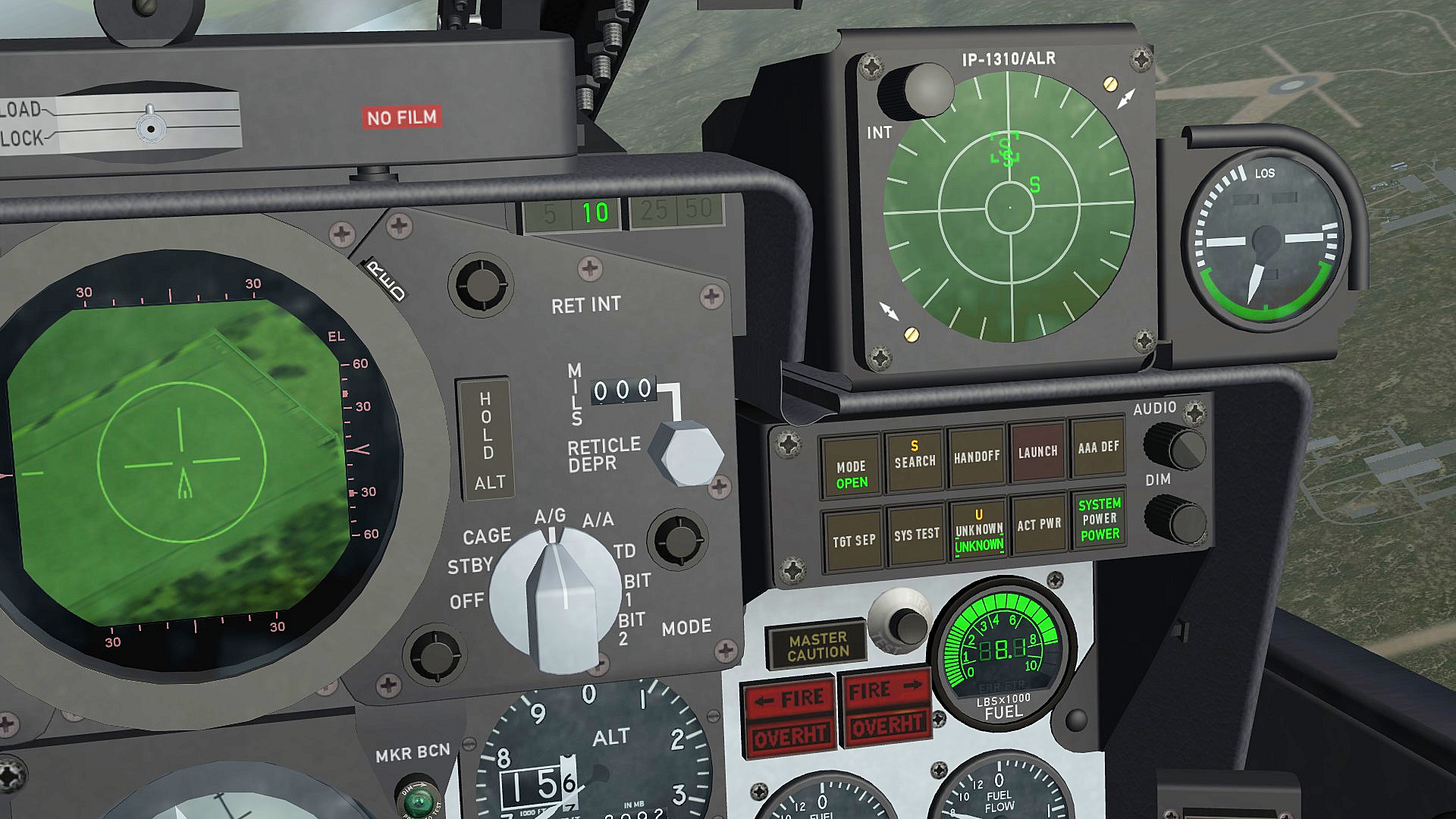
i just run in to the next wall , i´m already quite dizzy because of constantly running into the SF2 wall of limits this time it is the ROLL_INDICATOR again , it looks like that this function was never intendet to work with lights , i need it for the new radar altimeter in the late F-4E_86_ARN-101 cockpit , this radar altimeter has a R/T flag / light to indicate malfunction or if you out of the limits for the radar altimeter , the limits are up to 45° pitch and up to 65° bank so i made 3 lights one for the pich an 2 for the roll , the pitch works fine and the right roll light works as well but i dont get the light for the left bank to work , if i mkae an entry with negative values the light is always on if i try to work with values above 180° the light is always on , so for the moment i just have the lights working for pitch and right bank [RT_Light_Pitch] Type=PITCH_INDICATOR NodeName=RT_Light_ON MovementType=LIGHT ValueUnit=DEG Set[01].Position=0.0 Set[01].Value=44.9 Set[02].Position=1.0 Set[02].Value=45.0 [RT_Light_BANK_Right] Type=ROLL_INDICATOR NodeName=RT_Light_Right MovementType=LIGHT ValueUnit=DEG Set[01].Position=0.0 Set[01].Value=64.9 Set[02].Position=1.0 Set[02].Value=65.0 [RT_Light_BANK_Left] Type=ROLL_INDICATOR NodeName=RT_Light_Left MovementType=LIGHT ValueUnit=DEG Set[01].Position=0.0 Set[01].Value=0.0 Set[02].Position=0.0 Set[02].Value=0.0 if itry to work with negative values the light stays on [RT_Light_BANK_Left] Type=ROLL_INDICATOR NodeName=RT_Light_Left MovementType=LIGHT ValueUnit=DEG Set[01].Position=0.0 Set[01].Value=-64.9 Set[02].Position=1.0 Set[02].Value=-65.0 LO light works between 0 an 500 ft above 5000 ft the needle stays hidden behind the cover 65° bank to the right , RT light go´s on 45° pitch , RT light go´s on , digital counter go´s up to 50000 ft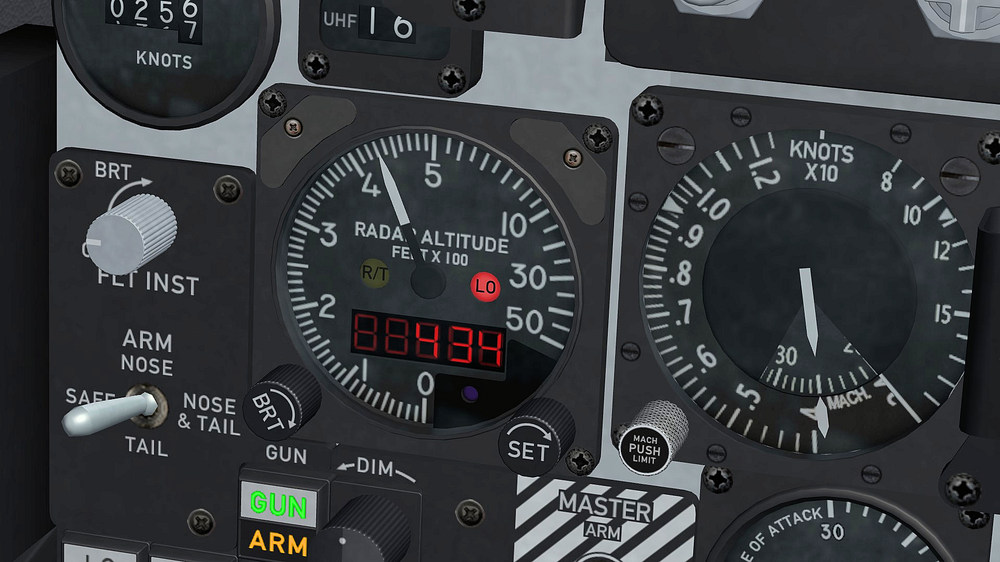
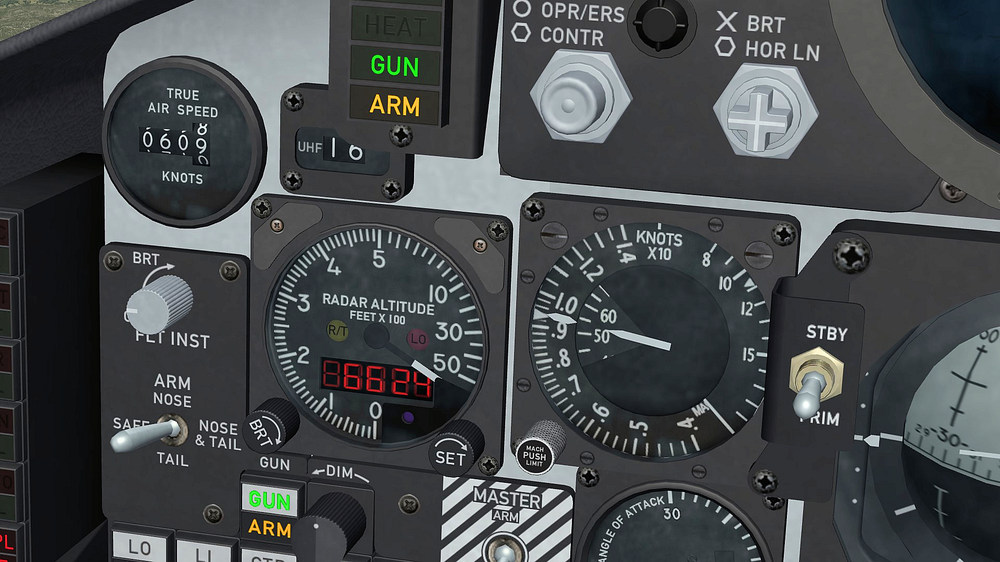
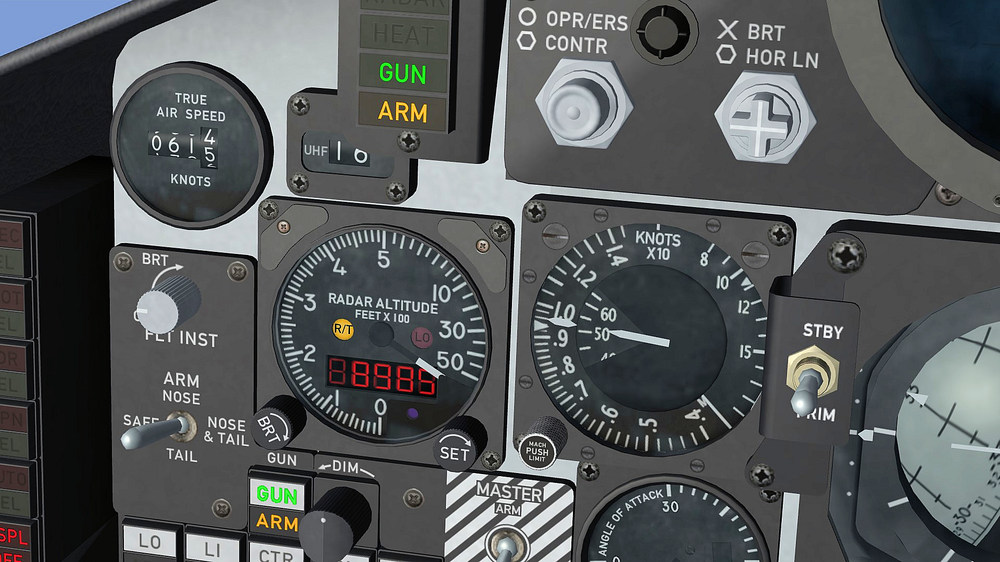
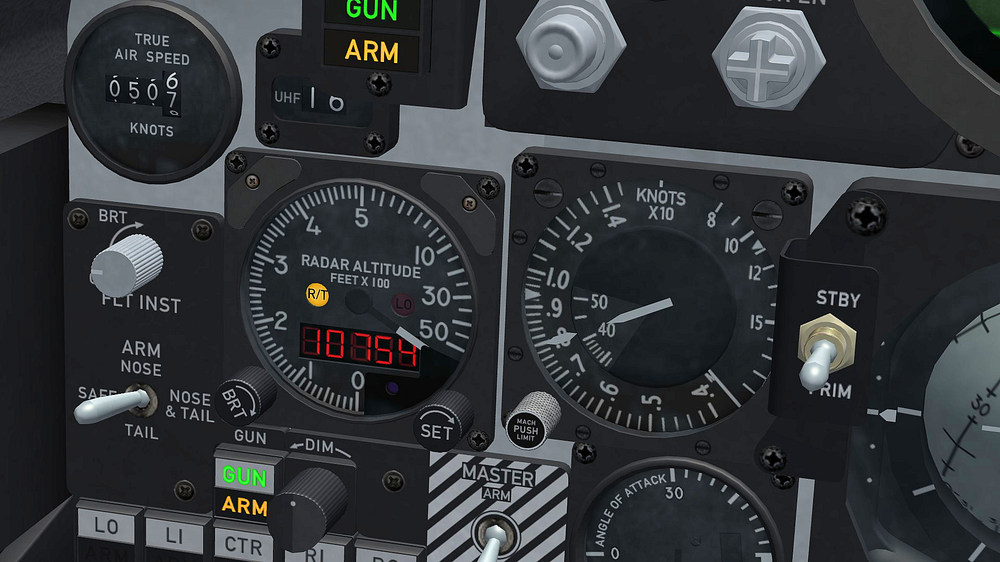
-
F-4E_79_Pave_Spike cockpit
ravenclaw_007 replied to ravenclaw_007's topic in Mods & Skinning Discussion
if i change it to NM the 0 in front of the dot is not showing it shows only .89 and not 0.89 , is there a way to fix it ??? -
F-4E_79_Pave_Spike cockpit
ravenclaw_007 replied to ravenclaw_007's topic in Mods & Skinning Discussion
in the moment it is showing something , it is not NM and not KM , dont know what the display is actually showing i think the game is converting it to something else that comes closer to minutes even though it is still to fast for minutes -
F-4E_79_Pave_Spike cockpit
ravenclaw_007 replied to ravenclaw_007's topic in Mods & Skinning Discussion
no change between Minutes and Mils , i think i let it like it is until i get a better idea , this game has it´s limits and it looks like i´m constantly hitting them -
F-4E_79_Pave_Spike cockpit
ravenclaw_007 replied to ravenclaw_007's topic in Mods & Skinning Discussion
i try 0.6 but no change an other thing is that what is shown on that display is not really minutes , it is a converted value that counts down faster if you fly with higher speed and it counts down defenetly faster than a minute i guess that RANGE_INDICATOR was set for NM or KM but not for a time value i try to use it with NM but i´m not very happy with it because it is not showing a 0 in front of the dot , so if you go below 1NM you get a readout like .89 and not 0.89 what looks quite strange -
F-4E_79_Pave_Spike cockpit
ravenclaw_007 replied to ravenclaw_007's topic in Mods & Skinning Discussion
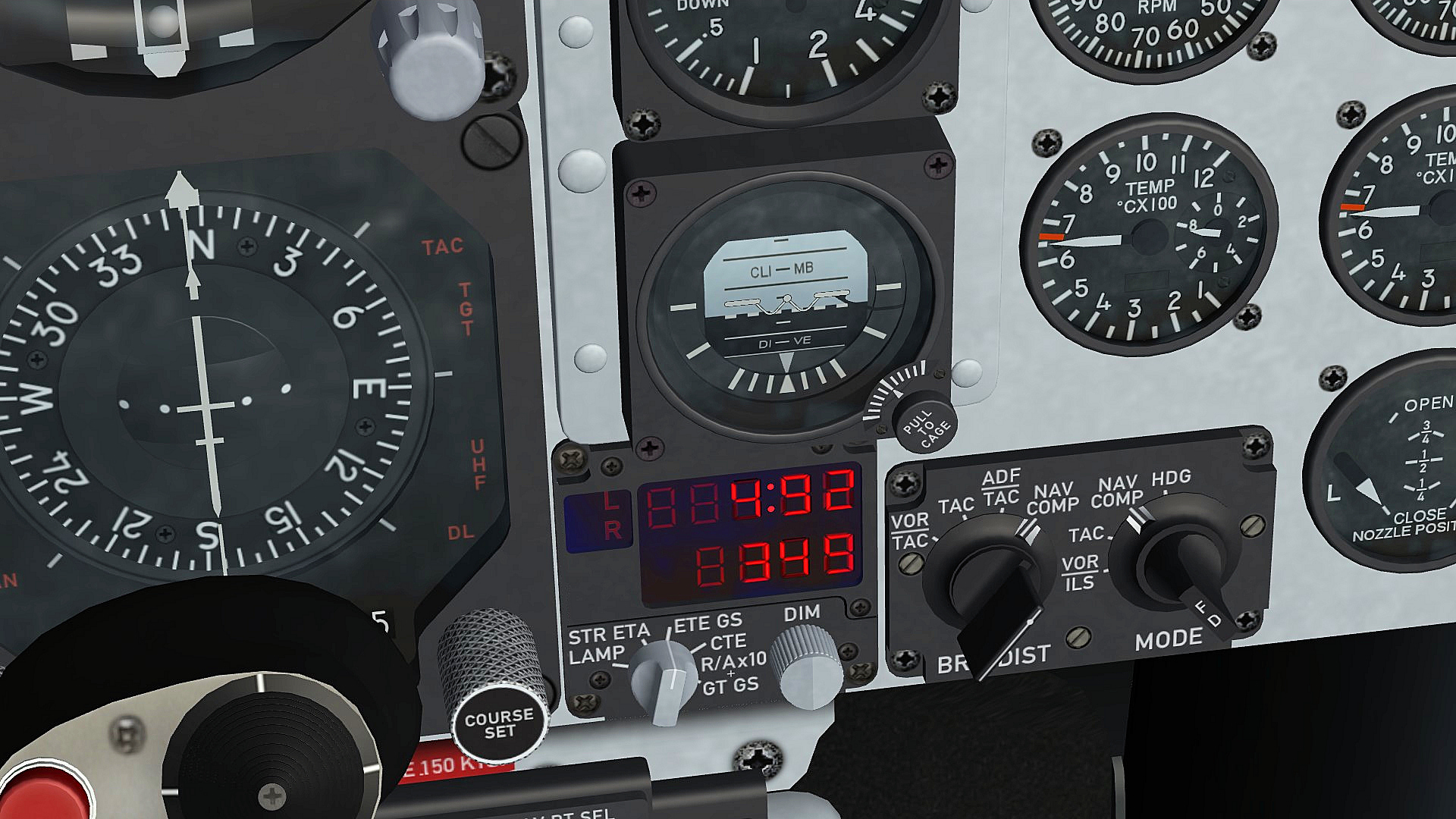
need some help i´m working on the F-4E ARN-101 cockpits , the late ARN-101 cockpits have this Auxiliary Digital Display Indicator , i try to get it working for the ETE GS mode the GS is working and showing the ground speed in knots. , the ETE ( Estimated Time Enroute ) is showing the time from waypoint to waypoint but it is not showing it correctly , 1 minute should have 60 seconds and not 100 seconds , any idea how i can fix this ??? or do i have to get used to 100 seconds per minute ??? [ETE_Display] Type=RANGE_INDICATOR CounterNodeFormat=ETE_Dig%d MovementType=DIGITAL_DISPLAY ValueUnit=MINUTES Scale=0.1 [GS_Display] Type=GROUND_SPEED_INDICATOR CounterNodeFormat=GS_dig%d MovementType=DIGITAL_DISPLAY ValueUnit=KNOTS 4 minutes 92 seconds to waypoint with a ground speed of 349 knots any ideas or help is more than welcome , it would be so cool if i get this working correctly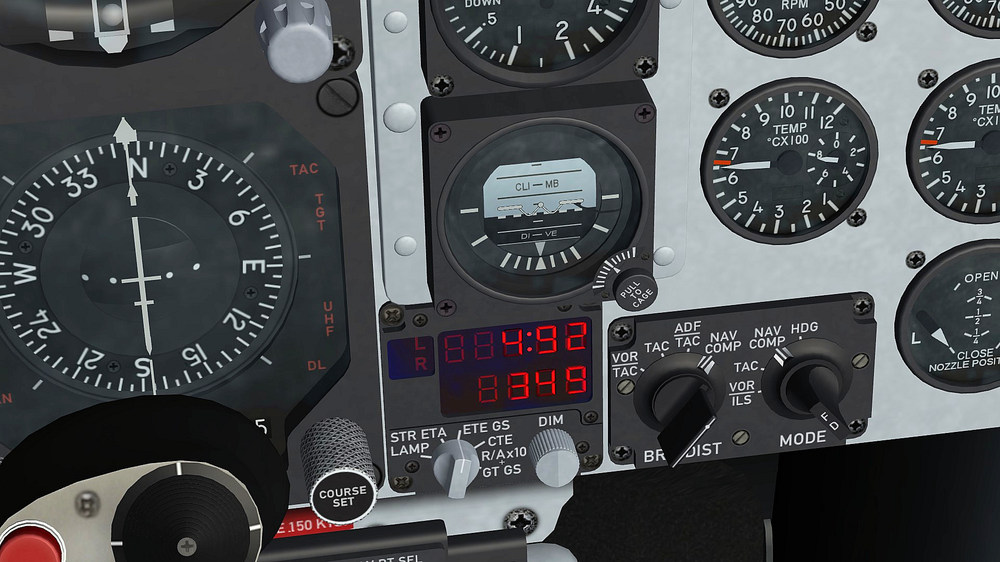
-
F-4E_79_Pave_Spike cockpit
ravenclaw_007 replied to ravenclaw_007's topic in Mods & Skinning Discussion
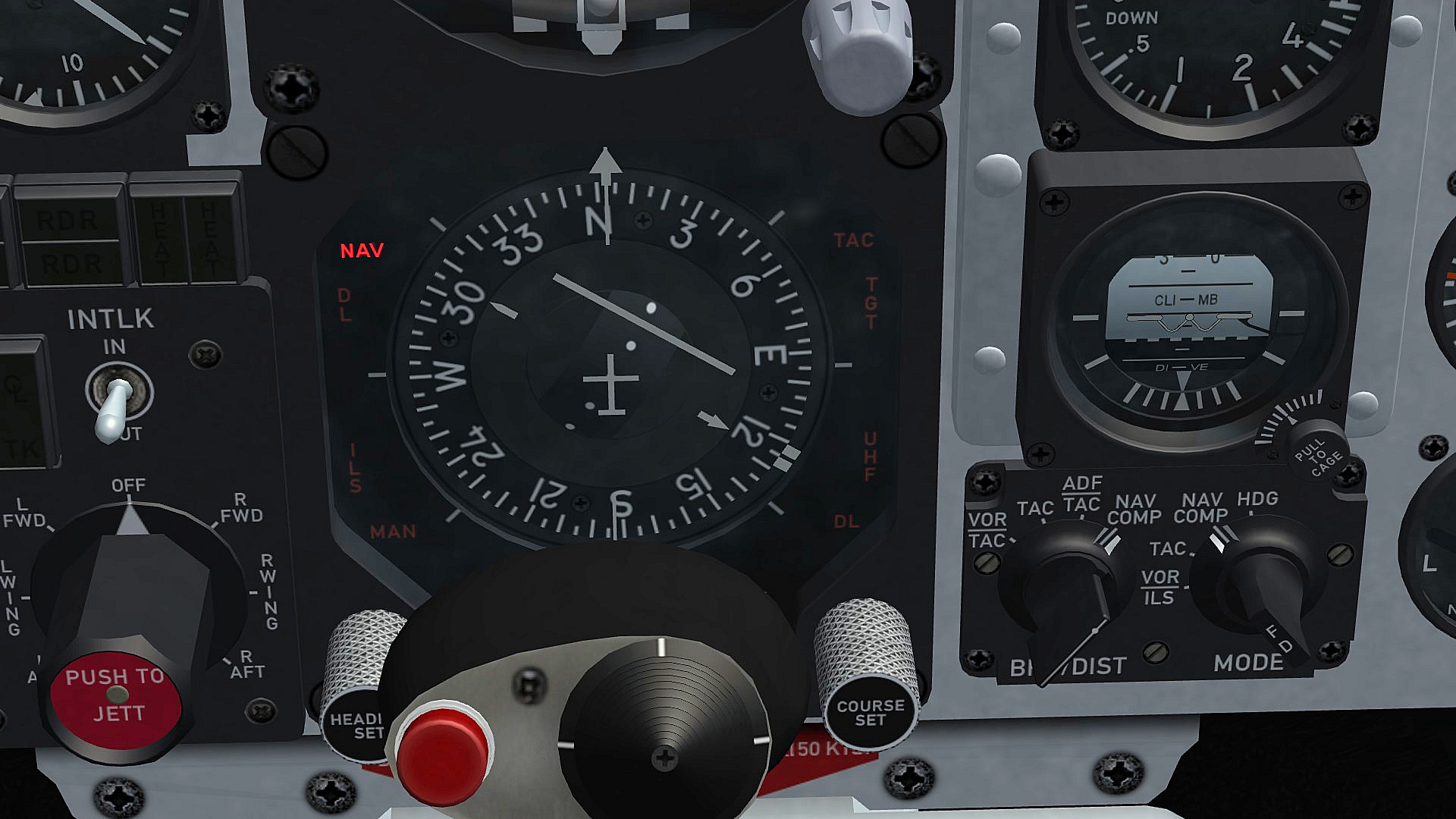
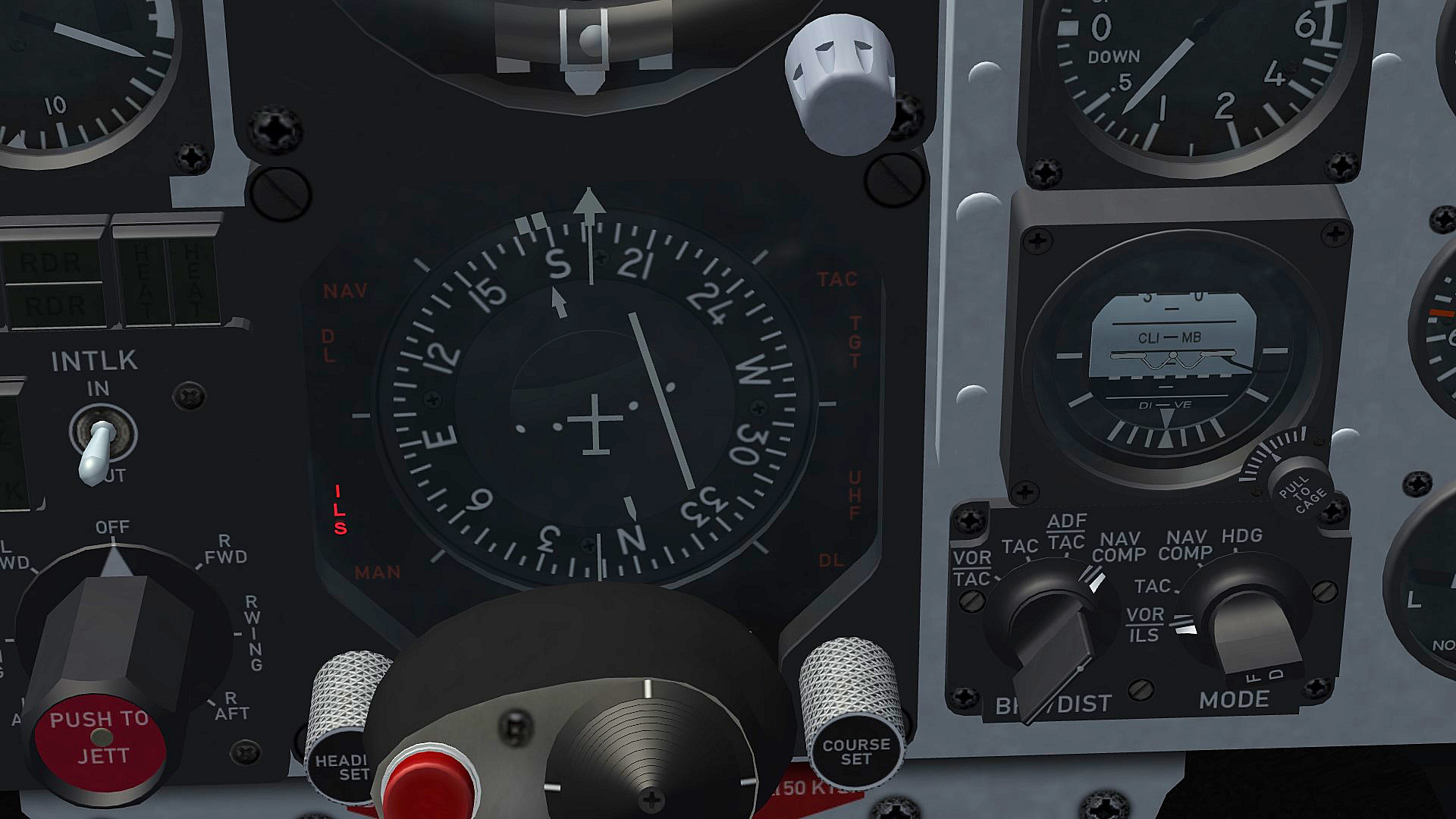
just added a little extra to the HSI , there are now 2 lights the NAV and ILS lights , NAV light is on during normal flight if you going to land the ILS light go´s on and the NAV light go´s off on the NAV function selection panel the BEARING/DISTANCE selector knob and the MODE selector knob is on the NAV COMP position , at landing the MODE selector knob is switching form NAV COMP to VOR/ILS the F-4E_79_PaveSpike cockpit has now 229 functions/lights/animations , the original F-4E_78 TW cockpit has 100 , will see if i can add something more let me know if you like the NAV - ILS idea or if i should remove it i try to get as much as possible in that cockpit to work some how
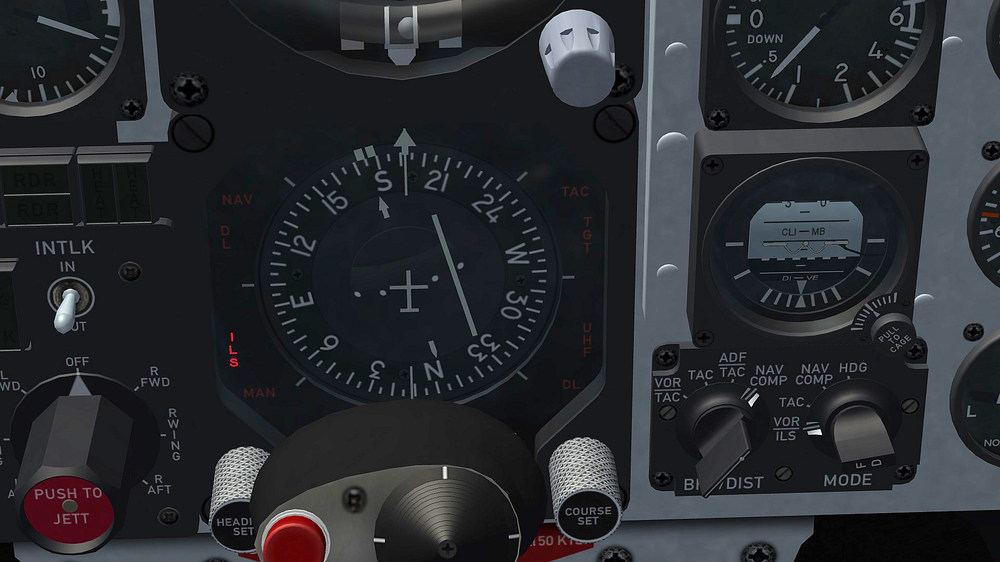
- 45 replies
-
- 10
-

-

-
F-4E_79_Pave_Spike cockpit
ravenclaw_007 replied to ravenclaw_007's topic in Mods & Skinning Discussion
Thank You yap it works , sometimes it is better to get some help i solved the Shoot light as well they are now only on with air to air weapons Thank You again -
F-4E_79_Pave_Spike cockpit
ravenclaw_007 replied to ravenclaw_007's topic in Mods & Skinning Discussion
it is not working , i send you a mail with the old F-4E_79_PaveSpike and the new cockpit so you can try it for your self -
F-4E_79_Pave_Spike cockpit
ravenclaw_007 replied to ravenclaw_007's topic in Mods & Skinning Discussion
nope , i think in the case of using the IR missile you are to close and you use the boresight mode to lock on but i still have an animation slot and cult make the shoot lights only to show up with air to air missiles by using the Weapont_Type_Selector function , this way everybody can select by them selves for what weapon they like to use the shoot lights , if they know how to edit the entry that is for ARM missiles the shoot light cult be very useful , this way you know that you have a radar in range and the weapon is locked on -
F-4E_79_Pave_Spike cockpit
ravenclaw_007 replied to ravenclaw_007's topic in Mods & Skinning Discussion
i´m using the WEAPON_SHOOT_CUE function for the shoot lights , as i mention above the game has its limits and not everything is possible there are 2 options for this Shoot Lights , the RADAR_IN_RANGE_INDICATOR function and WEAPON_SHOOT_CUE function , the first one works only for radar guided missiles the second for all weapons , so far i have not found any way to limit the WEAPON_SHOOT_CUE function to only work with air to air weapons , i wish i cult , the reason i´m using this particular function is that it works with IR guided and radar guided missiles like it should when the game was developed this kind of cockpits was not even considered , i´m trying to get this cockpits to work with the few functions the game gives me and i'm not perfect either , i´m still learning every day something new about this game -
F-4E_79_Pave_Spike cockpit
ravenclaw_007 replied to ravenclaw_007's topic in Mods & Skinning Discussion
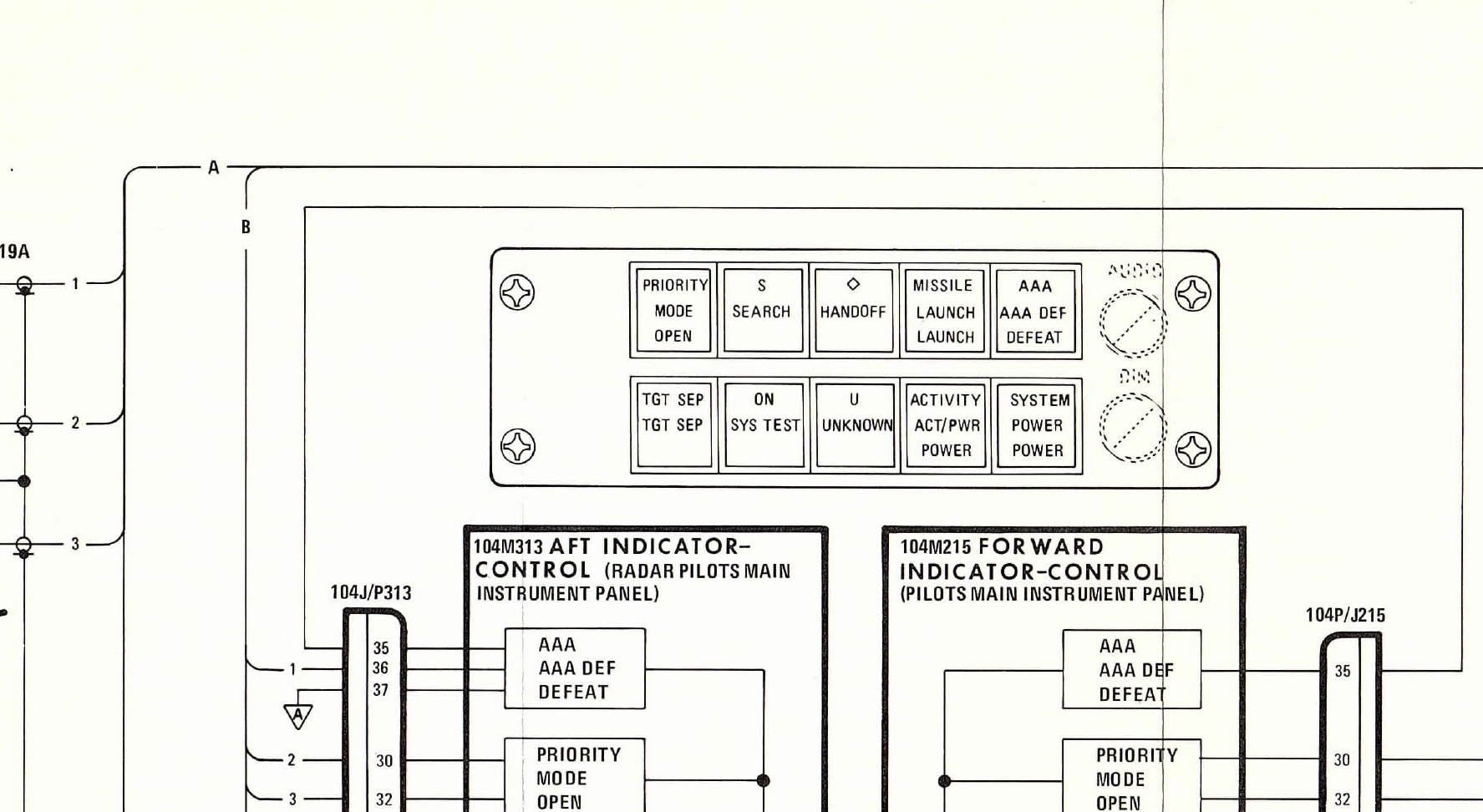
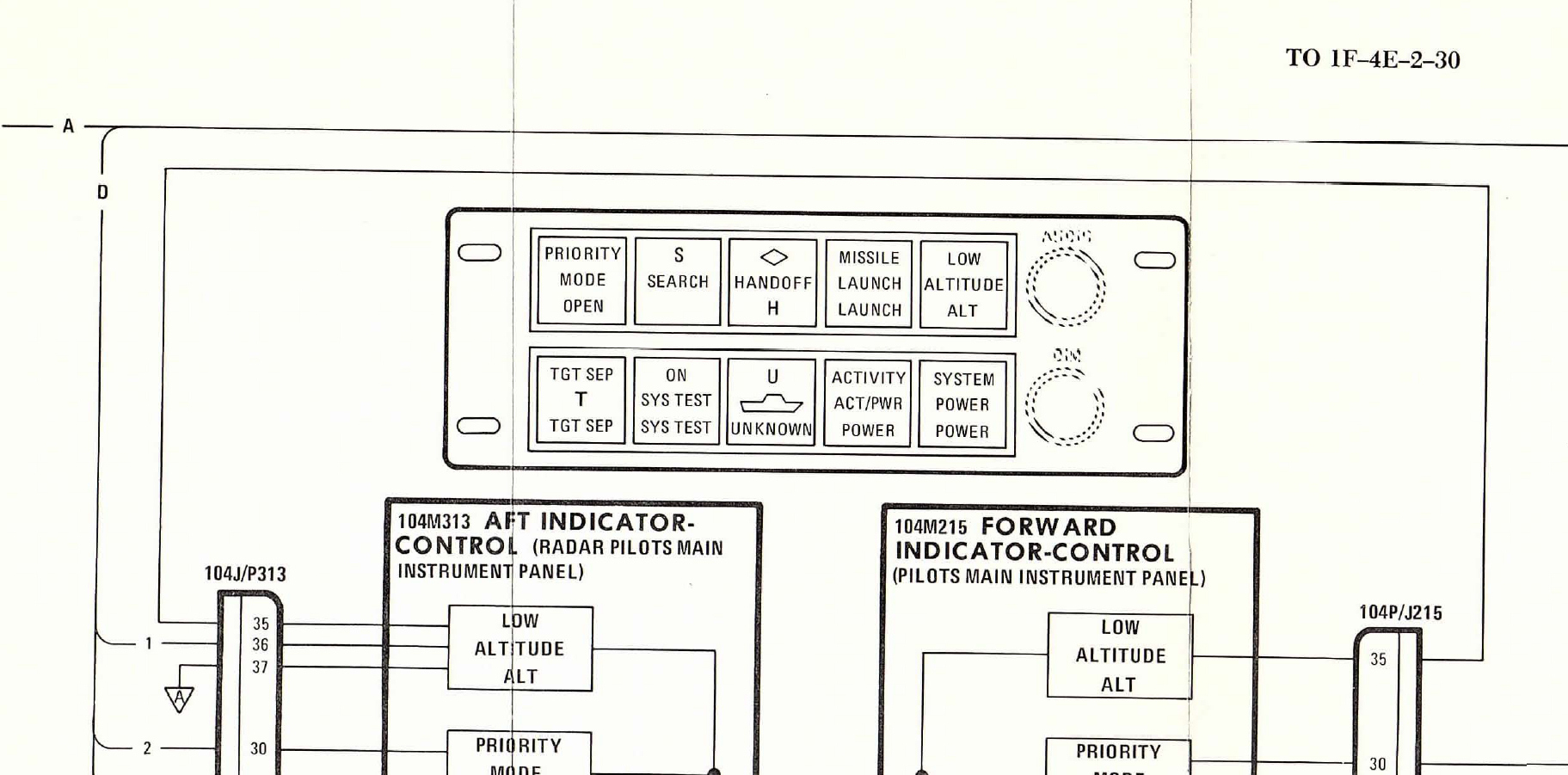
thanks i will use this one hear and remove the green UNKNOWN light for the F-4E_79 cockpit , it is from the TO 1F-4E-2-30 and this one i will use for the F-4E_84 and F-4E_86 cockpits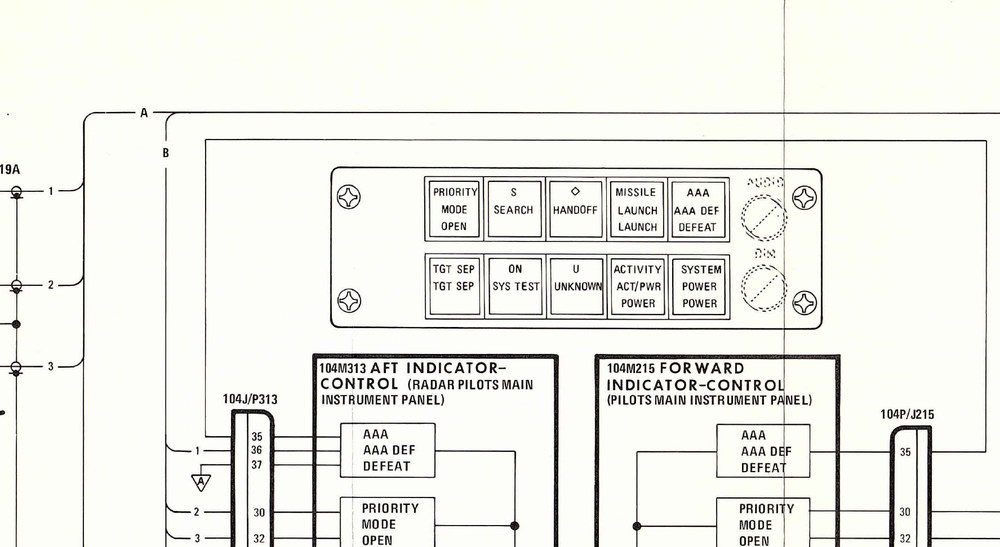

-
F-4E_79_Pave_Spike cockpit
ravenclaw_007 replied to ravenclaw_007's topic in Mods & Skinning Discussion
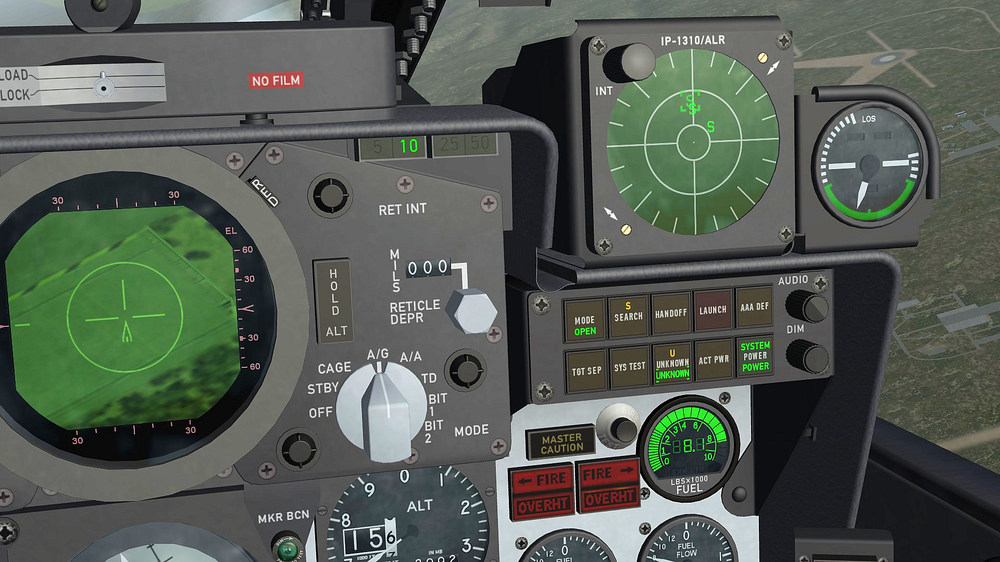
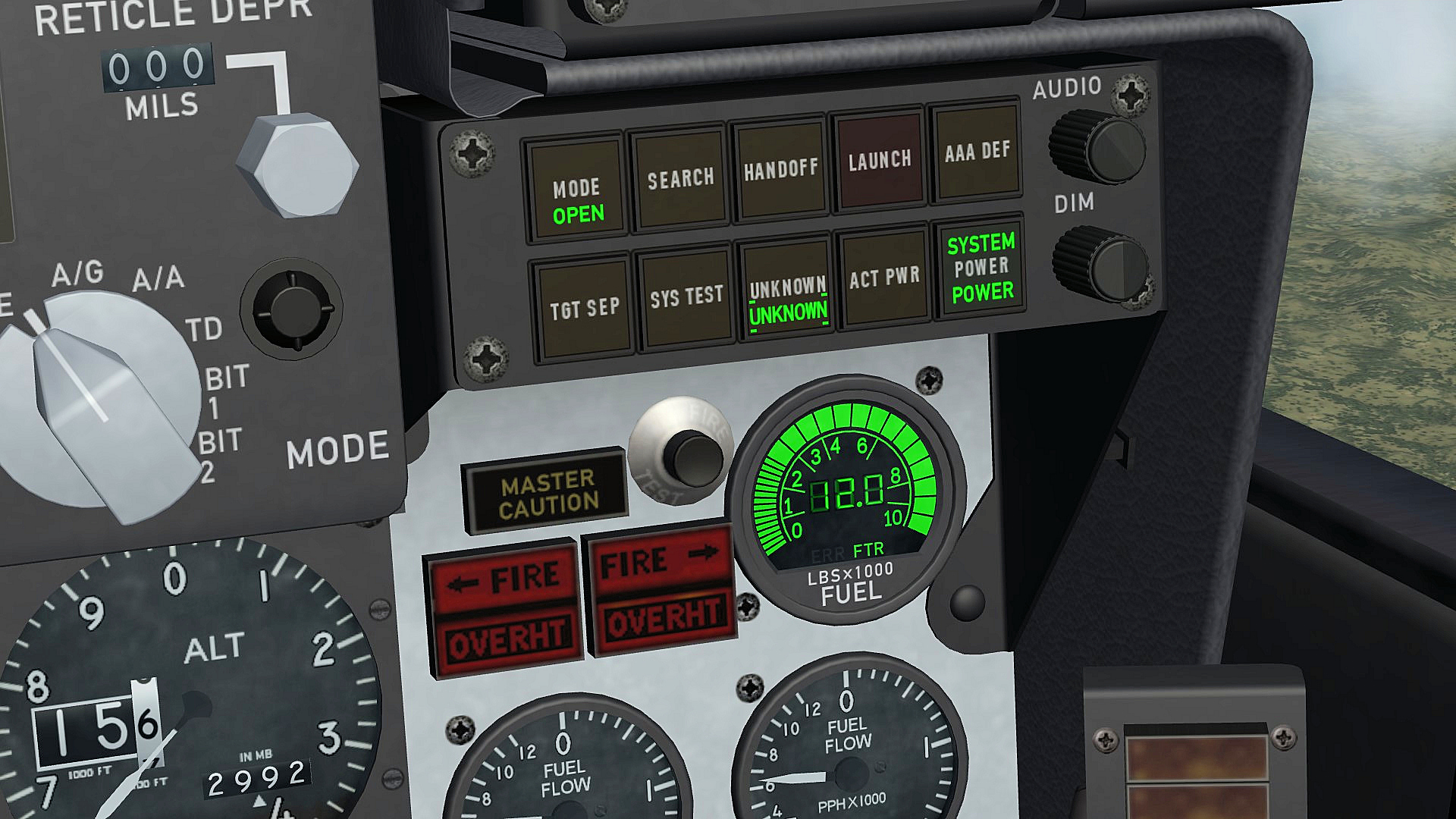
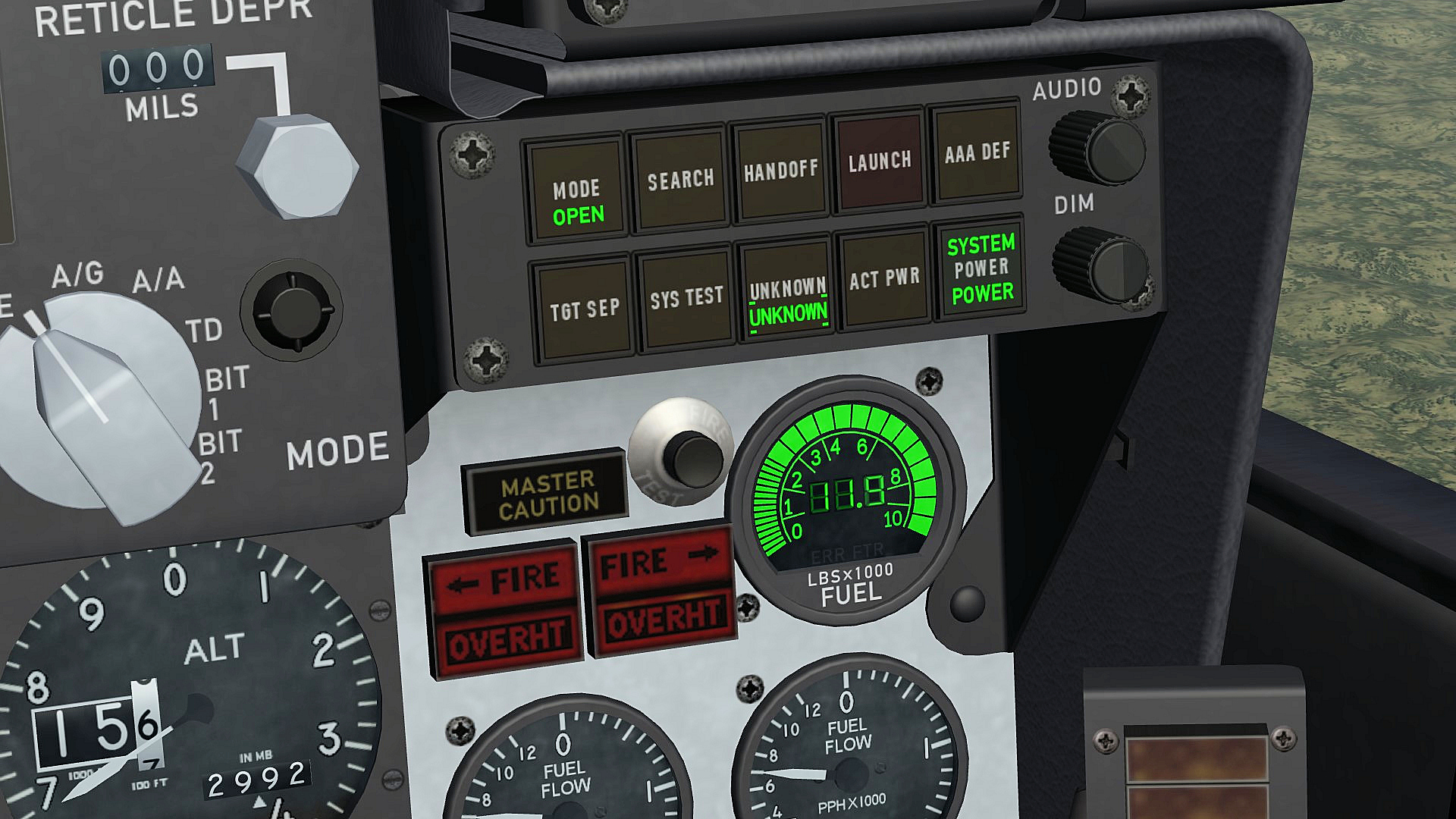
i added an other light to the digital fuel indicator , there are 2 lights on the bottom the first is ERR the second FTR , i assume that FTR stands for fuel transfer , since the game emptys first the drop tanks i added the FTR light to the indicator , the light gos off when the drop tanks are empty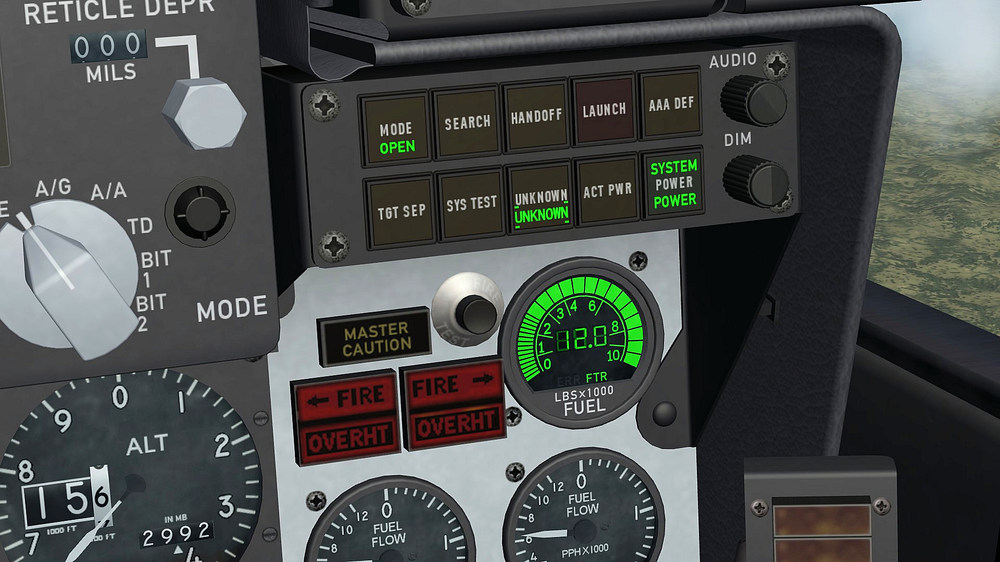
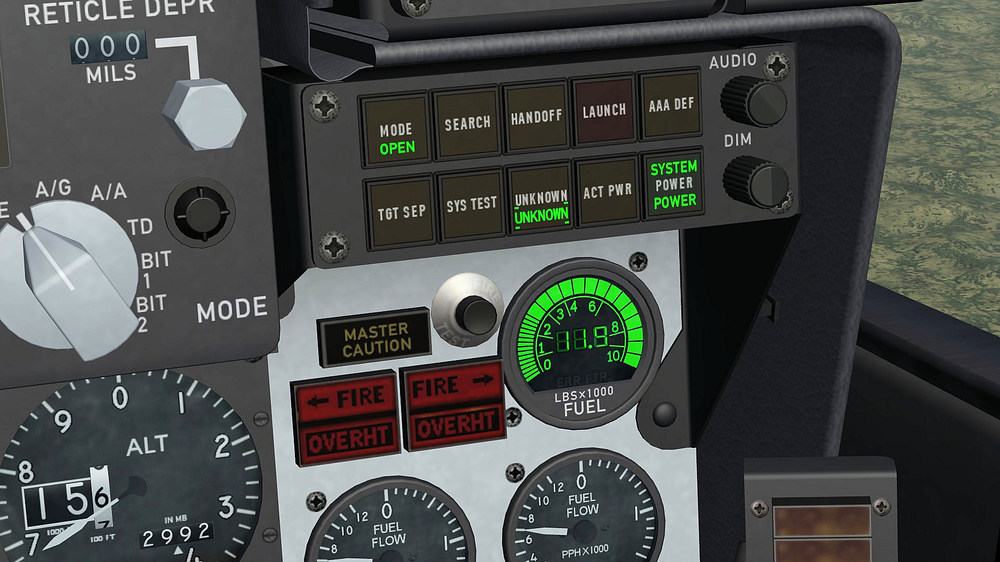
-
F-4E_79_Pave_Spike cockpit
ravenclaw_007 replied to ravenclaw_007's topic in Mods & Skinning Discussion
if you like to try be my guest , i have played with the entries and i did not get the result i wanted , i even changed the zero possition from the needle one thing i found out is that the minus value gets the needle moving to the right and a positive value gets it moving to the left , you cant change that [LOS_Indicator] Type=ROLL_INDICATOR NodeName=Needle_LOS MovementType=ROTATION_Y ValueUnit=DEG Set[01].Position=-100.0 Set[01].Value=-100.0 Set[02].Position=0.0 Set[02].Value=0.0 Set[03].Position=160.0 Set[03].Value=160.0 the minus value has to be called first than the zero position and than the positive value , if you reverse it the needle will not move anymore within the limits i also rotated the pivot point of the needle by 180° , no change -
F-4E_79_Pave_Spike cockpit
ravenclaw_007 replied to ravenclaw_007's topic in Mods & Skinning Discussion
hahaha.... i wish i could do that , i try the WAY_CMD_YAW and the ROLL_INDICATOR and with both it moves in that direction , i was playing with the entries but no possitive result so far the game has its limits and i´m trying to push this limits as far as possible but sometimes i have to surrender to the game engine , i´m happy that i got the needle working some how -
F-4E_79_Pave_Spike cockpit
ravenclaw_007 replied to ravenclaw_007's topic in Mods & Skinning Discussion
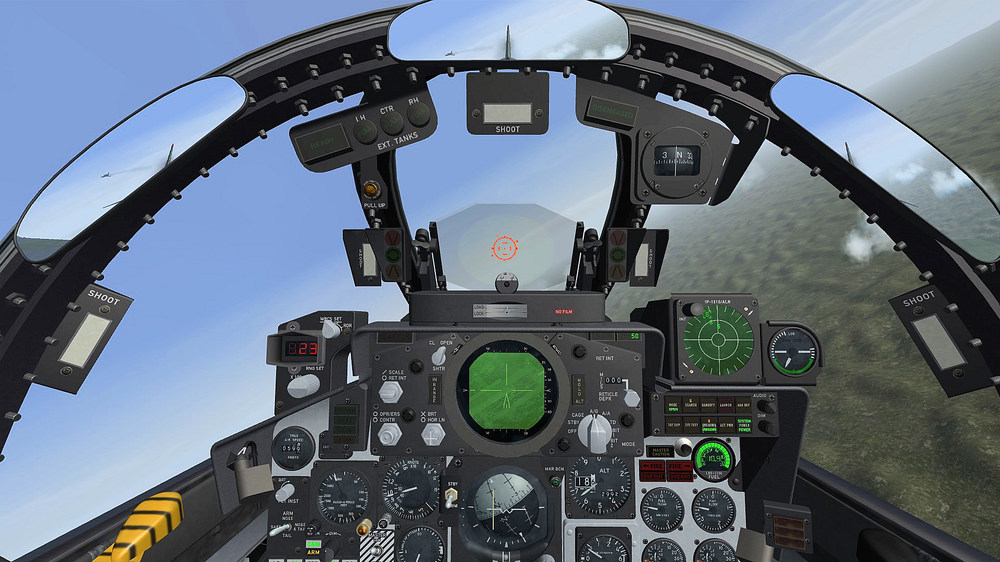
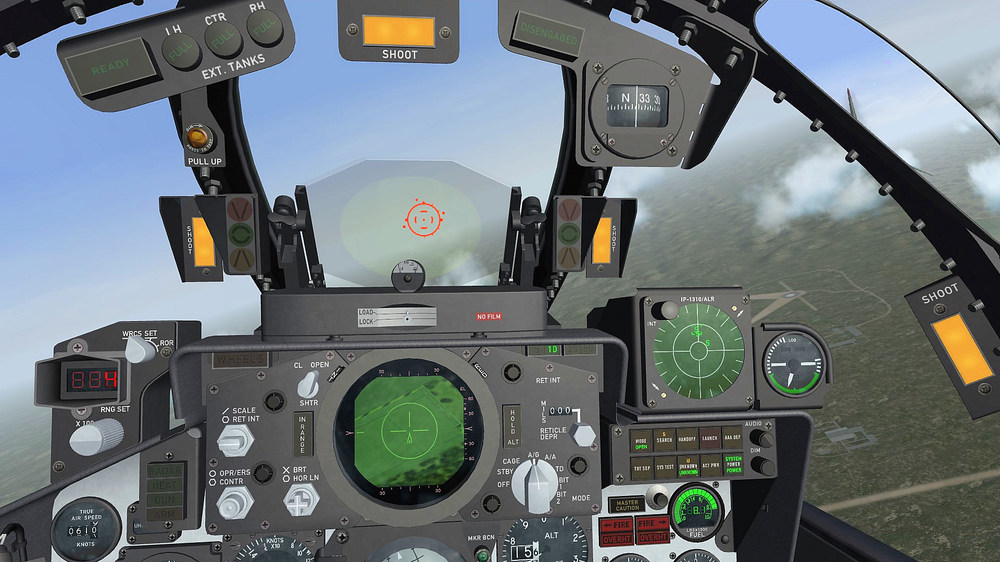
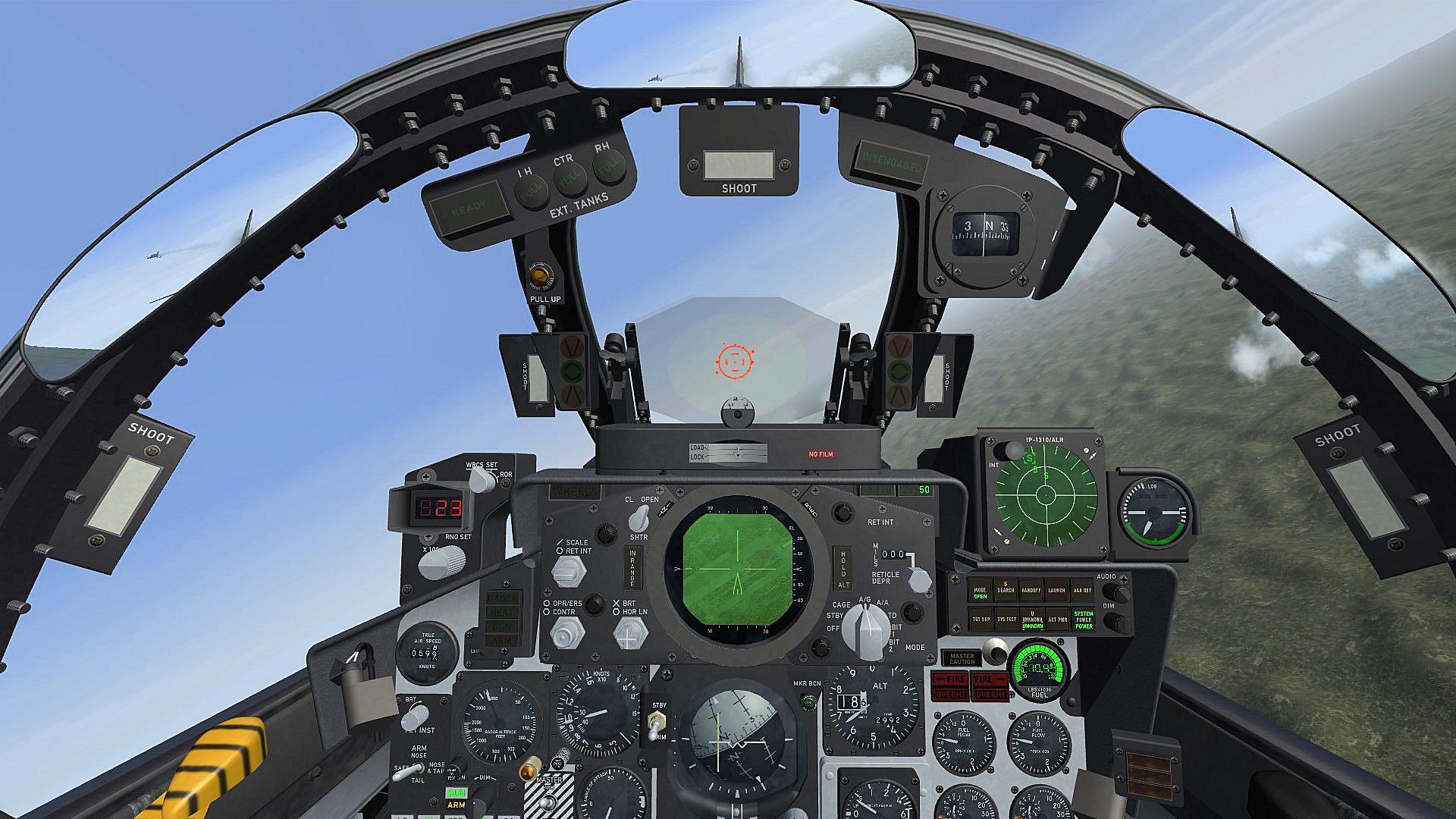
F-4E_86_Pave_Spike cockpit with digital fuel counter , everything else is like on the F-4E_84_Pave_Spike cockpit target in sight LGB in weapons range , shoot light illuminates gigital fuel indicator