


ordway
-
Posts
502 -
Joined
-
Last visited
-
Days Won
1
Content Type
Profiles
Forums
Gallery
Downloads
Store
Everything posted by ordway
-
Here is a flight model which was reportedly made with the help of actual former Swedish Saab Draken pilots. It is for Microsoft FS 2004. http://flightsim.bookmark.se/ For roll characteristics, it shows that the Draken was limited to only about a 90 deg/ second roll rate in almost all flight regimes (a very slow roll rate). It could roll much faster, but limitations meant that it was not faster in actual flight. Basically, if I understand it right, if you rolled faster, it would be fatal to your mission as your external stores would be "jettisoned" as well as perhaps other damage resulting to the airframe could result. This is represented in the FS 2004 flight model which I downloaded and flew. The Draken would only roll about 90 degress per second in the FS 2004 model and apparently, this is what the actual Draken pilots approved of as the most realistic for a PC flight simulator. BTW, the bookmark Draken's cockpit is outstanding in my opinion...almost more realistic than photos.
-
Yes, that is a good idea. I will try.
-
The second instruments are messy. I am trying to find them in the mesh...however, so far it seems to be "both or nothing." as they are both attached together, I think. I'll keep working on it. I am making fast progress on the seemingly infinite versions' cockpits...the Finnish seem to have at least three separate major versions with and without radar. I have added placards to the crash pad in front of the non- radar version which meant working upside down, inside out and with mirror images on a mesh within a mesh.
-
Good idea. Any takers? Perhaps Derk is already working on this?
-
[media][/media] Hi Derk, If you look at this you tube saab cockpit (simulator) in flight, the two front window frames are extremely prominent to the pilot while in flight and definitely are part of the front view that a pilot has to deal with. http://wn.com/Saab_J35_Draken The movie's title is "Saab j35 simulator" 0:49 seconds playing time I'll probably include both versions with and without frames.
-
This F4B cockpit is a little better without the frames....but still compared to the actual one below.... But the frames are still there in a real J35 Draken. Another F4B
-
To fix a crash to desktop (CTD) when you press the escape key or the ALT-Q key, disable the shaders effects of the water and terrain in the terrain data file. Its probably a problem with Vista, as usual. Instructions 1) Decompress the terrain file with the.SFP1 cat extractor decompress utility. The terrain file will be called VietnamSEA or equivalent in the terrain folder and will be called a security file. http://combatace.com...ds&showfile=343 2) Find the terrain xxx.data file. such as GermanyCE.data file in the terrain folder with the decompressed terrain contents you just decompressed. Replace the following in the data file : [NormalTextureMaterial] ///// rem causes the CTD UseEffectShader=TRUE UseEffectShader=False ///// rem EffectShaderName=TerrainEffect.fx DepthBufferCheck=TRUE DepthBufferWrite=TRUE RenderedInOrder=TRUE AlphaTestEnabled=FALSE CullMode=CLOCKWISE LightEnabled=TRUE SpecularEnabled=FALSE EmissiveEnabled=FALSE FogEnabled=TRUE AmbientColor=1.000000,1.000000,1.000000,1.000000 DiffuseColor=1.000000,1.000000,1.000000,1.0000000 ZBufferOffset=0.000000 BlendOp=ONE NumTextureStages=1 TextureStage[01].TextureName= TextureStage[01].MipMap=TRUE TextureStage[01].FilterEnabled=TRUE TextureStage[01].StageColorOp=TEXTURE_MODULATE_DIFFUSE TextureStage[01].StageAlphaOp=NO_OP [WaterTextureMaterial] ///////// rem crashes and causes the CTD UseEffectShader=TRUE UseEffectShader=FALSE ////////// rem EffectShaderName=WaterEffect.fx DepthBufferCheck=TRUE DepthBufferWrite=FALSE RenderedInOrder=TRUE AlphaTestEnabled=TRUE CullMode=CLOCKWISE LightEnabled=TRUE SpecularEnabled=TRUE EmissiveEnabled=FALSE FogEnabled=TRUE AmbientColor=1.000000,1.000000,1.000000,1.000000 DiffuseColor=1.000000,1.000000,1.000000,1.000000 SpecularColor=0.500000,0.500000,0.500000,1.000000 SpecularPower=5.000000 Reflectivity=1.00000 ZBufferOffset=4.000000 BlendOp=BLEND_SRC_ALPHA NumTextureStages=2 TextureStage[01].TextureName= TextureStage[01].MipMap=TRUE TextureStage[01].FilterEnabled=TRUE TextureStage[01].StageColorOp=TEXTURE_MODULATE_DIFFUSE TextureStage[01].StageAlphaOp=TEXTURE TextureStage[02].TextureName= TextureStage[02].MipMap=TRUE TextureStage[02].FilterEnabled=TRUE TextureStage[02].ReflectionMapping=TRUE TextureStage[02].StageColorOp=TEXTURE_BLEND_TEXTURE_ALPHA TextureStage[02].StageAlphaOp=DIFFUSE
-
Thanks! Good job. Thanks to both of you and Derk, I now I know how to do it without any frontal frames at all. I am seriously thinking of using just the opaque/see through frames as a compromise as shown in the photo immediately below.. Any thoughts anyone? It looks like a possibility. It looks different than the F-4 and gives a nod to the coclpit framing as if light is reflecting off the two slim frames. Versus: Here is the no frame...it looks a little naked to me.
-
>
-
>
-
Thanks, I tried this with your imput. It worked. However, it now has an F-16 view without any cockpit framing whatsoever in any view whatsoever and has a wickedly good F-16 view like you are sitting on the tip of a telephone pole.. I guess if every plane had no cockpit framing shown it might be okay.
-
>Great news Ordway, an old wish coming true . Remember there is also the trick to get rid of the windscreen framing (the Draken basically had a single piece screen, I'll >send it to you if you like) and would there be a possibility to get rid of the second set of engine instrruments? The only problem that would remain is the F35 pit of the Danish >Drakens which had no radar, but then only a small number of then were built.... Very interesting! Yes please send me all the files you have. 1) So the Draken had two thin windscreen frames. So how would I replicate this? Any input from anyone is welcome. 2) Are the grey round knobs on the left side of the F4E gunsight imbedded in with the gunsight mesh as a whole? I could not find individual left side knob meshes to eliminate... 3) Does anyone know how to get rid of those extra engine instruments in the F-4E? They seem to be all or nothing.
-
SFP1 J-35 Draken cockpit candidates WIP based on Gepard's F4E Draklen cockpit. The Draken had the radar high up on the instrument panel, not buried down between the pilot's knees. As Gepard points out, the F4E has this feature. I am also working a bit on refining the flight model, particularily the roll characteristics based from a computer flight model made with actuall Draken pilots imput. Actual late model Draken cockpit with tape instruments. Saab J35J candiate Mid to late series Saab Draken cockpit
-
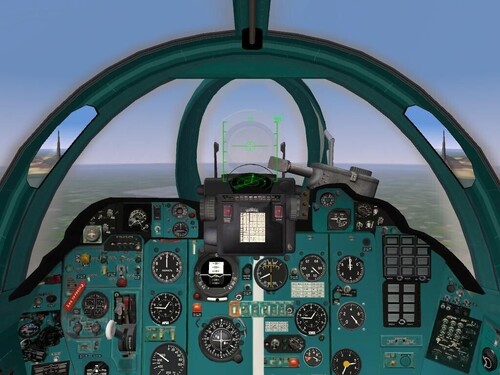 MARCH 2011- Version 1.4. I revised and added some files to hopefully make it easier for gamers to use this Mig-23 cockpit.
 -
My terrain and campaign problem
ordway replied to Bearwolf's topic in Mission/Campaign Building Discussion
You need to read the tutorials (Gepard's) in the help section on the TE. I am working (have been working on an Angola terrain for 2 years) with the TE and am still learning how to make it work. If you keep at it, you will eventually finish your terrain. It sounds like (but I may be wrong) that your texture list of the Korean terrain is not complete. It is extremely tricky. If you are missing some tiles or if the Korean texture list is missing even a little, it will not work. First, may I suggest that if the Korean terrain is based on the WOE terrain, that you start with the WOE terrain just like Gepard suggests in his tutorial (but first add (import) the sea tile or it won't work). Then run the TE. Then start adding Korean tiles one by one, testing it in the TE, saving it in the TE and keep adding Korean tiles one by one until it all works. Secondly (or maybe firstly), you can email the Korean map authors and request their Korean texture lists and trying that in the TE. -
I am back working on the Angola/SW Africa terrain...I just restarted for the fifth time...Dec 2010.
-
I've been working hard on the Angolan/Southwest Africa terrain for six months. I just had to start over again last week for the fifth time. It is quite a bear with vast terrain changes over the area covered.
-
Nice photos! Do you think you could work them into a working HUD?
-
Vampire cockpit -single-engine Egyptian-modified (combat veteran)
ordway commented on ordway's file in Jet Cockpits
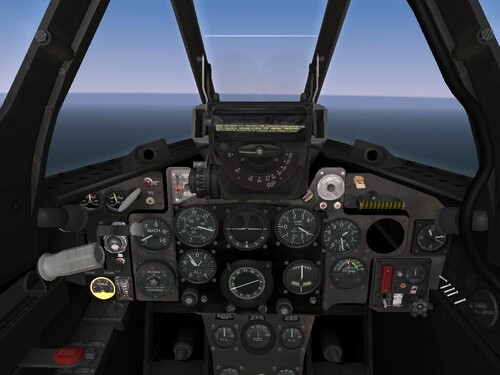 Hi, Unfortunately, unless I missed something, you can't transfer this to first generation sims yet (maybe you can, but I haven't heard about this yet). The 2nd generation sims have elements which are unique to the 2nd generation sims. Anyone? I'm curious too.
 -
View File Vampire cockpit -single-engine Egyptian-modified (combat veteran) This is a single-engine Egyptian-Modified Vampire jet cockpit for SFP2 with single engine gages based on the Thirdwire Meteor cockpit. You need SFP2 Israel and expansion pack. It is a combat veteran and fought air to air combat against Israeli Meteors, Dassault Ouragans, Mystere IVAs and later against Pakistani F-86 Sabres according to sources. --------------------------------------------------------------------------------------------------------------------------------------------------------------------------------------------------- It has gages moved, and BMP gages and bitmaps added from multiple Vampire color cockpit photos and the DH Vampire cockpit manual. --------------------------------------------------------------------------------------------------------------------------------------------------------------------------------------------------- COMBAT HISTORY: MIDDLE EAST: First Middle East jet combats occurred in 1955. September 1, 1955, - 2 Egyptian FB.52 vampires were shot down by an Israeli Gloster Meteor. Another Egyptian FB.52 Vampire was shot down by a Dassault Ouragan April 12, 1956.- Shlomo Aloni, Arab-Israeli Air Wars 1947-82, p23. Israeli victories -acig 29Aug55 117 sqn Meteor F.8 M.Lavon 20mm Vampire FB.52 EAF 1Sep55 117 sqn Meteor F.8 A. Yoeli 20mm Vampire FB.52 EAF 1Sep55 117 sqn Meteor F.8 A. Yoeli 20mm Vampire FB.52 EAF 12Apr56 113 sqn Ouragan D. Kishon 20mm Vampire FB.52 2 sqn EAF 31Oct56 101 sqn Mystere IVA S.Egoziz 30mm Vampire FB.52 31 sqn EAF 31Oct56 101 sqn Mystere IVA S.Egoziz 30mm Vampire FB.52 31 sqn EAF 31Oct56 101 sqn Mystere IVA A. Shavit 30mm Vampire FB.52 31 sqn EAF 31Oct56 101 sqn Mystere IVA A. Shavit 30mm Vampire FB.52 31 sqn EAF http://www.acig.org/...ticle_255.shtml By 11:00hrs also four Vampires strafed the Israeli column near al-Thamed, causing even more damage. They were followed by more Vampires and also Meteors of the 5 Sqn EAF, all of which were escorted by the MiG-15 and hit the Israelis very hard. The Israelis claimed destruction of four Vampires http://www.acig.org/...ticle_256.shtml ------------------------------------------------------------------------------------------------------------------------------------------------------------------ INDO-PAKASTANI War On September 1, 1965, during the Indo-Pakistani War, IAF Vampires saw action for the first time with India. No. 45 Squadron responded to a request for strikes against a counter-attack by the Pakistani Army (Operation Grand Slam) and four Vampire Mk 52 fighter-bombers were successful in slowing the Pakistani advance. However, the Vampires encountered two Pakistan Air Force (PAF) F-86 Sabres, armed with air to air missiles; in the ensuing dogfight, the outdated Vampires were outclassed. One was shot down by ground fire and another three were shot down by Sabres.[17] The Vampires were withdrawn from front line service after these losses. ----------------------------------------------------------------------------------------------------------------------------------------------------------------------------------------------------------- FIGHTING IN THE VAMPIRE: The Vampire had a lower wing loading than the Meteor and therefore should be able to out turn the Meteor in a turning fight all other things being equal. The Meteor being much faster, faster climbing and more powerful will dominate a vertical fight. 1. Keep fast against enemy prop fighters...you are faster than them, but you lose energy fast and can't regain it easily. 2. Try to out turn enemy jets...you usually have a lower wingloading. The enemy Meteor is much more powerful than you, much faster than you, has a much higher climb rate then you and he can dominate a vertical fight. The Vampire reportedly had beautiful handling qualities but was extremely underpowered. ------------------------------------------------------------------------------------------------------------------------------------------------------------------------------------------------------------ DIRECTIONS: REQUIREMENTS: SFP2 Israel2 and expansion pack. Directions: 1. Download folder 2. Backup everything in Vampire52 folder (This has new Egyptian loading and hanger screens, and newini. and cockpit.ini as well as a new cockpit). 3. Download this into your aircraft folder usually located at C:\Mydocuments and settings\yourname\My Documents\Thirdwire\StrikeFighters2 Israel\Objects\Aircraft 4. Say yes when asked to overwrite. 5. Done. Enjoy! ------------------------------------------------------------------------------------------------------------------------------------------------------------------------------------------------------------- Credits: TK and Thirdwire for the sim and their beautiful Meteor cockpit. Submitter ordway Submitted 06/28/2010 Category Jet Cockpits
-
406 downloads
This is a single-engine Egyptian-Modified Vampire jet cockpit for SFP2 with single engine gages based on the Thirdwire Meteor cockpit. You need SFP2 Israel and expansion pack. It is a combat veteran and fought air to air combat against Israeli Meteors, Dassault Ouragans, Mystere IVAs and later against Pakistani F-86 Sabres according to sources. ------------------------------------------------------------------------------------------------------------------------------------------------------- It has gages moved, and BMP gages and bitmaps added from multiple Vampire color cockpit photos and the DH Vampire cockpit manual. ------------------------------------------------------------------------------------------------------------------------------------------------------- REQUIREMENTS: SFP2 Israel2 and expansion pack. Directions: 1. Download folder 2. Backup everything in Vampire52 folder (This has new Egyptian loading and hanger screens, and new ini. and cockpit.ini as well as a new cockpit). 3. Download this into your aircraft folder usually located at C:\Mydocuments and settings\yourname\My Documents\Thirdwire\StrikeFighters2 Israel\Objects\Aircraft 4. Say yes when asked to overwrite. 5. Done. Enjoy! Credits: TK and Thirdwire for the sim and their beautiful Meteor cockpit. -
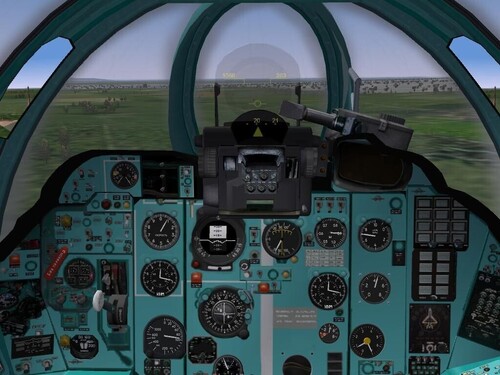
View File MiG-27K Cockpit with working HUD - Ultimate ground attack fighter version of the MiG-27 series Mig-27K (Flogger-J2) ground attack fighter cockpit (SFP1 series) made by Ordway, Starfighter2, lindr2 based on color cockpit photos and cockpit diagrams. Original cockpit made by Armourdave and Sal. Avionics and optional advanced flight model by Nele. You need avionics 70 and the latest patch updates from Thirdwire. Tested on Windows XP and not Vista. However it might work on Vista too. This is the cockpit for the ultimate Soviet MIG-27K ground attack fighter in 1980. It was the ultimate MiG-27 version. It has a different cockpit from all the rest of the MiG-27s with more complexity and by far the most complex HUD. The MiG-27K added a laser designator and compatibility with TV-guided electro-optical weapons. Around 200 were built. It would probably have been one of the first attackers against NATO in a NATO versus Soviet block confrontation in the 1980s (under the tense relations of the American administration of "Ronney-the-Ray Gun". It is referenced from color photographs and original cockpit diagrams. The real TV screen will appear as usual, in the upper right hand corner when using many guided bombs/missiles. No one I knew could figure out how to make it work on the instrument panel in the correct area.... Directions: 1) Download Lindr2's Mig-27 series at http://forum.combata...p;showfile=6576 2) Back it up just in case. 3) Just download the contents of whole file folder Mig-27K intact into your aircraft folder as one folder. 4) When asked to overwrite say yes. -Finished! Thanks to Lindr2 for all his sustained hard and dedicated work. Thanks to Armourdave and Sal for the original cockpit. Thanks to Lindr2 and Epizikl for help with the cockpit research and photos. Thanks to Lindr2 for the various TV (optical) cockpit images. Thanks to Armour Dave and Sal for the cockpit. Thanks to Starfighter2, lindr2 for the Mig-23P HUD which has stymied modelers until now that I know of. Thanks to the Mirage factory for the Mig-23ML downloadable as a pack from combatace in the pack called Mirage Factory MiG-23 "Flogger" Series. Submitter ordway Submitted 06/19/2010 Category Jet Cockpits
-
451 downloads
- Ultimate ground attack fighter version of the MiG-27 series Mig-27K (Flogger-J2) ground attack fighter cockpit (SFP1 series) made by Ordway, Starfighter2, lindr2 based on color cockpit photos and cockpit diagrams. Original cockpit made by Armourdave and Sal. Avionics and optional advanced flight model by Nele. You need avionics 70 and the latest patch updates from Thirdwire. Tested on Windows XP and not Vista. However it might work on Vista too. This is the cockpit for the ultimate Soviet MIG-27K ground attack fighter in 1980. It was the ultimate MiG-27 version. It has a different cockpit from all the rest of the MiG-27s with more complexity and by far the most complex HUD. The MiG-27K added a laser designator and compatibility with TV-guided electro-optical weapons. Around 200 were built. It would probably have been one of the first attackers against NATO in a NATO versus Soviet block confrontation in the 1980s (under the tense relations of the American administration of "Ronney-the-Ray Gun". It is referenced from color photographs and original cockpit diagrams. The real TV screen will appear as usual, in the upper right hand corner when using many guided bombs/missiles. No one I knew could figure out how to make it work on the instrument panel in the correct area.... Directions: 1) Download Lindr2's Mig-27 series at http://forum.combata...p;showfile=6576 2) Back it up just in case. 3) Just download the contents of whole file folder Mig-27K intact into your aircraft folder as one folder. 4) When asked to overwrite say yes. -Finished! Thanks to Lindr2 for all his sustained hard and dedicated work. Thanks to Armourdave and Sal for the original cockpit. Thanks to Lindr2 and Epizikl for help with the cockpit research and photos. Thanks to Lindr2 for the various TV (optical) cockpit images. Thanks to Armour Dave and Sal for the cockpit. Thanks to Starfighter2, lindr2 for the Mig-23P HUD which has stymied modelers until now that I know of. Thanks to the Mirage factory for the Mig-23ML downloadable as a pack from combatace in the pack called Mirage Factory MiG-23 "Flogger" Series. -
SF2 MiG-23MF fighter- Cockpit, working Mig-23MF HUD, and aircraft
ordway commented on ordway's file in Jet Cockpits
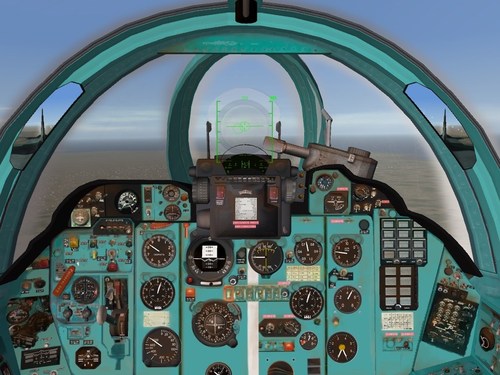 Hmmm, I've looked into it. The Mig-23MF seems to load the standard 3rd wire SF2 Mig-23MF stores. However, some stores are not visible in the exterior mode. Now, when I added the cockpit, cockpit.ini, avionics.ini, Mig-23MF.ini into the standard 3rd wire sfp2 Israel Mig-23MF folder (which I unwrapped and exported), I could now fly it and see all the stores from the exterior view ... However, when I look into the rearview mirror...all I see is the stores flying behind me in space and no aircraft is visible from the cockpit mirrors. Anyone got any suggestions?
 -
SF2 MiG-23MF fighter- Cockpit, working Mig-23MF HUD, and aircraft
ordway commented on ordway's file in Jet Cockpits
Thanks for info. I will look into it.
