Baltika
-
Posts
1,293 -
Joined
-
Last visited
-
Days Won
1
Content Type
Profiles
Forums
Gallery
Downloads
Store
Everything posted by Baltika
-
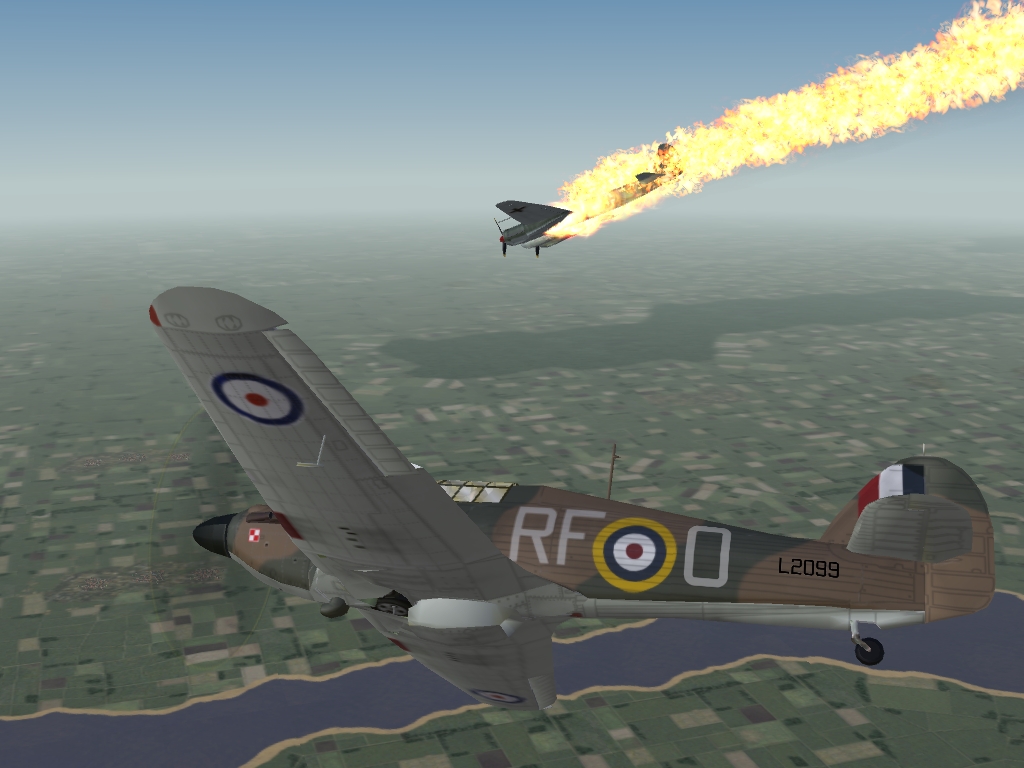
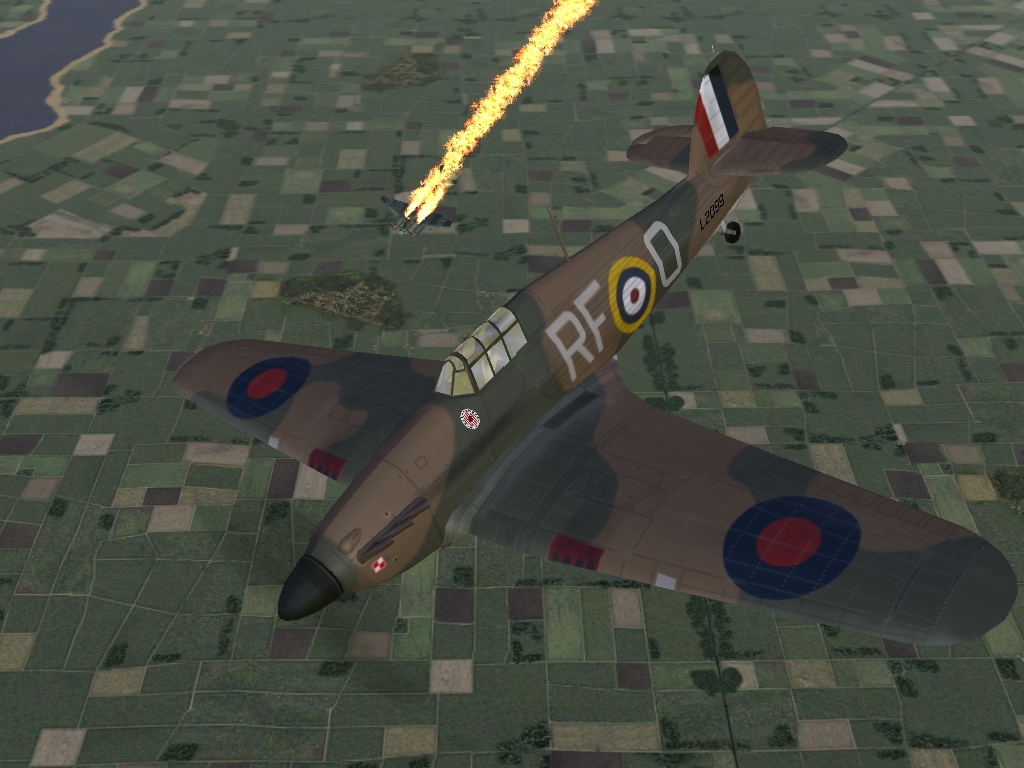
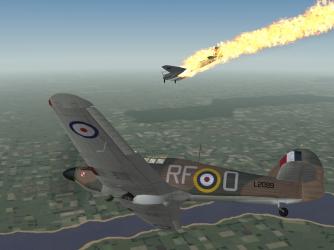
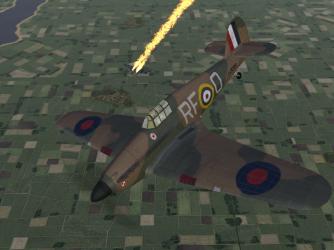
And your double-super-triple bonus question:- What's the deliberate mistake with the markings on the above Hurri? Hint: There are 2
-
There's life in the old BoB yet. . . WIP, but hopefully coming soon to a BoB near you. . . Your starter for 10: Which Squadron? (Easy-peasy ) Your bonus question: Which BoB Ace flew this particular bird? All part of an ongoing project to bring some individuality to the BoB campaign squadrons. Get your requests for priority in now
-
Excellent stuff, Thanks for your hard work Cheers
-
RAF ETO camo for the Dev A-Team's Spitfire VB
Baltika replied to Gocad's topic in File Announcements
Thanks Gocad You are spoiling us with these Spit skins -
RAF BoB camo for the Dev A-Team's Spitfire IA
Baltika replied to Gocad's topic in File Announcements
Nice work Thanks very much -
Something else to add to the list for v0.61 Nice link, Bandy
-
Yup, that's what I reckoned. As you say, no problem for those who know what they're about, and don't mind a bit of .ini editing. That probably catches all the people who have modded their SqList anyway. And for the bigger campaign mods, a separate install will cure all evils :yes:
-
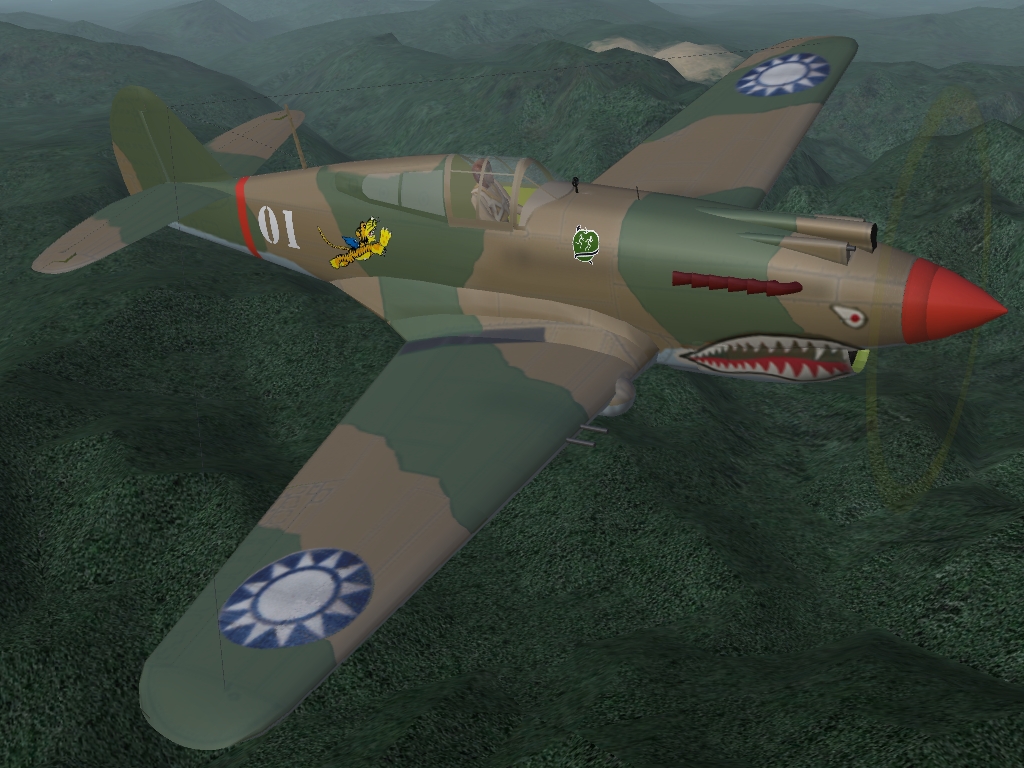
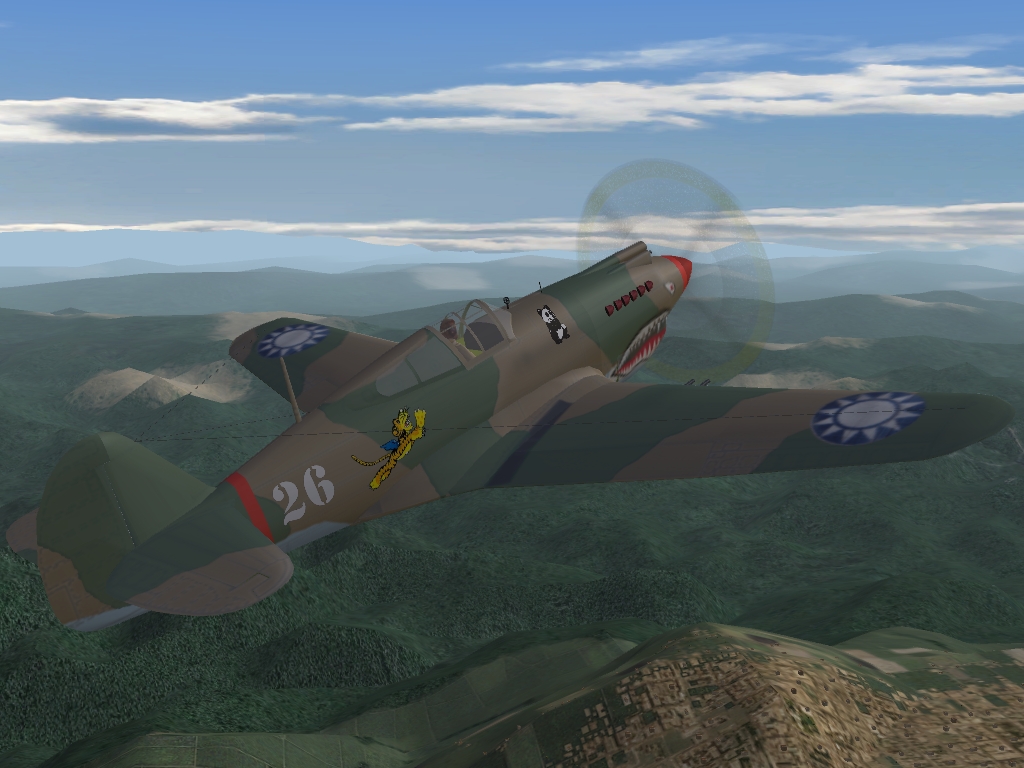
Here's a question on merging Squadron Lists:- Am I right in thinking that where a skin calls for squadron-specific decals (eg a base RAF MTO Spit skin, where all the squadron codes in the campaign are decals added to the base skin) the various squadrons have to be at particular numbers in the Squadron List for the squadron-specific decals to show up properly? For example, I am working on an AVG Tomahawk skin for Burma Air War which has specific squadron decals (nose art) for each of the three squadrons. Screenies of what I'm talking about right here:- http://forum.combatace.com/index.php?showtopic=25617 So, 1 Sqdn get Adam & Eve, 2 Sqdn get Panda Bears and 3 Sqdn get Hell's Angels. The .tgas for each decal are called AVGSqn001.tga, AVGSqn002.tga and AVGSqn003.tga respectively. My BAW-specific Squadron list looks like this, so far:- [squadron001] Name=1AVG DisplayName=1st Sqdn AVG - "Adam & Eves" - Sqdn. Ldr. Robert Neale Nation=AVG [squadron002] Name=2AVG DisplayName=2nd Sqdn AVG - "Panda Bears" - Sqdn. Ldr. John Newkirk Nation=AVG [squadron003] Name=3AVG DisplayName=3rd Sqdn AVG - "Hell's Angels" - Sqdn. Ldr. Arvid Olson Nation=AVG [squadron004] Name=67RAF DisplayName=67 Sqdn - "No Odds Too Great" Nation=RAF [squadron005] Name=113RAF DisplayName=113 Sqdn - "Velox et Vindex" Nation=RAF [squadron006] Name=45RAF DisplayName=45 Sqdn - "The Flying Camels" - "Per Ardua Surgo" Nation=RAF [squadron007] Name=17RAF DisplayName=17 Sqdn - "Excellere Contende" Nation=RAF [squadron008] Name=9BS DisplayName=9th Bombardment Squadron, 10th AAF Nation=USAF And my squadron decal call in the skin decal.ini looks like this:- // AVG Squadron Patches [Decal003] MeshName=Fuselage DecalLevel=1 DecalFacing=LEFT FilenameFormat=Tomahawk\AVG\D\AVGSqn Position=0.22,0.47 Scale=0.5 DecalMaxLOD=3 [Decal004] MeshName=Fuselage DecalLevel=1 DecalFacing=RIGHT Reverse=TRUE FilenameFormat=Tomahawk\AVG\D\AVGSqn Position=0.22,0.47 Scale=0.5 DecalMaxLOD=3 My point is this: If I just add the above Squadron List onto the end of an existing Squadron List (say, my BoB Squadron List, which has 22 BoB-specific squadrons and counting, and no stock squadrons as they're not required in my BoB install) then it will break the AVG squadron nose art, as the AVG squadrons will no longer be numbers 001, 002 and 003, which is what the decal.ini calls for when assigning .tgas So does this mean we have to work on a consolidated squadron list, with every squadron, stock and add-on, in the right place? I suppose a similar thing has been done with the Nations.ini, which of course also has relevance to the whole decal question. I have seen a few differently numbered Nation.ini files floating about, and up til Wrench posted it recently I wasn't aware there was a specific entry for WW2 China (which clearly is relevant to a BAW campaign). Also, I seem to remember TK posting over on Thirdwire that SFP1/G and Wov/WoE had different Squadron Lists, so that may scupper us straight off. I suppose, as ever, separate installs may be the way to go. It's never really been an issue before because I suspect few 3rd-party planes have used the squadron decal call to the full. But with what you're doing here, we're all going to have to pay a lot more attention to the Squadron List
-
Great stuff, keep 'em coming Must be awaiting clearance meantime. EDIT: Moved the Squadron List discussion to your Sq List thread. Cheers Baltika
-
In the BoB campaign pack, you will see that 1 Sqdn RAF Hurricanes have a supercool jet-black paint scheme. This is not just because they wanted to look badass, but because they made early experiments with night interception missions. Of course, the RAF had no dedicated nightfighter at the time, and they had no radar in the Hurri so it was all a bit hit and miss, not to say nerve-wracking and highly dangerous. For a quick hack to enable nightfighting Hurris in the BoB timeframe, edit the Hurricane1_data.ini entry "AircraftCapability=DAY_ONLY" to "AircraftCapability=DAY_AND_NIGHT" Of course, this will affect all Hurri Mk 1s, not just 1 Sqdn. Don't say I didn't warn you
-
Sounds like a blast Couldn't resist, sorry Yes, thanks for taking the trouble to look at it - I for one would like to give it a whirl. Will make those rhubarbs all the more nerve-racking Cheers
-
Excellent, thanks very much
-
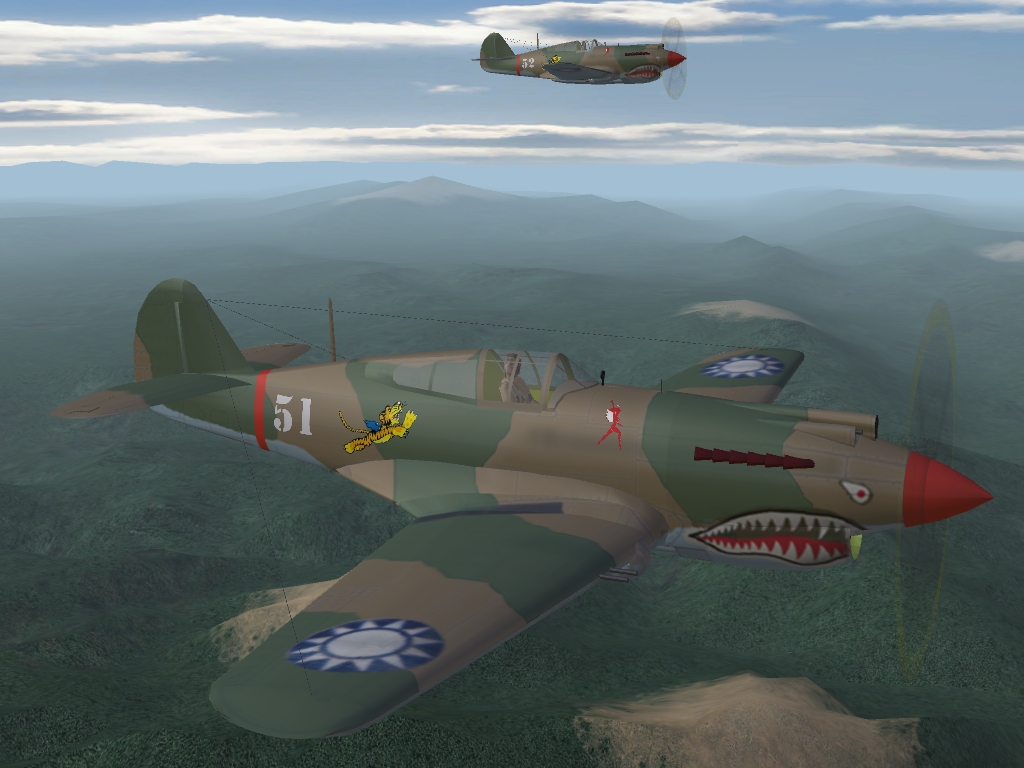
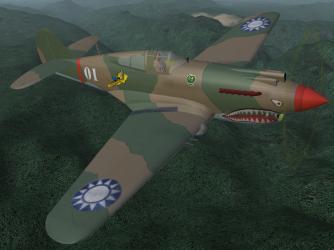
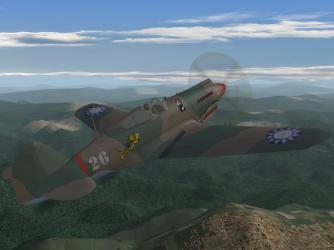
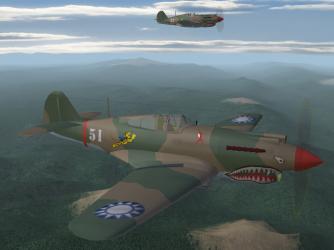
Burma Air War, Chapter One: The Fall of Rangoon 1941-42 Early WIP, don't be too harsh. My first "real" attempt at skinning, I'm having fun with all that "DecalLevel=" stuff :yes: Thanks to Wolf for the Tommy, Edward for the terrain, and Wrench for indulgence and his excellent 112 "Sharkmouth" Sqdn RAF MTO skin, which I am ruthlessly attacking with my big box of blunt crayons Adam & Eves Panda Bears (So cute Do meet my .50 MGs, have at ye ) Hell's Angels Campaign .ini work is mostly done, just writing up all the tedious stuff and shooting some screenies. Oh, and going cross-eyed staring at pixels half the size of my monitor - only way I can keep the brush straight Toodle-pip for now, B
-
That sort of grunt work is something I can help with. If you want a hand, give me a shout.
-
Great stuff, guys Thanks very much for all your hard work. Lookin' good
-
Thanks for bringing this up, Kevin Gocad - I'm loving the look of your Spits, really looking forward to release. Since you asked for suggestions, here's mine:- As a campaign builder with the skinning skills of a ham-fisted two year old, I would really love to see skins without the squadrons codes burned into the main .bmp. Then, a "base" skin which fits the theatre can easily be modded to fit a particular squadron requirement, just by changing the squadron code in the decal. I think it was BattlerBritain who asked about getting individual skins for all the Squadrons in BoB campaign, and ever since then, it's been like an itch I can't scratch. Plus, I have been slowly picking away at the available Hurri 1 skin to come up with something for the Czech and Polish Squadrons to fly, and it's been making me go cross-eyed. If I had a basic skin, and then change the decals for a new squadron - viola! Just my tuppence worth. Thanks for sharing these, Gocad - I'm loving the look of that Malta Spit! Cheers
-
Here's a quick and dirty hack to get you started:- Open the /Campaigns/HarrierCampaign/HarrierCampaign.ini file. Near the top of the text, under [CampaignData], add "Service004=Paran" to the list (without the quotes). Then, scroll to the end of the .ini file, and add the following entries right at the end:- [ParanUnit001] UnitName=1st Paran F Sq - MiG-23ML ForceID=2 UnitID=1 StartDate=1978 DescFile= StartText= CampaignBaseScreen= [ParanUnit002] UnitName=5th Paran F Sq - MiG-21PFM ForceID=2 UnitID=5 StartDate=1978 DescFile= StartText= CampaignBaseScreen= [ParanUnit003] UnitName=15th Paran F Sq - MiG-25P ForceID=2 UnitID=18 StartDate=1978 DescFile= StartText= CampaignBaseScreen= [ParanUnit004] UnitName=16th Paran F Sq - MiG-19S ForceID=2 UnitID=19 StartDate=1978 DescFile= StartText= CampaignBaseScreen= [ParanUnit005] UnitName=1st Paran A Sq - Su-17 ForceID=2 UnitID=24 StartDate=1978 DescFile= StartText= CampaignBaseScreen= Finally, and this is vitally important, you have to open up the HarrierCampaign_Data.ini file, and add supply entries to each of the relevant Parani Air Units. The units called out by the above entries are listed at [AirUnitxxx] numbers 023, 027, 040, 041 and 046. If you DON'T do this, none of your units will have any weapons other than guns. Check the Loadout.ini for each aircraft to see what you should be adding. For example, you would add these lines to the end of the entry for your MiG-23 squadron [AirUnit023]:- Supply[001].WeaponType=R-23R Supply[001].Quantity=180 Supply[002].WeaponType=R-23T Supply[002].Quantity=180 Supply[003].WeaponType=R-60T Supply[003].Quantity=340 Supply[004].WeaponType=Tank600_Su7 Supply[004].Quantity=140 And so on for the rest of the units specified above. This method ain't pretty - you won't have campaign or mission text, or squadron information, as all of those files have to be written and specified in the campaign.ini file. But, it will enable red side as flyable. And be aware, this is a quick hack I used on my install to get flying MiGs in campaign mode - it's not supported, endorsed or approved by anyone, it may break your install or blow up your computer, and for all our sakes don't go bugging any of the mod team who brought out this excellent campaign in the first place about it. Use at your own risk, OK And, while I'm here, let me add my vote of thanks to JSF_Aggie and all contributors for an excellent campaign. Cheers
-
Great work, Thanks very much
-
The Major is getting things together. . . http://majorlee.us/
-
Beautiful work, great stuff
-
I had a hard time getting the F/L to behave itself for BoB campaign. Eventually, I sussed out that the F/L treats target areas with airfields differently from target areas without airfields, at least in campaign mode. As ground forces capture strategic nodes, the frontline will move. It needs target areas without airfields to act as buffers or backstops. Target areas with airfields won't perform this function, and their allegiance will change if they end up on the other side of the F/L after it has moved. Hence, the "collapsing" F/L in BoB campaign, which turned all the airfields in Western France into RAF bases, was cured by adding some non-airfield target areas in that part of the map. Voila, no more collapse, and everything stayed where it should be. It might be that the proximity to the F/L is causing Brownville to switch sides. Can you fly red side missions from there?
-
Thanks for the heads-up, Czech6, I wasn't aware of those settings. I'm not sure how to force any particular bomber to use them though. I will try to get some testing done. Anybody know?
-
Sounds great, could use it for a WW2 Eastern Front install
-
Good question, I wish I knew the answer. In single missions I get 12+ fighters on each side, much more appropriate for BoB-style battles. So far as I know, the campaign .dll controls how campaign missions are assigned. I seem to see more activity later in the campaign, but that's purely subjective. I d/k how to force single-mission-size flights in the campaign engine. Anyone? See my answer to the above question. I thought I had set the campaign to generate one mission per day - at the height of BoB, both sides' pilots flew multiple sorties in a day, but one seemed a reasonable compromise, or the campaign really would take three months to play through. You might try increasing the supply values for all air units, and under each [Force] heading in the campaign_data.ini, as supply determines when a unit is available to undertake an offensive mission. Sorry, can't help with this one, either. CA_Stary built the WW2 weapons pack so he may be able to assist. No, you are correct. I don't think there is an AI routine for dive-bombers. Of course, at the controls of my trusty Stuka, I can wreak havoc with pinpoint accuracy, then escape at sea level. Provided my escort isn't off chasing his Oak Leaves. OK, just re-read my answers. I think you have discovered the limits of my knowledge Anybody help?
-
Yes, exactly right.