Baltika
-
Posts
1,293 -
Joined
-
Last visited
-
Days Won
1
Content Type
Profiles
Forums
Gallery
Downloads
Store
Everything posted by Baltika
-
Thanks Peter As someone who is really only getting started with FE, I really appreciate the various options you are setting out here. (It also makes it easier to reverse-engineer your AI changes and apply them to my WW2 installs )
-
Check out Polovski's WoW site, which hosts a number of mods to remove the arcade style elements of WoW. Also some great terrain mods:- http://www.polovski.com/WoW.htm
-
Hi capun, Thanks for the link. I think you pointed out something similar waaaay back at the start of the BoB campaign feedback thread, for AI bombers, but I didn't appreciate the flexibility of the technique. As I said, I haven't done anything to the "stock" _data.ini for the WW2 birds, and I note that Russo's Emil does not implement the individual a/c AI settings you mention. It seems, then, that the FE stock AI is a significant improvement over that in v083006. And I am running Pre-EP FE. As you say, it opens up further possibilities for tweaking individual a/c. Uriah, I don't [yet] have WoI or the FE EP, so I can't comment on whether the improved stalls work on "stock" WW2 FMs. Likewise with prop wash, although I have been trying to do a "proper" stall turn in FE with my Hurri, w/o much luck. There seems to be a fine line between staying "within the envelope" and falling into an unrecoverable spin. I suppose that is where the tweaking for the new FM comes in. I don't think I'll start messing with that until I get WoI and I can check this out on the latest and greatest version. I'll hopefull get a chance to do that over the w/end. Cheers all.
-
Yup, it's all there. The AI planes handle all that fine - wheel brakes off, open throttle, take off, gear up, flaps up. The default controlset ( . . .Controls/default.ini ) in FE has the restricted controls which are relevant to WW1 birds only, and won't let you define any others. I got round that by taking my customised control .ini file from SFP1 (set up for my Hotas Cougar) and renaming it Default.ini, and dropping it into the FE/Controls/ folder, overwriting the FE default. Then everything works fine. Don't mess with the FE customise page afterwards, or it will knock you back to the default FE control list. On further flights, the Emils are showing slightly odd behaviour at times, slewing around the sky a bit - I think it's to do with the fact that AI rudder control has been bumped up a bit for FE. OTOH, give the FE AI an Emil to play with, and it's a vicious beastie that's darn hard to get off your tail, and will defy your attempts to evade. Tenacious. And kind of trigger happy, in a sneaky snapshot kind of way. Sees a half chance, goes for it, and gets you more often than not. Mean. Roll on the patches - but in the meantime, I've got my excuse to buy WoI
-
I am, quite simply, astonished. Got the 109s working, and imported guns all round. In single missions, furballs with 16 a side, and I have been cut to pieces every single time, flying Hurris. Not an experience I am used to from SFP1/WoV/WoE. Will have to try Spits to try to get a kill
-
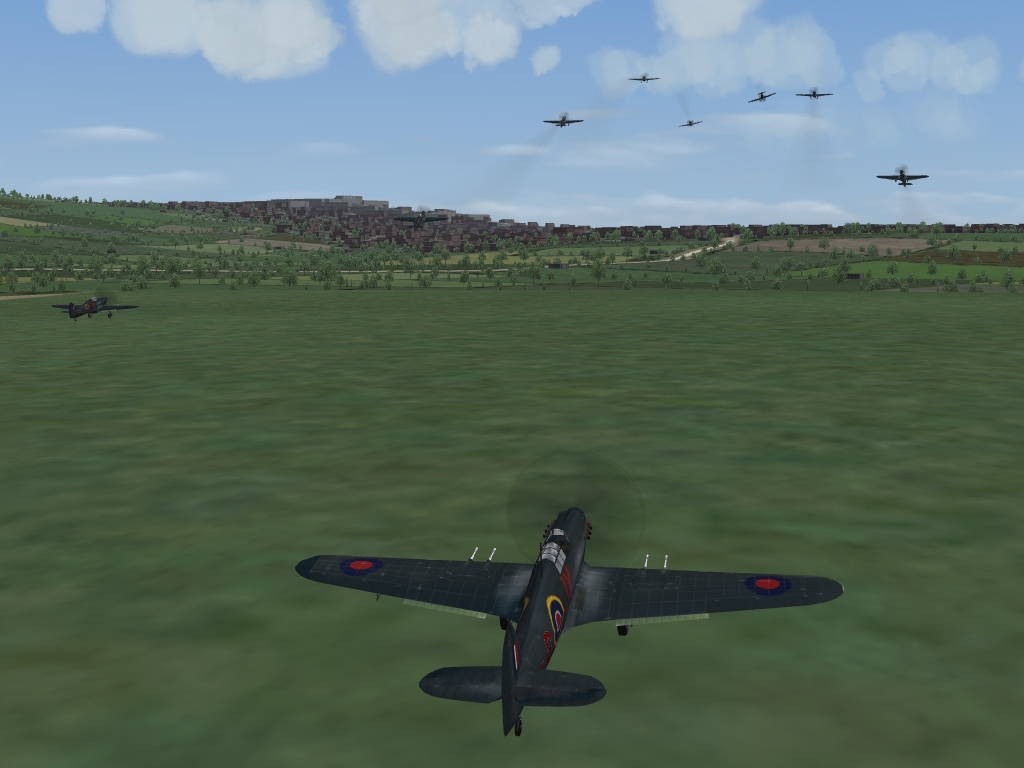
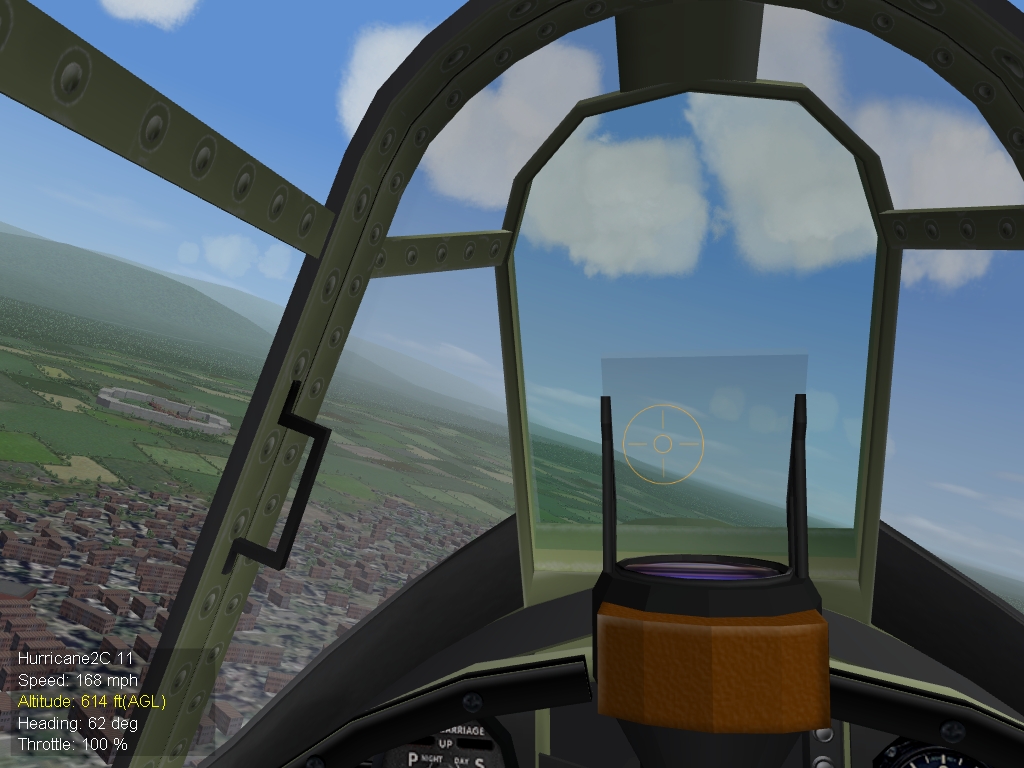
Success Thanks very much for pointing the way, p10ppy I had no success with tagging the [CANOPY] in the _data.ini as ShowFromCockpit=FALSE. However, following up your comments re the _cockpit.ini, I noticed the Hurri _cockpit.ini was missing these three lines when compared to the DR7:- HideExternalNodeName=cockpit OpenCockpit=TRUE ExternalClipDistMin=0.05 I simply copied those lines from the DR7 into the Hurri, et voila:- Incidentally, I changed OpenCockpit= to FALSE for the Hurri, but it appeared to make no difference either way. Strange. Now, this looks a lot more like a scramble scene from BoB:- I have done nothing to the stock Hurri FM, and I can still stand on my tail and climb at an unsustainable rate - for a while, but, unlike behaviour from previous iterations, I will eventually fall into a stall, just slowly. And, I have put my Hurri into an uncontrollable spin simply by flinging it about a bit, behaviour which I have not been able to recreate in v083006 of SFP1. Also, takeoff seemed a bit more tricky than in v083006. All this in pre-EP FE. Early days yet, but it seems that even as they stand now, the WW2 FMs give more back thanks to the improved Flight Engine in FE, as peter01 suggested. Next up:- Get some 109s and Ju-88s in there, and see how many escorts turn up for an intercept mission. And import some WW2 weapons, of course. Cheers all.
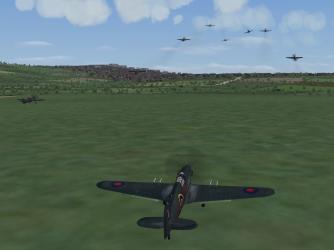
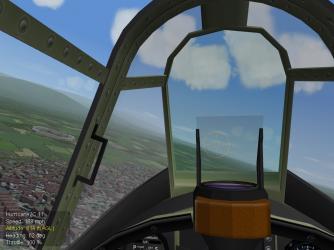
-
Thanks for the tips, everyone. Interesting discussion. Obviously time to take the plunge into WoI as well One thing which FE does very well in campaign mode, and which I can't force in in SFP1/WoV/WoE no matter how hard I try, is throw up massive fighter furballs routinely. TK has made some interesting points on the TW boards recently about how the campaign supply variables etc affect size of missions units send out, but I still can't get say, a dozen Nates or Emils escorting the corresponding bomber formations. Charles' ww2 formations mod is great at producing large numbers of bombers in campaign, and works fine in single mission mode for fighter flights (a dozen planes on either side, easy), but for some reason I can only get a couple, or three fighters as escorts in campaign. Whereas, in FE, in campaign mode, you'll often run into whole Jastas out on the prowl. That, too, is much more suited to the WW2 era. Just something else to throw into the mix. Sadly, RL is eating my time just now, but I'll keep at it. Cheers all
-
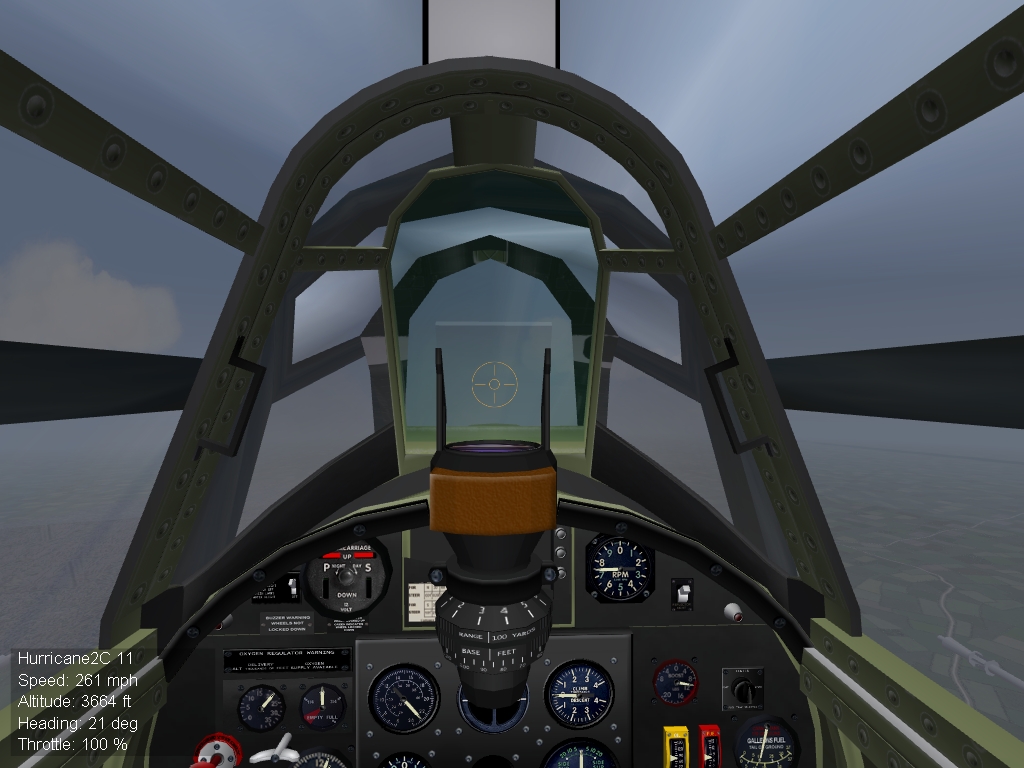
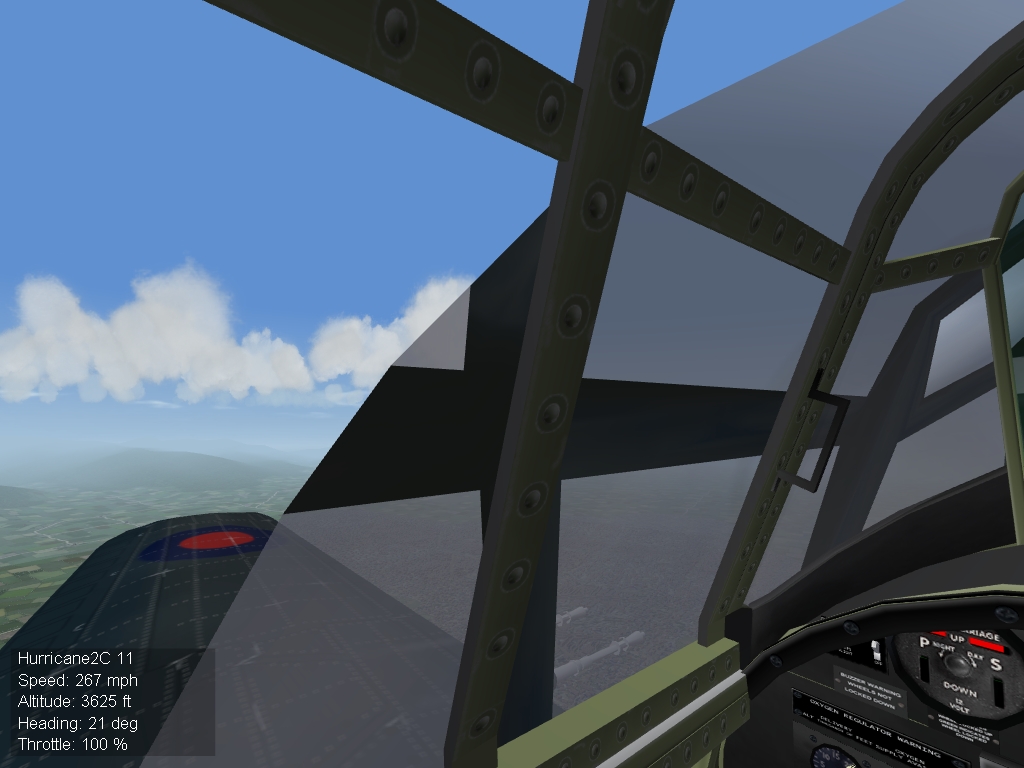
Hi there, I am also very interested in the new FM possibilities FE offers for WW2 birds, and have been trying to play around with some settings to get things going. However, I am having some cockpit clipping issues which I can't resolve. I have played around with the NearClip settings in FlightEngine.ini, but I can't get rid of these ugly artefacts in the Hurri 2c pit:- Any ideas how to get rid of these? It seems that from what peter01 is saying about how the flight engine differs between WoI and Fe Exp pack 1, presumably due to the differences in modelling props vs jets, that FE post expansion pack is probably the natural home for the WW2 mods. I appreciate a lot of FM work would be required to take advantage of the changes, in particular in relation to stalling characteristics. Right now, I'm just trying to get a dedicated WW2 FE install up and running for testing. Gepard, do you make any changes to the FW-190 you use, or do you just use a WW1 era pit? Cheers for any pointers, Baltika (Oh, and OT, your terrain tutorials are magnificent. IMHO, they represent one of the most significant advances for community modding that we have seen. Thanks very much for teaching all of us terrain newbies how to do it )
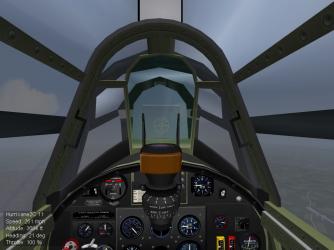
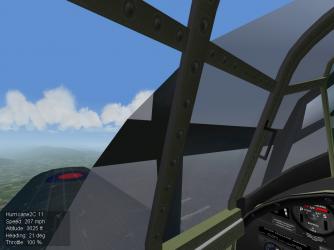
-
Magnificent work Thanks very much to both Brain & CA. Cheers
-
Thank you, Sir
-
Thanks, Tailspin I am rebuilding my FE install from scratch, and haven't yet upgraded to the EP, so I had been searching around for pre-EP mods. Cheers
-
Hi there, I'm getting a file not found error on this link. Any suggestions? Thanks
-
The world of the Global Sedition has just got a lot more interesting Thanks very much Wrench, your hard work is appreciated Now, at long last, I can make my Cool-as-Ice Chopper Surf Chicks of California vs the Nazi Invasion USA campaign mod a reality - if I can only paint a pilot figure looking like a blonde wearing a bikini
-
Excellent suggestion, fantastic response, count me in Always have been - this from the BoB campaign Readme:- "Modding of the campaign files written by baltika for the free use of the community is, however, actively encouraged. Share your results. But if anyone is planning a payware BOB conversion, don't you dare use any of the campaign files in this mod for your bloodsucking financial gain, unless you make me a decent offer first ;-)" Cheers to one and all
-
Bunyap's Weapons pack is your starting point. Install that first, it has most of the WW2 stuff included. It's in the d/l section here at CA. Some of the WW2 Add-on planes, tanks etc have weapons you have to add by using the weapon editor, but those will be explained in the individual readme. Check out The Wrench's comprehensive guide to updating loadout.inis in the KB here to see what you have to do to get your WW2 birds up to date. Mainly it's a question of changing the Attachment Type= flag in in the A/C_data.ini. Good luck
-
New campaign parameters (WOI)
Baltika replied to Johan217's topic in Mission/Campaign Building Discussion
Useful info there, thanks. Looks like I'm going to have to take the plunge into WoI :yes: -
Thanks for the info, all. Funnily enough, the issue is much less pronounced on the standalone 303 Sqdn skin I posted recently, and doesn't appear at all (so far as I can tell) on the "stock" 242 Sqdn Hurri 1 skin. I will play around with positioning etc to see if I can make it go away, or at least reduce it a bit. Cheers, Baltika
-
looking for some bush/shrubbery TGA's and BMP's
Baltika replied to malibu43's topic in Mods/Skinning Discussion
Read this tutorial - http://www.sfmods.com/tutorials/terrtut/trees.html Or we will say "Ni" to you agaian!!!!!!!!!!!!!!!!
-
Yes, the whole concept arises out of our discussion on skins, squadron codes, etc. As I said, seems to be going Ok. For the Hurri, the roundel is part of the base skin. Squadron codes and letter codes are separate decals. Gramps has made a skin for the A-team Brewster Buffalo where the letter code, roundel and squadron code are all part of the same decal. That comes in handy (eg for Burma Air War) as I don't have to spend hours unpicking the base skin, and can just create a new decal. I see you have already implemented this on your various Spit skins - great work there Sounds like I'll just have to live with the oddity. I don't notice it so much in a dogfight
-
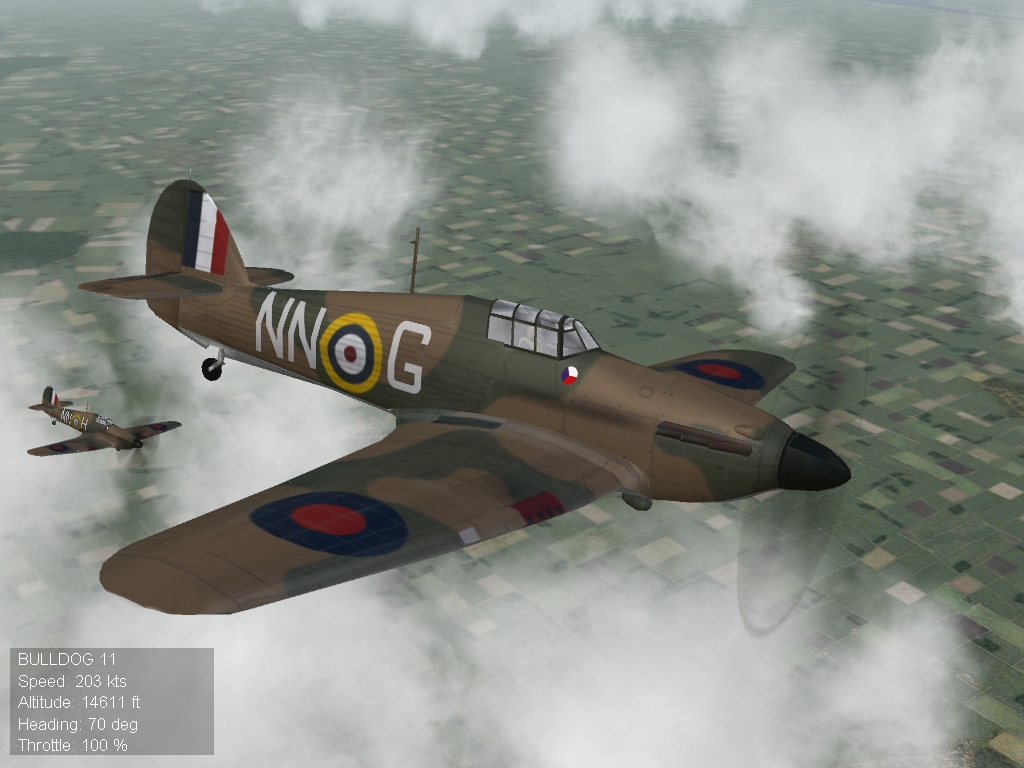
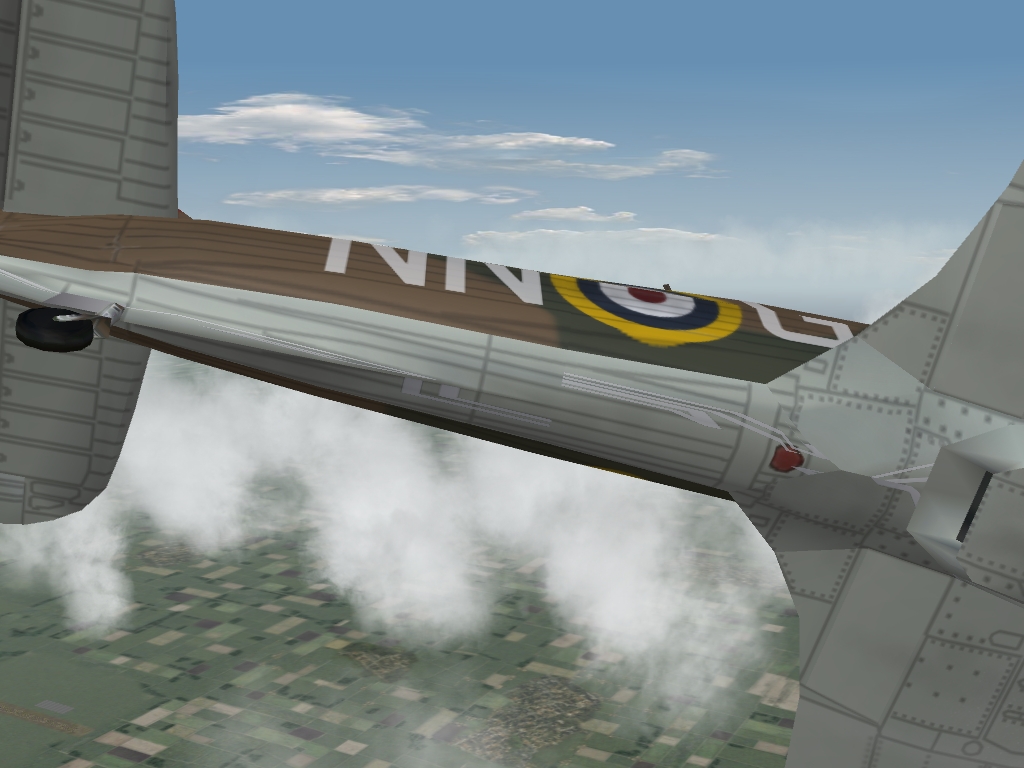
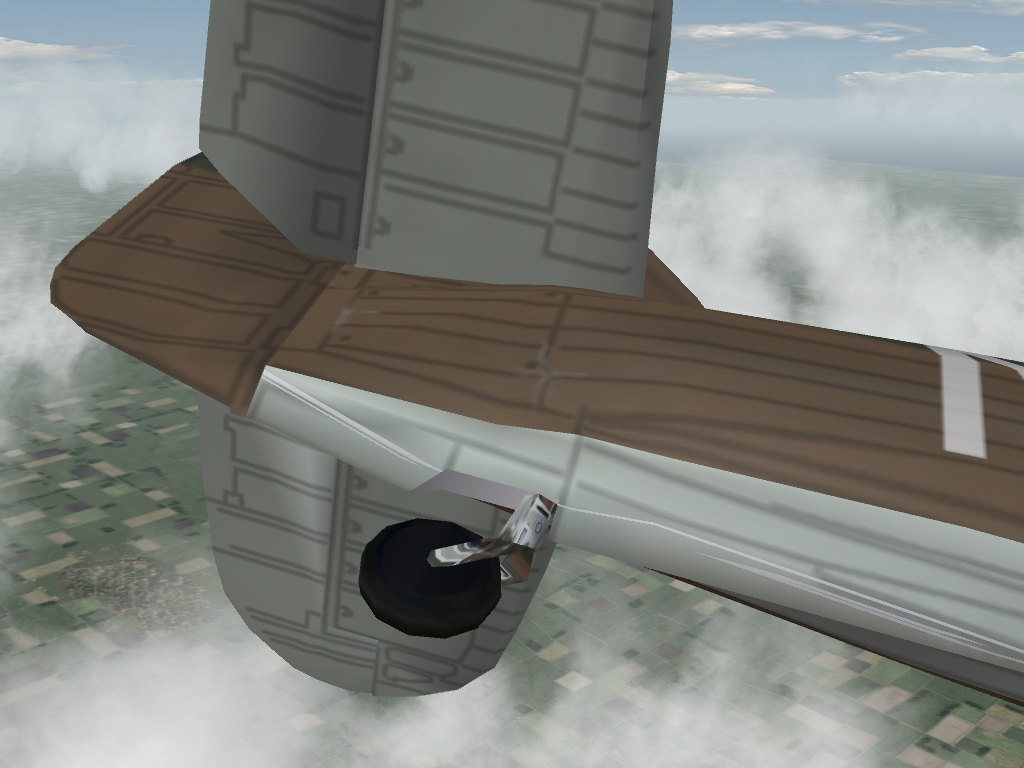
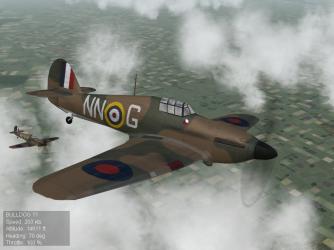
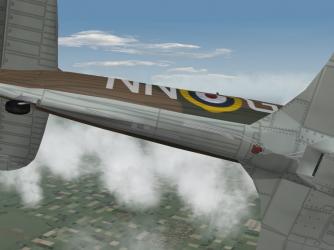
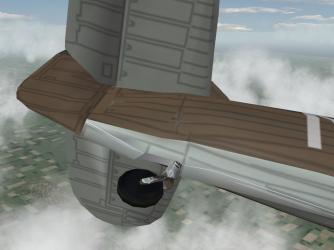
I'm trying to work out a system for BoB Campaign so that squadron codes and A/C letters are assigned for all squadrons to a base skin. So far, it looks promising. Here's an example of a flight with "generated" markings:- But, I'm getting artefacts on the underside of the plane, which disappear when I remove my code/letter decals:- And this just looks a bit odd (check out the leg of the tail wheel):- Anyone know what's going on with the decal artefacts, and how I can fix it? I have made sure that there is plenty of space round the edges of the lettering, so I don't think this is the stretching issue. Cheers, Baltika
-
I heartily agree with work on a WW2 Weapons pack, but I would sorely miss CA_Stary's WW2 era effects. Couldn't go back to stock tracers for my WW2 installs. Cheers, Baltika
-

159 downloads
***************************************************** 303 (Kosciusko) Sqdn RAF Skin for A-team Hurricane Mk 1 ***************************************************** Credits:- Original Hurricane 1 skin by Gramps 303 Sqdn crest .tga by Gramps RAF squadron code typeface is T. Horvath's RAF_WW2_851ATH, available from simmerspaintshop.com 303 Squadron Numbers, Tail numbers and kill marking .tgas, .ini edits and BoB Campaign 303 Sqdn Screens by Baltika. ***************************************************** INSTALLATION Unzip to temp folder. Drop contents of unzipped folder into your BoB install, maintaining the file structure. It should be obvious where everything has to go. To enable 303 Sqdn skin for campaign use, open BoB_data.ini campaign file, scroll down to [AirUnit002] and change the "DefaultTexture=" flag to read:- DefaultTexture=303 I recommend creating a new pilot to start a fresh campaign using this skin, as the kill markings run from 0-30 kills. If you use an existing pilot you are likely to have a lot more kills on record so the kill markings won't show up. To use the included campaign screens, open the BoB.ini campaign file, scroll down to [RAFUnit002] and make the following edits:- CampaignBaseScreen=BoBBaseScreen303Sqdn.bmp CampaignEndWinScreen=BoBWinner303Sqdn.bmp CampaignEndLoseScreen=BoBLoser303Sqdn.bmp ***************************************************** That's it. Go fly, and rack up kills ;-) ***************************************************** -
View File 303 (Kosciusko) Sqdn RAF Hurricane Mk 1 ***************************************************** 303 (Kosciusko) Sqdn RAF Skin for A-team Hurricane Mk 1 ***************************************************** Credits:- Original Hurricane 1 skin by Gramps 303 Sqdn crest .tga by Gramps RAF squadron code typeface is T. Horvath's RAF_WW2_851ATH, available from simmerspaintshop.com 303 Squadron Numbers, Tail numbers and kill marking .tgas, .ini edits and BoB Campaign 303 Sqdn Screens by Baltika. ***************************************************** INSTALLATION Unzip to temp folder. Drop contents of unzipped folder into your BoB install, maintaining the file structure. It should be obvious where everything has to go. To enable 303 Sqdn skin for campaign use, open BoB_data.ini campaign file, scroll down to [AirUnit002] and change the "DefaultTexture=" flag to read:- DefaultTexture=303 I recommend creating a new pilot to start a fresh campaign using this skin, as the kill markings run from 0-30 kills. If you use an existing pilot you are likely to have a lot more kills on record so the kill markings won't show up. To use the included campaign screens, open the BoB.ini campaign file, scroll down to [RAFUnit002] and make the following edits:- CampaignBaseScreen=BoBBaseScreen303Sqdn.bmp CampaignEndWinScreen=BoBWinner303Sqdn.bmp CampaignEndLoseScreen=BoBLoser303Sqdn.bmp ***************************************************** That's it. Go fly, and rack up kills ;-) ***************************************************** Submitter Baltika Submitted 02/25/2008 Category British Commonwealth
-
Yes, indeed. Good idea. The Euro WW2 terrain was built by Edward from an original EAW terrain by Fng2k. Many people contributed including Charles, MajorLee, Geo, Capun, Wolf, Russo, Gramps and Kesselbrut. It covers South of England, France, and extends right across Germany to Berlin. The terrain was available at MajorLee's aerodrome, which is currently in the process of being revamped:- http://majorlee.us/ Looks like the Major is making progress :yes: Scrapper's Fallen Angel WW2 campaign uses this terrain. It is a tempting prospect for a strategic WW2 Air War campaign, but the work involved would be considerable.
-
Spot on. Sorry, no prizes, just for fun For the avoidance of doubt, and to give credit where it's due, the 303 Sqdn skin is a simple re-badging job of Gramps' original Hurri 242 Sqdn skin. The RAF squadron code typeface is T. Horvath's RAF_WW2_851ATH, available from simmerspaintshop.com. Very early WIP CF 41-44 campaign is just a mod of my BoB campaign file to extend the length of the campaign and allow the various squadrons to progress through their appropriate upgrade types. I have barely started scratching the surface. Also, there is a ton of work to do on rotating Luftwaffe geschwadern away from the front as they were moved to the Eastern Front and elswhere. Same goes for RAF squadrons sent to Africa and the PTO. So, at the moment it uses Gepard's BoB terrain. The work required in shifting it to another terrain (say WW2 Europe) is probably prohibitive just now given my family commitments. And I have several campaign WIPs which are ahead of CF in the production line, really just needing a bit of spit and polish, which I would like to complete.