

steelflanker
-
Posts
184 -
Joined
-
Last visited
Content Type
Profiles
Forums
Gallery
Downloads
Store
Everything posted by steelflanker
-
Hi Thudgriffon Have you unchecked the "Aplication controlled" or similar box & moved the slider or what ever you have to 4X or 8X? Leaving the Options.ini for your game at the defalt setting? 4X I think. Worked perfectly for me on my ATI Radeon HD 4600 using the Catalist Controle Center. SF
-
Hi All Yes they are the stock decals that have gone missing. I’m not running any mods with the new patch yet. Using the new extractor I have confirmed they are all present in ObjectData019 but still don’t show. Noticed the most on the Netz & Baz but I’m going to have a more in-depth look tonight. Anybody had the chance to check the Netz & Baz yet? Anyone else having problems with decals? Sorted the problem with my jagged graphics at least & its looking beautiful. AntiAliasing is controlled buy your graphics card only now & not the application settings in the game. No mater what entry you put in to your [GraphicsOptions] it has no effect. It has to be set to your own taste in you graphics card control menu. “Application controlled” or “Use application settings” must be unchecked! SF
-
It seem to be the equivalent of 0 now which could explain some peoples FPS gain? Here a few shots of the decal problems I‘ve been having…………..
-
Just done a test can confirm I am having the same or similar problem. The F-105 tank 3d model shows along with the default skin but for some reason the camouflage tanks skins from individual F-105 skin folders are not being used? I’m having problems with a few squadron decals not showing too. :- (
-
I’m having some trouble with the new patch. :- ( I am running a merged install with the exception of Exp Pack 2 which I have yet to acquire. Running Windows XP & DirectX 9c I haven’t had any problems until installing the latest patch. Ok, Running a clean install “NO MODS” with the new patch applied. 1. Some decals mostly squadron insignia don’t appear! ( Mostly with SF2I aircraft) 2. A few decals appear luminosity & glow in the dark! 2. Graphics appear jagged & not as smooth as before the May 2011 patch. (something to do with the AntiAliasing perhaps as mentioned earlier? ) I’ve just done a standalone install of SF2 & SF2I & done a test before & after the patch has been applied. Still getting the same problems. :- ( Could somebody please do a check for me on a patched non moded install of SF2 Israel & check if the F-16 Netz squadron decals show up? I have tried setting the new DecalNumberRandomize= entry to FALSE but the squadron insignia still don’t show. I’m going to re download the patch in the meantime & see if that helps. Thanks guys SF
-
I have yet to acquire the second expansion pack but have always felt the cockpit lighting was a little low in the SF2 series.:-( Try these setting in the Cocpit.ini of the aircraft you are getting the least lighting with & see if it makes any difference. I use these setting or similar in all my stock cockpits. Hope this helps. SF [CockpitSeat001] LightRange=10.0 LightInnerConeAngle=43 LightOuterConeAngle=60 LightAngles=0.0,-35.0,0.0 DiffuseLightFactor=0.5 NightLightOn=0.88 NightLightColor=0.9,0.5,0.6
-
Agreed. :- ) The stock Skyraider excels already in the eye candy department as far as an AI model goes. Thanks for the reply, you’ve saved me from waisting another day trying to do the impossible. lol I’ll have a look for your A-1H & J upgrade packs this evening. Thanks SF
-
Yes, I have tried both the MovingPylon & RotatingPylon set to True. Also tried adding AttachedNodeName for both the pylon & Outer_Wing nodes. Fried my brain trying to get this to work the last few days. Hoping someone out there has the answers. SF
-
Hi all I have been trying unsuccessfully to get my weapons to follow my wing on the stock A-1 Skyraider during the wing fold. I have tried messing with various ini entries like MovingPylon=TRUE) & (AttachedNodeName) but nothing seems to work. I have tried searching the knowledge base but found nothing. Can this be done? Any ideas or a pointer to some instructions would be much appreciated. SF
-
Any Hi Rez TW F-16A Templates About?
steelflanker replied to steelflanker's topic in Mods & Skinning Discussion
Hummm...........looks like I’ve got some work cut out for me then. Thanks for the reply guys, ;- ) -
Hi there :- ) I’ve had a good browse in the downloads section but could only find some basic 512 x 512. Dose anybody have any high resolution, 2048 x 2048 templates for the Thirdwire F-16A model? Much obliged SF
-
Alternative Overcast Layer for the SF2 Series
steelflanker replied to steelflanker's topic in File Announcements
They will work with any terrain & all SF2 titles. They should also work with all SFP 1 titles but I haven’t tested them my self. Almost all other cloud mods use a heavily modified Environmentsystem.ini file. Make sure you only install the bitmap textures included in this package & not the Environmentsystem.ini. Other wise it could mess up the way your other cloud mods work! Then open your existing Environmentsystem.ini make sure that the [CloudLayer] section reads as follows. [CloudLayer] TopTexture=CloudLayerTop%d.bmp BottomTexture=CloudLayerBottom%d.bmp Material=CloudLayerMaterial TileCount=21 <------------------------------------------- NearTileCount=5 <------------------------------------------- TileSize=8000.0 <-------------------------------------- As long as the setting match these above it should work beautifully with any other other cloud mods you have installed. ;- ) SF -
Alternative Overcast Layer for the SF2 Series View File Alternative Overcast Layer for the SF2 Series I have been playing around with various textures for a while now & I am quite pleased with the results. So I thought I would share them.:-) Hope you enjoy SF This package contains top & bottom replacement textures for the overcast cloud layer & a modified ENVIRONMENTSYSTEM.INI. Instillation: ------------- Place all the bitmap & ini files in to your : Documents and Settings\User\My Documents\ThirdWire\StrikeFighters2 \Flight folder. Warning!!! ---------- If you are already using a modified ENVIRONMENTSYSTEM.INI Don’t install this version!!! Instead edit the ENVIRONMENTSYSTEM.INI already in your mods/ Flight folder & make sure it reads as follows: [CloudLayer] TopTexture=CloudLayerTop%d.bmp BottomTexture=CloudLayerBottom%d.bmp Material=CloudLayerMaterial TileCount=21 <------------------------------------------- NearTileCount=5 <------------------------------------------- TileSize=8000.0 <------------------------------------------- Thanks, Credet & acknowledgements. ---------------------------------- All the files included in this mod are NOT my work & remain the property of their original creators or owners! Original bottom layer texture: A Flanker 2.5 overcast effect mod by the Pretzelworks. Original top layer textures: The official UBI Soft Lock On Demo & Overcast Cloud MOD 3.1 by BoboCop. ENVIRONMENTSYSTEM.INI: Thirdwire. Submitter steelflanker Submitted 03/12/2011 Category Environmental Mods
-
Version V1.0
581 downloads
Alternative Overcast Layer for the SF2 Series I have been playing around with various textures for a while now & I am quite pleased with the results. So I thought I would share them.:-) Hope you enjoy SF This package contains top & bottom replacement textures for the overcast cloud layer & a modified ENVIRONMENTSYSTEM.INI. Instillation: ------------- Place all the bitmap & ini files in to your : Documents and Settings\User\My Documents\ThirdWire\StrikeFighters2 \Flight folder. Warning!!! ---------- If you are already using a modified ENVIRONMENTSYSTEM.INI Don’t install this version!!! Instead edit the ENVIRONMENTSYSTEM.INI already in your mods/ Flight folder & make sure it reads as follows: [CloudLayer] TopTexture=CloudLayerTop%d.bmp BottomTexture=CloudLayerBottom%d.bmp Material=CloudLayerMaterial TileCount=21 <------------------------------------------- NearTileCount=5 <------------------------------------------- TileSize=8000.0 <------------------------------------------- Thanks, Credet & acknowledgements. ---------------------------------- All the files included in this mod are NOT my work & remain the property of their original creators or owners! Original bottom layer texture: A Flanker 2.5 overcast effect mod by the Pretzelworks. Original top layer textures: The official UBI Soft Lock On Demo & Overcast Cloud MOD 3.1 by BoboCop. ENVIRONMENTSYSTEM.INI: Thirdwire. -
No problem, check your inbox. ;-) You may notice a faint seam now & again. I appear to get a similar thing with most replacement tiles except the stock ones. Don’t worry though its hardly noticeable & won’t rune the emersion. SF
-
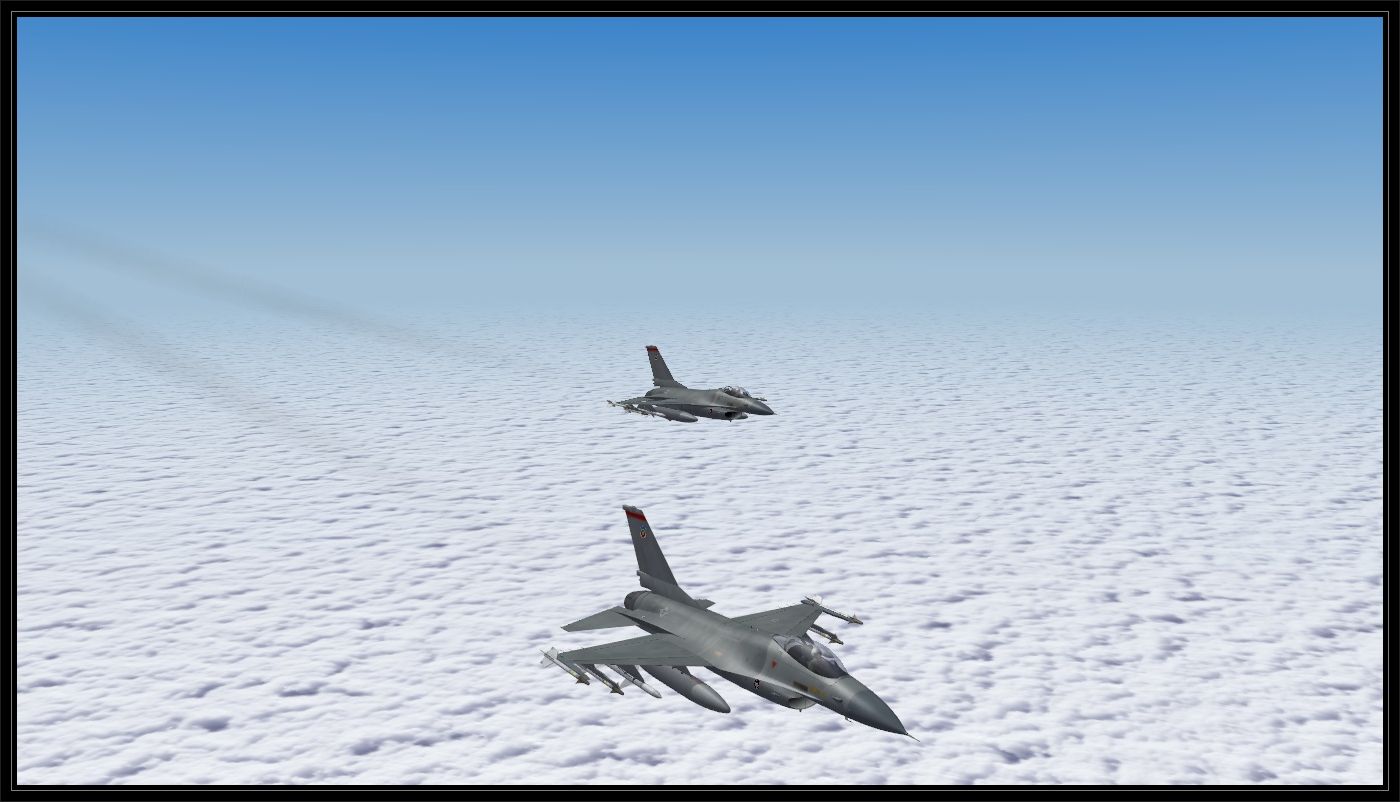
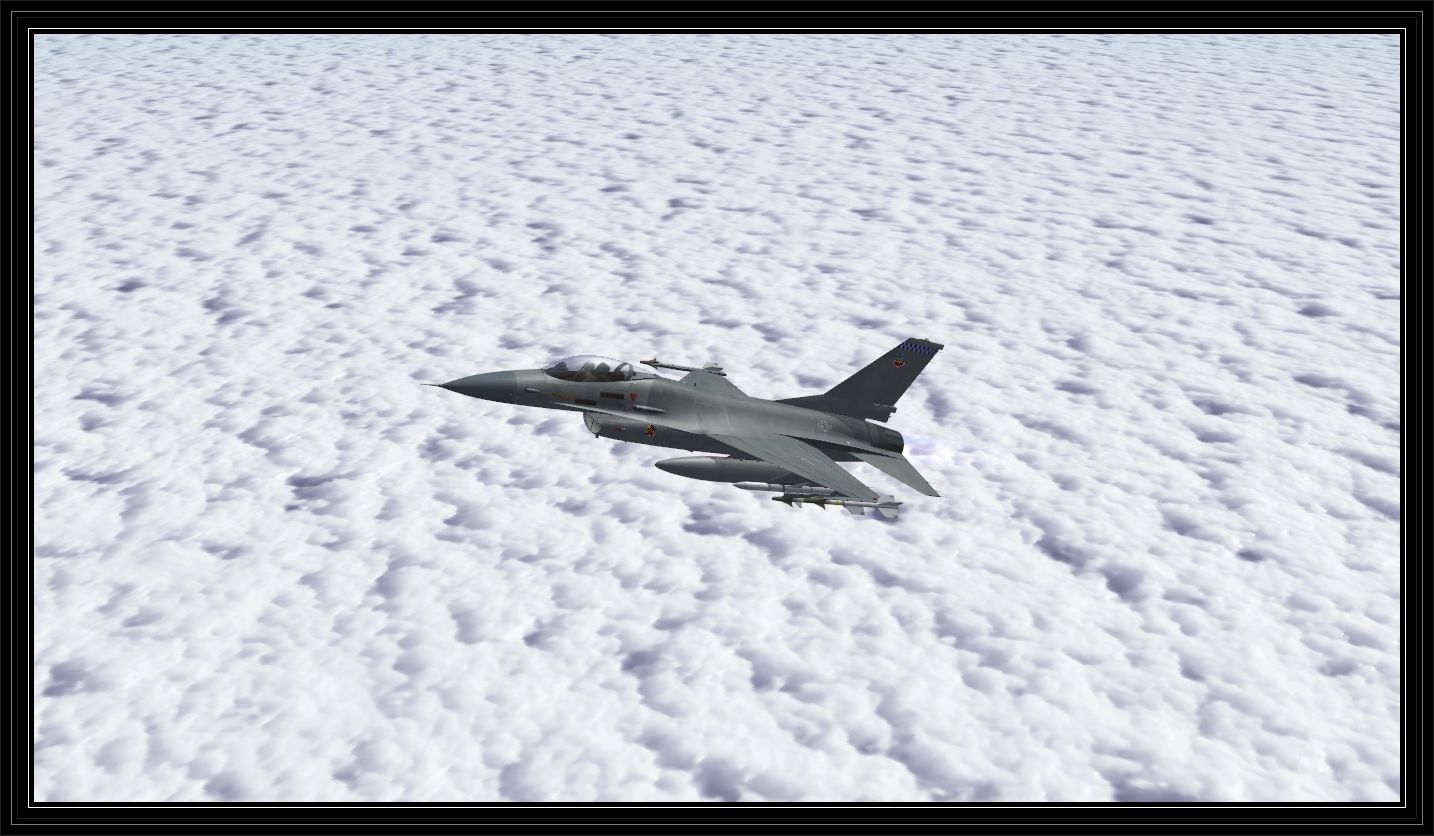
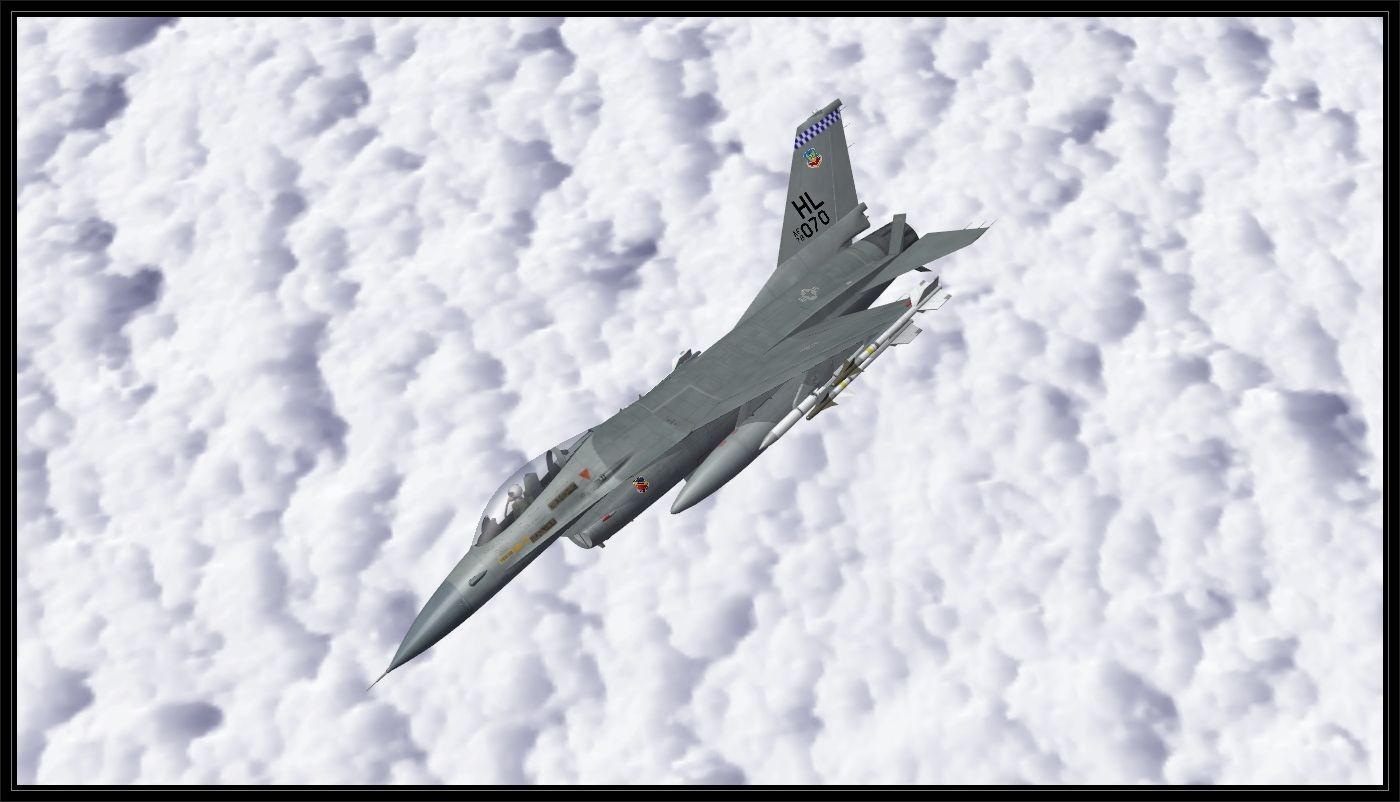
They are indeed Lock On clouds. ;-) I also darkened a top layer made by Fubar512 & Brain32 I think & used them as my bottom layer. I’ve been using a them both for a few months now & I’m quite pleased with the results. SF
-
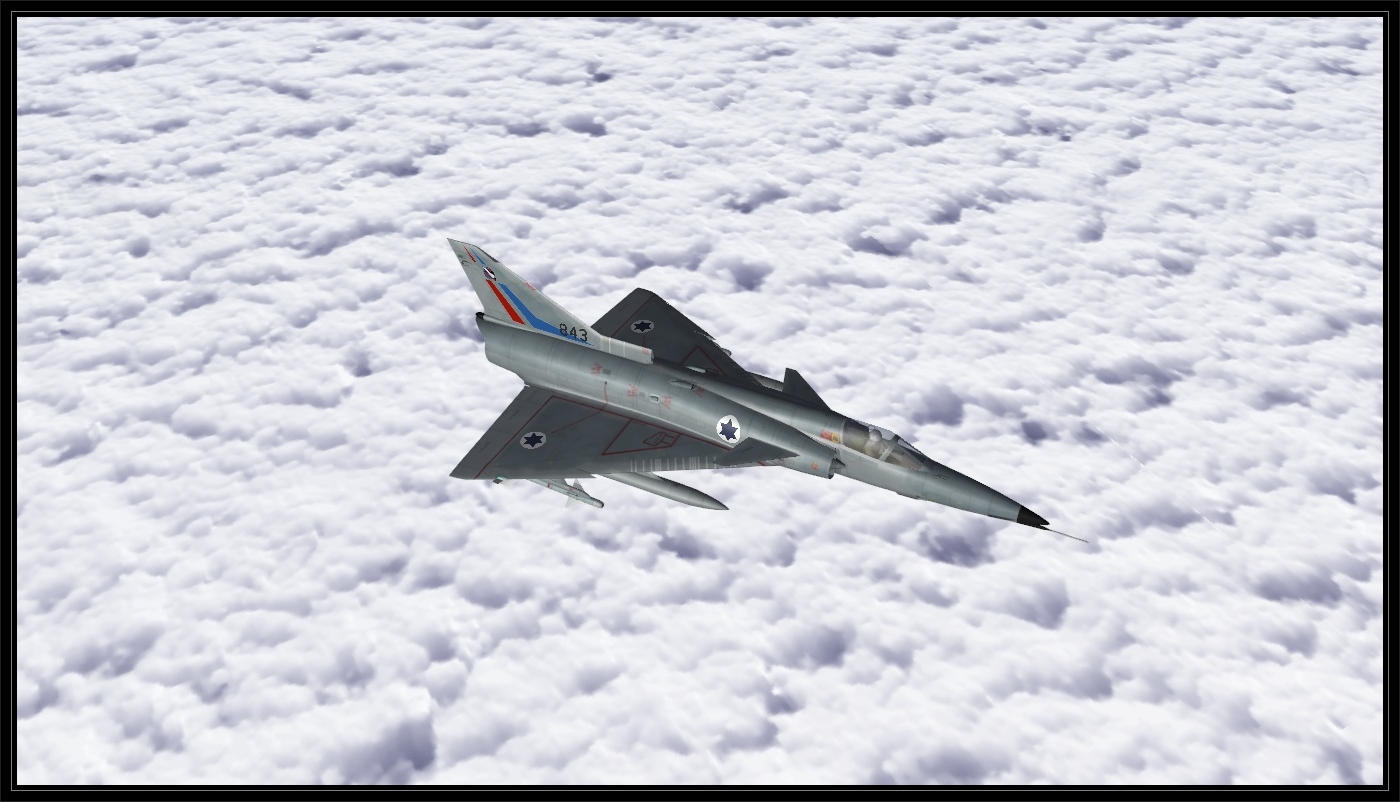
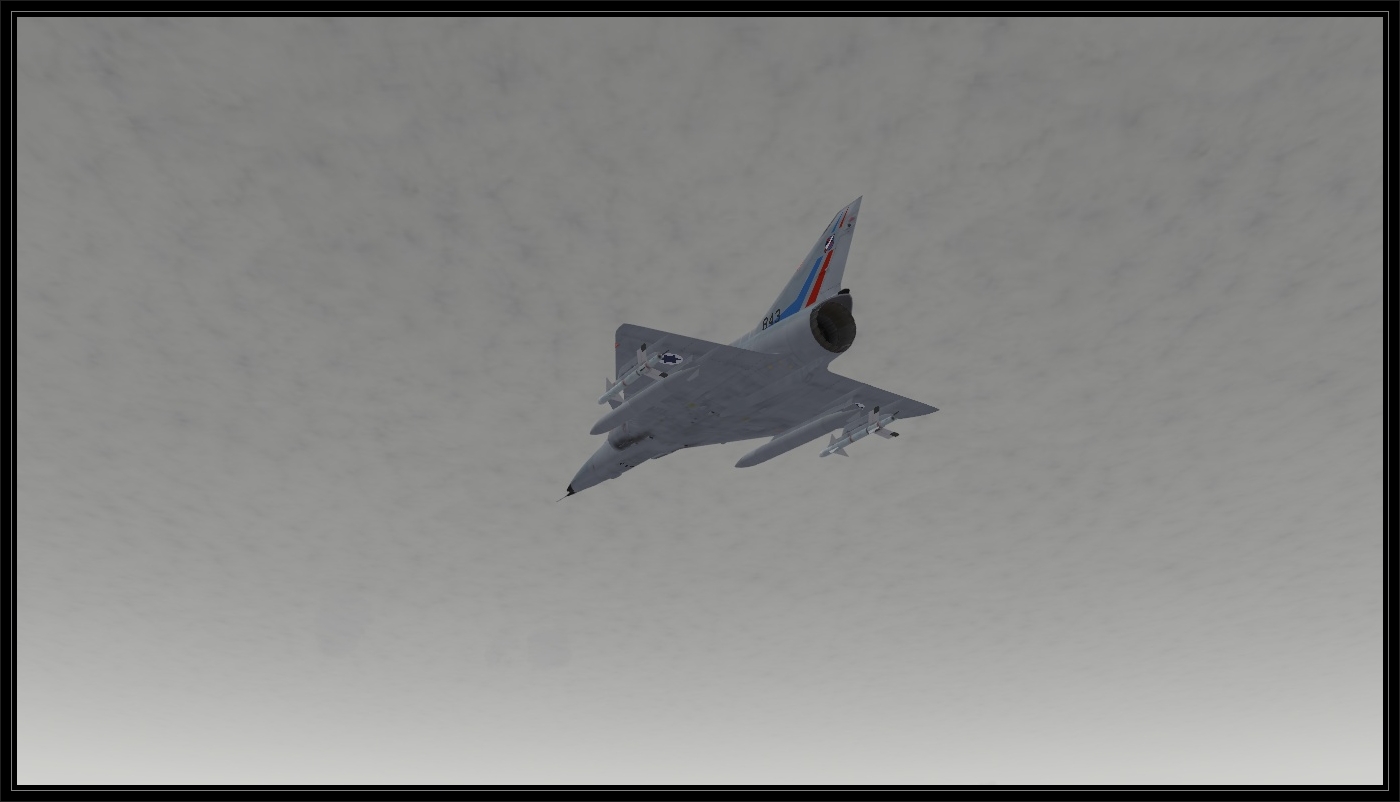
On patrol high above the weather.........
-
Hi there :- ) Firstly thanks for the great form, though I don’t often actively participate I am a avid Combat Ace fan & in debit to you all for the wealth of information & files out there.. I have been fiddling around with the stock Third Wire F-16A & been experimenting with adding various weapons that are not in the stock load out & perhaps not 100% realistic but it's been successful & I have been enjoying my aircrafts new fictional arsenal & capabilities. How ever I have been having trouble getting the newly added weapon to show up in the Stores Control Panel. The quaintly & selected pylon show correctly but the weapon name is missing. For example the AIM-7F: I have tried adding new entry’s in the Cockpit.ini & also trying replacing a current weapon name with the new one that I wish to have displayed but have been unsuccessful with either method. Theses are the ini entry’s I have tried duplicating or replacing. Eg the AIM-9B: [CockpitSeat001] Instrument[045]=SMS_Weapon_AIM9B [sMS_Weapon_AIM9B] Type=WEAPON_TYPE_ID NodeName=sms_weapon_aim9b MovementType=LIGHT Set[01].Position=0.0 Set[01].Value=0.5 Set[02].Position=1.0 Set[02].Value=1.0 Set[03].Position=0.0 Set[03].Value=1.5 [WeaponTypeID] AIM-9B=1 If anyone can help or point me in the right direction it would be much appreciated. Thanks SF
-
View File SF 2 Israel Retro Style CCIP Gunsight Mod Strike Fighters 2 Israel Retro Style CCIP Gunsight Mod. --------------------------------------------------------- I’m absolutely useless at bombing & rocket attacks in older aircraft with out modern avionics. I just can’t seem to get the hang of it! :-( So I have attempted to up grade the gun sights of the older a SF2 I aircraft so that they incorporate some of the modern features such as CCIP, ASE & so on. But with out losing breaking the continuity & retro look of the HUD. What dose it do? ---------------- (1). Adds CCIP & ASE For all stock player flyable aircraft that don't have a modern avionics. A-4E Ahit, (73) A-4F Ahit A-4H Ahit A-4H Ahit (70) (72) (73) F-4E_Kurnass (73) (75) (78) Nesher Shahak + (71) Installation: ------------- Place the contents of the “StrikeFighters2 Israel” folder found in this download in to your SF2 Israel Saved Game folder & overwrite when asked. Note: This will replace any modified stock COCKPIT_DATA.Ini & AVIONICS_DATA.Ini you might be using!!! This mod is compatible with my "Cockpit & Runway Lights for SF2I mod" but needs to be installed second! Known issues: ------------- Nesher: Unfortunately I have been unable to keep the beautiful arched heading scale of the Nesher in in NAV & SRM modes. So I have deleted it & replaced it with the best compromise. F-4E Kurnass: For the same reasons I have be unable to reproduce the roll tabs for the F-4E gun sight in NAV & AA modes: SRM, MRM. I’m guessing is probably something to do with the way the avionics.dll is told to read the gun sight information from the cockpit.ini. If anyone knows a workaround or a knows a solution, please let me know & I’ll update this file. Credits: -------- All credit go’s to those who took the time to share the information on editing the various entries in the DATA.Ini files on the in CombatAce & Third Wire forms. Thank you! :-) Enjoy SF Submitter steelflanker Submitted 07/19/2010 Category Avionics
-

393 downloads
Strike Fighters 2 Israel Retro Style CCIP Gunsight Mod. --------------------------------------------------------- I’m absolutely useless at bombing & rocket attacks in older aircraft with out modern avionics. I just can’t seem to get the hang of it! :-( So I have attempted to up grade the gun sights of the older a SF2 I aircraft so that they incorporate some of the modern features such as CCIP, ASE & so on. But with out losing breaking the continuity & retro look of the HUD. What dose it do? ---------------- (1). Adds CCIP & ASE For all stock player flyable aircraft that don't have a modern avionics. A-4E Ahit, (73) A-4F Ahit A-4H Ahit A-4H Ahit (70) (72) (73) F-4E_Kurnass (73) (75) (78) Nesher Shahak + (71) Installation: ------------- Place the contents of the “StrikeFighters2 Israel” folder found in this download in to your SF2 Israel Saved Game folder & overwrite when asked. Note: This will replace any modified stock COCKPIT_DATA.Ini & AVIONICS_DATA.Ini you might be using!!! This mod is compatible with my "Cockpit & Runway Lights for SF2I mod" but needs to be installed second! Known issues: ------------- Nesher: Unfortunately I have been unable to keep the beautiful arched heading scale of the Nesher in in NAV & SRM modes. So I have deleted it & replaced it with the best compromise. F-4E Kurnass: For the same reasons I have be unable to reproduce the roll tabs for the F-4E gun sight in NAV & AA modes: SRM, MRM. I’m guessing is probably something to do with the way the avionics.dll is told to read the gun sight information from the cockpit.ini. If anyone knows a workaround or a knows a solution, please let me know & I’ll update this file. Credits: -------- All credit go’s to those who took the time to share the information on editing the various entries in the DATA.Ini files on the in CombatAce & Third Wire forms. Thank you! :-) Enjoy SF -
View File Cockpit & Runway Lighting for SF2 Israel Strike Fighters 2 Israel Cockpit & Runway Light Mod. ---------------------------------------------------- I found the cockpit & runway lighting switched on too late for my liking & that once the cockpit lighting was finally turned on I still couldn’t read the gauges! What dose this mod do? ---------------- (1). Adds brighter Cockpit Lights to all stock player flyable aircraft for SF2 I. (2). Turns on Cockpit lights earlier in the evening for all stock player flyable aircraft for SF2 I. (3). Turns on all Runway Lights earlier in the evening in the Stock SF2 I IsraelME Terrain. Installation: ------------- Place the contents of the “StrikeFighters2 Israel” folder found in this download in to your SF2 Israel Saved Game folder & overwrite when asked. Note: This will replace any modified stock Aircraft_COCKPIT.Ini you might be using!!! This will also replace any modified stock IsraelME DESERT_AIRFIELD.Ini you might be using!!! The Runway & cockpit lighting is controlled by the sunlight level in the game. They will now turn on just before sunset on a clear day & even earlier on an overcast or Inclement day as the light level will be lower due to cloud cover. Known issues: ------------- none Credits: -------- All credit go’s to those who took the time to share the information on editing the various entries in the Cockpit.Ini files on the in CombatAce & Third Wire forms. Thankyou! :-) I hope you find it useful. Enjoy SF Submitter steelflanker Submitted 06/28/2010 Category ini File Edits
-
View File Open Canopys & Landing Lights for SF2 Israel Strike Fighters 2 Israel Open Canopy & Landing Light Mod. --------------------------------------------------------- Well here is my first mod for the SF2 series. I hope you find it useful. What dose it do? ---------------- (1). Adds canopy animation to all stock player flyable aircraft for SF2 I. (2). Adds landing lights to all stock player flyable aircraft for SF2 I. Installation: ------------- Place the contents of the “StrikeFighters2 Israel” folder found in this download in to your SF2 Israel Saved Game folder & overwrite when asked. Note: This will replace any modified stock Aircraft_DATA.Ini you might be using!!! Open & close the canopy: Animation 1 (Shift+1) Landing lights: work in conjunction with your navigation lights (Ctrl+L) Known issues: ------------- It seems that on the F-16 Nets, the landing light will not always be placed directly in the centre of the lens of the 3d model. It may appear lower or higher depending on the loading placed on the main landing gear as the as it compresses or releases. Credits: -------- All credit go’s to those who made Open Canopy & Landing light mods for the first series. Syrinx's, WombRaider, dfang, eightlein & those who took the time to share the information on editing the various entries in the DATA.Ini files on the in CombatAce & Third Wire forms. Thankyou! :-) Enjoy SF Submitter steelflanker Submitted 06/28/2010 Category ini File Edits
-
317 downloads
Strike Fighters 2 Israel Cockpit & Runway Light Mod. ---------------------------------------------------- I found the cockpit & runway lighting switched on too late for my liking & that once the cockpit lighting was finally turned on I still couldn’t read the gauges! What dose this mod do? ---------------- (1). Adds brighter Cockpit Lights to all stock player flyable aircraft for SF2 I. (2). Turns on Cockpit lights earlier in the evening for all stock player flyable aircraft for SF2 I. (3). Turns on all Runway Lights earlier in the evening in the Stock SF2 I IsraelME Terrain. Installation: ------------- Place the contents of the “StrikeFighters2 Israel” folder found in this download in to your SF2 Israel Saved Game folder & overwrite when asked. Note: This will replace any modified stock Aircraft_COCKPIT.Ini you might be using!!! This will also replace any modified stock IsraelME DESERT_AIRFIELD.Ini you might be using!!! The Runway & cockpit lighting is controlled by the sunlight level in the game. They will now turn on just before sunset on a clear day & even earlier on an overcast or Inclement day as the light level will be lower due to cloud cover. Known issues: ------------- none Credits: -------- All credit go’s to those who took the time to share the information on editing the various entries in the Cockpit.Ini files on the in CombatAce & Third Wire forms. Thankyou! :-) I hope you find it useful. Enjoy SF -
463 downloads
Strike Fighters 2 Israel Open Canopy & Landing Light Mod. --------------------------------------------------------- Well here is my first mod for the SF2 series. I hope you find it useful. What dose it do? ---------------- (1). Adds canopy animation to all stock player flyable aircraft for SF2 I. (2). Adds landing lights to all stock player flyable aircraft for SF2 I. Installation: ------------- Place the contents of the “StrikeFighters2 Israel” folder found in this download in to your SF2 Israel Saved Game folder & overwrite when asked. Note: This will replace any modified stock Aircraft_DATA.Ini you might be using!!! Open & close the canopy: Animation 1 (Shift+1) Landing lights: work in conjunction with your navigation lights (Ctrl+L) Known issues: ------------- It seems that on the F-16 Nets, the landing light will not always be placed directly in the centre of the lens of the 3d model. It may appear lower or higher depending on the loading placed on the main landing gear as the as it compresses or releases. Credits: -------- All credit go’s to those who made Open Canopy & Landing light mods for the first series. Syrinx's, WombRaider, dfang, eightlein & those who took the time to share the information on editing the various entries in the DATA.Ini files on the in CombatAce & Third Wire forms. Thankyou! :-) Enjoy SF -
Panable Weapon View for SF2 I?
steelflanker replied to steelflanker's topic in Mods & Skinning Discussion
Not to worry, I have found the correct entry’s managed to get it working. Panable F9 Weapon View for SF2 & SFP1 viewlist.Ini [ViewClass011] ViewClassName=WeaponViewClass ViewType=TRACKING_VIEW ViewGroupID=4 DefaultView=FreeView AllowFromDiffGroup=TRUE SnapView=FALSE InsideView=FALSE FOV=45.0 ObjectDistance=40 PitchControl=CAMERA_PITCH_AXIS YawControl=CAMERA_YAW_AXIS RollControl= ZoomControl=CAMERA_ZOOM_CONTROL JumpToViewSameGroup=TRUE JumpToViewDiffGroup=TRUE SmoothAngleTransition=FALSE SmoothPositionTransition=FALSE SmoothFOVTransition=TRUE RememberAngle=TRUE RememberPosition=TRUE RememberFOV=TRUE TrackObjectPitch=FALSE TrackObjectYaw=FALSE TrackObjectRoll=FALSE LimitPitch=TRUE LimitYaw=FALSE ZoomFOV=FALSE ZoomScale=0.04 PanScale=0.00140 MinSpeed=100.0 MaxSpeed=63550000.0 Acceleration=63510000.0 AngleRates=720.0,600.0,600.0 FOVRate=60.0 MinAngles=0.0,-100.0,0.0 MaxAngles=0.0,100.0,0.0 //distance to zoom MinObjectDistance=3.0 MaxObjectDistance=1200.0 OffsetDistance=0.0 ResetTime=5.5 [View024] ViewName=WeaponView ViewClassName=WeaponViewClass UpdateAlways=TRUE ViewGotoControl=GOTO_VIEW_WEAPON CycleNextControl=GOTO_VIEW_WEAPON CyclePrevControl=GOTO_VIEW_WEAPON ObjectFrom=SearchPlayerWeapon PositionOffsets=0.0,-15.0,0.0 AngleOffsets=0.0,-15.0,0.0