


sony tuckson
-
Posts
280 -
Joined
-
Last visited
Content Type
Profiles
Forums
Gallery
Downloads
Store
Everything posted by sony tuckson
-
Most impressive !!! this looks like the ultimate cockpit for Strike Fighters, a new level has been reached!
-
AAAArrggh! Who wants to reskin the Netz?
sony tuckson replied to Wrench's topic in Mods & Skinning Discussion
nope remember, it's a block 15 A model, not that many countries used them. I chose it because it had a less classical scheme, it seems that country later reverted to the USAF style scheme -
AAAArrggh! Who wants to reskin the Netz?
sony tuckson replied to Wrench's topic in Mods & Skinning Discussion
or this one?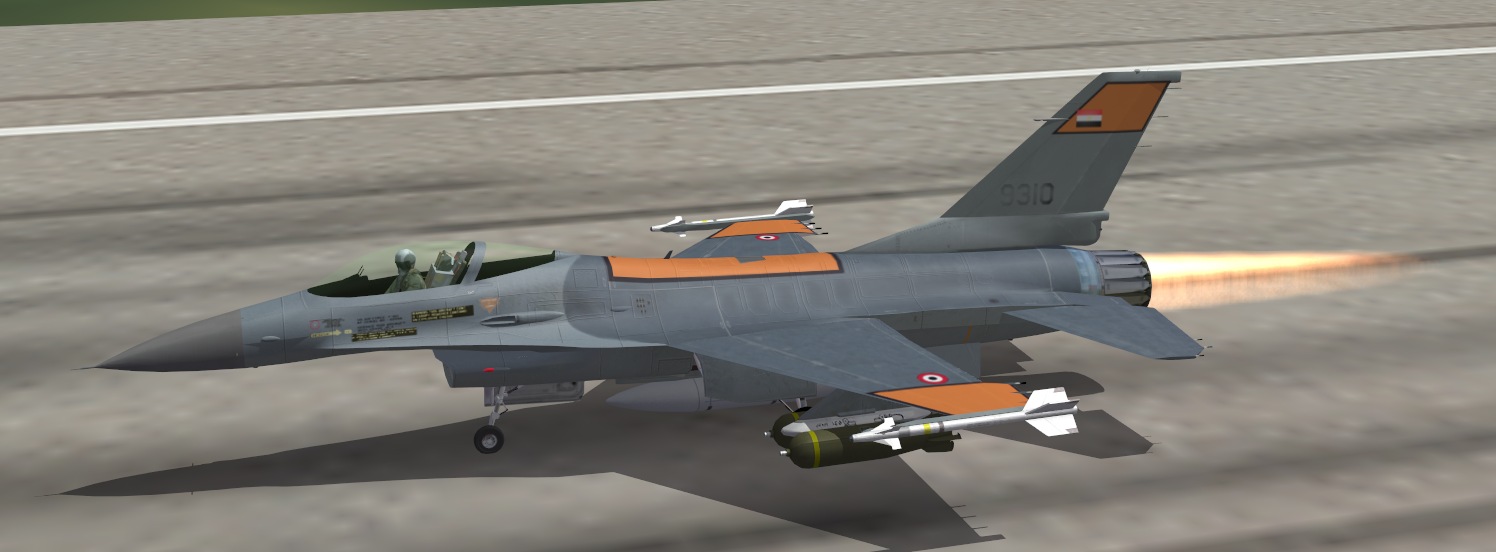
-
AAAArrggh! Who wants to reskin the Netz?
sony tuckson replied to Wrench's topic in Mods & Skinning Discussion
although not PAF, you might find this one nice too ;-)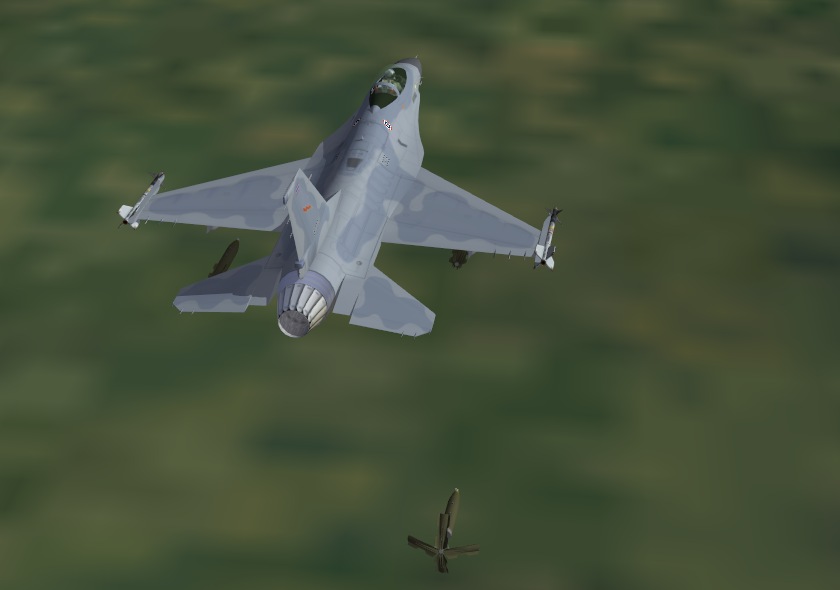
-
AAAArrggh! Who wants to reskin the Netz?
sony tuckson replied to Wrench's topic in Mods & Skinning Discussion
just a remark, the Netz as found in the game has the block 10 layout, and Pakistani's vipers are block 15, with rather different horizontal stabilizers... I have a ready skin for our Mirage Factory model if it suits you. Otherwise, if templates are available, I can go for a quick skin for the stock plane.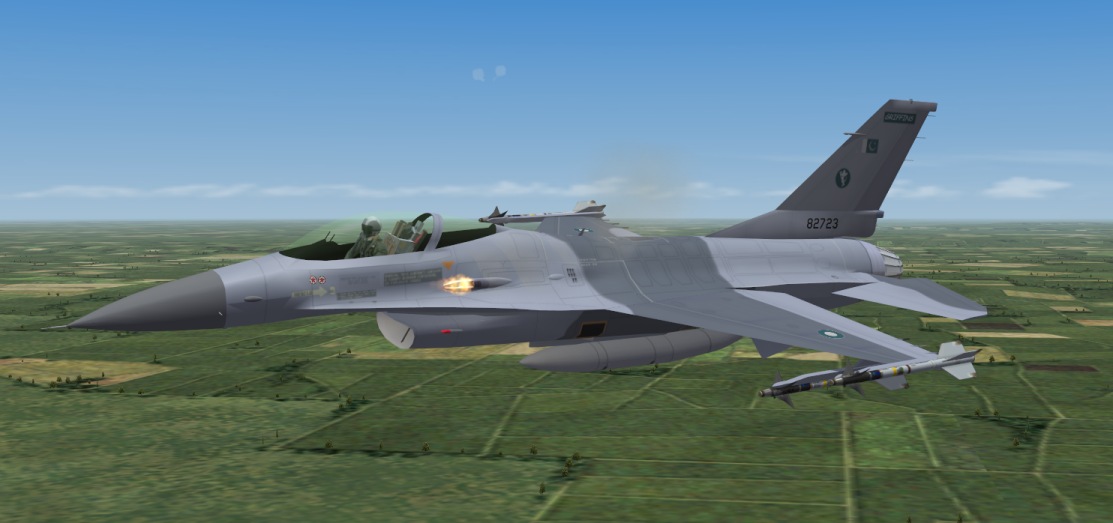
-
Hangar / Picture for Mig-21R SF2
sony tuckson replied to paulopanz's topic in Mods & Skinning Discussion
nice, but scale is not right look at the plane and the white and yellow lines.... looks like a model kit on a real apron ;-) -
Hangar / Picture for Mig-21R SF2
sony tuckson replied to paulopanz's topic in Mods & Skinning Discussion
nice job, try to cast a light shadow, it will increase realism -
Hangar / Picture for Mig-21R SF2
sony tuckson replied to paulopanz's topic in Mods & Skinning Discussion
remind me the hangar screens Oliver did for TMF productions -
Thx for the reply, I missed that release....will install right away!
-
what about the less known Mig-21 SMT or Fishbed K? very few were built and used, but it has some special look I like very hard to get real pictures of it. It was the model with the large humpback, very big one, coming deeper down the fuselage as can be seen here yet better a nice pic:
-
very good work, labor of love!
-
a C-47, this will bring many skins... already collecting data
-
El AL skin is provided, I know for sure ;-)
-
Mirage Factory Greek F-4E AUP by Sundowner
sony tuckson replied to amariani's topic in General Discussion
in the plane's folder you have LOD files? -
nope, you also need to edit each game main ini file (located along the main exe, in the installation folder) there is an [options] section with a single line describing the path to the options.ini file.... then it's OK
-
nope, he said Windows XP pro, so no DX10
-
No Belgian units in this project?
-
How to create a pilot skin in WOV
sony tuckson replied to komemiute's topic in Mods/Skinning Discussion
to know what to extract, look in the data.ini file from the plane you want your pilot to sit in then, either, you only want this new repaint to be avbl(and somehow loose the stock pilot (not exactly correct..), and then, extract the lod and bmp and save them in the aircraft folder (the folder named aircraft, not the one you chose) then, repaint hte bmp as desired exemple: using the A-6A_data.ini file [Pilot] SystemType=PILOT_COCKPIT PilotModelName=PilotN1 Position=-0.35,1.15,0.85 SeatModelName=seat_f-4 SeatPosition=-0.35,1.15,0.48 MinExtentPosition=-0.85, 0.49,-0.35 MaxExtentPosition= 0.00, 1.81, 0.91 CanopyNodeName=Canopy this can be found in "crew" section, PilotN1.LOD, PilotN1.BMP would be the files you need to extract and store in "aircraft" folder now, if you want your skin to be considered as an extra set, some more work is required to duplicate/mod an existing pilot -
you should put it in the aircraft folder from the mod folder, not from the main game
-
I do it yet another way (well, it could help) First, I edit the main ini file (e.g. StrikeFighters2 Israel.ini) I adapt the [options] section as follows: OptionsFile=E:\Documents\ThirdWire\StrikeFighters2 Israel\Options.ini then I edit that options.ini file to enable mods and define their location: [Mods] ModsEnabled=TRUE Directory=E:\Documents\ThirdWire\StrikeFighters2 Israel\ this way, all mods and their main link are separated from my system drive and from the game installation folder, to be safe and easy to backup when required
-
this is the Vista/Seven setup
-
Reread other novels from this author lately... Need to buy a new exemplar of "the warbirds"...I remember it was a wonderfull book, with quite detailled description of the F-4 scheme....
-
as previous messages here showed, the path (location) is in relation with your own name and the system, XP and Vista/7 don't share a common location unless you do modify this via the options.ini file
-
very good the best what if up to now I'd say
-
very nice stuff!