


Stephen1918
-
Posts
1,204 -
Joined
-
Last visited
-
Days Won
19
Content Type
Profiles
Forums
Gallery
Downloads
Store
Everything posted by Stephen1918
-
I hope to have revisions to the D.II finished tomorrow. Then I'll start the changes for the D.IIa
-
I think I can make some changes to improve the aileron control mechanism. I'm hoping to work on it this weekend.
-
I'll look into making changes to the model for a DIIa. The real world is keeping me busy at the moment so it may take a while...
-
Crowford, thank you for your comments! I will admit that I did some fudging on this plane. I left off the fuel gauge because the forward view was already obstructed enough with the pylon right in front of the cockpit. I actually made the pylon a little thinner than it should be to try and improve visibility. In real life, the pilot could tilt his head to see around the pylon, (there was also a gun sight next to the pylon, which I also left off) but head tilting isn't possible in FE. For me, it's nearly impossible to hit another plane from the cockpit. I have my best luck flying from outside, positioned behind the plane (F5 key.) If the only difference between the DII and the DIIa was the engine, I could make a new version, if Ojcar wants to make the FM. I used the Roland logo from the Windsock Data File, which shows a black background, but I see in one of your photos that it had a white background? The aileron control rods on my model actually do move, but you can barely see it. From the cockpit, you can sort of see the aileron control wheel rotating on the upper wing. And at the front floor of the cockpit you can see the cross bar turning when you move the stick. I did mix up the two versions. The LFG version had the fuselage insignia farther back on the plane with no serial numbers. The Pfalz version had the insignia closer to the cockpit to make room for the serial number, like my plane. I can make new decal sets for the two versions and upload them in a few days.
-
I really like the camo on the CR-42.
-
I uploaded the LFG Roland D.II today. My thanks to ojcar for making another excellent FM.
-
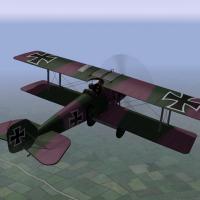
View File LFG Roland D.II The Roland D.II was a German fighter introduced in early 1917. It featured an unusual fuselage, with the upper wings attached to a pylon in front of the pilot. Although the plane had a strong structure and performed reasonably well, the poor forward view limited its effectiveness as a fighter. On the Western Front, it was soon replaced by other planes, but continued in service on the Eastern and Macedonian Fronts until the end of the war. I have included two skins, a green and lilac camo, and a green and brown camo. I have also included a full set of number decals. My skinning templates are included in the download. Credits Thanks to Ojcar for making the data file for the Roland D.II. Thanks also to Nix, who made the sound file for the Mercedes 160hp engine. Thanks also to Crowford who offered many suggestions and beta-tested version 3. Installation Instructions Note - The engine sound file has been used in several other planes. If you already have a file with the same name in your Sounds folder, then you don't need to install mine. For FE1 - Unzip the file and move the folder named "RolandD2" into your FirstEagles/Objects/Aircraft folder. If you don't already have it, you will also need to move the sound file "mercedes160m2.wav" into the FirstEagles/Sounds folder. For FE2 - Unzip the file and move the folder named "RolandD2" into the FirstEagles/Objects/Aircraft folder. Then in the FirstEagles/Objects/Decals folder, create new folder named "RolandD2". Move the folder named "D" from the Aircraft/RolandD2 folder into the Decals/RolandD2 folder you just made. If you don't already have it, you will also need to move the sound file "mercedes160m2.wav" into the FirstEagles/Sounds folder. Submitter Stephen1918 Submitted 09/11/2015 Category Other Central Powers Aircraft
-
Version v3.1
338 downloads
The Roland D.II was a German fighter introduced in early 1917. It featured an unusual fuselage, with the upper wings attached to a pylon in front of the pilot. Although the plane had a strong structure and performed reasonably well, the poor forward view limited its effectiveness as a fighter. On the Western Front, it was soon replaced by other planes, but continued in service on the Eastern and Macedonian Fronts until the end of the war. I have included two skins, a green and lilac camo, and a green and brown camo. I have also included a full set of number decals. My skinning templates are included in the download. Credits Thanks to Ojcar for making the data file for the Roland D.II. Thanks also to Nix, who made the sound file for the Mercedes 160hp engine. Thanks also to Crowford who offered many suggestions and beta-tested version 3. Installation Instructions Note - The engine sound file has been used in several other planes. If you already have a file with the same name in your Sounds folder, then you don't need to install mine. For FE1 - Unzip the file and move the folder named "RolandD2" into your FirstEagles/Objects/Aircraft folder. If you don't already have it, you will also need to move the sound file "mercedes160m2.wav" into the FirstEagles/Sounds folder. For FE2 - Unzip the file and move the folder named "RolandD2" into the FirstEagles/Objects/Aircraft folder. Then in the FirstEagles/Objects/Decals folder, create new folder named "RolandD2". Move the folder named "D" from the Aircraft/RolandD2 folder into the Decals/RolandD2 folder you just made. If you don't already have it, you will also need to move the sound file "mercedes160m2.wav" into the FirstEagles/Sounds folder. -
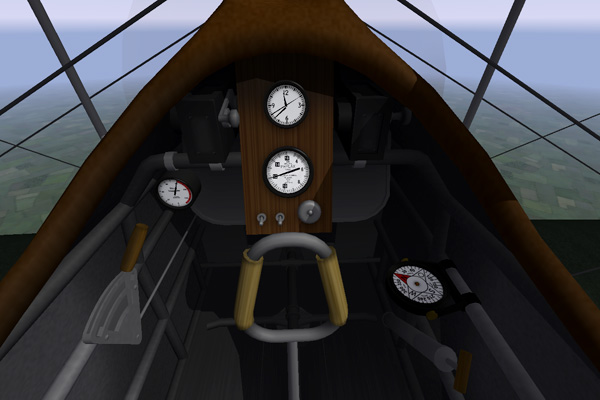
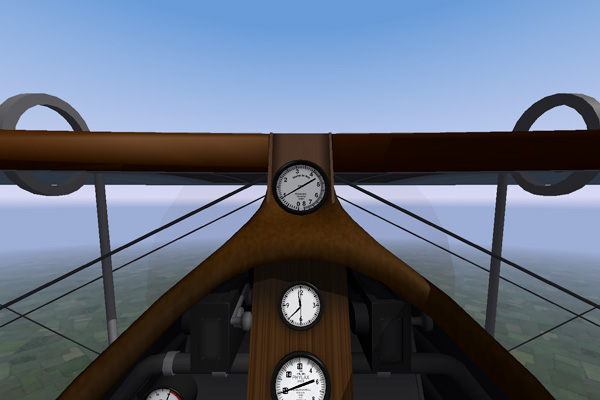
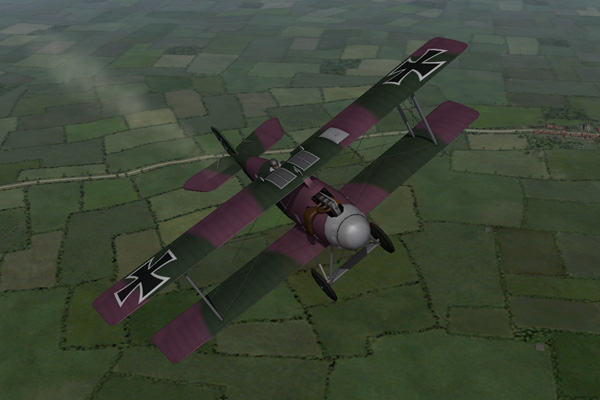
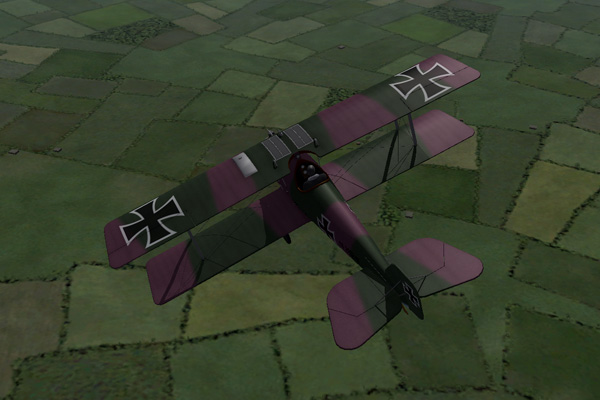
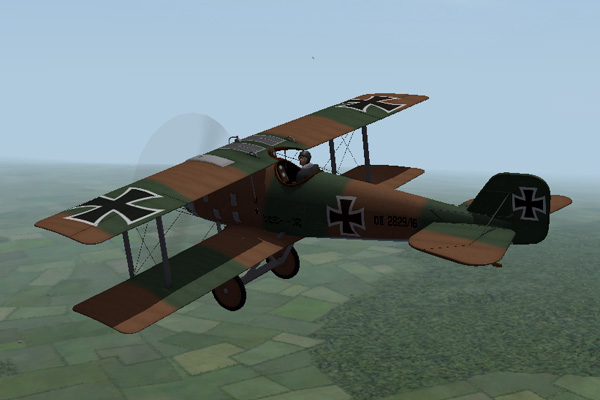
Thanks Geezer. The second shot shows what so many pilots complained about. The pylon on the fuselage that held the upper wing made it a very strong plane, but blocked the pilot's forward view. Later Roland D series planes had a more conventional construction.
-
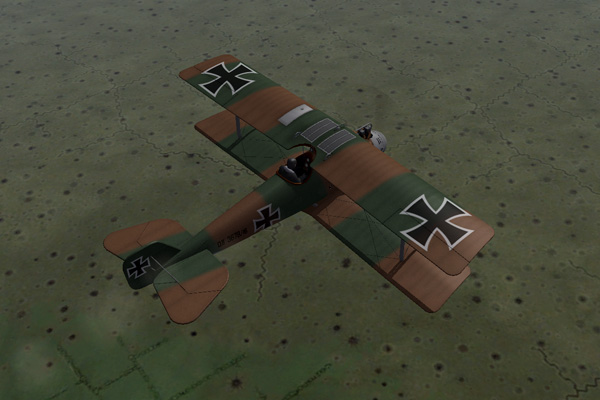
I've refined the fuselage a little more, finished the cockpit, worked on the skins, and made some decals. Right now I'm finishing the LODs, adding node names and min/max extents to the data.ini, and asking myself "what am I forgetting?" - it won't be long now. I'm not sure about the green and mauve skin, but the green and brown seems right.
-
I made a correction to the text and it was offline for a while until the moderators approved it again. It should be back now - with corrections.
-
 Ojcar's FM (included in the download) is definitely up to the task. Try it, I think you'll be impressed.
 -
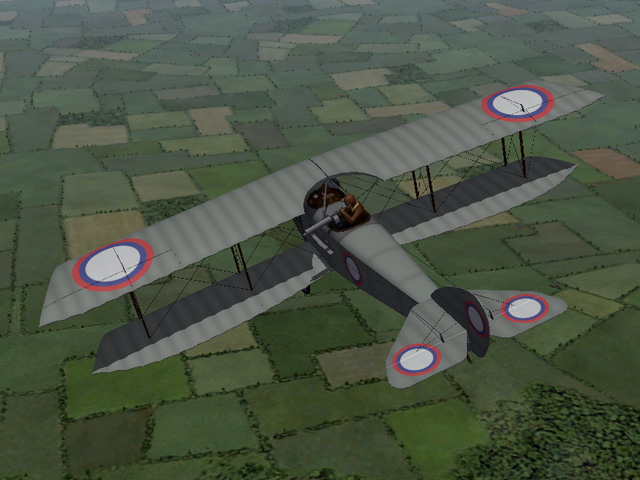
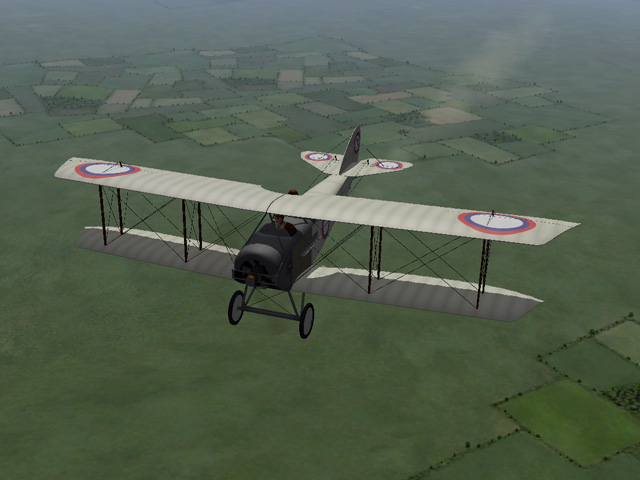
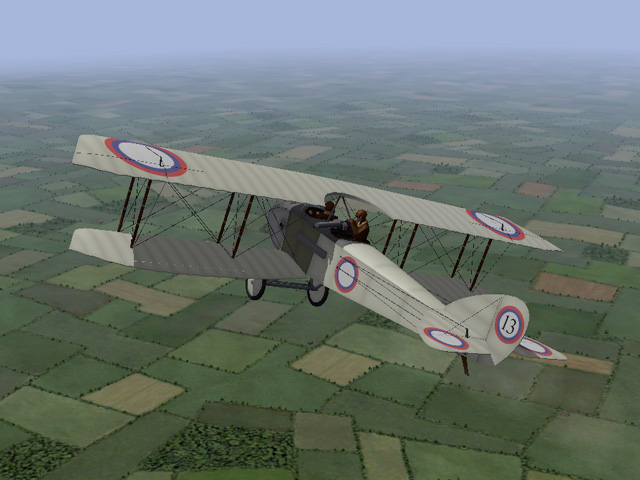
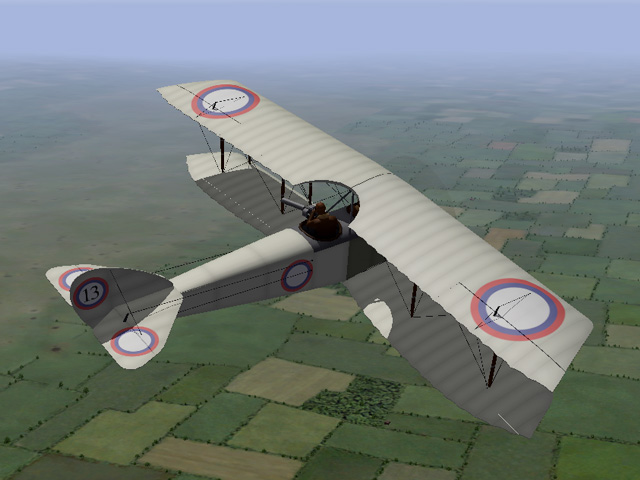
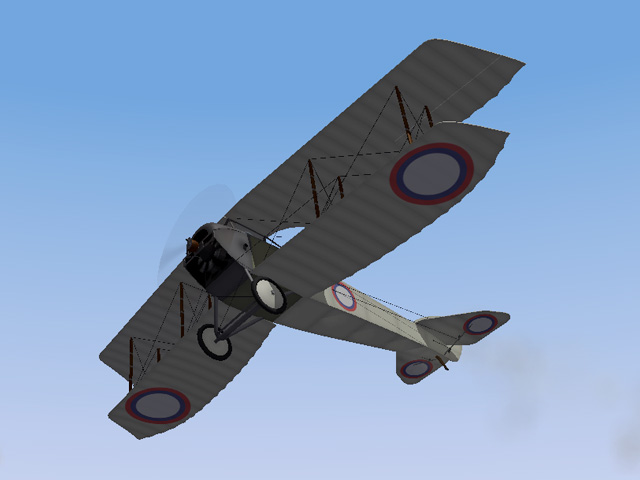
I have uploaded a new plane, the Russian two-seater, the Anatra D. It was armed with a single machine gun and could carry a light bomb load. My upload includes two skins and my skinning templates. My thanks to Ojcar for making the FM. This makes the 50th plane for First Eagles that we've made together!
-
View File Anatra D "Anade" The Anatra D was a predecessor to the Anatra DS. It was powered by a Gnome rotary engine and armed with a single machine gun for the observer. The Anatra D was used mostly for reconnaissance, but also as a fighter and light bomber. After overcoming some initial design problems, it entered service in May, 1916 and was produced in relatively large numbers. Many of them survived the war and were used in the fighting in Eastern Europe after the end of World War I. I have included two skins, a plain linen and a grey paint. A full set of number decals and a loadout for light bombs are included. I have also included my skinning templates for those who wish to make their own skins. Credits: My thanks to Ojcar once again for making the excellent data.ini for this plane. My thanks also to Crowford who provided valuable reference material for the Anatra D. Installation instructions: For FE1: Unzip the file and move the folder named "AnatraD" into the FirstEagles/Objects/Aircraft folder. For FE2: Unzip the file and move the folder named "AnatraD" into the FirstEagles/Objects/Aircraft folder. Then in the FirstEagles/Objects/Decals folder, create a new folder named "AnatraD". Move the folder named "D" from the Aircraft/AnatraD folder into the Decals/AnatraD folder you just made. Submitter Stephen1918 Submitted 09/07/2015 Category Other Entente Aircraft
- 1 reply
-
- 1
-

-
165 downloads
The Anatra D was a predecessor to the Anatra DS. It was powered by a Gnome rotary engine and armed with a single machine gun for the observer. The Anatra D was used mostly for reconnaissance, but also as a fighter and light bomber. After overcoming some initial design problems, it entered service in May, 1916 and was produced in relatively large numbers. Many of them survived the war and were used in the fighting in Eastern Europe after the end of World War I. I have included two skins, a plain linen and a grey paint. A full set of number decals and a loadout for light bombs are included. I have also included my skinning templates for those who wish to make their own skins. Credits: My thanks to Ojcar once again for making the excellent data.ini for this plane. My thanks also to Crowford who provided valuable reference material for the Anatra D. Installation instructions: For FE1: Unzip the file and move the folder named "AnatraD" into the FirstEagles/Objects/Aircraft folder. For FE2: Unzip the file and move the folder named "AnatraD" into the FirstEagles/Objects/Aircraft folder. Then in the FirstEagles/Objects/Decals folder, create a new folder named "AnatraD". Move the folder named "D" from the Aircraft/AnatraD folder into the Decals/AnatraD folder you just made. -
I'm impressed with your dedication to the game, modifying all the insignia decals sounds very tedious. My issue was not with overlapping decals. Its the way my graphics card is calculating the transparency. If there are two decals on the same part (like the fuselage, which has a left and right insignia) then it makes those decals a little more transparent than the decals on the wings, which only has one top or bottom decal. The effect is really only noticeable when you have decals over two adjacent parts - like the wings in the Fokker B.I, which has stripes and insignia on the wing tip, but only the insignia on the mid wing. Anyway, if there is no transparency, then there's nothing to multiply so the problem goes away.
-
Did you do that for all the stock decals, too?
-
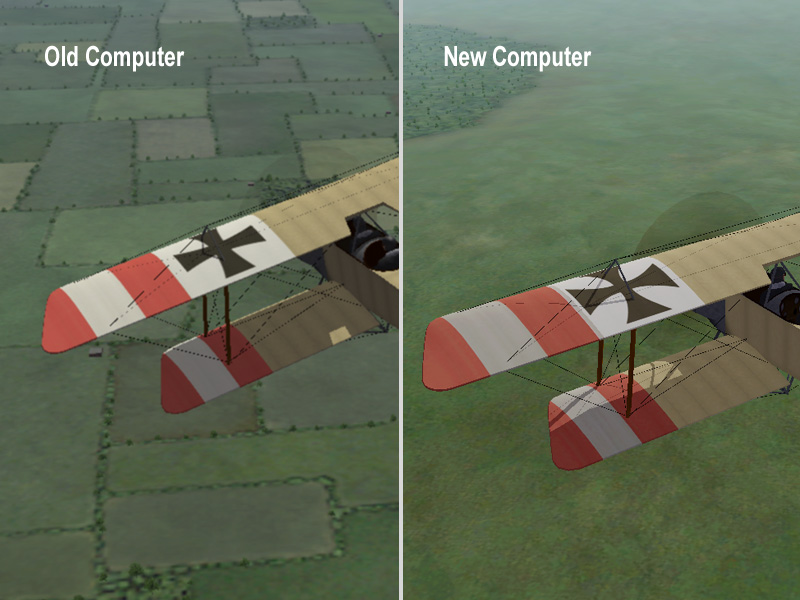
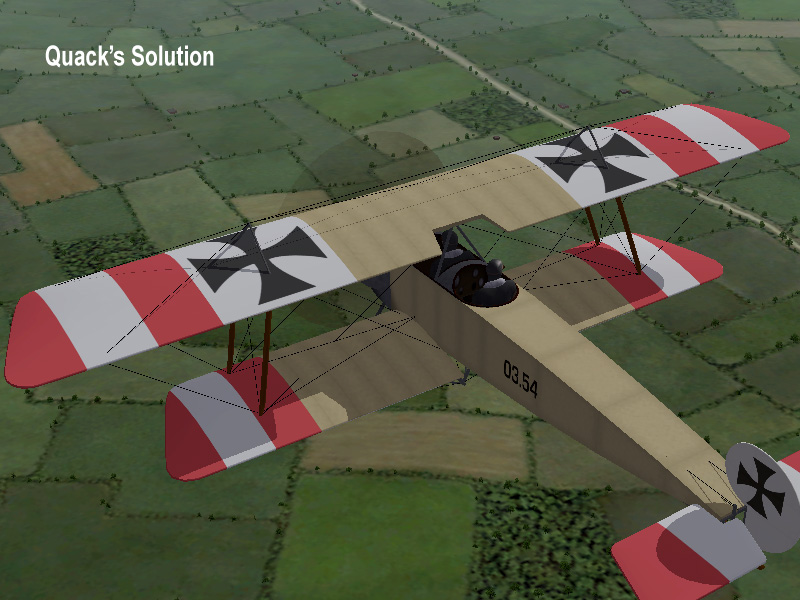
Quack's idea solves the problem. The issue with the transparency of the decals seems to be caused by the computer, not by anything in First Eagles. I looked at my Fokker B.I, which was uploaded a few years ago when I had a different computer with a different graphics card. You can see the difference between a screen shot I made on the old computer and a screen shot I made recently on my new computer: I looks like the graphics card on my newer computer is multiplying the transparency (making the alpha channel in the tga file darker) making the decal more transparent. I tried Quack's idea of making the decal opaque (I brightened the alpha channel until it was pure white) and that seemed to fix the problem: Fortunately the problem only occurs on some computers and only when there are two decals on the same piece of the model. This usually happens on the fuselage and is mostly visible in the white parts of the decal. So it took me a couple of years to even notice it. I will watch for this in future planes and adjust the decals if necessary. Thanks for the help, Quack!
-
Thanks for the info Quack, I'll look into it.
-
Thanks for letting me know Sky High. I thought it was just my machine, but of it's a common problem I'll try to come up with a solution that works for everyone.
-
Coupi - Thanks for posting the pictures. It looks like the decals display fine on your computer, so the problem must be with my graphics card.
-
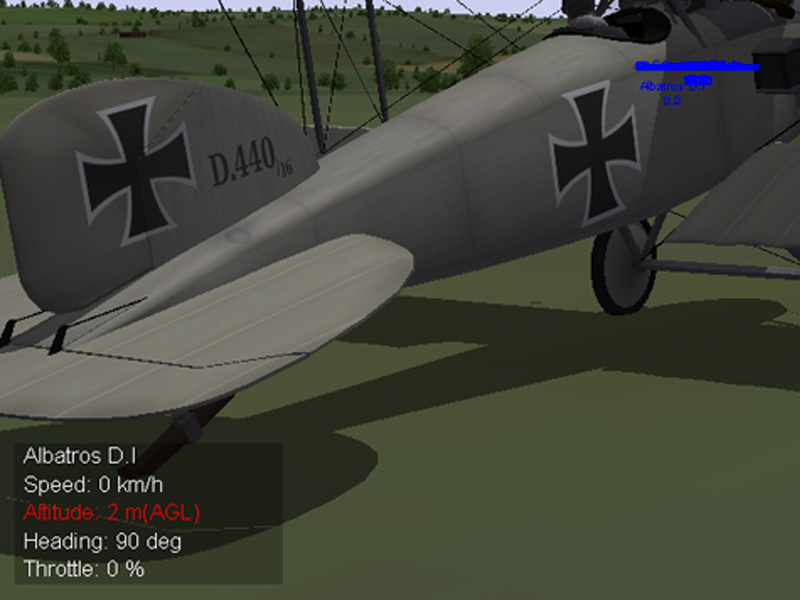
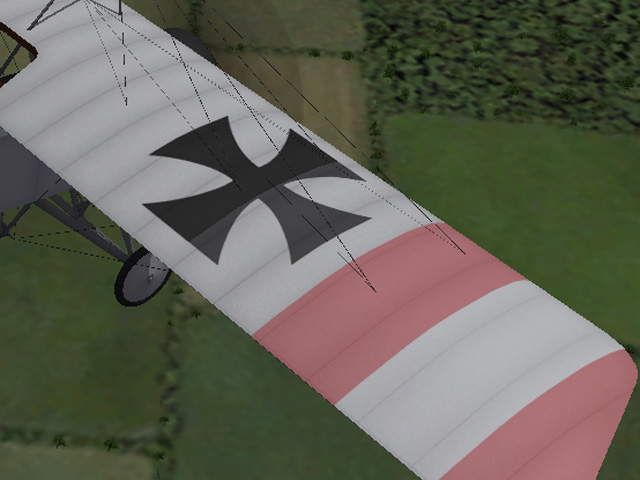
In the first post, the edge you see is where the wing tip part meets the inner wing part. Both decals are level 0 (the red stripes are early Austro-Hungarian national markings.) The decals do not overlap. Here is a screen shot of the tail of the Albatros D.I. The problem is most noticeable in the white area of the cross. The cross is one of the stock decals, level 0. The numbers on the vertical stabilizer are my decals, level 2. Can someone post a screen shot of the tail of their Albatros D.I for comparison? I'm wondering if it's my graphics card.
-
I just noticed it recently, but now that I'm looking for it, I see that it's happened on several planes. You can see it on the tail fin of the Albatros D.I, which has the insignia and a serial number decal.
-
Has anyone else had this problem? If I put two decals on the same part, they get lighter. The wing tip has a stripe decal and an insignia decal, the inner wing has just an insignia decal. You can clearly see the edge between the inner and outer wings. I'm wondering if it's something in the game engine or if it's the way I'm making my decals, or something else?
-
Is it the engine exhaust effect?
