Stephen1918
-
Posts
1,204 -
Joined
-
Last visited
-
Days Won
19
Content Type
Profiles
Forums
Gallery
Downloads
Store
Everything posted by Stephen1918
-
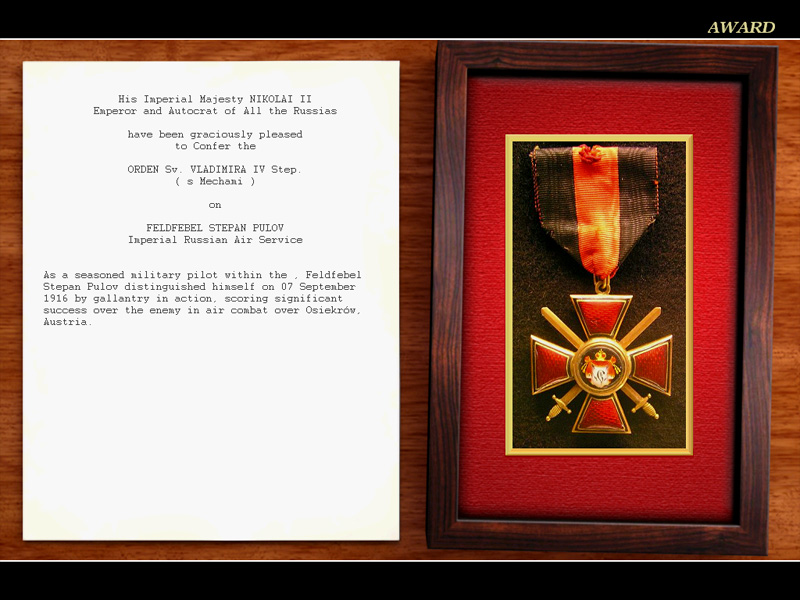
Thank you, Ojcar and Capitaine Vengeur! For the past few weeks, I've been actually playing First Eagles (instead of just making planes.) Ojcar's camapaigns and Capitaine Vengeur's pilots & recent medals pack have really brought the game to life for me. Tonight I earned my first medal - Flying a Spad A.2 with the Russian 19th AOI, I shot down two planes in the same mission - well, my gunner did after I kept him pointed him at the enemy long enough to take them down. :)
-
I think you're right Wrench. I did some experimenting, I tried to get Monty CZ's He-111b into FE1 and it just wouldn't work. This may be the same problem Crawford is having with the A-team plane. BUT, I do have the CR-42 flying in FE1. I had to change the ini file to only use LOD001 and it showed up in the game just fine. So bhaskar2789's problem can be solved.
-

Italian Terrain (incl. 1915-1917 campaign)
Stephen1918 replied to gterl's topic in File Announcements
The SVA5 is the Ansaldo SVA5 by Laton - in the "Other Entente Aircraft" section The SP3 is the Savoia Pomillio SP.3 by Laton - in the "Other Entente Aircraft" section The Ca3 is the Caproni Ca.3 by Monty CZ - in the "Other Entente Aircraft" section All of the oefD3 planes are the Albatros D.III Oeffag planes by Jan Tuma - in the "Other Central Powers Aircraft" section - there are five of them with different batch numbers ("Ba.253" and so on.) Hope this helps.- 7 replies
-
- 2
-

-
- fe
- first eagles
- (and 3 more)
-
I have Geezer's CR42 working in FE1. When the plane is available on the meu screen, but doesn't show up in the game, it's a problem with the LODs. If the ini file is listing LODs that aren't there, or if the LODs themselves don't have the same model node names and the same linking hierarchy, then the game doesn't use any of them. Check that the LOD names exactly match the names in the aircraft ini file. If those are all correct, then look at the OUT files and see if everything is using the same names and that they are linked the same way. This can be very tedious, so instead you can make a backup of the ini file, then delete all the LODs except the first one and run the game. The plane should show up. Then try adding the LODs back in, one at a time until it stops working. Then adjust the distances in the ini file. LOD files are LOD - Ansi and Unicode are text file formats and have nothing to do with data files. The version of the LOD plug-in is specific to 3DS Max, but the LOD files they make are all the same. Please post here if this helps or not.
-
Yes, it's a plug-in for 3D Studio, not a stand alone. As I said, there may be other utilities out there, but I don't know what they are. You might try asking on the Strike Fighter forum, it uses the same game engine as First Eagles so importing planes will be the same.
-
Thirdwire has a plug-in for 3DS Max on their website to convert 3DS files into their LOD format. There might be other ways to get planes into First Eagles, but I don't know what they are. The plug-in can be downloaded here: http://www.thirdwire.com/downloads_tools.htm
-
Yes! Thank you Lewis. We would be happy to have any planes that you are willing to share. There are several in your list that we don't have yet, and I don't see a problem with having multiple versions of the same plane.
-
Thank you for your comments, gentlemen! I think the wing vibration is built into the FM. We have Ojcar to thank for that. All of his data files for my planes have been great! For the future - I have nothing in progress at the moment (for the first time in years!) I have been working on getting my Western Front straightened out, I had been using it for testing and experimenting and it was pretty badly messed up, so I deleted and reinstalled the whole thing. I re-downloaded and installed all the planes, and using Ojcar's Armchair Aces as a guide, I've been re-installing all the skins. On my game, I run all the skins down to 512x512. It's very tedious, but it improves the frame rate quite a bit.
-
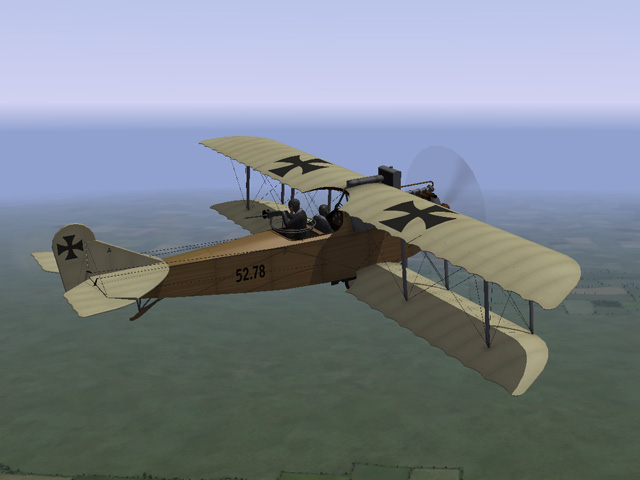
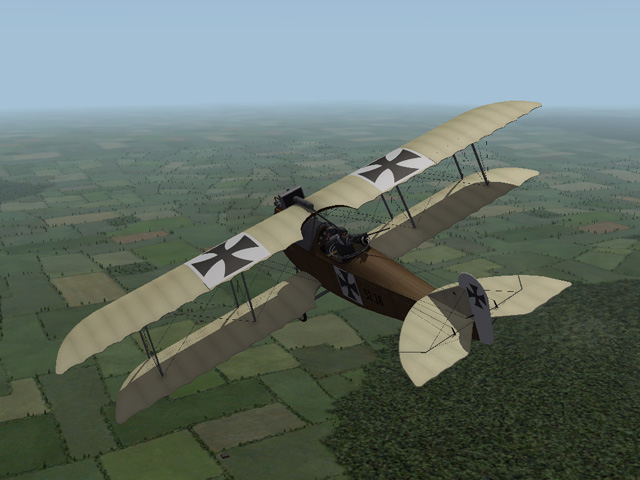
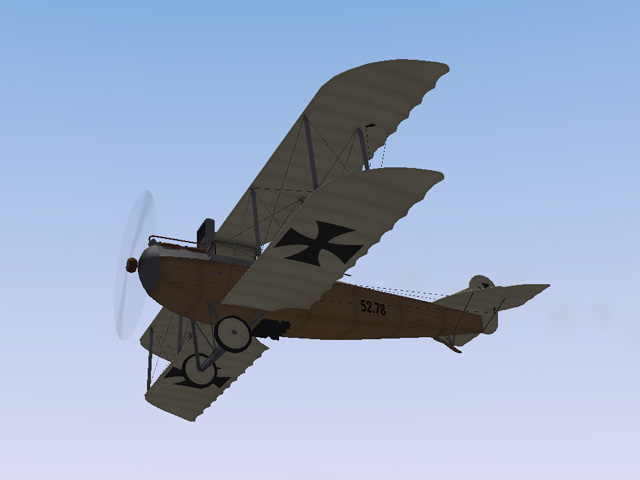
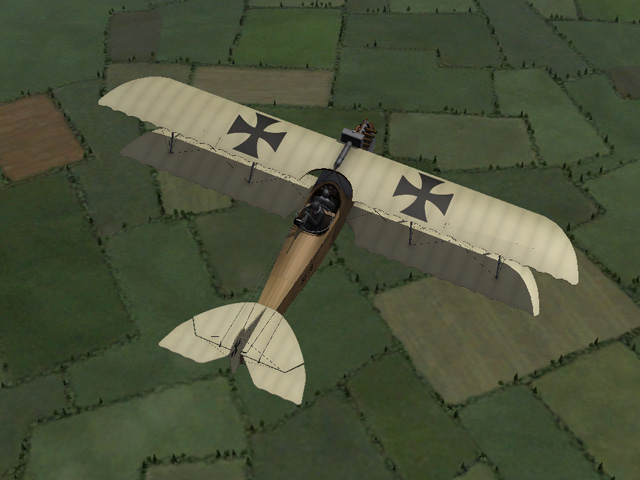
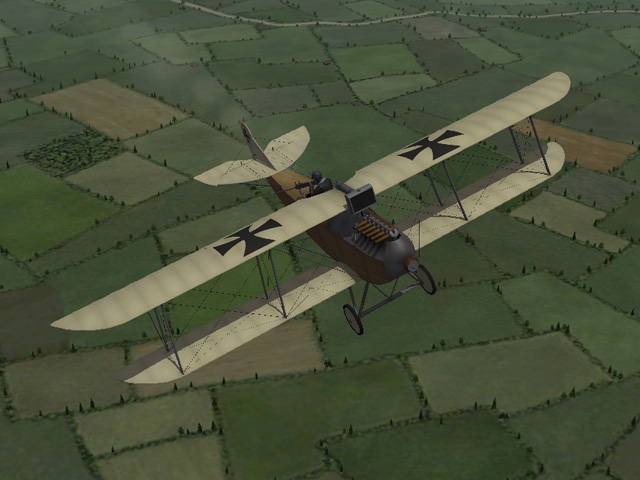
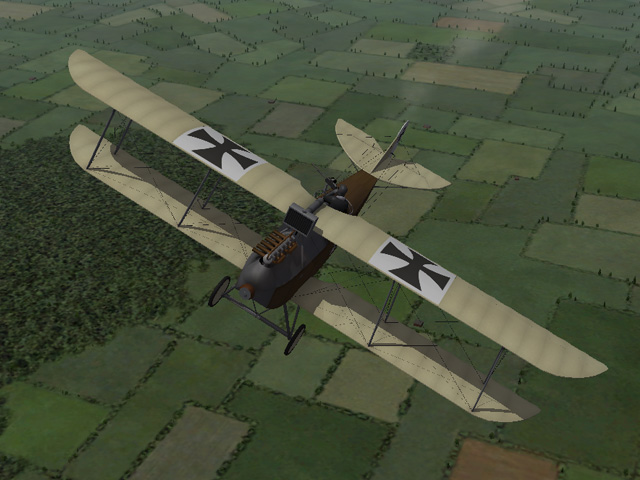
I have uploaded the Oeffag C.II. It was an Austro-Hungarian two-seater used mostly on the Eastern Front. The download includes two skins, a small bomb loadout, a full set of serial number decals, and my skinning templates. My thanks to Ojcar for making the FM for this plane. Happy New Year!
-
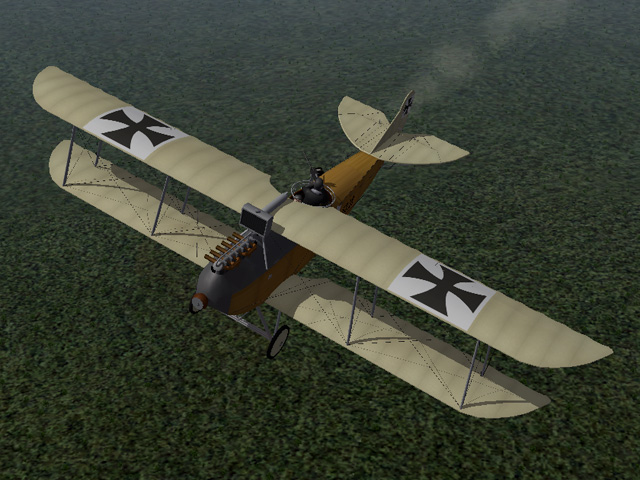
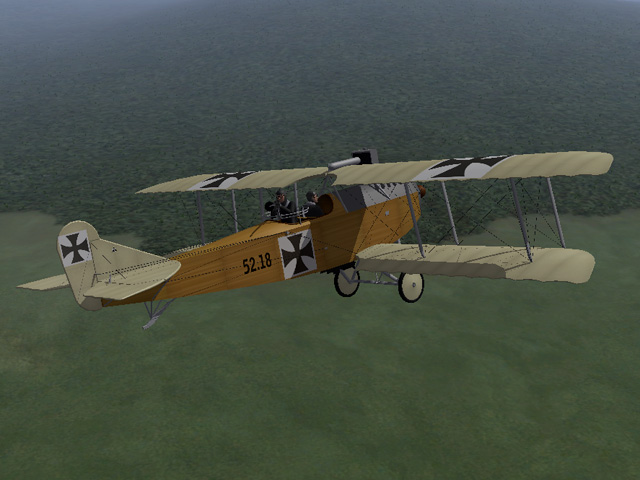
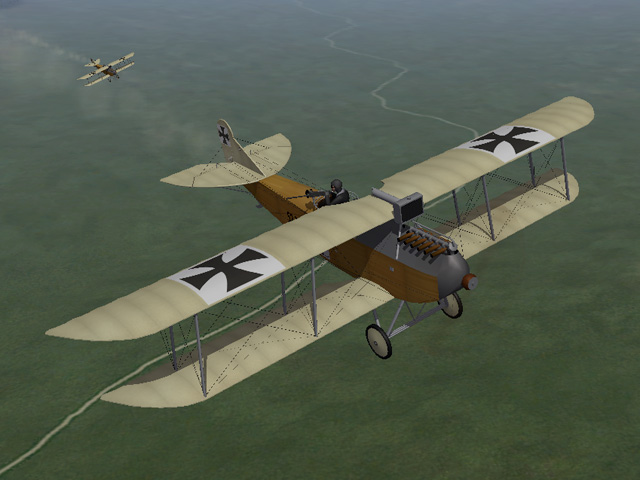
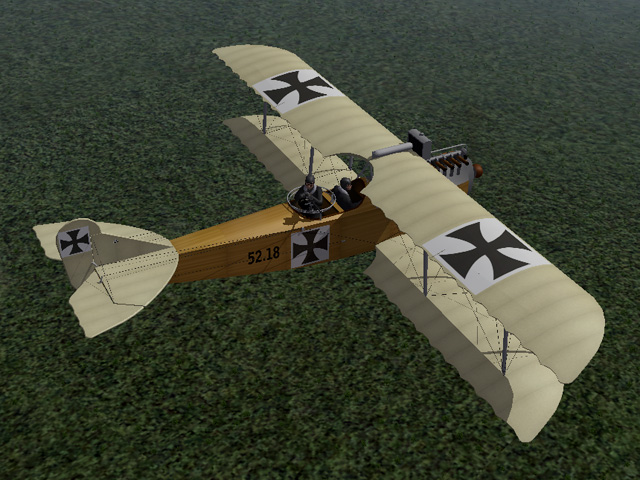
View File Oeffag C.II The Oeffag C.II was a two-seat Austro-Hungarian plane introduced in mid 1916. It was intended to replace the Hansa-Brandenburg C.I. Pilots considered it a better plane, but it wasn't as maneuverable, and did not completely replace the Hansa-Brandenburg. The Oeffag C.II was armed with a single machine gun and was used primarily for reconnaissance, but could also carry a small bomb load for infantry support missions. It was used mostly on the Eastern Front, but also served on the Italian and Baltic Fronts. My version has two skins with an early and a late insignia scheme. There is a complete set of number decals and a loadout for a small bomb load. I have included my skinning templates with the download. Historical Note: The Oeffag C.II could carry four 10kg bombs, which were carried in the cockpit and dropped over the side by the observer. In my plane, I mounted them on a bomb rack under the fuselage. Credits: My thanks to Ojcar for making the FM file for this plane. My thanks also to Nix for making the sound for the Austro-Daimler 160 engine. Installation instructions: Note - The engine sound for the Austro-Daimler 160 has been used with other planes so you may already have it installed. I have included it with this download in case you don't have it yet. For FE1: Unzip the file and move the folder named "OeffagC2" into the FirstEagles/Objects/Aircraft folder. If you don't already have it, you also need to move the sound file "Austro-daimler160.wav" into the FirstEagles/Sounds folder. For FE2: Unzip the file and move the folder named "OeffagC2" into the FirstEagles/Objects/Aircraft folder. Then in the FirstEagles/Objects/Decals folder, create a new folder named "OeffagC2". Move the folder named "D" from the Aircraft/OeffagC2 folder into the Decals/OeffagC2 folder you just made. If you don't already have it, you also need to move the sound file "Austro-daimler160.wav" into the FirstEagles/Sounds folder. Submitter Stephen1918 Submitted 12/31/2015 Category Other Central Powers Aircraft
-
Version v2
251 downloads
The Oeffag C.II was a two-seat Austro-Hungarian plane introduced in mid 1916. It was intended to replace the Hansa-Brandenburg C.I. Pilots considered it a better plane, but it wasn't as maneuverable, and did not completely replace the Hansa-Brandenburg. The Oeffag C.II was armed with a single machine gun and was used primarily for reconnaissance, but could also carry a small bomb load for infantry support missions. It was used mostly on the Eastern Front, but also served on the Italian and Baltic Fronts. My version has two skins with an early and a late insignia scheme. There is a complete set of number decals and a loadout for a small bomb load. I have included my skinning templates with the download. Historical Note: The Oeffag C.II could carry four 10kg bombs, which were carried in the cockpit and dropped over the side by the observer. In my plane, I mounted them on a bomb rack under the fuselage. Credits: My thanks to Ojcar for making the FM file for this plane. My thanks also to Nix for making the sound for the Austro-Daimler 160 engine. Installation instructions: Note - The engine sound for the Austro-Daimler 160 has been used with other planes so you may already have it installed. I have included it with this download in case you don't have it yet. For FE1: Unzip the file and move the folder named "OeffagC2" into the FirstEagles/Objects/Aircraft folder. If you don't already have it, you also need to move the sound file "Austro-daimler160.wav" into the FirstEagles/Sounds folder. For FE2: Unzip the file and move the folder named "OeffagC2" into the FirstEagles/Objects/Aircraft folder. Then in the FirstEagles/Objects/Decals folder, create a new folder named "OeffagC2". Move the folder named "D" from the Aircraft/OeffagC2 folder into the Decals/OeffagC2 folder you just made. If you don't already have it, you also need to move the sound file "Austro-daimler160.wav" into the FirstEagles/Sounds folder. -
WW1 Medals Pack for FE - Beyond the Western Front
Stephen1918 replied to Capitaine Vengeur's topic in File Announcements
Thank you Capitaine! I am looking forward to using this on my Eastern and Palestine Front installs. -
Check here: http://www.thirdwire.com/support.htm
-
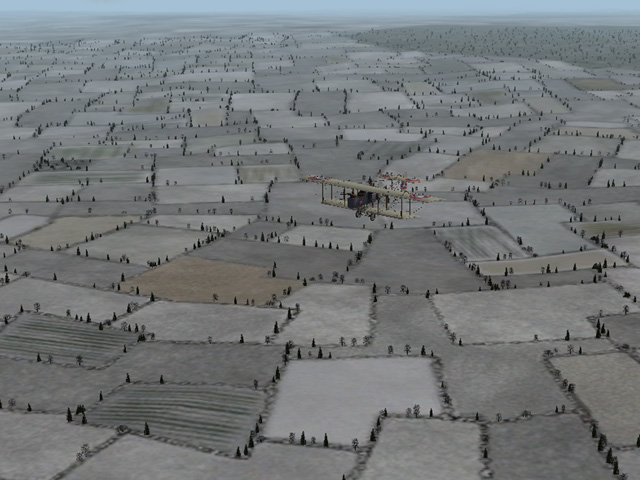
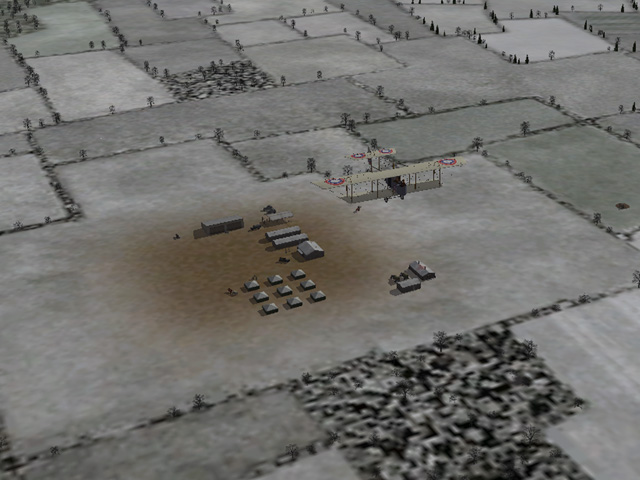
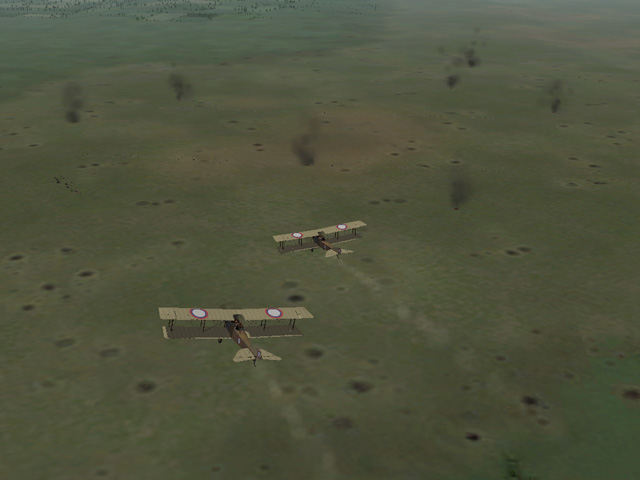
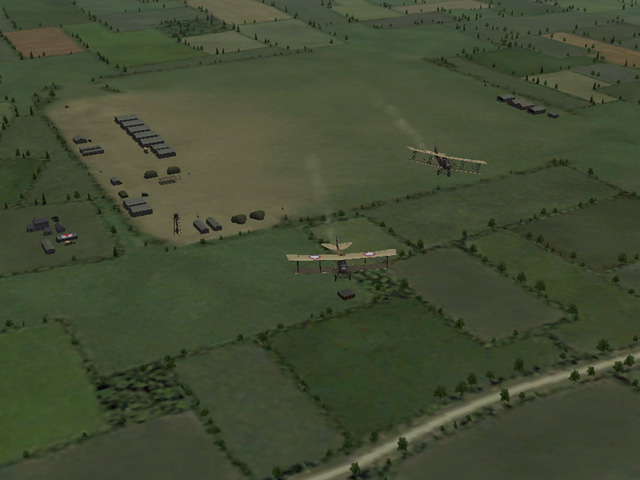
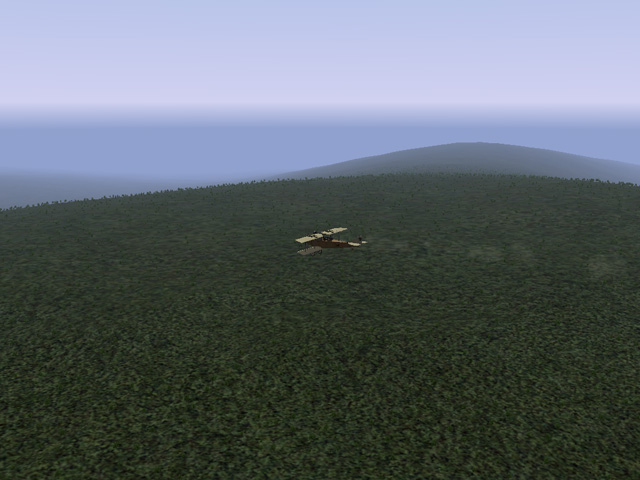
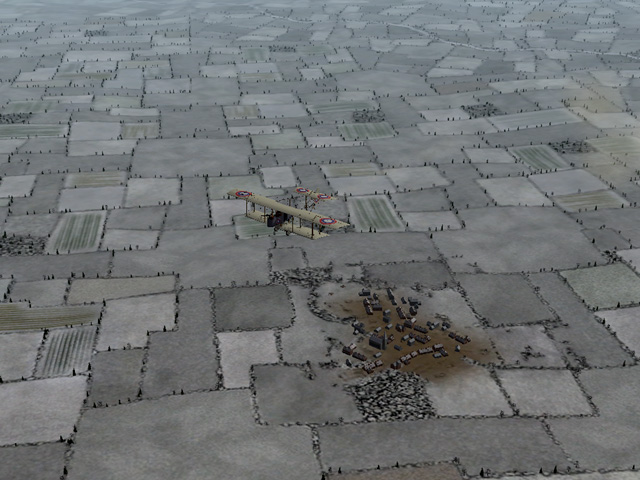
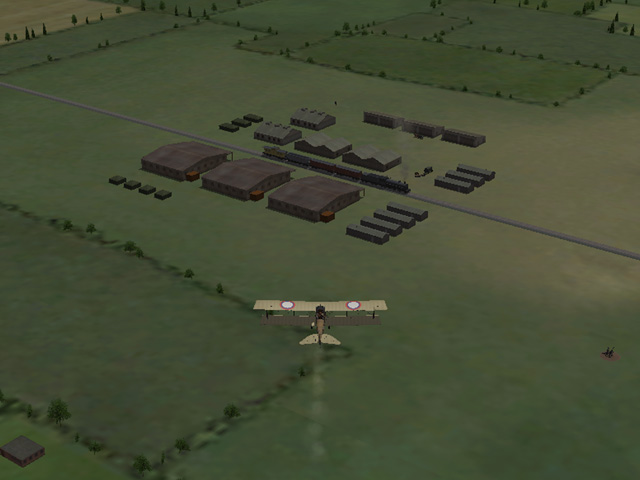
I have uploaded a new version of the Galicia terrain for the Eastern Front. It's a large download (about 60 megs) because it includes a set of winter terrain tiles and all the necessary Ground Objects. New in Version 2 The biggest improvement is a complete set of Winter terrain tiles which will be applied from the end of November until the end of February. I have included more roads and farms in the south side of the map, especially in the mountain/forest terrain in the south-east. I have added a few new airfields and a lot of AA guns near villages along the front and outside major cities. I have added about 2 dozen small villages spread across the whole map. I added smoking craters to the battlefields, and did a lot of tweaking to the height map across the whole terrain. I added a few new tiles, repainted a lot of the existing tiles and made new TODs for many of them. I made new planning maps to reflect the new terrain.
-
Do you have an enemy plane with an early enough start date? The game won't assign a mission to the MS-H if there are no planes to oppose it?
-
In the Options.ini for each install, you can set start and end dates under the Single Mission heading.
-
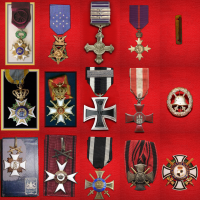
Jeanba, I do not have access to the A-team site either. You can still fly the campaigns, but you may see blank spots in the campaign menu screen. Be careful not to fly a unit that doesn't have an aircraft listed and you should be OK. - Or you can edit the campaigns to substitute planes you do have. I just noticed that Capitaine Vengeur has just uploaded a revised Medals Pack for the Western Front, the timing couldn't be better!
-
 This must have been an incredible amount of work, researching and collecting all the information. Thank you for this.
 -
Wonderful work Ojcar! I also appreciate your continued dedication to First Eagles. Your many campaigns really bring it all together.
-
Thanks Geezer. I'll try them. I must say that I'm enjoying flying "new" planes. I think I've got all the planes (and their skins) from First Eagles already installed...
-
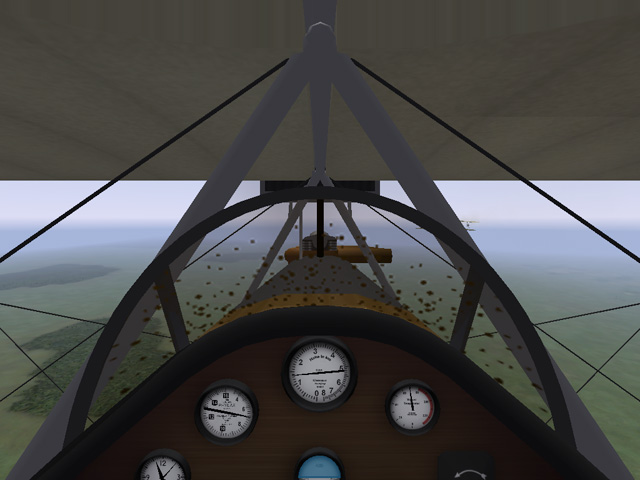
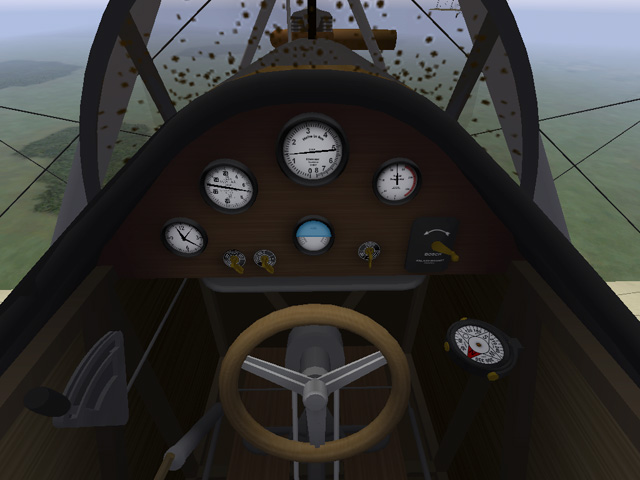
The model of the cockpit is finished. I'm finishing the cockpit skins and still unwrapping some of the parts on the main plane. I've also started putting the dimension and rigging data into the FM. It's coming along...
-
In addition to the Fiat CR-42, I have Hinchinbrooke's Gauntlet from First Eagles - MontyCZ's Letov S-328 and Avia B-534 from Strike Fighter 1. They all came into First Eagles 1 pretty well, I changed the pilots to the "New" WWI pilots and had to install some weapons, but they seem to be flying OK. I really like the Avia! I'll do more as I find them. I will appreciate knowing of any others you have found.
-
I started making a 1930s install of First Eagles. I found a few planes from Strike Fighters, but not many. Nice detail on this one. I'm looking forward to it.
-
bhaskar2789 - make sure all the ini files are saved in ANSI instead of Unicode. Open the file (I use Notepad) then do a "Save As." At the bottom of the save window is a drop menu to change from Unicode to ANSI. I have all of Geezer's planes flying in FE1, I think that was only change I had to make.
-
The Oeffag C.II was a Austro-Hungarian two-seater of 1916-1917. It served mostly on the Eastern Front, but was also used on the Italian and Balkan Fronts. It also saw heavy use after the war. It had a single gun, and could carry a light bomb load. It wasn't a very effective plane, but is said to have out-performed the Hansa-Brandenburg C.I. I am about half done with he plane, still doing skins and cockpit. I think this will help supplement the Hansa-Brandenburgs we already have. I haven't see much in English about this plane, but I found Italian, Russian, and Polish sites that discuss it. It seems to have been more popular after the war.