Fubar512
-
Posts
8,418 -
Joined
-
Last visited
-
Days Won
42
Content Type
Profiles
Forums
Gallery
Downloads
Store
Everything posted by Fubar512
-
Sounds as if your tank .lod names don't match the tank name entries in the weapondata. Edit either of them so they match.
-
You mean something like in this video from back in 2007? http://forum.combatace.com/uploads/1198250...43_17851412.wmv
-
Fly-by
-
You see, talk about an unfair advantage. Now you know why I originally excluded Dave.
-
You guys disappoint me....maybe I shouldn't have excluded Dave
-
Can anyone name this boat? It 's a 50-foot Striker convertible, a one-off built in 1979, and is a Hollywood veteran.
-
In my experience, the usual suspect can be found under "Sounds and Audio Devices" in Windows Control panel. Make sure that your settings match your speaker setup (2 speaker, four speaker, etc.). Next, if your systems has a separate applet for its sound card, check there. If that doesn't work, try a different sound setting in the game (32-bit, etc.).
-
http://forum.combatace.com/index.php?showtopic=33279 Which step did you miss? 1, 4, & 6 are the most common.
-
Obviously, the one dated later than the other. :yes:
-
Same here, I have a 500 GB MyBook, and I have not used the included software to perform backups.
-
Moisture in the air degrades IR detection.
-
Carriers are mobile ground objects, and therefore, from the sim's perspective, not an airfield. The latter is the reason why you cannot use a carrier in a randomly created single mission. You can however, script a single mission so you launch from, and recover to, a carrier. It's not that difficult. You can also add a carrier station and a carrier to a terrain, and then add the necessary carrier based squadrons, to allow you to operate off of a carrier during a campaign. You'll find the instructions in the knowledge base.
-
I do. I remember it well, because I stopped growing up when I reached 16 Happy Birthday!
-
1) Not yet. it's still a WIP 2) Only knots or KPH are allowed, and, indicated airspeed is what's displayed on the mini-hud (as opposed to true airspeed).
-
Do you have modern enemy ac installed? There is a service start and service end date declaration in every individual aircraft's data.ini
-
Wait, which sim are you running? SF2? If that's the case, your edited file should reside in the Flight Folder that's located inside the main sim folder, which by default (SF2 only) is in the 'My Documents' folder. If you're working with the first gen-TW titles, the edited file should reside in the original flight folder.
-
Possibly due to having the open cockpit declaration set to true (though I've never seen that anomally before). If that's the case, you're looking at the "external" canopy glass.
-
Hey dude, you obviuosly did not understand what the "smilies" were for. If you found the missioncontrol.ini in your flight folder, it's because it was either already extracted, or part of a mod that you installed. That file normally resides in the missiondata.cat
-
And just what does that have to do with the original subject of this thread? All classic TW titles have a singlemission.ini compressed into the FlightData.cat. If you can't see it, you're probably not looking hard enough...
-
That's not totally accurate. An AI flight that's assigned to launch from the same carrier that the player's flight launches from, will use the (visible) carrier. If you have WoV, check out the "Haiphong Strike "67" mission, in the downloads section, and you'll see A-6s's and A-4's from another flight using the carrier.
-
Not if it's in Iran....
-
The sand would absorb the blast.
-
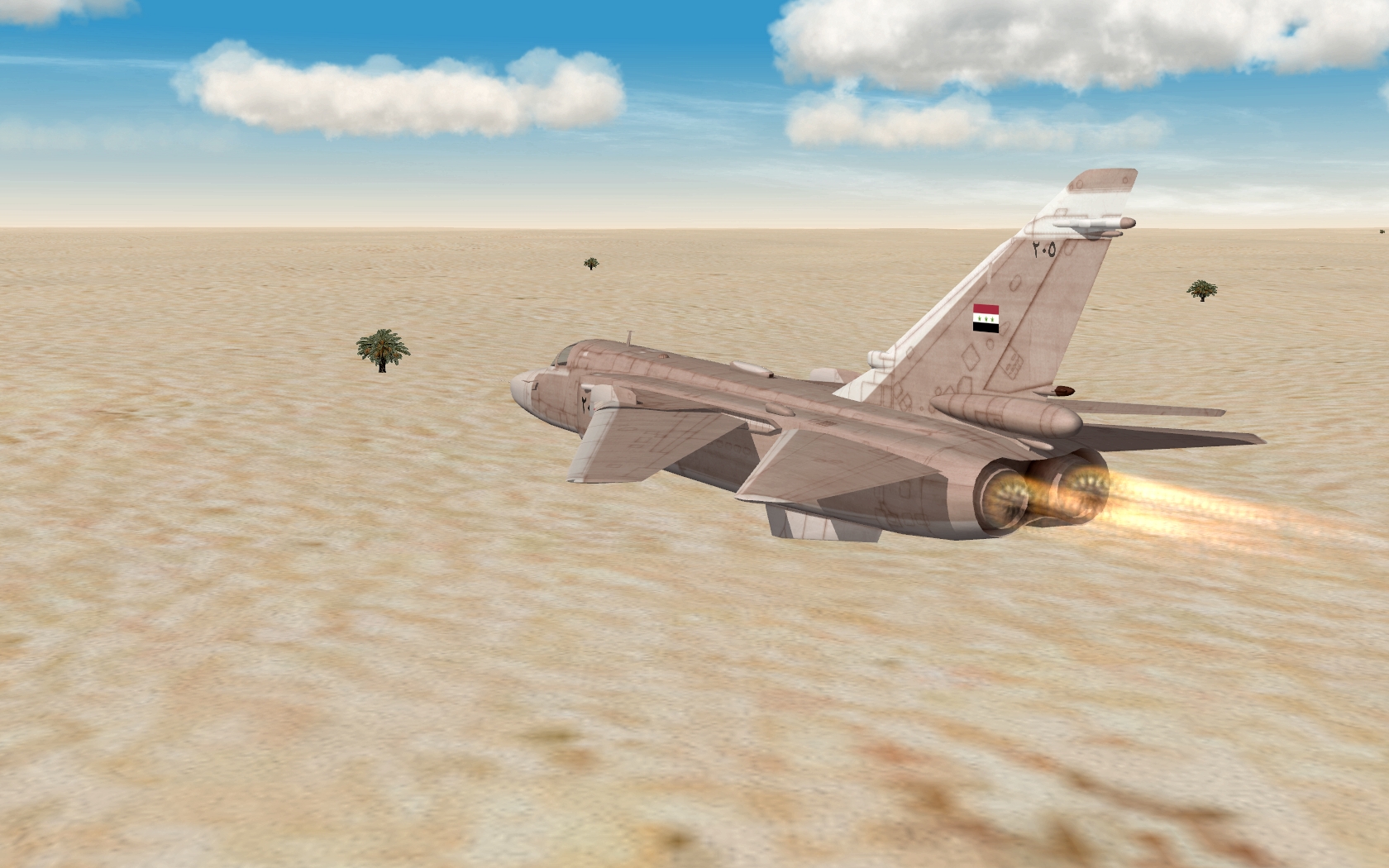
Low level dash to the border
-
Apart from the obvious (destroying what amounts to a raised "hole" in the ground), why would one go to a heavier weapon? If there's a target inside an open-topped earthen revetment (ie., something called a "plane" or an "aircraft"), the best way to destroy it, is with a CBU.
-
I'll bet dimes to donuts that you have nested folders. Reread the KB entry, specifically item #2.