


DWCAce
-
Posts
5,585 -
Joined
-
Last visited
-
Days Won
2
Content Type
Profiles
Forums
Gallery
Downloads
Store
Everything posted by DWCAce
-
From the album: EAA AirVenture 2010
-
From the album: EAA AirVenture 2010
-
From the album: EAA AirVenture 2010
-
From the album: EAA AirVenture 2010
-

From the album: EAA AirVenture 2010
-
From the album: EAA AirVenture 2010
-
From the album: EAA AirVenture 2010
-
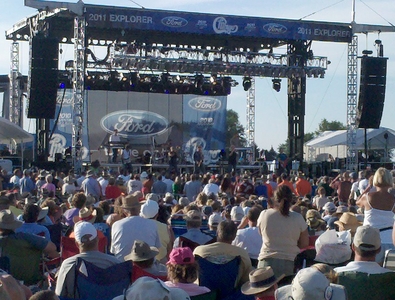
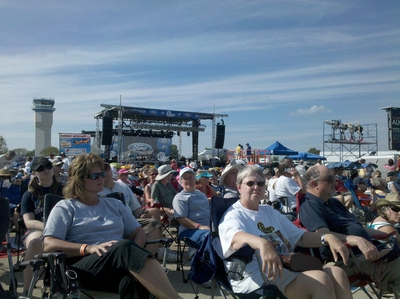
Simulation Items from EAA Airventure 2010 By DWCAce Two weeks ago I attended the annual EAA fly-in, Airventure, in Oshkosh, WI (KOSH). Being a first timer, I did my best to cover the sights 'n' sounds of this HUGE event. One that it includes is a major variety of vendors in the aviation (and not so aviation) industry. There were a few that have a hand in the simulation business, so I figured I'd see what they had. Here's what I was able to try out: Renegade Cloud Flyer Simulator Hot Seat Sim products CH Products X-Plane 10 (iPad) Renegade Cloud Flyer Simulator (X-Plane 9 with Saitek controls) I had seen this advertised on the web somewhere, so I figured I'd give it a try. It's a counter-balanced chair that moves with you control inputs (via a mechanical linkage to the joystick). After almost dying trying to climb in, it took me a few moments to find my balance. The demonstrator said that the seat was not optimized because of the large number (and variety of sizes) of people testing it out. In order for it to be balanced, gym weights would have to be changed every time a different person sat in it. Flight controls were from Saitek, with the X-52 HOTAS and rudder pedals, with the sim itself being X-Plane 9. During my brief time on this 'device' I found that the stick took a fair amount of force to manipulate as I had to move the entire chair. This was a bit tiring after a five minute flight in a Piper Malibu, and I imagine after a dogfight you'd either have an iron arm or it no arm at all. Perhaps it wouldn't be so tough if the seat were to be balanced. I also found it to be a bit disorienting during the flight as the chair would return to level after an input, but the a/c would either be inverted or in a steep bank. The website is below, and has a few pics/drawings, and a video. http://renegadelight...com/#/SIMULATOR Hot Seat products The Hot Seat lineup uses placed speakers and sub-woofers to add to the immersion of the sim. Monitors also add to this, depending on rig that you have (anywhere from one to four monitors can be set up). HS had five of their rigs on display, and I was able to three of they a run. More information can be found on their web site. http://www.hotseatsim.com/ Here goes... Combat Sim (FSX Acceleration, CH Fighter Stick, CH Pro Throttle, CH Pro Pedals) The placement of the controls seemed to be pretty comfortable and adjustable. A second monitor was available to display the GPS unit in FSX. Helisim (FSX, CH Pro Pedals, cyclic and collective controls unknown) Same basic setup, but with proper helicopter controls. This has been the only time I've flown the chopper in FS and haven't been five minutes behind the aircraft. Flight Sim Pilot Pro (FSX, CH Eclipse Yoke & Pro Pedals, Saitek Pro Flight Radio Panel, Multi Panel, Switch Panel, Instrument Panel I must say, this was the coolest rig they had (and I'm sure the most expensive!). I felt right at home piloting the light Cessna around. The combination of 68-degrees of vision, dedicated monitor for the panel, CH & Saitek hardware made this a joy to fly! Driving rigs (PS3, XBOX 360) Hot Seat also makes rigs for ground based sims. I didn't try any out, but included a shot of another guy trying it out. X-Plane 10 Not an in-depth review, but it was pretty neat to play it on an iPad!

-
I found this link in a recent issue of Reader's Digest (don't worry, I know I act old!). http://www.giveawayoftheday.com/ Give it a shot, who knows what they'll put up.
-
I think there's something in the order of 1,500-2,000 that would have to be made (My memory may be a bit off). While it would add immersion to the sim, it could be a very time consuming task. I've often though about changing the speech for the regular sim, but I didn't feel like losing the rest of my mind.
-
Good one!
-
Had one of my friends over for a guys night out and he told me about this. It's a diary/log from a B-17F navigator. http://www.google.com/url?sa=t&source=web&cd=5&ved=0CDMQFjAE&url=http%3A%2F%2Fwww.scribd.com%2Fdoc%2F17018411%2FWWII-B17-Log&ei=GddiTIQHgvnwBoSOodwK&usg=AFQjCNEAJSJ2p5WDg4uFFaWx1bcxu17kyw&sig2=jvFo8iNICHbYZLYKbBZtXw
-
My pics are now up on Facebook. http://www.facebook.com/album.php?aid=2011362&l=42cb5f6288&id=95200018 More pics WILL be posted here as there a bunch of detail shots that I hope some of you can use in your mods.
-
A Steward leaves the plane a different way...
DWCAce replied to Slartibartfast's topic in Military and General Aviation
Awesome! There have been many times when I've wanted to tell off other pax and point out their stupidity. -
.
-
You might also try DivX. You'd have to pay for it, but I think it's relatively cheap (thought you can't do full editing), and you get free updates all the time.
-
More pics can be found at this link: http://www.avweb.com/news/airventure/EAAAirVenture2010_JackRoushCrash_MomentOfImpact_203026-1.html
-
Agreed.
-
it may depend on which dispense program you have set in the cockpit. sorry, don't have a screen shot for you...
-
http://www.military.com/news/article/judge-rules-stolen-valor-act-illegal--.html?ESRC=airforce.nl
-
Comparison of Aircraft Wing Loadings
DWCAce replied to column5's topic in Military and General Aviation
I see that now, thought it was only a graphic for the website, with the pic below being the exhibit. -
Comparison of Aircraft Wing Loadings
DWCAce replied to column5's topic in Military and General Aviation
I think the MiG driver needs to do some ID... that's an F-16. -
I've got 1,536 pics (15 gigs), and some vids (not the greatest of quality). I'll try to get some posted over the next few days.
-
Here's one of the links with info. http://www.avweb.com/eletter/archives/avflash/1684-full.html#202975