Stephen1918
-
Posts
1,204 -
Joined
-
Last visited
-
Days Won
19
Content Type
Profiles
Forums
Gallery
Downloads
Store
Everything posted by Stephen1918
-
If you land a plane close to a city, you'll see that the buildings are quite a bit smaller than they should be. But that's OK because you usually just see them from the air. Objects you would find on an airfield are normal size because you do see them from the ground. Check out the trucks driving through a city. I think the terrain is scaled down to speed up the game. How boring would it be if you had to really spend 45 minutes flying to your target?
-
These will be a nice addition to any terrain. I'm looking forward to them.
-
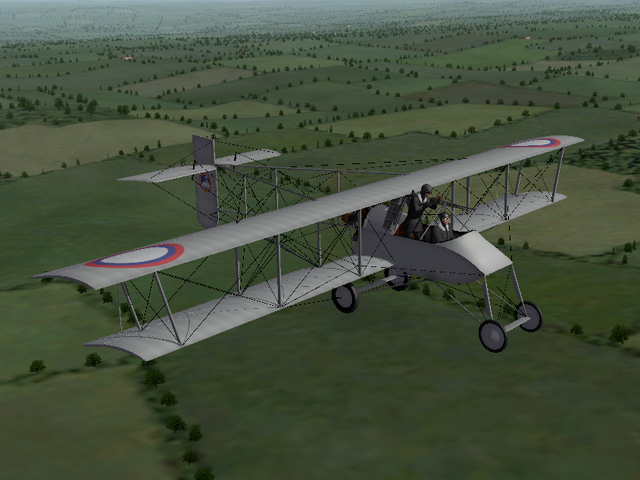
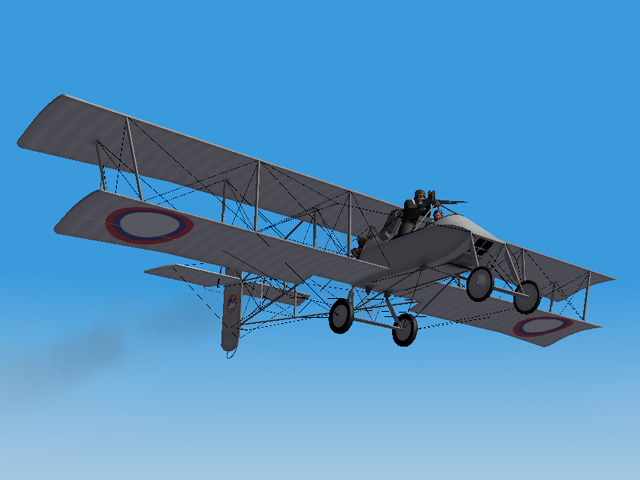
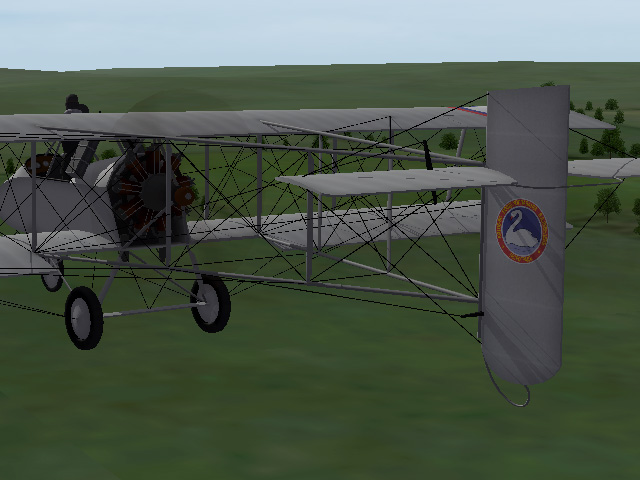
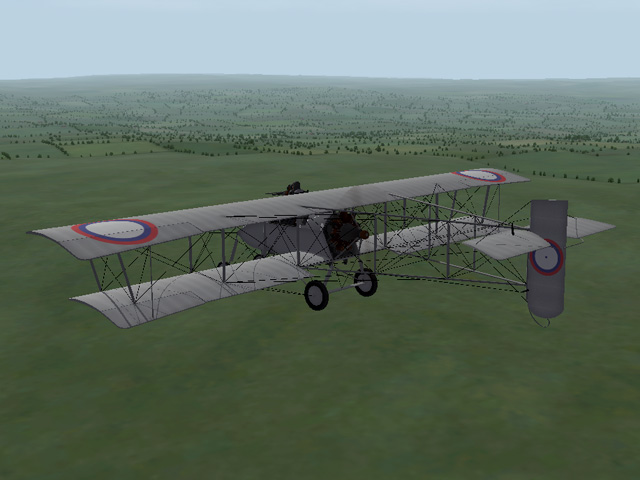
Tonight I uploaded a new skin set for the Voisin LAS. This one is a Russian skin for the plane made at the Lebedev factory in Petrograd. This was inspired by some postings made by Crowford. The Russians didn't do much in the way of fancy markings, so when this came up, I had to do it! Early Lebed Voisins carried the company logo on the tail, featuring a swan (lebed is Russian for "swan".) Later versions had a much smaller logo in the middle of the standard roundel. I have included both versions in my skins. This is for the 120hp, but will also work for the 150hp Voisins. My thanks to Crowford for providing many resources and references for the logo and for placement of the insignia. And for helping me with the Cyrillic inscription.

- 1 reply
-
- 1
-

-
View File Skin for Lebedev built Voisin LAS This is a new skin for the Voisin3_120, part of the Voisin LAS-2 pack available in the CombatAce Aircraft Downloads area (under Other Entente Aircraft). This skin is for a Russian Voisin LAS built at the Lebedev factory in Petrograd. It has a grey skin with the appropriate decals. Early in the war, Lebed built planes had a large company logo on the rudder. Later versions (after 1915) had a much smaller logo placed at the center of the standard Russian insignia. I have included both versions in the download. These skins are made for the 120hp Voisin, but will also work on the 150hp version. They will not work on the Voisin Type V. Note The inscription on the logo translates (approximately): "V.A. Lebedev Aeronautics Co., Ltd. - Petrograd" Credits My thanks to Crowford who provided many resources for the logo, placement of the insignia, and for valuable help with the Cyrillic inscription. Installation instructions Put the folders named "V3LebedEarly" and "V3LebedLate" into your FirstEagles/Objects/Aircraft/Voisin3_120 folder. Next, open my "PutInDFolder" and put all three files into the "D" folder for the Voisin3_120. For FE1, it will be inside the Aircraft/Voisin3_120 folder. for FE2, it will be inside the Decals/Voisin3_120 folder. Submitter Stephen1918 Submitted 01/29/2015 Category Other Entente Aircraft Skins
-
- 1
-
-
Version v2
73 downloads
This is a new skin for the Voisin3_120, part of the Voisin LAS-2 pack available in the CombatAce Aircraft Downloads area (under Other Entente Aircraft). This skin is for a Russian Voisin LAS built at the Lebedev factory in Petrograd. It has a grey skin with the appropriate decals. Early in the war, Lebed built planes had a large company logo on the rudder. Later versions (after 1915) had a much smaller logo placed at the center of the standard Russian insignia. I have included both versions in the download. These skins are made for the 120hp Voisin, but will also work on the 150hp version. They will not work on the Voisin Type V. Note The inscription on the logo translates (approximately): "V.A. Lebedev Aeronautics Co., Ltd. - Petrograd" Credits My thanks to Crowford who provided many resources for the logo, placement of the insignia, and for valuable help with the Cyrillic inscription. Installation instructions Put the folders named "V3LebedEarly" and "V3LebedLate" into your FirstEagles/Objects/Aircraft/Voisin3_120 folder. Next, open my "PutInDFolder" and put all three files into the "D" folder for the Voisin3_120. For FE1, it will be inside the Aircraft/Voisin3_120 folder. for FE2, it will be inside the Decals/Voisin3_120 folder. -
Concerning skis... I can only get them to work on absolutely flat airfields in "Easy" mode. There has to be some drag on the ski when the plane is on the ground, if the ground is not level, the drag causes the plane to never reach airspeed, go wandering around the terrain, or nose over. In "Normal" or "Hard" mode landing is nearly impossible because the plane noses down and crashes as soon as the skis touch the ground. I've talked about this with ojcar, who made all the FMs for my floatplanes. The seaplanes only worked because the "ground" was always level, but even then, the drag had to be set so low that some planes taxi for kilometers after they land. FE was not designed for these kinds of planes, the game engine does not have the necessary parameters. Meanwhile, there are dozens of wheeled aircraft still to be made, I'm going to go back to working on them.
-
Thanks guys. This is the first terrain I've made from scratch, the others were revisions of existing terrains. The more I work on this, the more respect I have for Gterl, Wrench, Gepard, and other modders who have made terrains for FE. It's an incredible amount of work (but still worth the effort.)
-
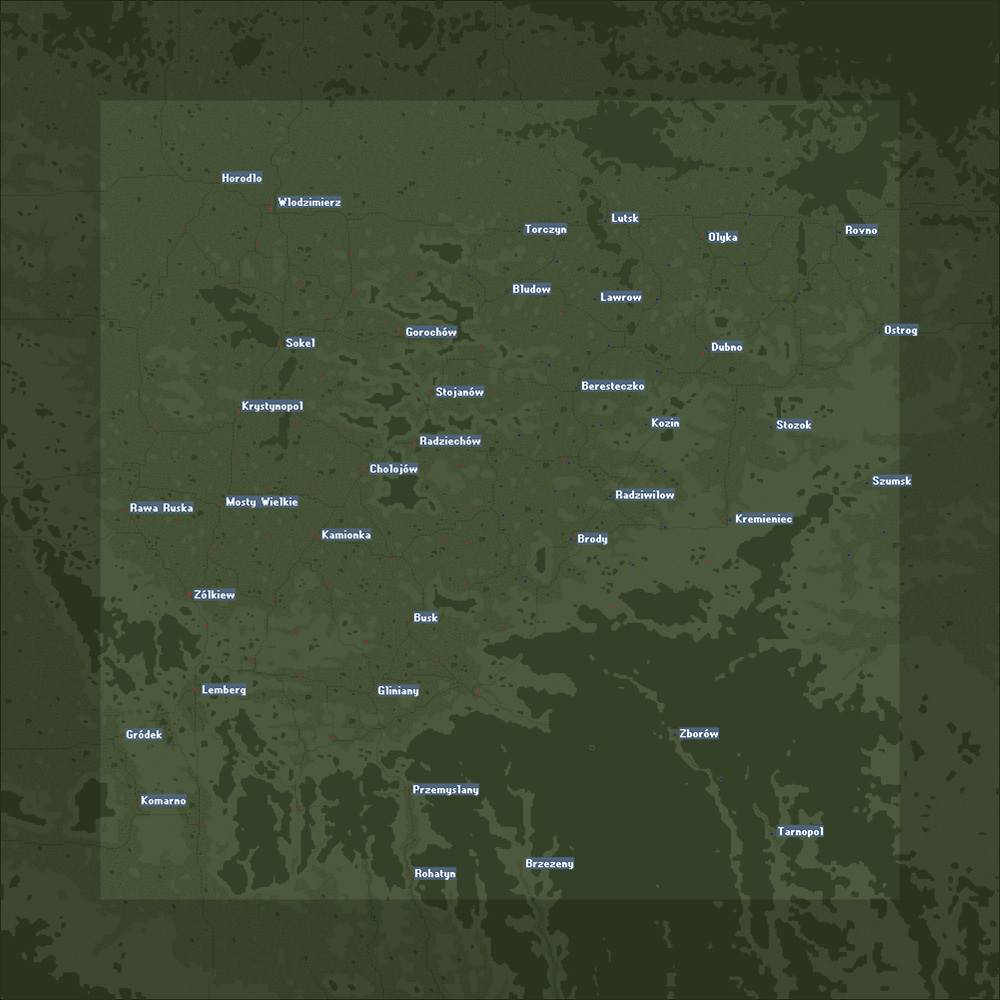
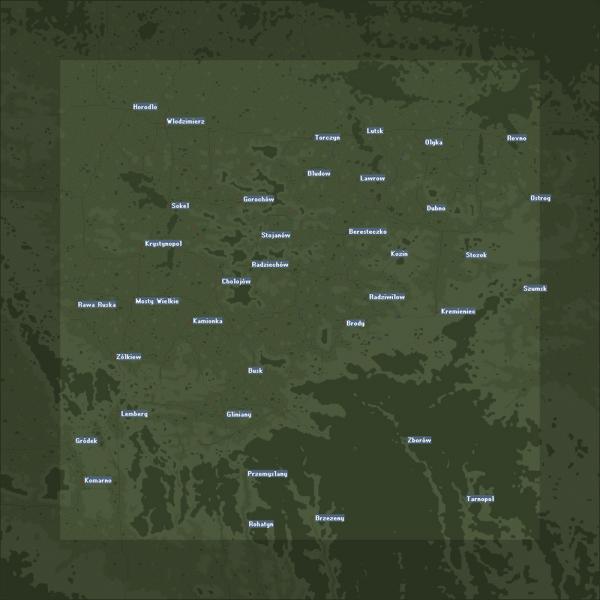
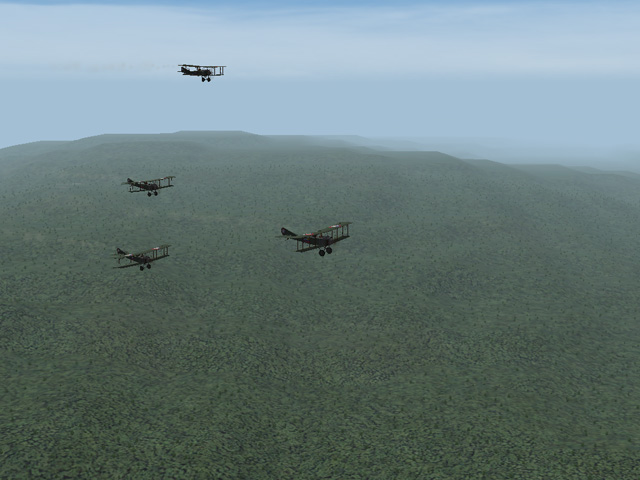
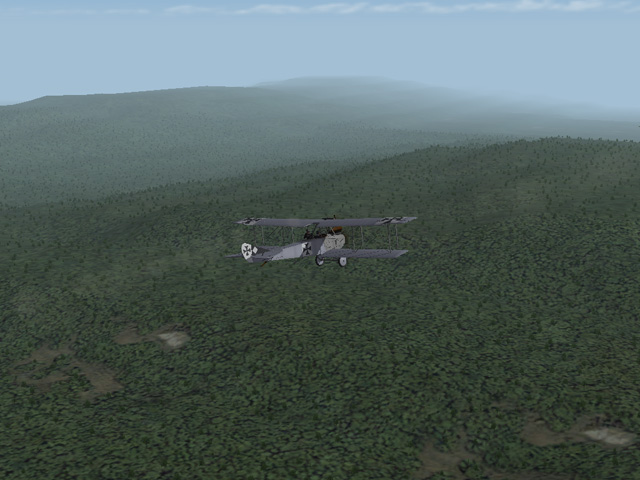
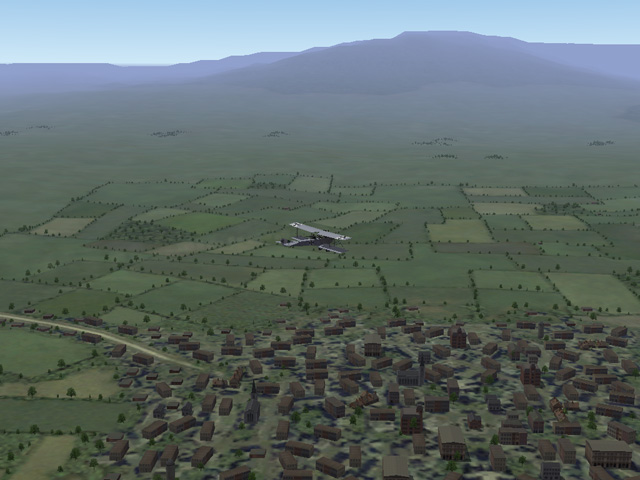
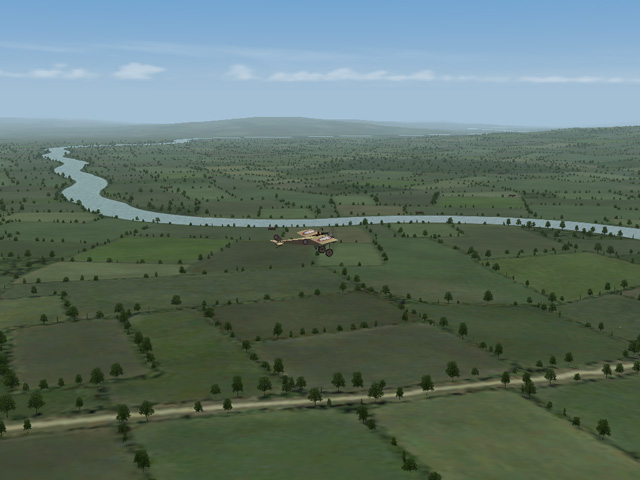
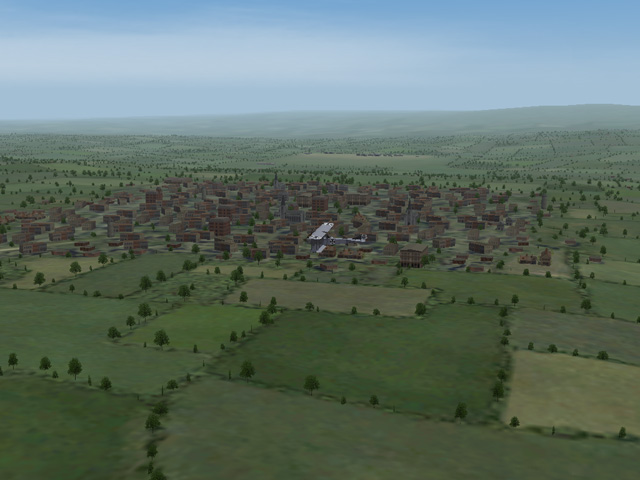
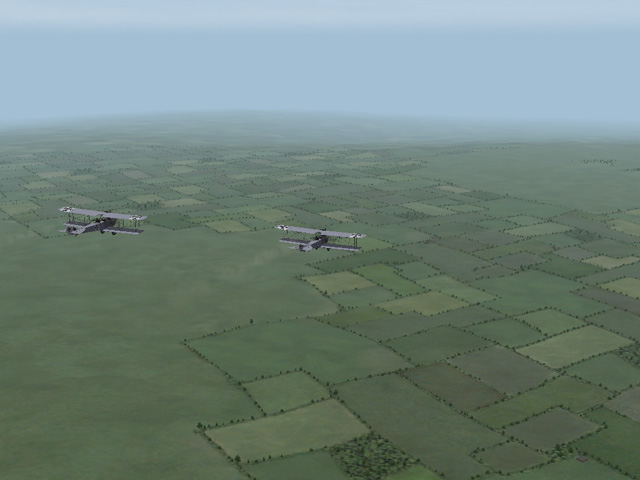
I started a new version of the Galicia terrain several months ago. It's going slowly because I keep stopping to work on new planes. The basic terrain is finished, the foothills of the Carpathians in the south and marshland to the north. I'm still adding roads and rivers (very tedious work.) There are about 100 towns and villages, all of them pretty small. I hate seeing farms at a steep angle and buildings sticking out of hills, so I've been doing a lot of tweaking of the height map. I haven't even started to place the military targets yet.
-
Very detailed plane! Was there any linen on this plane, or did it have an all metal skin?
-
Quack, your terrain is very realistic. The patchy snow over the fields is great.
-
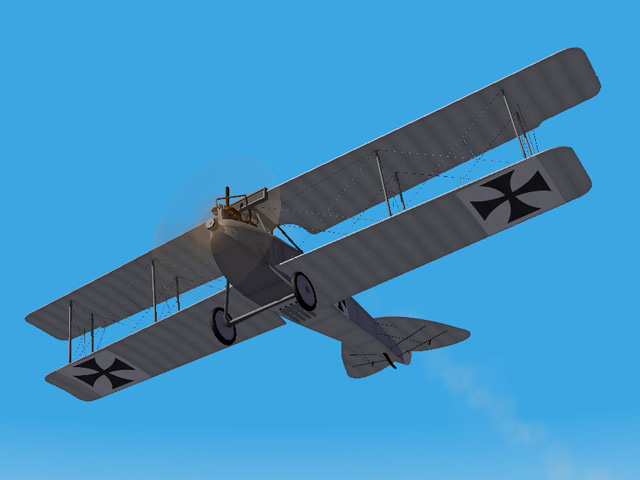
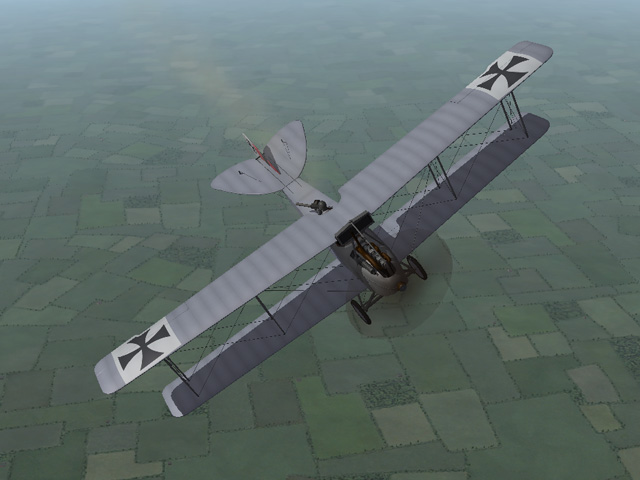
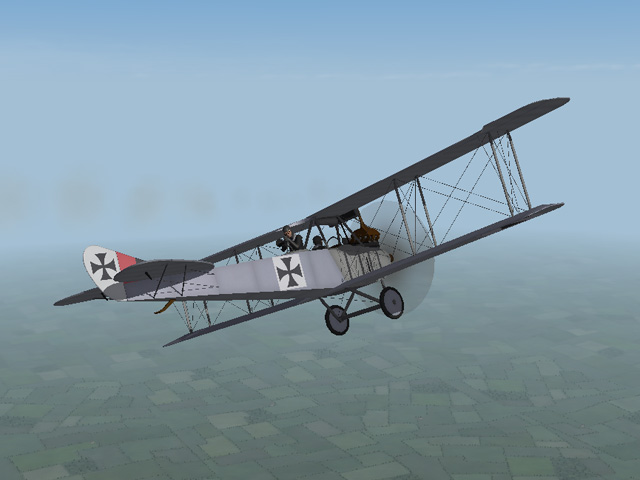
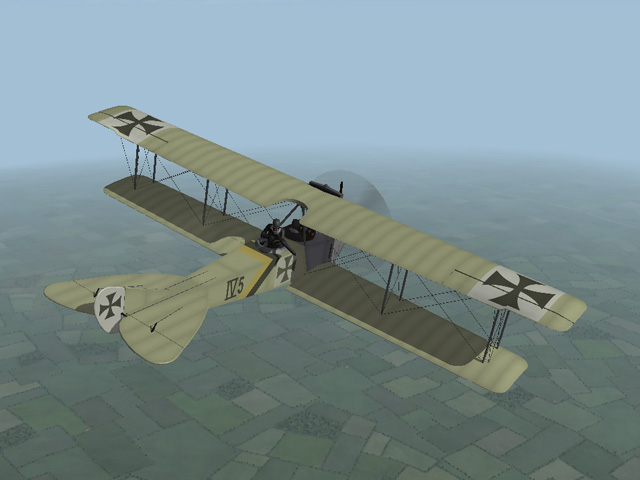
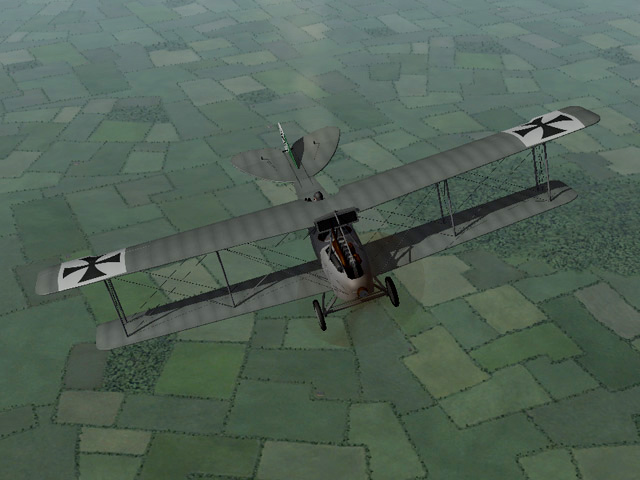
Today I uploaded the LVG C.II, an early German two-seater reconnaissance plane, also used for light bombing. I started this plane more than a year ago, but got distracted by other projects. The upload includes 3 skins, 2 sets of decals, and loadouts for light and heavy bomb loads. My thanks to my friend ojcar, who made the FM and gave me good advice for shaping the nose.
-
View File LVG C.II The LVG C.II was an early German two seater. It had a ring-mounted Parabellum machine gun for the observer, later versions also had a LMG machine gun mounted on the fuselage for the pilot. It was used mostly for reconnaissance, but could also carry a small bomb load. The LVG C.II was the first plane to bomb London, in November 1915. My version has three skins (grey, blue, and linen) and two sets of decals. There are two bomb loadouts, one with four light bombs, another with a single large bomb. I have included my skinning templates with the download. Credits: My thanks to Ojcar for making the data.INI file for this plane and for resources to help with the shape of the fuselage. Installation instructions: For FE1: Unzip the file and move the folder named "LVGC2" into the FirstEagles/Objects/Aircraft folder. For FE2: Unzip the file and move the folder named "LVGC2" into the FirstEagles/Objects/Aircraft folder. Then in the FirstEagles/Objects/Decals folder, create a new folder named "LVGC2". Move the folder named "D" from the Aircraft/LVGC2 folder into the Decals/LVGC2 folder you just made. Submitter Stephen1918 Submitted 01/20/2015 Category Other Central Powers Aircraft
-
320 downloads
The LVG C.II was an early German two seater. It had a ring-mounted Parabellum machine gun for the observer, later versions also had a LMG machine gun mounted on the fuselage for the pilot. It was used mostly for reconnaissance, but could also carry a small bomb load. The LVG C.II was the first plane to bomb London, in November 1915. My version has three skins (grey, blue, and linen) and two sets of decals. There are two bomb loadouts, one with four light bombs, another with a single large bomb. I have included my skinning templates with the download. Credits: My thanks to Ojcar for making the data.INI file for this plane and for resources to help with the shape of the fuselage. Installation instructions: For FE1: Unzip the file and move the folder named "LVGC2" into the FirstEagles/Objects/Aircraft folder. For FE2: Unzip the file and move the folder named "LVGC2" into the FirstEagles/Objects/Aircraft folder. Then in the FirstEagles/Objects/Decals folder, create a new folder named "LVGC2". Move the folder named "D" from the Aircraft/LVGC2 folder into the Decals/LVGC2 folder you just made. -
I've learned a lot from this thread. I uploaded a revised version of the Lebed XII today. The only real difference is that it uses the standard insignia on the wings. The tail and the fuselage insignia decals use my decals with a small blue circle to represent the Lebed company logo.
-
Thank you Crowford, this is great information. You are right, the decals are too small to show the detail, but perhaps I will use the Lebed logo on the tail of the Voisin. I will upload a more correct version of the Lebed 12 shortly.
-
Crowford, Thanks for the information about the Lebed insignia. Can you link to or post an image of the center marking so I can make revisions?
-
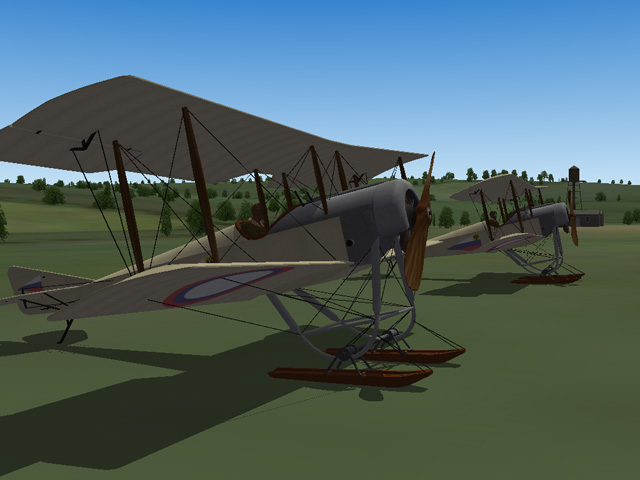
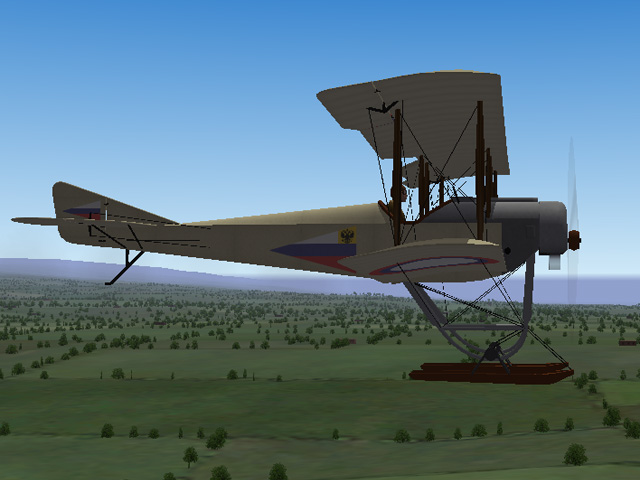
I'll start making some ski versions of the Russian planes. The Sikorsky will take a few days because I still have to unwrap the parts and make new skins, make the new LODs, and check the FM. I have other planes and projects in progress, so I will spread the ski plane revisions over time. So, as Ojcar says, we're going to need snow...
-
I played with the skis all afternoon and I figured out how to use the shock animation to make the skis rotate while on the ground. It's not perfect, the skis dive underground while landing, but it looks pretty good on take off. I need to experiment more with the data parameters and the 3DS animation - I think this is going to work.
-
I am working (slowly) on a new version of Galicia, it will have some custom tiles, so someone may need to make seasonal versions of those. I haven't checked, but I think original Galicia terrain will work with the stock seasonal tiles, or with Jan Tuma's seasonal tiles. I modified a few tiles, but it won't look bad to put the originals back in. If "someone" is working on new campaigns for Galicia, that would be wonderful. PM me if you want maps of the new terrain. I will make a ski version of one of my Russian planes and upload it so you can see how you like it.
-
Yes, skis were used for mud as well as snow. In northern Russia, most of rivers run from south to north; in the spring, the snow starts melting upstream while the river mouth is still frozen, so the water backs up and the fields turn to mud for a month or so. I have thought about putting skis on some of my planes. I don't know how that would affect the FM for the landing, and I can't figure out how to make the skis stay parallel to the ground. I never made seasonal terrain tiles for the Galicia terrain anyway.
-

question on installing FE aircraft into FE2
Stephen1918 replied to xeroluck's topic in General Discussion
How you add weapons is different for FE1 and FE2. My Aviatik-Berg D.I 185hp plane in the Downloads section has instructions for installing a Schwartlose machine gun, for both FE1 and FE2. Other weapons should install the same way. -
You're welcome!
-
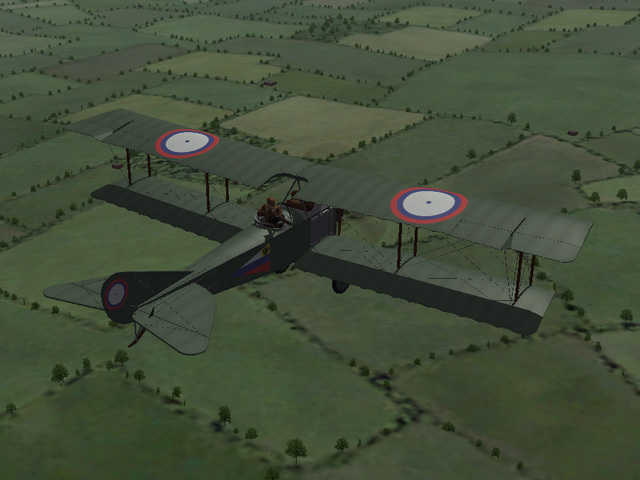
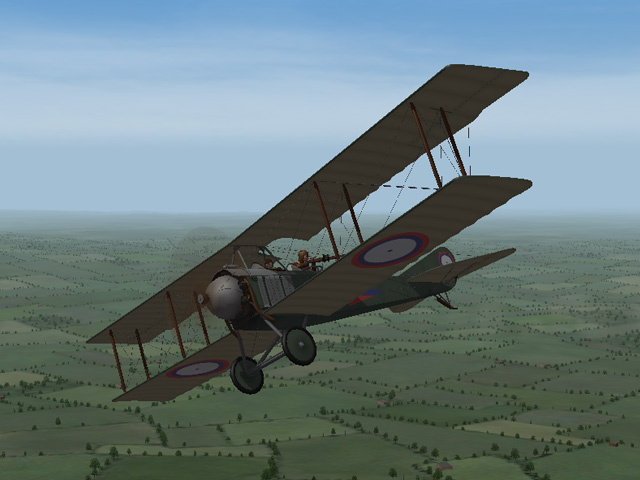
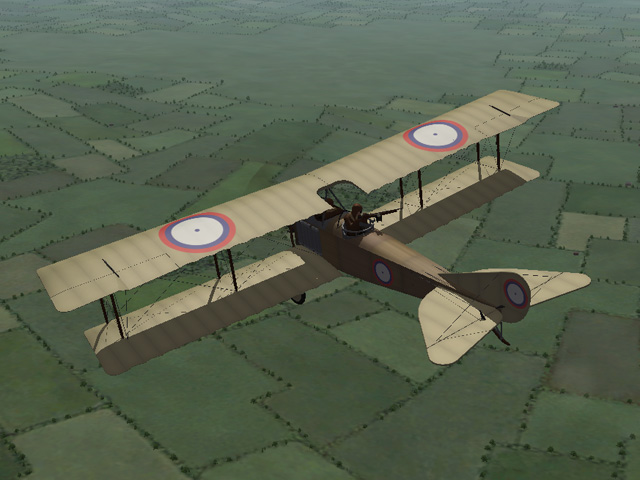
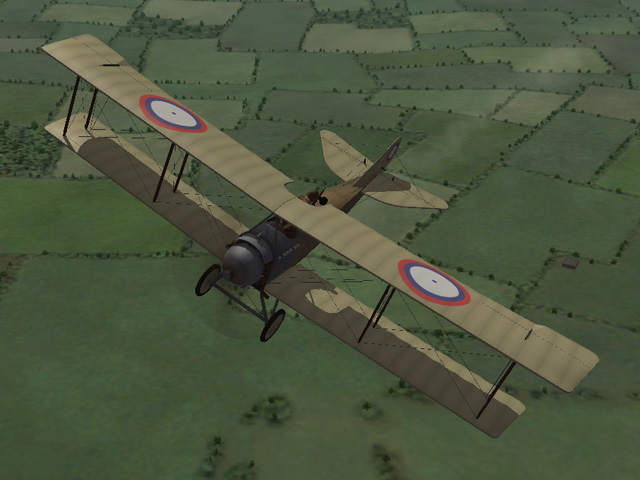
I uploaded the Lebed 12 today. It has two skins - a green-grey paint and a wood & linenskin. The Lebed factory used a slightly different version of the Russian roundel insignia, I have included decals for that. I have also included Peter01's data for the Colt-Browning machine gun. Installation instructions and my skinning templates are included with the download. My thanks to Ojcar for making the FM, and to Peter01 for the gun data.
-
View File Lebed 12 The Lebed 12 was a Russian general purpose plane introduced in early 1917. It saw service through the remainder of the war and was used extensively by both sides in the civil wars. It was the most highly produced Russian designed aircraft of World War I and equipped four divisions as well as several training schools. The Lebed 12 was armed with a single Colt-Browning machine gun and could carry a small bomb load. My version has two skins. I have included my skinning templates, decals for the Lebed version insignia for the tail and fuselage, and Peter01's data for the Colt-Browning machine gun. Installation instructions for the gun data are included in a separate text file, included with the download. Credits: My thanks to Ojcar for making the FM file for this plane, and for making adjustments for the machine gun and loadouts. Thanks to Peter01 for making the improved data for the Colt-Browning machine gun. Thanks to Crowford for correcting how I placed the decals. Installation instructions: For FE1: Unzip the file and move the folder named "Lebed12" into the FirstEagles/Objects/Aircraft folder. To install the gun, follow the instructions in the file named "InstructionsForInstallingGuns". For FE2: Unzip the file and move the folder named "Lebed12" into the FirstEagles/Objects/Aircraft folder. Then in the FirstEagles/Objects/Decals folder, create a new folder named "Lebed12". Move the folder named "D" from the Aircraft/Lebed12 folder into the Decals/Lebed12 folder you just made. To install the gun, follow the instructions in the file named "InstructionsForInstallingGuns". Submitter Stephen1918 Submitted 01/05/2015 Category Other Entente Aircraft
-
Version v3
237 downloads
The Lebed 12 was a Russian general purpose plane introduced in early 1917. It saw service through the remainder of the war and was used extensively by both sides in the civil wars. It was the most highly produced Russian designed aircraft of World War I and equipped four divisions as well as several training schools. The Lebed 12 was armed with a single Colt-Browning machine gun and could carry a small bomb load. My version has two skins. I have included my skinning templates, decals for the Lebed version insignia for the tail and fuselage, and Peter01's data for the Colt-Browning machine gun. Installation instructions for the gun data are included in a separate text file, included with the download. Credits: My thanks to Ojcar for making the FM file for this plane, and for making adjustments for the machine gun and loadouts. Thanks to Peter01 for making the improved data for the Colt-Browning machine gun. Thanks to Crowford for correcting how I placed the decals. Installation instructions: For FE1: Unzip the file and move the folder named "Lebed12" into the FirstEagles/Objects/Aircraft folder. To install the gun, follow the instructions in the file named "InstructionsForInstallingGuns". For FE2: Unzip the file and move the folder named "Lebed12" into the FirstEagles/Objects/Aircraft folder. Then in the FirstEagles/Objects/Decals folder, create a new folder named "Lebed12". Move the folder named "D" from the Aircraft/Lebed12 folder into the Decals/Lebed12 folder you just made. To install the gun, follow the instructions in the file named "InstructionsForInstallingGuns".