


RustyKurnass
-
Posts
691 -
Joined
-
Last visited
Content Type
Profiles
Forums
Gallery
Downloads
Store
Everything posted by RustyKurnass
-
There in Rome we are in the first week of lockdown and in some instance,looking at streets and road look almost as the 1st season of Walking Dead...when Rick is in the outskirt of Atlanta! Like always some idiot still take the situation less than seriously and ignore the advice to don't exit and in some cases people organized even birthdays for their sons with many kids! At least I can finish my modeling work,so when all will finish I can make happy my collector!
-
VICTORY!!!! I disabled the Game bar as per MigBuster suggestion and now ODS work!!!!
-
Any ETA for the new skins/decals for bot GR.1 and GR.1A? Awesome job!
-
Thanks Erik, the logic suggest me this answer but better to ask....
-
Sorry guys for the stuoid question,but today I retired the new PC and tomorrow will install all the SF" games;the question is ,as my games are all updated at July 2013,I need to install TW patches or not?
-
That's great, I simply love these girl!!!
-
Check here if you haven't already done
-

Strike Fighters 2 Complete Edition until Feb 29 2020
RustyKurnass replied to MigBuster's topic in News
Just downloading now the free Complete Edition! -
Honestly I've already prepared the new PC for the dual boot mod
-
Thanks for the info, i've already try to run the game as administrator and nothing. I think that I'll install Win 7 on the second SSD ( actually totally untouched) and run all from here as dual boot. Maybe this will preserve me from future headeches
-
Thanks Geary,this's what I've done. After copy an .exe ( SF2NA),I started and closet it to create the appropriate ODS folder in Saved Games. Here, I cleaned all the Object subcategory and added the files from the three zipped folder downloaded,made the option.ini correction and...nothing,when start the exe I've a normal SF2 screen running. I tried twice the re-installation of the modded campaign and nothing. I'm a noob ok, but in m the old Pc Win7 I added at least 4 complet modded campaign + a lot of skins,planes,etc...and all running (almost) smoothly. Start to thing more and more at the dual boot option
-
To be more correct,the "vanilla" 3rdW games start without problem,when I try to run the ODS mod, what start is the basic SF2 game, with all the stock Campaign and DLCs. I started to think seriously to the dual boot...
-
Ok guys,my fear is true. A pair of days ago I bought my new PC with Win 10.I've reinstalled all the SF2 titles and all merged and upgraded to July 2013 + all the DLC. At this point I installed the Desert Storm mod following all the instructions,as if it was the first time and nothing... Any ideas?
-
Thanks for the advice guys! Effectively what worried me is possible problems to run the variouus mods, but for this I'll wait 'till next week when the PC will be ready. I'm thinking if split the 2nd SSD and add a Windows 7 copy to run the games will help...
-
Thx guys, great help as always.
-
Hi all gents. I know that this topic was discussed in the past,but I'll finally change my PC,switching from Win 7 to 10. I remember that some users have had trouble running 3W sims, so before starting all I will know any possible advice. Thanks for the help
-
Ok gus,I've made a new installation,NA-based,but nothing I've the same problem in Campaign:the game loading 'till 80% and then freeze,the mouse arrow appear on the screen and crash on the desktop. Conversely I can play the single missions or instant action. I'm really pissed as ODS is my preferred mod....
-
Mate,I used the Europe full merged exe to run ODS,if I want reinstall you suggested to use NA,this mean that I can delete also the old exe and restart the whole process of a new exe for ODS?
-
Ok guys,after a pair of Campaign the proble mentioned at the start of the topic returned...but concurrentely to this I n oted that now in the aircraft folder are present all the stock aircraft,as if a some kind of update occurred.I tried also to delet the Version. and Option inis as suggested bi MigBuster in another discussion but nothing. Probably I'll reinstall the mod in the week end,but someone know a probable cause?
-
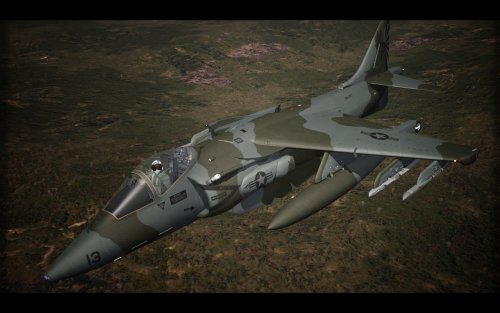 Start a ODS campaign and I've the same problem...
 -
Really or is a joke?
-
Any ETA for the Locusta skin? Also a ODS skin and decals for the GR.1A will be welcome;I modified the ODS skin from the first GR1 release ( obviously isn't at any level of your's guys but did the trick...) A more serious one ( and decals) is nin need...
-
Ok,solved!
-
Ehi guys just for curiosity,but which file is responsable for the roster pilots' name in a Campaign?
-
Your're right about the Tonka Daddy,the screenshot was of a single mission as an RSAF bird and I've changed the paint scheme just to show that this is possible in Single Mission. You don't find the number 'cause,for and HDD space problem,I've installed the latest Guuruu's GR.1 with the ODS skins from the previous release and the skin for the RSAF bird (again from the latest release). I've edited the various Campaign and plane inis ,after all the Saudi Fin was a subvariant of the RAF's. For the screenshot I'll post one from my current Campaign as a Shamrocks Hornet in which I can't choose anything and one as an USAF F-15E that show how is possible manage all. In hindsight and after look with attention at briefing screen of other installations,only the Individual Numbers and Paint Scheme will be options in a Campaign. Finally yes,the issue is for all the planes. Thanks for your time.
