


RustyKurnass
-
Posts
693 -
Joined
-
Last visited
Content Type
Profiles
Forums
Gallery
Downloads
Store
Everything posted by RustyKurnass
-
Hello guys, I post here my daily issue as I don't think will be worthwhile open a new topic. I've installed the SF2 Ov-10 pack in my Viet campaign and work well.The only issue is that I can't load any fuel tanks;conversely in the ODS game all work properly. I tried also to add the ODS tank and edit the line in the Data.ini and loadout but nothing...maybe some outdated inis? Again,I've installed ludo's Mirage 5F,and only the Jl-100R Don't work,I can't fire the rockets, ( in this case is possible replace the latter weapons with the TK stock JL-100,I can use it in the DLC Mirage 5BA;which I'll do to make it compatible with the 5F?). Any help?
-
Thanks for the xplanation; to be honest yesterday I've a similar idea and downloaded your VSF-1 skins and think that a pair of lines for the decals. are copy/past of your's!
-
Many,many,many thanks for all mate! I solved;the lines readins ( as per original ) FilenameFormat=A-4L\VC13\D\13bn and FilenameFormat=A-4L\VC13\D\13an Now,'cause Ive installed the skins in the Aircraft\A-4C_65\VA-216 and the decals in the Decals\A-4C_65\VA-216\d,simply the game don't found them. So,after re-editing the lines as FilenameFormat=A-4C_65\VA-216\D\13bn and FilenameFormat=A-4C_65\VA-216\D\13an Now,after the necessary corrections and your new lines, the decals are complete! Thank you sir for all the interest to help me,honored
-
You're right !!!! Ok after the correction Still miss the modex on the upper right wing and Bu.Nos. both bigger on the fin and smaller,fwd of the exhaust.
-
Ok Nyghtfall, I've replaced the decals.ini and run the game. the nose star&bars and modex are better,will be a little fwd but are waay better: all other decals still missed or wrong placed. Ok,back to the ini....
-
Ok, I created a Decals.ini copy to work with and the result is this: [Decal001] MeshName=Nose DecalLevel=0 DecalFacing=RIGHT FilenameFormat=Insignia Position=2.957,-0.113 Scale=1.5 DecalMaxLOD=4 [Decal002] MeshName=Nose DecalLevel=0 DecalFacing=LEFT FilenameFormat=Insignia Position=2.957,-0.113 Scale=1.5 DecalMaxLOD=4 [Decal003] MeshName=Airbrake_Right DecalLevel=0 DecalFacing=RIGHT FilenameFormat=NationName Position=-0.15,-0.05 Scale=1.3 DecalMaxLOD=3 [Decal004] MeshName=Airbrake_Left DecalLevel=0 DecalFacing=LEFT FilenameFormat=NationName Position=-0.15,-0.05 Scale=1.3 DecalMaxLOD=3 [Decal005] MeshName=Left_Outer_Wing DecalLevel=0 DecalFacing=TOP FilenameFormat=Insignia Position=-2.75,0.15 Scale=1.8 DecalMaxLOD=4 [Decal006] MeshName=Right_Outer_Wing DecalLevel=0 DecalFacing=BOTTOM FilenameFormat=Insignia Position=2.75,1.6 Scale=1.8 DecalMaxLOD=4 [Decal007] MeshName=Left_Wing DecalLevel=0 DecalFacing=TOP FilenameFormat=Insignia Position=-2.75,1.6 Scale=1.8 DecalMaxLOD=4 [Decal008] MeshName=Right_Wing DecalLevel=0 DecalFacing=BOTTOM FilenameFormat=Insignia Position=2.75,1.6 Scale=1.8 DecalMaxLOD=4 [Decal009] MeshName=Fuselage DecalLevel=0 DecalFacing=RIGHT FilenameFormat=NationName Position=-0.15,-0.05 Scale=1.3 DecalMaxLOD=3 [Decal010] MeshName=Fuselage DecalLevel=0 DecalFacing=LEFT FilenameFormat=NationName Position=-0.15,-0.05 Scale=1.3 DecalMaxLOD=3 [Decal011] MeshName=Nose DecalLevel=2 DecalFacing=RIGHT FilenameFormat=USNAttackNum Position=4.26,-0.248 Scale=0.72 DecalMaxLOD=3 [Decal012] MeshName=Nose DecalLevel=2 DecalFacing=LEFT FilenameFormat=USNAttackNum Position=4.26,-0.248 Scale=0.72 DecalMaxLOD=3 [Decal013] MeshName=VertTail DecalLevel=2 DecalFacing=RIGHT FilenameFormat=A-4L/VC13/D/13bn Position=-o.05,0.78 Scale=1.5 DecalMaxLOD=3 [Decal014] MeshName=VertTail DecalLevel=2 DecalFacing=LEFT FilenameFormat=A-4L/VC13/D/13bn Position=-0.05,0.78 Scale=1.5 DecalMaxLOD=3 [Decal015] MeshName=Fuselage DecalLevel=2 DecalFacing=LEFT FilenameFormat=A-4L\VC13\D\13an Position=-1.56,0.09 Scale=0.74 DecalMaxLOD=3 [Decal016] MeshName=Fuselage DecalLevel=2 DecalFacing=RIGHT FilenameFormat=A-4L\VC13\D\13an Position=-1.56,0.09 Scale=0.74 DecalMaxLOD=3 Now I replace the previous one and run a single mission. See later,
-
Okj,so now I start to edit....
-
?????Wow1 I will try on a copy and post the result. I've just installed a pair of your superb Scooter skin packs,are there any info to referr to?
-
Good day all guys. Sorry for the frequent dumb questions,but only the skills and the know-how of the Forums' modders can solve the problems that a FNG like me have. I've intalled the VA-216 skin for the A-4C downloaded from Column5. I know that is a SF1 skin,so after follow the Wrench's thread about converting SF1 decals/skins to SF2 in the KB forum,I started a Campaign in SF2V but the plane look this way: What happened here? The problem are the decals,because the markings painted on the skins are correctely in place,I'm right? What to do? The Decals.ini [Decal001] MeshName=Nose DecalLevel=0 DecalFacing=RIGHT FilenameFormat=Insignia Position=4.707,-0.113 Scale=1.5 DecalMaxLOD=4 [Decal002] MeshName=Nose DecalLevel=0 DecalFacing=LEFT FilenameFormat=Insignia Position=4.707,-0.113 Scale=1.5 DecalMaxLOD=4 [Decal003] MeshName=Airbrake_Right DecalLevel=0 DecalFacing=RIGHT FilenameFormat=NationName Position=-1.9,-0.05 Scale=1.3 DecalMaxLOD=3 [Decal004] MeshName=Airbrake_Left DecalLevel=0 DecalFacing=LEFT FilenameFormat=NationName Position=-1.9,-0.05 Scale=1.3 DecalMaxLOD=3 [Decal005] MeshName=Left_Outer_Wing DecalLevel=0 DecalFacing=TOP FilenameFormat=Insignia Position=-2.75,0.15 Scale=1.8 DecalMaxLOD=4 [Decal006] MeshName=Right_Outer_Wing DecalLevel=0 DecalFacing=BOTTOM FilenameFormat=Insignia Position=2.75,0.15 Scale=1.8 DecalMaxLOD=4 [Decal007] MeshName=Left_Wing DecalLevel=0 DecalFacing=TOP FilenameFormat=Insignia Position=-2.75,0.15 Scale=1.8 DecalMaxLOD=4 [Decal008] MeshName=Right_Wing DecalLevel=0 DecalFacing=BOTTOM FilenameFormat=Insignia Position=2.75,0.15 Scale=1.8 DecalMaxLOD=4 [Decal009] MeshName=Fuselage DecalLevel=0 DecalFacing=RIGHT FilenameFormat=NationName Position=-1.9,-0.05 Scale=1.3 DecalMaxLOD=3 [Decal010] MeshName=Fuselage DecalLevel=0 DecalFacing=LEFT FilenameFormat=NationName Position=-1.9,-0.05 Scale=1.3 DecalMaxLOD=3 [Decal011] MeshName=Nose DecalLevel=2 DecalFacing=RIGHT FilenameFormat=USNAttackNum Position=6.01,-0.248 Scale=0.72 DecalMaxLOD=3 [Decal012] MeshName=Nose DecalLevel=2 DecalFacing=LEFT FilenameFormat=USNAttackNum Position=6.01,-0.248 Scale=0.72 DecalMaxLOD=3 [Decal013] MeshName=VertTail DecalLevel=2 DecalFacing=RIGHT FilenameFormat=A-4L/VC13/D/13bn Position=-1.70,0.78 Scale=1.5 DecalMaxLOD=3 [Decal014] MeshName=VertTail DecalLevel=2 DecalFacing=LEFT FilenameFormat=A-4L/VC13/D/13bn Position=-1.70,0.78 Scale=1.5 DecalMaxLOD=3 [Decal015] MeshName=Fuselage DecalLevel=2 DecalFacing=LEFT FilenameFormat=A-4L\VC13\D\13an Position=-3.31,0.09 Scale=0.74 DecalMaxLOD=3 [Decal016] MeshName=Fuselage DecalLevel=2 DecalFacing=RIGHT FilenameFormat=A-4L\VC13\D\13an Position=-3.31,0.09 Scale=0.74 DecalMaxLOD=3 And the TextureSet.ini [TextureSet] Directory=VA-216 Name=VA-216 Black Diamonds Nation=USN Squadron=VA-216 Specular=0.300000 Glossiness=0.750000 Reflection=0.000000 If needed,I'll post the decals also.
-

A Campaign oddity...
RustyKurnass replied to RustyKurnass's topic in Mission & Campaign Building Discussion
Ok guys,I figured out the problem and solved! In the original EasterOffensive.DATA.ini,in the slot of the USMC units are present the USAF B-57G squadron as AirUnit 012,ok? Now,when I've added the two new units in the EasterInvasion.ini I simply counted the units from the list in the .DATA.ini and assigned the UnitID 12 and 13 as these was the "exact" numbers counting the units from the first to the last. As the game had already assigned the ID 12 to the B-57G,this caused a mismatch and the unit at which I assigned the ID 12 create the conflict. Now all run flawlessy! I hope to be clear in my explanation,anyway if scroll this thread 'till the post with the lines from both the Campaigns inis. the error will be easily identifiable... now!Sorry! I want to thanks all you guys to try help me!!!!! Gianni -
A Campaign oddity...
RustyKurnass replied to RustyKurnass's topic in Mission & Campaign Building Discussion
My friend, If you look at my previous post,the one with the various screenshots,in the lower part you can see the textureset.ini relative to the VNFA.334 skin. -
A Campaign oddity...
RustyKurnass replied to RustyKurnass's topic in Mission & Campaign Building Discussion
Yes mate, but if you look at the create campaign screenshot I selected United States Marine Corps for the service markings and VMFA-334 for the Unit Name,ok? Now,after creating the campaign,in the loadout screen,the game does not allow me to change painting scheme,service markings or unit markings. If I hit the dropdown menu bottuns of the aforomentioned options nothing happening... -
A Campaign oddity...
RustyKurnass replied to RustyKurnass's topic in Mission & Campaign Building Discussion
Ok guys, a little update to show you what happened. I've re-added the two unit but this time I added first the VMFA-334 and after the -115. So now I've in the EasterOffensive_DATA.ini this : //---- USMC Units [AirUnit008] AircraftType=A-4E_67 Squadron=VMA211 ForceID=1 Nation=USMC DefaultTexture=USMCGrey1 StartNumber=0 BaseArea=Bien Hoa Air Base BaseMoveChance=0 RandomChance=100 MaxAircraft=16 StartAircraft=16 MaxPilots=16 StartPilots=16 Experience=100 Morale=100 Supply=50 MissionChance[sWEEP]=0 MissionChance[CAP]=0 MissionChance[iNTERCEPT]=0 MissionChance[ESCORT]=0 MissionChance=90 MissionChance[CAS]=70 MissionChance[sEAD]=10 MissionChance[ARMED_RECON]=50 MissionChance[ANTI_SHIP]=0 MissionChance[RECON]=0 UpgradeType=NEVER [AirUnit009] ;AircraftType=A-6E AircraftType=A-6A Squadron=VMA224 ForceID=1 Nation=USMC ;RetireDate=7/1972 DefaultTexture=USNGrey1 RetireDate=9/1972 StartNumber=0 BaseArea=Yankee Station CarrierBased=TRUE CarrierNumber=43 BaseMoveChance=0 RandomChance=100 MaxAircraft=16 StartAircraft=16 MaxPilots=16 StartPilots=16 Experience=100 Morale=100 Supply=100 MissionChance[sWEEP]=0 MissionChance[CAP]=0 MissionChance[iNTERCEPT]=0 MissionChance[ESCORT]=0 MissionChance=80 MissionChance[CAS]=60 MissionChance[sEAD]=0 MissionChance[ARMED_RECON]=50 MissionChance[ANTI_SHIP]=0 MissionChance[RECON]=0 UpgradeType=NEVER [AirUnit010] AircraftType=A-4E_67 Squadron=VMA311 ForceID=1 Nation=USMC DefaultTexture=USMCGrey1 StartNumber=0 BaseArea=Bien Hoa Air Base BaseMoveChance=0 RandomChance=100 MaxAircraft=16 StartAircraft=16 MaxPilots=16 StartPilots=16 Experience=100 Morale=100 Supply=50 MissionChance[sWEEP]=0 MissionChance[CAP]=0 MissionChance[iNTERCEPT]=0 MissionChance[ESCORT]=0 MissionChance=60 MissionChance[CAS]=90 MissionChance[sEAD]=10 MissionChance[ARMED_RECON]=50 MissionChance[ANTI_SHIP]=0 MissionChance[RECON]=0 UpgradeType=NEVER [AirUnit011] AircraftType=F-4J Squadron=VMFA333 ForceID=1 Nation=USMC StartDate=6/1972 DefaultTexture=USNGrey1 StartNumber=25 BaseArea=Yankee Station CarrierBased=TRUE CarrierNumber=66 BaseMoveChance=0 RandomChance=100 MaxAircraft=16 StartAircraft=16 MaxPilots=16 StartPilots=16 Experience=100 Morale=100 Supply=50 MissionChance[sWEEP]=40 MissionChance[CAP]=0 MissionChance[iNTERCEPT]=0 MissionChance[ESCORT]=0 MissionChance=40 MissionChance[CAS]=90 MissionChance[sEAD]=10 MissionChance[ARMED_RECON]=50 MissionChance[ANTI_SHIP]=0 MissionChance[RECON]=0 UpgradeType=NEVER [AirUnit012] AircraftType=MBB-57B Squadron=13BS ForceID=1 Nation=USAF DefaultTexture=USAF1 BaseArea=Ubon RTAFB BaseMoveChance=0 RandomChance=100 MaxAircraft=16 StartAircraft=16 MaxPilots=16 StartPilots=16 Experience=100 Morale=100 Supply=50 MissionChance[sWEEP]=0 MissionChance[CAP]=0 MissionChance[iNTERCEPT]=0 MissionChance[ESCORT]=0 MissionChance=40 MissionChance[CAS]=0 MissionChance[sEAD]=0 MissionChance[ARMED_RECON]=95 MissionChance[ANTI_SHIP]=0 MissionChance[RECON]=0 UpgradeType=None [AirUnit013] AircraftType=F-4J Squadron=VMFA-334 ForceID=1 Nation=USMC DefaultTexture=334 StartNumber=0 BaseArea=Bien Hoa Air Base BaseMoveChance=0 RandomChance=100 MaxAircraft=16 StartAircraft=16 MaxPilots=16 StartPilots=16 Experience=100 Morale=100 Supply=50 MissionChance[sWEEP]=40 MissionChance[CAP]=0 MissionChance[iNTERCEPT]=0 MissionChance[ESCORT]=0 MissionChance=90 MissionChance[CAS]=70 MissionChance[sEAD]=10 MissionChance[ARMED_RECON]=50 MissionChance[ANTI_SHIP]=0 MissionChance[RECON]=0 UpgradeType=NEVER [AirUnit014] AircraftType=F-4B_67 Squadron=VMFA-115 ForceID=1 Nation=USMC DefaultTexture=115V2 StartNumber=0 BaseArea=Bien Hoa Air Base BaseMoveChance=0 RandomChance=100 MaxAircraft=16 StartAircraft=16 MaxPilots=16 StartPilots=16 Experience=100 Morale=100 Supply=50 MissionChance[sWEEP]=40 MissionChance[CAP]=0 MissionChance[iNTERCEPT]=0 MissionChance[ESCORT]=0 MissionChance=90 MissionChance[CAS]=70 MissionChance[sEAD]=10 MissionChance[ARMED_RECON]=50 MissionChance[ANTI_SHIP]=0 MissionChance[RECON]=0 UpgradeType=NEVER And for the EasterOffensive.ini this: //----------------------------------------------------------------------------- //---- USMC Units [uSMCUnit001] ForceID=1 UnitID=8 AircraftType=A-4E_67 Squadron=VMA211 StartDate=03/30/1972 DescFile=EasterOffStart.txt StartText=EasterOffStart1.txt [uSMCUnit002] ForceID=1 UnitID=9 AircraftType=A-6A Squadron=VMA224 StartDate=03/30/1972 DescFile=EasterOffStart.txt StartText=EasterOffStart1.txt [uSMCUnit003] ForceID=1 UnitID=10 AircraftType=A-4E_67 Squadron=VMA311 StartDate=03/30/1972 DescFile=EasterOffStart.txt StartText=EasterOffStart1.txt [uSMCUnit004] ForceID=1 UnitID=11 AircraftType=F-4J Squadron=VMFA333 StartDate=6/1972 DescFile=EasterOffStart.txt StartText=EasterOffStart1.txt StartScreen=CampaignStart3.bmp CampaignBaseScreen=CampaignStart3.bmp [uSMCUnit005] ForceID=1 UnitID=12 AircraftType=F-4J Squadron=VMFA334 StartDate=6/1972 DescFile=EasterOffStart.txt StartText=EasterOffStart1.txt StartScreen=CampaignStart3.bmp CampaignBaseScreen=CampaignStart3.bmp [uSMCUnit006] ForceID=1 UnitID=13 AircraftType=F-4B_67 Squadron=VMFA115 StartDate=6/1972 DescFile=EasterOffStart.txt StartText=EasterOffStart1.txt StartScreen=CampaignStart3.bmp CampaignBaseScreen=CampaignStart3.bmp Starting the campaign I've the Able Eagles working well All is as advertised ( apart that I'd select the VMFA_115 skin from the droppable menu in the loadout screen). If I start with the Falcon this was what happened Note from the ini above that for both squadron I edited Bien Hoa as base area and look what show the red arrow below. The loadout screen ;I can't select any skin And the plane,again a mix of markings... Soulfreak,this is the Texturset of the Falcon from the F-4J.ini [TextureSet026] Directory=334 Name=VMFA-334 Nation=USMC Squadron=VMFA-334 Falcons Specular=0.300000 Glossiness=0.550000 Reflection=0.000000 Whiteknight06604,I really don't know even where to look for the nation.ini list,but assuming that the eventual impossibility of use USMC will affect any possible USMC units,the Campaign already have the Marines squadron selectables. -
A Campaign oddity...
RustyKurnass replied to RustyKurnass's topic in Mission & Campaign Building Discussion
I've already done,for the simple reason that I've copy/paste an existent USMC air unit,changing only the required lines. Look at the VMFA-115 Unit lines [AirUnit013] AircraftType=F-4B_67 Squadron=VMFA-115 ForceID=1 Nation=USMC DefaultTexture=115V2 StartNumber=0 BaseArea=Bien Hoa Air Base BaseMoveChance=0 RandomChance=100 MaxAircraft=16 StartAircraft=16 MaxPilots=16 StartPilots=16 Experience=100 Morale=100 Supply=50 MissionChance[sWEEP]=40 MissionChance[CAP]=0 MissionChance[iNTERCEPT]=0 MissionChance[ESCORT]=0 MissionChance=90 MissionChance[CAS]=70 MissionChance[sEAD]=10 MissionChance[ARMED_RECON]=50 MissionChance[ANTI_SHIP]=0 MissionChance[RECON]=0 UpgradeType=NEVER -
You're welcome,but in reality you'll be thanks Wrench,as it solved my same problem,I've only reported the fix!
-
Ok all is solved! I delete the previos skins folders and in the Campaign,Data.ini added as default textures the new skins,so now nothing black AI Tomcats,with the exception of the VX-4!
-
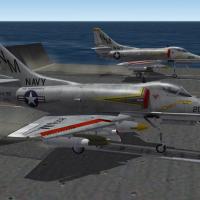 Pure gold! The Hot Rod is one of my prefered planes of all time and your work your work has made it full justice!
 -
SF2 Scooters! Vol.1 - Skinpack for TW A-4 Skyhawks
RustyKurnass commented on Nyghtfall's file in A-4
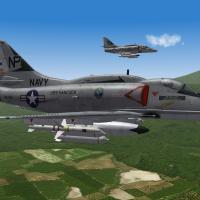 Thanks for these beauties!
 -
Hi all guys. As someone of you maybe already knows,I'm really "fixed" about the historycal correctness and a totally noob about add mods to the SF2 series. But thanks to the KB section,I started little achievements,so after found the useful thread,I decided to add a pair of new Marines AirUnits in the SF2V with the Air and Ground Expansion Pack v1.0. First I added the VMFA-115 ( the 115V2 skins from the download sectio ) and VMFA-232 to the Linebacker campaign ( CAMPAIGN2 ) and all worked fine with the exception of the modex on the 232 birds in the 1xx range instead of the 0x and the BaseArea of Bien Hoa instead of Nam Phong ( I choose the former as in the Campaign other Marines units are based here and I don't know how and if is possible use the Thai base). So,encouraged by the success.I tried to add the VMFA-115 Sq. to the Eastern Invasion Campaign;again,I edited both the EasternInvasion.Data.ini and .ini with the unit name,default texture and bla,bla,bla as before. But when I run the game I discovered that:the unit is based at Ubon and not Bien Hoa,in the briefing screen the correct menu for the skin isn't present ( will be VMFA-115 circa 1968 ) and the plane in flight look this way: So what happened? I re-do the process another time and even tried changing the squadron with the VMFA-334 and again same result,with the difference that ,for the -334 squadron,in the briefing screen,the patch box show the VMFA-235's and also the skin,is a mix of the latter unit markings with the USAF and TAC shield ones. Any help will be welcomed! Gianni
-
I'd the same problem and solved renaming the A-6A_DATA_ini as X-A-6ANEW_DATA_ini Look http://combatace.com/topic/90150-presentation-and-some-help-request/
-
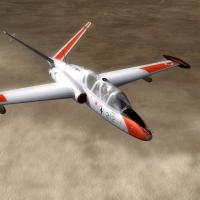 The pack is wonderful!!!! Unluckly,the skin for the SDW (IDFCamo3) don't show,I've a solid black plane.....
 -
Thanks for the very fast reply mate! Before start,eventually, all the copy/paste of the skin folders,I edited added the VF-31 texture set in the AI ini folder,run a pair of matches and look... ...look like if this simple trick work! This way I can save space. At this point,I'll try to edit only the ini texture sets,if don't work I add the also skin folders
-
Good day all guys. Recently I've installed the Tomcat Super Pack Ver.1.31 ( wooooow) on my SF2NA. The game is full patched,with installed the NAExpPack and Mediterranean Crisis;all work well but,but,the AI F-14s don't show the skins. For ex I just started a Northern Sabre 86 with the VF-31;in my first mission I choose for my plane the VF-31 "Tomcatters" '85 skin and left on my wingman the old USN Gull Grey Black Nose 2 ( I think is from the DLC).I've a complete beautiful skin but my wingman is completely black... I followed precisely the installation instructions ( so,I back-upped the originals folders and delete the cockpits). What I noted is that for any new sub-variants ( F-14A,F-14A_74,F-14A-82,ecc...) now are present the relative AI folders.,ex: F-14A_82 and F-14A_82_AI and so on. But in the AI ini not all the textures are present,and also lack the skin folders .For ex. in the F-14A_82_AI are present only the VF11JK81 and VF14AC86 folders and relative texture set in the ini files. so,what I want to know is,I need to copy/paste/edit all the texture set/skin folders in the AI planes? Thanks for any advise and help. Gianni
-
Go low,very low! In the first days of the YKW the Israeli suffred heavy losses,especially the Ahit Squadrons,at the point to search for help to the USA that lead to the Nickel Grass operation. And for the MiGs,this's one of the resons for why the IAF Ahit carried very often at least one 'Winder or Shafrir 2. And choose a light load out,compatible with the mission.
-
Good evening all, almost 2 months since I joined this community and I still don't have enough words to thanks any and all the people which created some beautiful mods! THANKS ALL! And now the dumb question of the day:I'm actually play in the ODS the AV-8B,but I ariived in the month of May(!),but the truth is that the real Desert Storm lasted in reality a little more of 40 days. In the previous campaign with the AMI Tornado,I feel to have played for an inferior timeframe,don't remember well sorry! So,what happened?Or,better,in which way I can prolong the Campaign for the right period of time?