Jump to content

First Eagles - WWI and Early Years - Add-On Aircraft

Sub Category  
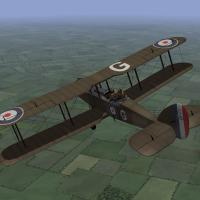
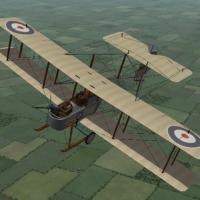
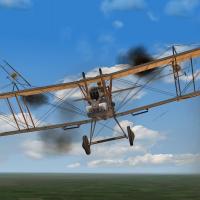
    1. Although best known in its role as a bomber, the Airco DH4 was intended to be a general purpose airplane and was used for recon and ground support as well. Early versions were powered by a 250hp Eagle engine. Later versions were powered with a 375hp Eagle engine, which made them very effective bombers. The biggest problem with the DH4 was the gas tank placed between the pilot and gunner, which made communication between the two almost impossible.
       
      I have uploaded two versions of the DH4 - Ojcar has created two FMs for the plane, one with the early 250hp engine, and one with the later 375hp engine.
       
      Both planes have two skins, a brown and an olive color. Both use the letter decals that come with First Eagles (which you can set in the loadout screen) and a set of serial numbers which will be applied randomly. There are also loadouts for light, medium, and heavy bomb loads. The skins, decals, and loadouts are interchangeable for the two planes.
       
      The skins are rather generic, I have included my skinning templates for those who wish to make better skins.
       
       
      Credits
      My thanks to Ojcar for once again making two excellent data files for the DH4.
      My thanks also to Sinbad for providing a great deal of resource information for this plane.
       
       
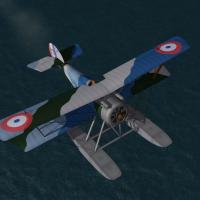
      Installation Instructions
      The two versions can be installed separately or both together.
       
      For FE1 - Unzip the file and move the folders named "AircoDH4_250" and "AircoDH4_375" into the FirstEagles/Objects/Airplanes folder.
       
      For FE2 - Unzip the file and move the folders named "AircoDH4_250" and "AircoDH4_375" into the FirstEagles/Objects/Airplanes folder. Then in the FirstEagles/Objects/Decals folder, create new folders named "AircoDH4_250" and "AircoDH4_375". Move the folders named "D" from the Airplanes/AircoDH4 folders into the corresponding Decals/AircoDH4 folder you just made.
      535 3
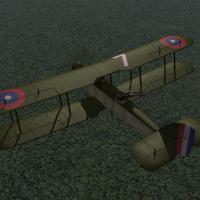
    2. In addition to the British built version, the DH4 was also produced by American manufacturers and was equipped with a Liberty 12 cylinder engine. Although slightly less powerful than the British version, The DH4 Liberty was popular with its crews and was produced in large numbers. After the war, it became the standard general purpose plane for the US Air Service.
       
      This upload features the US version, with a new FM by Ojcar. The Liberty engine was slightly heavier than the British version and performance was reduced. To compensate, American DH4s carried a slighty lighter bomb load than the British built planes.
       
      I have included a new skin using the number decals that come with First Eagles (which you can set in the loadout screen) and a set of serial numbers which will be applied randomly. There are also loadouts for light, medium, and heavy bomb loads.
       
      The skins are rather generic, I have included my skinning templates for those who wish to make better skins.
       
       
      Credits
      My thanks to Ojcar for making the data file for the DH4 Liberty.
      My thanks also to Sinbad for providing the motivation and a great deal of resource information for this plane.
       
       
      Installation Instructions
      For FE1 - Unzip the file and move the folder named "DH4_Liberty" into the FirstEagles/Objects/Airplanes folder.
       
      For FE2 - Unzip the file and move the folder named "DH4_Liberty" into the FirstEagles/Objects/Airplanes folder. Then in the FirstEagles/Objects/Decals folder, create a new folder named "DH4_Liberty". Move the folder named "D" from the Airplanes/DH4_Liberty folder into the Decals/DH4_Liberty folder you just made.
      391 1
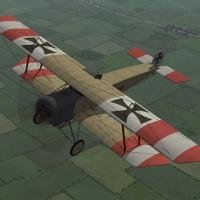
    3. The Fokker Aircraft Company produced several biplanes during the time it was producing it's famous Eindeckers. Two of them, the M.7 and the M.10 were purchased by Austria-Hungary and were both designated the "B.I" My version is the M.7 (I believe Bwf/Bortdafarm's version is the M.10 since it has a wider lower wing.)
       
      The M.7/B.I was a two seater plane for reconnaissance and carried no guns. The pilot was in the rear seat. Later in the war, when the B.I was used for training, some of them were fitted with dual controls.
       
      Mine is unarmed, like most planes used in the early months of the war, but there is a loadout for a couple of handgrenades.
       
      I have included two skins, one Austrian, the other German, with appropriate decals for each. I have included my skinning templates so others can make new skins if they want.
       
       
      Historical Notes
      The serial numbers are fictitious. The cockpit is based on the Eindecker cockpit, since I could find no photo's of the B.I cockpit.
       
       
      Credits
      My thanks to ojcar, who created the FM for the Fokker B.I.
       
      My thanks also to Nix, who provided the sound for the Gnome 80hp engine. (This is the same sound file I uploaded with the Sikorsky. If you already have either of the Sikorsky's you won't need to install the sound.)
       
       
      Installation instructions
      Note: The name uses an "I", not a one. If you type it wrong, the game won't recognize the plane.
       
      For FE1 - Unzip the file and move the folder named "FokkerM7BI" into the "Aircraft" folder in the FirstEagles/Objects folder. You may also need to move the sound file "gnome80m4.wav" into the FirstEagles/Sounds folder.
       
      For FE2 - Unzip the file and move the folder named "FokkerM7BI" into the FirstEagles/Objects/Aircraft folder. Then in the FirstEagles/Objects/Decals folder, create a new folder named "FokkerM7BI". Move the folder named "D" from the Aircraft/FokkerM7BI folder into the Decals/FokkerM7BI folder you just made. You may also need to move the sound file "gnome80m4.wav" into the FirstEagles/Sounds folder.
      453 2
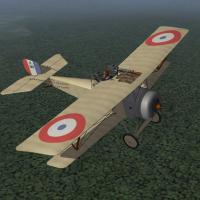
    4. The Nieuport 10 was the first of the classic wing-and-a-half, V-strut Nieuports. Designed in 1914, it combined the visibility of a monoplane with with the strength of a biplane. The Nieuport 10 was designed as a two seater, but was underpowered. Many of them were converted to single seat planes and with the addition of a wing mounted machine gun, the Nieuport 10 became an effective fighter for the early years of World War I. My model is configured as a single seat fighter.
       
      I have included three skinning options, which are identical except for the decals. The Italian Linen uses the Italian insignia and includes the red and green underwing panels. The Russian skin uses the Russian insignia and includes the roundels on the tail planes. The Standard Linen can be used for all the other Entente powers. This plane uses the national markings that come with First Eagles, so you can easily change nationalities (in the Standard Linen skin only.)
       
      I have included decals for serial numbers which will be applied randomly.
       
       
      Historical Notes:
      The numbers are fictious, but in the correct range for most Nieuport 10s. British planes carried a four digit serial number on the fuselage, Italian planes used "Ni" instead of "N" in the serial numbers.
       
       
      Credits:
      My thanks once again to Ojcar for making the excellent data.INI file for this plane.
      My thanks to Nix for making the realistic sound file for the Le Rhône 80hp engine.
      Thanks also to Nix, Sinbad, Whiteknight06604, and 33Lima who provided suggestions and resources for the Nieuport 10.
       
      Version 2
      Revised data file by ojcar improves performance and corrects hit box locations for the fuel tanks - thanks to Panama Red for testing.
       
       
      Installation instructions:
      For FE1: Unzip the file and move the folder named "Nieuport10" into the FirstEagles/Objects/Airplanes folder. You also need to move the sound file "LeRhone9c80hp1m4.wav" into the FirstEagles/Sounds folder.
       
      For FE2: Unzip the file and move the folder named "Nieuport10" into the FirstEagles/Objects/Airplanes folder. Then in the FirstEagles/Objects/Decals folder, create a new folder named "Nieuport10". Move the folder named "D" from the Airplanes/Nieuport10 folder into the Decals/Nieuport10 folder you just made. You also need to move the sound file "LeRhone9c80hp1m4.wav" into the FirstEagles/Sounds folder.
      736 2
    5. The Nieuport 12 was an improved version of the Nieuport 10. It had a more powerful engine, a larger upper wing and a slightly larger tail plane. These features gave the plane the power and performance to fly as a two man fighter. I have fitted my model with an Etévé gun mount holding a Lewis machine gun in the back, and another Lewis gun on the upper wing for the pilot.
       
      I have included three skinning options, identical except for the decals. The Italian Linen uses the Italian insignia and includes the red and green underwing panels. The Russian skin uses the Russian insignia and includes the roundels on the tail planes. The Standard Linen can be used for all the other Entente powers. This plane uses the national markings that come with First Eagles, so you can easily change nationalities (in the Standard Linen skin only.)
       
      I have included decals for serial numbers which will be applied randomly.
       
       
      Historical Notes:
      The numbers are fictious, but in the correct range for most Nieuport 12s. British planes carried the serial number on the fuselage.
       
      The Nieuport 12 wasn't used by the Italians, but I included the skin anyway.
       
      The Etévé gun mount ring should be flush with the fuselage, but because of limits in the way the game animates objects, I had to raise it up to avoid it intersecting the plane when it moved.
       
       
      Credits:
      My thanks once again to Ojcar for making the excellent data.INI file for this plane.
      My thanks to Nix for providing the engine sound file.
      Thanks also to Nix, Sinbad, Whiteknight06604, and 33Lima who provided suggestions and resources for the Nieuport 12.
       
      Version 2
      Revised data file by ojcar improves performance and corrects hit box locations for the fuel tanks - corrects muzzle location for rear gun - engine sound added - thanks to Panama Red for testing
       
       
      Installation Instructions:
      For FE1: Unzip the file and move the folder named "Nieuport12" into the FirstEagles/Objects/Airplanes folder. You also need to move the sound file "clerget9b2m2.wav" into the FirstEagles/Sounds folder.
       
      For FE2: Unzip the file and move the folder named "Nieuport12" into the FirstEagles/Objects/Airplanes folder. Then in the FirstEagles/Objects/Decals folder, create a new folder named "Nieuport12". Move the folder named "D" from the Airplanes/Nieuport12 folder into the Decals/Nieuport12 folder you just made. You also need to move the sound file "clerget9b2m2.wav" into the FirstEagles/Sounds folder.
      682 1
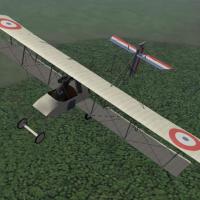
    6. The Voisin III was developed in 1914 and used throughout the war. It was produced in large numbers and was used by all the Entente powers. Although it was originally used as a fighter, reconnaissance, and ground attack plane, it was most commonly used as a bomber later in the war.
       
      My version is the Voisin LAS with a full chord lower wing, a 9 cylinder water-cooled Salmson engine, and an 8mm Hotchkiss magine gun mounted on a tripod over the pilot.
       
      Ojcar has created two data.ini's for the Voisin LAS, one for the 120hp engine, and one for the 150hp engine. For your convenience, I have created a completely separate plane for each. The models, decals and skins are the same, but the data.ini's and loadouts are different, with lighter bomb loads for the 120hp plane.
       
      I have included three skinning options for each plane, identical except for the decals. The Italian Linen uses the Italian insignia with red and green underwing panels. The Russian Linen uses the Russian insignia and includes stripes on the tail planes. The Standard Linen can be used for all the other Entente powers. This plane uses the national markings that come with First Eagles, so you can easily change nationalities (in the Standard Linen skin only.) I have included my skinning templates.
       
      I have also included decals for serial numbers which will be applied randomly.
       
      There doesn't seem to be any standard way for the Voisin to carry its bombs, so I have included several loadouts with different sized bombs carried in different positions, with appropriate weights for each plane. (The loadout names are based on the size of the bombs, not the total loadout weight.)
       
       
      Historical Notes:
      The serial numbers are fictious, but in the correct range for the Voisin LAS.
       
      The Russians used different national markings on the tail planes, If you use my Russian skin, you will have white, blue, and red stripes on the tail planes. If you use the Standard skin for the Russians, you will get roundels on the tail planes.
       
       
      Credits:
      My thanks once again to Ojcar for making two excellent data.ini files for this plane.
      Thanks also to Sinbad, 33Lima, and Dreamk who provided reference materials for the Voisin LAS.
       
       
      Version 2 - Ojcar has created a new FM which improves the fighting performance of the AI. A fake machine gun has been added which causes the pilot of AI planes to be more active in pursuing enemy aircraft. Installation instructions for the new gun are in a separate file.
       
       
      Installation instructions:
      For FE1: Unzip the file and move the two folders named "Voisin3_120" and "Voisin3_150" into the FirstEagles/Objects/Airplanes folder.
       
      For FE2: Unzip the file and move the two folders named "Voisin3_120" and "Voisin3_150" into the FirstEagles/Objects/Airplanes folder. Then in the FirstEagles/Objects/Decals folder, create two new folders named "Voisin3_120" and "Voisin3_150". Move the folder named "D" from the Airplanes/Voisin3_xxx folders into the corresponding Decals/Voisin3_xxx folders you just made.
       
      To install the gun, follow the instructions in the file named "InstructionsForInstallingGuns".
      578 0
    7. The Vickers FB5 was the first British plane designed specifically as a fighter. It was nicknamed the "Gunbus" because the pusher style aircraft had a factory installed machine gun mounted in the front, giving the gunner a wide angle of fire.
       
      Although underpowered for its size, the large tail surfaces made it quite maneuverable. The Gunbus was an effective fighter for its time and was used to create the first fighter squadron, the RFC No. 11 Squadron. The Vickers FB5 was quickly outclassed and replaced by other fighters but it made a lasting impression on pilots.
       
      I have included two skins with decal ini's for both the Standard Linen used by Britain and France, as well as an early British skin with flags instead of roundels. I have also included a set of serial numbers which will be applied randomly. I have included my skinning templates for the plane and the cockpit.
       
      Historical Notes
      The serial numbers are fictitious, but in the correct range for most FB5s.
      Details of the instrument panel are mostly conjecture.
      Several kinds of gun mounts were used on the Gunbus, most of them required considerable upper body motion for the gunner. In First Eagles, it is not possible to animate the gunner, so my gun mount is fictitious, but at least allows the gunner some freedom of movement.
       
      Credits
      My thanks to Ojcar for once again making an excellent data file for the Vickers Gunbus.
      My thanks to Nix for providing the sound for the Gnome engine
       
      Version 2 - Ojcar has created a new FM which improves the fighting performance of the AI. A fake machine gun has been added which causes the pilot of AI planes to be more active in pursuing enemy aircraft. Installation instructions for the new gun are in a separate file.
       
       
      Installation Instructions
      For FE1 - Unzip the file and move the folder named "VickersFB5" into the FirstEagles/Objects/Airplanes folder. You also need to move the sound file "gnome80m4.wav" into your FirstEagles/Sounds folder.
       
      For FE2 - Unzip the file and move the folder named "VickersFB5" into the FirstEagles/Objects/Airplanes folder. Then in the FirstEagles/Objects/Decals folder, create a new folder named "VickersFB5". Move the folder named "D" from the Airplanes/VickersFB5 folder into the Decals/VickersFB5 folder you just made. You also need to move the sound file "gnome80m4.wav" into your FirstEagles/Sounds folder.
       
      To install the fake machine gun, follow the instructions in the file named "InstructionsForInstallingGuns".
      639 0
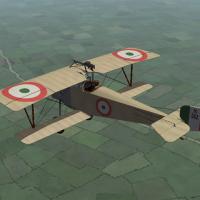
    8. The much maligned SPAD A.2 was not nearly as dangerous as some people believe. It was actually a good idea in the days before the synchronized gun was perfected, and continued to be used on the Eastern Front throughout the war. The A.2 was SPAD's first fighter and was introduced in mid 1915.
       
      My version is the Russian version which was built at the Dux factory in Moscow. The upper wing has a center panel above the fuselage, and the gunner is equipped with a Colt-Browning 30 caliber machine gun.
       
      I have included four skinning options, identical except for the decals. There are skins for 3 Russian variations, and a skin for the French. I have included my templates and serial numbers for some of the skins, which will be applied randomly.
       
      Historical Notes:
      The serial numbers are fictitious.
       
      Credits:
      My thanks once again to Ojcar for making the excellent data.INI file for this plane.
      My thanks to Nix for providing the engine sound for the LeRhone engine
      Thanks also to Sinbad and Whiteknight06604 who provided resources for the SPAD A.2 and for the Colt-Browning machine gun.
       
      Version 2 - Ojcar has created a new FM which improves the fighting performance of the AI. A fake machine gun has been added which causes the pilot of AI planes to be more active in pursuing enemy aircraft. Installation instructions for the new gun are in a separate file.
       
       
      Installation instructions:
      For FE1: Unzip the file and move the folder named "SPADA2" into the FirstEagles/Objects/Aircraft folder. You also need to move the sound file "rhone110bn4nC" into your FirstEagles/Sounds folder.
       
      For FE2: Unzip the file and move the folder named "SPADA2" into the FirstEagles/Objects/Aircraft folder. Then in the FirstEagles/Objects/Decals folder, create a new folder named "SPADA2". Move the folder named "D" from the Aircraft/SPADA2 folder into the Decals/SPADA2 folder you just made. You also need to move the sound file "rhone110bn4nC" into your FirstEagles/Sounds folder.
       
       
      To install the gun, follow the instructions in the file named "InstructionsForInstallingGuns".
      421 1
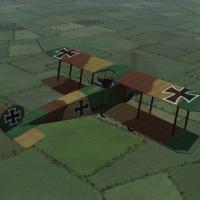
    9. The Fokker D.II was intended to be a replacement for the Eindeckers. It carried a single machine gun and used wing warping instead of ailerons. Production of the plane was slow and by the time large number were available, it had been outclassed by the Nieuport 11s. However it was used on the Eastern Front until late 1917.
       
      I have made three skins for the D.II - a green paint, a two color camo, and a three color camo. I have also incuded a complete set of (ficitious) serial numbers for German planes. I have included my skinning templates for those who wish to make different skins.
       
      Credits
      My thanks to Ojcar for making the data file for the Fokker D.II.
      Also, my thanks to Nix who provided the sound file for the Oberursel 100hp engine.
       
      Installation Instructions
      For FE1 - Unzip the file and move the folders named "FokkerD2" into the FirstEagles/Objects/Aircraft folder. You also need to move the sound file "OberurselUI.wav" into the FirstEagles/Sounds folder.
       
      For FE2 - Unzip the file and move the folder named "FokkerD2" into the FirstEagles/Objects/Aircraft folder. Then in the FirstEagles/Objects/Decals folder, create a new folder named "FokkerD2". Move the folder named "D" from the Aircraft/FokkerD2 folder into the Decals/FokkerD2 folder you just made. You also need to move the sound file "OberurselUI.wav" into the FirstEagles/Sounds folder.
      505 0
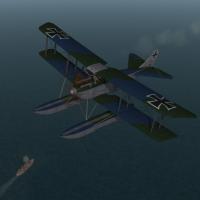
    10. The Rumpler 6B was a float plane version of the Rumpler C.I. It had more forward stagger to the upper wing and a larger rudder than the land version. The fuselage was also modified to make the plane a one man fighter.
       
      I have made an early version, the 6B-1. The 6B-2 was introduced later and was slightly larger, had a different tail, and didn't perform as well as the 6B-1. The Rumpler 6B-1 was a fighter and saw service in the Baltic, the North Sea, and the Black Sea.
       
      Since it's a float plane, the 6B-1 works best in the Flanders, Gibraltar or other terrain that has a lot of water. The plane will actually take off and land from a conventional airfield, but it looks strange to see the floats going under the ground. It would be best to start the missions in the air.
       
      I have included two skins, a standard German "Sea Hex" camo and a mottled green and blue camo. My skinning templates are included with the download. I have also included a set of number decals.
       
      Credits
      Thanks to Ojcar for making the data file for the Rumpler 6B-1 and for providing information on the appearance of the plane.
      Thanks to Nix for providing the sound for the Mercedes engine.
       
       
      Installation Instructions
      For FE1 - Unzip the file and move the folder named "Rumpler6B1" into the FirstEagles/Objects/Aircraft folder. You also need to move the sound file "mercedes160m2.wav" into the FirstEagles/Sounds folder.
       
      For FE2 - Unzip the file and move the folder named "Rumpler6B1" into the FirstEagles/Objects/Aircraft folder. Then in the FirstEagles/Objects/Decals folder, create new folder named "Rumpler6B1". Move the folder named "D" from the Aircraft/Rumpler6B1 folder into the Decals/Rumpler6B1 folder you just made. You also need to move the sound file "mercedes160m2.wav" into the FirstEagles/Sounds folder.
      329 0
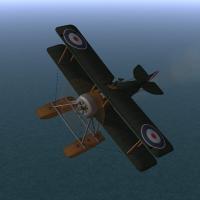
    11. The Sopwith Baby was a British, single seat float plane used for reconnaissance and light bombing. It was built in fairly large numbers and was used by the British, French, Italian, Australian, Canadian, and American navies.
       
      My version carries a Lewis machine gun on the upper wing and a has a loadout for a light bomb load. Some Babys had a Lewis gun mounted at an angle through the upper wing and some had a synchronized Lewis mounted on the fuselage, but the horizontal upper wing mount seems to have been the most common.
       
      Since it's a float plane, the Sopwith Baby works best in the Flanders, Gibraltar or other terrain that has a lot of water. Ojcar has done a great job making this plane take off and land realistically on water.
       
      The plane will actually take off and land from a conventional airfield, but it looks strange to see the floats going under the ground. It would be best to start the missions in the air.
       
      I have included two skins, a generic olive skin for France and Britain, and an Italian linen skin. A full set of decals are included with Italian insignia and (fictitious) serial numbers. My skinning templates are included with the download.
       
       
      Credits
      Thanks to Ojcar for making the data file for the Sopwith Baby.
      Thanks to Nix for providing the sound for the engine.
       
       
      Installation Instructions
      For FE1 - Unzip the file and move the folder named "SopwithBaby" into the FirstEagles/Objects/Aircraft folder. You also need to move the sound file "clerget9b2m2.wav" into the FirstEagles/Sounds folder.
       
      For FE2 - Unzip the file and move the folder named "SopwithBaby" into the FirstEagles/Objects/Aircraft folder. Then in the FirstEagles/Objects/Decals folder, create new folder named "SopwithBaby". Move the folder named "D" from the Aircraft/SopwithBaby folder into the Decals/SopwithBaby folder you just made. You also need to move the sound file "clerget9b2m2.wav" into the FirstEagles/Sounds folder.
      270 3
    12. The Hanriot HD.2 was a French, single seat float plane version of the Hanriot HD.1. It had a larger tail, shorter wings, and mounted 2 Vickers machine guns. It was used by the French as an interceptor, defending seaplane bases, and as an escort for reconnaissance planes.
       
      Since it's a float plane, the Hanriot HD.2 works best in the North Sea terrain, or in Flanders, Gibraltar or other terrain that has a lot of water. The plane will actually take off and land from a conventional airfield, but it looks strange to see the floats going under the ground.
       
      I have included two skins, a generic linen skin and a 4 color camo skin. The camo skin may be fictitious and uses the French 4 color camo pattern, but with blue and grey colors instead of greens and browns. I have included a set of decals. My skinning templates are included with the download.
       
       
      Credits
      Thanks to Ojcar for making the data file for the Hanriot HD.2 and for providing information for the cockpit.
      Thanks to Nix for providing the sound for the engine.
       
       
      Installation Instructions
      For FE1 - Unzip the file and move the folder named "HanriotHD2" into the FirstEagles/Objects/Aircraft folder. You also need to move the sound file "clerget9b2m2.wav" into the FirstEagles/Sounds folder.
       
      For FE2 - Unzip the file and move the folder named "HanriotHD2" into the FirstEagles/Objects/Aircraft folder. Then in the FirstEagles/Objects/Decals folder, create new folder named "HanriotHD2". Move the folder named "D" from the Aircraft/HanriotHD2 folder into the Decals/HanriotHD2 folder you just made. You also need to move the sound file "clerget9b2m2.wav" into the FirstEagles/Sounds folder.
      277 0
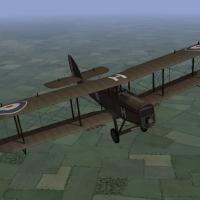
    13. Stock AI RE8 made player-flyable, for FEG & FE2. See readme for installation etc. Loadout screen locks up in FE2; will upload fix if/when found.
       
      OFF has a Harry Tate already, RoF is about to get one. Couldn't find an RE8 for FE so made this myself.
      586 1
    14. Albatros D.III Oeffag Ba.53
       
      3D model + 2 generic skins + FM (185 HP Austro-Daimler)
      by Jan Tuma
      308 0
    15. Albatros D.III Oeffag Ba.53 field mod
       
      3D model + 2 generic skins + FM (185 HP Austro-Daimler)
      by Jan Tuma
      225 0
    16. Albatros D.III Oeffag Ba.153 early
       
      3D model + 2 generic skins + FM (200 HP Austro-Daimler)
      by Jan Tuma
      242 0
    17. Albatros D.III Oeffag Ba.153 late
       
      (It is possible use also like Ba.253 early)
       
      3D model + 2 generic skins + FM (200 HP Austro-Daimler)
      by Jan Tuma
      219 0
    18. Albatros D.III Oeffag Ba.253 late
       
      (It is possible use also like Ba.153 late field mod + Ba.253 early field mod)
       
      3D model + 2 generic skins + FM (225 HP Austro-Daimler)
      by Jan Tuma
      299 0
    19. Nieport 24 Lewis v1.0 with 1 overhead Lewis and cockpit
       
      Original N24 3D Model and clean skins by EmlD
      FM by peter01
      Ini file modification to N24_Lewis by Panama Red
      29th Sqn. Skins and Decals by quack74
      LeRhone9jb Sound by Nix
      Testing by ojcar
       
      This N24_Lewis was created so ojcar could use it in his FE2 Campaign Series.
       
      The real RFC Nieuport 24 Lewis had a very short career on the Western Front before transfering to the Middle Eastern Front. Basicaly only one RFC squadron used it for any length of time on the Western Front, and that was the 29th Squadron from Nov 1917 to Feb 1918.
       
      As a result, quack74 created this set of unique decals for all three flights of the RFC 29th Squadron. Included are two sets of skins, the default "dirty" set, and an alternate "clean" set for those who want a difference.
       
      To install this package, do the following:
       
      FE1:
      Install the N24_Lewis folder to your
      .../Aircrafts directory
      Install LeRhone9jb.wav to Sounds directory
      Install Gunsite01 into WeaponData.Dat
       
      FE2:
      Install the N24_Lewis folder to your
      .../Aircrafts directory
      Install N24_Lewis decals folder to your
      .../Decals directory
      Install LeRhone9jb.wav to Sounds directory
      Install Gunsite01 folder into Weapons directory
      351 0
    20. Just a little rework of the previously uploaded MS.H in Russian markings, I have just tweaked the skins a little, and added decals instead of the pre printed insignia, just a personal preference.
      I have included the sound files, and the decals needed for this aircraft.The only thing I would like to improve is the addition of a windscreen, as per the Pfalz EI , but that is beyond my abilities.
       
      The only little Glitch I have encountered is the decal seems to show slightly on the wing tip, cant seem to solve that problem, but it isnt that bad anyhow. I tried to place the wing decals further inboard, but for some reason the Starboard wing doesnt accept this, but I dont think it looks too shabby.
       
      just follow all the usual malarkey for installing to FE, or indeed just use the skins if you already have the A/C installed.
       
      As I have said, this is just a tweak of the original skin, so all thanks to everyone who went before me in designing the A/C and for giving me the idea to tweak it !!!
      176 0
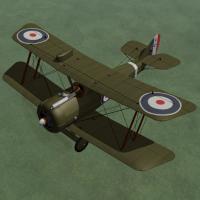
    21. A new Snipe
      492 3
    22. So you all have the wonderful F2B by the A-Team?
       
      And the not least wonderful Peter01 FM for this bird?
       
      Very well, I have tuned a little more the FM (more easy take off for the AI), and have added a virtual second Machine gun for the observer. You'll see only one Lewis (that's the way the model it's done), but be careful, because there are two Lewis firing at you (in the very same location). I also changed the POW in the cockpit, so it's much more easier firing the Vickers!
       
      The original FM (F2Ba, the one without wing Lewis, historically more correct) is from a 275 Hp Falcon III engined, so I have decided to make both Falcon I (190Hp with only one Lewis) and Falcon II (220Hp) engined Bristols!!!!
      420 2
    23. So you all have the wonderful Pfalz DIII and DIIIa by the A-Team?
       
      And the not least wonderful Peter01 FM for this bird?
       
      Very well, I have tuned a little more the FM because I think it needed to be a little tuned down. The DIIIa in game was faster than an Albatros DVa (180Hp) (just the contrary to pilot
       
      stories about it). No more!
      The Pfalz D XII was the contrary case. It was a close competitor for the Fokker VII, but in game was slower than the old DIIIa, so it has a new FM as well.
      I have made also an FM for the Roland DVIa, beacuse there is no Peter01 FM for this plane (I think so). It's fast and nimble, but doesn't climb very well. Probably needs more testing...
       
      Besides, reading about the Mercedes DIII engine history I noticed that early Pfalz DIII had the Mercedes DIII engine and late Pfalz DIIIa had the Mercedes DIIIaü (180Hp), but this engine
       
      was in service in March 1918 and the DIIIa were in the units in late 1917, so.....we were lacking an engine!
      At the same time, Albatros DIII and DV were given the Mercedes DIIIa (170Hp), so I have made a 170 Hp Pfalz!
      509 3
    24. This is the last machine that Bort' built for 1st eagles that I'm aware of.
      The S1 wasn't in the original upload because it hadn't been done untill
      later, by which time the both of us had pretty much left the scene.
      As Bortdafarms web page is long gone, I'm adding the S1 to the collection here at CombatACE.
       
      Disclaimer: This zip file(MartinsydeS1.zip) is the sole work and property of Bortdafarm.
       
      Uploaded by Bwf.
      300 0
×
×
  • Create New...

Important Information

By using this site, you agree to our Terms of Use, Privacy Policy, and We have placed cookies on your device to help make this website better. You can adjust your cookie settings, otherwise we'll assume you're okay to continue..