


elephant
-
Posts
1,028 -
Joined
-
Last visited
Content Type
Profiles
Forums
Gallery
Downloads
Store
Everything posted by elephant
-
The same here in Greece...35-40 C
-
Other planes view command ?
elephant replied to Panama Red's topic in WOFF UE/PE - General Discussion
-
Other planes view command ?
elephant replied to Panama Red's topic in WOFF UE/PE - General Discussion
You can see them but the view is linked always to you and you can't actually rotate the view around them... Quite primitive IMO, as well as the unconfigurable wide lens external view effect ! Don't bother to answer on that, I know it's a CFS3 related matter and nothing to do with OFF, actually... :no2: -
OK, you were talking about control cables only... I thought that you were talking about the wing cables and was suggesting that a damaged wing would collapse under the combined tension of the cables and the G forces while manoeuvring. But since they are not modelled it's just a misunderstanding by my side...
-
Other planes view command ?
elephant replied to Panama Red's topic in WOFF UE/PE - General Discussion
External views CFS3 wise, are pretty lame! In my first days taking a desired screenshot was kind of frustrating puzzle! Anyway you get used to it... -
I don't know about cable hits reduction and wing strength... I have my doubts... Not about the percentage of cable hits, (that's plausible enough and even lower), but the fact that in a structural hit wing, the tension from the cables, wouldn't result the wing to break more easily if the plane keeps manoeuvring? What do you think?
-
Yes indeed! Absolute must have mods! I use most of them too... I have disabled Creaghorn's tracer mod as, I kind of like the flying debris effect + the exaust fumes that this mod eliminates. I have developed my own reduced tracer mod, istead. At the moment I have the FM mods disabled too, as I can't see Aces schemes in my Sqn. (waiting for Winder's fix)...
-
This is one of my favorites by Russell Smith: By the dawn's early light

-
Brand new DM and FM now ready!
elephant replied to Herr Prop-Wasche's topic in WOFF UE/PE - General Discussion
So do I, and still see "flamers". But, I think that HPW is already working on an update for th DM mod, that will eliminate the problem. -
OT Now that's what I call a bike!
elephant replied to UK_Widowmaker's topic in WOFF UE/PE - General Discussion
-
P4 - most desirable improvements
elephant replied to 33LIMA's topic in WOFF UE/PE - General Discussion
Exactly, and don't you forget the rest of us "hobby" skinners who are happy enough with revised editions of existing planes, (Albatrosse)... -
I have noticed that too, in lone wolf missions! Many irrelevant, far away from action, waypoins are created. If I want to warp, I have to move to the next waypont (Shift+W) at least five times before doing so and not get lost.
-
French Air Service Documents
elephant replied to lederhosen's topic in WOFF UE/PE - General Discussion
Seems like some great informative stuff there, Olham... Thank you very much! -
P4 - most desirable improvements
elephant replied to 33LIMA's topic in WOFF UE/PE - General Discussion
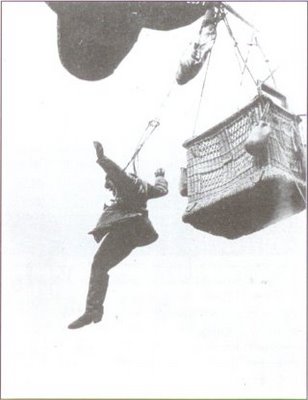
I'd like to see too, player-AI FM equality...as Rugbyfan is suggesting. I'd also, like to make a suggestion on a minor, more eye kandy than serious, matter. I remember in CFS3, that there was a possibility that the parachute would not open and there was a seperate animation and unique screaming sound, for that! Can't this animation only be linked to the "jumpers", than the invisible parachute that it is now used? Moreover, can proper bail out option, (with increased possibility of failure), be implemented to the German side from April'18 and on? Or bail out animation added to the balloon crews and possibility for winched down baloons? OK, I'm stopping...I start dreaming...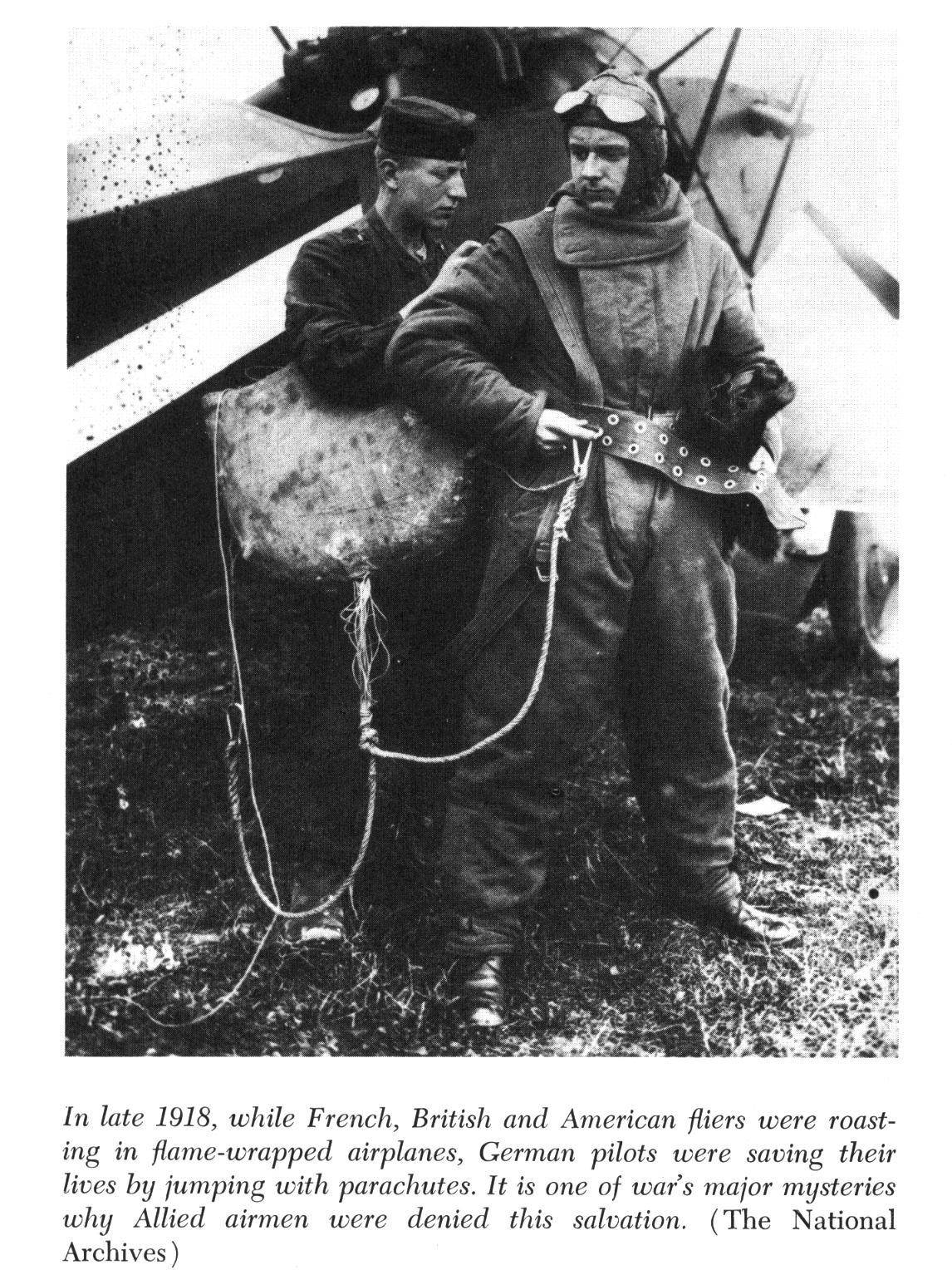

-
Yes of course, that why I posted the tip. It's a spelling mistake by default. Nothing to do with the FM mod...
-
P4 - most desirable improvements
elephant replied to 33LIMA's topic in WOFF UE/PE - General Discussion
I think that OFF : "Rise of Kanvas Knights of the Sky" would be even better... -
Thanks for the answer and support Winder! Just a heads up for anyone that ever wants to fly with Jasta 37, Ace skin of Kurt Grasshof is misspelled by default in OFF! That's why it's not showing in Campaign... To address this go to: (Your sim folder) > campaigns > CampaignData > skins and rename: off_Alb_DV_later_Ace_t_Jasta 37 1917_Kurt_Grasshoff.dds to: off_Alb_DV_later_Ace_t_Jasta 37 1917_Kurt_Grasshof.dds
-
P4 - most desirable improvements
elephant replied to 33LIMA's topic in WOFF UE/PE - General Discussion
-
OeFFAG Albatros D.III now in Serial-production
elephant replied to Olham's topic in WOFF UE/PE - General Discussion
Thanks for the heads up! I've been following this thread for long... There is a video of the first production plane testing engine, outside the hangar... but I have to search for it... PS: didn't find video only pics... -
I'm afraid I don't...JFM is more qualified to answer to that... Here is another James Dietz WiP painting, prepared for the same event: Hats in the Ring
-
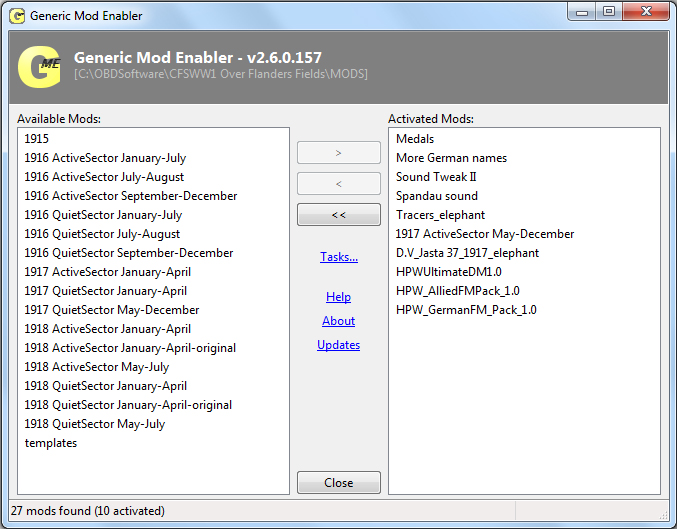
If you look on the picture above, (just below the Generic Mod Enabler version inscription), you'll see that the MODS directory is the same for me... I'm running Windows 7 32bit...
-
As James posted at The Aerodrome: These two paintings are to be hung side by side at the upcoming Pebble Beach Concours d' Elegance.Each is 26" x52 "& take up quite a space when framed... Color Guard: View from the Chateau: Awesome, isn't it?
-
Screen Shots, Videos, Media, OFF Posters
elephant replied to MK2's topic in WOFF UE/PE - General Discussion
Great shot indeed! Those shadows look great and the play with color and "grayscale"...perfect combination! Good luck on the new Career... -
That's funny...as it seems, I don't have any overrides whatsoever, in my enabled mods, (with everything enabled)...
-
Brand new DM and FM now ready!
elephant replied to Herr Prop-Wasche's topic in WOFF UE/PE - General Discussion
What do you mean? Everything works fine with all mods disabled... I did a fresh install this morning and tested it, before I enable any mods. Everything works fine with only the FM mod disabled also... I don't even have to quit game to see the difference! I exit the campaign without leaving game, enabe or disable the mod and in my next sortie I have or have not aces skins accordingly... Simple as that...