


starfighter006
-
Posts
38 -
Joined
-
Last visited
About starfighter006

Recent Profile Visitors
756 profile views

starfighter006's Achievements




-
Another useful script. It collects all INIs existent in your MOD Folder and also optionally retrieves INIs from extracted stock data if they are missing in the mod folder. Also audit reports track for missing or ambigous INIs. It creates a compact zip file which, for instance, can easily be uploaded to your favorite AI for analysis purposes. Extensive user guides in German and English are included. SF2 INI Export & Reference Audit v2.6 This PowerShell script collects INI configuration files from a Strike Fighters 2 mod folder and creates a ZIP archive for configuration analysis. Features: Recursively exports all INI files while preserving the original folder structure. Excludes system metadata files, models, textures, images, and other non-INI files. Optionally checks INI file references in Objects, Terrains, and Campaigns. Searches an extracted stock directory for missing INI files and adds matching files to the ZIP archive. Generates reports for imported stock INIs, missing references, and ambiguous matches. Stock lookup can be enabled or disabled through the configuration file or command-line parameter. Never modifies the SF2 mod folder or stock directory. The script requires Windows PowerShell 5.1 or later. Source paths are configurable. German and English documentation is included. Note: The reference audit checks explicit INI file references only. It does not validate aircraft, weapons, units, or other SF2 entities. SF2_INI_Export_Reference_Audit_v2.6.zip
-
Hi all, with help of AI, I created a script to document your complete SF2 Inventory in CSV files containing all your Aircrafts Ground Objects Guns Weapons Sounds Effects It's a power shell script that analyzes your mod folder and extracted stock content (via cat extractor) and creates CSV lists of your content. There is one main CSV file per content type created. Additional logging, detailed reports and complementary reports are included for deeper analysis purposes. Just beware that some column labels and flag/status markers are bit mixed up German and English. I didn't bother to clean it up, once the script was in a stable state. But don't worry, extensive User Guides in German and English are included. It works best if you have additionally extracted your stock content via Cat Extractor to a folder! It helps me tremendously especially during mod installation, e.g. to identify missing required objects, such as guns, sounds, etc, in campaign creation and all other mod related tasks. This script might help you too so, try it out if you like! CVS reports looks like this: But now let's listen to what AI has to say about it. It's fun to read AI Summary: Over the years, many Strike Fighters 2 players have built up extensive mod collections, sometimes containing hundreds of aircraft, ground objects, weapons, guns, sounds, and effects. Keeping track of everything can become quite a challenge, especially when installing new mods, troubleshooting missing objects, or building custom campaigns. SF2 Mod Inventory is a PowerShell-based utility designed to make managing your SF2 mod collection easier. For SF2 Players Whether you have a small collection of mods or a heavily customized SF2 installation, this tool helps you understand what is actually installed. Know your inventory: Get a clear overview of your installed aircraft, ground objects, weapons, guns, sounds, and effects. Install new mods with confidence: Check whether required objects are already present before installing additional content. Identify missing content: Use the inventory to investigate missing aircraft, weapons, or other resources mentioned in mod installation instructions. Troubleshoot mod installations: Compare the contents of your installation with a mod's requirements to help identify possible missing dependencies. Keep track of your collection: Avoid unnecessary duplicate installations and make it easier to find existing objects. For SF2 Modders and Campaign Creators The utility is particularly useful when developing custom aircraft, missions, terrains, or campaigns. Campaign development: Quickly check which aircraft, ground units, and weapons are available for your campaign. Dependency management: Review the installed content against your project's requirements and identify objects that may need to be included or installed separately. Mod development: Find existing objects and definitions that could be reused or adapted. Stock vs. Mod identification: Distinguish between original SF2 content, custom mods, and modified stock objects. Troubleshooting and quality control: Use the additional detailed reports to investigate definitions, possible conflicts, and incomplete information. The tool also supports comparison with an optionally extracted stock game database, helping distinguish original game content from additional or modified objects. How Does It Work? SF2 Mod Inventory is a Windows PowerShell script that scans your SF2 mod installation and generates easy-to-read CSV inventory files. These files can be opened in Microsoft Excel, LibreOffice Calc, or any other spreadsheet application. The tool produces six main inventory lists: Aircraft Ground Objects Guns Weapons Sounds Effects Each list provides a compact overview of the available content. Additional detailed reports and diagnostic information are generated separately for users who want to investigate their installations more closely. The utility is read-only: It does not modify, delete, or reorganize your installed SF2 files. Documentation The download includes comprehensive English and German README files, covering system requirements, installation, configuration, execution, command-line options, and explanations of the generated reports. No programming experience is required. Basic familiarity with Windows and your SF2 mod folder is sufficient. Important Note SF2 Mod Inventory is primarily an inventory and analysis tool, not an automatic mod installer or a complete dependency validator. It helps you identify what is available and provides useful information for investigating potential problems. It does not guarantee that every listed object will function correctly in the game. If you have ever wondered what exactly is installed in your Strike Fighters 2 mod collection, this utility should make finding out a lot easier! SF2_Mod_Inventory_v2.4.0.zip






-
Hello, it bothered me that the needles in the LABS instrument were not moving in the A-4B and F-100D. So I calibrated them and updated the Cockpit INIs accordingly. The instruments are called [LABS_Roll_Test] and [LABS_Pitch_Test]. Example for F-100D: [LABS_Roll_Test] Type=BANK_INDICATOR NodeName=needle_labs_roll MovementType=POSITION_X ValueUnit=DEG Set[01].Position=0.0000 Set[01].Value=0.0 Set[02].Position=0.0192 Set[02].Value=90.0 Set[03].Position=0.0000 Set[03].Value=180.0 Set[04].Position=-0.0192 Set[04].Value=270.0 Set[05].Position=0.0000 Set[05].Value=360.0 [LABS_Pitch_Test] Type=PITCH_INDICATOR NodeName=needle_labs_pitch MovementType=POSITION_Z ValueUnit=DEG Set[01].Position=-0.0187 Set[01].Value=-90.0 Set[02].Position=0.0000 Set[02].Value=0.0 Set[03].Position=0.0187 Set[03].Value=90.0 Try it out if you like! Note: Of course it is not a working LABS computer, but still helpful for bombing raids I think. And better than just a static non-functional instrument F-100D_COCKPIT.INI A-4B_COCKPIT.INI
- 1 reply
-
- 6
-

-

-
Best Sim for learning 1st/2nd/3rd Generation Jet Fighters
starfighter006 replied to Cadmus's topic in The Pub
I also recommend IL-2 1946. you can get it currently on GOG for 2€. With B.A.T mod, it covers early cold war jets too. And so much more. A no-brainer for this price. -
Does anyone have the TCS-T.7z file as mentioned in this comment: The old link does not work anymore unfortunately.
-
Hi, I would like to report some minor data inconsistencies: 339_FuelTank is referenced, but missing the mod. Workaround: I am using now Macci_Fueltank instead, which I have in Mod folder already UAE textureset reference is incorrect in the ini --> Should be UAE1 Enddate is set to 2015 in the data ini, but in userlist Italy ends in 2005, other users expand to 2020 --> I don't actually know if this is a problem, it just doesn't quite match. A question: Is there a specific reason, why the thrust was increased? I think, the old value might be more historically correct. //SLThrustDry=17789.2 SLThrustDry=21789.2 Also, a Soundlist entry is required I think. I did one in my installation at least. Thanks and kind regards
-
AI modding could change SF2 for the better?
starfighter006 replied to MAF1247's topic in General Discussion
Apart from graphical mods, AI massively helps in analyzing ini files, for instance in terrain and campaign data. Many data error, inconsistencies and missing references can be avoided. Strategic nodes can be optimized, required objects can be clearly identified. Balancing issues can be better addressed. Historical context is easily researched. In my opinion, quality of campaigns and terrains could improve significantly in the future by simple AI use. I let AI now always analyze mods before installing. -
 I do not recommend this campaign for users without modding experience. The campaign files contain many errors like invalid nodes from the orginal dhimar campaign, references to squadrons that are not configured in squadron ini and other issues. I am doing now a full analysis of the whole campaign configuration with the help of AI to make sure that every inconsistency is corrected. This will probably take a couple of hours. As I like tinkering and modding myself, it is fine for me, but I would stay away from this campaign if you are unwilling to do the same or you must accept these inconsistencies that might lead to strange campaign behaviour at best and likely to crashes in worst case scenarios.
-
Thanks for your quick answers. I will just imagine the hook in my mind then Anyways, landings on carriers are no problem anymore if anyone else still uses this model.
-
Hello, I am unable to land on a carrier with this model. I experimented with the [Tailhook] settings and found out that if I change MaxDeflection=-120.0 to MaxDeflection=60 I can easily land on a carrier. Unfortunately, this means that the extended hook is not visible on the outside views. Maybe anyone has any tips on how to completely solve this issue? Thanks and kind regards!
-
F-5A Hellenic Air Force Pack Version
starfighter006 replied to sophocles's topic in File Announcements
Hello, since I downloaded the previous version just some days ago, I wonder if this version is more about adding new aircrafts or have the previous aircrafts significantly enhanced as well? In other words, is it recommended to replace the old aircrafts or are the changes rather minor? Thanks and kind regards -
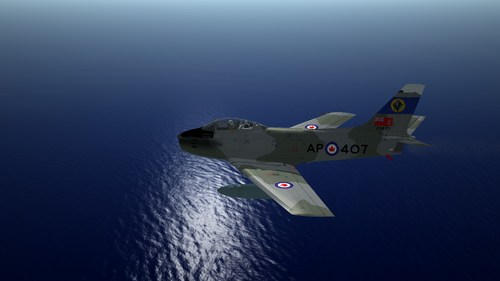 I am impressed by the sheer quantity of mods and skins for this iconic aircraft!
-
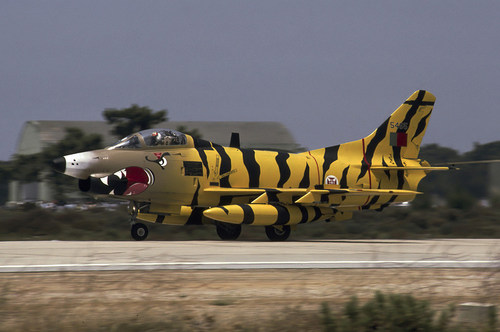 The author was not lying by stating this campaign as beta, unpolished and full of bugs. Avoid this campaign if you are unwilling to mod and correct it by yourself. If you need some inspiration for your own campaign or want to learn to make or fix a campaign, it might be useful.
-
 I would love to give this a great score, it has so much potential and I am sure there are many experienced people here who will have much fun with this terrain. The campaigns, objects or skins are so unpolished and full of missing items though, that you will be probably better off with just creating your own campaigns. Not to mention that there is no readme. So if you are a newbie and have no experience in modding or are unwilling to spend a lot lot of time in fixing ini files, you should probably avoid this or just just fly around to appreciate the landscape.
-
VF- 51, VF-11,VF-121 Skins and INI Pack for F-11F-1 Tiger
starfighter006 reviewed Spectre8750's file in F-11
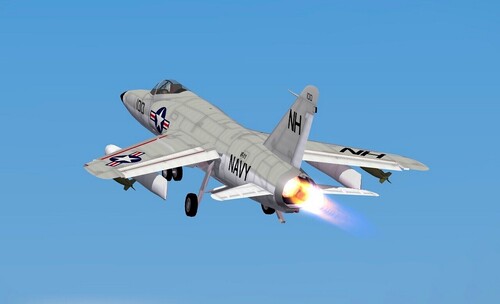 The description states that it is suitable for any Strike Fighters 2 Series. Unfortunately it requires the cockpit of a F-100A, which is only available in Expansion Pack 2, I believe. It would have been very helpful if the pre-requisities would have been clearly stated in the description.




