Baltika
-
Posts
1,293 -
Joined
-
Last visited
-
Days Won
1
Content Type
Profiles
Forums
Gallery
Downloads
Store
Everything posted by Baltika
-
Well. . . I have to admit my wife & I were stumped for a film to watch recently, and, almost as a joke, I said, Why don't we watch Top Gun? (We had the DVD sitting on the shelf, it had cost about £1.99) The missus was up for it, out of nostalgia, so, we did, and it was like, brilliant. I have to say what impressed me most was the flying sequences, obviously, but mainly for the fact that there was no CGI in sight - it was all real Although, strangely, watching it for the first time in about 20 years, and with a consequential change in perspective on life, I found Iceman to be a hugely sympathetic character, and Maverick to be a total pain in the arse I must be getting old. . . And, yes, I went off and built a Top Gun intercept mission, flying 2 F-14s (using the Iceman and Maverick skins from C5) off the Big E to tangle with a crowd of MiG-28s, as soon as I'd finished watching the film. Just because, with Thirdwire - you can If anyone wants the .msn file, I'll post it here
-
Thanks, Wrench I have added new formation types for Naval Nation types (USN & a new IJN Nation type) and added them in to the Formations.ini and Nations.ini. Now, fleet engagements take place over a respectable distance, and the ships don't cross over one another unrealistically. OK, I'm off to test out whether the IJN Battleships really will chew up a DesDiv in short order. OK, I know that surface engagements are not really what Midway was all about, but ship-to-ship really does make for good CAS missions
-
Great work, krfrge
-
Hmmm. . . Well, I've run it through TE but I'm having trouble re-creating the complex tiling between desert & Mountain tiles, which is part of what makes this terrain so interesting to fly over, despite the limited tile types. Of course, I am having to create a texturelist from scratch to do so. Anyone have the Texturelist MajorLee used to create this terrain in the first place?
-
Can anyone point me to the GunData entry for the 15IN_Mk1 which is used on Hinch's Japanese Battleship? I wondered why the big ships weren't firing, only to discover that this "big gun" is NOT included in the GunData from Bunyap's weapons pack. I have checked a few of my other installs and I can't find it anywhere. If some helpful soul could post the GunData entry that would be great. Cheers, Baltika
-
Hi Wrench, Great work & ideas going on here. Your basic plan for lakes & rivers should be straightforward to implement - essentially it's a matter of using the "export heighfield as .bmp" function in TE, then using GIMP or photoshop to paint the areas you have defined as rivers and lakes the particular shade of blue used as the default sealevel colour in TE. Taking care, of course to preserve a realistic shore/sea heightfield interaction. Then, you import your painted terrain.bmp back into TE, and you are ready to go - except, 1. The texturelist will need to be edited to include sea textures and sea/shore transition textures. 2. We will need a whole new set of sea/shore transition tiles (.tgas) for each of the different tilesets included - WDH makes a good point, there is scope for frozen lakes, summer lakes, etc etc, but those tiles will need to be created. And, as has been observed, many of the existing target areas lie right in the middle of flood plains - areas which I suspect, in reality, are lakes and rivers, based on the fact they are absolutely flat in the .HFD data. That would mean re-positioning a lot of the exisitng target areas. And I have just finished merging your new target list with the campaign strategic node list from OMT campaign, so that would have to go back to the drawing board So, not impossible to do, but a fair bit of work to get done right. It would certainly be a memorable addition to the terrain, and would mean we could get some carriers in there to launch our Navy birds from :yes:
-
Nice mod, looks great, you bet I'm interested Thanks for taking a look at the Devastator - I will just have to use s/thing else as a stand-in meantime. Cheers, Baltika
-
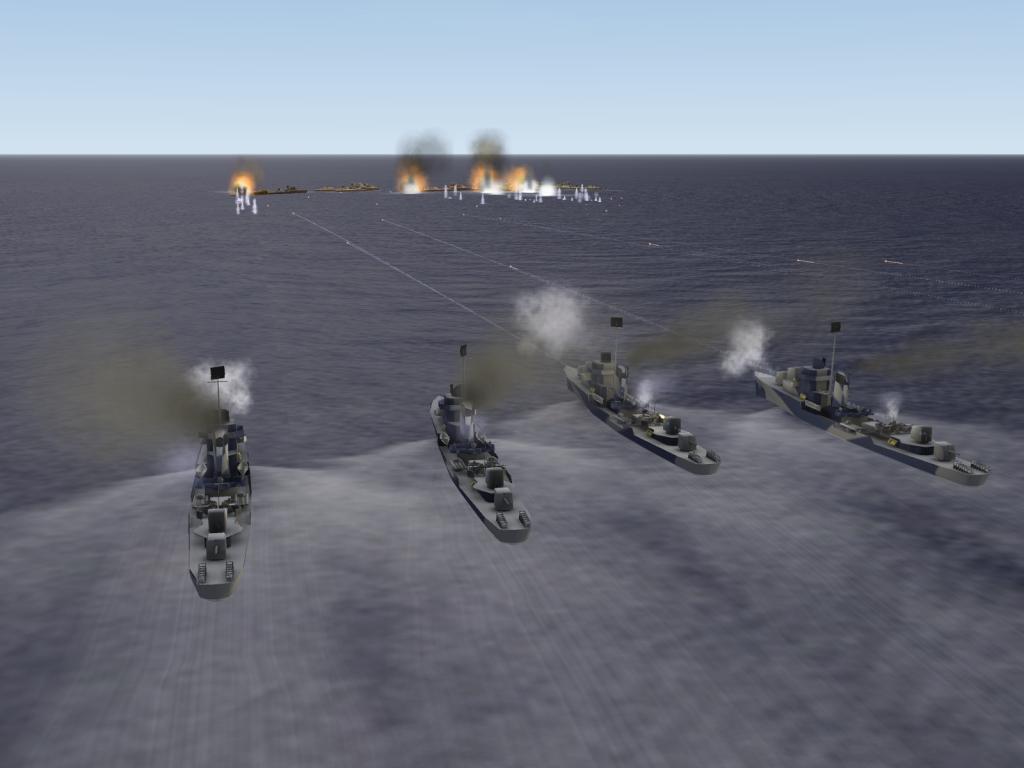
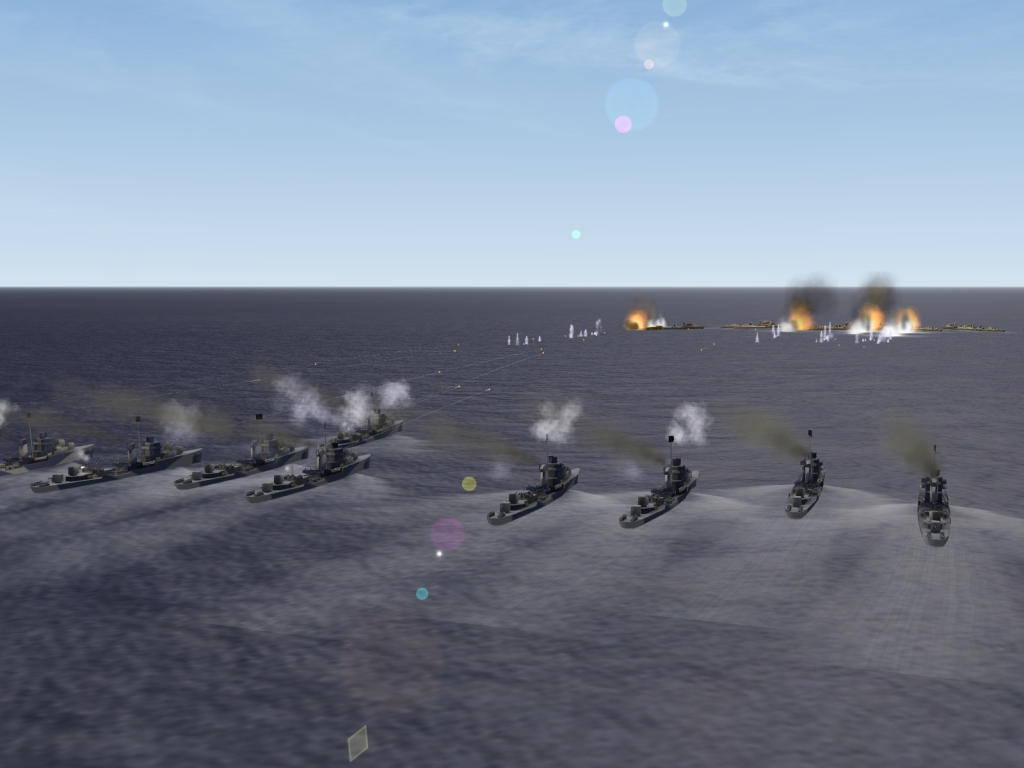
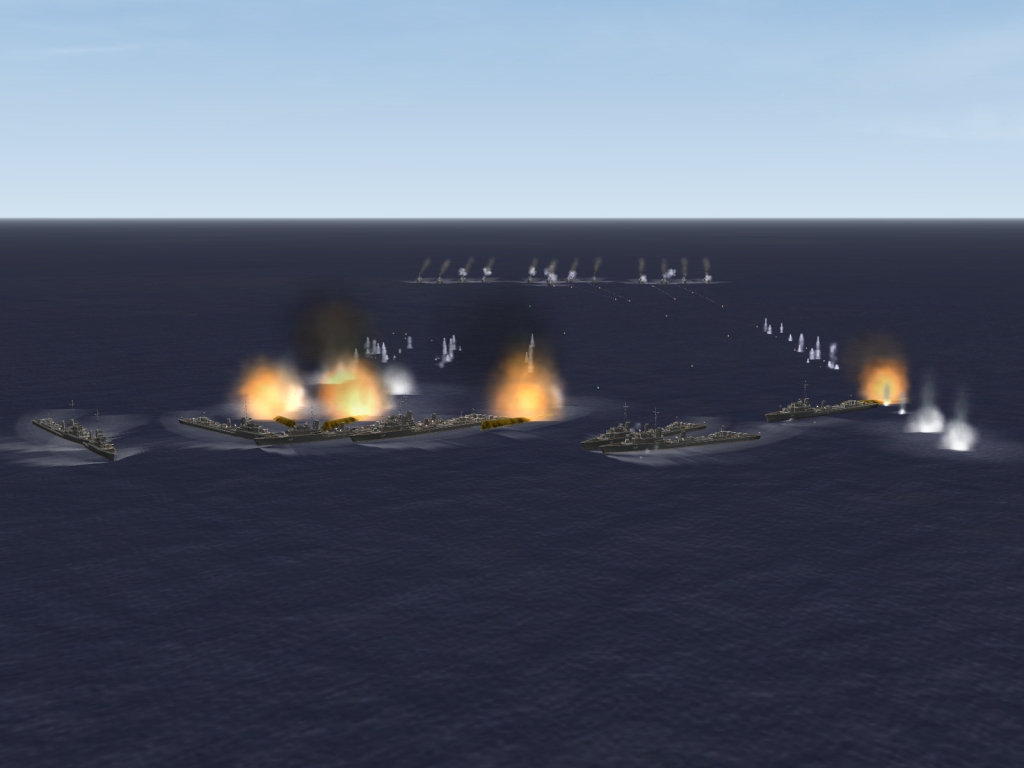
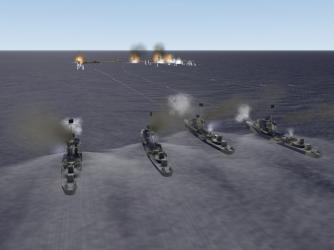
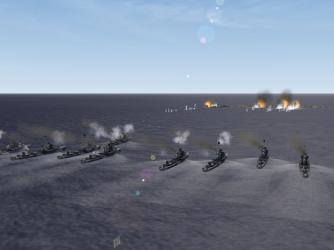
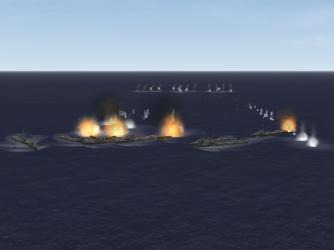
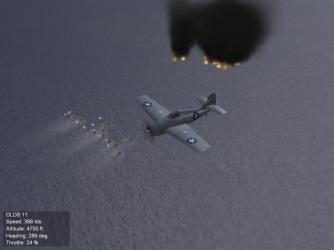
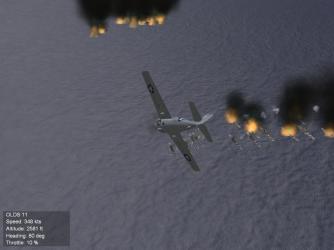
Gepard, Thanks very much for this terrain, I am enjoying flying it very much Battle of Midway campaign is well advanced, have got my CAS missions working. Units of the US Pacific Fleet Destroyer Squadron 2 (USS Morris (DD-417), USS Russell (DD-414), USS Hammann (DD-412), USS Anderson (DD-411), USS Hughes (DD-410)) engage and destroy IJN DesDiv 11 - DD Fubuki, DD Shirayuki, DD Murakumo and DD Hatsuyuki:- OK, I have some work to do on the FORMATION.INI, and I need some little map icons with ships on them instead of tanks. . . But it works :yes: Campaign release awaits your new terrain build, plus a few days for consolidation/testing. Cheers mate Baltika
-
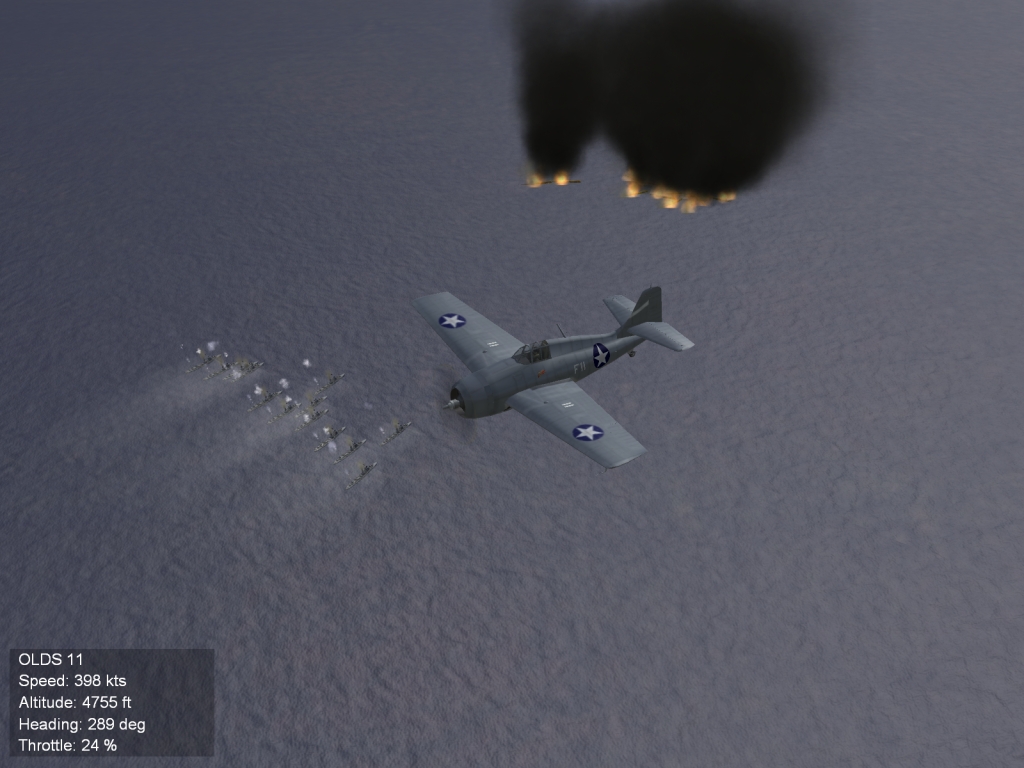
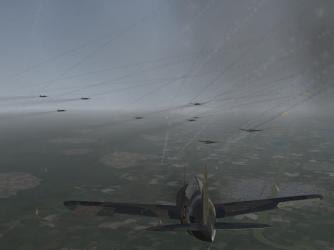
Buffalo intercept over Burma, c. 1942: Holy Cr*pola! Mission result: MIA
-
This campaign is "back in the workshop" for conversion to full compatability with Wrench's recent outstanding American NW terrain 4 seasons rebuild. It will run on the updated terrain in its present form, but you will lose a lot of Wrench's excellent target area additions. My advice: fly this campaign on an "old" ANW terrain if you like, but wait until I have completed the update before using it on Wrench's 4 seasons rebuild. Cheers all, Baltika
-
Great work, thanks very much
-
Cheers Wrench, Sorry to haul your support thread so far off-topic, but thanks for the help I reckon I should wait to see Gepard's updated terrain build before release in any event, as there will probably have to be changes to the strategic nodes. I am also messing with the [AirOffensive]= settings to get some structure to the sequence of campaign missions, along the lines of, "Where the hell are their carriers, OMG, they've found ours!!!" I suspect there will have to be custom terrain_types and terrain_targets .inis with the campaign d/l, so it's better to base that off the final terrain version. And whilst using Gepard's terrain is a snap to model carrier defense/attack missions, getting the game to recognise that your base carrier has been destroyed. . . is probably not going to happen. Which is where using ships as ground units comes in :yes:
-
Yup, wish I could do 3D modelling. Now you're gonna tell me a TBF-1 is nothing like a TBD-1 I reckon I should have done more research before I typed that OOB up as a campaign_data.ini file Oh well, at least the carriers look right
-
I am interested in any RN carrier you care to turn your hand to :yes:
-
Thanks guys I'm showing my ignorance of early USN torpedo bombers, I guess But thanks for the tips. Nation-specific .ini edits for an existing type and a simple reskinning is something I can probably manage (gets box of blunt crayons out ) Working on getting ships to engage one another as ground units - you may need a separate install for this one
-
So, what needs done to make this into a Devastator? I have a little campaign on the drawing board that could use a TBD Nice mod, as always, thanks Wrench
-
Magnificent work, thanks very much for this one
-
Satellite Scenery...Is it possible?
Baltika replied to Bananimal's topic in Mods/Skinning Discussion
Bananimal, It is possible to create a new texturelist from scratch in TE, to use only your own custom tiles. It is what I have ended up doing for my Iceland tileset. Instead of opening an existing texturelist, select /Texturelist/New Texturelist from the toolbar. You will be given a dialog box to enter the name of your new texturelist and save it where you want (probably best in your /Tileset folder in your terrain folder). Then, click on /Texturelist/Edit Texture Type list from the toolbar. You will be given another dialog box, "Texture Type List". This is where you create your base tile types, eg Sea, Grass, Field, Mountain. From the Texture Type List dialog, click on "new." You will then see the Texture Type Dialog. Enter the name of the new tile type, check whether it has sea on it or not, and whether you want TE to use it as an autotexture tile type. If you don't check the autotexture box, you can only hand-place that type of tile. If you check it, all the autotexture parameters become available for you to mess with. They are relatively self-explanatory, but how they all interact is, well, less than straightforward. I haven't worked it all out yet. Don't leave altitude gaps or TE will fill the gaps with sea tiles or other random tiles. So, you have created a new texture type. Say, "Grass," and defined the parameters as you want them. Click OK on the Texture Type Dialog Box, and close the texture list dialog. Click on TextureList/Save Texturelist from the toolbar. This will save your work to the location you specified. Do this often - TE has no autosave facility - and make a manual backup of your texturelist file somewhere safe where it can't be overwritten. You will be grateful for this later, when a minor change in one parameter screws up all your autotiling. TE does that a lot. TE has no "undo" button. Then, click on Texture List/ Edit Texture Map List. This is where you load in your new tile .bmps to TE. From Texture Map List Dialog, click on new. You will see the Texture Map Dialog. Use the "Texture Map Name" browse button to browse to your new texturetile. You may hit a technical limitation in TE right here. In order for TE to work with a tile, it has to be sized to 256x256 pixels. This is explained in Gepard's TE tutorials. (I assume you have read them. They are in the KB here at CA. If not, do so and work through creating a terrain as Gepard describes it). The actual in-game tile can be much bigger (512x512, 1024x1024), but TE will only read the mini versions. For each tile, you have to assign it to a Texture Type as defined in the drop-down list in the Texture Map dialog. This reads the tile types you have created in your new texturelist. Certain parameters are not implemented, i.e. road tiles and river tiles. Transition textures are two- or three- way splits in various percentages for where different tile types intersect. Exclusion region does what it says, as does limited random rotation. The "terrain object" box is wherer you define things like trees and buildings (non-targetable) on each tile type. Once you have set up your tile, click OK, exit the Texturelist dialog. Save texturelist from the toolbar. Repeat for all the different tile types you plan on using. Yes, that can take a long time, as in, forget about the day job. I simply d/k if TE will allow you to place tiles in the way you are proposing. But I would suggest you certainly want to create a custom texturelist. let's face it, a repaint of Germany_CE is not what you are going for here. You probably want only one texture type, which is not set for autotiling. The, define each of your big tiles in the texture Map dialog, naming each one however you want to organise them. Then, hand place them in the TE map itself. Good Luck Any questions, fire away. Cheers, Baltika -
Magnificent Thanks very much :yes:
-
Hi Hinch, Click on the "Downloads" button in the bar at the top of the page. You should then see a box near top right which says "Add File" - click on that. Choose your category - SFP1/WoV/WoE/FE/WOI, then Ships, then aircraft carriers. Click on continue. Then you will see a box near the bottom which says "Upload." Browse to your file, select it, click upload, then wait. . . For a while. Eventually you will get confirmation that your file is uploaded. Thanks for your ships Looking forward to Eagle :yes: Cheers, Baltika
-
Terrain flattening for runways (or lack of it) is one cause of this type of problem. If your terrain worked fine before the Oct 08 patch, and now you are seeing that issue, then it is to do with the changes to the way terrain tile_HM.bmp files are handled. This has been discussed at length in the "Official Sept/Oct 08" patch threads, but the solution seems less than straightforward. I have noticed, after the patch, when flying CAS missions on Gepard's excellent Isreal2 terrain, the tanks are sometimes under the ground, or sunk in up to their turrets. Are you seeing anything like that?
-
Detailed guide on how to enable Red-side flyable campaigns from existing campaigns at post #2 right here:- http://forum.combatace.com/index.php?showtopic=31321 I strongly recommend you do NOT alter the Alignment= flag in air units or the campaign_data.ini file. "ENEMY" and "FRIENDLY" settings as used in Thirdwire are absolute values, not relative. All NATO and allied nations are defined as "FRIENDLY," whilst all WARPAC nations, SOVIET client states and NATO enemies are defined as "ENEMY." So, if you are flying Red side, you are flying for the "ENEMY" force. All "ENEMY" units are on the same side as you. The "FRIENDLY" force and all "FRIENDLY" air units are your enemies. It's like this:- In Thirdwire, FRIENDLY=NATO ENEMY=WARPAC. For a simple example of how to make a Red-side flyable campaign, d/l my "Red Wings Over Dhimar" campaign. There are much better Red-side flyable campaigns available, especially MK2's MiG Aces, Soviet Aces and VPAF Aces campaigns, and his Red Falcon add-on, and I heartily recommend them, but they are rather more complex. Good luck with the campaign building
-
Magnificent Thanks very much :yes:
-
Yak-25 Flashlight v1.1 - pasko, column5 & Volksjaeger
Baltika replied to Baltika's topic in File Announcements
Hmmm. . . I checked C5 and doubled checked by d/ling - C5 seems to have a -25B v1.0 12/3/04, a -25M v1.0 12/2/04 and a -25RV v1.0 12/3/04. This file has a readme which says v1.1 2004-03-12. If it is a duplicate, it may be of the -M, and according to this readme it is an update. What the actual difference is, I'm not sure. Also I am getting dead links on C5's -25B and -25RB (accessed from the homepage here at CA). I apologise if I am only causing confusion -
511 downloads
Yak-25 Flashlight v1.1 I uploaded this because I found the file whilst going through my old back-ups of Pasko's Yaks, and searching on CA, column5.us and Pasko's Mostly MiGs (now sadly mostly dead links) sites, this v1.1 did not seem to be currently available anywhere else. All credit to Pasko, C5 and Volksjaeger. I apologise in advance if I am breaking protocol by uploading this file. / I'm just a guy / / whose intentions are good / / Oh Lord, please / / don't let me be / / Misunderstood / Original Read Me: Yak-25 Flashlight for Strike Fighters Project 1 ver 1.1 2004-03-12 by Pasko, Column5 (FM and avionics) and Volksjaeger (skin) Installation: Extract everything to ..\strike fighters\Objects\Aircraft folder (New folder Yak-25 will be created) List of included Files in Yak-25 folder: - Test Yak-25 mission.msn move to ..\strike fighters\missions folder - yak-25 weapons pack.zip: extract to ..\strike fighters\Objects folder Weapons pack Readme.txt AA-1.bmp aa-1.LOD aa-3.bmp Tank675_Yak25.LOD AA-3IR.LOD AA-3R.LOD Included are in yak-25 weapons pack.zip UPDATED models of AA-1's, AA-3's and Yak-25 fuel tank. This is add on Fuel tank for Yak-25, needs to be added to weapondata.ini and reloaded with SFP1 weaponeditor ONLY if weaponspack is older than sfp1weaponspack_01feb04. All this (or newer!) should be included in new release of sfp1weaponspack_01mar04! [WeaponData250] TypeName=Tank675_Yak25 FullName=675-ltr Drop Tank ModelName=tank675_Yak25 Mass=620.000000 Diameter=0.500000 Length=3.200000 AttachmentType= NationName= StartYear=0 EndYear=0 Availability=0 BaseQuantity=0 Exported=FALSE ExportStartYear=0 ExportAvailability=0 WeaponDataType=5 MaxFuelAmount=590.000000 Asymmetrical=FALSE I can not take any responsibility whatsoever regarding using of this add-on. This is freeware addon package. It is not supported by me or anyone, but your feedback with suggestions and improvements is appreciated: pasko_patak@yahoo.com Have fun :)!