


Wrench
-
Posts
28,331 -
Joined
-
Last visited
-
Days Won
189
Content Type
Profiles
Forums
Gallery
Downloads
Store
Everything posted by Wrench
-
warrior: in the data ini only
-
Plane is entirely black? (Texture Problem)
Wrench replied to Freude's topic in Mods & Skinning Discussion
my P-61s do that too. -
aces, only accessable (and visible) to members with Modder or higher status
-
go ahead and upload it to The Modders Depository; that's the best place for it
-
View File XvT-BoP Alliance Classic XW Tours of Duty XvT-BoP Alliance Classic XW Tours of Duty For XvT =WITH= BoP addon (original CD) or the new GoG version These are all 5 of the Original XWCD tours converted for use in the XvT/BoP environment. These are usable in the original XVT/BoP CD or the new GoG version. Many of these missions have additional goals, messages (which are sometimes used as in-game hints), and "eye candy" added. Some of the ships have been changed in a few of the missions to keep more in line with the visuals in the movies (read: Medium Transports). Be Advised: there are 2 missions un-convertable to XvT. These are the 2 Death Star missions (Surface Attack and Trench Run), as no OPT exists for them for XvT useage. As always, PLEASE read this enclosed readme for full, detailed install instructions. Give the "Notes" section a read too, for well, notes! Good Hunting! Wrench Kevin Stein Submitter Wrench Submitted 05/23/2015 Category Star Wars Games
-

21 downloads
XvT-BoP Alliance Classic XW Tours of Duty For XvT =WITH= BoP addon (original CD) or the new GoG version These are all 5 of the Original XWCD tours converted for use in the XvT/BoP environment. These are usable in the original XVT/BoP CD or the new GoG version. Many of these missions have additional goals, messages (which are sometimes used as in-game hints), and "eye candy" added. Some of the ships have been changed in a few of the missions to keep more in line with the visuals in the movies (read: Medium Transports). Be Advised: there are 2 missions un-convertable to XvT. These are the 2 Death Star missions (Surface Attack and Trench Run), as no OPT exists for them for XvT useage. As always, PLEASE read this enclosed readme for full, detailed install instructions. Give the "Notes" section a read too, for well, notes! Good Hunting! Wrench Kevin Stein -
View File XvT/Bop Alliance Mission: Strategic Retreat XvT/Bop Alliance Mission: Strategic Retreat (works with original CD version and new GoG version) For XvT =w/Bop= Addon, or GoG version (must have the BW availalbe, hence the need for BoP) From the original readme: This new 12-mission tour of duty for X-Wing pits a fleeing Alliance fleet against persistent Imperial and guerrilla/mercenary pursuers. In this tour you are required to protect convoys, rescue captured personnel, fly emergency missions and strike back hard at enemy battle groups. You get a lot of briefing text in this TOD because there's a story thread to the sequence of missions, just as there should be in any true X-Wing experience. Don't let the "Retreat" title for this TOD mislead you; there's plenty of offense needed to complete these missions. All right, pilots, what are you waiting for? Wrench Kevin STein original missions for XWCD from 1996 by Mark Shenefelt Submitter Wrench Submitted 05/23/2015 Category Star Wars Games
-

19 downloads
XvT/Bop Alliance Mission: Strategic Retreat (works with original CD version and new GoG version) For XvT =w/Bop= Addon, or GoG version (must have the BW availalbe, hence the need for BoP) From the original readme: This new 12-mission tour of duty for X-Wing pits a fleeing Alliance fleet against persistent Imperial and guerrilla/mercenary pursuers. In this tour you are required to protect convoys, rescue captured personnel, fly emergency missions and strike back hard at enemy battle groups. You get a lot of briefing text in this TOD because there's a story thread to the sequence of missions, just as there should be in any true X-Wing experience. Don't let the "Retreat" title for this TOD mislead you; there's plenty of offense needed to complete these missions. All right, pilots, what are you waiting for? Wrench Kevin STein original missions for XWCD from 1996 by Mark Shenefelt -
there's sooooooooooooooooooooooo many ways this go .... and all bad!!! (do we have a wiggling butt smiley??)
-
Plane is entirely black? (Texture Problem)
Wrench replied to Freude's topic in Mods & Skinning Discussion
if you're gonna fly migs, look for Stary's cockpits for them; they're the best! and, as always, read the readmes!! Most of the time, he's gotten set up for the 'drag/drop' type of install. And don't be surprised if (at odd intervals, and completely randomly) they revert back to AI. It's a game glitch. If you get stuck, just shout out; we're here!! :) -
Plane is entirely black? (Texture Problem)
Wrench replied to Freude's topic in Mods & Skinning Discussion
NO Red Air Aircraft are Player Flyable in any of the SF series, by default. ============= You might, before you starting modding the games by adding all sorts of things, want to spend time in BOTH the SF1/Wo* Knowledge Base AND the SF2 Knowledge Base. To answer the question about the MiGs... http://combatace.com/topic/81131-how-to-make-ai-planes-flyable/ Even more important, play the game in it's STOCK configuration for a few weeks (or months), and get comfortable and familiar with the game itself, and the folder structures. This is the advice we give to ALL new players. Trust me, in the long run, it's the best way! :) ------------------ As to the Sabres, I can assure you there's nothing wrong with those aircraft. The mod HAS to have been installed incorrectly, somehow. As FR said, delete the mod and start over. edit: forgot to attach the screenshot of the F-86F folder -
Plane is entirely black? (Texture Problem)
Wrench replied to Freude's topic in Mods & Skinning Discussion
indeed, the skin is either definitely in the wrong place, or a patch level incompatible with the skin format ------------------------------------------ when trying to diagnose an installation issue, it helps to know the following things: which of the sf2 series (answered) what patch level which (name of item) mod HOW was it installed to the mods folder? (meaning: were the install instructions in the readme followed?) it can make a big difference in helping people out!! -
with so little data in the books I have, and on the web, it's kind of hard! For the Farman 222, all I've been able to figure out is the fuselage roundel with the stripe -- that would be a GYNORMUS decal!! (mostly used a transports between France and the Levant) I could possibly do some of the others, that wore the full stripes, as based in Tunisia. We'll see what happens
-
now you all know why I've been doing all those Vichy AdA birds based in Syria & the Levant!!
-
View File WW2 Palestine 2 Terrain (Full Scale) for SF2 WW2 Palestine 2 Terrain (Full Scale) for SF2 5/1/2015 = For SF2, Any and All (Full 5 Merged RECCOMENDED!!!) = **Note: This Is A WW2 Version -ONLY-!!!** This is a (yet again??!!) another mod of Gepard's Israel 2 terrain. Like the "modern version", it's has been 90% retiled to more match the stock IsraelME and my "Eastern Med" terrains. However, the farm and city tiles remain in their original '3W Desert' style. All other tiles have been replaced. The target areas have, for the most part, been rebuilt, enhanced and expanded. It is designed to be used =ONLY= in the WW2 MTO environment (read: an MTO centric mods folder). It may -NOT- be compatable with the DAT MTO All-Inclusive Mod. This has not been tested. The addon terrain objects have been kept to a minimum (no, not really!). Stock in-game items have been used as much as possible, although some additional structrues HAVE been added. Add-on GroundObjects, while heavily listed in the _Types.ini, have been kept to as small an amount as possible (again, not really!). I've included =SOME= of the Ground Objects needed but NOT all of them. Its up to the End User to make sure that you have the theatre-specific (read: Allies & Axis) proper items. Of the ones included, many of these you should have from my other MTO terrains, some you may not. Some are even "new(ish)". Geophysical Disclaimer: some rivers and other water features may not follow their Real Life courses, be placed in their Real Life locations, or exist at all. Several cities and other physical features and target areas will also fall into that classification. Some target areas (cities, etc) exist only as named places, even if they might have had strategic or tactical values (most don't!). Just someplace to fly over. Some airfields may actually be 'post-war', but have been left for game playability. And So Forth . Long loading times may also be experienced due to the number of objects being loaded. When in game, you'll see: "Palestine, WW2 (Full Scale)" Limited Nations is set to TRUE, and only uses historical WW2 Nations (ie: no Americans). This will allow campaign builders to not only replicate the fighting against Vichy forces in the Levant & Syria, but allows a more 'what if..' situation, giving Italian and German forces a greater presence (they are listed in the Nations.ini). Like the modern version, this terrain is =NOT= carrier capable in =any= SF2 Environment; which is really sad! (see notes). As always, unzip this to a temp folder or your desktop, and you'll have access to the rest of the readme for it's instructions. It's reccomended (ie: REQUIRED!!!) you read the document through after unzipping, but =before= installing. As always, the Notes and Other Nonesense section may make for entertaining (and essential!) reading. It's most important that the legal disclaimer at the bottom be read AND complied with. There has been a change in policy with regards to =ALL= my terrain mods. Good Hunting, and Happy Landings! Wrench Kevin Stein Submitter Wrench Submitted 05/22/2015 Category Full Terrains
-

257 downloads
WW2 Palestine 2 Terrain (Full Scale) for SF2 5/1/2015 = For SF2, Any and All (Full 5 Merged RECCOMENDED!!!) = **Note: This Is A WW2 Version -ONLY-!!!** This is a (yet again??!!) another mod of Gepard's Israel 2 terrain. Like the "modern version", it's has been 90% retiled to more match the stock IsraelME and my "Eastern Med" terrains. However, the farm and city tiles remain in their original '3W Desert' style. All other tiles have been replaced. The target areas have, for the most part, been rebuilt, enhanced and expanded. It is designed to be used =ONLY= in the WW2 MTO environment (read: an MTO centric mods folder). It may -NOT- be compatable with the DAT MTO All-Inclusive Mod. This has not been tested. The addon terrain objects have been kept to a minimum (no, not really!). Stock in-game items have been used as much as possible, although some additional structrues HAVE been added. Add-on GroundObjects, while heavily listed in the _Types.ini, have been kept to as small an amount as possible (again, not really!). I've included =SOME= of the Ground Objects needed but NOT all of them. Its up to the End User to make sure that you have the theatre-specific (read: Allies & Axis) proper items. Of the ones included, many of these you should have from my other MTO terrains, some you may not. Some are even "new(ish)". Geophysical Disclaimer: some rivers and other water features may not follow their Real Life courses, be placed in their Real Life locations, or exist at all. Several cities and other physical features and target areas will also fall into that classification. Some target areas (cities, etc) exist only as named places, even if they might have had strategic or tactical values (most don't!). Just someplace to fly over. Some airfields may actually be 'post-war', but have been left for game playability. And So Forth . Long loading times may also be experienced due to the number of objects being loaded. When in game, you'll see: "Palestine, WW2 (Full Scale)" Limited Nations is set to TRUE, and only uses historical WW2 Nations (ie: no Americans). This will allow campaign builders to not only replicate the fighting against Vichy forces in the Levant & Syria, but allows a more 'what if..' situation, giving Italian and German forces a greater presence (they are listed in the Nations.ini). Like the modern version, this terrain is =NOT= carrier capable in =any= SF2 Environment; which is really sad! (see notes). As always, unzip this to a temp folder or your desktop, and you'll have access to the rest of the readme for it's instructions. It's reccomended (ie: REQUIRED!!!) you read the document through after unzipping, but =before= installing. As always, the Notes and Other Nonesense section may make for entertaining (and essential!) reading. It's most important that the legal disclaimer at the bottom be read AND complied with. There has been a change in policy with regards to =ALL= my terrain mods. Good Hunting, and Happy Landings! Wrench Kevin Stein -
Didn't I see him in "Wings", or was it "The Dawn Patrol" (the original version)???? super figure, Geezer!!
-
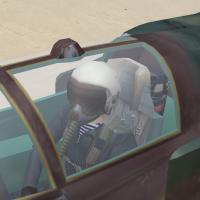
View File Red Pilots Pack by The Trooper This is a full SF2 conversion of the Soviet/Russian/Warsaw Pact Pilots set by The Trooper All pilots are now in their own individual folders, ready for use in SF2 (any and all versions). This is mainly for those Old Hand that have not converted over, and for the New Folks that may want something better to look at than the stock pilot figure Also included, is a new "RedAir001" by Eole (which is light years better than the craptastic one I did several eons ago). Trooper's full instructions are in the zip; in SF2 adding new pilot figures remains the same as in 1stGens. So, be ready for use of the 3W Cat Extractor to pull any and all data inis for editing. As there are no individual images of the pilots, to make the best choice for use, open the folders and simply view the skin bitmap. With thanks to The Trooper; and Stratos and Eole, who gave me the push to assemble and upload this. Enjoy! Wrench Kevin Stein Submitter Wrench Submitted 05/21/2015 Category Pilot Mods
-
267 downloads
This is a full SF2 conversion of the Soviet/Russian/Warsaw Pact Pilots set by The Trooper All pilots are now in their own individual folders, ready for use in SF2 (any and all versions). This is mainly for those Old Hand that have not converted over, and for the New Folks that may want something better to look at than the stock pilot figure Also included, is a new "RedAir001" by Eole (which is light years better than the craptastic one I did several eons ago). Trooper's full instructions are in the zip; in SF2 adding new pilot figures remains the same as in 1stGens. So, be ready for use of the 3W Cat Extractor to pull any and all data inis for editing. As there are no individual images of the pilots, to make the best choice for use, open the folders and simply view the skin bitmap. With thanks to The Trooper; and Stratos and Eole, who gave me the push to assemble and upload this. Enjoy! Wrench Kevin Stein -
Carlo, I took the easy way out -- I cheated!! I simply cloned the wing hardpoints, but kept them the same Group ID number, and made them 2IR only add to left outer wing: SystemName[004]=LeftWingStation2 add to right outer wing: SystemName[004]=RightWingStation2 these are the new hardpoint statements: [LeftWingStation] SystemType=WEAPON_STATION StationID=1 StationGroupID=1 StationType=EXTERNAL AttachmentPosition=-2.10,-0.58,-0.39 AttachmentAngles=0.0,0.0,0.0 LoadLimit=550.0 LengthLimit=3.5 AllowedWeaponClass=BOMB,RCKT,RP,IRM,CGR AttachmentType=WP,SOVIET ModelNodeName=WingPylon_L PylonMass=60 PylonDragArea=0.02 LaunchRailNodeName=MissileRail_L LaunchRailHeight=0.10 LaunchRailMass=25 [RightWingStation] SystemType=WEAPON_STATION StationID=2 StationGroupID=1 StationType=EXTERNAL AttachmentPosition=2.10,-0.58,-0.39 AttachmentAngles=0.0,0.0,0.0 LoadLimit=550.0 LengthLimit=3.5 AllowedWeaponClass=BOMB,RCKT,RP,IRM,CGR AttachmentType=WP,SOVIET ModelNodeName=WingPylon_R PylonMass=60 PylonDragArea=0.02 LaunchRailNodeName=MissileRail_R LaunchRailHeight=0.10 LaunchRailMass=25 [LeftWingStation2] SystemType=WEAPON_STATION StationID=4 StationGroupID=1 StationType=EXTERNAL AttachmentPosition=-2.10,-0.58,-0.39 AttachmentAngles=0.0,0.0,0.0 LoadLimit=550.0 LengthLimit=3.5 AllowedWeaponClass=2IR AttachmentType=WP,SOVIET ModelNodeName=WingPylon_L PylonMass=60 PylonDragArea=0.02 LaunchRailNodeName=MissileRail_L LaunchRailHeight=0.10 LaunchRailMass=25 SpecificStationCode=RACK_AA-8 [RightWingStation2] SystemType=WEAPON_STATION StationID=5 StationGroupID=1 StationType=EXTERNAL AttachmentPosition=2.10,-0.58,-0.39 AttachmentAngles=0.0,0.0,0.0 LoadLimit=550.0 LengthLimit=3.5 AllowedWeaponClass=2IR AttachmentType=WP,SOVIET ModelNodeName=WingPylon_R PylonMass=60 PylonDragArea=0.02 LaunchRailNodeName=MissileRail_R LaunchRailHeight=0.10 LaunchRailMass=25 SpecificStationCode=RACK_AA-8 and this is what I did in the loadout ini: [AirToAir_80] StartDefaultDate=1980 DefaultFor=CAP,INTERCEPT //Nation=EGermany,Poland,Soviet Loadout[04].WeaponType=AA-8 Loadout[04].Quantity=2 Loadout[04].RackType=2IR_AA-8 Loadout[05].WeaponType=AA-8 Loadout[05].Quantity=2 Loadout[05].RackType=2IR_AA-8 Loadout[03].WeaponType=GP-9 Loadout[03].Quantity=1 I used 1980, to make sure the Aphids would be 'in service' It was an experiment that worked very well. It should be possible to use those statement (with modification for specific aircraft) on any other Fishbed. I used something similar on my "what if.." Nigaraguan 21MF.
-
yah baby! somebody is cooking with gas! looks damn near perfect, logan! Great work!!
-
maybe we should hit up Ravenclaw for a set?? He IS the weapons 3d Master!!
-
Polish PFM, on a nice summer's day...
-
Indeed. There's shitbirds of all types all around the net that take and use the things we've sweated blood over. Don't let them win by giving up. Trust me on this; I know!!
-
Cool! now that we have the instructions, all we need is the (plastic) model!!! (don't suppose that could be attached as a pdf!!! LOL!!) taking a closer look at your screenie, Jamie, it's only the missile out of position, and needs to be brought in a few cms. that can be set in the weapons (ok, rack's) data ini,. It that a stock 3w Aphid, or aftermarket? Or, "nation specific" units could easily be created. Did you test with the APU-62s from the Gunny Pak? On those above, I just used the stock ones (both the rack and missile) (oth, adding the necessary nations to the weapons data ini may be exceedingly cumbersome ... might be best left as WP, and just use ini switches in the data and loadout inis -- ie, nation specific loadouts.)
