

Skyviper
-
Posts
2,204 -
Joined
-
Last visited
-
Days Won
11
Content Type
Profiles
Forums
Gallery
Downloads
Store
Everything posted by Skyviper
-
From the album: News Team Photos
-
From the album: News Team Photos
-
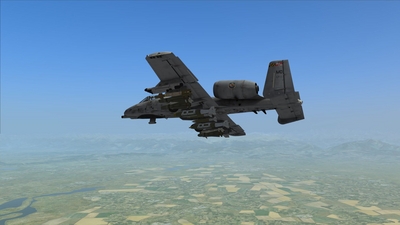
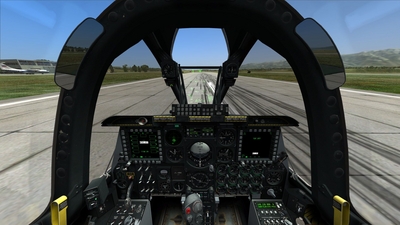
Mini DCS A-10C Review By Eric J The A-10C is perhaps one of the best aircraft to fly, along with the A model Hog I reviewed beforehand. However the A-10C is the jewel in my opinion of the study modules (FC3 is still good don’t get me wrong) and deserves note as it’s perhaps the most complex aircraft compared to the other modules. That and its wartime record (of which I’ve used in Afghanistan myself) gives the aircraft an excellent reputation for an old aircraft still doing its job to the warfighters currently in Afghanistan and again in Iraq against ISIS. Flight Model As of 1.2.14 the flight model of the C model is unchanged, but there are still some nuances when flying the C compared to the A model in Flaming Cliffs 3. Maneuverability is better but there is still oscillation when you pull too hard on the stick, and you can lose control of the aircraft but that’s if you consistently pull the stick. Generally though the C model flies better and in various mountain flying tests can be inverted and not crash into the side of the mountain, but again take it easy when handling the A-10C anyway. And it is recommended as always to be firm with the aircraft and it will perform for you. It is not a speedy aircraft but overall it is comfortable for me is that what it does in real life. To start somewhere on this aircraft I will start with cockpit stuff and then go into the other details as they come along. So the first thing is of course the cockpit is fully clickable with full 6DOF support. Of course most of these have keyboard mapping and quite honestly when transitioning from the A model to the C model it looks daunting at first. Well, the most daunting task of the A-10C is of course the startup sequence. If I remember correctly there are nineteen steps in performing this task and quite frankly was one thing that initially turned me off about this aircraft. I don’t mind taking the time to learn clickable planes and compared to the VRS Super Hornet F/A-18E, the C Hog is way more complex than that aircraft, which relatively speaking is easier and when the DCS: Super Hornet comes out (or DCS: Hornet) I may transition to those jets. However there is an automated sequence that is available for both startup and shutdown so if you’re like me who really doesn’t care about learning the steps, then that option is always available. Along with that are the myriad CDUs, radios that of course are well explained in the rather exhaustive manual (which is as a PDF document, 671 pages. So there’s a lot of manual reading. However while complete, it still takes a lot of flying and practicing to get proficient at the basic level as it’s highly recommended to take it one step at a time and recommended to (if you can afford it) a Thrustmaster Warthog stick. However I do use a TM Hotas X and quite honestly don’t mind using it as it’s growing on me and recommended as a “low end” stick but otherwise has proven to be real nice for the most part in flying in the C model. However, if you can afford to purchase such a stick then it’s highly recommended and the simulation recognizes the stick and automatically maps everything for you according to the correct stick functions. It also shows you what does what in the manual. For those without such a stick it takes some hunting and pecking and while not as complete as the regular manual, the Quick Start manual does help greatly in figuring out what to at least get you shooting. The reason is that it shows the keys to use and below is a small short reference for those who need to get flying in the air and have spent hours trying to figure everything out: HOTAS CMS Forward = Ejects flares/co untermeasures HOTAS Boat Switch Aft = White Hot switch for TGP HOTAS Boat Switch Center = CCD (normal camera) switch for TGP HOTAS Boat Switch Forward = Black Hot switch for TGP HOTAS China Hat Switch Aft = Resets TGP and Maverick and HUD when thatpage is SOI HOTAS China Hat Switch Forward = Zoom in/out for Maverick and TGP when on that specific page HOTAS DMS Aft = Zooms out TGP view HOTAS DMS Forward = Zooms in TGP view HOTAS Master Mode Button = Switches between NAV, GUNS, CCIP, and CCRP modes HOTAS Slew Do wn = Moves Pipper down when TGP/HUD/Maverick is SOI HOTAS Slew Left = Same as above and moves the pipper left HOTAS Slew Right = Same as above and moves the pipper right HOTAS Slew Up = Same as above and moves the pipper up HOTAS TMS Forward = Allows you to select AREA and POINT settings on the TGP, where POINT is designed for moving targets.To designate for targets hold this command down which is necessary for JDAM and the CBU-103/105 Nosewheel Steering Button = During flight allows you to fire the laser from your TGP (IR or Designator/Both) and naturally when you land allows you to steer the nosewheel While the above doesn’t cover everything it does allow you to get started and as you spend more time in the manuals as well as the various supporting forums to ease you along in your journey (and what it is) in becoming a proficient pilot, as well as getting in the virtual cockpit and flying the aircraft. As you see also most of this focuses on weapon employment which of course is what the A-10C is best at, in the simulation and most definitely in the real world. As a former JFO who deployed to Afghanistan needless to say when these were supporting elements in my light infantry company they were always welcome. But overall the handling of the C Warthog is of course better than the A but I still fly the A because I like both for their own reasons. The A version for its simplicity and ability to focus sometimes better on the fight, while the C model with its bells and whistles offers expanded capabilities and abilities in the close air support fight. The only other thing compared to the FC3 A-10A is that when you land ensure you activate the Nosewheel by pressing the N button (keyboard default) and it will enable steering. I’ve found this out the hard way when starting on the C as when I landed at speed the rudder does provide some input and help but when you slow down the aircraft moves around so remember to do this everytime you land. It also when using the TGP enables you to fire the laser designator/IR Laser when the system is SOI. And for those who always hear it and wonder what it is, it means Sensor of Interest, or in layman’s terms, makes that page or HUD active for you to directly manipulate. The last part of the module is the JTAC portion, which is very comprehensive and while as a JFO I offered my input to the module I can’t think of everything and therefore the other JTACs or SMEs still made this one of the best modules to date. And yes I am one of them but the product shines through as the least buggy of the modules so far and quite honestly while I tend to express my opinions later in the review, I do highly recommend learning this plane. As five weeks into flying it I still have a long way to go in knowing everything, but then again I know enough to be successful on the virtual battlefield. Admittedly I did not and don’t use the JTAC portion of the module simply because I’ve done the real thing so overall I don’t need to “get on the ground” that much and simply fly as if a JTAC was talking to me for when I practice flying. While I touched on weapons use above, the aircraft with its upgrades uses the AN/AAQ-28 Litening III targeting pod (or as colloquially referred to as the “TGP” on various forums) as its main sensor platform and at first is hard to use but once you get the basic familiarity of the system and its limits and capabilities, becomes second nature to use compared to the A model. But the merit of the A model is that you can focus on shooting more than the C, which to be fair has done its fair share but overall in some cases takes a bit longer as you need to put the TGP in the right spot but in some cases allows you to setup for shots better than the A version. And like most other things when the DCS: Hornet and DCS: Super Hornet modules are released the constant use of the TGP will help you along (given the constraints of those airframes of course) in using that on those aircraft. The C model can also through the TGP use the JDAM and WCMD munitions, as well as the Paveway GBU-12 and GBU-10 through the internal laser designator (which can also “shoot” an IR laser as well for A-FAC duties). More often than not I use the GBU-12s more than the GBU-12s or even the GBU-31s as their better and more precise than the big brothers. However even I like the big booms (former forward observer so high explosives in a way my specialty) and needless to say they deliver. However a full range of rockets, and bombs are available for use if you prefer the old iron bombs (and the TGP can also enhance accuracy if you use it right) to hang off the pylons, as well as fuel tanks and travel pods (which don’t do anything but good enough for atmosphere for a related mission) and uses historical configurations as well as preset configurations for you to explore the aircraft and use. And the gun of course is well modeled, and you can select from a Combat Mix to HEI to Training Practice rounds. And while the screenshot is just a taste of what you can carry the aircraft responds accordingly when the munitions are dropped from the aircraft as re-trimming your aircraft is of course a necessity. With all of this the aircraft is fun to fly just on its own and without the weapons play. The aircraft does come with Night Vision Goggles so unlike the un-modded A-10A, is day and night capable and only enhances your virtual flight. 3D Model/Textures Like the A model Hog the A-10C is accurately modeled in the 3D model. My only complaint which is superficial is the inclusion of the Pave Penny pod and the mounting frame. Current A-10Cs do not mount this as its unnecessary weight and drag on the aircraft. While practically this doesn’t hinder or enhance play it would be good to have a correct aircraft (and so the Hog C pilots have another reason to act superior on the forums). Despite this everything works as it should and the cockpit needless to say is fully functional. From what I’ve seen on the forums a lot of people seem to make a lot of skins for the A-10C and therefore neglect the A version, which uses the same templates and textures. It causes confusion for some people from what I’ve seen who assume A-10A textures don’t work with the A-10C, and after doing a few myself, the only major difference is the wedge behind the cockpit is mapped… somewhere. In any case the details are always amazing and always appreciate the time put into the default textures. My only real complaint is the 23rd FG version, in which the colors are totally off and to me looks like the artist used some decals from an image for the shark mouth, which in my opinion is lazy but overall though the two-tone grey textures are topnotch, and while as an artist it’s slightly off to me, it works and therefore I deal with it. I just prefer the European 1 still to the two tone grey but again that’s a personal opinion and not anything against the art team of Eagle Dynamics. And needless to say if you don’t like the textures at all that Eagle Dynamics supplied with the module, the templates in Photoshop format are available from the main DCS site. Manipulating them is at first difficult but again the quality of the templates (I wish they would add some more of the 3D mesh areas for the other bits that seem to be missing, such as the wedge antenna and the doghouse between the engines as well as the holes in the airframe) is very impressive and comes with the MD textures, so I do appreciate putting MD first as a Maryland resident but that’s not the case. While there is no reason to assume anything it does help with orienting various textures on the 3D mesh, such as the engines, which require careful orientation in order to look right. And last but not least, various liveries are available online at Lockonfiles.com, the main DCS site, as well as on CombatAce.com. Adding them to the stock liveries is easy and if done correctly can enhance your play online or by yourself. Functionality I went over most of the functionality of the aircraft above, but for this portion again it looks daunting at first but overall the cockpit is fully clickable and works great. After a while the operation of various systems does become second nature and instinctive to use but overall if you take the time to figure the aircraft out, is very rewarding (like anything in the DCS series) the aircraft will provide you with good playtime as well. Major issues so far It wouldn’t be fair to say that the aircraft is bug free; however compared to some other aircraft it’s relatively bug-free. Granted Eagle Dynamics/TFC doesn’t catch all of the bugs but overall there is no feeling of it being bugged and not usable. It’s fun and enjoyable to fly and that reason alone that the bugs are kept to a minimum keeps me flying it. However the ones that seem to be notable is improper inventory notations through the DSMS page when rearming on the ground but as such the weapons do show correctly on the aircraft. Final Thoughts While at first I shied away from the A-10C because of the complexity, not the overall quality of the product I highly recommend buying this module if you can. Not because I had a personal part in the overall grand scheme of things but the fact that it is one of the best polished modules to date. Granted every program has its issues but the patch updates keep it flying well and starting to enjoy the aircraft more and more as I get more competent with it.
-
- 7
-

-
 After spending the last 25 days listening to various Christmas Music at the job site I'm suprised how so many people never heard this version.
 -
Right Because you have your known knowns, known unknowns, and sometimes you have your unknown unkowns. My question is this do eels like beer for a job that has or hasn't been well done?
-
I thought the same thing myself. Sent an email and the founder is looking forward to CombatACE reviewing CAP2
-
Thanks for that. I clicked on some link that mentioned this video and got carpet bombed by so many damn ads it wasn't even funny.
-
Recent Intercept Photos (RNoAF)
Skyviper replied to MigBuster's topic in Military and General Aviation
So is this like a dick measuring thing or just countries pissing on their aerial turf? -
My official sources unofficially stated that North Korea was interested in obtaining a state of the art flight simulators so as to further their training program. I hear they've acquired files of Jet Fighter 3, the movie Top Gun, and came to CombatACE to get files for Strike Fighters 1 ... however because they were using download accelators and not reading the other instructions CombatACE capped them out so they weren't able to modify it.
-
Well that's an awesome donation video...
-
Nicely done. Nicely done. I see a five minute video and I think of all the hours and time spent to get this package together. You did great. Epic!
-
wow. back when TV turned off. We should have that ... instead of all the bullshit shows. (this comming from someone who is 28)
-
Yeah man Recuva don't mess around. I still have it on an old flashdrive (Oh its a great program for recovering deleted emails for those that are doing the spy thing) But for other people like me who needed something recovered ... yeah it no mess around I stand by it too.
-
Interesting
-
Because AC-130's Will Kill You....DEAD
Skyviper replied to Dave's topic in Military and General Aviation
Ditto. -
Awesome ...
-
I noticed for a while people were talking about Obama is destroying the economy, the economy is bad, blah blah, two weeks before Black Friday (even a few days even) the economy is making a turn around, things are looking great, Obama took the right steps ... after Black Friday ... to hell with Obama for screwing up the economy. And being the asshole that I am. I hope half those TVs failed to work when they were brought home.
-
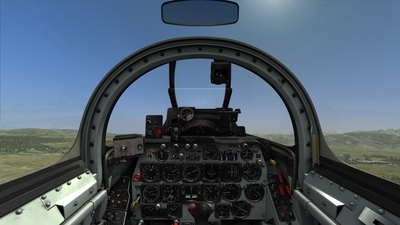
Mini DCS F-86F Sabre Review By Eric J For me to go into the history of the Sabre would be utterly not worth the effort because it is a well-known jet as well as being one of the first US production jet fighters. Having gained experience in Korea during the Korean War, only matched by the Mig-15 and Mig-17, the jet is simply iconic for that reason alone, so a dissertation in the history wouldn’t be applicable for this review, but is applicable in setting the tone for the module for DCS. Flight Model Having flown the Sabre a few times I can say that the aircraft due to the earlier flight controls requires constant attention and initially trimming. As what seems to be a new trend with the more PFMs and SFMs the aircraft usually fly a constant nose down attitude, requiring constant trimming, in both pitch and roll. The reason as when I was taking it for the mountain flying test the aircraft set off Sticky Keys quite often, which after realizing that this is not a modern aircraft and should switch my trim to non-modified joystick mapping. After I did that the aircraft seemed to want to behave better as I took it on my nominal mountain flying test to see how it handled and performed well. It should be noted that G-Loc can happen quite quickly due to the airframe so when doing maneuvers it’s highly recommended to pull firmly on the stick, as sharp pulls will cause you to black out instantly. However once you set the trim to the default hat switch I noticed it was much smoother to control and easier to trim the jet as I flew along. I would not recommend rolling at low level with your wings vertical however, as the aircraft does wallow in that regard and you will lose control, but if you keep the wings from that angle then control is crisp and responsive and quite honestly was fun to fly at high speeds. At high altitude the aircraft becomes almost uncontrollable around 28,000 feet MSL so keep that in mind if you wish to go higher. Also if you nose down with this aircraft around this altitude you can reach Mach 1 before hitting the ground, so keep that in mind if you want to try this experiment. Some other things to note, the aircraft being aged, does require a separate nosewheel… locking system for you to taxi, both before and after flight. If you have flown the Black Shark it’s similar to the condensed trim system but at first when you taxi you will have problems simply taxiing to the runway. This is just due to the initial problem of overcorrecting and crashing.If you haven’t flown the Black Shark is you have to hold down the Nosewheel Steering Button in order to move the nosewheel and add rudder input to perform a turn. However once you figure this out applying the button plus rudder becomes instinctive and not hard to figure out and is highly recommended to map onto your stick in a convenient location. During takeoff and landing at speed rudder input still works and can help keep your jet oriented properly. Flaps need to be manually adjusted, meaning you can’t just press the F key for modern jets and the flaps will go down, or retract. Also before takeoff it’s recommended to raise them up to a less sharpangle so that takeoffs aren’t so nose high as well. Also remember to slow down before applying the brake as you can actually bend the wheel slightly, to where it’s damaged, but still operable to steer the aircraft to clear the runway. Over time of course the more you fly the aircraft the easier it is to not break the wheel or bend it. Also the view system is quite interesting as you have a “ground perspective” and a “flight perspective”, meaning that at the start your camera is quite close to the instrument panel. Once you take off however it will automatically zoom out which shows the well textured and detailed cockpit. Practically this doesn’t impinge on flight and of course like any other aircraft the view is fully adjustable if the default views don’t suit you. It should also be noted that the view changes when selecting the bomb sight, again moving your perspective based on historical accuracy of employing the weapons during the Korean War. Despite the mountain test, I took it on my JTAC training map where I have some simple fuel trucks as targets to shoot at and to get a little practice in anyway. I will say that the handling and turn ability of the jet is very impressive, very smooth and really rivals some of the more modern virtual combat aircraft I’ve flown over the years. High and low-speed handling is very impressive and commands some respect and was quite happy flying the aircraft after realizing that. When doing gun runs the aircraft sometimes pitches up due to lower speeds but can be immediately corrected with trim, which makes it practically stable (with stability from the player’s stick inputs as well) but overall left to refuel quite happy that the aircraft is just nice to fly and in some ways simplicity is always better than all the buttons and screens, and so on with modern aircraft these days. As an opponent this ability as handled by the AI when doing DACT is also apparent, where using modern aircraft like the Su-27 and Su-33 has shown that the low speed handling gives the Sabre the edge in the close fight, but remember that you have short ranged guns and a modern opponent can merely maneuver and either get a good guns kill or use a short ranged missile to bring you down once it gets into a good firing position. And remember the plane has no flares or modern defensive equipment, so using it as a target drone (and a livery does exist as a third party option) may be good for practice for BVR and the like if you want something to give you a challenge but also not able to shoot you down as well. Fuel is an issue as you can last about a half hour or less depending on your throttle setting and flight profile, and drop tanks are recommended to haul along but for short flights they’re not needed or required if you’re just heading to a range nearby, use that weight for bombs and rockets, etc. However it is advised you keep a good eye on the fuel gauge as once you reach a certain point you will need to return back to base and refuel and rearm. 3D Model/Textures Like all current DCS modules the 3D model of the aircraft is of course well done and fully textured, leaving a sense of a completed aircraft. The module by default comes with one texture only, and no official support for custom liveries. However, there is an unofficial PSD available on the ED Forums that through searching you can make your own. There are also some user created liveries also available at the DCS main site, CombatAce, as well as LockOnFiles.com. Functionality The aircraft has full 6DOF support, with many switches and dials animated and for you to click and operate. It should be stressed that there is no safety for the nose guns, and as Black Hawk Down goes, your finger is your safety. However there are fully functioning switches to turn the guns off (which in my mind should be default while on the ground) manually so if you accidentally press the trigger you won’t accidentally discharge all six .50 caliber machineguns. Otherwise through simply switching them and playing with them (full text boxes tell you also which one does if you didn’t look in the manual to figure out how to do things. However a fully informed “Quick Start” manual (I only add quotations as the manual is the manual and is informative enough to navigate around the cockpit to do what you need to do) is of course provided so you can figure out what is what inside the cockpit. Otherwise it is fully clickable and given the early technology, isn’t as daunting as say, the A-10C on how to start it up. For weapons use the panel is right behind the joystick, so it’s a bit hard sometimes to enable weapons systems while flying and may cause you to have to jerk the stick or hold the stick to gain access to the appropriate systems as in real life all you had to do was simply lean forward and simply select the dials to get what you needed. Given simulation logic it’s a necessary evil but if you can watch your trigger on the ground… but I don’t recommend unsafe procedures but if you wish to use the era-specific weapons that is a concern you should have. It should also be noted as per the manual you have 300 rounds per machinegun, so I would recommend if you want to keep your bullets is to use the selector lever on the left side of the cockpit, just below the canopy rail to select from Upper, Middle, and Lower guns or All depending on your preference. Because of this it is highly recommended that you map the various buttons that you will need to operate the weapon systems as needed without having to look down at the base of the stick and figure out what to do. Major issues so far My only complaint in this regard is the default settings for the safeties. Normally on any airbase they would be switched to the OFF position and then the pilot should simply switch them off safe in order for preparation for combat, and likewise turn them OFF when landing, etc. Another issue is that for novice flyers you will bend the nosewheel quite a bit (for me it’s unlearning Su-33 dynamics as I know I can come in hard and the jet won’t break easily) and the aircraft is still able to turn as if the wheel wasn’t broken, i.e. it won’t rotate the aircraft with throttle input in the bent direction. Final Thoughts The Sabre is a niche aircraft in the modern theme of DCS: World but as such since the world is also flexible, then flying it would put you back in the Korean War era (except you’re in the Caucasus Mountain area) and that’s about it. I would recommend purchasing it if you are into older era aircraft but want modern graphics to look good while flying it around the region. And despite the major issues listed above (which are immediately fixable by simply operating the switches and using Ground Repair) as while I am a modern jet flyer, this one is fairly interesting to fly and given the performance I would say I don’t regret purchasing this particular module for DCS.
-
From the album: News Team Photos
-
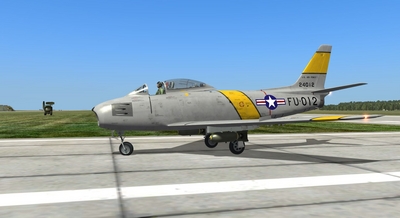
From the album: News Team Photos
-
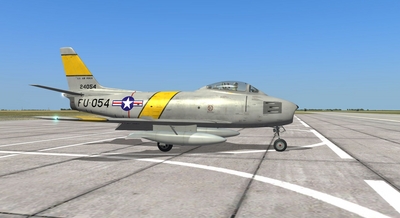
From the album: News Team Photos
-
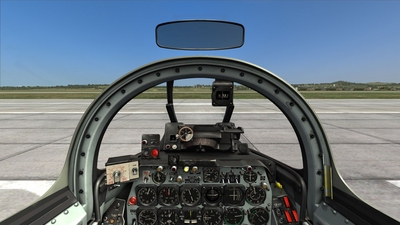
From the album: News Team Photos
-
Someone mentioned how the planes could withstand the EMP from a nuclear blast and if things heat up those planes would still fly while the newer aircraft would be SOL. I asked a buddy of mine about this and he asked me "Why do you think our planes have been EMP shielding?" ... to which I replied "Touche"
-
Browsing around and bumped into this. Have any of you seen this? http://www.youtube.com/watch?v=u-mEytY7KfY Thunderbolts Conquer the Reich looks good too.
-
- 1
-
-
Busted out window, cut power, victim electrocuted, ... no wonder why it went up the tree in the first place. I loved the comments too.