Stephen1918
-
Posts
1,182 -
Joined
-
Last visited
-
Days Won
19
Content Type
Profiles
Forums
Gallery
Downloads
Store
Everything posted by Stephen1918
-
I agree, nice photo. I notice the mixture of planes in the squadron, a little more than half Fokker D.IIIs, the rest a mixture of older types. I also notice the colors of tail insignia are reversed on some planes.
-
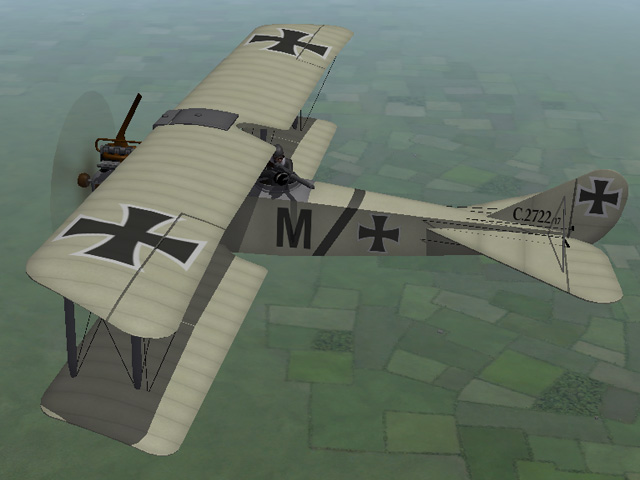
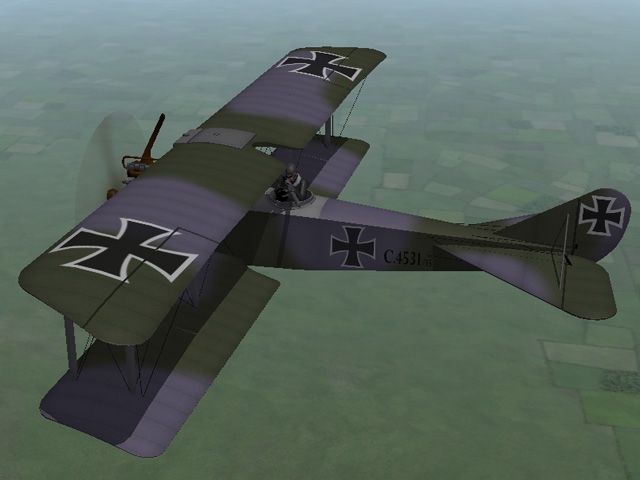
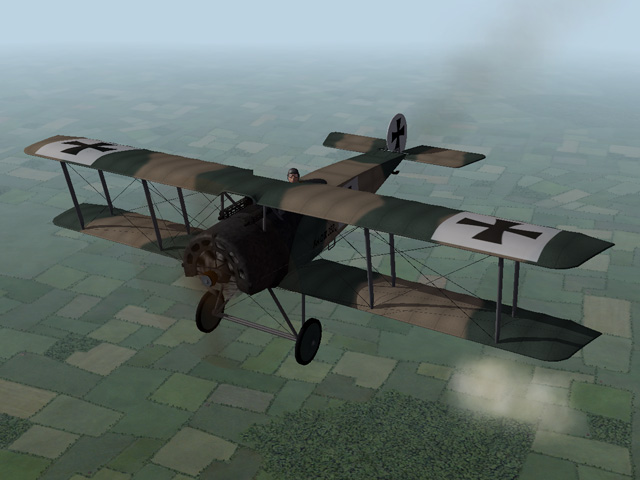
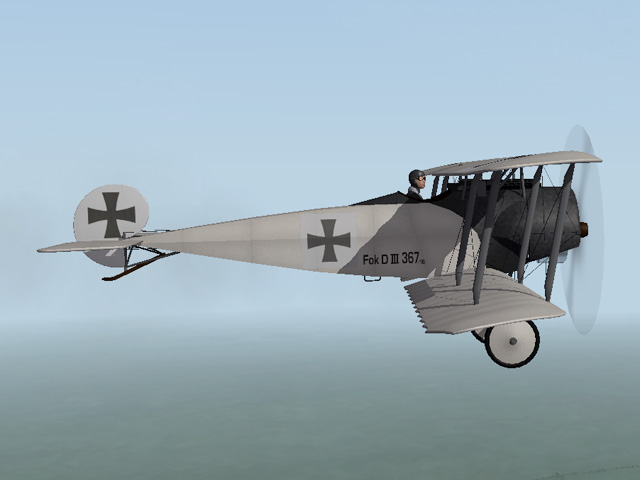
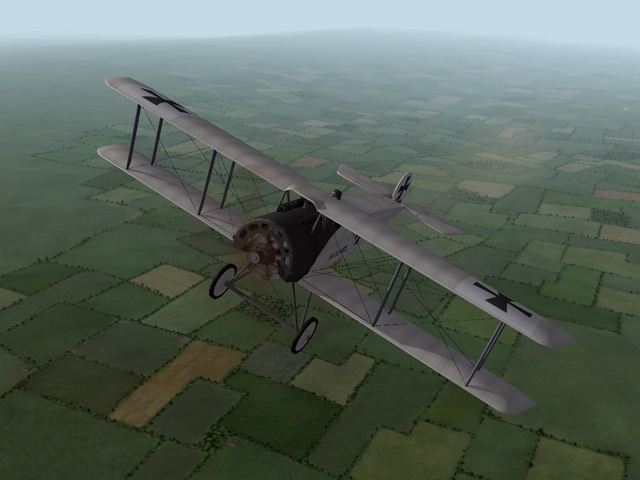
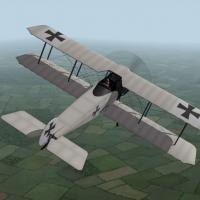
View File Fokker D.III The Fokker D.III was a more powerful version of the D.II, using the same wings and tail as the D.II. It had a 14 cylinder Oberursal rotary engine, which required changes to the fuselage but allowed the plane to carry two Spandau machine guns. Unfortunately, the engine had a low compression rate and the plane lost power at high altitudes. Never-the-less, German ace Oswald Boelcke scored 7 victories in 13 days flying a Fokker D.III. I have made two skins - a plain white linen, and a two color (brown and green) camo. I have also made a full set of serial number decals. My skinning templates are included in the download. Credits My thanks to Ojcar for making the data file for the Fokker D.III, and for providing helpful reference material for the engine and cowling. Installation Instructions For FE1 - Unzip the file and move the folder named "FokkerD3" into your FirstEagles/Objects/Aircraft folder. For FE2 - Unzip the file and move the folder named "FokkerD3" into your FirstEagles/Objects/Aircraft folder. Then in the FirstEagles/Objects/Decals folder, create a new folder named "FokkerD3." Move the folder named "D" from the Aircraft/FokkerD3 folder into the Decals/FokkerD3 folder you just made. Submitter Stephen1918 Submitted 06/29/2015 Category Fokker
-
327 downloads
The Fokker D.III was a more powerful version of the D.II, using the same wings and tail as the D.II. It had a 14 cylinder Oberursal rotary engine, which required changes to the fuselage but allowed the plane to carry two Spandau machine guns. Unfortunately, the engine had a low compression rate and the plane lost power at high altitudes. Never-the-less, German ace Oswald Boelcke scored 7 victories in 13 days flying a Fokker D.III. I have made two skins - a plain white linen, and a two color (brown and green) camo. I have also made a full set of serial number decals. My skinning templates are included in the download. Credits My thanks to Ojcar for making the data file for the Fokker D.III, and for providing helpful reference material for the engine and cowling. Installation Instructions For FE1 - Unzip the file and move the folder named "FokkerD3" into your FirstEagles/Objects/Aircraft folder. For FE2 - Unzip the file and move the folder named "FokkerD3" into your FirstEagles/Objects/Aircraft folder. Then in the FirstEagles/Objects/Decals folder, create a new folder named "FokkerD3." Move the folder named "D" from the Aircraft/FokkerD3 folder into the Decals/FokkerD3 folder you just made. -
Thank you gentlemen. Getting all the edges of the camo to line up on the different parts was... interesting. Thanks also to Ojcar for suggesting the Schneider.
-
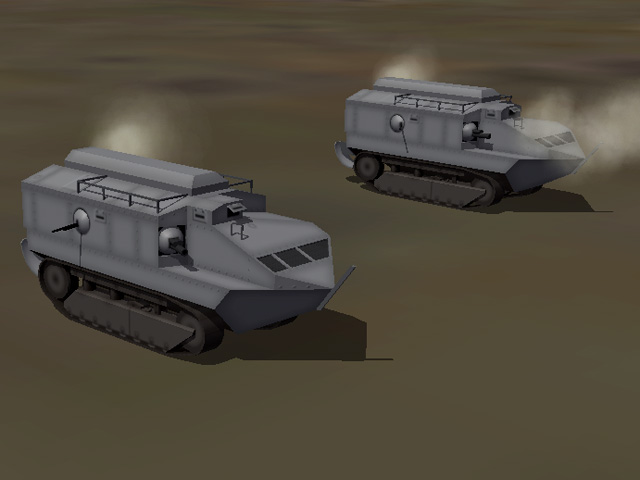
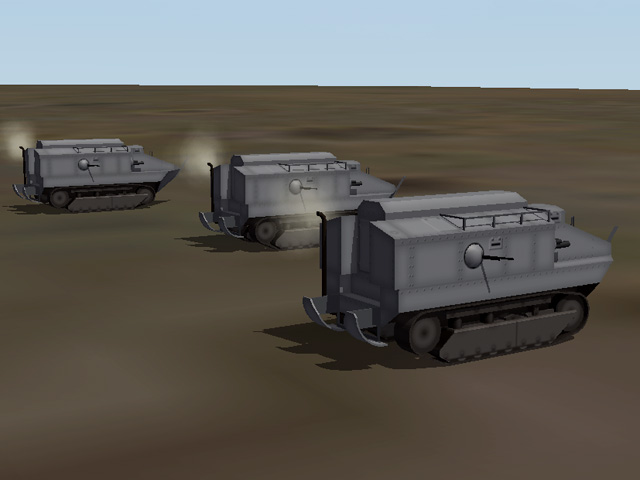
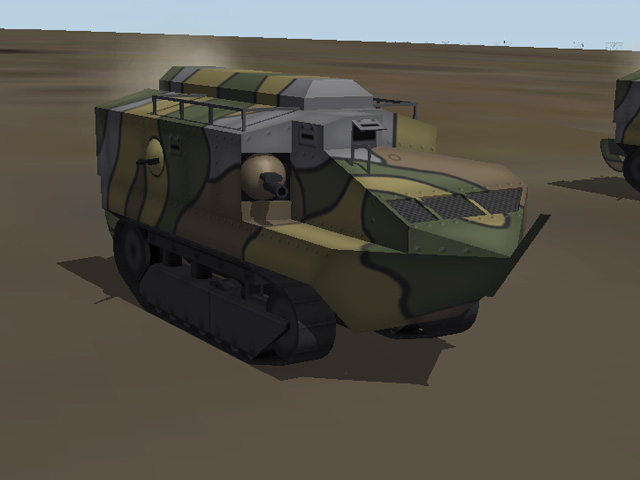
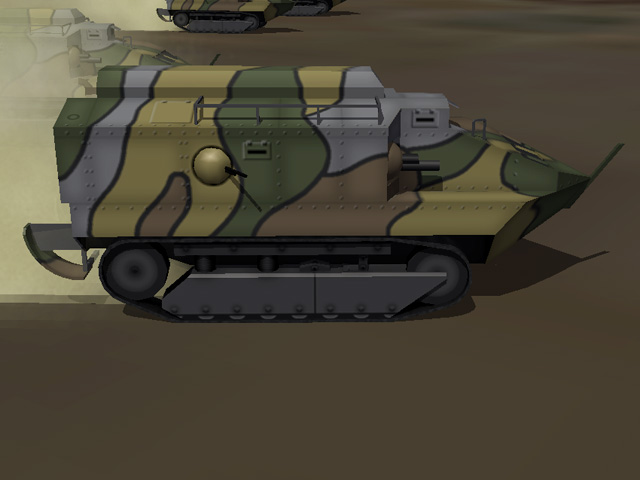
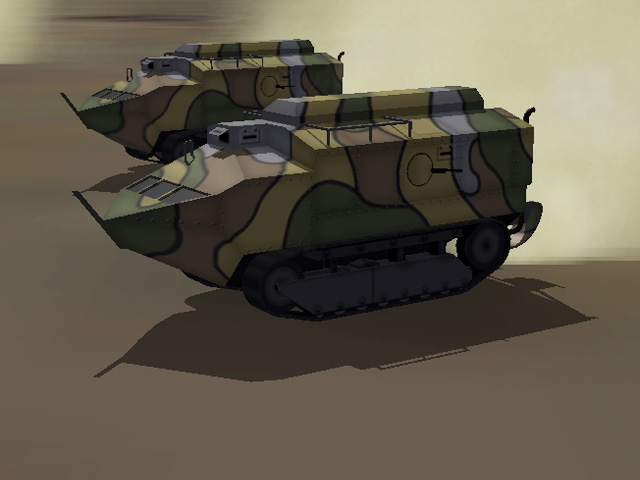
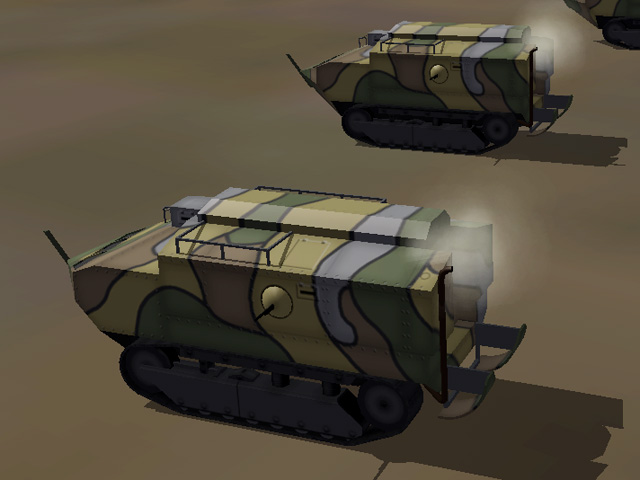
View File Schneider CA1 The Schneider CA1 was the first French built tank and was used for the first time in April, 1917. Only about 400 were built but they played an important role on the Western Front in late 1917 and early 1918. The Schneider had a short barreled 75mm gun in a turret on the front-right, and two Hotchkiss machine guns in turrets on the sides. The tank was delivered from the factory painted grey, but a variety of camo schemes were applied in the field. My version includes both a standard grey and a four color camo skin. (You will need to change the ini file in order to change skins - open the ini file and change the TextureSet numbers to make the desired skin number 1.) In First Eagles, the Schneider takes the role of a tank, drop it into your ground object folder and First Eagles will randomly assign it to some of your Army Co-operation missions. Installation Instructions Unzip the file and open my folder named "GroundObject". Copy the folder named "SchneiderCA" to your FirstEagles/Objects/GroundObject folder. The Schneider uses the same skin for damage as my armored cars. If you have already installed any of my armored cars, you may already have the file. If not, copy the file named "DestroyedArmoredCar.bmp" into your GroundObject folder. Note that the "DestroyedArmoredCar.bmp" file should not be inside any other folder. Submitter Stephen1918 Submitted 06/22/2015 Category First Eagles - WWI and Early Years - Object Mods
-
I have uploaded the Schneider CA1 and it will be available after it gets administrator approval. I included a plain grey skin along with the camo skin shown above.
-
166 downloads
The Schneider CA1 was the first French built tank and was used for the first time in April, 1917. Only about 400 were built but they played an important role on the Western Front in late 1917 and early 1918. The Schneider had a short barreled 75mm gun in a turret on the front-right, and two Hotchkiss machine guns in turrets on the sides. The tank was delivered from the factory painted grey, but a variety of camo schemes were applied in the field. My version includes both a standard grey and a four color camo skin. (You will need to change the ini file in order to change skins - open the ini file and change the TextureSet numbers to make the desired skin number 1.) In First Eagles, the Schneider takes the role of a tank, drop it into your ground object folder and First Eagles will randomly assign it to some of your Army Co-operation missions. Installation Instructions Unzip the file and open my folder named "GroundObject". Copy the folder named "SchneiderCA" to your FirstEagles/Objects/GroundObject folder. The Schneider uses the same skin for damage as my armored cars. If you have already installed any of my armored cars, you may already have the file. If not, copy the file named "DestroyedArmoredCar.bmp" into your GroundObject folder. Note that the "DestroyedArmoredCar.bmp" file should not be inside any other folder. -
A few days ago, Ojcar mentioned a French Schneider tank in the "What do we need" thread. I thought that would be a nice tank to have. It was armed with a short barrel 75mm gun in the front and two Hotchkiss machine guns on the sides. It was kind of a self-propelled pillbox. The Schneider was first used in April 1917 on the Western Front. At least one was used on the Italian Front in late 1918. After the war, some were sold to Spain and they were used in the Rif War, and later, by both sides in the Spanish Civil War. I'm finishing the skins and tweaking the data files now. I should be uploading it tomorrow.
-
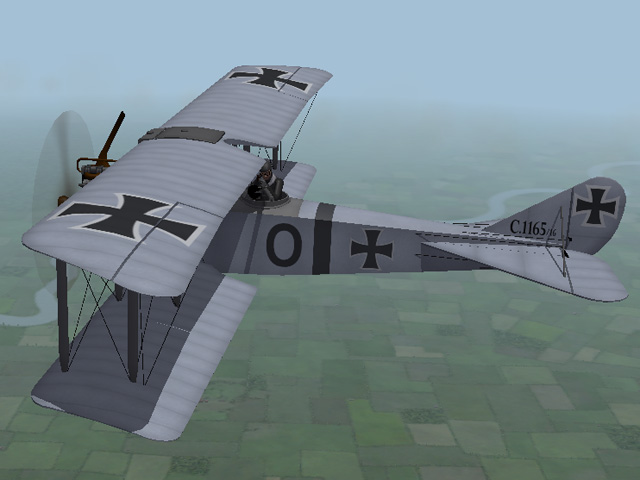
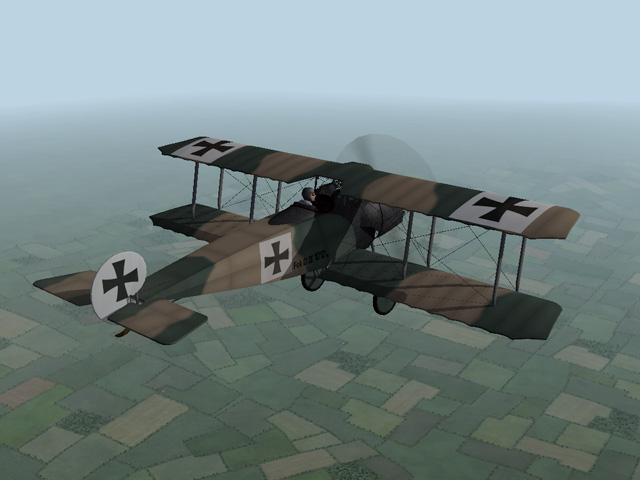
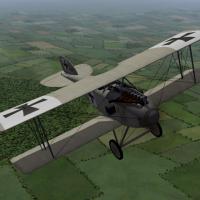
View File Albatros D.I The Albatros D.I was the first in a long line of successful Albatros fighters. It had a molded plywood fuselage, which made it lightweight but strong. With its powerful engine and dual machine guns it outclassed any Entente fighters in the air at the time. The biggest drawback to the D.I was the position of the upper wing, which obscured the pilot's view. Production quickly switched to the D.II which was basically the same plane but with the upper wing mounted lower. The download includes three skins, a basic linen, a grey paint, and a 2 color camo. There is also a full a full set of serial number decals. The skinning templates are identical to the Albatros D.II templates, I have included them in this download for the sake of convenience. This plane uses the same engine sound as the Albatros D.II, which you probably already have. I have placed an alternate line in the data file to change the sound to the default "PropLoop" sound if you prefer. Credits My thanks to Ojcar for making the data file for the Albatros D.I. Installation Instructions For FE1 - Unzip the file and move the folder named "AlbatrosD1" into your FirstEagles/Objects/Aircraft folder. For FE2 - Unzip the file and move the folder named "AlbatrosD1" into your FirstEagles/Objects/Aircraft folder. Then in the FirstEagles/Objects/Decals folder, create a new folder named "AlbatrosD1." Move the folder named "D" from the Aircraft/AlbatrosD1 folder into the Decals/AlbatrosD1 folder you just made. Submitter Stephen1918 Submitted 06/17/2015 Category Albatros
-
Version v2
400 downloads
The Albatros D.I was the first in a long line of successful Albatros fighters. It had a molded plywood fuselage, which made it lightweight but strong. With its powerful engine and dual machine guns it outclassed any Entente fighters in the air at the time. The biggest drawback to the D.I was the position of the upper wing, which obscured the pilot's view. Production quickly switched to the D.II which was basically the same plane but with the upper wing mounted lower. The download includes three skins, a basic linen, a grey paint, and a 2 color camo. There is also a full a full set of serial number decals. The skinning templates are identical to the Albatros D.II templates, I have included them in this download for the sake of convenience. This plane uses the same engine sound as the Albatros D.II, which you probably already have. I have placed an alternate line in the data file to change the sound to the default "PropLoop" sound if you prefer. Credits My thanks to Ojcar for making the data file for the Albatros D.I. Installation Instructions For FE1 - Unzip the file and move the folder named "AlbatrosD1" into your FirstEagles/Objects/Aircraft folder. For FE2 - Unzip the file and move the folder named "AlbatrosD1" into your FirstEagles/Objects/Aircraft folder. Then in the FirstEagles/Objects/Decals folder, create a new folder named "AlbatrosD1." Move the folder named "D" from the Aircraft/AlbatrosD1 folder into the Decals/AlbatrosD1 folder you just made. -

Help - I am sure I got this right once
Stephen1918 replied to NMcDonald's topic in General Discussion
I use FE1 so I won't be able to help, but I have had many PMs from people asking asking for help making a separate install of FE2. Could someone write a step-by-step list of instructions so I will at least have a place to send them? If we want to expand the FE user base, then we have to help the newbies learn how install the mods. I remember how frustrating it was for me when I first started - hours of trolling through the knowledge bases searching for answers. (You know, it took me two weeks to figure out that "FM" was the same thing as the data.ini?) That's why I have a made a point of trying to write install instructions that newbies can understand. Can someone help NMcDonald get his terrain working, please? -
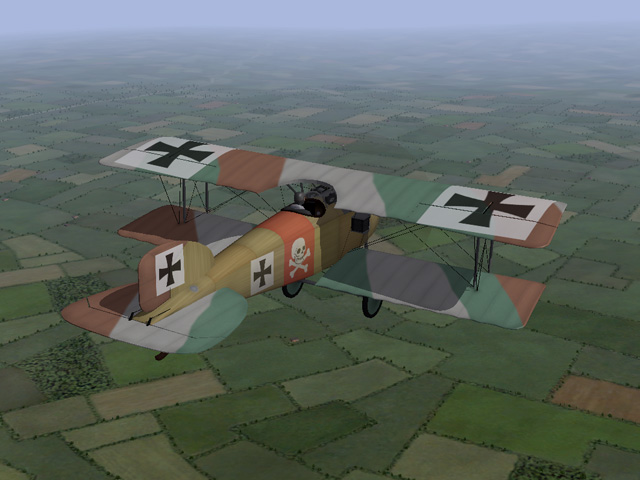
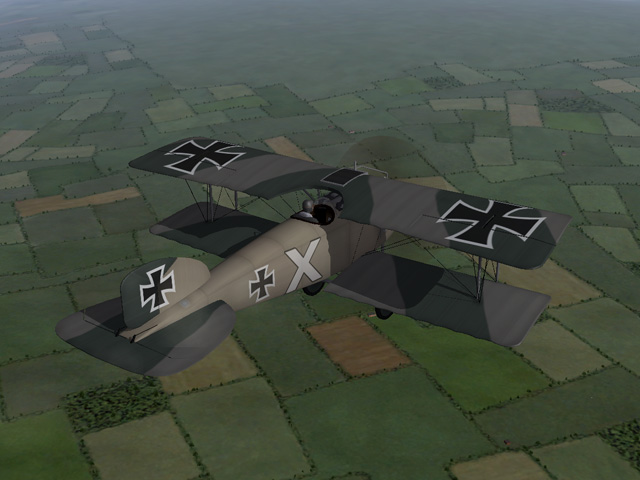
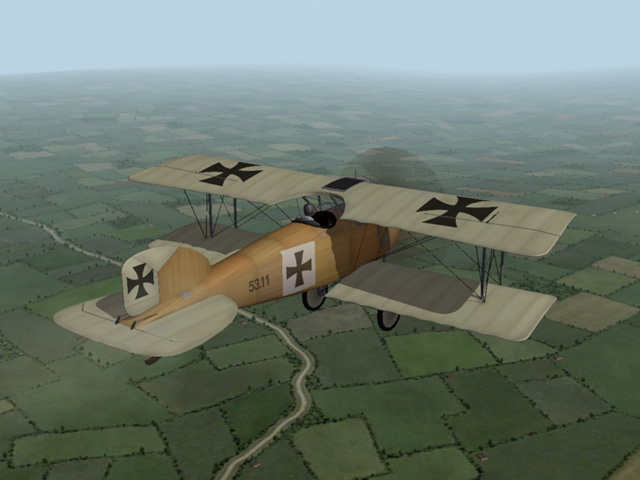
As promised, I have uploaded new versions of all my Albatros D.IIs with correct elevator control cables. Some time ago, I made new skins for the German D.IIs, and I have included them in the new version, along with new Hangar and Loading screens. http://combatace.com/files/file/15526-oeffag-built-albatros-dii/ http://combatace.com/files/file/13515-albatros-dii-2-pack/
-
In another thread, Crowford and Extremeone started a discussion about planes they wanted to see. We seem to do this periodically and it's been a while. I find it helpful when I'm planning new planes, but I quickly lose track of the list. There are a lot of modders around here. so this time let's include other things besides planes - skins, ground objects, terrains, campaigns, effects, weapons, etc. So... what do we need to fill the gaps in First Eagles?
-
Thank you for this Ojcar! I (obviously) like the Eastern Front and I have wanted new campaigns for the new terrain. I've been checking back periodically since you posted. I just got it, now I'm looking forward to installing this and flying some missions! New planes will have to wait while I play...
-
Um... I honestly have no answer to that question. It will take some time to rebuild the cable animations, but I can have correct versions made relatively soon.
-
Coupi - I like the sepia tone, and the texture makes it look just like an old photograph. Very nice!
-
Actually, I meant that we might have a need for this plane sometime soon... I have two planes in progress at the moment, a Farman F.30, and a Roland D.II. In both I'm finishing the detail work and starting the skins. It will be a few weeks at least before they're done. After that... what did you have in mind?
-
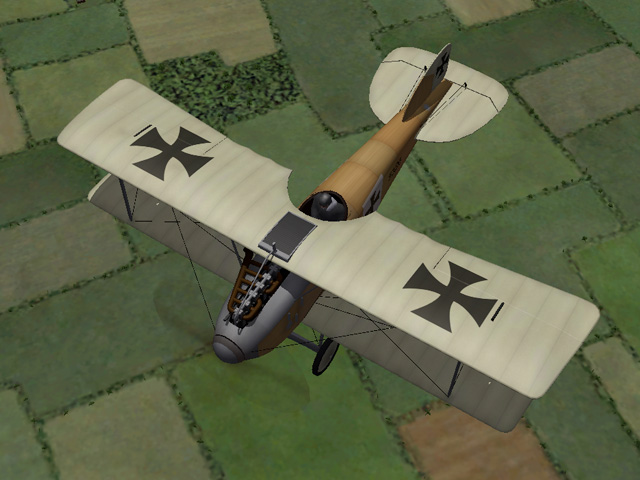
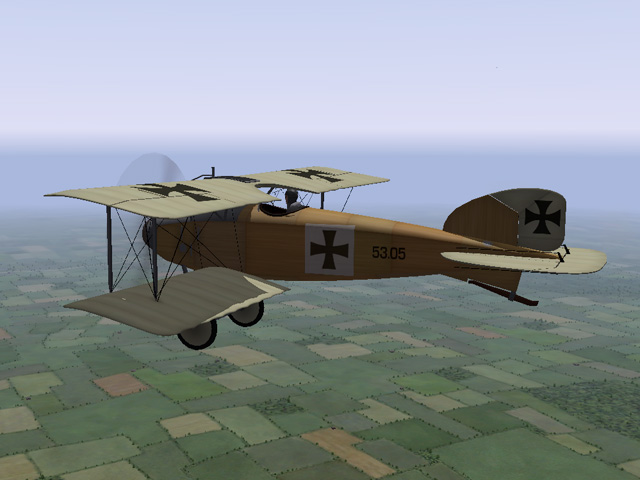
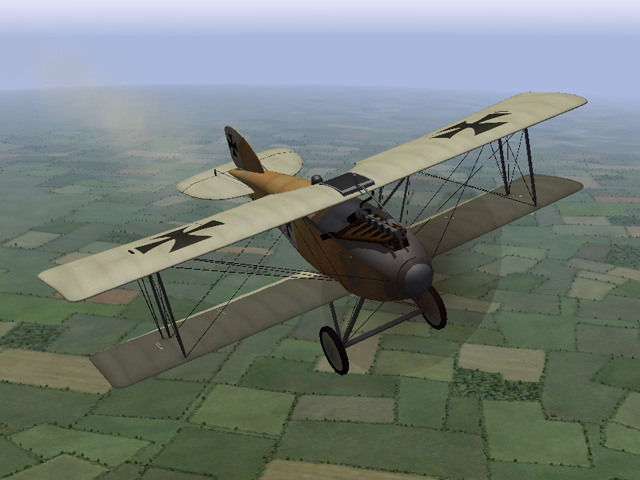
I've uploaded an Austro-Hungarian version of the Albatros D.II. It was very similar to the German version, but had a bigger engine and carried only one machine gun. There were also minor differences in the tail, the wings, and the cockpit. Not many were produced but it was an excellent fighter at the time and used on both the Italian and Eastern Fronts. I have included one skin and decals appropriate for this plane. Mu thanks to Ojcar for another excellent FM! Thanks also to Nix who provided the sound file for the Austro-Daimler 185hp engine. (I have a hunch that we're going to need another Austro-Hungarian fighter soon.)
-
View File Oeffag built Albatros D.II Note - This plane uses the same name as Bortdafarm's Oeffag Albatros D.II so that it will appear in Ojcar's Armchair Aces campaigns without any revisions. However, installing mine will overwrite Bort's plane. If you want to have them both, you will need to rename one of them. The Albatros D.II was a successful German built fighter. In late 1916, the Austrian firm Oeffag was licensed to produce Albatros fighters for the Austro-Hungarian military. Very few Oeffag D.IIs were produced before production went over to the D.IIIs, but for a time, it was the best fighter on the Italian and Eastern Fronts. The Oeffag built plane had a more powerful engine than the German built planes (185 hp Austro-Daimler) and carried only one Schwarzlose gun in the fuselage as opposed to two Spandaus on the German plane. It also had minor changes to the wings, tail, and cockpit. This download includes a basic linen and wood skin, an insignia decal, and a full set of serial numbers. The skinning templates are identical to the original Albatros D.II templates, I have included them in this download for the sake of convenience. Historical Note Only 16 Oeffag Albatros D.II's were produced. I have added a few fake serial numbers to fill out the list so the game won't be able to assign duplicate numbers. You may see numbers 53.17 through 53.20 in the game, but these planes were never actually built. Credits My thanks to Ojcar for making the data file for the Oeffag Albatros D.II. My thanks also to Nix for making the sound file for the Austro-Daimler 185hp engine. Installation Instructions For FE1 - Unzip the file and move the folder named "OefAlbatrosDII" into your FirstEagles/Objects/Aircraft folder. You also need to move the sound file "Austro-daimler185.wav" into your FirstEagles/Sounds folder. For FE2 - Unzip the file and move the folder named "OefAlbatrosDII" into your FirstEagles/Objects/Aircraft folder. Then in the FirstEagles/Objects/Decals folder, create a new folder named "OefAlbatrosDII." Move the folder named "D" from the Aircraft/OefAlbatrosDII folder into the Decals/OefAlbatrosDII folder you just made. You also need to move the sound file "Austro-daimler185.wav" into the FirstEagles/Sounds folder. Submitter Stephen1918 Submitted 06/08/2015 Category Albatros
-
Version v2
268 downloads
Note - This plane uses the same name as Bortdafarm's Oeffag Albatros D.II so that it will appear in Ojcar's Armchair Aces campaigns without any revisions. However, installing mine will overwrite Bort's plane. If you want to have them both, you will need to rename one of them. The Albatros D.II was a successful German built fighter. In late 1916, the Austrian firm Oeffag was licensed to produce Albatros fighters for the Austro-Hungarian military. Very few Oeffag D.IIs were produced before production went over to the D.IIIs, but for a time, it was the best fighter on the Italian and Eastern Fronts. The Oeffag built plane had a more powerful engine than the German built planes (185 hp Austro-Daimler) and carried only one Schwarzlose gun in the fuselage as opposed to two Spandaus on the German plane. It also had minor changes to the wings, tail, and cockpit. This download includes a basic linen and wood skin, an insignia decal, and a full set of serial numbers. The skinning templates are identical to the original Albatros D.II templates, I have included them in this download for the sake of convenience. Historical Note Only 16 Oeffag Albatros D.II's were produced. I have added a few fake serial numbers to fill out the list so the game won't be able to assign duplicate numbers. You may see numbers 53.17 through 53.20 in the game, but these planes were never actually built. Credits My thanks to Ojcar for making the data file for the Oeffag Albatros D.II. My thanks also to Nix for making the sound file for the Austro-Daimler 185hp engine. Installation Instructions For FE1 - Unzip the file and move the folder named "OefAlbatrosDII" into your FirstEagles/Objects/Aircraft folder. You also need to move the sound file "Austro-daimler185.wav" into your FirstEagles/Sounds folder. For FE2 - Unzip the file and move the folder named "OefAlbatrosDII" into your FirstEagles/Objects/Aircraft folder. Then in the FirstEagles/Objects/Decals folder, create a new folder named "OefAlbatrosDII." Move the folder named "D" from the Aircraft/OefAlbatrosDII folder into the Decals/OefAlbatrosDII folder you just made. You also need to move the sound file "Austro-daimler185.wav" into the FirstEagles/Sounds folder. -
Beautiful plane, Geezer! For anyone using FE1 - you'll need to convert the ini file to ANSI encoding for the plane to show up in your game. It's an extremely easy thing to fix: Open the file named "HalberstadtD5.ini" (I use Notepad for this.) Do a "Save As..." At the bottom of the Save As window change the Encoding setting from Unicode to ANSI. Then click "Save" and you'll be all set.
-
Looking good! I want to fly this plane!
-
Thank you for your comments, gentlemen. Ojcar has pointed out that by changing the names of skins, I broke all the campaigns he's made using the Rumpler. So I uploaded version 2.1 (which should receive administrator approval shortly) with the skin names corrected. If you downloaded version 2 yesterday, you will need to change the names of the skin folders in order to run correctly in any of the Armchair Aces campaigns. RC1Blue should change to RC1Texture1 RC1Camo should change to RC1Texture2 The RC1Linen is a brand new skin so you won't need to change the name for that one. Sorry about that, Ojcar!
-
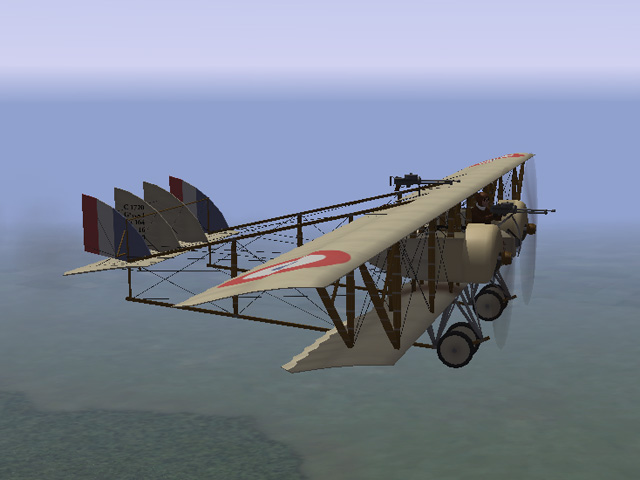
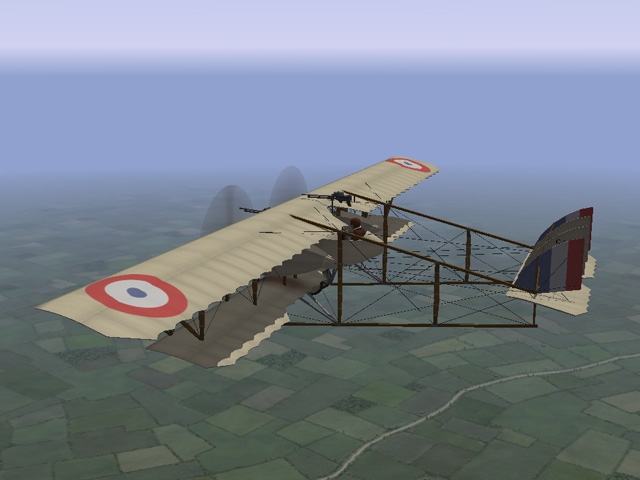
I have uploaded a new version of the Caudron G.4 with a better wing profile and nicer wing edges. Ojcar has also revised the FM to improve the plane's handling. I replaced the old version and it's a few pages back. Here's a link: http://combatace.com/files/file/15024-caudron-g4/
-
- 3
-

-
My skills have improved over the years. I started started having issues with the way the Rumpler C.I looked, so I did some tweaking. I cleaned up the wing edges and wing tips, and I made new skins. All the changes are purely cosmetic, skins made for the older version will still work, all the data and ini files are the same. I replaced the old version with a new one, so the upgrade is several pages back in the Download section. Here is a link: http://combatace.com/files/file/12740-rumpler-ci/