

Stephen1918
-
Posts
1,204 -
Joined
-
Last visited
-
Days Won
19
Content Type
Profiles
Forums
Gallery
Downloads
Store
Everything posted by Stephen1918
-
Ford FT-B for the Polish-Russian War
Stephen1918 replied to Stephen1918's topic in General Discussion
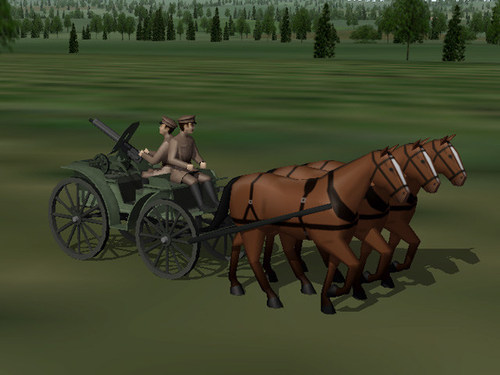
The tachanka has been uploaded, currently waiting for administrator's approval. The file is bigger than the trucks included in the stock First Eagles. I have included three LODs to help manage frame rate. I'm getting a decent frame rate (low 20's) on my computer. There is a destroyed version, just the wagon. Sorry, no bloody horses. -
Ford FT-B for the Polish-Russian War
Stephen1918 replied to Stephen1918's topic in General Discussion
I don't see nor did I intend any anger there. I'm sorry if you took offense. Are you saying that I should stop uploading files because they're made for a slower computer? -
Version 1.0.0
48 downloads
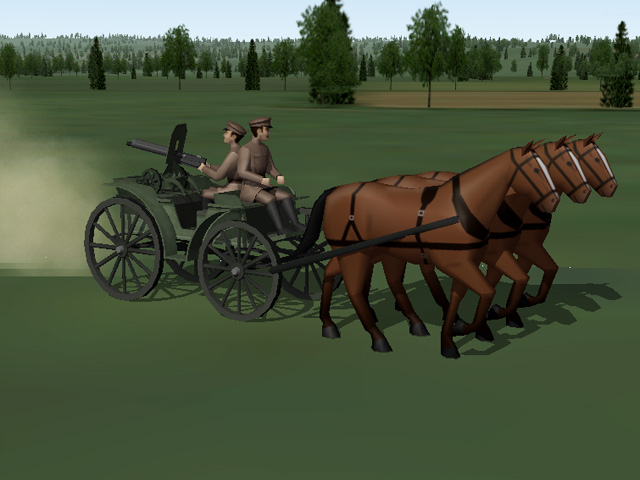
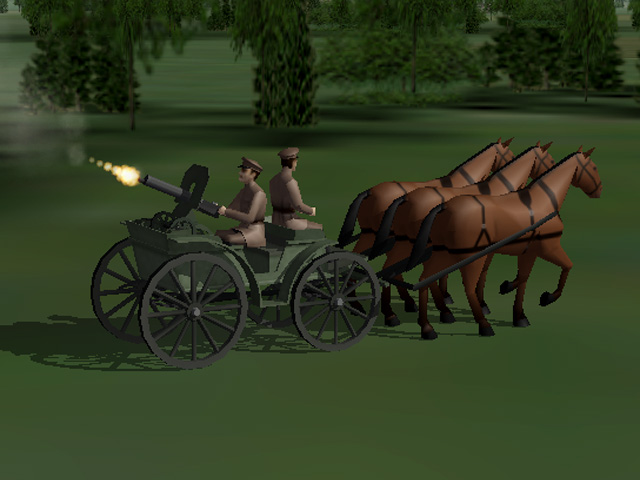
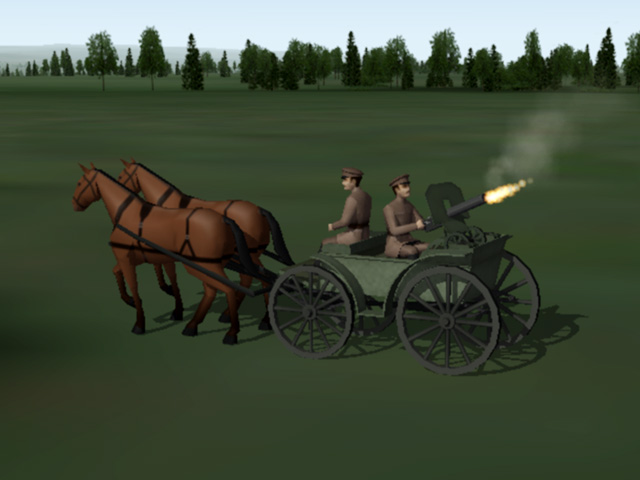
A tachanka was a horse drawn wagon or cart with a heavy machine gun mounted on the back. This made it possible to deploy machine guns quickly, especially on the wide, rapidly changing, Eastern Front. It was used by Russian cavalry in WWI and by Bolshevik, White Russian, Ukrainian, and Polish cavalry in the Russian Civil Wars. Germany used a similar vehicle on the Eastern Front during WWI. My tachanka is a troika (three horse carriage) with a Vickers machine gun facing the rear. It functions in First Eagles as a Truck; drop it into your Ground Objects folder and First Eagles will assign it to some of your Armed Reconnaissance missions. The machine gun is set for AA and will fire at enemy planes that come within its field of fire. The download includes three LODs and a destroyed version. My thanks to Gepard for suggesting this interesting vehicle. Installation Instructions For both FE1 and FE2 Unzip the file and open my "GroundObject" folder. Copy the folder named "Tachanka" to your FirstEagles/Objects/GroundObject folder. Then copy the file named "TachankaDestroyed.bmp" into your GroundObject folder. Note that the "TachankaDestroyed.bmp" file should not be inside any other folder.- 3 comments
-
- 10
-

-

-
Ford FT-B for the Polish-Russian War
Stephen1918 replied to Stephen1918's topic in General Discussion
Yes, we've talked about this before, and as I've said before, I make everything to work well on my machine. For me, playing the game is more important than showing off how much detail I can make. I include as much detail as I can without slowing down my computer too much, and that's what I upload. Of course, when you make yours, you can make it the way you want. The tachanka will be ready to upload later today. -
Ford FT-B for the Polish-Russian War
Stephen1918 replied to Stephen1918's topic in General Discussion
I agree with Gepard, a larger horse team looks better. I made a troika version of the tachanka. In FE it functions as a truck (transport) and it shows up in Armed Recon missions. The gunner will shoot at enemy aircraft if they come into his target area. Since he faces the rear, he's perfectly positioned to shoot planes lined up for a strafing or bombing run. This turned out to be a bigger project than I thought. I got caught up in the challenge of getting the gunner to move in a big enough range to be effective. The file size is much larger that I like, I'll try to bring the size down. Then I have to make the LODs and finish the skins.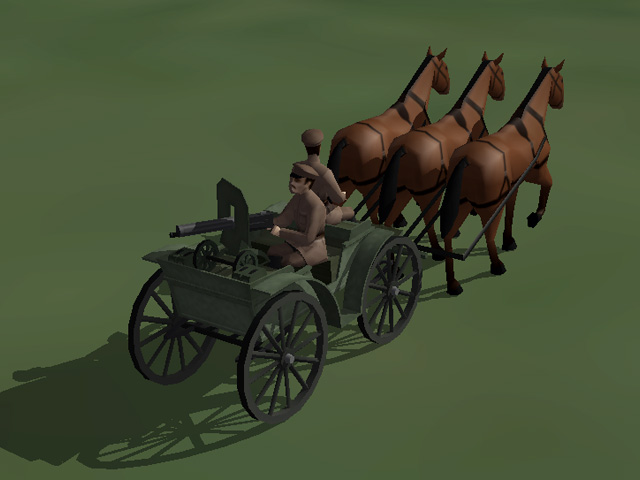
-
Ford FT-B for the Polish-Russian War
Stephen1918 replied to Stephen1918's topic in General Discussion
I used a two man crew so there would be enough room for the gunner to move. Otherwise his range of motion is too limited.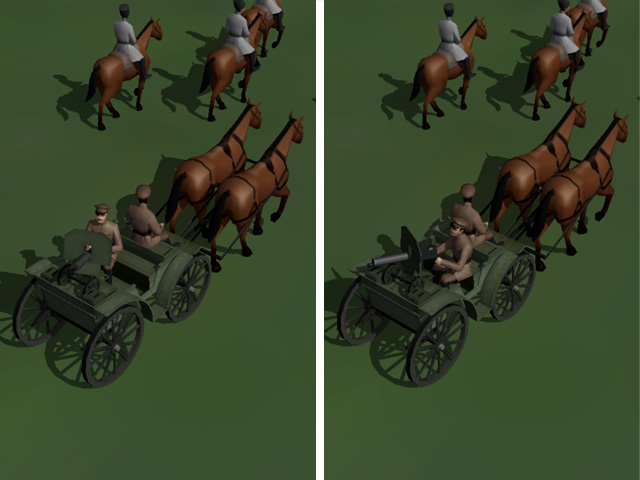
-
Ford FT-B for the Polish-Russian War
Stephen1918 replied to Stephen1918's topic in General Discussion
-
Beautiful skins, I'm looking forward to your uploads.
-
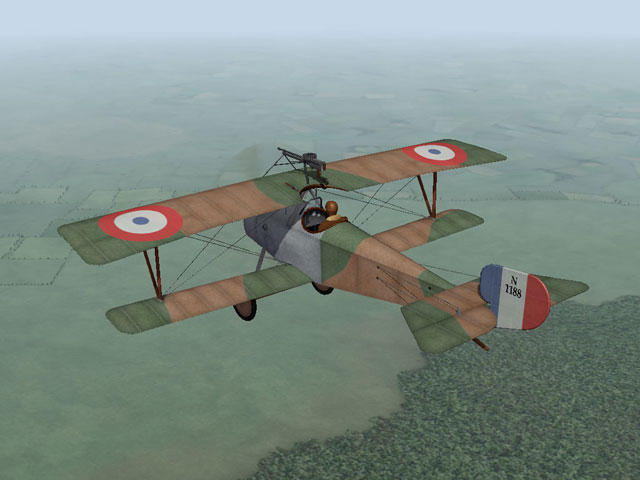
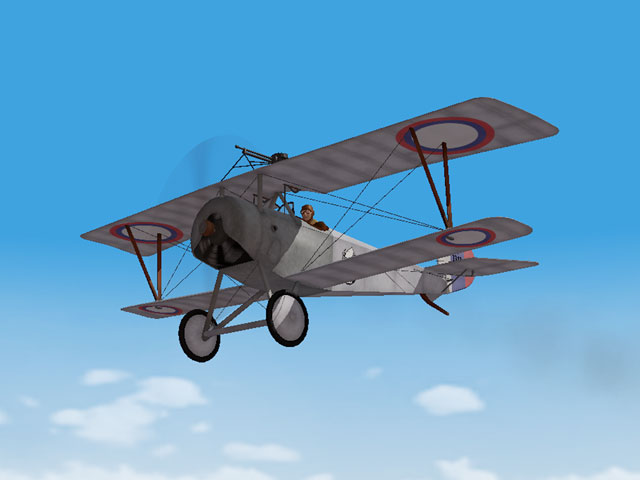
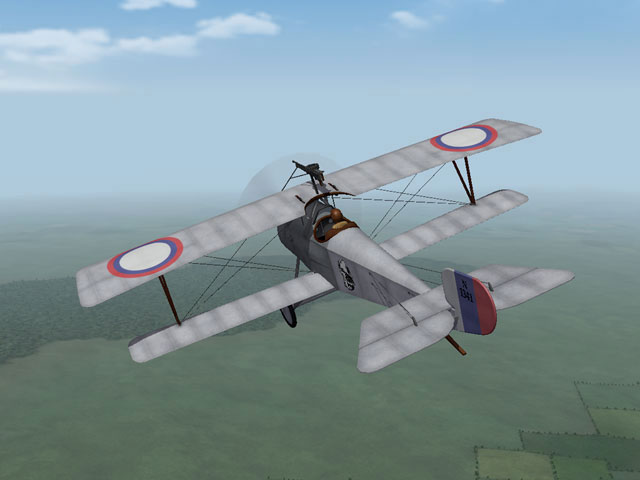
Today I uploaded the Nieuport 21. It was intended to be an escort and used a Nieuport 17 airframe with a smaller engine (to extend its range.) It was used by the French, British and Russians, and saw a lot of use post war. I have included two skins, a full set of decals, a fully functional cockpit, and my skinning templates. My thanks to Ojcar, who made the FM, which captures the fast climbing speed, but low power of this plane.
- 10 replies
-
- 10
-
-
-
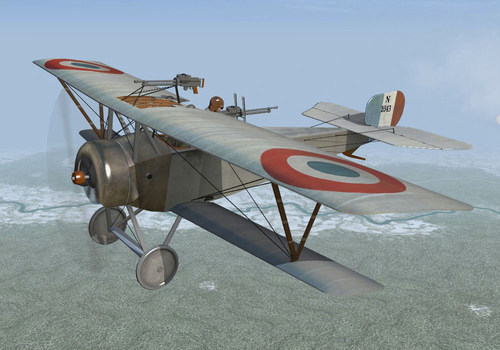
View File Nieuport 21 The Nieuport 21 was designed to be a long range escort fighter. It used a Nieuport 17 airframe with the smaller Nieuport 11 engine to reduce fuel consumption and extend its range. The lighter weight gave the plane a good climb rate, but the lower power engine reduced its speed. The Nieuport 21 served along with the Nieuport 17 on the Western Front. It was also licensed to the Dux factory in Russia and large numbers were used on the Eastern Front. My version of the Nieuport 21 is armed with a single Lewis gun mounted on the upper wing and has a loadout for eight Le Prieur Rockets for Balloon Busting missions. This package features two skins - one French, one Russian - a set of decals, and a fully functional cockpit. My skinning templates are included with the download. This plane uses the Le Prieur Rockets created by P10ppy and a sound file created by Nixou (included with his Realistic Engine Sounds package). Both of these files are available in the Combat Ace Download section. Both of these files are used by other aircraft, so you may already have them. I have included Nixou's sound file with this package in case you don't already have it. Credits: My thanks to Ojcar for making the data file for the Nieuport 21. My thanks to Nixou for making the sound file for the Le Rhone 80hp engine. Installation instructions: This aircraft uses P10ppy's Le Prieur rockets available in the CombatAce downloads section. You may already have it. If you don't, you'll have to download it and install it into your Weapons folder. For FE1: Unzip the file and move the folder named "Nieuport21" into your FirstEagles/Objects/Aircraft folder. If you don't already have it, copy the file named "LeRhone9c80hp1m4" from my Sounds folder into yours. For FE2: Unzip the file and move the folder named "Nieuport21" into your FirstEagles/Objects/Aircraft folder. Then in your FirstEagles/Objects/Decals folder, create a new folder named "Nieuport21". Move the folder named "D" from the Airplanes/Nieuport21 folder into the Decals/Nieuport21 folder you just made. If you don't already have it, copy the file named "LeRhone9c80hp1m4" from my Sounds folder into yours. Submitter Stephen1918 Submitted 12/05/2021 Category Nieuport
-
- 4
-
-
-
Version 2.0.0
155 downloads
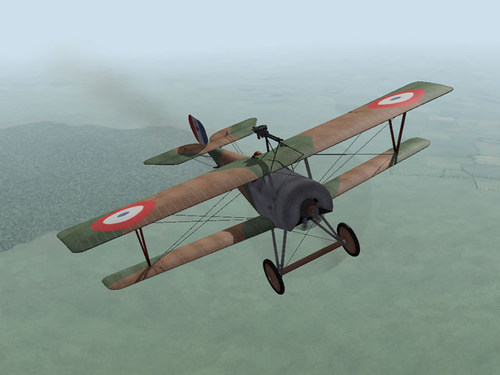
The Nieuport 21 was designed to be a long range escort fighter. It used a Nieuport 17 airframe with the smaller Nieuport 11 engine to reduce fuel consumption and extend its range. The lighter weight gave the plane a good climb rate, but the lower power engine reduced its speed. The Nieuport 21 served along with the Nieuport 17 on the Western Front. It was also licensed to the Dux factory in Russia and large numbers were used on the Eastern Front. My version of the Nieuport 21 is armed with a single Lewis gun mounted on the upper wing and has a loadout for eight Le Prieur Rockets for Balloon Busting missions. This package features two skins - one French, one Russian - a set of decals, and a fully functional cockpit. My skinning templates are included with the download. This plane uses the Le Prieur Rockets created by P10ppy and a sound file created by Nixou (included with his Realistic Engine Sounds package). Both of these files are available in the Combat Ace Download section. Both of these files are used by other aircraft, so you may already have them. I have included Nixou's sound file with this package in case you don't already have it. Credits: My thanks to Ojcar for making the data file for the Nieuport 21. My thanks to Nixou for making the sound file for the Le Rhone 80hp engine. Installation instructions: This aircraft uses P10ppy's Le Prieur rockets available in the CombatAce downloads section. You may already have it. If you don't, you'll have to download it and install it into your Weapons folder. For FE1: Unzip the file and move the folder named "Nieuport21" into your FirstEagles/Objects/Aircraft folder. If you don't already have it, copy the file named "LeRhone9c80hp1m4" from my Sounds folder into yours. For FE2: Unzip the file and move the folder named "Nieuport21" into your FirstEagles/Objects/Aircraft folder. Then in your FirstEagles/Objects/Decals folder, create a new folder named "Nieuport21". Move the folder named "D" from the Airplanes/Nieuport21 folder into the Decals/Nieuport21 folder you just made. If you don't already have it, copy the file named "LeRhone9c80hp1m4" from my Sounds folder into yours.- 1 review
-
- 9
-
-
-
Ford FT-B for the Polish-Russian War
Stephen1918 replied to Stephen1918's topic in General Discussion
This is a very cool looking vehicle, thanks for finding this. Since it fires to the rear, it couldn't be used as a tank in First Eagles, but it might be used as a truck or as a static prop. Or maybe for AA...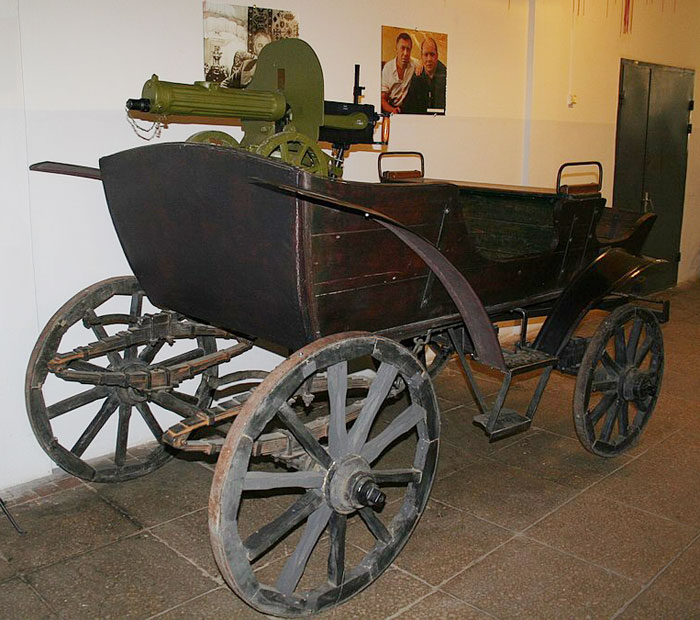
-
Ford FT-B for the Polish-Russian War
Stephen1918 replied to Stephen1918's topic in General Discussion
By the way - I also uploaded better (smoother) versions of the airfield vehicles I made earlier this year. https://combatace.com/files/file/17512-wwi-airfield-vehicles-and-objects/ -
Ford FT-B for the Polish-Russian War
Stephen1918 replied to Stephen1918's topic in General Discussion
Silberpfeil - Good thought, but the gun doesn't elevate high enough to be an AA gun so it's ground targets only. -
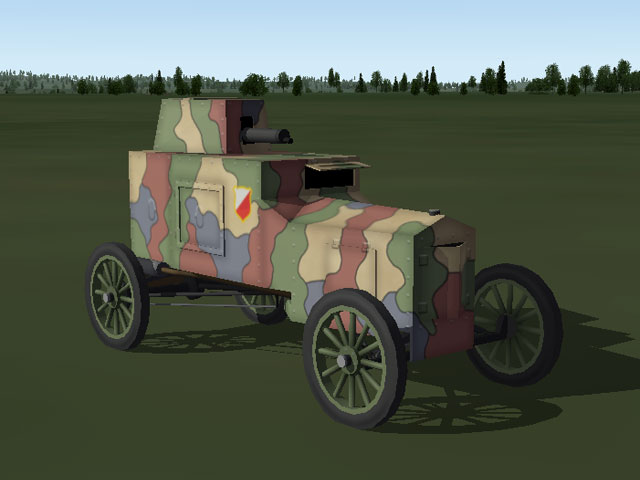
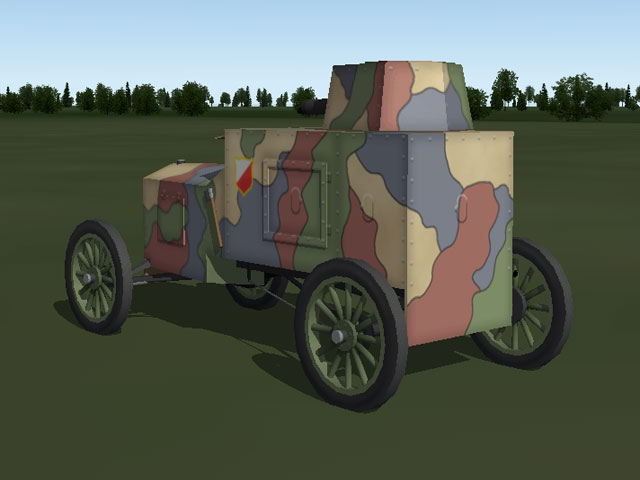
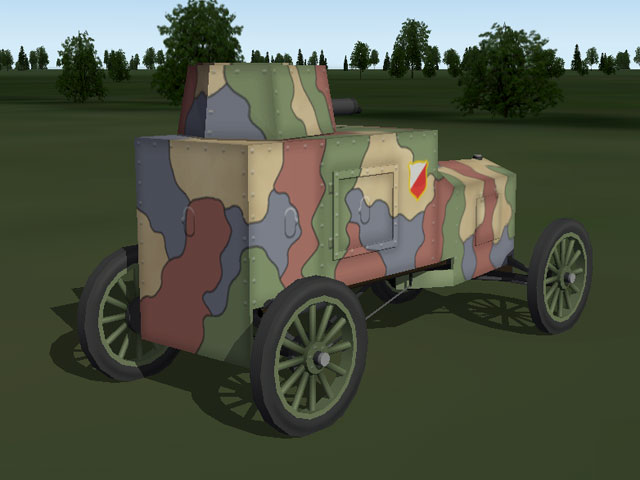
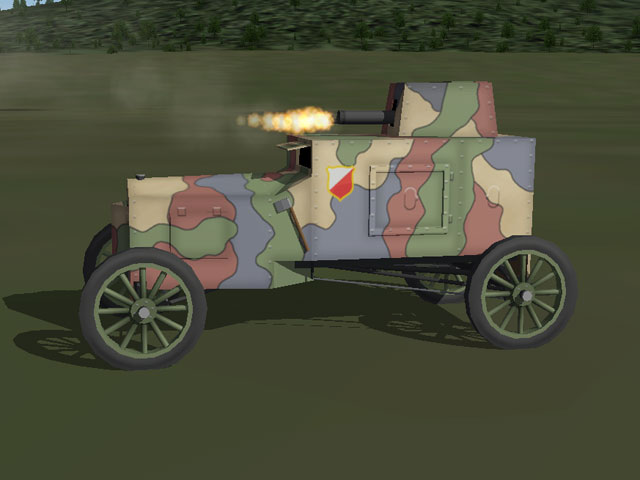
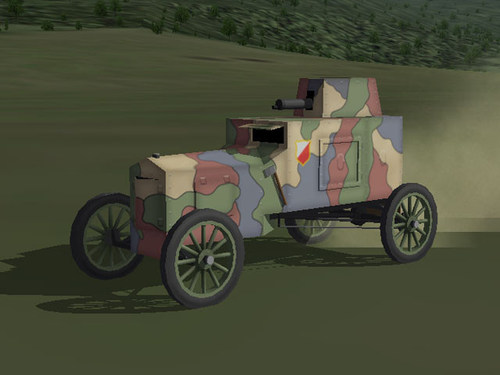
I've been tinkering with the Polish-Russian War. Today I uploaded an armored car for the project. The FT-B was built in relatively small numbers (less then 20) but was an effective fighting machine. Some stayed in service until the 1930's. The download includes high and low poly LOD's and a destroyed version.
-
View File Polish-Russian War - Ford FT-B The Ford FT-B (also know as the Ford Tf-c) was a Polish armored car built in Warsaw in 1920. It was built on a Model-T chassis using steel plate left by the Germans. The FT-B had a crew of two and was armed with a single Maxim machine gun in a rotating turret. It had a relatively high speed and a long range. Because it was light weight and easy to maneuver it was an effective fighter, and the Ford's small profile made it difficult to hit. My Ford FT-B has a four color camo skin. I've made high and low poly LODs as well as a destroyed version. I backdated the data file to before the Polish-Russian War so the car can be used throughout; you can change the Service Start Date to June of 1920 if you want greater accuracy. In First Eagles, the the Ford FT-B takes the role of a tank. Drop it into your ground object folder and First Eagles will randomly assign it to some of your Army Co-operation missions. Installation Instructions For both FE and FE2 - Unzip the file and open my "GroundObject" folder. Copy the folder named "FordFTB" and the file named "FTBDest.bmp" into your FirstEagles/Objects/GroundObject folder. Note that the "FTBDest.bmp" file should not be inside any other folder. Submitter Stephen1918 Submitted 10/27/2021 Category First Eagles - WWI and Early Years - Object Mods
-
Version 1.0.0
46 downloads
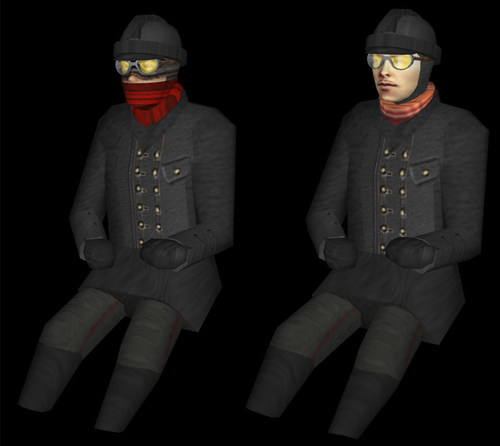
The Ford FT-B (also know as the Ford Tf-c) was a Polish armored car built in Warsaw in 1920. It was built on a Model-T chassis using steel plate left by the Germans. The FT-B had a crew of two and was armed with a single Maxim machine gun in a rotating turret. It had a relatively high speed and a long range. Because it was light weight and easy to maneuver it was an effective fighter, and the Ford's small profile made it difficult to hit. My Ford FT-B has a four color camo skin. I've made high and low poly LODs as well as a destroyed version. I backdated the data file to before the Polish-Russian War so the car can be used throughout; you can change the Service Start Date to June of 1920 if you want greater accuracy. In First Eagles, the the Ford FT-B takes the role of a tank. Drop it into your ground object folder and First Eagles will randomly assign it to some of your Army Co-operation missions. Installation Instructions For both FE and FE2 - Unzip the file and open my "GroundObject" folder. Copy the folder named "FordFTB" and the file named "FTBDest.bmp" into your FirstEagles/Objects/GroundObject folder. Note that the "FTBDest.bmp" file should not be inside any other folder. -
Nice detail! I'm looking forward to this.
-
 Nice!
Nice! -
 Nicely done! It's good to see new mods!
- 1 comment
-
- 1
-
-
- first eagles
- nieuport
- (and 1 more)
-
Every project goes through a stage where you're just grinding away. Success belongs to the people who can force themselves through it and finish the job instead of switching to another project. Flanders is looking great so far! This may be your most ambitious project yet. Keep plugging away, it's going to be beautiful when it's done.
-
WWI Airfield Vehicles and Other Objects
Stephen1918 replied to Stephen1918's topic in General Discussion
You have to add the data to the types.ini first, then add the objects individually to the targets.ini. There is a discussion about how this is done somewhere in the SF1 knowledge base. Mue also made a Target Area Editor to simplify this. (Mue's Target Area Editor does not work on my machine so I do it with a text editor.) -
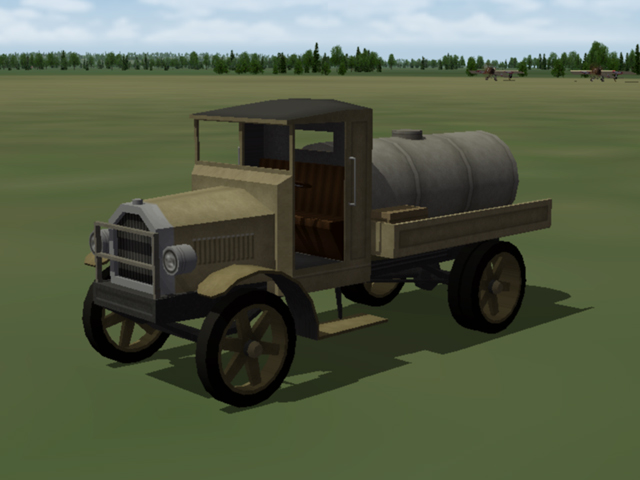
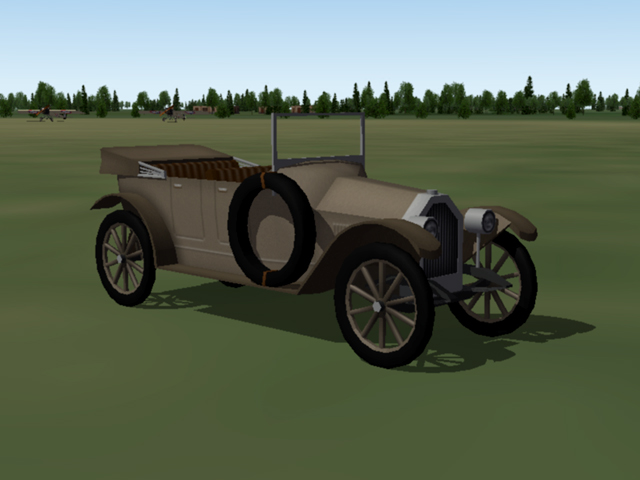
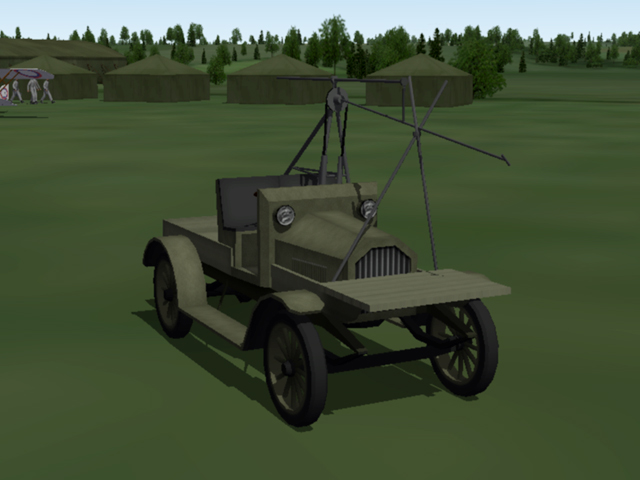
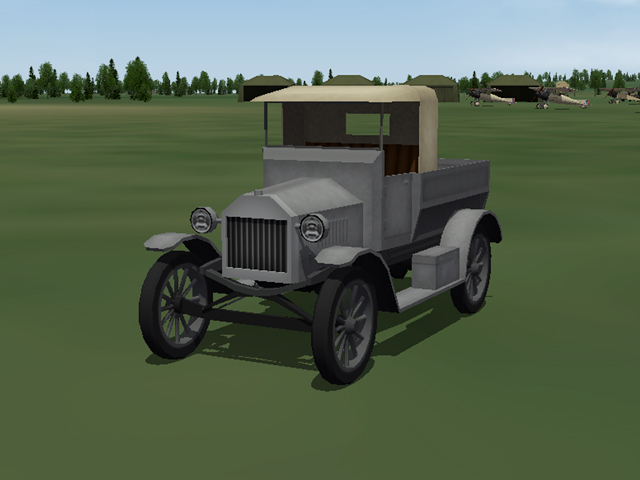
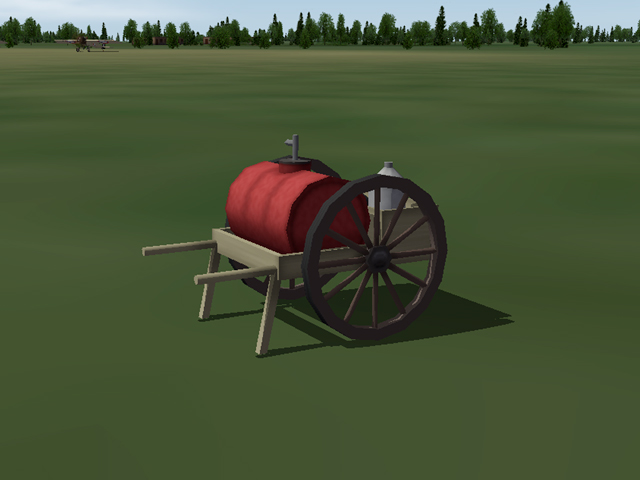
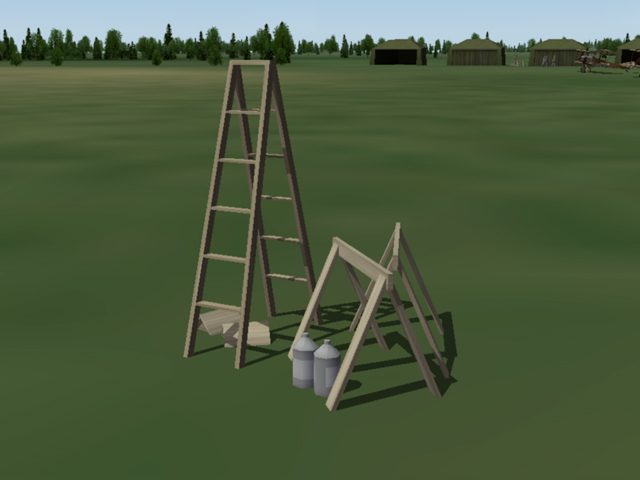
I have uploaded four vehicles and some other objects that modders can use to populate airfields. I made them generic so they can be used by either side on any front. The download includes destroyed versions for the vehicles and I have included the data needed for the types.ini. for each object.
- 8 replies
-
- 13
-
-
-
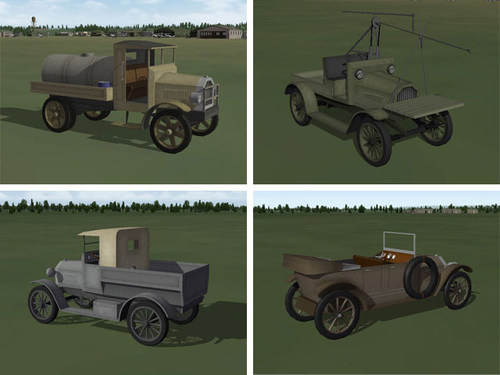
View File WWI Airfield Vehicles and Objects Four vehicles and other objects that modders can add to airfields using the target.ini. I have made them rather generic so they should be usable for either side, on any front. I have included the data for the types.ini for each object in the download. Vehicles include a Starter Truck, a Fuel Truck, a Utility Truck, and a Staff Car. I have also included an Oil Cart and a grouping of miscellaneous Tools used by the ground crews. Each vehicle has a high and low poly LOD as well as a destroyed version. I have organized everything into folders for convenience, but you'll need to take them out of the folders when you install them. Submitter Stephen1918 Submitted 01/03/2021 Category First Eagles - WWI and Early Years - Object Mods
- 1 reply
-
- 2
-
-
-
Version 2.0.0
123 downloads
Four vehicles and other objects that modders can add to airfields using the target.ini. I have made them rather generic so they should be usable for either side, on any front. I have included the data for the types.ini for each object in the download. Vehicles include a Starter Truck, a Fuel Truck, a Utility Truck, and a Staff Car. I have also included an Oil Cart and a grouping of miscellaneous Tools used by the ground crews. Each vehicle has a high and low poly LOD as well as a destroyed version. I have organized everything into folders for convenience, but you'll need to take them out of the folders when you install them.- 1 review
-
- 14
-
-