Stephen1918
-
Posts
1,204 -
Joined
-
Last visited
-
Days Won
19
Content Type
Profiles
Forums
Gallery
Downloads
Store
Everything posted by Stephen1918
-
Version 1.0.0
73 downloads
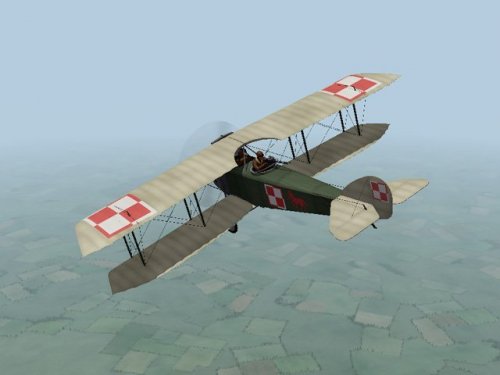
The Anatra DS was a two seat Russian plane powered by a Salmson 9 cylinder, water cooled, rotary engine. The plane was therefore called the "Anasal", short for "Anatra Salmson". When the Ukrainian city of Odessa was occupied by Austria-Hungary early in 1918, the Anatra factory was found intact and production continued as the "Anatra C.I". Many of the first Austrian versions had the Austrian cross painted over the Russian insignia. The Anatra DS was used mostly for reconnaissance, but also as a fighter and light bomber. Many of them survived the war and were used in the fighting in Eastern Europe after the end of World War I. Poland declared its independence in late 1917. The new nation armed itself with whatever was available, including abandoned Russian, German and Austrian planes, and purchased planes from other nations. Several Anatra DS were purchased from the Anatra factory in Odessa. The Polish Anantra DS was identical to the Russian version, except for slight changes to the cowling, the radiator, and the rudder. The skins to my plane are similar, but not identical to my Russian version. As a resullt, I have included new skinning templates for the Polish Anasal. Historical Notes: I found several sources which said that Anatras carried a machine gun mounted on the fuselage for the pilot. I couldn't find any details of the mounting, so I guessed where it might be located. I don't know how the Poles armed their plane, so I used the guns I used on the Russian version. I also included a small bomb load. Credits: My thanks to Ojcar once again for making a new data.ini file for this plane. Installation instructions: For FE1: Unzip the file and move the folder named "PolishAnasal" into the FirstEagles/Objects/Aircraft folder. For FE2: Unzip the file and move the folder named "PolishAnasal" into the FirstEagles/Objects/Aircraft folder. Then in the FirstEagles/Objects/Decals folder, create a new folder named "PolishAnasal". Move the folder named "D" from the Aircraft/PolishAnasal folder into the Decals/PolishAnasal folder you just made. -

removing a node, or whatever its called
Stephen1918 replied to Trotski's topic in General Discussion
I tried making new nacelles for the old Farmans once and the result wasn't much better than the original. It had to be quite large to cover all the bumps in the original, and I couldn't get the edges around the cockpit and engine to match. Laton made a Savoia Pomilio SP.3 for Italy that is a good stand-in for the shorthorn, and has skins that are easier to work with. https://combatace.com/files/file/4661-savoia-pomilio-sp3/ -
I have problem with Stephen's Farman HF20 Unarmed
Stephen1918 replied to Sky High's topic in General Discussion
Somewhere in FE (I don't remember where) there's a section of an ini file that has controls for formations - how far apart the planes are, etc. Could that have been changed by accident? -
Over the years, the modders at Combat Ace have made a pretty comprehensive addition to FE that rivals the stock game. If you are building your Eastern Front: I recommend ojcar's campaigns - Armchair Aces over Galicia. The list of planes is long but it matches what Crawford posted pretty closely - using whatever planes we have available for FE. https://combatace.com/files/file/15533-armchair-aces-over-galicia/ I also recommend Capitaine Vengeur's medals and pilots from his Beyond the Western Front series https://combatace.com/files/file/15954-ww1-medals-pack-for-fe-beyond-the-western-front/ https://combatace.com/files/file/14447-ww1-pilots-pack-beyond-the-western-front/ Both of them did a lot of research to make everything as accurate as possible.
-
removing a node, or whatever its called
Stephen1918 replied to Trotski's topic in General Discussion
Removing a part from a plane Basically, you are telling the game that a certain part represents the destroyed version of another part. So it doesn't show until the part is destroyed. Then you assign it to a part that doesn't exist, so that part never gets destroyed so the part you named never shows. Use Mue's LOD viewer to find the name of the part. Any parts attached to this part (indented beneath it in the list) will also be removed. Create a component under [AircraftData] - make sure its numbered correctly Create a component definition and make up a name for the fictitious part Add the name of the part you want to remove Example: This removes the gunner from the DFW, but leaves the machine gun. If you want to remove the gun, then the DestroyedNodeName should be Tailgun_Stand [AircraftData] EmptyMass=1027.0 EmptyInertia=2483.3,3916.1,5536.5 ReferenceArea=41.52 ReferenceSpan=13.27 ReferenceChord=1.68 CGPosition=0.00,0.00,0.00 OnGroundPitchAngle=14.0 UseMetricUnit=TRUE DefaultArmorType=WOOD DefaultArmorThickness=25 Component[001]=Fuselage Component[002]=TopWingLeft Component[003]=TopWingRight Component[004]=TopWingMidLeft Component[005]=TopWingMidRight Component[006]=TopWingTipLeft Component[007]=TopWingTipRight Component[008]=BottomWingLeft Component[009]=BottomWingRight Component[010]=BottomWingMidLeft Component[011]=BottomWingMidRight Component[012]=BottomWingTipLeft Component[013]=BottomWingTipRight Component[014]=Tail Component[015]=LeftStab Component[016]=RightStab Component[017]=VertTail Component[018]=Nose Component[019]=Remove <-- Add component [Remove] <-- Component name must match ModelNodename=Empty <-- this can be any word you want DestroyedNodeName=gunner <-- this is the name of the part you want to remove DetachWhenDestroyed=TRUE HasAeroCoefficients=FALSE -
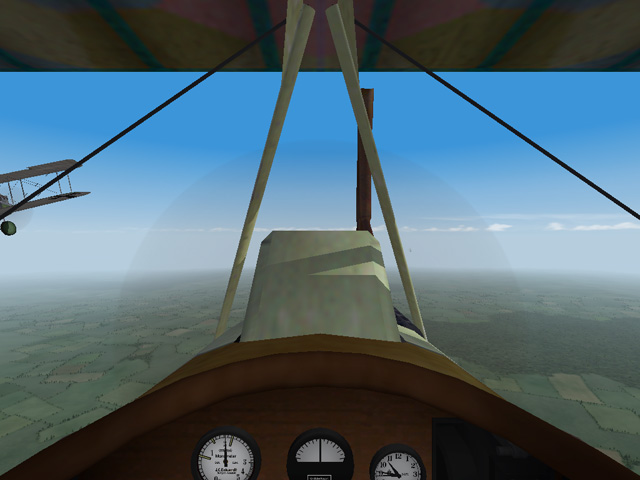
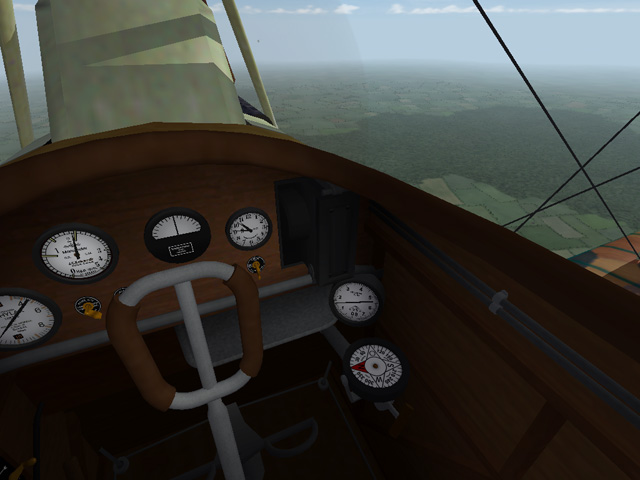
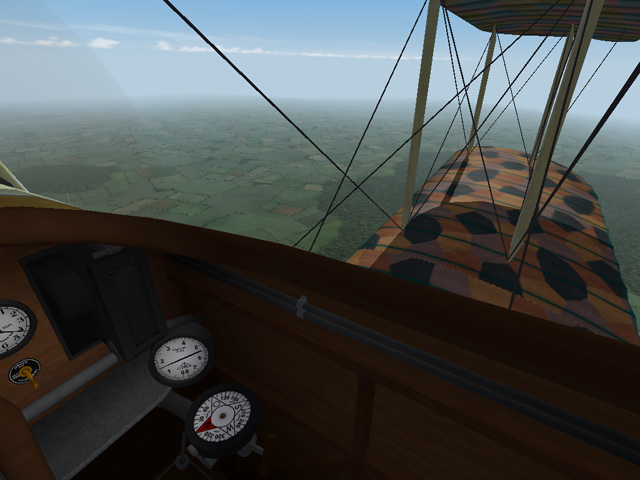
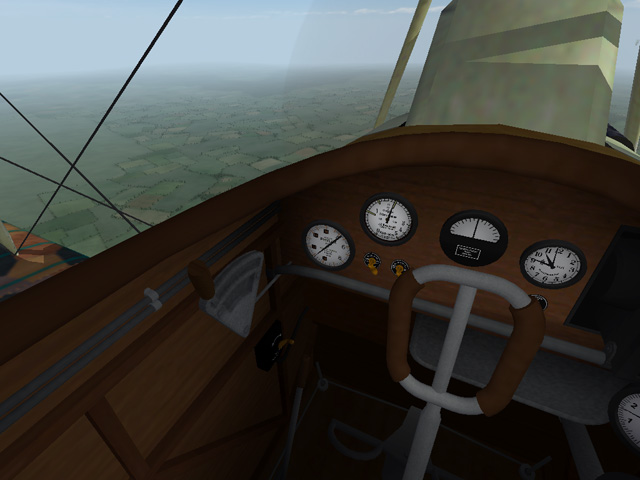
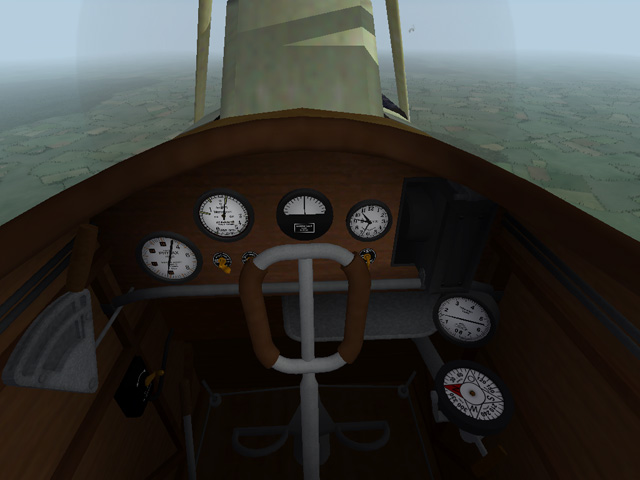
I have uploaded a cockpit for the DFW C.V. The cockpit features fully functional gauges, rudder control, stick, and throttle. It will work in both FE1 and FE2. Installation instructions are included. I discovered a typo in the data.ini which makes the Fuselage disappear in Cockpit view, I have included instructions for correcting that type in the download.
-
View File Cockpit for the DFW C.V This cockpit will replace Fokker D7 cockpit used until now to make the stock DFW C.V into a flyable plane. I can't find out who first converted the stock DFW into a flyable plane by using the cockpit from the Fokker D7. It seems to have been done several times over the years. I found a mod to convert the DFW C.V into a C.I uploaded by Christian59 in 2007 which used the Fokker cockpit, and it seems to have already been done before. The most recent version I could find was by JacksonM in 2017 and was included with his Hangar Screen pack. I have used parts of the cockpits I made for other German planes to make a completely new cockpit for the DFW C.V which fits the fuselage better and has the correct placement for the gun. The new cockpit features fully functional gauges, throttle, rudder control, and stick. This cockpit should work with the DFW in both FE1 and FE2. NOTE - There is a typo in the stock FM for DFW C.V which causes the Fuselage to disappear in the cockpit view. I have included instructions to correct the typo. If you are using one of the modded FMs, you may need to correct the typo there too, check to be sure. Instructions to fix the Data.ini are included in the download in a separate text file. Installation Instructions for both FE1 and FE2 If you have already have a flyable DFW C.V using the FokkerD7 cockpit, delete the "cockpit" folder if it exists, and delete the DFWC5_cockpit.ini file. Then open my "DFWC5" folder and place all the files - 1 folder and 1 ini file - into your DFWC5 folder. You will also need to change one word in the DFWC5_data.ini. See the file named "ChangeForDFWC5DataIni" If you still have the stock version, Open my "DFWC5" folder and place all the files - 1 folder and 1 ini file - into your DFWC5 folder. You will also have to add the following line to the plane's ini file. CockpitDataFile=DFWC5_cockpit.ini You will also need to change one word in the DFWC5_data.ini. See the file named "ChangeForDFWC5DataIni" NOTE - If the DFWC5_data.ini is not in the folder, you may need to extract it from the ObjectData.cat file using one of the utilities found here at CombatAce. Submitter Stephen1918 Submitted 11/16/2018 Category First Eagles - WWI and Early Years - Add On Cockpits
-
- 1
-

-
Version 1.0.0
120 downloads
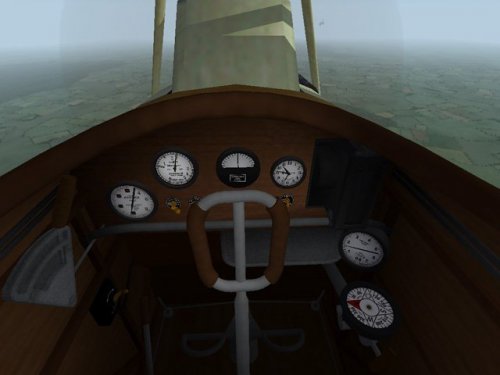
This cockpit will replace Fokker D7 cockpit used until now to make the stock DFW C.V into a flyable plane. I can't find out who first converted the stock DFW into a flyable plane by using the cockpit from the Fokker D7. It seems to have been done several times over the years. I found a mod to convert the DFW C.V into a C.I uploaded by Christian59 in 2007 which used the Fokker cockpit, and it seems to have already been done before. The most recent version I could find was by JacksonM in 2017 and was included with his Hangar Screen pack. I have used parts of the cockpits I made for other German planes to make a completely new cockpit for the DFW C.V which fits the fuselage better and has the correct placement for the gun. The new cockpit features fully functional gauges, throttle, rudder control, and stick. This cockpit should work with the DFW in both FE1 and FE2. NOTE - There is a typo in the stock FM for DFW C.V which causes the Fuselage to disappear in the cockpit view. I have included instructions to correct the typo. If you are using one of the modded FMs, you may need to correct the typo there too, check to be sure. Instructions to fix the Data.ini are included in the download in a separate text file. Installation Instructions for both FE1 and FE2 If you have already have a flyable DFW C.V using the FokkerD7 cockpit, delete the "cockpit" folder if it exists, and delete the DFWC5_cockpit.ini file. Then open my "DFWC5" folder and place all the files - 1 folder and 1 ini file - into your DFWC5 folder. You will also need to change one word in the DFWC5_data.ini. See the file named "ChangeForDFWC5DataIni" If you still have the stock version, Open my "DFWC5" folder and place all the files - 1 folder and 1 ini file - into your DFWC5 folder. You will also have to add the following line to the plane's ini file. CockpitDataFile=DFWC5_cockpit.ini You will also need to change one word in the DFWC5_data.ini. See the file named "ChangeForDFWC5DataIni" NOTE - If the DFWC5_data.ini is not in the folder, you may need to extract it from the ObjectData.cat file using one of the utilities found here at CombatAce. -
Well... I'm of two minds. On the one had, I have a lot of projects that I started and haven't finished yet. I was planning to get some of them finished now that Galicia is done. On the other hand, I've been thinking about a Russian Civil War scheme for a long time. Since we already have most of the aircraft, it would just be a matter of tweaking FMs and skinning. A Polish Anasal would be good to have for that. I'll find my original Anatra DS files and see what I can do.... But I have some things I want to finish and upload first so it won't be right away..
-
I appreciate the feedback, Wilches. Are you using FE1 or FE2?
-
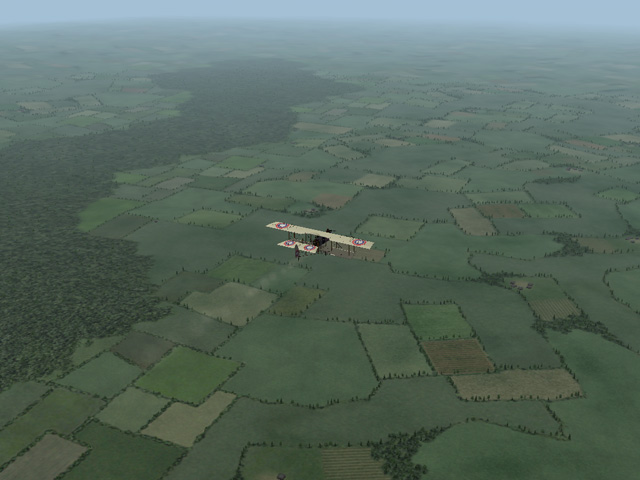
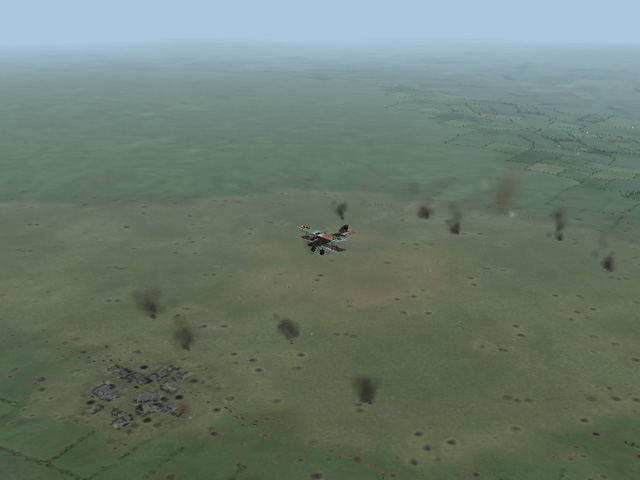
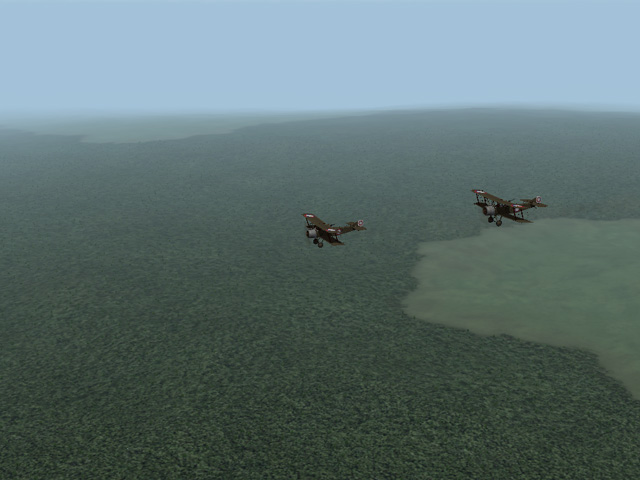
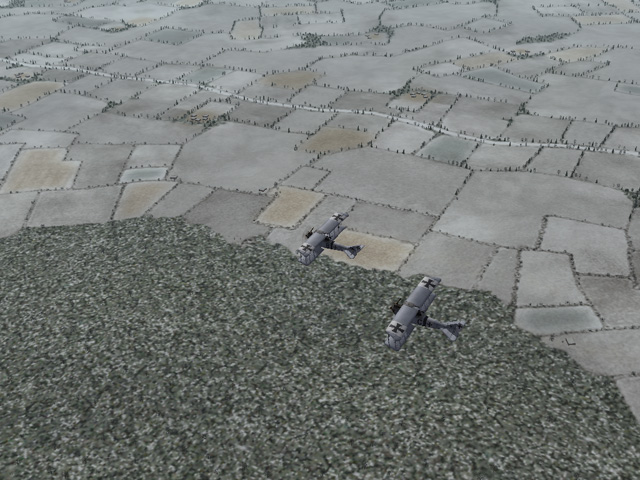
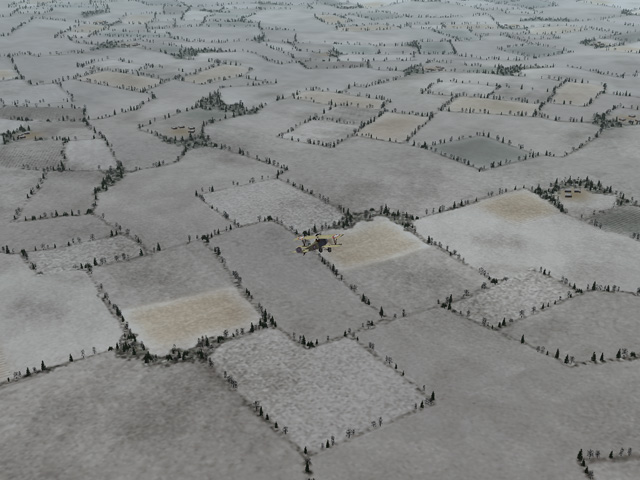
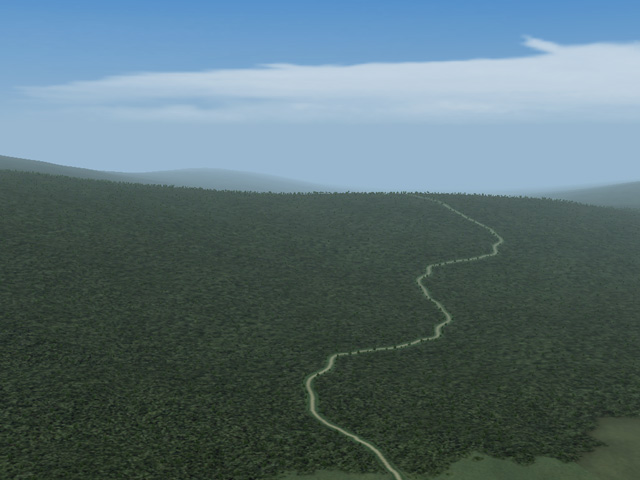
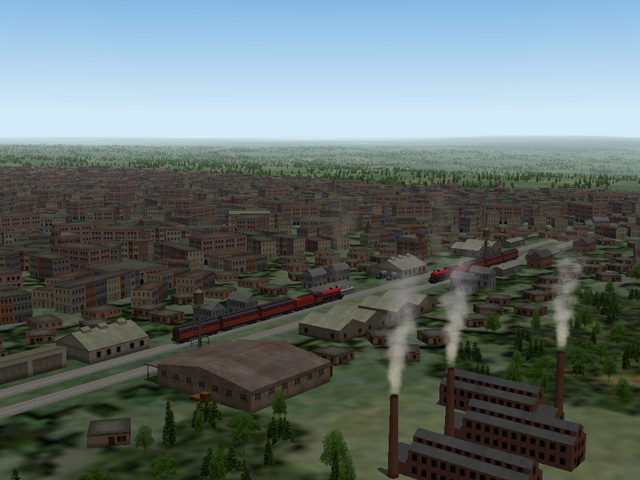
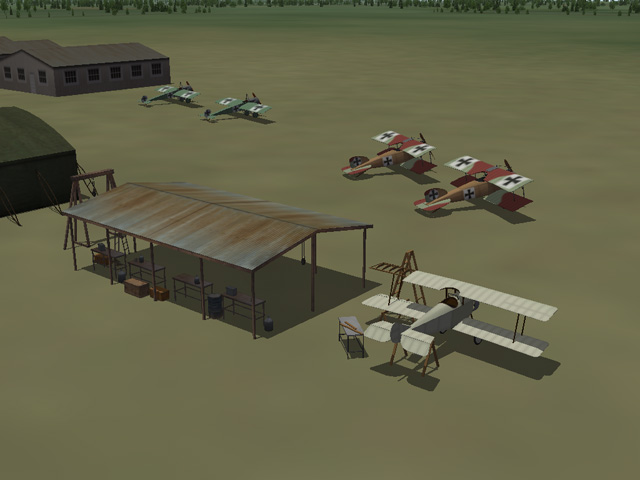
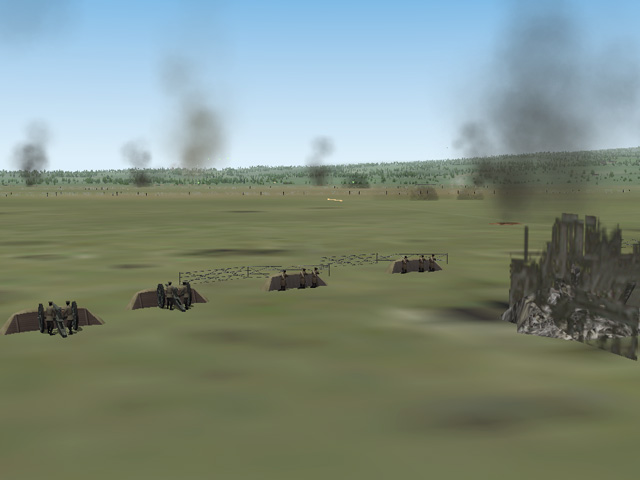
I have uploaded the Galicia2 version 3 terrain - still awaiting administrator approval. In addition to the terrain, the download includes all the necessary ground objects along with instructions for installing in both FE1 and FE2. Available here : https://combatace.com/files/file/15469-galicia2/
-
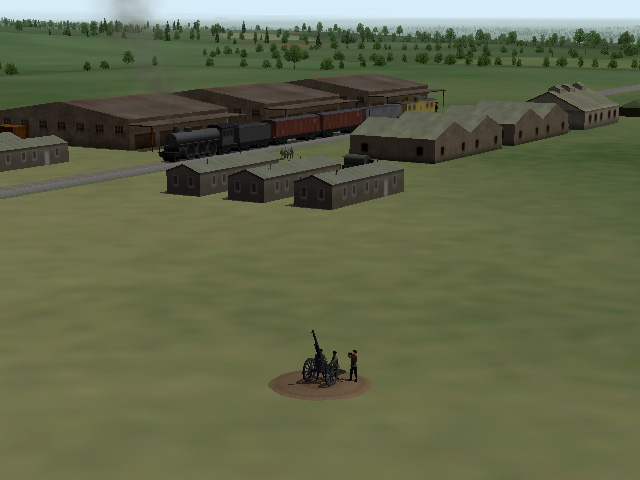
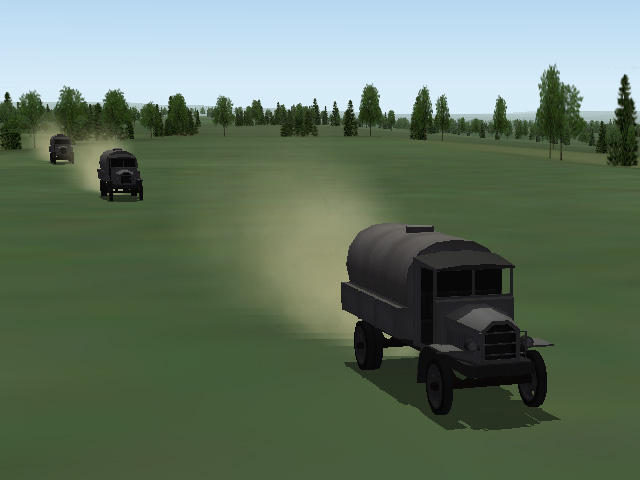
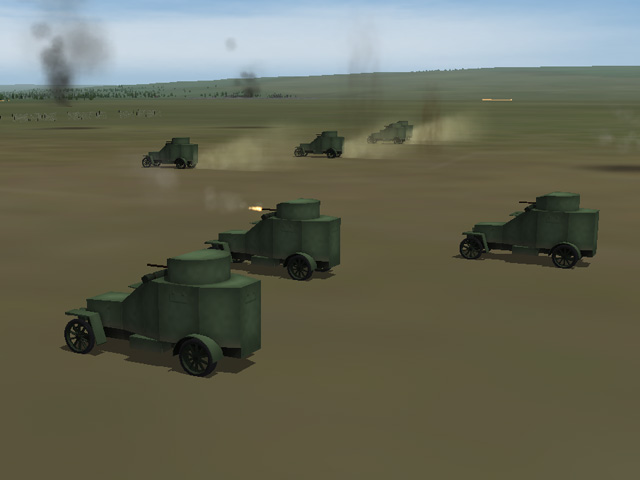
Thank you all for your comments. I think anyone who has done terrains will agree with me: It's hard to stop because you keep thinking of more things too add, and things that were finished months ago don't seem to be good enough anymore. There are still a lot of things that I would like to do but if I'm not careful, I will never be finished. I decided that it's good enough for now; maybe I will make a new version later. I am writing the installation instructions now and will upload the package later today or early tomorrow..
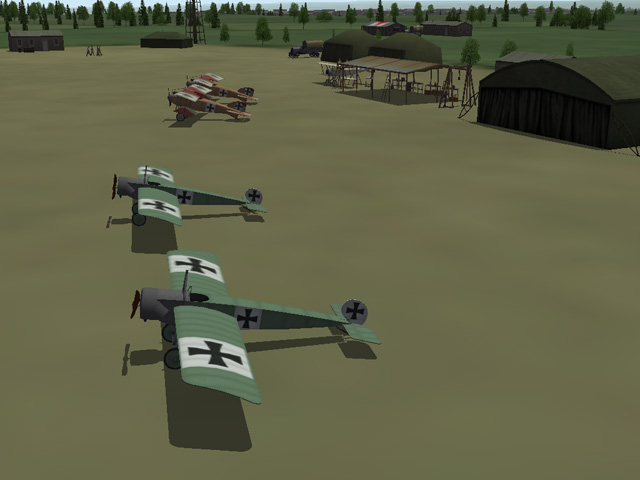
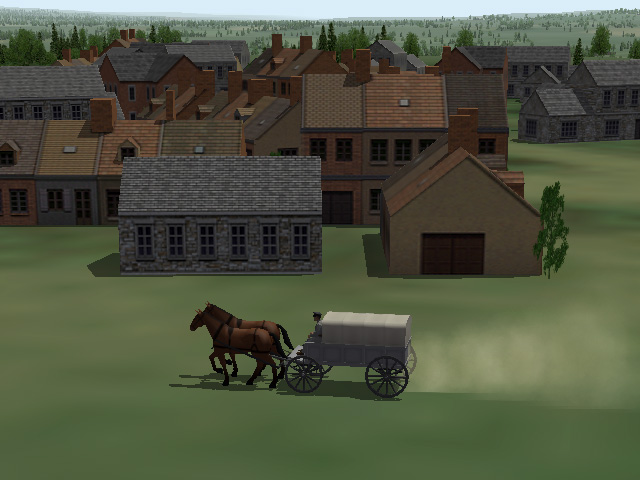
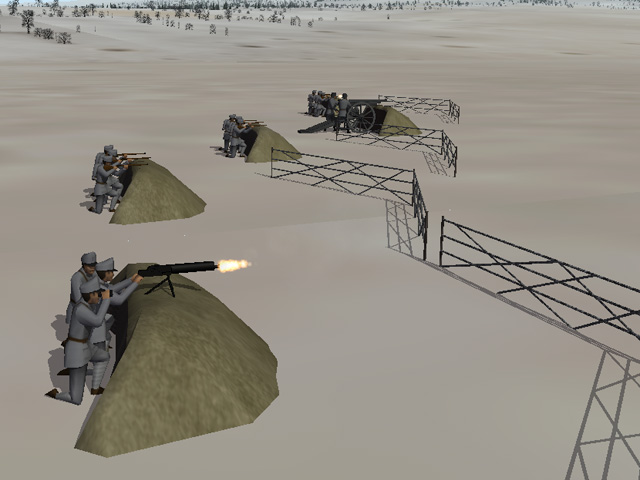
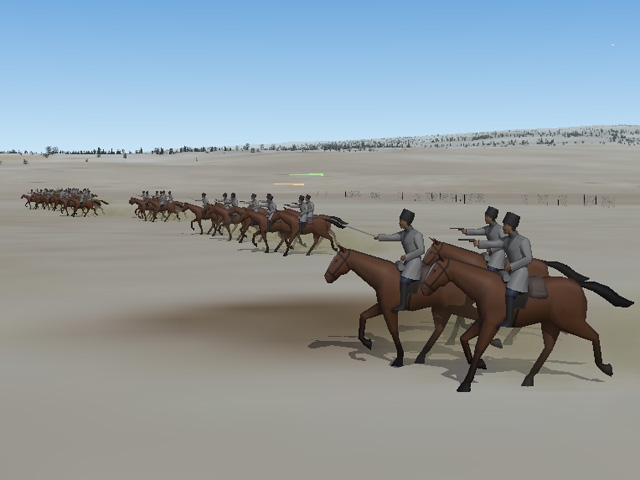
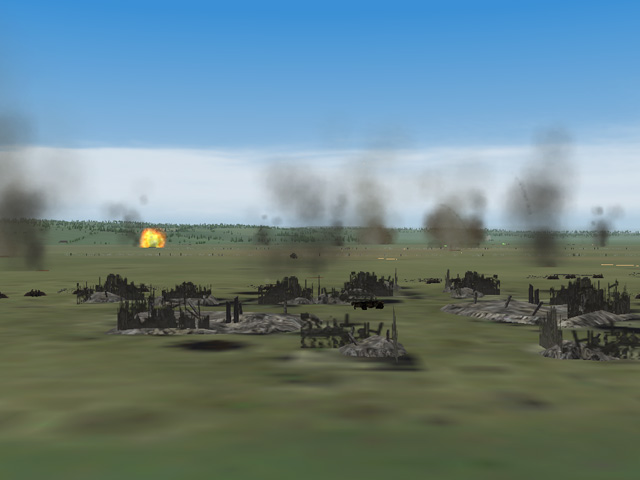
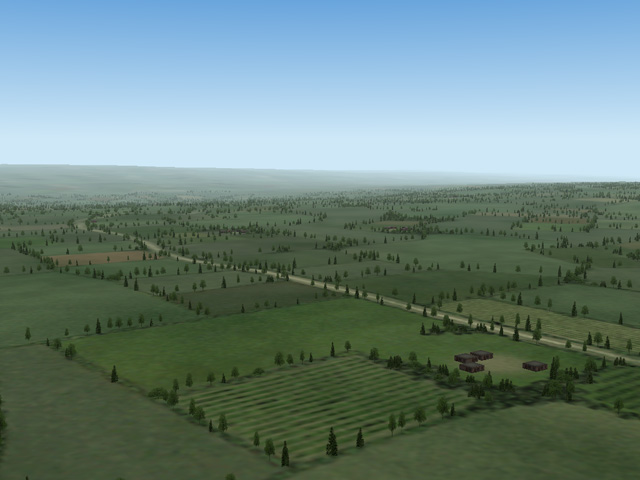
-
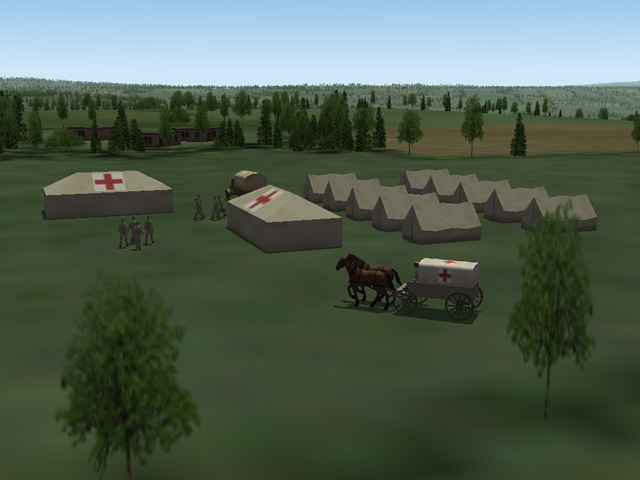
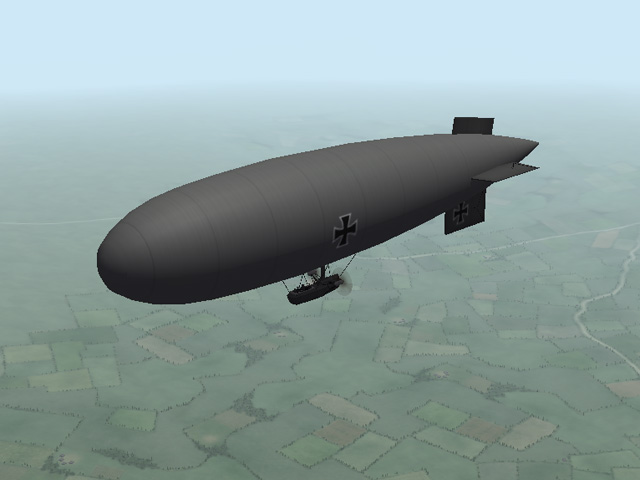
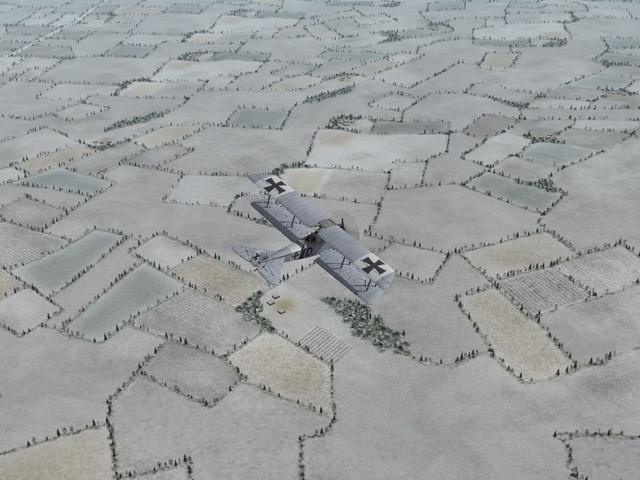
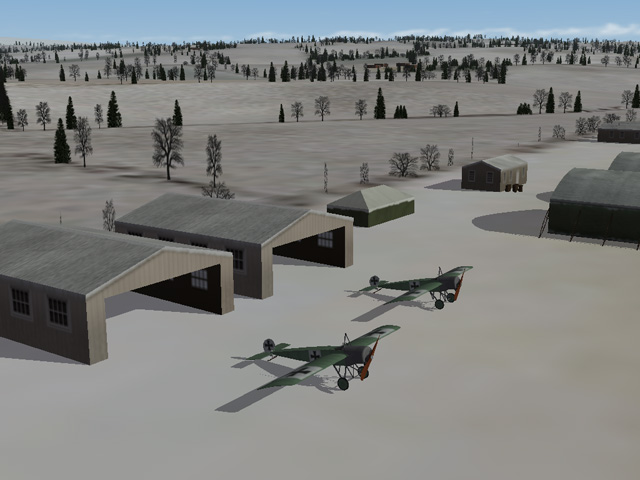
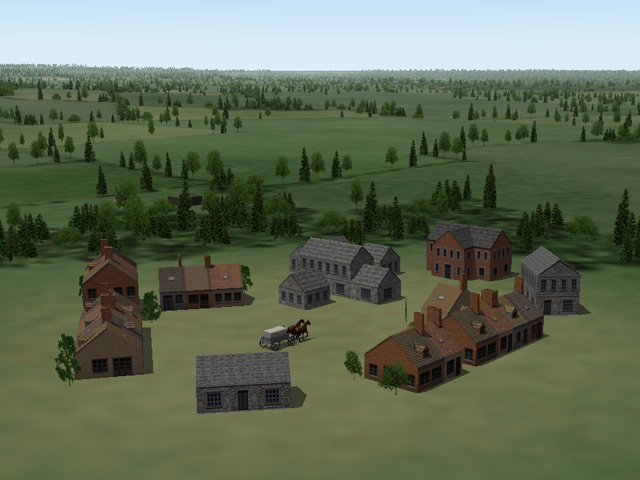
For several years, I've been working on an improved Galicia terrain for the Eastern Front. I am (FINALLY) finished. I am doing some tweaking, gathering the parts and getting everything organized for upload. I hope to upload the finished package in a few days. The improved terrain includes new Farm and City tiles, new TODs for most of the tiles, more target areas, and a lot of eye candy. New features include more buildings in the cities, very small villages/farms, cavalry camps, field hospitals, static aircraft on all the airfields, and more active battle grounds. I have added a lot more detail to the whole terrain. Ojcar's Armchair Aces campaigns will not be affected.
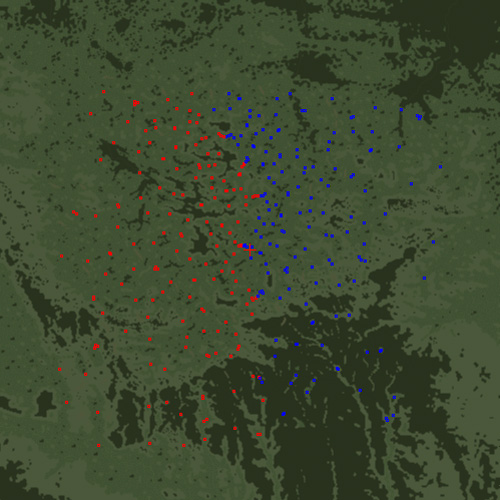
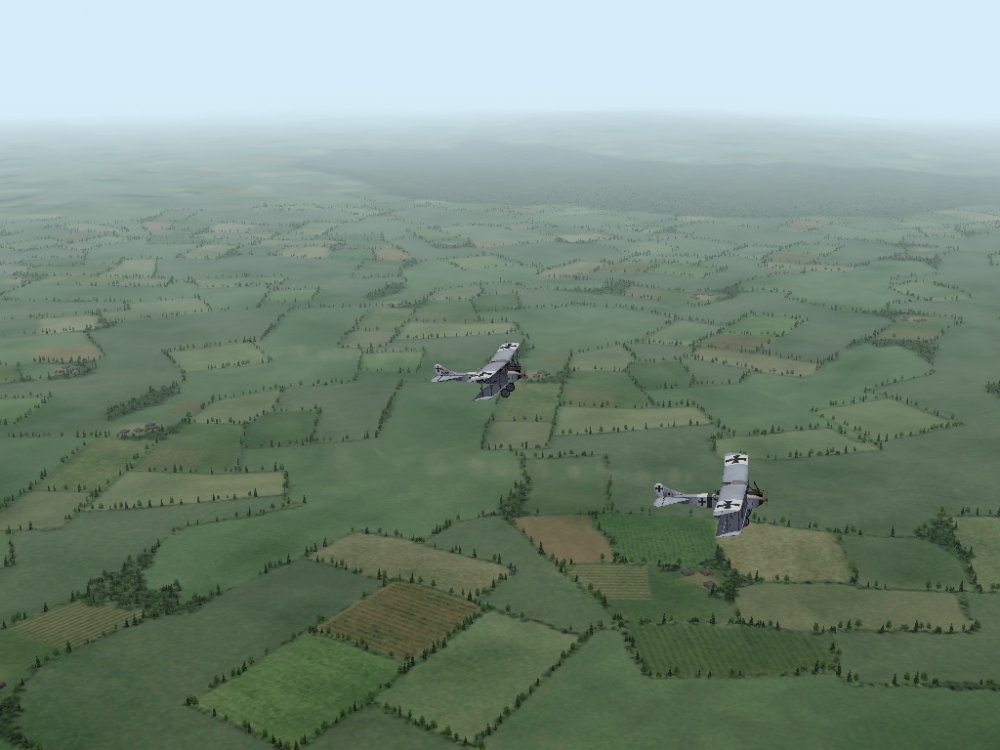
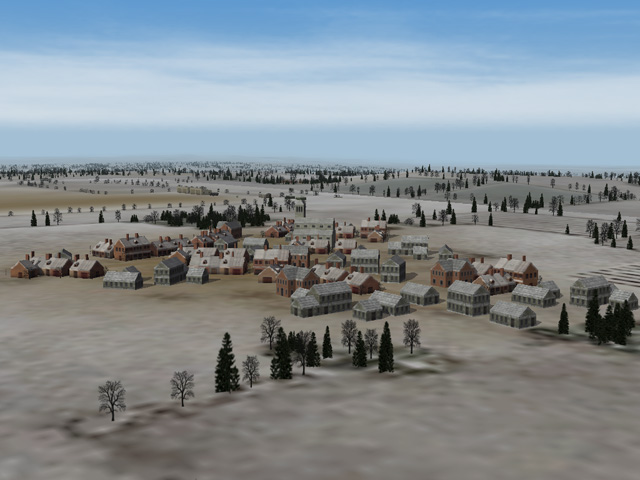
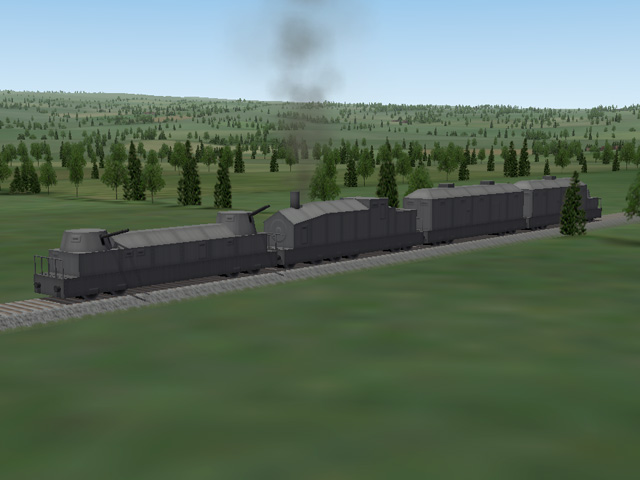
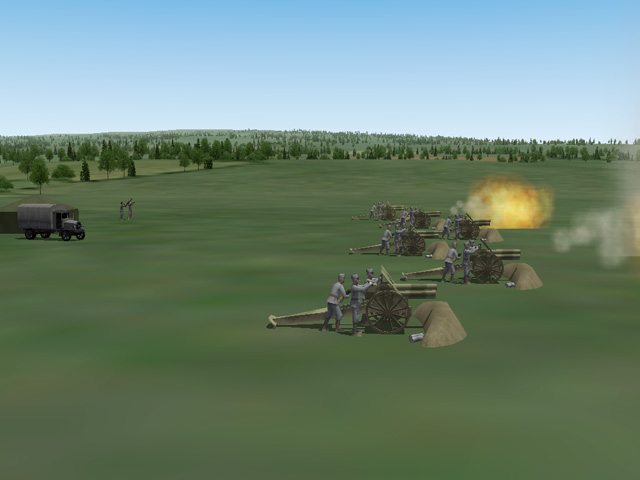
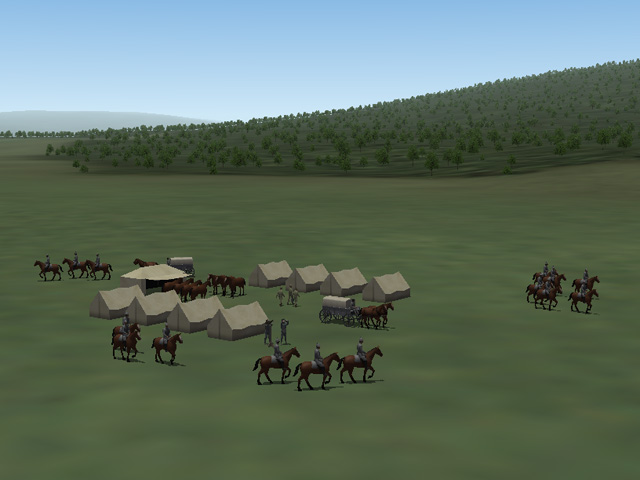
- 22 replies
-
- 17
-

-
-
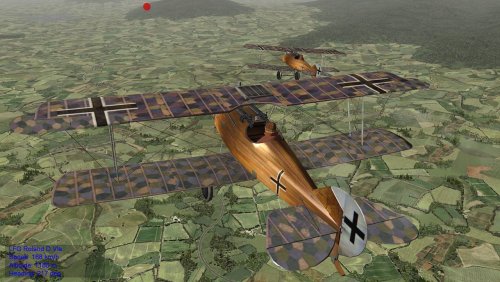 Very realistic skins!
 -
Beautiful terrain with lots of detail. I'm looking forward to flying in it.
-
No, I do have both versions, but I still prefer the first generation of First Eagles.
-
Hello lofty_c, welcome to First Eagles. I think you'll enjoy it. In First Eagles 2, the "Terrains" folder is plural, add an "s" to your folder name. (In First Eagles 1 it is singular, so the installation instructions can get confusing.) Let us know if this solves your problem.
-
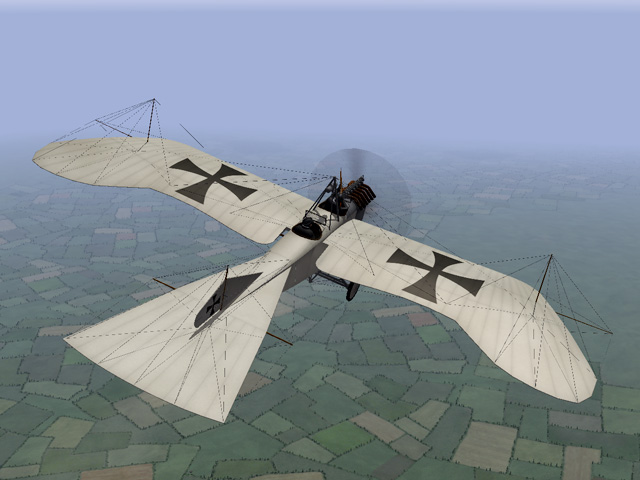
I have seen several screen shots of the Taube. Please note that the elevator on the Taube was operated by wing warping. In my version of the Taube, the elevators should not be moving. If your elevators are moving, go into the file named Taube_DATA.ini and in the sections under // Control Surfaces [LeftElevator] and [RightElevator] delete any entries for ModelNodeName= and AnimationID= For both surfaces, there should be nothing after the equal signs ModelNodeName= ReverseModelOrientation= AnimationID= Or you can just download the plane again.
- 1 reply
-
- 6
-
-
-
There is nothing in the 3D model that controls the speed of the engine animations. The speed is controlled by the game engine. The model maker creates several versions of the prop (static prop, slow prop, fast prop, damaged prop) and attaches them to the prop shaft. The game engine spins the prop shaft and calculates the RPM of the engine based on the throttle setting (controlled by the user) and the settings in the [Engine] portion of the plane's data.ini. Then the game switches the version of the prop based on the RPM settings in the [Engine] settings. I didn't notice the problem until after I read the postings by Crawford and VonS. I don't know what settings in the engine data control how fast the engine speeds up/slows down. You could probably get some change by playing with the RPM settings that VonS mentioned.
-
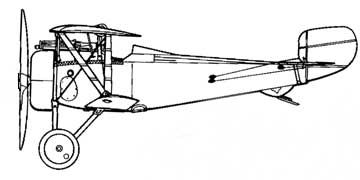
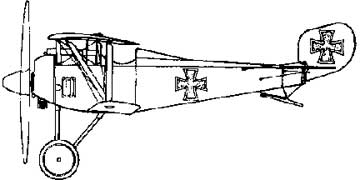
You'll notice that my SSW D.I incorporates all the changes you mentioned, as well as a different shape to the rudder, and different cross-section in the fuselage. You can even see the steel tubing framework in the cockpit view. The V-struts were steel tubing, but they had a wooden fairing attached to reduce drag, so they didn't have to tape the struts like the French did. I still call it a copy because the Germans started by studying the Nieuport 17, but as you say, there were many differences in the German version.
-
Thanks for the books Crawford.
-
I don't know if this is the early or late version. there were also two different kinds of tail skids. When I come across conflicting reference material, I just make the version I like best. The Siemens-Schuckert D.I was well liked by the pilots who flew them, but there are reports that they were often mistaken for French planes (since they were virtually identical) and sometimes took damage from friendly fire. When the Fokker DR1 came out, the SSW-D1s in the flight schools were used to train German pilots for flying rotary engine planes.
-
The Sikorsky S-16 is my favorite WWI plane. I like the look of the wings and the landing gear. I have collected a lot of information about the S-16 over the years, but I don't have the book you mentioned.
-
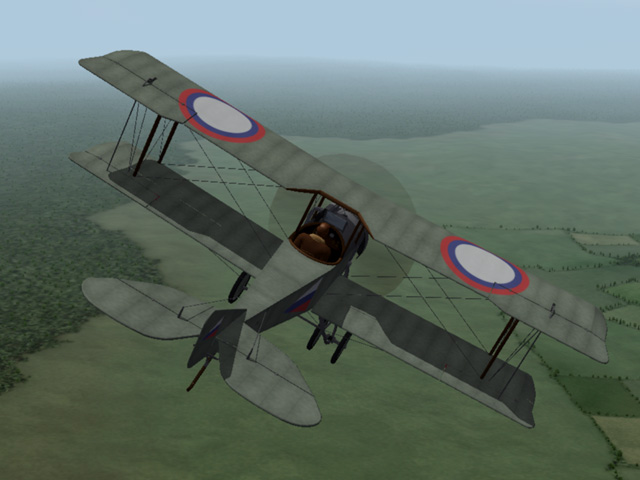
A new version of the Sikorsky S-16 flat deck has been uploaded. The S-16 flat deck is here: https://combatace.com/files/file/12051-sikorsky-s-16-flatdeck/ The S-16 round deck is here: https://combatace.com/files/file/11991-sikorsky-s-16/
-
I'm afraid not. The props and spinners are part of the model built by the modder. In fairness, my props and spinners use about twice as many polygons than the flat ones do and probably slow the game down a tiny bit.