Stephen1918
-
Posts
1,204 -
Joined
-
Last visited
-
Days Won
19
Content Type
Profiles
Forums
Gallery
Downloads
Store
Everything posted by Stephen1918
-
The Armstrong-Whitworth FK8 would be a great addition to First Eagles, both on the Western Front and on Palestine Front. I have looked into it and started collecting data for it some time ago. My immediate goal, however, is to finish a revision of the Galicia terrain, which I've been working on for a couple of years. If I can get enough time away from the real world, I'll have the terrain finished later this summer.
-
Thanks Mike. There were a lot of variations of the S.16 and it stayed in service from early 1915 right through to the end of the Russian Civil Wars. Based on what I've seen in photographs, the flatdeck version seems to have been more common, but I don't know for sure. There were also two-seat versions, and there may have been a seaplane version. Last week, I started revisions on the flatdeck version (with ailerons on both wings) and it will be finished soon.
-
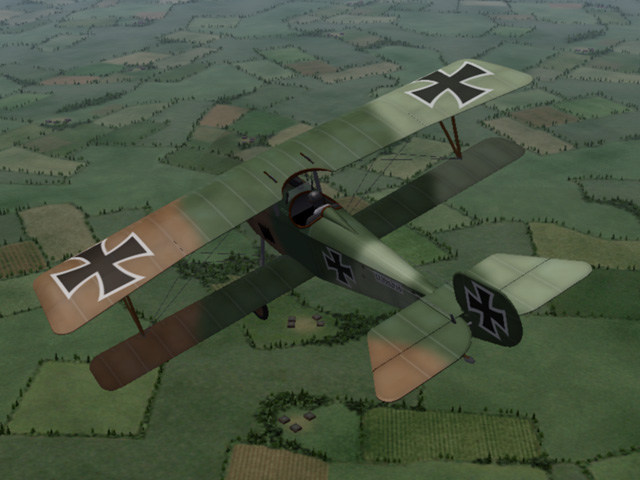
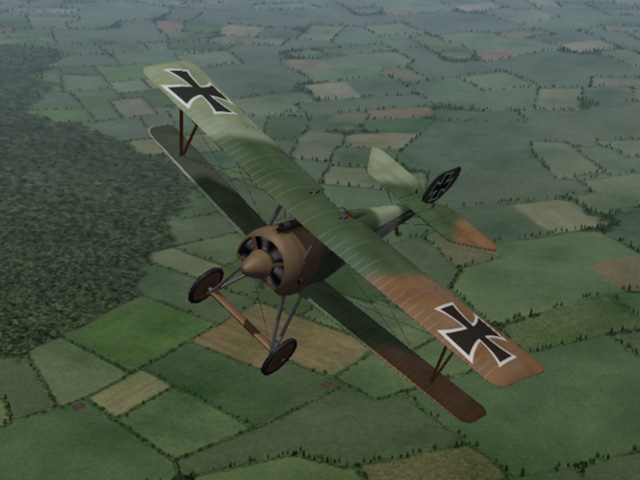
I have uploaded a new plane - the Siemens-Schuckert D.I. It was a copy of the Nieuport 17, with a different engine and a few other minor differences. Production was delayed so it wasn't used very much on the Western Front. It saw more service on the Eastern Front. My upload includes a 3 color camo skin, a full set of number decals, and a fully functional cockpit. My skinning templates are included. Ojcar has made a new FM for this plane, it flies a little heavier than the Nieuport, but has a slightly more powerful engine. I have also included a sound file recorded by Nixou.
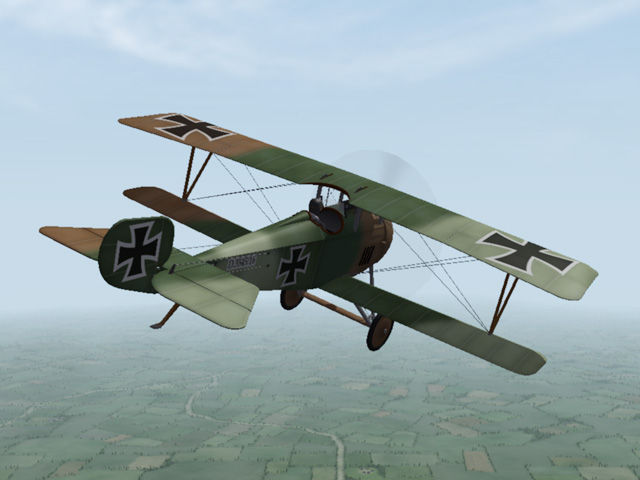
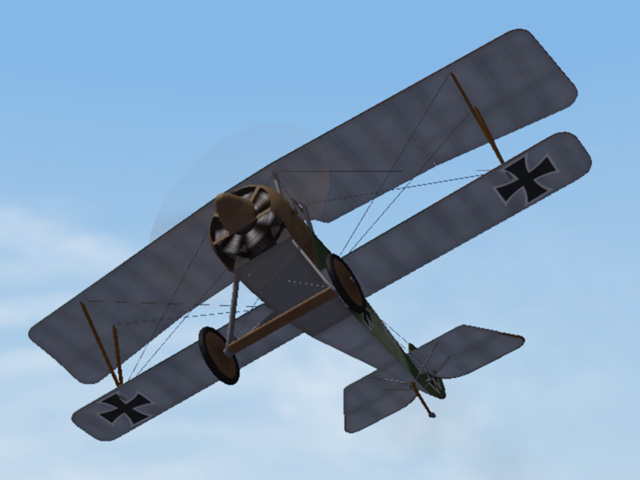
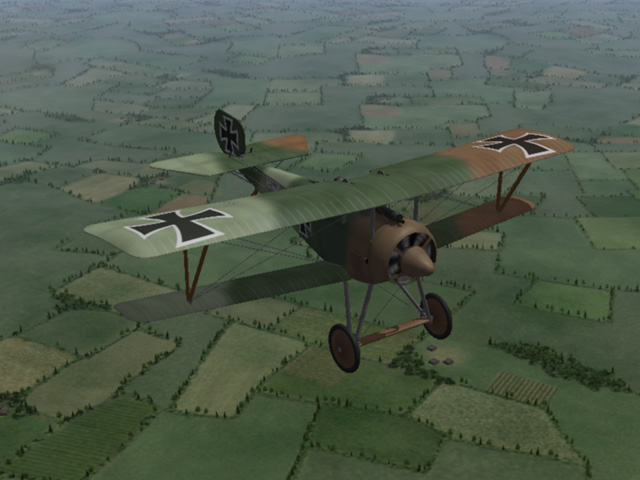
-
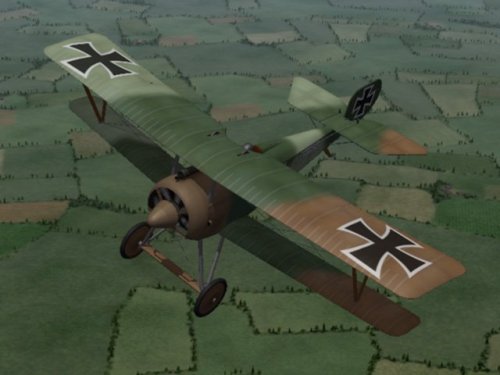
View File Siemens-Schuckert D.I The German Siemens-Schuckert D.I was a direct copy of captured Nieuport 17s. The most important difference was in the engine. The Siemens Schuckert Werke (SSW) D.I used a geared Siemens-Halske Sh.I engine which produced 1800rpm. The spinner nose and open bottom cowling were necessary to help cool the engine. A bigger prop required a taller landing gear. Problems with engine production delayed the release of the SSW D.I. The Albatros D.III was already available by the time the SSW reached the front. The Albatros was a much superior plane, and was less likely to be mistaken for a French plane. The SSW D.I only served for a short time on the Western Front, they served longer on the Eastern front. My Siemens-Schuckert D.I includes a three color camo skin, a full set of number decals, a fully functional cockpit, and damage nodes for the wings. My skinning templates and a sound file for the engine are included in the download. Historical Notes: I do not have a sound file for the Siemens-Halske Sh.I engine, I am using Nixou's sound for the Le Rhône 110 hp engine instead. Credits: My thanks to Ojcar once again for making the excellent data.ini file for this plane. My thanks to Nixou for making the sound file for the Le Rhône 110 hp engine. Installation instructions: For FE1: Unzip the file and move the folder named "SiemensSchuckertD1" into the FirstEagles/Objects/Aircraft folder. If you don't already have it, move the file named "Lerhone110m1" from my Sounds folder into your Sounds folder. For FE2: Unzip the file and move the folder named "SiemensSchuckertD1" into the FirstEagles/Objects/Aircraft folder. Then in the FirstEagles/Objects/Decals folder, create a new folder named "SiemensSchuckertD1". Move the folder named "D" from the Aircraft/SiemensSchuckertD1 folder into the Decals/SiemensSchuckertD1 folder you just made. If you don't already have it, move the file named "Lerhone110m1" from my Sounds folder into your Sounds folder. Submitter Stephen1918 Submitted 06/29/2018 Category Other Central Powers Aircraft
-
- 4
-

-

-
Version 1.0.0
174 downloads
The German Siemens-Schuckert D.I was a direct copy of captured Nieuport 17s. The most important difference was in the engine. The Siemens Schuckert Werke (SSW) D.I used a geared Siemens-Halske Sh.I engine which produced 1800rpm. The spinner nose and open bottom cowling were necessary to help cool the engine. A bigger prop required a taller landing gear. Problems with engine production delayed the release of the SSW D.I. The Albatros D.III was already available by the time the SSW reached the front. The Albatros was a much superior plane, and was less likely to be mistaken for a French plane. The SSW D.I only served for a short time on the Western Front, they served longer on the Eastern front. My Siemens-Schuckert D.I includes a three color camo skin, a full set of number decals, a fully functional cockpit, and damage nodes for the wings. My skinning templates and a sound file for the engine are included in the download. Historical Notes: I do not have a sound file for the Siemens-Halske Sh.I engine, I am using Nixou's sound for the Le Rhône 110 hp engine instead. Credits: My thanks to Ojcar once again for making the excellent data.ini file for this plane. My thanks to Nixou for making the sound file for the Le Rhône 110 hp engine. Installation instructions: For FE1: Unzip the file and move the folder named "SiemensSchuckertD1" into the FirstEagles/Objects/Aircraft folder. If you don't already have it, move the file named "Lerhone110m1" from my Sounds folder into your Sounds folder. For FE2: Unzip the file and move the folder named "SiemensSchuckertD1" into the FirstEagles/Objects/Aircraft folder. Then in the FirstEagles/Objects/Decals folder, create a new folder named "SiemensSchuckertD1". Move the folder named "D" from the Aircraft/SiemensSchuckertD1 folder into the Decals/SiemensSchuckertD1 folder you just made. If you don't already have it, move the file named "Lerhone110m1" from my Sounds folder into your Sounds folder. -
Looking at the top photo, it looks like the Lebed VIII also had ailerons - the Lebed VII used wing warping.
-
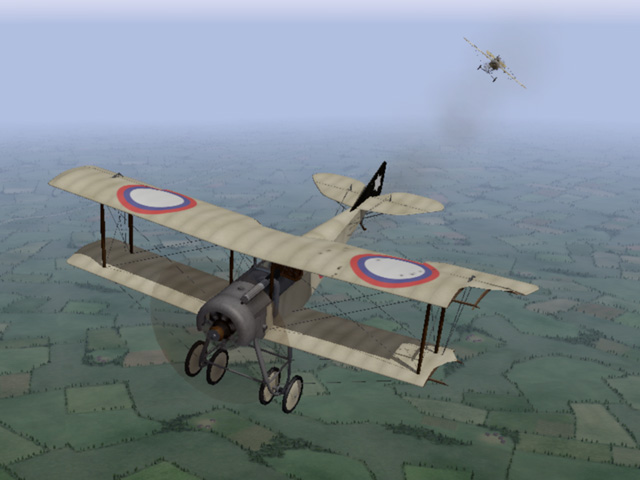
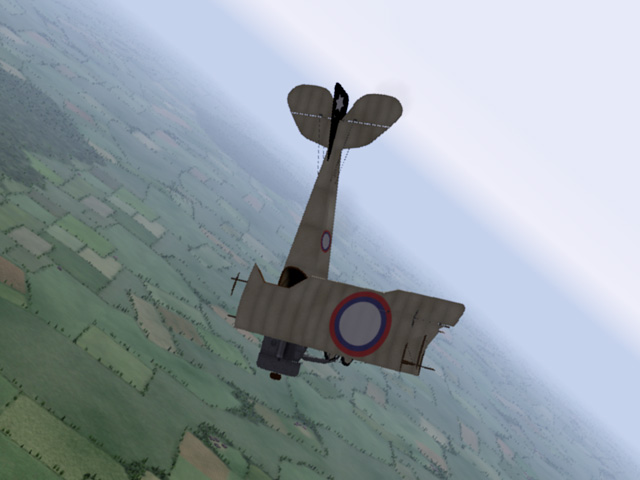
I have uploaded a completely new version of the Sikorsky S-16. It was not produced in very large numbers, and was quickly outclassed by other planes, so it wasnt one of the "great" planes, but I really like the way it looks. The new version has all new LODs with higher detail and lower poly count. All new skins and decals are included. Ojcar made a new FM as well. Your comments are welcome.
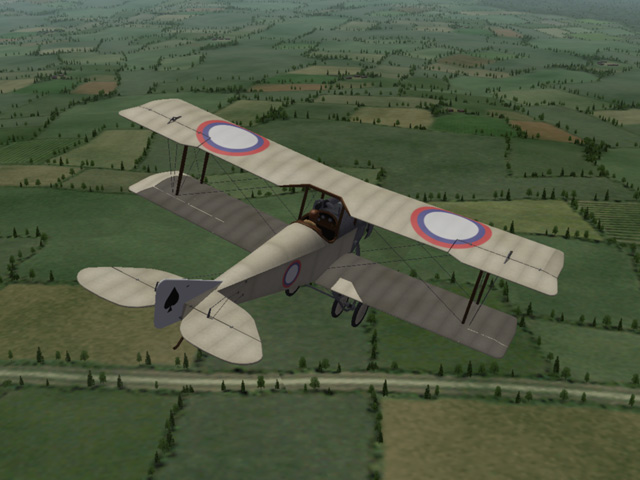
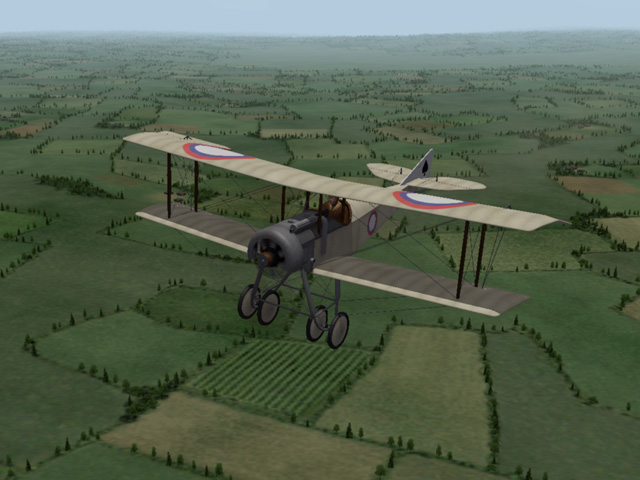
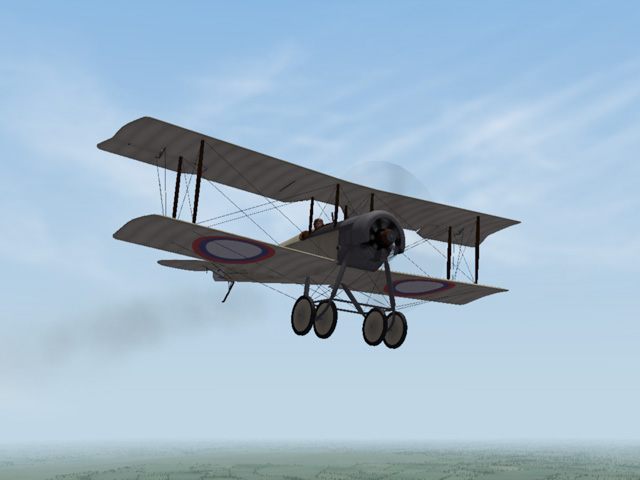
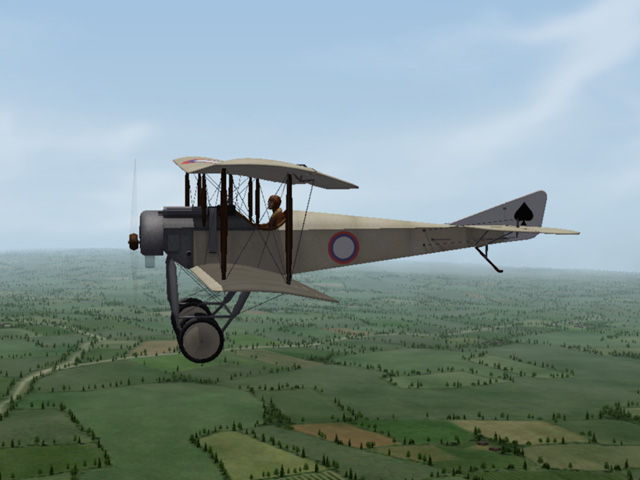
-
The British Tabloid was used very successfully in the early months of the war, as an inceptor and as a bomber. I imagine that was what motivated the Russians. A single prototype of the Lebed VIII was built, with different landing gear, but it never went into production. - As I said, mine is fictitious.
-
All of the terrain tiles should be in the terrain folder, or in one of the CAT files. (If there are seasonal tiles, each season will be its own folder inside the terrain folder.) If there is water on the tile, it will be in TGA format and you won't see a preview when you look in the folder on your desktop. The rest of the tiles will be in BMP format. Each terrain has a _data.ini and that assigns a Texture number to every tile. In Mue's TFD tool, missing tiles will show up as pink squares, if you align the cursor over that square, you will see the number of the missing tile at the bottom of the window. Then you can look in the data.ini to find the name of the tile - that at least tells you what you're looking for.
-
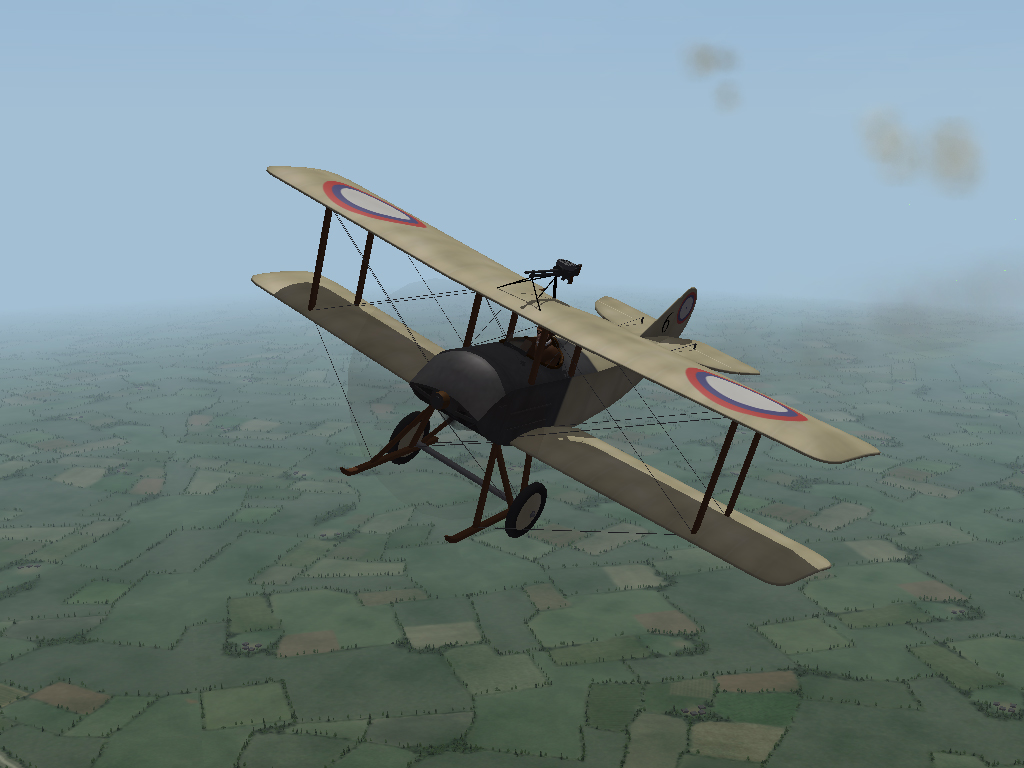
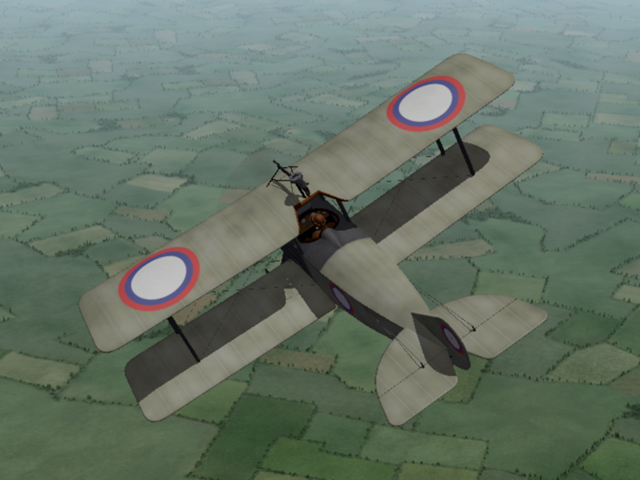
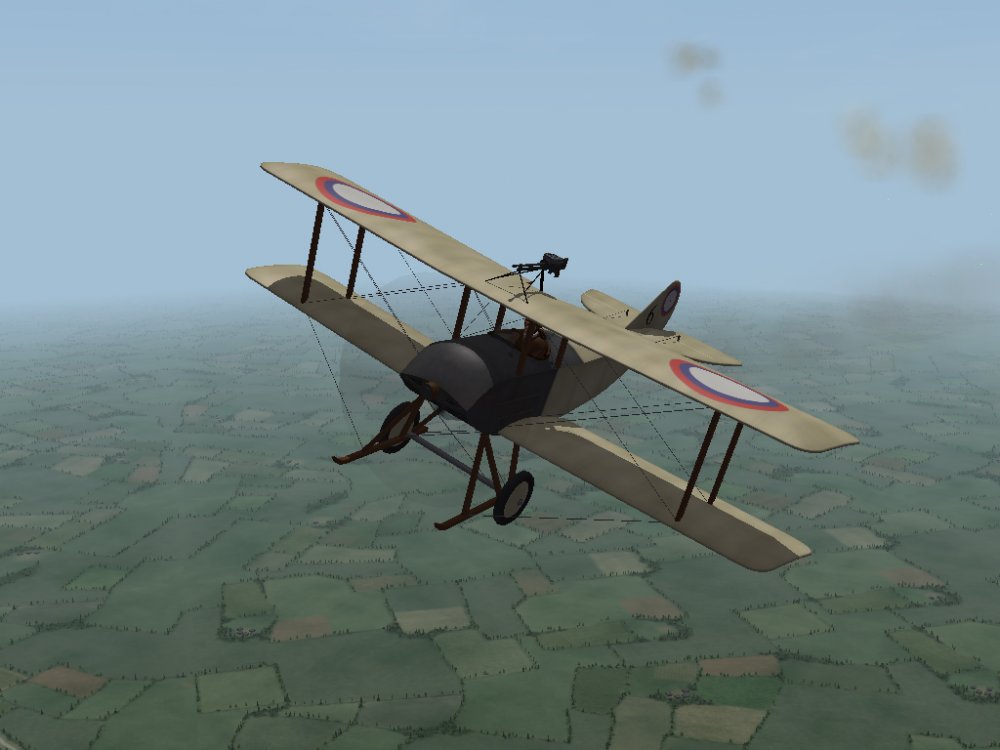
Today I uploaded a new plane - the Russian Lebed 7. The Lebed 7 was a Russian copy of the Sopwith Tabloid. It was intended to be used as a fighter, but was quickly outclassed and was used mostly for recon and later for training. I have made a fictitious version (or perhaps a field mod) with a Lewis gun mounted on the upper wing. My thanks to Ojcar, once again for making the FM. By my count, this is the 60th plane that Ojcar and I have made over the years.
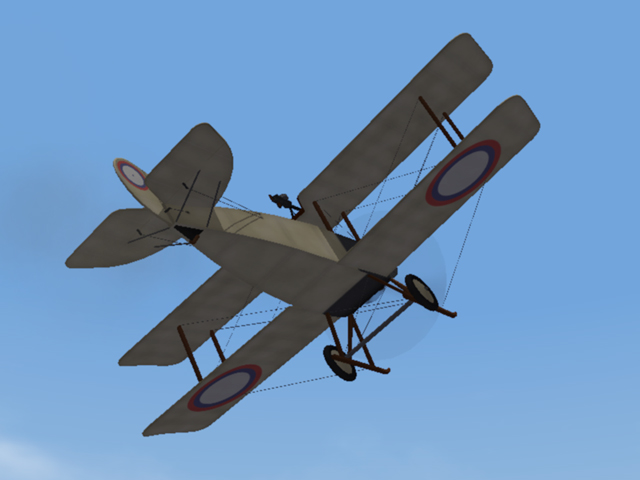
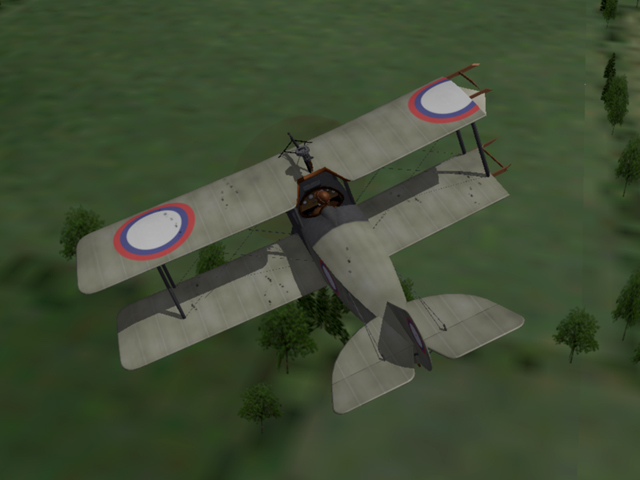
- 1 reply
-
- 10
-
-
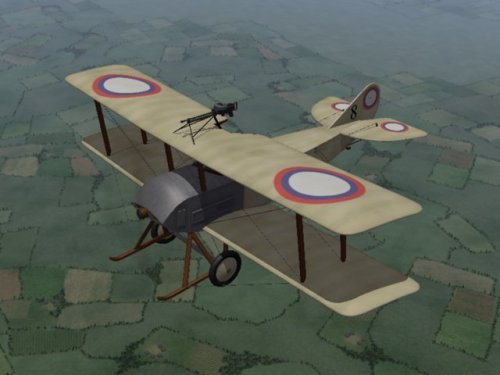
View File Lebed 7 The Lebed 7 was a Russian copy of the British Sopwith Tabloid. It was produced in 1915 and was intended to be used as a fighter. But with an 80hp Gnome engine and wing warping controls, it was quickly outclassed and was used primarily for recon and later for training. The Lebed 7 was shipped from the factory unarmed. The British plane had a machine gun mounted on the upper wing, so it isn't unreasonable to think that a Russian pilot might have tried mounting a gun on his plane. I have made a (possibly fictitious) version of the plane with a Lewis gun mounted on the top wing. My Lebed 7 has a fully functional cockpit, three skins - a grey paint and two clear doped linen, and a full set of number decals. My skinning templates are included. The plane comes with a helmeted Russian pilot; instructions for installing the pilot are included. Or you can change the data.ini to use one of the stock FE pilots. Many years ago Nixou recorded a a large number of sounds for First Eagles. I have included the sound file for the 80 hp Gnome Monosoupape engine, but you may already have it. Credits Thanks to Ojcar for making the data file for the Lebed 7. Thanks to Nixou for making the sound file for the Gnome 80 hp engine. Installation Instructions For FE1 - Unzip the file. Move the folder named "Lebed7" into your FirstEagles/Objects/Aircraft folder. For FE2 - Unzip the file. Move the folder named "Lebed7" into your FirstEagles/Objects/Aircraft folder. Then in the FirstEagles/Objects/Decals folder, create a new folder named "Lebed7". Move the folder named "D" from your Aircraft/Lebed7 folder into the Decals/Lebed7 folder you just made. In case you don't already have it, I have included the sound file for the 80 hp Gnome engine. Move the file named "gnome80m4.wav" from my Sounds folder into your Sounds folder. You may not need to install the pilot with helmet, it has been available for download for some time and has been included with other planes. In case you don't already have it, I have included the pilot and instructions for installing it in a separate folder included in this download. Submitter Stephen1918 Submitted 06/13/2018 Category Other Entente Aircraft
-
Version 1.0.0
116 downloads
The Lebed 7 was a Russian copy of the British Sopwith Tabloid. It was produced in 1915 and was intended to be used as a fighter. But with an 80hp Gnome engine and wing warping controls, it was quickly outclassed and was used primarily for recon and later for training. The Lebed 7 was shipped from the factory unarmed. The British plane had a machine gun mounted on the upper wing, so it isn't unreasonable to think that a Russian pilot might have tried mounting a gun on his plane. I have made a (possibly fictitious) version of the plane with a Lewis gun mounted on the top wing. My Lebed 7 has a fully functional cockpit, three skins - a grey paint and two clear doped linen, and a full set of number decals. My skinning templates are included. The plane comes with a helmeted Russian pilot; instructions for installing the pilot are included. Or you can change the data.ini to use one of the stock FE pilots. Many years ago Nixou recorded a a large number of sounds for First Eagles. I have included the sound file for the 80 hp Gnome Monosoupape engine, but you may already have it. Credits Thanks to Ojcar for making the data file for the Lebed 7. Thanks to Nixou for making the sound file for the Gnome 80 hp engine. Installation Instructions For FE1 - Unzip the file. Move the folder named "Lebed7" into your FirstEagles/Objects/Aircraft folder. For FE2 - Unzip the file. Move the folder named "Lebed7" into your FirstEagles/Objects/Aircraft folder. Then in the FirstEagles/Objects/Decals folder, create a new folder named "Lebed7". Move the folder named "D" from your Aircraft/Lebed7 folder into the Decals/Lebed7 folder you just made. In case you don't already have it, I have included the sound file for the 80 hp Gnome engine. Move the file named "gnome80m4.wav" from my Sounds folder into your Sounds folder. You may not need to install the pilot with helmet, it has been available for download for some time and has been included with other planes. In case you don't already have it, I have included the pilot and instructions for installing it in a separate folder included in this download. -
Beautiful terrain!
-
Nice! It looks like we have a new modder on the way.
-

Hansa Brandenburg D.I skins
Stephen1918 commented on gterl's file in Other Central Powers Aircraft Skins
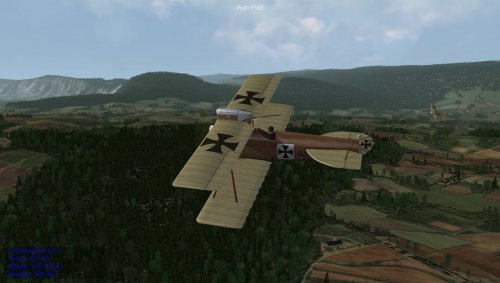 Thank you for these, Gterl. It's always nice to have new quality skins.
 -
View File Cockpit for the SPAD 7 This cockpit will repace the SPAD 13 cockpit used until now to make the stock SPAD 7 into a flyable plane. I can't find out who first converted the stock SPAD 7 into a flyable plane by using the cockpit from the SPAD 13. It seems to have been done several times over the years. The most recent version I could find was by Sinbad in 2012. I have used parts of the cockpits I made for the SPAD 11, SPAD 16, and SPAD A.2 to make a completely new cockpit for the SPAD 7 which fits the fuselage better and has the correct number of guns. The new cockpit features fully functional gauges, throttles, rudder control, and stick. This cockpit should work with all the SPAD 7s (SPAD7_150, SPAD7_180,etc.) NOTE - About 10 years ago, Gr.Viper made a SPAD 7 by converting the SPAD 13. MY cockpit will not work for that version since it uses the SPAD 13 plane with a revised FM. (If your SPAD 7 has two guns on the fuselage, then you are using GR.Viper's conversion and this cockpit won't fit.) Installation Instructions for both FE1 and FE2 Do this for each SPAD 7 you want to convert: If you have already have a flyable SPAD 7 using the SPAD 13 cockpit, delete the "cockpit" folder if it exists, and delete the SPAD7_COCKPIT.ini file. Then open my "SPAD_7" folder and place all the files - 1 folder and 1 ini file - into your folder. If you still have the stock version, Open my "SPAD_7" folder and place all the files - 1 folder and 1 ini file - into your folder. You will also have to add the following line to the plane's ini file. CockpitDataFile=SPAD7_cockpit.ini Submitter Stephen1918 Submitted 02/25/2018 Category First Eagles - WWI and Early Years - Add On Cockpits
-
- 5
-
-
-
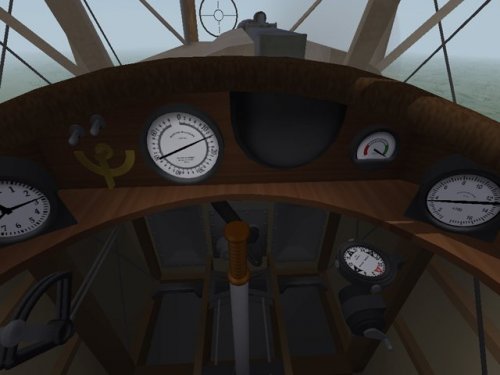
Version 1.0.0
150 downloads
This cockpit will repace the SPAD 13 cockpit used until now to make the stock SPAD 7 into a flyable plane. I can't find out who first converted the stock SPAD 7 into a flyable plane by using the cockpit from the SPAD 13. It seems to have been done several times over the years. The most recent version I could find was by Sinbad in 2012. I have used parts of the cockpits I made for the SPAD 11, SPAD 16, and SPAD A.2 to make a completely new cockpit for the SPAD 7 which fits the fuselage better and has the correct number of guns. The new cockpit features fully functional gauges, throttles, rudder control, and stick. This cockpit should work with all the SPAD 7s (SPAD7_150, SPAD7_180,etc.) NOTE - About 10 years ago, Gr.Viper made a SPAD 7 by converting the SPAD 13. MY cockpit will not work for that version since it uses the SPAD 13 plane with a revised FM. (If your SPAD 7 has two guns on the fuselage, then you are using GR.Viper's conversion and this cockpit won't fit.) Installation Instructions for both FE1 and FE2 Do this for each SPAD 7 you want to convert: If you have already have a flyable SPAD 7 using the SPAD 13 cockpit, delete the "cockpit" folder if it exists, and delete the SPAD7_COCKPIT.ini file. Then open my "SPAD_7" folder and place all the files - 1 folder and 1 ini file - into your folder. If you still have the stock version, Open my "SPAD_7" folder and place all the files - 1 folder and 1 ini file - into your folder. You will also have to add the following line to the plane's ini file. CockpitDataFile=SPAD7_cockpit.ini -
To give credit where it is due - the Hanriots were all made by Emld, Peter01 made the FMs for them
-
I have uploaded the streamer ribbons. There are five different colors - Red, Green, Blue, German (black, white and red), and French (red, white, and blue). They're in the First Eagles - General Files - Weapons section. There is actually an animation built into the LOD (Animation ID 1). If anyone can figure out how to make it run, please let us know.
-
View File Wing tip streamer ribbons for FE As requested, I have made five streamer ribbons for First Eagles. The streamers are identified as fuel tanks and can be attached to weapons stations through the load out. NOTE - Since these streamers are classed as weapons, they are not animated and do not cast shadows. Installation is a three part process - you will need to install the streamers as weapons in First Eagles - you will need to change the data.ini for each plane to create weapons stations for the streamers - you will need to create a load out for each plane to attach the streamers to the plane. Full installation instructions for both FE1 and FE2 are included with the download. Submitter Stephen1918 Submitted 02/16/2018 Category First Eagles - General Files - Weapons Mods
-
- 3
-
-
-
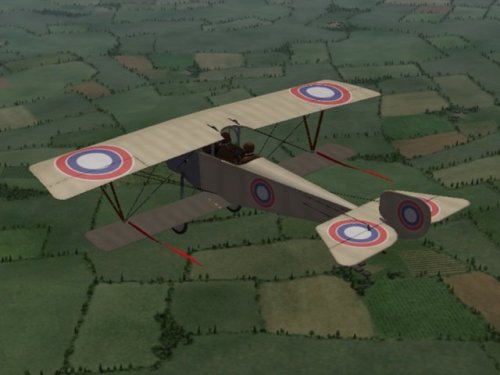
Version 1.0.0
67 downloads
As requested, I have made five streamer ribbons for First Eagles. The streamers are identified as fuel tanks and can be attached to weapons stations through the load out. NOTE - Since these streamers are classed as weapons, they are not animated and do not cast shadows. Installation is a three part process - you will need to install the streamers as weapons in First Eagles - you will need to change the data.ini for each plane to create weapons stations for the streamers - you will need to create a load out for each plane to attach the streamers to the plane. Full installation instructions for both FE1 and FE2 are included with the download. -
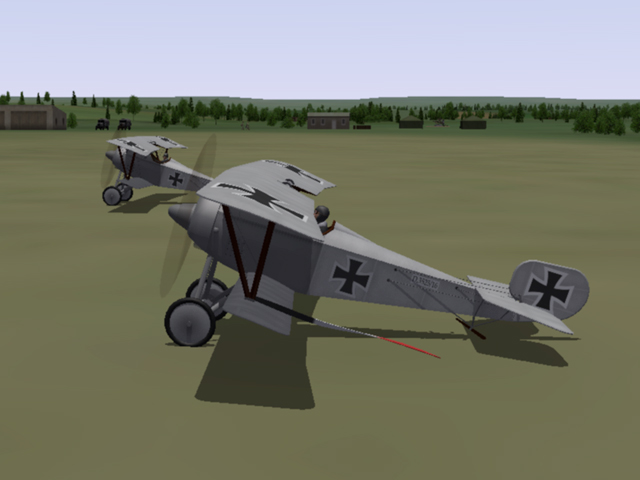
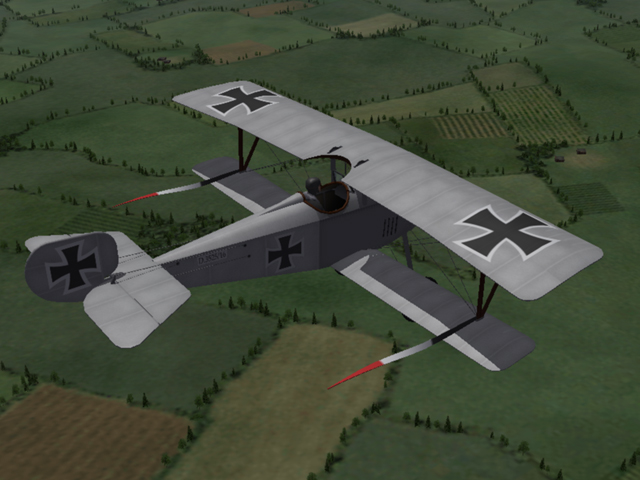
About a year ago, I spent a lot of time trying to figure out a work around. I tried everything I could think of, but the bottom line is - if it's built into the plane LOD, it can be animated - if you want to add it from inside the game, it will be static. P1oppy's Morane Saulnier N has the streamer built into the airplane, the loadout just makes it appear in the game. It's still there, but invisible, unless you assign it in the loadout. I did make some streamers that can be added as weapons, but they don't move, don't react to gravity, and they don't cast shadows. They look kind of funky on the ground, but don't look TOO bad in the air. Is anyone interested?
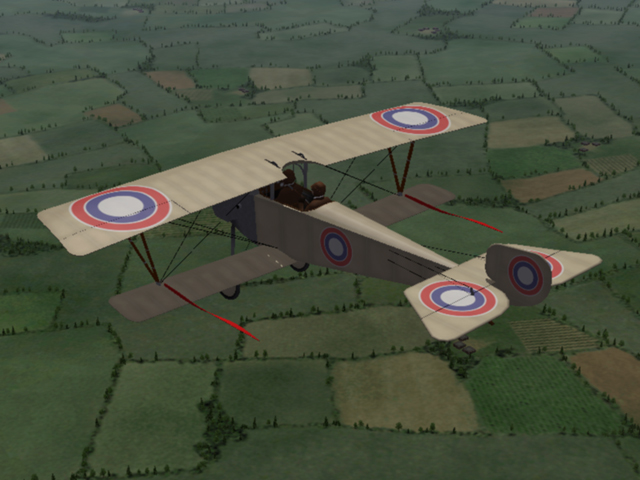
-
The OnGroundPitchAngle determines how the plane sits when it's parked, if you get it too high, the tail skid may go underground and the drag will slow the plane down. I've had this problem if I land on a slight hill, then I can't get the speed to take off again. You need a little drag at the tail or the plane may pull to the right when it first starts rolling. I always have to be careful with this number when I make a plane. In the AIData, there's a setting for TakeOffRotationAngle, does this control the pitch of the plane as it leaves the ground? I've also noticed in some planes that the tail lifts before the wheels do, different planes seem to do this more than others. What controls that?
-
I spent quite a while playing with battle fields when I was doing to the Vogesen2 terrain. I was not able build an emitter that would work intermittently. Later, I made some craters that have smoke coming out of them, they work continuously and do add some effects to the battle field. Gterl and Quack have each figured out a solution. I came up with a third option, so you have a choice (maybe you can mix them.) In my experiments, the field guns and infantry would only "see" objects that the game engine places in the terrain. They don't seem to "see" targets placed in the Target.ini. Maybe this is a limit of FE1, I don't know if it's the same in FE2. In Vogesen and Galicia, I was able to place an AA gun behind the lines (theTarget.ini defines a location and the game engine picks a gun and places it) The guns from the target.ini see it and shoot at it. (But they don't see enemy infantry and field guns.) With some experimenting you can find a place where it's too far to get hit, but close enough that the other guns see it. The field has to be pretty flat, if there's a hill between them, or if one side is much higher than the other, they don't shoot. I was able to get some pretty active battle fields (check out Vogesen2 and Galicia2.) You see a lot of tracers, and explosions where the field gun shells hit the ground. I made a rail mounted artillery gun and Geezer made some artillery guns. Those will shoot at a balloon, so they will be elevated when they shoot. Again, you need to experiment with distance and placement of the enemy balloon before the guns will see it, but not be able to hit it. You'll see the guns shooting, but the explosions where the shells hit are quite a distance away and you may not even see them. For Collisions, Wrench is right, the things placed in the tod don't detect a collision. (this includes the trees and most of the city and farm buildings.) This is built into the game engine and can't be changed. Things placed in the Target.ini will detect a collision. In the Types.ini, some objects declare a "CollisionMesh" (which is an LOD.) But not all of them do, so I don't know if you need to have one or if it uses the original mesh unless another one is specified .
-
I have commitments in the real world, so I don't know when I'll be able to upload planes again. So, Geezer, whatever you want. Crawford, there's a DH 4 from a few years ago in the download area.