

mue
-
Posts
422 -
Joined
-
Last visited
-
Days Won
8
Content Type
Profiles
Forums
Gallery
Downloads
Store
Everything posted by mue
-
No, not yet. You can try to create and use a "reduced" <terrain>_types.ini (that only contains the objects you need for editing a single target area) while working with the target area editor.
-
Correct. That's what I tried to say here:http://combatace.com/topic/85980-extending-the-drawing-distance-for-fading-objects/page-2?do=findComment&comment=694431 Turning off the stock fading and increasing DetailMeshSize increases the draw distance. The modified shaders then (re)enable the fading for tod objects. For this you have to change/increase "MaxVisibleDist" in <terrain>_types.ini and (LOD) "Distance" in <targetobject>.ini for each object. See: http://combatace.com/topic/81464-increasing-the-view-distance-of-target-objects/
-
What is the pivot point? The local coordinate system (and origin) of the node?
-
Yes, the target area editor doesn't read terrain objects if they are located in subfolders (Terrains/<terrain>/<subfolder>/). Currently they must be located directly in the Terrains/<terrain>/ folder. It's on my todo list.
-
If you change the colors in the twfont.fx file you must also change the colors in huddata.ini. The enemy/friendly target color in twfont.fx must exactly be the same as in huddata.ini (ignoring the alpha value). Or maybe you introduced a syntax error in the twfont.fx and the game engine fall back to the original fx file. Can you send me your huddata.ini and twfont.fx file so that I can check it.
-
I also have mixed feelings about the warthog stick. I really like the haptic (metal grip) of the stick and the possibility to add an extension. But the stiction of the stick is quite annoying. I, too, regreased the stick and I found out that the stiction DON'T come from the ball/socket joint but from the disc riding up and down on the 4 shafts. So if you want to regrease the stick you don't have to do the high-risk procedure of disassembling the ball/socket joint. You only need to regrease the 4 shafts. Still the problem is to find the proper grease. With the grease I use (Tamiya Cera-Grease HG) the stiction returns after some time.
-
Unfortunately, I understand the lod format only partially. It's sufficient to write a viewer. But to write an exporter, I have to understand the format completely. Maybe I should email TK/Thirdwire and ask for a format description/documentation. But I doubt I'll get an answer: In the past I already emailed him regarding my plan to write a cat extractor and asked him if he allows (or not) the extraction of locked content ... I never got an answer
-
Ever wonder what you actually fly around in...in game....look here
mue replied to russouk2004's topic in General Discussion
Uups... I didn't want to start a discussion about piracy. I see it through the eyes of a software engineer and I think this program can be useful to study and investigate the sf2 graphic/render engine. -
Ever wonder what you actually fly around in...in game....look here
mue replied to russouk2004's topic in General Discussion
Thanks. Found it. It seems, no one is saying the name of the program. Why? Did I miss something? -
Ever wonder what you actually fly around in...in game....look here
mue replied to russouk2004's topic in General Discussion
What extractor do you use? How does the extractor work? Intercepting directx api calls maybe? -
Which patch level do you have? Do the LODViewer and my CATExtractor work with this patch level? All of my programs use the same cat file loading routines. Yes, it should be possible. First you have to add the objects to the <terrain>_types.ini. However, I don't know which entries in <terrain>_types.ini does make the object to real targets or just "decorative stuff". Then you can place the objects via the target area editor into the target areas.
-
Before I uploaded the package I scanned it with Microsoft Security Essentials: nothing suspicious found. After your reports I also scanned it with an online virus scanner (virustotal.com): nothing suspicous found. So I think my package is virus free. I assume your anti-virus program has some kind of cloud-based reputation rating of program files (*.exe, *dll, ...). And since my program files are quite new (recently compiled) they have no (good) reputation. The anti-virus program then maybe tries to run the program in some kind of sandbox and that didn't work for some reasons or it just blocks the program.
-
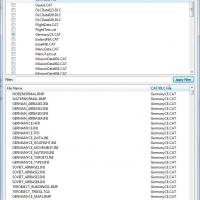
View File Mues Toolbox In this package you find the current versions of my programs. Since all programs are using the same Qt and Microsoft Visual Studio libraries I thought it is convenient to put them all together. This package contains currently: LOD Viewer V0.5.2 (old obsolete version, please download and use V0.6.3) Target Area Editor V0.2.2 (Updated) CAT Extractor V0.1.0 (NEW!) For usage instructions of the programs please read the readme files located in the Readme folder. Update 29.03.2025: I think it's best for the community if my tools are freely downloadable for everyone. External download link: https://www.dropbox.com/scl/fi/uy29n6jh3fu35inxlhhuf/MuesToolBox.zip?rlkey=94k9s0iv3enz4b6b6l2tstfyz&st=vtdl2gh9&dl=0 Submitter mue Submitted 12/09/2015 Category Utilities / Editors
- 17 replies
-
- 12
-

-
Minor update: Version 0.2.0 -rudimentary editing functions: target objects can be added/deleted/moved/rotated to/from/in existing target areas. CAUTION! It's not fully tested yet. I strongly advise you to make a backup of your *_targets.ini file first before you work with the Target Area Editor. -using Qt 5.5.1 I bundled my programs (lod viewer, target area editor, cat extractor (NEW!)) into one package. You can download it here
-
Minor update: Version 0.5.2 -bugfix: some animation types crashed the program -view can be toggled between perspective and orthographic projection -adjustable zoom and rotation rate -using Qt 5.5.1 I bundled my programs (lod viewer, target area editor, cat extractor (NEW!)) into one package. You can download it here
-
Version 0.2.1
1,923 downloads
In this package you find the current versions of my programs. Since all programs are using the same Qt and Microsoft Visual Studio libraries I thought it is convenient to put them all together. This package contains currently: LOD Viewer V0.5.2 (old obsolete version, please download and use V0.6.3) Target Area Editor V0.2.2 (Updated) CAT Extractor V0.1.0 (NEW!) For usage instructions of the programs please read the readme files located in the Readme folder. Update 29.03.2025: I think it's best for the community if my tools are freely downloadable for everyone. External download link: https://www.dropbox.com/scl/fi/uy29n6jh3fu35inxlhhuf/MuesToolBox.zip?rlkey=94k9s0iv3enz4b6b6l2tstfyz&st=vtdl2gh9&dl=0 -
Have you forgotten to set ZBufferOffset=6.000000 FlatObject=TRUE for this airfield in terrain_types.ini ?
-
Thanks for the bug report. I investigated the issues and that are my findings: SH-3D issue: The lodviewer scales and positions the 3D view depending on the bounding box of the lod object so that the entire area of the bounding box (and therefore the entire lod object) is displayed. In the SH-3D lod there are two nodes whose z coordinates are "out-of-the-way": RescuedGuy with z coordinates around -44000 and FoldingRotor with -100000 (maybe a fault in the lod model?). Thus the resulting bounding box has an extent of over 100000 meters and the resulting view is extremely scaled down (zoomed out). A possible solution could be to add a view option that excludes hidden nodes from the (view scaling) bounding box calculation and let the user select and hide the problematic nodes. What do you think? Sea Stallion issue: These lods contain an animation type I haven't seen before. I will try to reverse engineer that animation type format too. I can not promise to understand and display that animation correctly but at least it should be possible to prevent the lodviewer from crashing.
-
Yes: http://combatace.com/topic/86103-fading-tod-objects/
-
And don't forget to set ObjectsFade=false in options.ini. For this mod to work the stock built-in fading function must be disabled.
-
It seems, my todo list is getting longer and longer... Currently I don't plan to implement joystick input. But I'm curious: What should the joystick input do exactly? What are your system specs? Does it happen with all lod files? Is your graphic card driver up to date?
-
Sorry, a new version is not ready yet. The last weeks nice weather kept me away from (non-work-related) programming activities. But I'll continue to work on the target area editor soon.
-
It's an RGBA color code. The 4th value is the alpha channel. The value ranges from 0.0 (full transparency) to 1.0 (full opacity).
-
Why are building roofs flat ? (stupid question)
mue replied to jeanba's topic in Mods & Skinning Discussion
The tod objects are defined in the *.tod files. I reverse engineered (most of) the tod file format: http://combatace.com/topic/84706-tod-file-format/ In theory the tod file format allows arbitrary object meshes (not only rectangular blocks). Unfortunately TWs terrain editor only creates rectangular blocks. Therefore, to create other tod objects than the rectangular blocks one has to write his own tod file generator/editor for creating the tod files. It's on my long-term todo list... -
Have you in Extras->Settings set the correct path to the SF2 install directory?Do you run the latest SF2 patch level? Do you have an ATI graphic card? Some users with ATI cards have problems with my programs. I still try to figure out where the bug is.
