
Flanker562
-
Posts
13,495 -
Joined
-
Last visited
-
Days Won
64
Content Type
Profiles
Forums
Gallery
Downloads
Store
Everything posted by Flanker562
-

Operation Mountain Twilight v 1.1
Flanker562 replied to Baltika's topic in Mission/Campaign Building Discussion
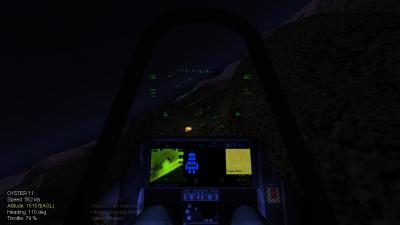
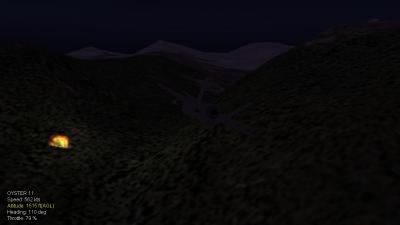
Baltika, did some messing around with KMD and your TARGETS.ini, and managed to get a few things added. I've figured out how to add other types of targets through experiments with the old Range terrain. The zip has your modded ini plus some "enemy spy" targets, and a commo retrans site, as well as some Scud launchers placed randomly. I managed through the single mission cycling, to get a Scud site. Baltika.zip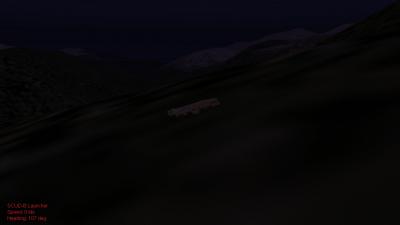
-
Operation Mountain Twilight v 1.1
Flanker562 replied to Baltika's topic in Mission/Campaign Building Discussion
And that's true on the placement, I'll see what I can add as far as bombable targets, but 500 x 500km is still o'plenty for most attacks. Yeah the air threat level seems "more" than the usual. Could be just I'm getting High for Randomness on the single mission selection. Overall it does have a different feel to it. -
Yeah rog man, thanks!
-
Operation Mountain Twilight v 1.1
Flanker562 replied to Baltika's topic in Mission/Campaign Building Discussion
Well I took a spin and it's not really a SAM issue (least on the Red side) but not sure if the Stingers work. I'll actually fly a Red mission and see how it pans out. Actually a "Roving Sands" style targets, i.e. Scud hunting in the backwoods of the mountains would be cool, and in really crappy spots so you have to work rather than just letting a JDAM (really great for those depot targets) loose and getting a Mission Complete. Noticed though the air count higher, something like DBS, where now instead of scampering around, you got threats. Matter of fact I had a MIG-23 chase me and I dodged into some mountains, but he wasn't slick enough as I jinked him into the mountain... And I really can't resist due to your avatar, but he tried to EXTERMINATE, EXTERMINATE me... -
Operation Mountain Twilight v 1.1
Flanker562 replied to Baltika's topic in Mission/Campaign Building Discussion
And since I'm really more into contemporary flying... is there a way you can make an update for the terrain itself? I downloaded the campaign specifically for the additions you made (SAMs... need more to worry about, though may have fixed the Stinger issue) so going to test fly it soon and will be back later on for AAR. -
Fixed the .CAT issue and now runways worky!
-
Yeah I don't care either way, would be nice.
-
Managed to finally look it over, it's going to take awhile redoing the lines and such, unless somebody has the original PSDs it'll go by quicker...
-
File Name: F/A-18F .3ds and .max file File Submitter: EricJ File Submitted: 24 Nov 2008 File Category: F/A-18 Optimized by AmokFloo for use in WoX sims, and originally and legally bought from Mesh Factory, with permission to modify. I'm honestly tired of asking for help because I don't have 3DSMAX, so for those who want to take the time and make it workable, it is fine, just credit AmokFloo for optimization and me for spending over eighty bucks getting it. All I ask is you angle the pylons as it should be, not straight as it is not. It needs to be animated, and of course texture mapped, otherwise it is good to go. Click here to download this file
-
Yeah man... gonna have to upload it, and I know where I can find schemes. Haven't done any projects in a long time...
-
Anyone interested in Yukikaze aircraft?
Flanker562 replied to Shin_kazama's topic in Sci-Fi/Anime/What If Forum
That's cool as yeah..... -
I downloaded it but not tried it out, seems like it is worth it.... Though you going to upload PSDs? So if you get the OA-4M, we can do it in the "new" grey scheme that was in effect?
-
Yeah... but I think it was a little overdone IMHO, but it is a step up from the default "traffic" nonetheless....
-
Nah it's cool man, though I would think the same files would be in there (I mean, the same sounds are), but it's all good man, as long as I don't blow up on takeoff I'll be good
-
It may be WOI, but I don't think I did the normal CAT copy routine, will do it later...
-
Yeah... may be the issue. Not a total loss per se but it's odd. Also, read the KB article on adding carriers... but don't seem to have worked it right. This terrain... it needs one, though I do enjoy long missions where drop tanks are needed, but Wrench, I think you figured out how to add the carriers for your Midway terrain?
-
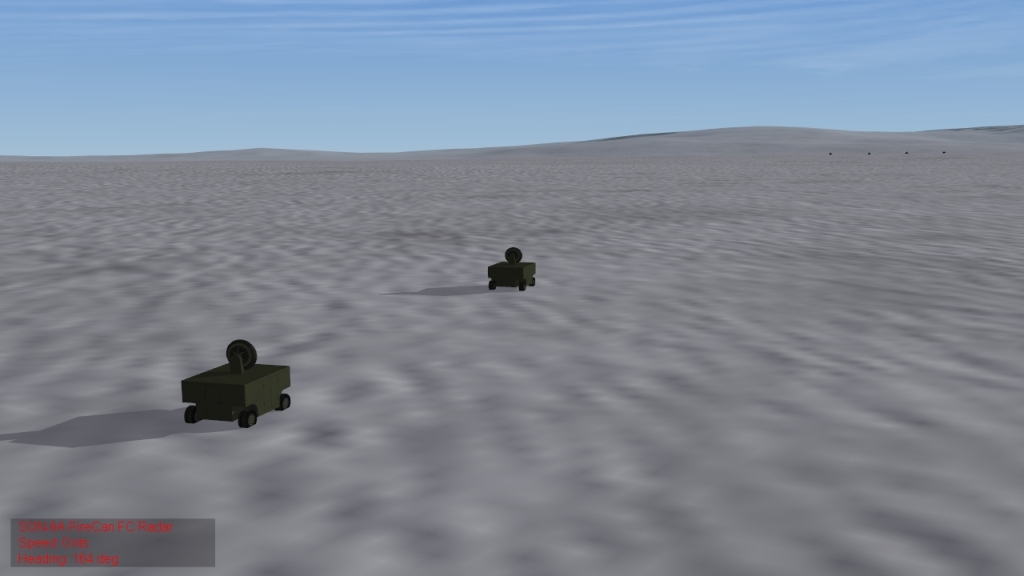
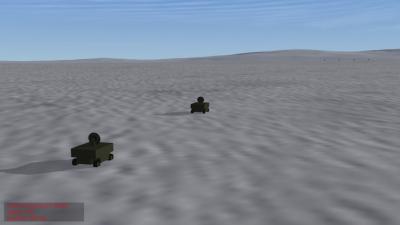
Also, we're straying from the topic people. Sure some have posted image, but take it somewhere else as well. I really couldn't pass this image up, ran a CAS mission in DBS, and well... the eeeevil Fire Can radars oh my!
-
For predesignated missions for single missions (not sure about Campaign) but hit "E" and it will "designate" it for you or your wingnut. Upon reaching the target area, it will be "active" until you destroy it. Note that Waypoint 5 is always your target waypoint, or where Waypoint 5 is, that is where your target is exactly at all times.
-
Well here it's like the A-10s, when we here "HAWG" that's just known too.
-
Yeah I would have figured he would have taken some time to update the sounds, or the very least get some accented voices. It's just odd hearing the same voices whether you're Red or Blue you know? But I don't have a mic so maybe Dave could lend some talent. I've worked with enough Chair Farce guys to speak their language, but sometimes I get mush mouth and voice is a bit deep.
-
I want to say yes, the .lod file looks for the file, but the only route I'm sure is a hex editor, which will show you the location of the .bmp file. Rename it and it may work.
-
It's been fairly heavy, especially in the Afghanistan terrain. Also was doing an anti-ship mission and got shot down. It's definitely becoming effective. Also if you get too low the BTR-60s take pot shots, and just as effective as AAA.
-
Downloaded that sound mod STORM, and not sure about the quality, as when I talk FM to the aircraft, it's more clearer than that. Matter of fact one night I was talking to DUDE from roughly well... quite alot of kays away crystal clear. I know they have a lot of wattage... but most of the time it's easier talking to them than talking to the helos.
-
Is it just me, or are there no runway textures???? I see obviously the tower, but is it a revisit of Firefox landing and taking off on the snow?
-
You have to edit the particular pod data. Like for the AV-23-R from Wingwiner, it had that gay circle and crosshair, while I adjusted it so it has only four boxes around the designated target. There's a selection available in drop down menus in the Weapon Editor.