VonS
-
Posts
1,026 -
Joined
-
Last visited
-
Days Won
2
Content Type
Profiles
Forums
Gallery
Downloads
Store
Everything posted by VonS
-
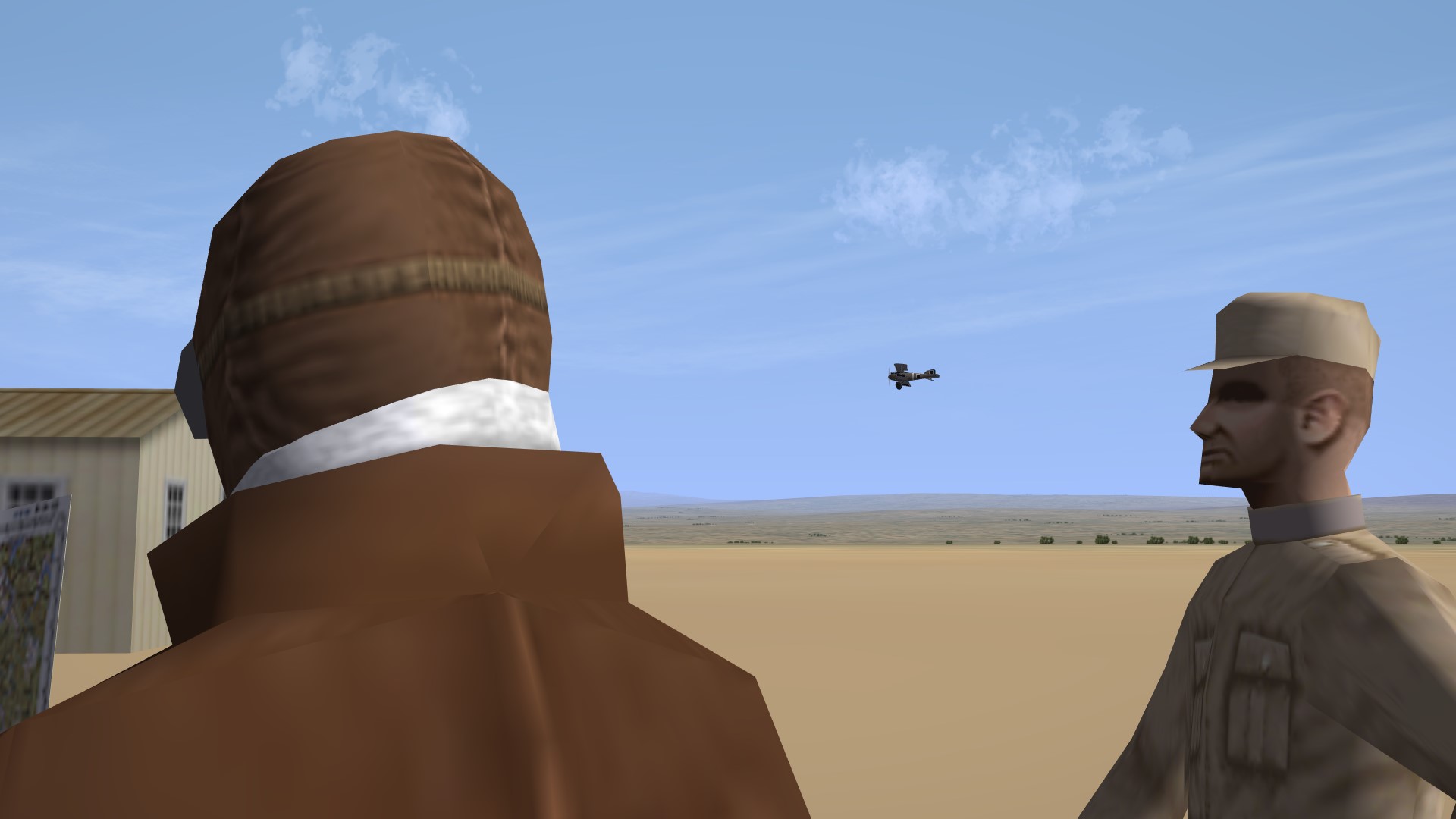
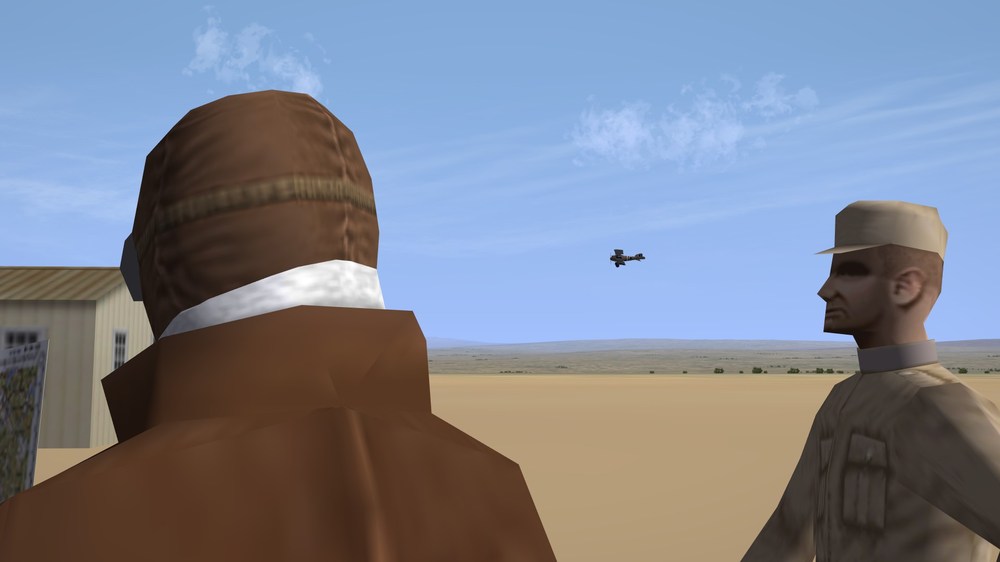
Spotted one of our Albatroses coming in for a landing while conversing with fellow pilots and the flight officer - the latter said that such types are rare here on this remote front and that I would be getting an Eindecker instead.
-
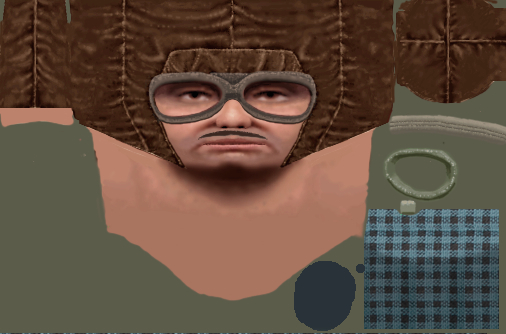
As far as I know, it's not possible to remove the moustache via ini tweaks - but others may know more about this. To shave him, best is to open the relevant image file and then re-paint the area, or to drag-and-drop/replace the relevant "pilot-and-scarf" etc. BMP files from other pilot folders done by Geezer, with no moustache - into the pilot folder you are calling up via the data ini file for the aircraft being flown. Also check over Stephen's pilot heads - I think that he did some pilots with helmets but no moustaches. Von S EDIT: For those interested in how "pilot folders" are called up via data inis instead of individual pilot files that are often thrown into the "Pilots" folder of the FE2 user directory, see this old post here: https://combatace.com/forums/topic/88951-some-newbie-questions/?tab=comments#comment-720042
-
In 90% of cases where the WW1 types won't budge on application of throttle, there's a problem with the rolling coefficient values either for the left/right wheels, or the tail-skid. Those have been changed in my FM update packs whenever necessary - there are tweaked FMs available in the big (ver. 9.9) pack for the Longhorn and Shorthorn too - maybe check those over and see if they "un-stick" on application of throttle. Both types are underpowered as historical but should move - takes a while to get them rolling but eventually they are fine. I'll double-check the Long/Shorthorns in my pack later today just in case - currently still tweaking the Bleriot XI FM for the model Swambast is working on. (Technically, brakes should not be available on these types - maybe they are in some of the stock FMs but otherwise no brakes in WW1.) The modded Long-Shorthorn FMs also remove the old, blocky pilots and observers and replace them with Stephen's much nicer pilot/observer combo (see pic. in link): https://combatace.com/forums/topic/92692-i-have-problem-with-stephens-farman-hf20-unarmed/?tab=comments#comment-748962 Von S
-
It's a nice aircraft - there is a D.VI in the Plat. Ed. of WOFF, by the way. In the right hands (capable pilot) - it may be a more effective aircraft than the famous D.VII. Top speed on the D.VI is around 200-1 kph, so it's not bad at all - faster than the Dr.1 (of any engine variant). There were also engined-up experiments with the D.VI - Siemens-Halske, Oberursel Ur.III, etc. - 145 to about 160 hp - which should give it a fine climb rate and gentle stall characteristics since the same airfoils are used I think that are also on the D.VII. Somewhere in an interview Mikael Carlson mentioned that he would rather take the Dr.1 than a D.VII into a dogfight - perhaps the D.VI is the sweet spot between a twitchy and stable mount. Here's another looker - the (somewhat obscure) Fokk. D.V: https://www.cgtrader.com/3d-models/aircraft/historic/fokker-d-v-d-5 EDIT: And another interesting link/post where the Fokk. D.V "geometry" is reconstructed - this should come in handy for any 3-d modelers out there interested in WWI models, both for actual models and in-sim models: https://airplanes3d.wordpress.com/2019/04/27/recreating-geometry-of-a-forgotten-wwi-fighter/ Happy flying, Von S
-
Sopwith Snipe (not Salamander) available here: https://combatace.com/files/file/13078-sopwith-7f1-snipe-early/ There is no Fokk. D.VI available as far as I know - only the D.VIII (under the downloads section) - the D.VII is stock by the way. For the different variants of the D.VII (BMW, OAW, etc.) - make separate aircraft folders, as per install instructions in my big FM pack - and then you can use the other two data inis supplied there as well - gives you the OAW ("standard") D.VII, plus the later, BMW variant, and the early, 180 hp D.VII used only in May/June approximately of 1918. There's a data ini in the pack for the D.VIII too, by the way - increases top speed on the D.VIII to about 204-5 kph as historical (among other changes). The stock data ini supplied with that 3rd-party D.VIII goes up only to about the mid-160s kph. Von S
-
Gents', if I add the relevant info. for these objects into the "types.ini" file, and then drop the objects into the terrain folder - will they show up randomly around/on airfields?...or does this require specific positioning via coordinates in the "targets.ini" file as done by our terrain modders for FE2/SF2...for the objects to show up? Any info. appreciated, and thank you for these objects Stephen. Von S
-
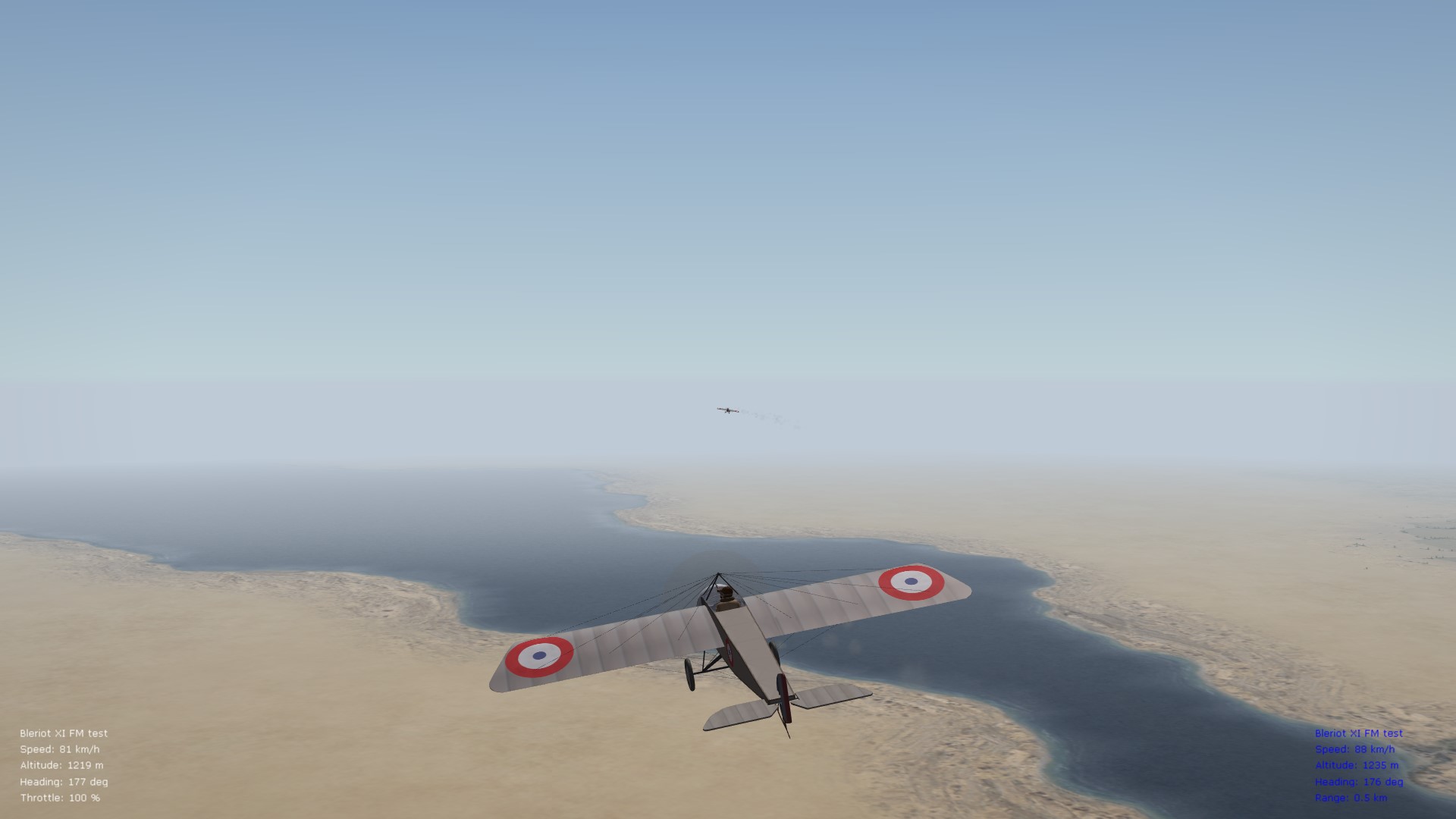
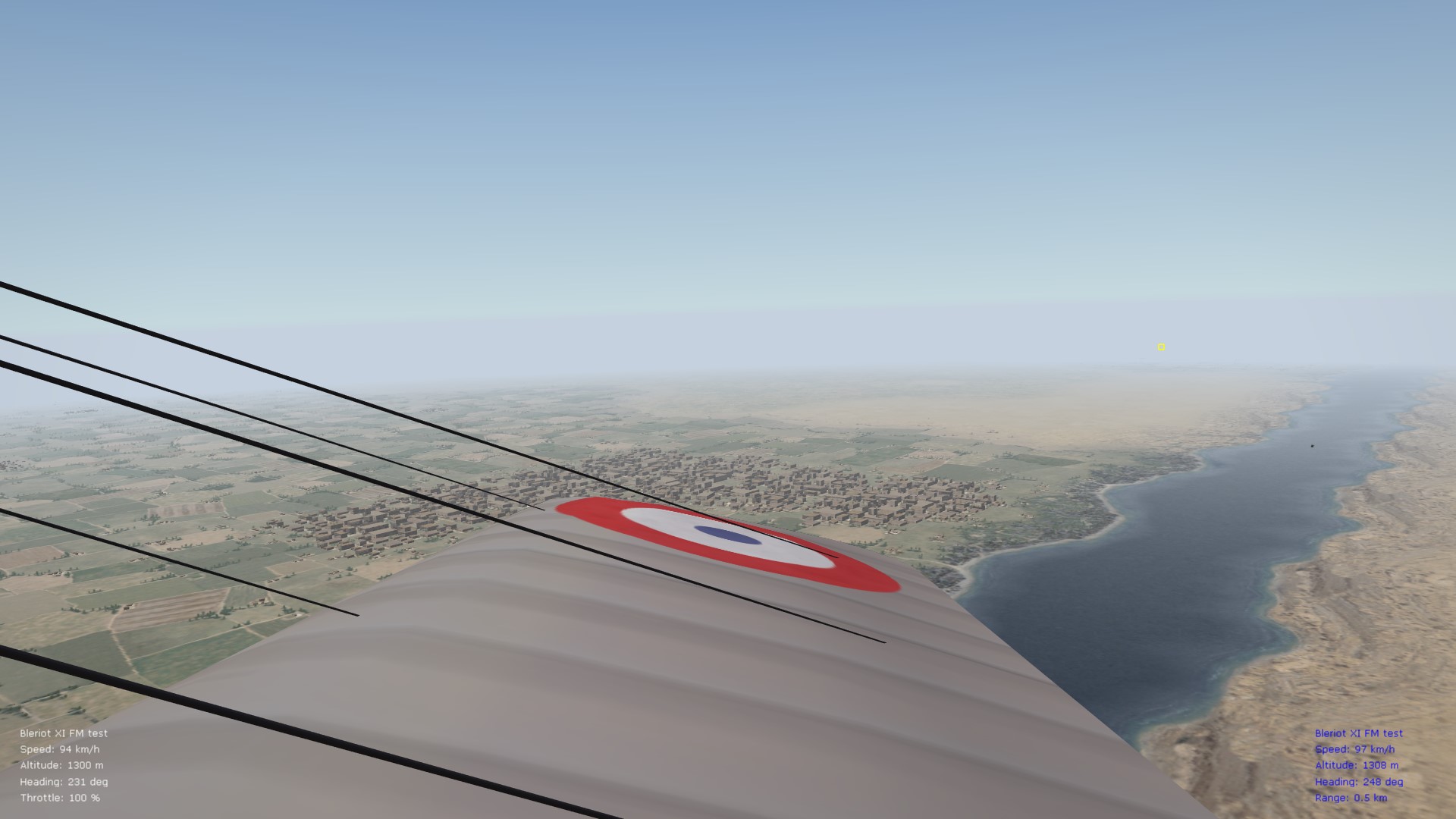
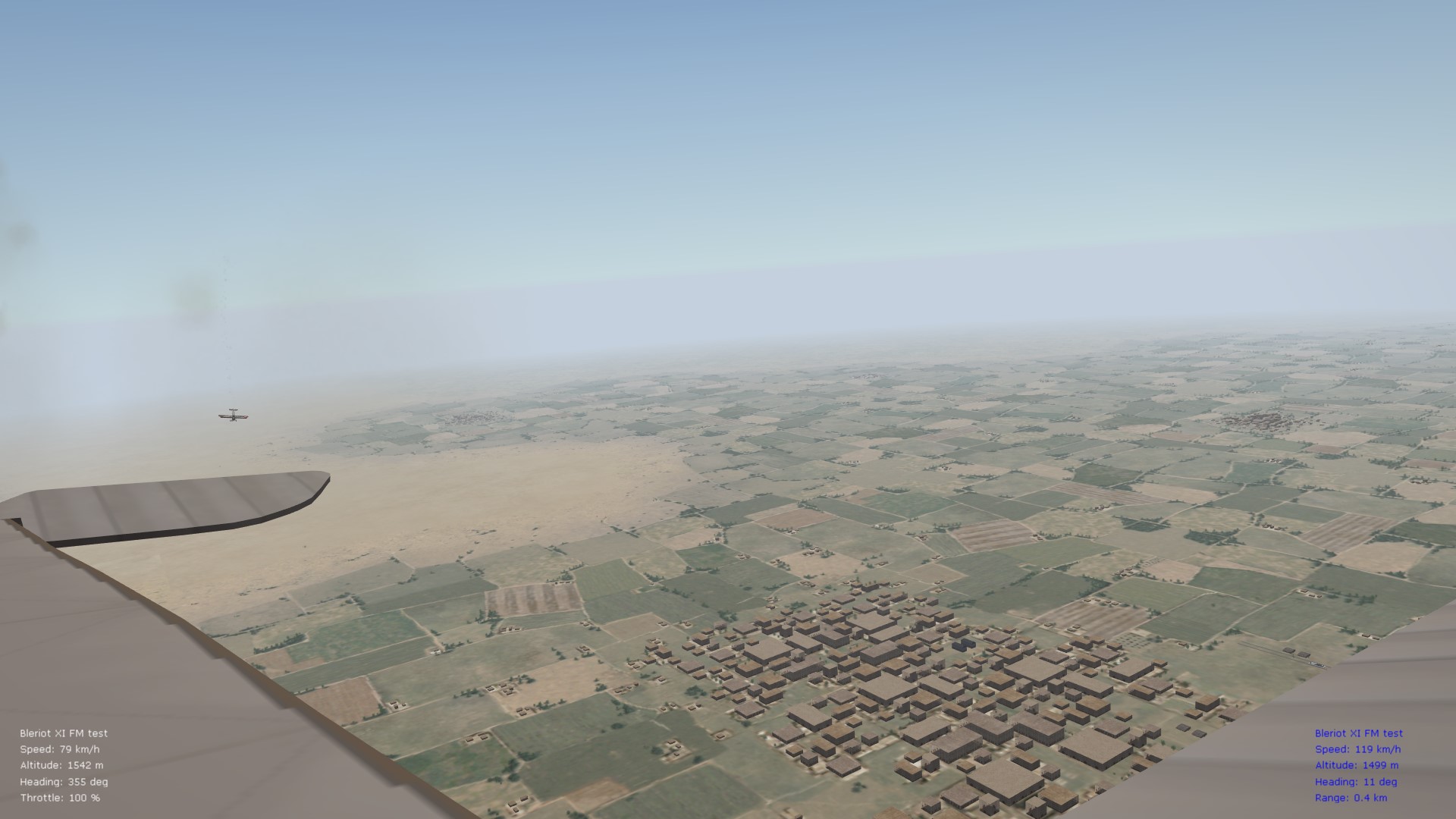
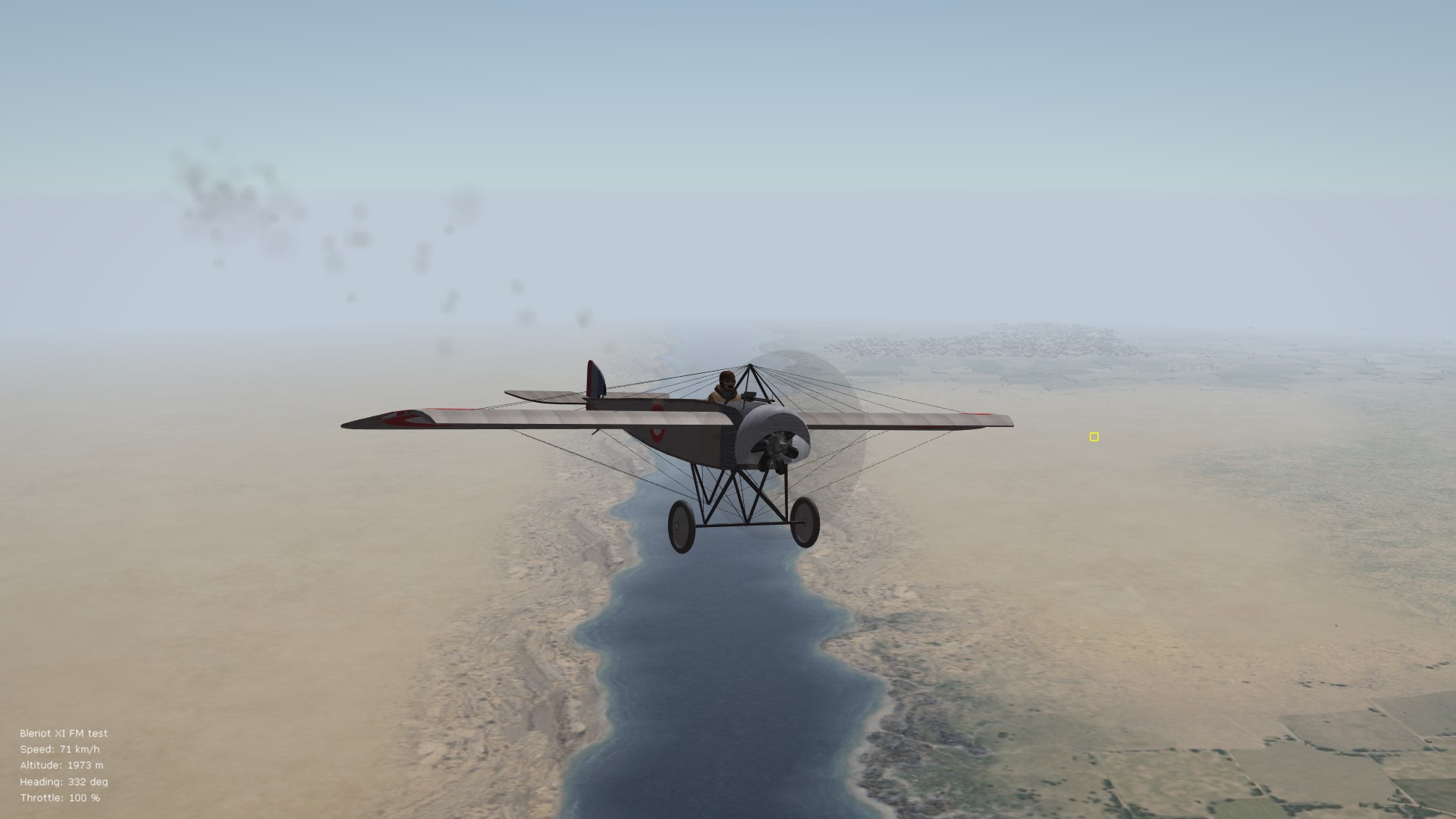
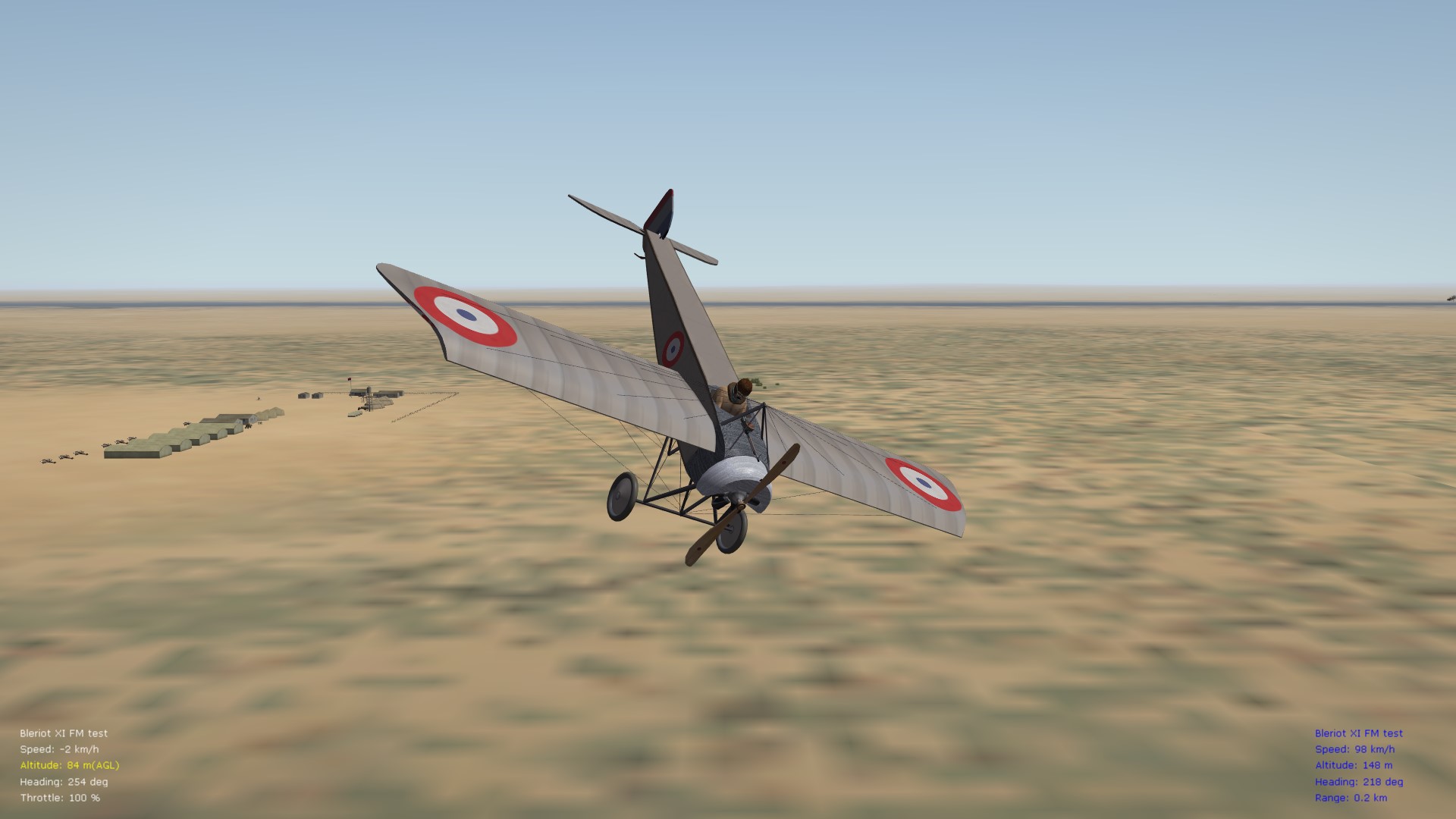
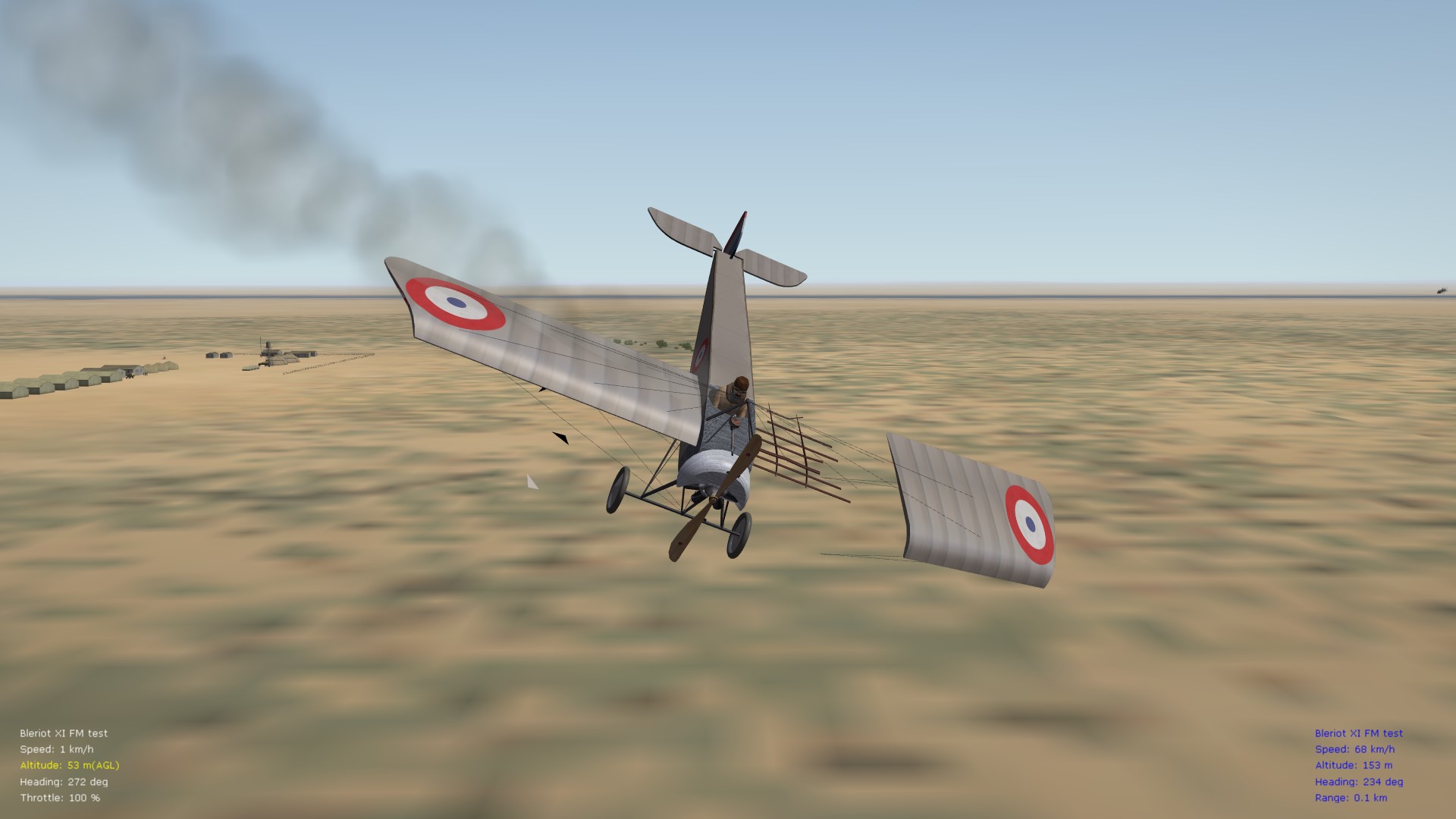
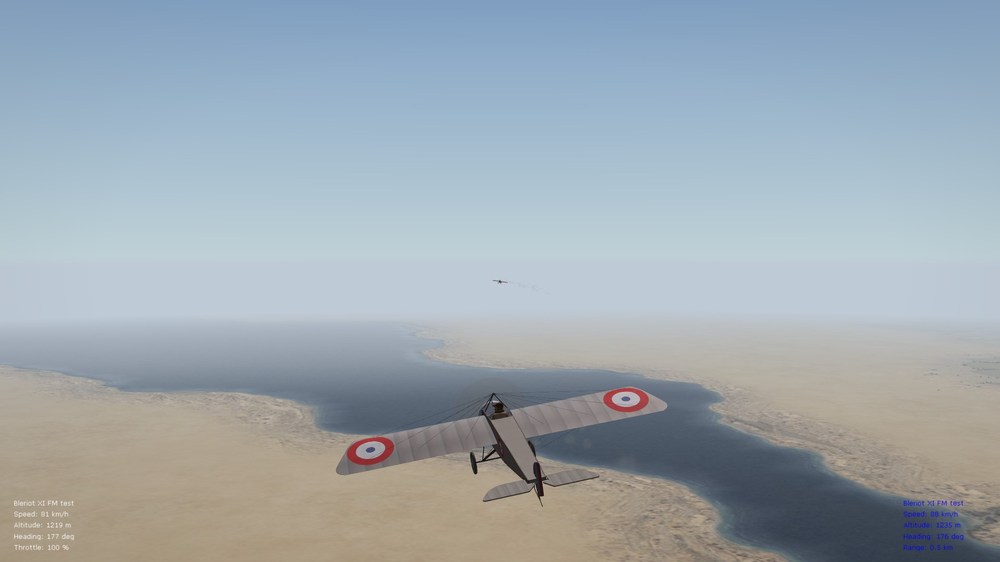
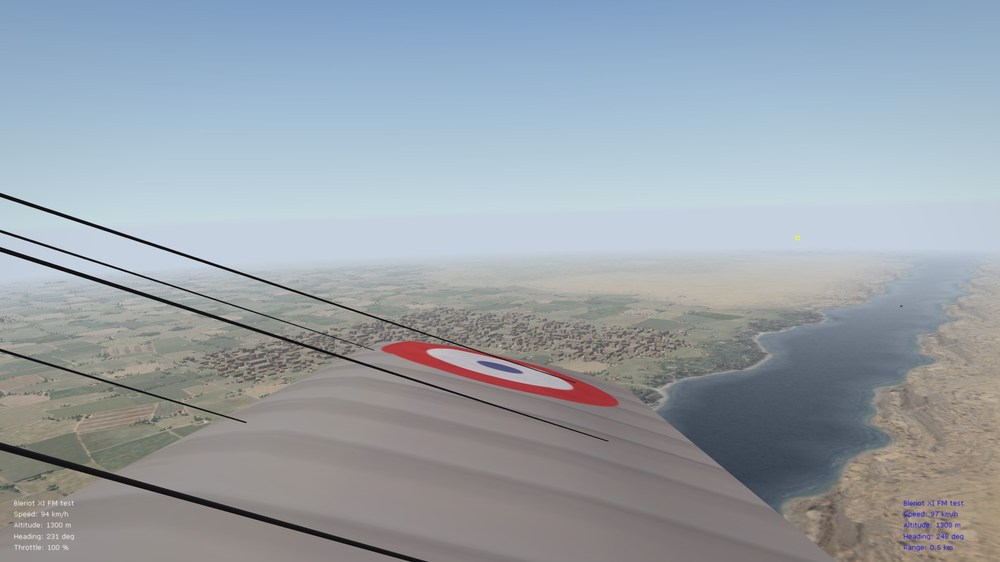
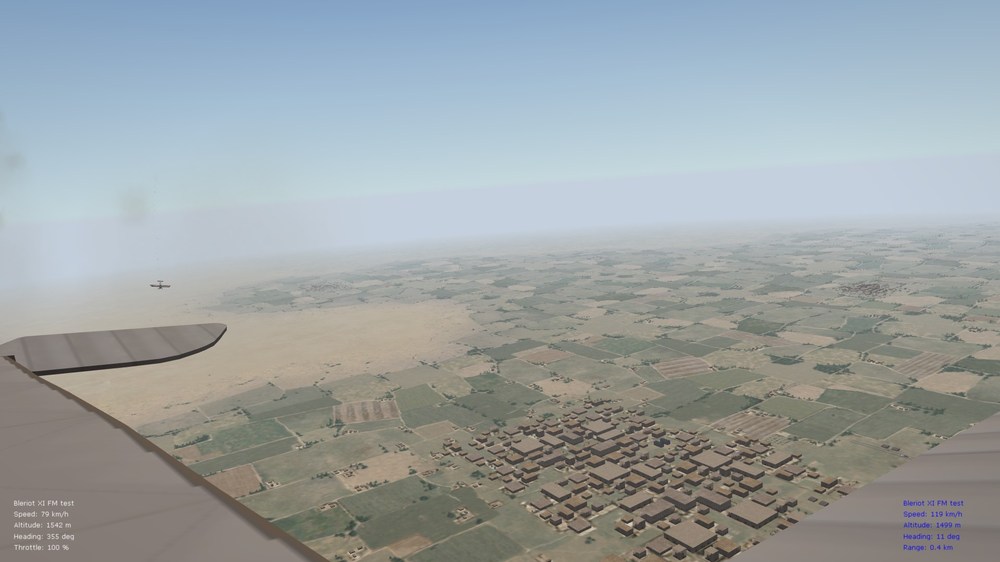
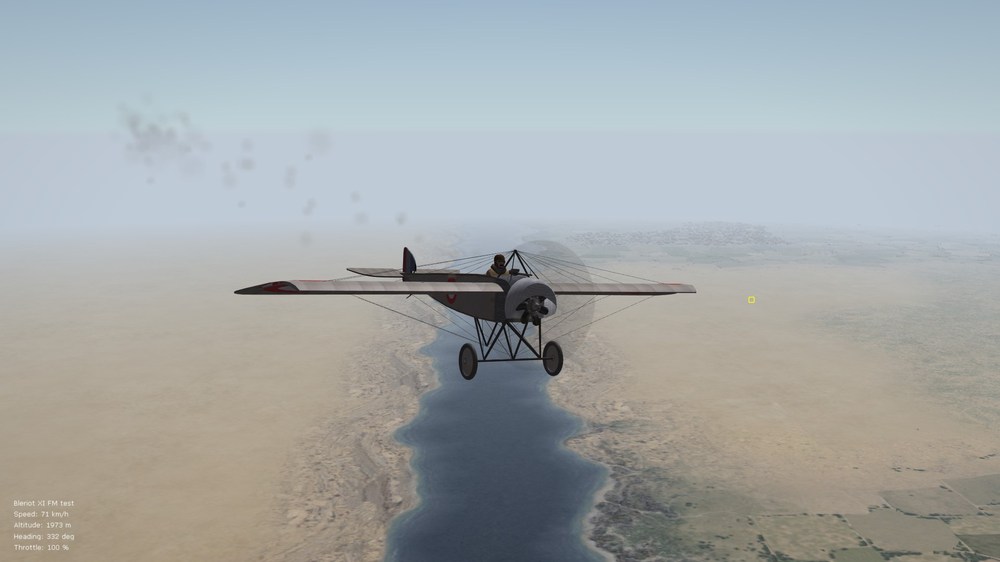
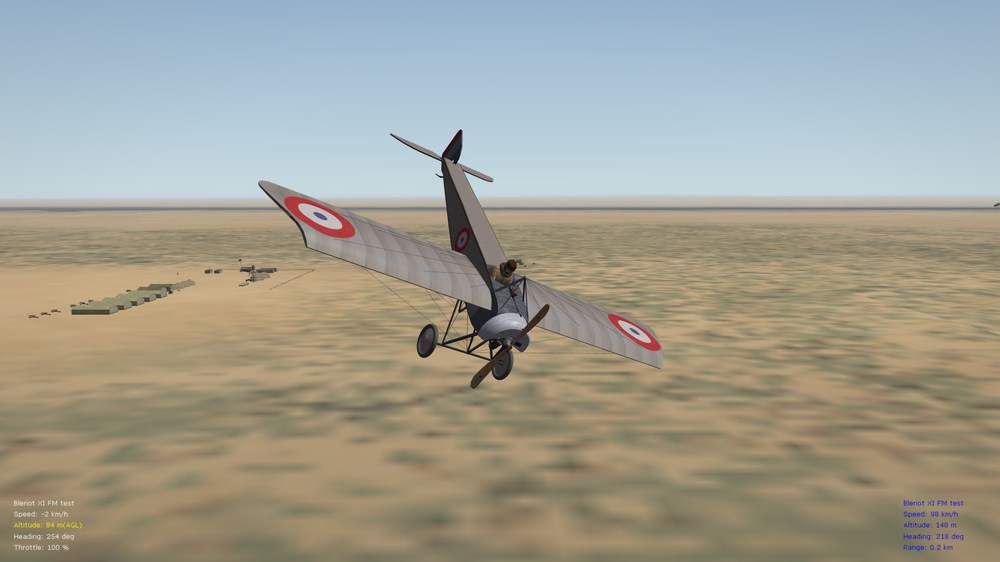
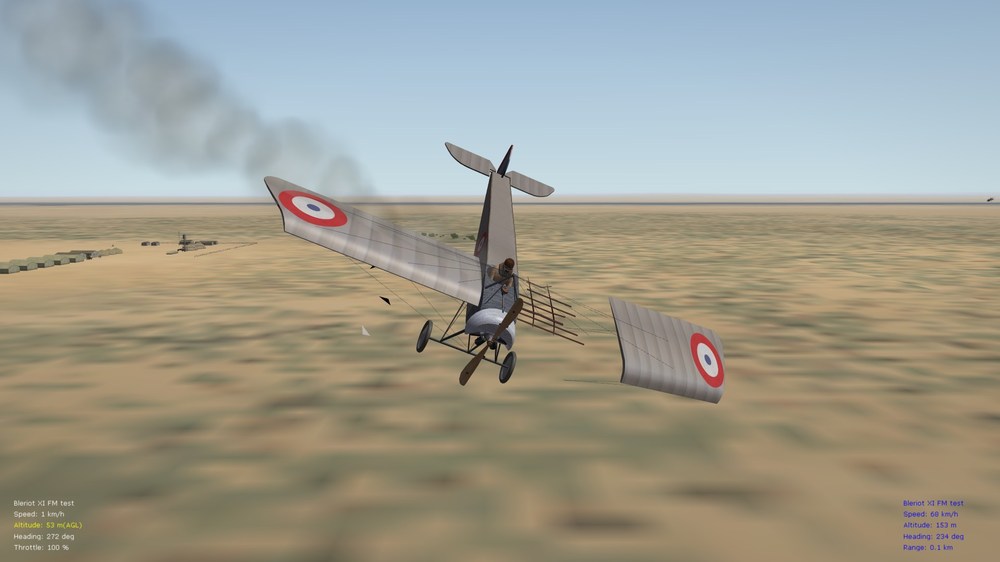
Thought I'd post a few more pics. here - using a generic, early MS G stand-in for the Bleriot - but have now flown the FM through a full, brief mission, patrolling around the Suez Canal (March 1915) - brief comments below, with pics. Von S Flight mates can keep up with you - I have given the "cover me" command prior to the pic. below, and it works well Doing a wide turn back across the canal as we pass 1300 m alt. Flight mate responds well to signal to go and land (recommended is not to give this signal below about 600-700 m alt., since the FM is for early war aircraft and pushes FE2 AI to its limits - with enough alt., the AI has enough time to prepare nicely to land the Bleriot) Almost at 2000 m alt. (took the entire patrol to get to that alt. - but is exciting to get that high in a Bleriot), as I do a wide turn from the other direction, and head to land at our field After landing, I did another couple of experiments (have read reports of Bleriots stalling and crashing after takeoff, after engine failure, and if the pilot was attempting a turn at too sharp an angle) - so I did just that, took off, flew a bit, and then turned off the engine as I was in a slightly steep turn, and climb - results in a strange stall that resembles a leaf falling And, depending on the physics that is at work during the stall, you may suffer structural compromise
-

Two questions - answer only if you really mean it
VonS replied to gterl's topic in General Discussion
Welcome back to FE/FE2 gTerl, Yes I regularly fly FE2 (and WOFF Platinum Ed.) - that other WWI sim (ROF united) I hardly ever touch since these two are so much more immersive. FE2 is still great especially for the feeling of flight conveyed - it's remarkable how the data inis, with tweaking, still hold up, even though FE2 is getting on in years. Also the AI in FE2 is holding up really well. Currently I only fly the small enhancements provided on CombatAce for the stock Verdun and Cambrai terrains (different terrain patch colors, etc.) - and of course also your Italian terrains, and Stephen's eastern front and middle eastern terrains. For some reason I spend most of my time flying over Italy and in the middle eastern theater - I like the fact that FE2 is still the only WWI sim. that gives us some of these less well-known theaters, where we can fly some very obscure mounts. I fly all of your maps for Italy (the regular Italy map and also Caporetto) - so I would definitely download your revamp of Flanders too if you ever consider reworking it. Von S -
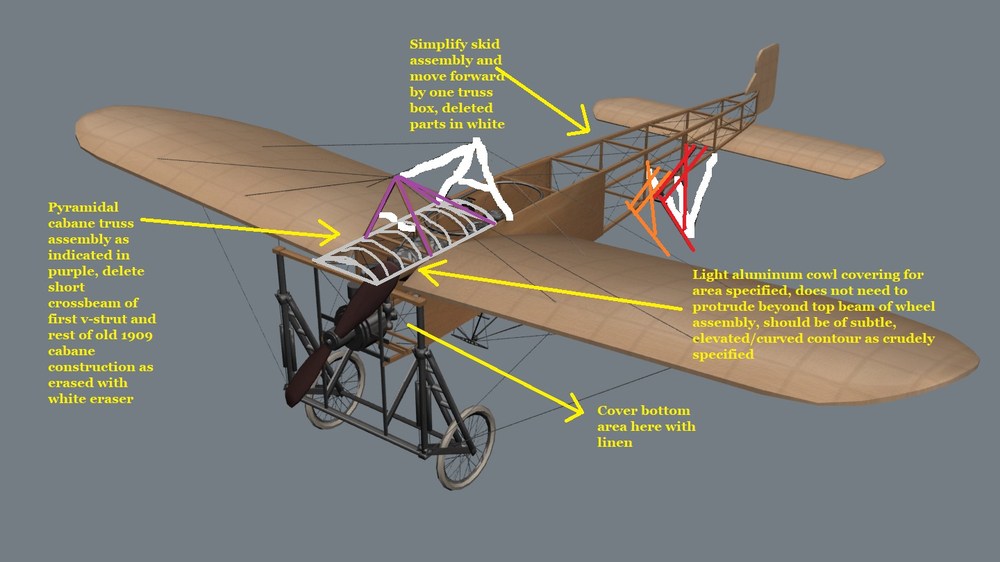
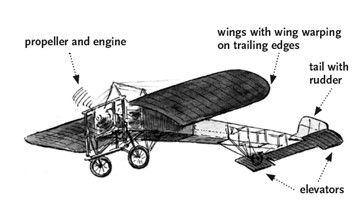
@Swambast, sorry for the (slightly) late reply. In terms of the wing shape - the top view and also (curved) side view - the pics. in the post that begin with "First crack at new curved wing mesh..." are superior - and we should go with those - the wings in the pic. posted later are too flat (side view), and also slightly too narrow of a chord on those as well. Yes, as suggested elsewhere by me in this thread - it's best to stick with that one version that you have posted immediately above this post - with that side view - and the top view would correspond with the model indicated in that black-and-white photo below the relevant side-view. The beauty of that version is that it will work well with the 3-cyl. engined-up Anzani, also the 6-cyl. radial Anzani - or even for that matter a 7-cyl. Gnome Omega rotary - it is therefore the most "flexible" version, as you've indicated. Here is the pic. I promised earlier today - the fuselage length should equate in real-world terms to 7.53 meters (without the rudder attached). The wingspan should be about 8.58 meters total (that equates to about 27.9 feet). And we should "cut" a small groove into the trailing edges of the wings, next to the fuselage, as so - to correspond with the model featured in the side view posted. Also extend the span by about one foot and a couple of inches (in real world terms) - for each wing. Span extension and approx. location of groove cutouts indicated in pic. below. The slight span extension will give us a good approx. of the 8.58 meters span that usually went together with those groove cutouts. Notice also the slightly longer chord of the wing required. (My hunch is that the original freeware model was attempting to model the shorter 7.79 meters span, which is about 25.6 feet approx.) (I'll see if I can find another few source photos to post - but I think we should already be fine with those two posted above my post.) Flesh-colored patches indicate linen, behind pilot seat, and cowling up front. Top lip of cowling should extend slightly over the wheel truss assembly, as a kind of scoop, covering the top part of a 6-cyl. Anzani. If a three-cyl. Anzani is used instead, cowling should stop at the wheel truss since the 3-cyl. Anzani will be mounted inside, rather than on the outside, of the squarish frame of the wheel truss assembly. Von S EDIT: Managed to find a good top-view drawing that corresponds with the side-view indicated in the post above this one. Also, look over this top-view as well (while this one is technically for a two-seater, I have indicated the shorter fuselage length and re-positioned the tail/rudder, etc., for a one-seater version). Red line indicates the new final length to the trailing edge of the rudder. Also take note of the repositioned cockpit, in black ink, for the one-seater variant. The orange/flesh toned coloring has covered up, with fabric, the position of the seating for pilot, and observer, of the two-seater variant. Cockpit position is now in the correct place for a one-seater version, giving the pilot a good downward view through the wing cutouts.
-
Shape and curves of those wings look great! Will respond in a few hrs. with a minor illustration/suggestion - specifically in terms of the small cutout near the trailing edge of the wings, where they join the fuselage - as seen on some Bleriots of 1912-3 vintage approx. - also see the side-view of the top pic. in my post a few posts above this one (I think there's a small cutout there as well). It would also be good to do a measurement of the length of the fuselage, in your 3D program, and then to "convert" to real-world terms, in meters or feet. This will then help us to do a real-world conversion of the wing span too. For example, if we go with the cutout on the wings, we should aim for something that converts in real-world terms to about 8.6 meters wingspan (8.58) - since the older-style wings with no cutout are about 7.8 meters span. Fuselage should convert to about 7.53 meters in length. The Bleriot XI variant with 8.58 wingspan and 7.53 meters fuselage is the one to aim for, possibly with small cutouts in the wings - this will allow us to mount either the w-shaped, up-engined 3-cyl. Anzani on it, or the 6-cyl. radial Anzani (either engine will work fine since I've aimed with the FM model for it to approximate 50-55 hp or so, which takes into account both the rare, over-bored Anzani 3-cyl. and the 6-cyl. radial variant ). Von S
-
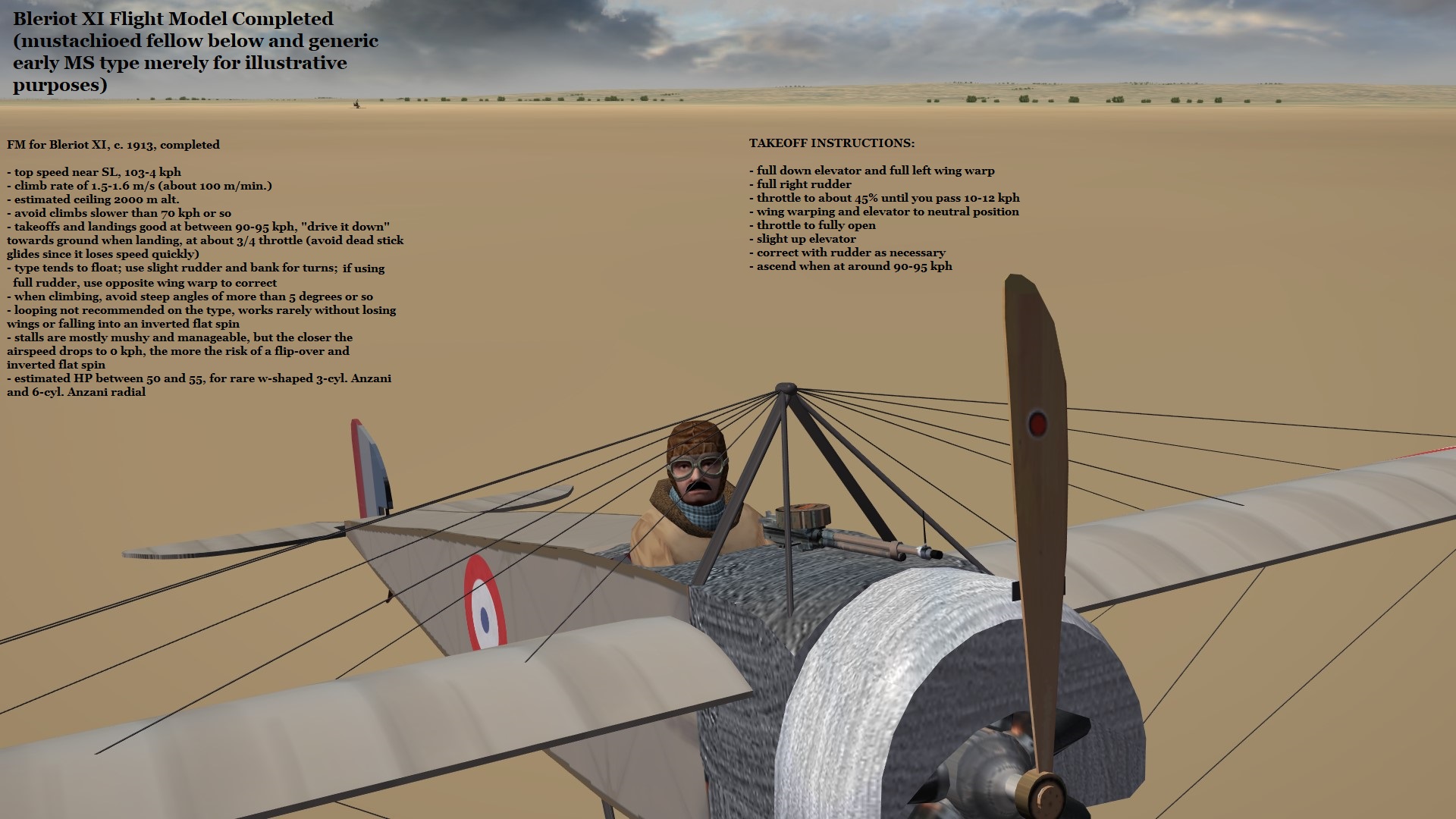
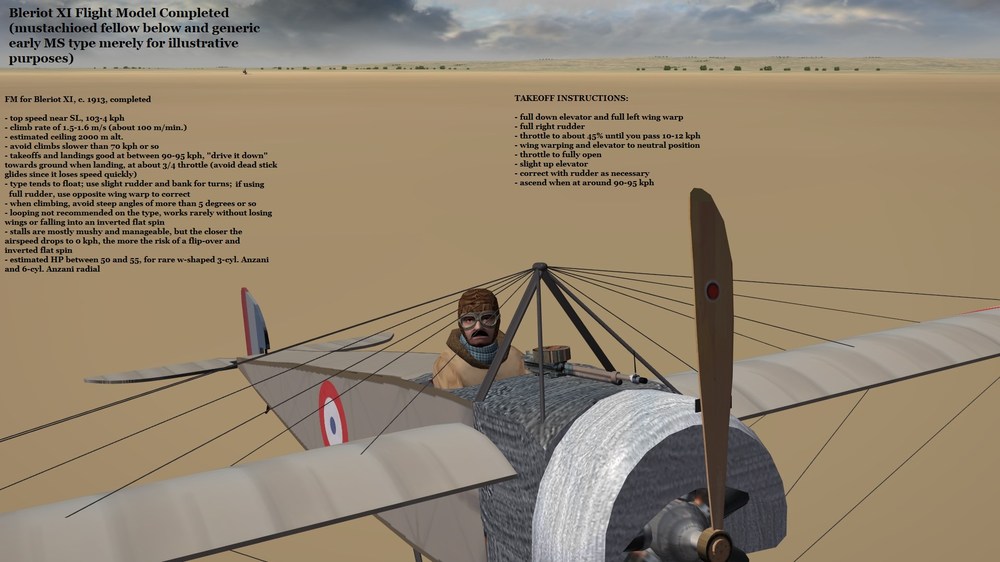
Re-hauling of the MS Types G and H over the last several days (see last post of the FM package thread) has also resulted in a complete FM now for the Bleriot XI - won't release the Bleriot FM until the model is completed but thought I'd post info. on it below anyway, since it's relevant to this thread. Happy holidays all, Von S
-
Very nice, I also like the front gear/engine support structure too - will allow for eny engine mount to be placed there, either the w-shaped 45 hp Anzani, or even the 6-cyl. radial Anzani 60 hp as in this pic. here (https://combatace.com/forums/topic/95551-two-seaters-rear-gunners-rarely-firing/?tab=comments#comment-776250). The beauty of the 6-cyl. radial is that it also doesn't rotate so we don't have to worry about animating a rotary engine, as we would with a 7-cyl. Gnome Omega for example. I look forward to further developments, as I'm sure will other Bleriot afficionados following this thread. EDIT: Interesting link with stats. on several early-war Bleriots at this link, for those who like checking some of the performance stats. (http://aircraftinvestigation.info/airplanes/Bleriot XI-2.html). Von S
-
Happy holidays to you Sky High and Stephen, and to all fellow FE2 (and SF2) fliers! (Photo by Yannick Bammert, 2010, detail of 6-cylinder Anzani radial, 60 hp.)
-
A few possibilities to try (even though I have to admit that I never bothered tinkering too much with gunner accuracy - since I've been focusing on FM tweaks instead): a) check the "Internal Guns" section of the relevant data ini file, for whatever two-seater aircraft you are modifying gunners, and look for something similar to the following (this is from the Rumpler C.I file, data for the gunner's weapon): GunTypeName=7.92MM_PARABELLUM_MG14_Gunner -----> change "Gunner" to "HGunner" since some guns, in the relevant Guns folder under Saved Games/TW/FE2/Objects/ contain "HGunner" variant files - those, from what I've been able to find, contain slightly greater ammo/bullet weight (AmmoWt), also greater accuracy GunnerID=2 MuzzlePosition=0.081,0.06,0.623 MaxAmmo=400 TracerLoading=5 BurstAmount=8 -----> possibly also double (x2) the burst amount, in this case 16 instead of 8 EjectShells=TRUE MinExtentPosition=-0.10,-1.9,0.6 MaxExtentPosition= 0.10,-1.2,0.7 b) under the "AIData" section of the relevant data ini, tinker with the following entries: GunnerFireChance=90 -----> increase this if necessary (value in percent) GunnerFireTime=2.5 -----> increase this if necessary (try x2, value is in seconds) GunnerAimOffset=0.0050 -----> for this one, see this thread (https://combatace.com/forums/topic/90596-gunneraimoffset-ai-parameter/); best values are between 0.07 and 0.09, apparently, for good deflection shots - have modified this in the tweaked FM package, wherever necessary, but doesn't hurt to double-check if still having trouble with gunner c) under the "AIData" section, include perhaps the following two entries (for min/max quality of the AI, to avoid novice AI and gunner AI): MinAIQuality=Veteran (or MinAIQuality=Regular) MaxAIQuality=Ace Von S
-
The physics engines of SF2 (and FE2) aren't really the reason why online play is impossible in the TW sims. See this response by JonathanRL to a thread we had going a few yrs. ago regarding the possibility of multiplayer in FE2 (https://combatace.com/forums/topic/88806-thoughts-on-multiplayer-in-fe2/?tab=comments#comment-717069). In short, the network libraries required for online play in the TW sims are no longer a part of Windows (as of Win7, possibly even earlier - most likely XP was the last to include the needed network libraries). The TW sims (first gen.) never contained "built-in" online capability, instead harnessing external Windows libraries. Happy flying (in single-player), Von S
-
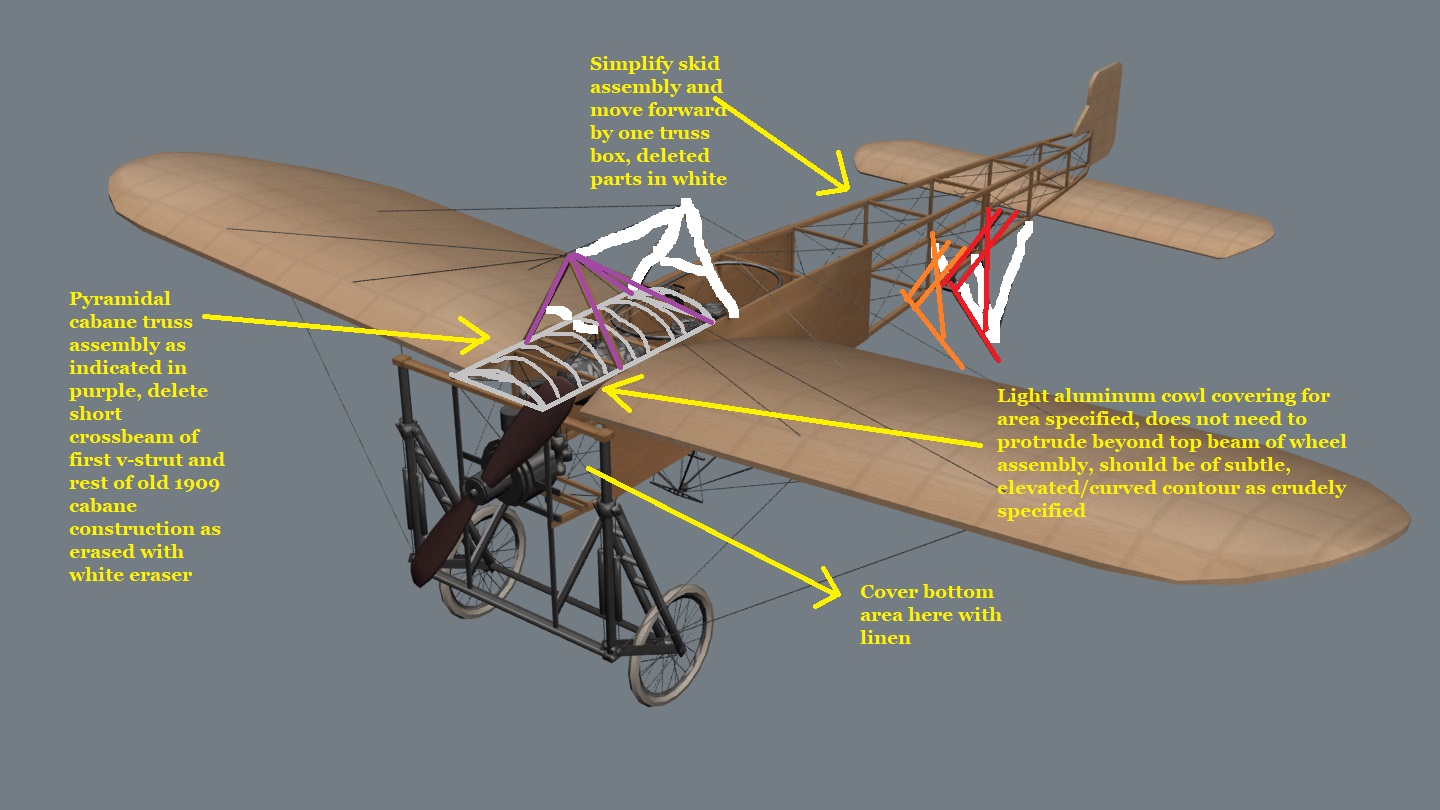
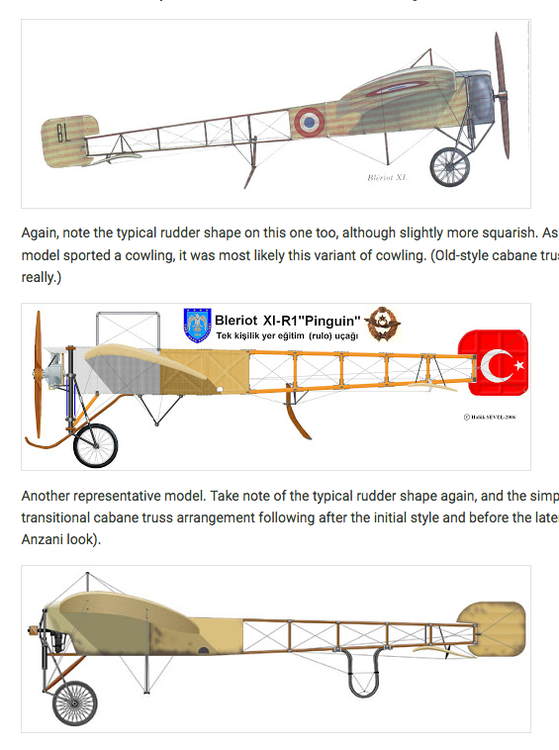
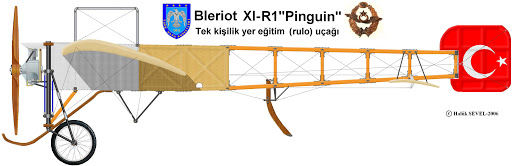
@Swambast - A bit more contemplation on my part of the various iterations of Bleriot XI - I like the wing shape on that freeware model, as indicated previously. Works great for an engined-up Anzani Bleriot. I therefore also recommend at this point that we follow the simple "v"-truss cabane arrangement up front, as on Carlson's Bleriot (pic here: https://en.wikipedia.org/wiki/Blériot_XI#/media/File:Bleriot_XI_Thulin_A_1910_a.jpg). Have been contemplating the top and bottom side views again from this series of pics. I posted earlier (extract of pic below): notice how the pyramidal-truss arrangement, on the top side-view, is complemented with wings that have small cutouts next to the fuselage (for better downward views for the pilot) - that wing is about circa 1913 or so, not earlier. The Turkish Bleriot, and the one below it with the simple "v"-cabane truss, have no wing cutouts. For a good example of the wing cutouts, see the pic. of the Swiss Bleriot on the Wikipedia page. We can decide these little details once we get to the wing area of the Bleriot - to see if we go for the pyramidal-truss arrangement plus small wing cutouts, or pre-1912/3 wing with no cutouts and inverted "v"-truss, as on the Carlson Bleriot. I haven't been able to find any sources listing Anzani-powered Bleriots with the model of wing that sports wing cutouts - so at this point in time I'm leaning in favor of leaving the wings as they are, also going with the simple, inverted "v"-strut cabane arrangement - and the other good thing about such an approach is that the stock tailskid in that freeware model may then be used (since that is basically the same tailskid arrangement on Carlson's Bleriot - although I recommend reducing the stock tailskid to about 70-80% of its stock size - seems a bit too big in its current form). If you have already deleted that stock tailskid, no problem at all - we can then go with the simpler one I've attempted illustrating in one of my diagrams, and also as seen on the top side-view indicated below. We'll leave such concerns for later - but I wanted to present them generally for the interest/leisured reading of those following this thread. Von S
-
Thanks once again Stephen for these wonderful Tripe variants. A quick note that "Revision 2" of my FM upgrade package for the Tripehounds is now available under this post (https://combatace.com/forums/topic/87403-tweaked-flight-models-and-realism-pack-for-fe2/?page=8&tab=comments#comment-775735). Lots more info. there in terms of what is included in the revised package (three Tripehound FMs, improved Alby data inis, etc.). Happy flying all, Von S
-
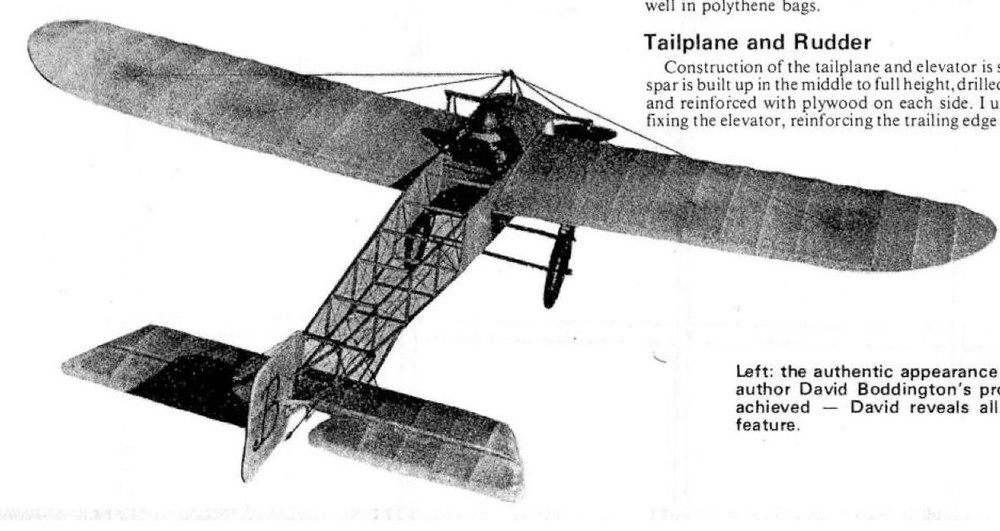
Comments always appreciated - the 3/4 tail-plane pivot arrangement is circa 1909 to about 1910/11 at the latest. Carlson's Thulin-built XI in the other vid. carries the conventional elevator from about 1911 onwards - and that would have been the typical tail-plane arrangement on most commercially-produced Bleriots from about 1911 onwards (here's one pic., a Swiss Bleriot, with conventional tail-plane: https://en.wikipedia.org/wiki/Blériot_XI#/media/File:Oskar_Bider_1913_Bern.jpg). And a nice Youtube clip of conventional tail-plane at work on the Thulin-built Bleriot (an authentic rebuild from what I've been able to find - Carlson found it dismantled in a barn somewhere, in the 1980s: https://www.youtube.com/watch?v=ATbV2i9cfQE). Von S
-
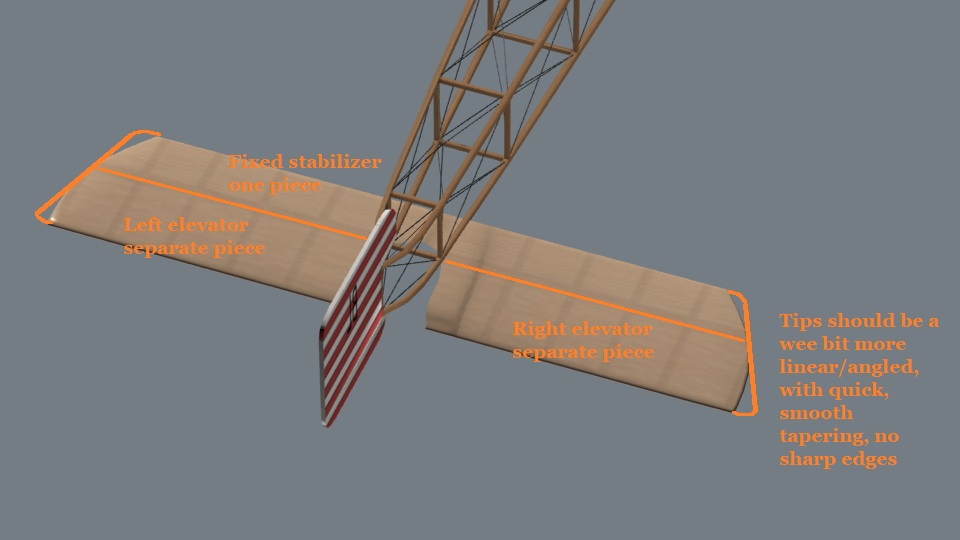
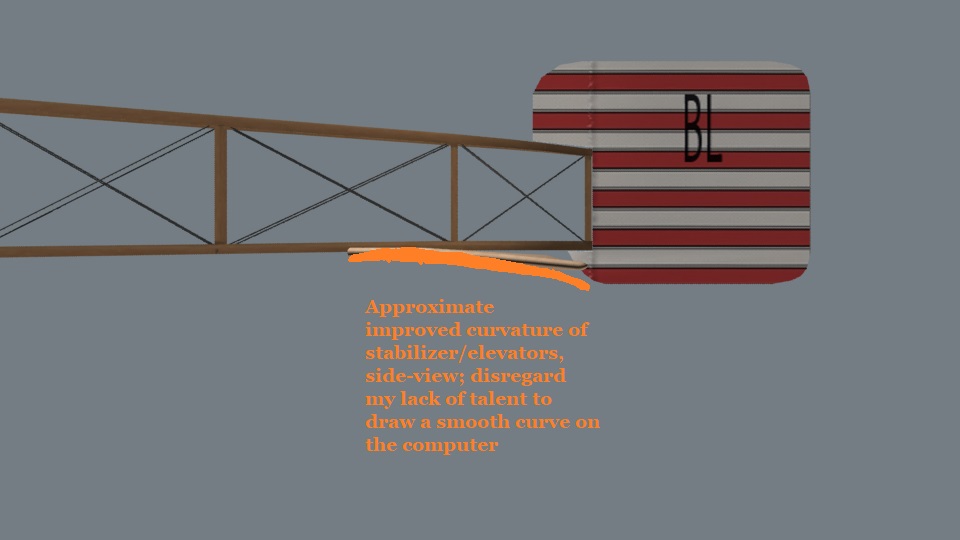
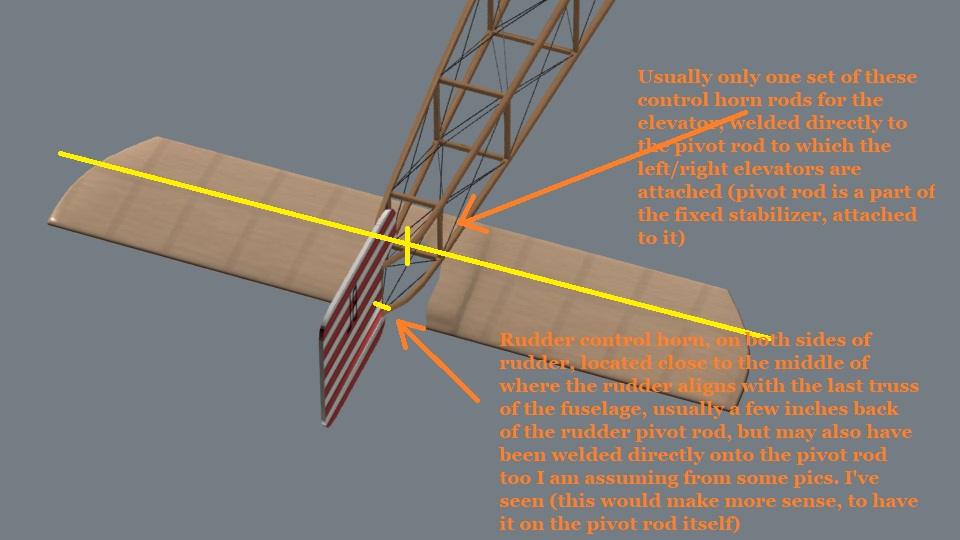
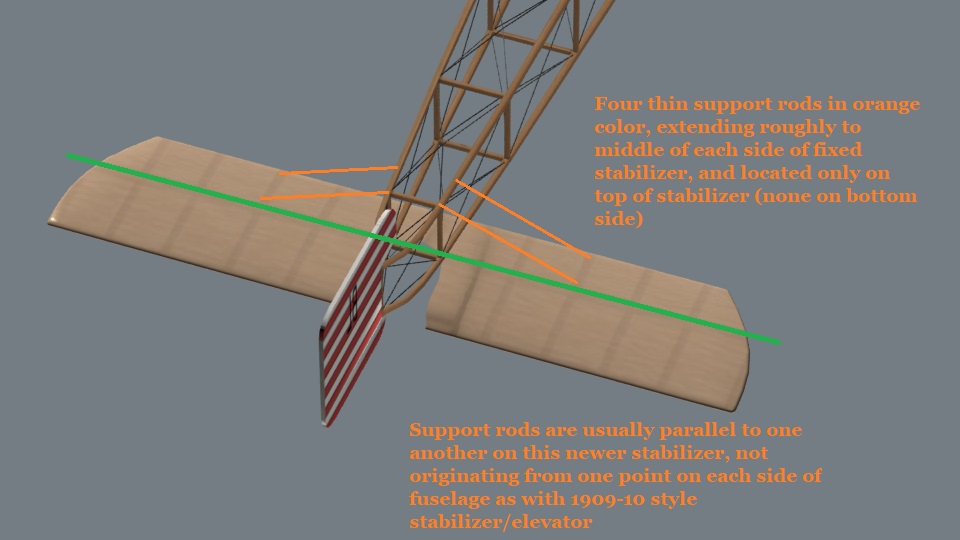
Your last pic. with the higher poly count is the best one - most of our rigs will be able to handle slightly increased poly counts on the model - no need for astronomical poly counts but, whenever necessary, feel free to increase polys slightly for smoother curves, circles, etc. (In terms of the side-view, the bend, I think it could use some more bend but not at the risk of sharp bends emerging, more of a smoother c-curve if possible - although the s-curve arrangement seen in the relevant side-view pics, and on Carlson's Thulin-built Bleriot, works well too.) Von S Several pics. included below: Indication of where the pivoting rod is, at the trailing edge of the stabilizer, while the elevator should be a separate piece - this will allow the elevators to be mapped as "moveable" once we do all of the ini file crunching for this model. I recommend setting up the elevator as one piece, with that wedge in the middle and elevator attached to the pivoting rod - it can then be attached to the fixed stabilizer -may be simpler that way to model - although, if you prefer the historical way - you are welcome to chop the elevator into two pieces, and they can then be attached to the "pivoting rod" that forms the trailing edge of the fixed stabilizer. End result makes no difference but whatever is easier for you - main thing is to have the elevator (either as one piece, or two) separate from the fixed stabilizer - so that we can make it move up/down in FE2. Here's an approximation of how the curve of the stabilizer should look, from the side. [NOTE: while I don't know much, nothing really, about 3-d modelling - I'm speculating here that if you implement a subtle c-curve, when viewed from the side, to the stabilizer/elevators, and only after that separate the elevators from the fixed stabilizer - and flip the elevators around (left elevator becomes the right elevator, right elevator the left elevator) - we will then have a nice s-curve implemented when the stabilizer/elevators are re-joined along their pivot bar and viewed from the side - and as illustrated in those several side-view pics. I included in one of my earlier posts in this thread.] Elevator control horns, rudder control horns locations, etc. And one more pic. - illustrating location of stabilizer support rods (colored in orange)
-
Rudder is perfect now for a 1911-13 Bleriot - I like the skin too but that can be decided on later, seems a good match for pic. no. 3 in my relevant post further above - although perhaps the red bands should be a bit more weathered (but such details aren't important at this point). Horizontal stabilizer/elevators look great now too (no need to bother making them strictly a curved-s shape by the way, as in several of those side profiles I posted above, since also fairly convincing, and possibly implemented historically, was a subtle c-curve, when viewed from the side). Some of these stabilizers had four small connecting/support rods on the top, two each side of the fuselage, but we can look at that much later in the rigging stage of your Bleriot development. The only further recommendation I have at this point, regarding the shape of the stabilizer, is to extend its (trailing) tips outwards slightly, as per Carlson's model (in the relevant video), and as indicated in this pic. from one of my posts above (https://combatace.com/uploads/monthly_2020_12/BleriotTail.thumb.jpg.40fb231b89f19c9a680543d2b6868f12.jpg). Von S EDIT: Might be a good idea at this point also to split the horizontal stabilizer into three parts (fixed stabilizer and the two moveable elevators) - since, guessing as to how FE2 handles aircraft models, it will then be impossible (in the future) to have moving elevators without separating them, at this stage, from the fixed stabilizer - see pic. linked in this post for good location of where the break/split should be between the fixed stabilizer and elevators. We can add the “pegs” to the elevators, and rudder - where the control cables will join - after the main work is done with the stabilizer.
-
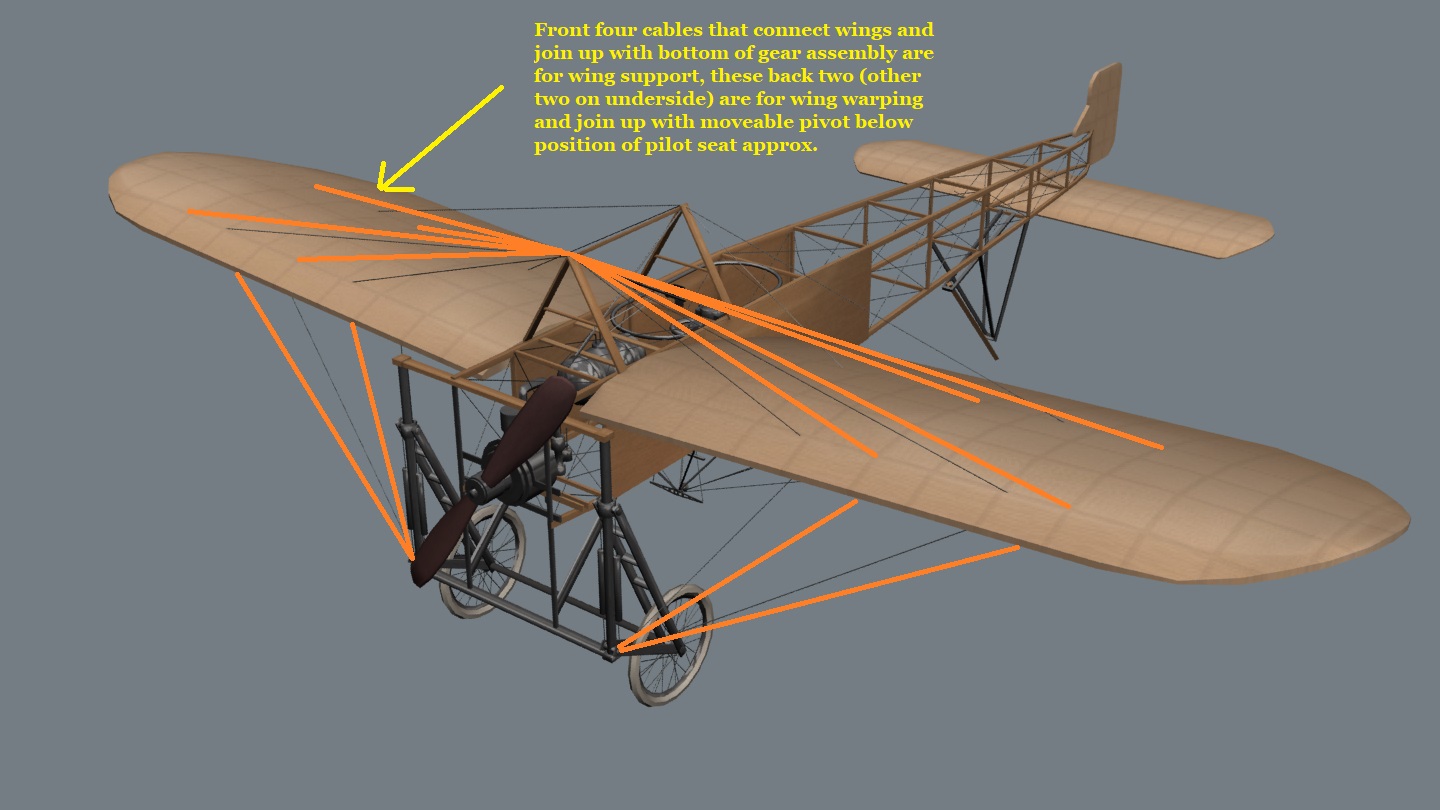
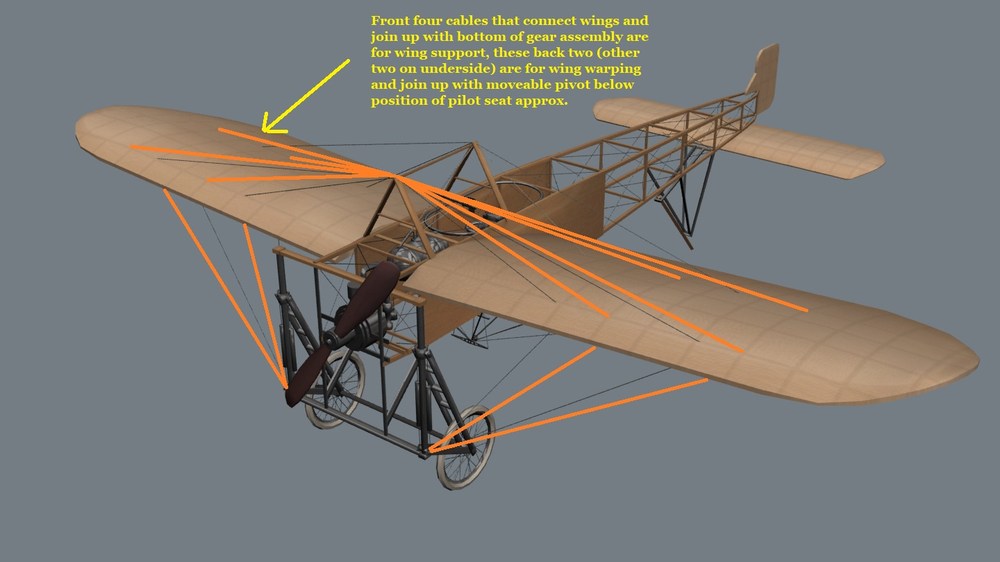
@Swambast, see my post a few posts above this one for detailed examples of horizontal stabilizer position, curvature, also rudder shapes and comments. I'm including in this post a couple of pics. with other general suggestions. The wings are fine by the way in stock form in that freeware model, in terms of overall camber, shape and span, but I recommend re-positioning of the rigging/warping wires. In terms of more detailed rigging of horizontal stabilizer, control cable positioning for rudder, elevators, etc. - I won't comment on that until much later in the development. No need to overwhelm ourselves. I will refrain from further detailed posts in this thread unless Swambast requires specific feedback, suggestions, etc., as the model progresses. Happy flying all, Von S
-
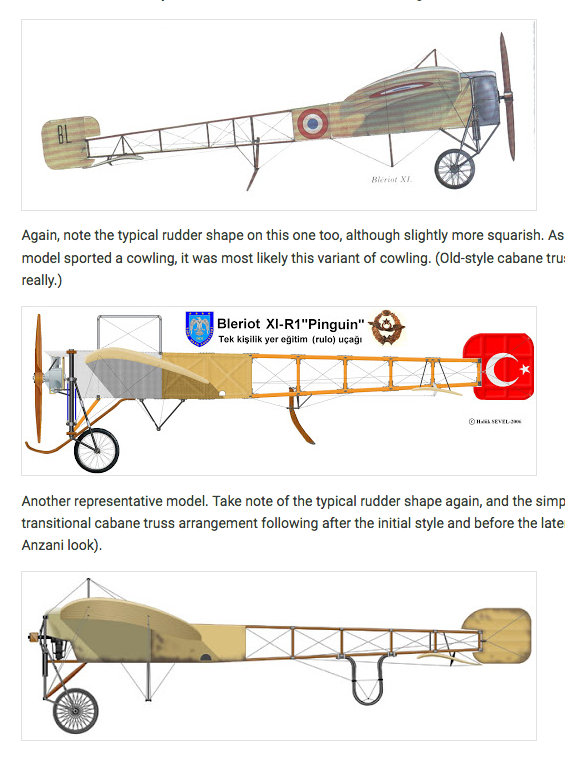
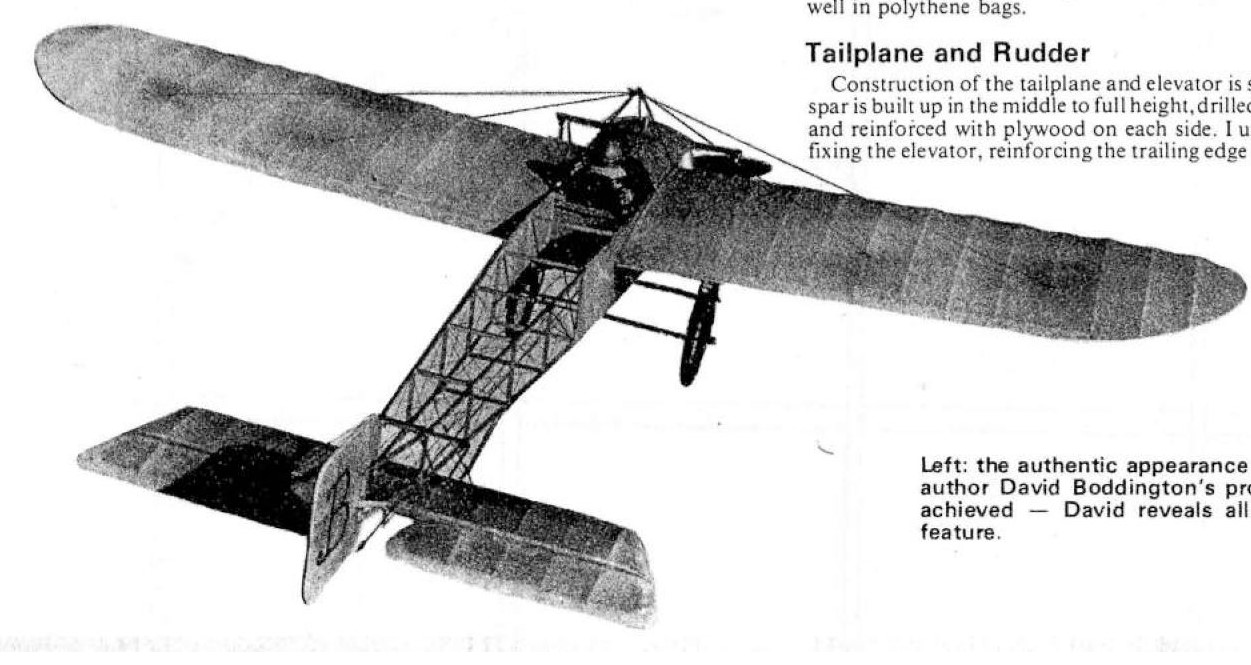
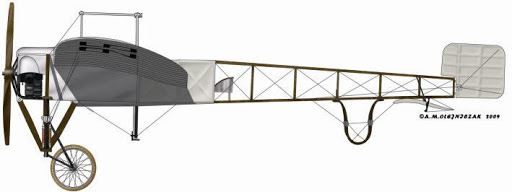
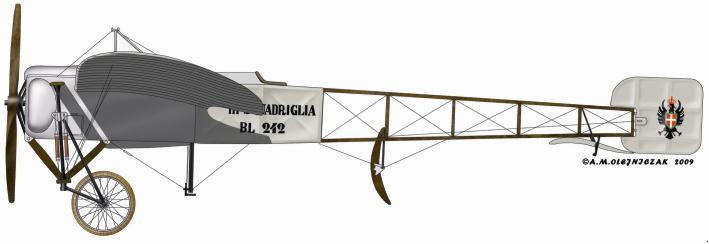
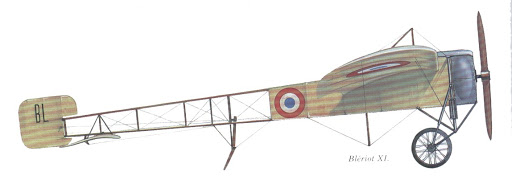
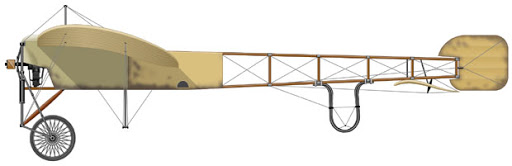
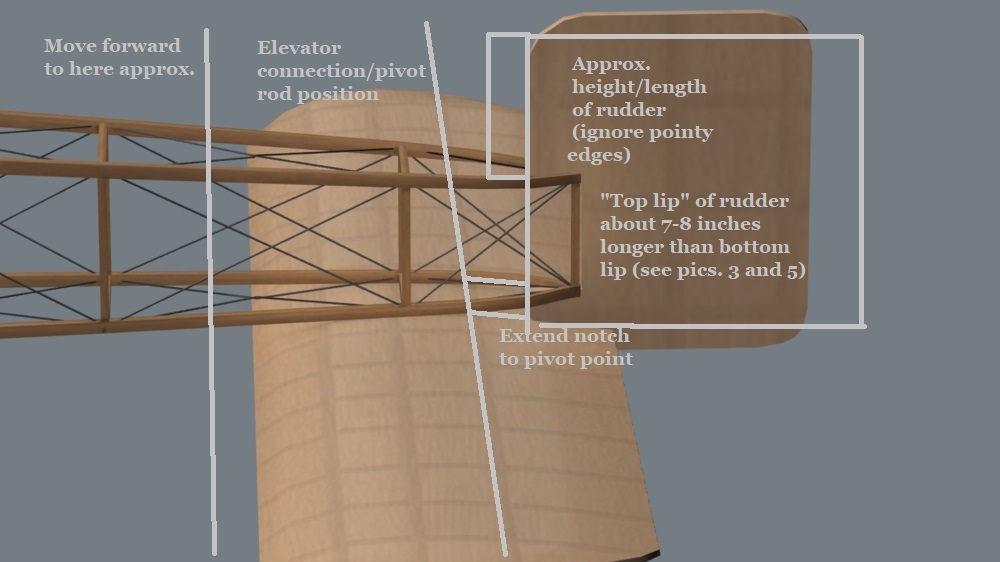
Here are a series of side-views of rudders that work well for the engined-up Anzani Bleriot. Your modified rudder works well too. Von S This is a rarer variant possibly of the rudder (Looks to be a two-seater Bleriot, rotary, but strangely sports the older cabane truss setup.) This is likely the most typical rudder setup on post-1910 Bleriots. A similar rudder to the one on the model immediately above this one (Also note the "pyramidal" cabane truss and simple tailskid on this one - this is likely a one-seater and, if it wasn't for the rotary it contains, noticeable from the side bulge on the full front cowling, would be an excellent candidate for an engined-up Anzani model too.) Again, note the typical rudder shape on this one too, although slightly more squarish. As well take note of the semi-open cowling on this one - if the engined-up Anzani model sported a cowling, it was most likely this variant of cowling. (Old-style cabane truss arrangement on this one - either a one- or two-seater variant, not possible to tell really.) Another representative model. Take note of the typical rudder shape again, and the simple "v"-shaped cabane truss arrangement, as on Carlson's Bleriot (seems to be a transitional cabane truss arrangement following after the initial style and before the later, "pyramidal"-truss arrangement - this is also a good candidate for the engined-up Anzani look). If you are asking me to pick one, I would go with the look of the one in picture no. 3, but with the semi-open cowling of pic. no. 4 (the Turkish model) - cabane truss arrangement can be either as in pic. no. 3, or the transitional truss arrangement ("v"-shaped) of pic. no. 5 - for simplicity's sake I would go with the "pyramidal"-truss arrangement of pic. no. 3 too - and since such an arrangement allows for more "aerobatic" flying - but somehow to incorporate the semi-open cowl of no. 4 into the model displayed in no.3 - and then we have an engined-up Anzani. MORE INFO.: In terms of the notch in the stabilizer, that is good that it is there - recommended is to extend the notch to the final, third spar of the horizontal stabilizer, since that will then mark where the elevators begin on that style of stabilizer (typical for the 1911-13 period). Also recommended is to give the horizontal stabilizer more of an s-shape, as seen from the side, particularly in pics. 2, 3, and 5 - and to move it forward by about half-a-foot (in real-world terms) so that the trailing edge of the elevators doesn't pass further than where the last vertical spar of the fuselage is located (the spar that joins the two halves of the fuselage together). Couple of pics. below, of the newer style, and older style, Bleriot stabilizer. Also included one with my crude illustrations over your modified rudder/stabilizer.
-
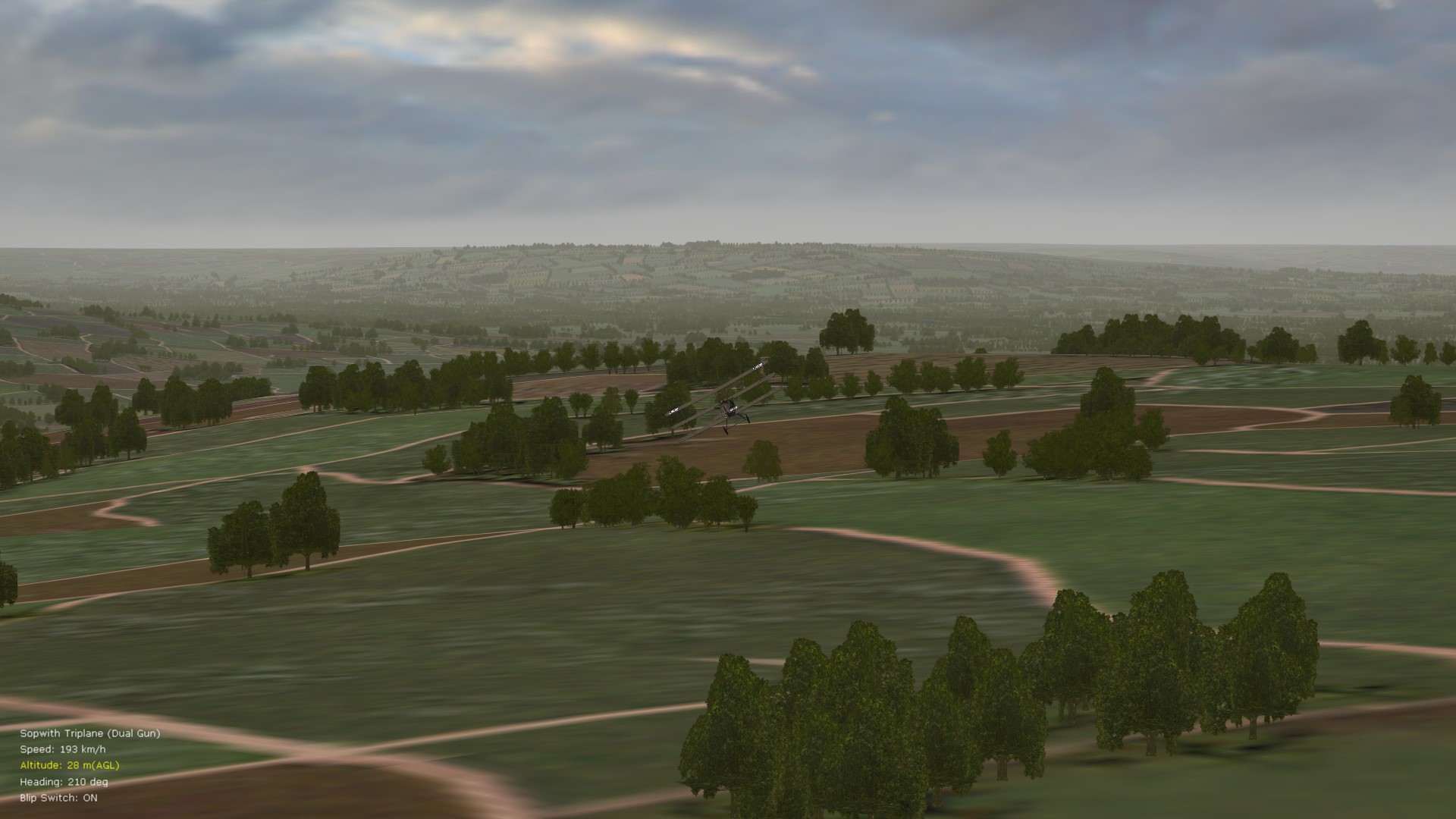
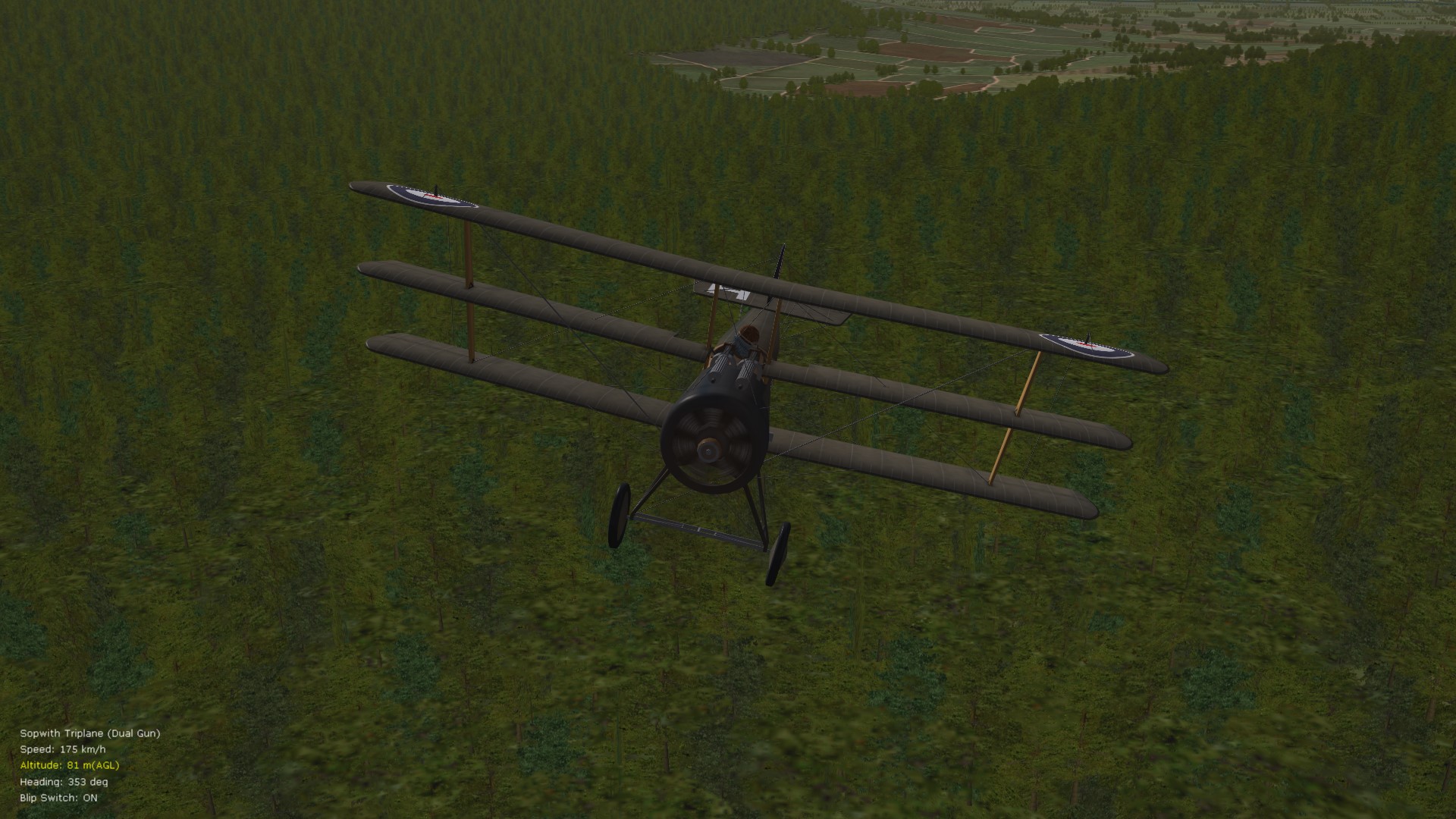
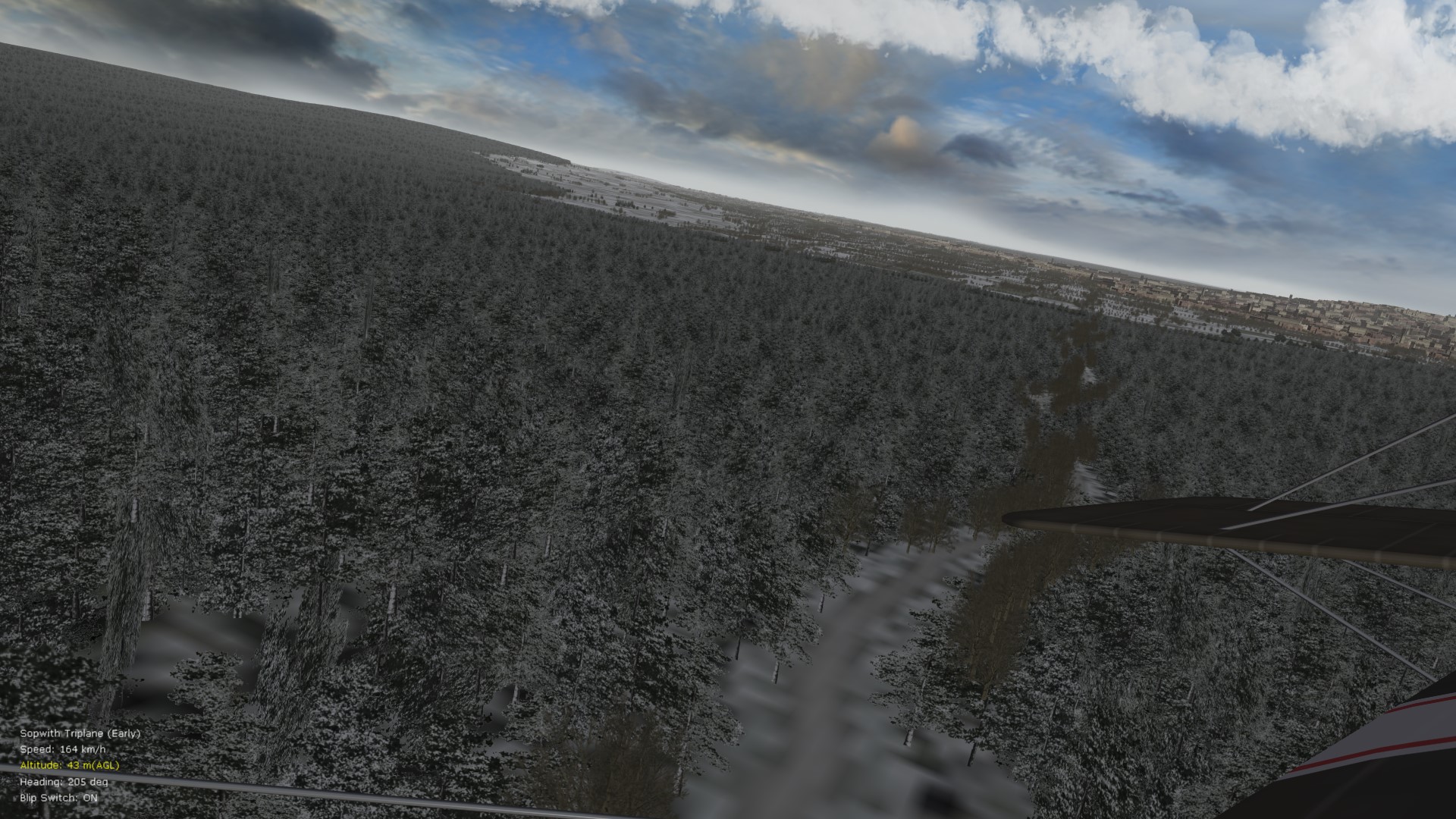
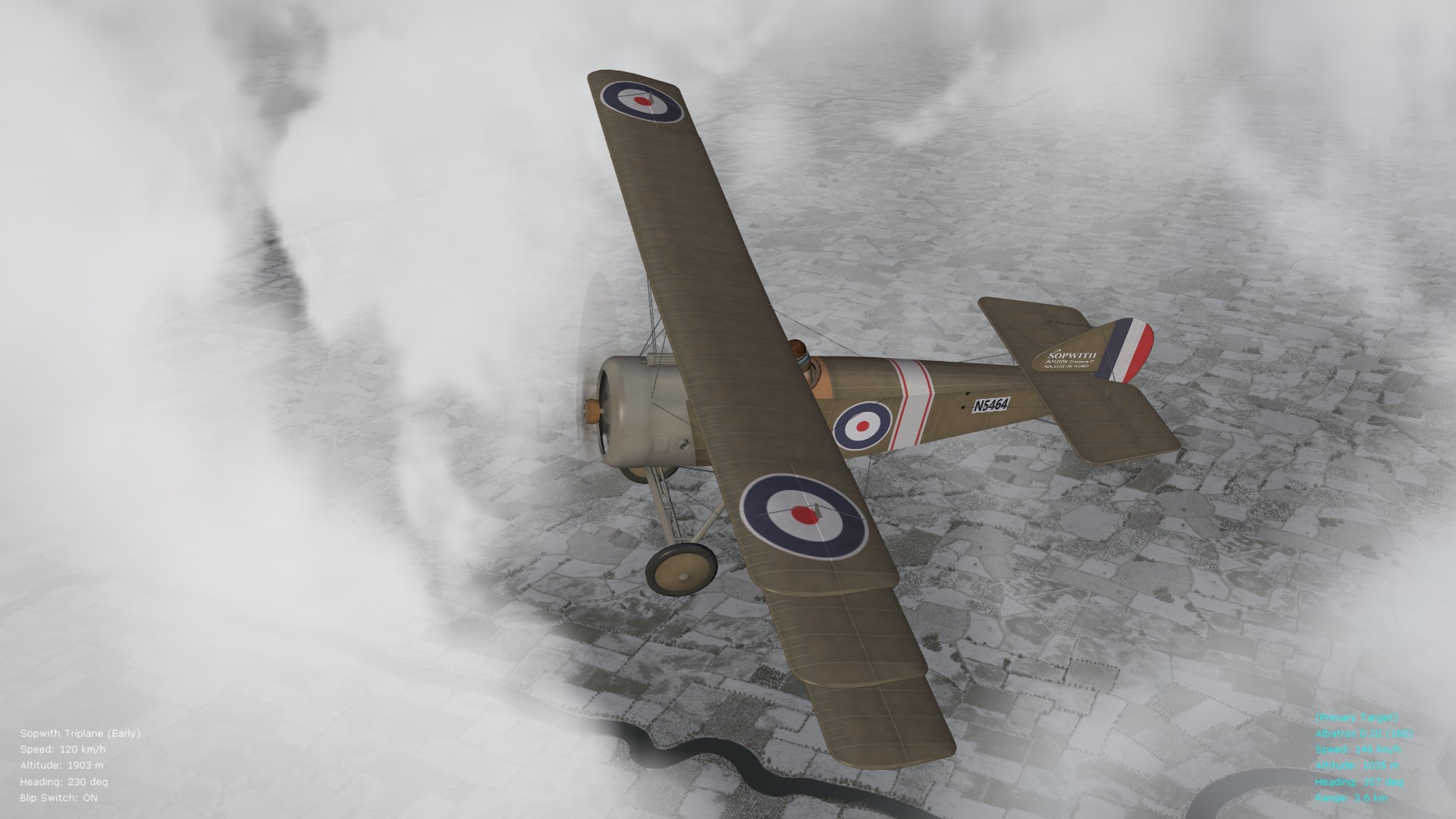
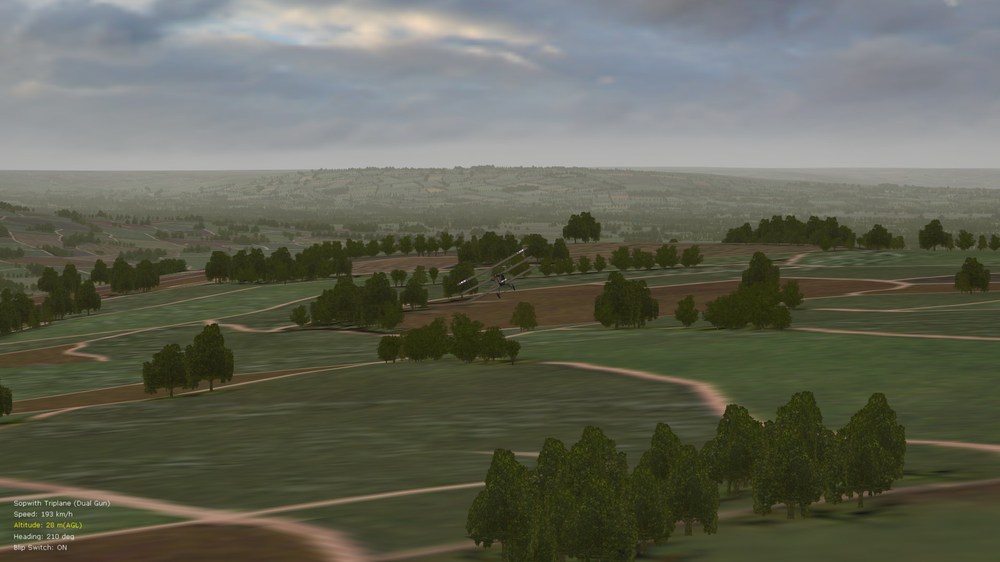
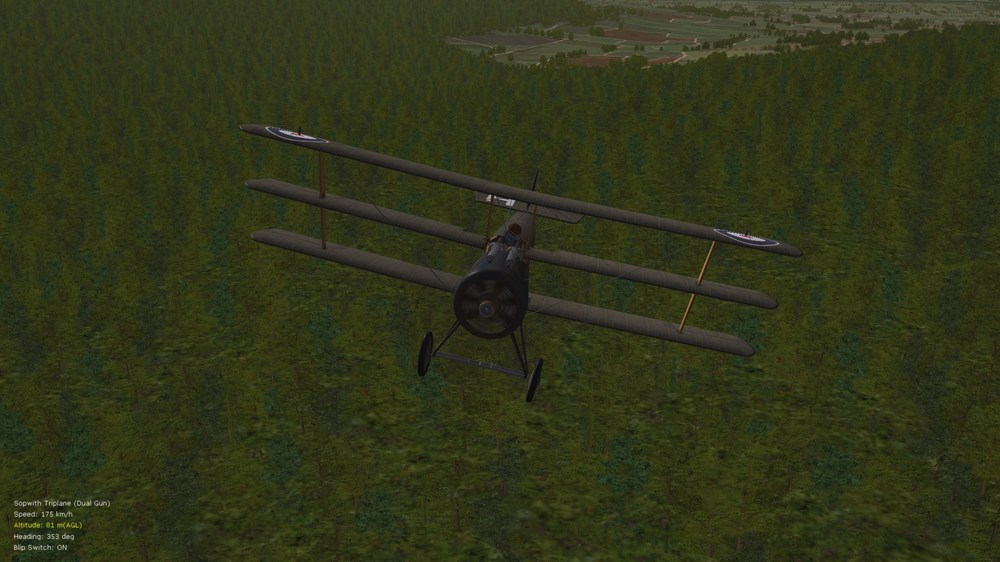
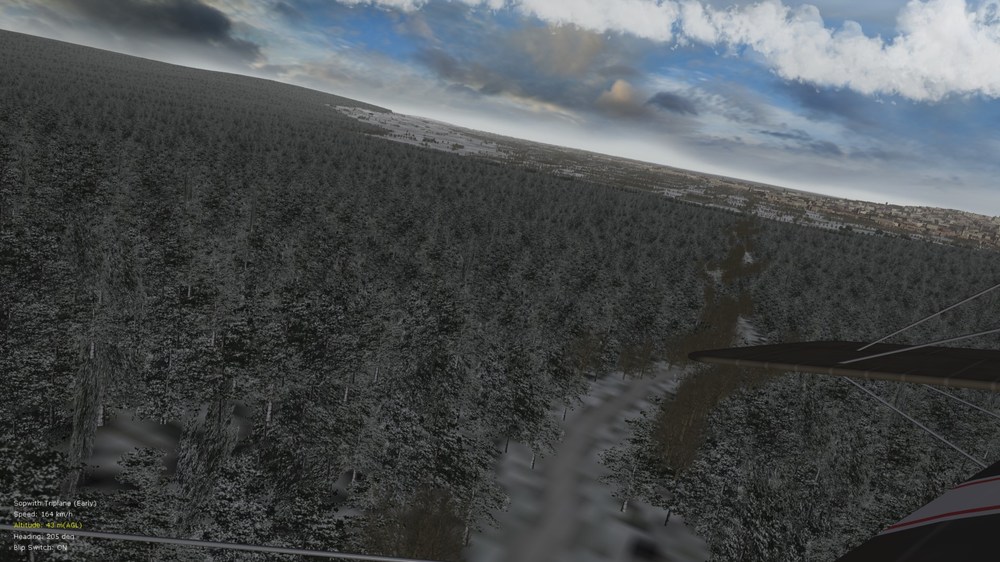
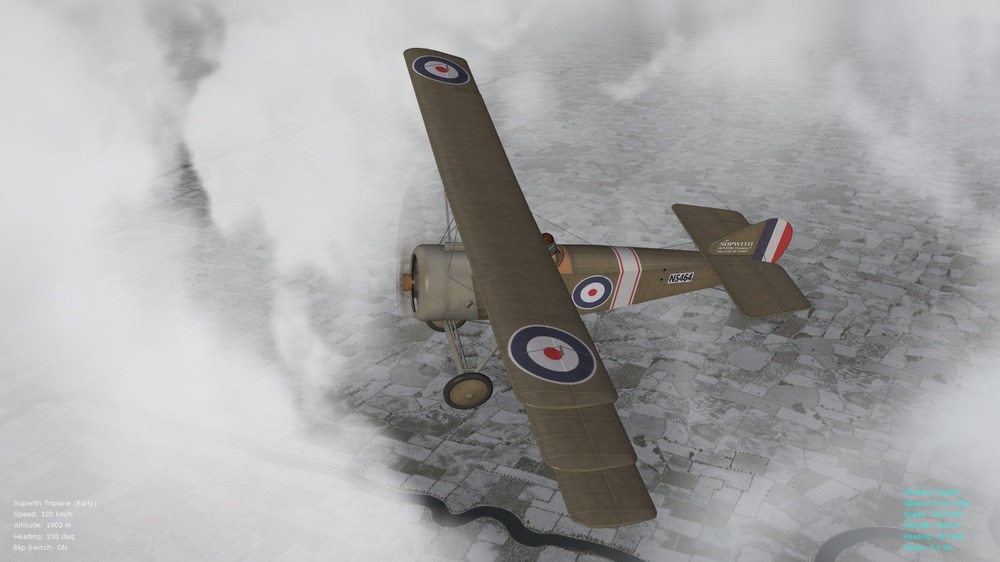
Have never had better trees or treelines in FE2 before tinkering with the alpha settings in the terrain data inis. A few more representative pics. below - will upload the relevant files in a day or two under my FM thread. Also, some observations regarding the "AlphaObjectTextureMaterial" entry of the terrain data inis (relevant for those of us on AMD vid. cards): // depthbuffercheck must be TRUE, otherwise trees visible through aircraft even when flying // depthbufferwrite must be FALSE, otherwise chopped and blocky trees and foliage artifacts // alphatestenabled may be set to FALSE for even more tree intersection and overlap, although I think it works adequately at TRUE // mipmap must be set to TRUE, otherwise small sparkling lights/flickering of trees and forests if set to FALSE Von S More varied spring/summer trees More types of conifers, firs, etc. Winter landscapes looking more robust, different trees outlining roadways, rivers, etc. Unrelated photo - to get a lighter-colored skin for the early Tripe by Stephen, open "Photos" in Win10, apply the "Sahara" filter, and re-save.
- 1 reply
-
- 1
-

-
- amd video cards
- fe2
- (and 2 more)
-
Included in this post is a zipped file (will leave the file up for about a week) that contains the data inis for the 45 and 60 hp variants of the MS Type G - either one may be used as the "generic" FM/data ini for the Bleriot XI - and then later I will tweak the file further (among other things, the Bleriot wings provide better climb since higher camber on them, but also more drag than on the MS G/H/L etc. wings). As well, for a good view of the 45 hp Anzani 3-cylinder fan engine (w-variant), I recommend this link (https://en.wikipedia.org/wiki/Anzani_3-cylinder_fan_engines#/media/File:Anzani_Military_Model_Fan_type.JPG). The 45 hp variant had 72 degree separation between the cylinders, as well as exhaust valves shorter and at the cylinder heads. The older 25 hp variant (and 35 hp variation) had 55 degrees separation between cylinders, and exhaust pipes longer and going behind the cylinders (link to older variant model here: https://forum.ww1aircraftmodels.com/index.php?PHPSESSID=894p4lc1b7o4i7qbu9bpi9i1g1&topic=2719.msg44984#msg44984). Real output on the 45 hp variant was around 47-8 horses. There is also a rare, 53-55 hp variant (probably the 45 hp case with larger bore, and therefore even more prone to cylinder explosion, losing a cylinder, etc., since thinner walls on the cylinder). The 3-cylinder fan configuration was produced to about 1913, right before the war. The little holes going across the middle of each cylinder are to minimize pressure buildup inside, therefore less overheating, etc. There is also the y-variant of the 3-cyl. Anzani, with two cylinders facing downwards, but as far as I remember from my readings, the bottom two cylinders would often foul up (oil problems?) - the w-variant design is the more sound of the two. Von S [Edit: Attachment removed.]
-
I have no idea if Geezer will return to FE2 modding - he seems to have left for other sims. and/or the Unreal engine (for static war displays that he was experimenting with). Best thing is to send him a PM regarding the Bleriot model - although I don't think that he logs in to CombatAce regularly. At this point I think that a Bleriot XI will have to be worked from scratch (that freeware model is a great starting point in my opinion and will not require too much work to become an engined-up Anzani variant - see the "More Info." section of my relevant post above for details regarding dimensions, trusses, etc.). Take your time with the model if you decide to work on that freeware variant - I'm sure that we FE2-ers will be pleased with the results, and we'll try to help with questions whenever possible. Von S